• We are STAs
    • Asha Rountree
    • Cindy Truong
    • Haley Ma
    • Isabella Melendez Gonzalez
    • Julie Brandt
    • Kate Shih
    • Kodi Khiraoui
    • Kyra Lee
    • Nicholas Peasley
    • Sasha Kenney
    • Shanda Horm
    • Shriya Atreya
    • Tomas Marulanda-Mesa
    • Trisha Darure
  • We were STAs
  • STA Presentation
    • STA Presentation 2017
    • STA Presentation 2016
  • Testimonials
  • Resources
  • Home

STA Blog

Cindy Truong

Cindy Truong

My First Project

August 20, 2026 By Cindy Truong

My First Project

ARH 301 Introduction to Visual Arts

I was assigned this project right when I was finished with my trainings and I’m so glad to have been chosen to work on this animated intro! I attended my first meeting to understand what the TAs and Professor Cushing wanted for the new animated intro. In this meeting we discussed the professors interests and what he might want to be included, but overall I was given full freedom to edit whatever I wanted based on a couple of requirements and Cushing’s interests. I had to do a 30 seconds visual arts intro in homage to the classic Masterclass Theater and with a bit of goofiness, but also have a scholarly vibe.


Given so much freedom, I was thinking of a variety of intros I could do. I eventually came up with 3 options that seemed fitting and I thought to bring it to Lila to help me ideate and finalize an idea. She liked the sound of 2 of the 3 options, so she suggested I storyboard the ideas and make some rough animations on After Effects so that she could understand the options better.

For both of the ideas, I wanted to frame the pieces Cushing goes over in the course in those intricate museum worthy golden frames, so I found a couple on Adobe Stock and began animating the first idea after downloading a good amount of the course pieces. The first Idea was basically just a spotlight revealing “ARH 301” and a zoom out to reveal the full course name + the professor on cover of an old looking brown book cover. In the “ARH 301” letters, I was going to place the course pieces in them moving in a carousel to give more movement to the intro overall. This intro would’ve accomplished being scholarly and the Masterclass Theater theme after I added some details. However I showed Lila and we were both a bit hesitant to more further with this idea before seeing what the second idea was. (The repetitive motion of going up and down the letter really threw us off..)

For the second idea, I wanted to emphasize the art pieces that the course will cover, so I did a gallery walk but with a small twist to give it the wacky Cushing desires. The art room’s wall is brown with wood floors giving a more traditional vibe. Most pieces are framed in the elegant gold frames with a couple more modern pieces in just a black frame with a white background behind the pieces. We start by “walking” into the room and seeing all 3 walls (left, middle, and right) filled with pieces with a statue in the middle of the room. I thought to put Michelangelo’s David statue in the middle as it’s a well-known work of art and is a great center piece. The camera then pans to the right wall, making its way from one piece to the next on the wall and continuing to middle then left wall. After seeing all of the pieces, the camera pans back to the middle and we see that statue once again, but this time, the statue has eyes and gives the audience a wink before zooming right passed the shoulder going into the “next room” symbolized through an arch. The wackiness in this isn’t just the statue having eyes, I made sure to use Professor Cushing’s eyes from a photo I found of him.

I posted the WIP video to basecamp looking for any feedback I could get and one of the PM/PA, Sam, loved what I had going so far! There was just one suggestion she shared: Could I change the David statue to another statue covered in the course due to the nude nature of the statue. This was not an issue to me at all, so pivoting to a different statue covered in the course was no problem at all! The statue went from David to Berlin Kore.

Of course, we landed on doing the gallery walk idea since this idea was able to hit every requirement and wants! Scholarly, in homage tho Masterclass Theater, clever, and wacky! The ideating, drafting, feedback, and revising loop was prevalent in the project, but I enjoyed hearing the critiques and feedbacks as I continued with the project. Having a fresh pair of eyes looking at the animation was much needed as everything just looked the same to me as a certain point!


Overall, this project being my first project just made me feel extremely excited for what else is to come in the future regarding STA projects, skills I’ll learn, and sense of confidence in the skills I have currently. ( ˶ˆ꒳ˆ˵ )

────── ෆ˚⋆୨୧⋆˚ෆ ──────

Filed Under: Fall 2025 – Spring 2026, We are STAs

Quick Recap of My Trainings

August 20, 2026 By Cindy Truong

Quick Recap of My Trainings

It’s been about a month since I finished my trainings, and I’ve gotten to work on very fun and amazing projects!
Quickly going over my training works:

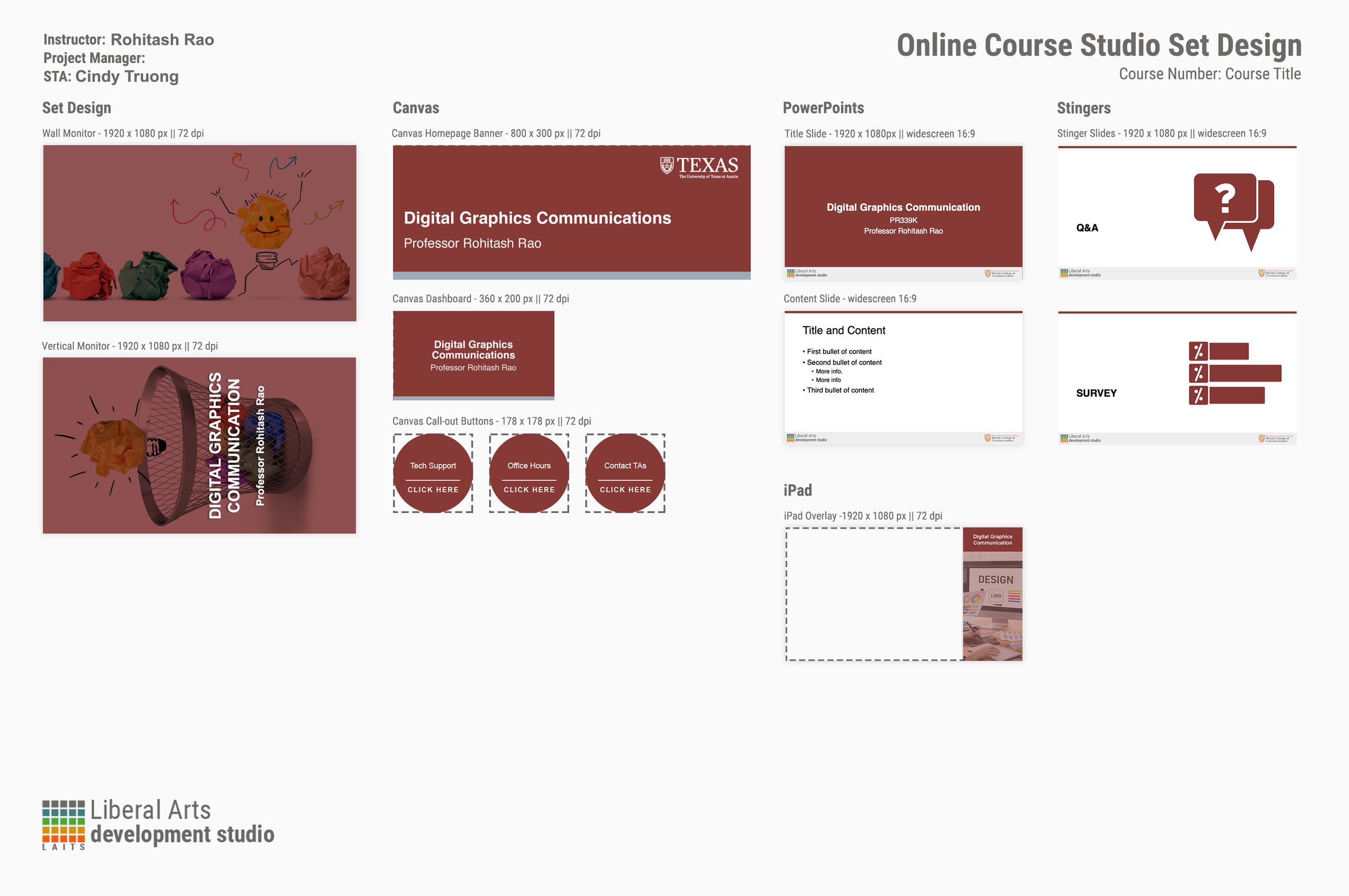
A couple of course graphics I did for my chosen course of PR339K Digital Graphics Communication! I had to go through many iterations of the backgrounds before I landed on the ones I did for the monitors. I had to keep switching the background up since the one I first chose was intricate and would be extremely distracting as a background. Thus, pulling the attention away from the course contents and professor. The old iterations are below!

Overall, I learned a lot during this training period and I’m glad the trainings are built to be quite similar to the projects us design STAs work on regularly! Never having touched Adobe InDesign and Illustrator, there was definitely a learning curve, but I came out understanding the basics and wanting to use it way more. There were times I was so confused with what’s going on in the programs, but a couple of searches later, I learned and used the new skill in the training and will apply in the future.

────── ෆ˚⋆୨୧⋆˚ෆ ──────

Filed Under: Fall 2025 – Spring 2026, We are STAs

My first blog post

June 30, 2026 By Cindy Truong

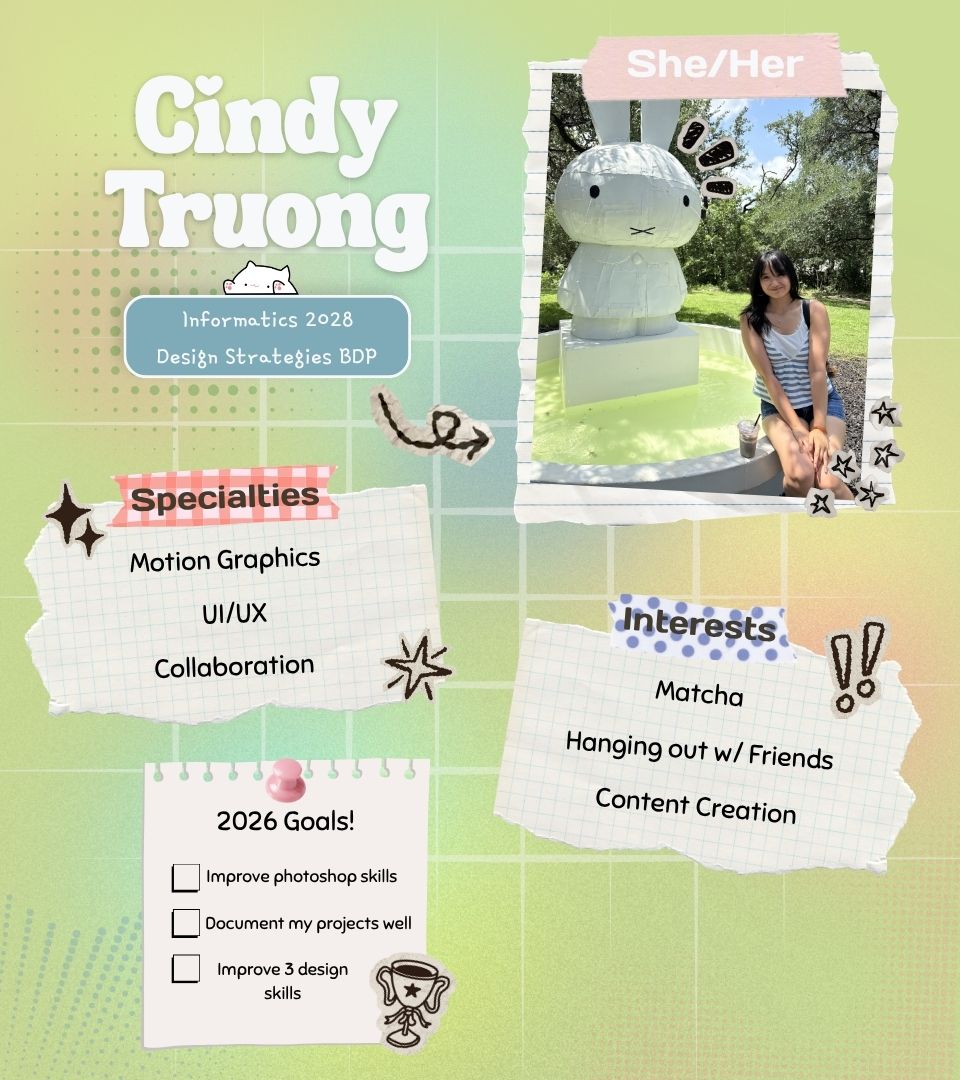
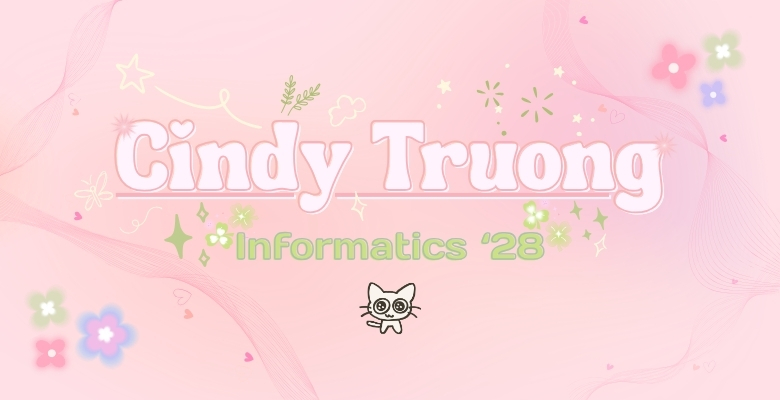
Hi! I’m Cindy, an incoming Junior (as of June 30, 2026) majoring in Informatics! For the past two days, I’ve been getting situated with all of the apps/software that STAs have to use to stay organized with our files and timing. I did my blog banner my first day and today I started and completed my caricature! I feel like time goes by so fast when I’m here and that I’m so slow 🙁 BUT once I get used to everything, I will be unstoppable. Still, going through the training there’s so many links and files I have to comb through, it’s a bit overwhelming but for sure exciting.

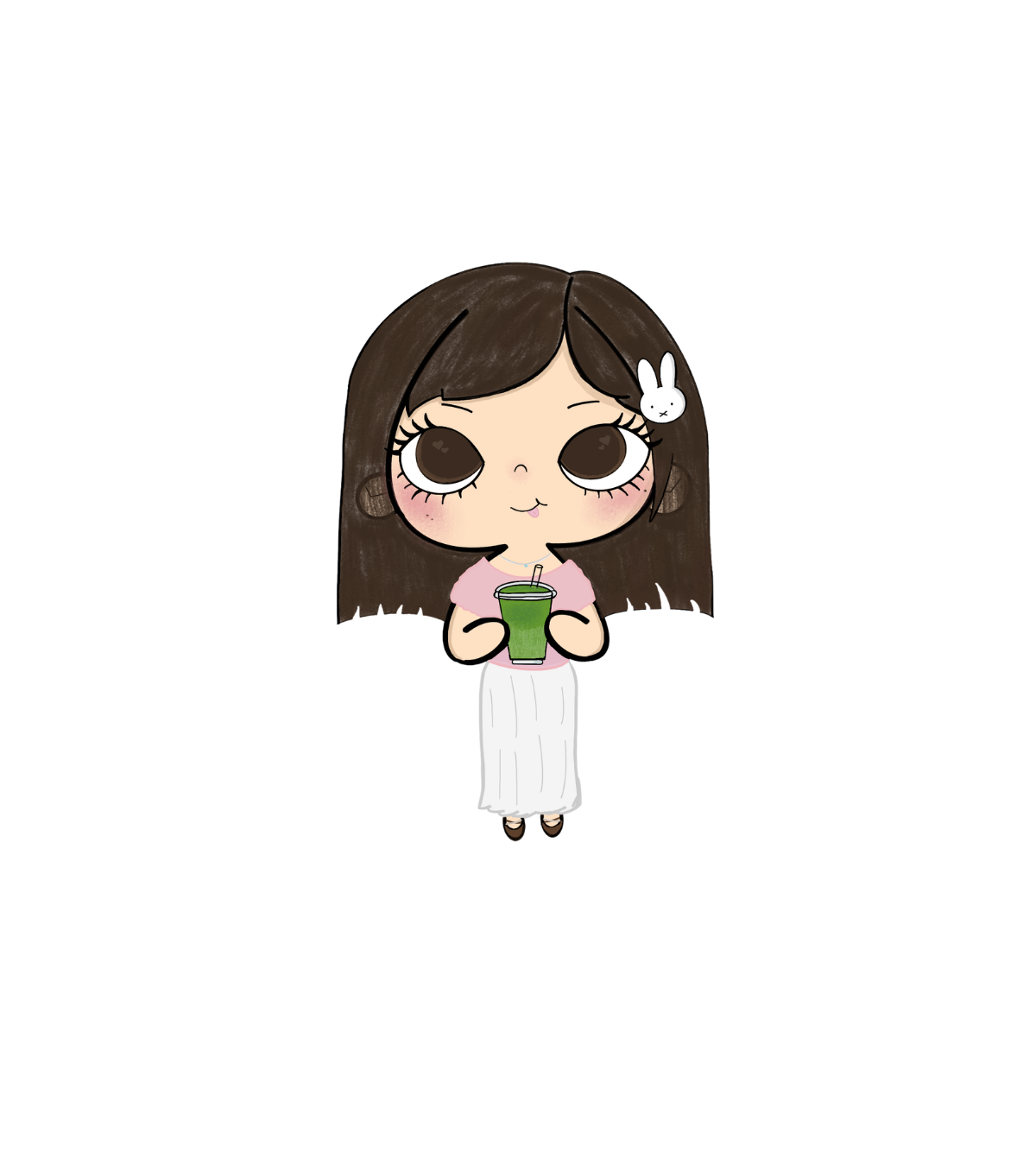
My caricature is my first art piece of myself i’ve ever made for myself, so I hope she doesn’t look too bad. Procreate is still confusing.. but I got better with it because of this assignment!

Now I am off to do my Tier 1-3 trainings :3

Filed Under: Fall 2025 – Spring 2026, We are STAs

Welcome to the STA Blog!

June 29, 2026 By Cindy Truong

Hi Cindy! Welcome to the STA Blog! This the page where your blog posts will published.

Toward the end of your STA Orientation, you’ll design and upload a banner to go at the top of this page.

Upload a Blog Banner


Step One: Design Your Banner in Photoshop

Use these Photoshop specs when you’re making your banner:

    • Your banner should be 780 pixels wide (the height doesn’t matter)
    • Must include your name, your major, and your expected graduation year
    • Your banner should reflect who you are (your personality, interests or major)
    • Make sure to save your banner for the web (i.e. File > Export > Save for Web (Legacy))
    • If you save your banner as a JPG, make sure sure the quality is high (i.e. at least 60)

Step Two: Save Your Banner

  • There are two places you can save your completed projects: UT Box and the LAITS server. You’ll be given a personal folder in both locations. For now, you only have to save your banner to UT Box, but you may have to access the server at some point in the future.

Accessing UT Box

    • If you haven’t already registered with Duo, follow the instructions here to set up an account.
    • Then log in to UT Box with your EID and password: http://utexas.box.com/
    • Go to the folder called Design-Coding-STAs, then the subfolder STA-folders
    • Find the folder with your name on it
    • Save your banner both as an image and an unmerged PSD

Accessing the LAITS server

    • Accessing the LAITS server from off-campus is slightly more complicated.
    • You’ll need to be registered with Duo if you aren’t already (you can register here).
    • Then you’ll need to connect to the UT VPN and the LAITS server. The videos below will walk you through how to do that:
      • Connect to the Server – PC
      • Connect to the Server – Mac
    • Then navigate to your STA volume folder and save
      • smb://file.laits.utexas.edu/sta/Cindy Truong
    • Save your banner both as an image and an unmerged PSD

Step Three: Upload Your Banner to the STA Blog

  • Log in the the STA Blog here. You should’ve received an email confirming your new WordPress account with your username and assigned password. If didn’t get it or you can’t log in, ask De’sha or another STA.
  • You’ll be able to change your password anytime by going to Users > Your Profile > Account Management > New Password.

Uploading media and banners in WP

  • Read these links before you upload your banner.
  • They will walk you through how to upload media to your blog.

How to Upload a Homepage Banner

Adding New Posts and Media

Make Your First Blog post


  • Reflect on the day. You blog posts will be a documented experience of your time as an STA with LAITS. They can include anything you want to share about the projects you’re working on, and the more media (screenshots, images, links, videos, gifs) you can use, the better.
  • For today, write a bit about about yourself and what you did during orientation.
  • If you haven’t already, upload your banner.

Things to Remember


Image Specs

  • You should never copy and paste images into to your blog. Always upload images into the media section of blog first (Click on the add media button), then insert the image from the media folder to display on your blog.
  • Don’t use the thumbnail version of your images.
  • Use images that are 72 dpi
  • Screenshots are fine
  • Images that are 780 pix wide format nicely above or below text blocks

Always Categorize Your Posts

  • Always check the category “Fall 2025 – Spring 2026” on the blog posts you make this summer. This is the only category you need to check.
  • Make sure your posts are categorized correctly so that all of your work is documented in the correct semesters.

Commenting on Basecamp

Notification comments: etiquette, files, questions, feedback

Let us know when you’ve completed this task by adding a link to your blog to a comment in Basecamp.

Notes for all comments in Basecamp:

  • *Always address the person/people you are writing to by their names.
  • *Always use complete sentences.
  • *Always add links or paths to your design file in your STA folder.
  • *Make it easier for your collaborators and mentors to give you feedback on a design by adding screenshots to your comment.

Notify people in Basecamp by adding the @ symbol before their names (no spaces), otherwise they may not see your comment.

@ your STA mentor in your comments when you want to:

  • ask us questions about the mechanics of using the STA blog,
  • about the mechanics of photoshop,
  • to let us know that you have completed this task,
  • or that you would like a little feedback on on your banner design

Thank you & have fun!

Filed Under: Fall 2025 – Spring 2026

link to LAITS home page

Video STA Home

© 2026 Liberal Arts Instructional Technology Services | Production Credits