• We are STAs
    • Asha Rountree
    • Haley Ma
    • Isabella Melendez Gonzalez
    • Julie Brandt
    • Kate Shih
    • Kyra Lee
    • Nicholas Peasley
    • Sasha Kenney
    • Shanda Horm
    • Shriya Atreya
    • Tomas Marulanda-Mesa
    • Trisha Darure
  • We were STAs
  • STA Presentation
    • STA Presentation 2017
    • STA Presentation 2016
  • Testimonials
  • Resources
  • Home

STA Blog

Current Sta

Week 2

September 7, 2021 By Rahul Palla

Project: COLA Website Refresher
Client /Prof: N/A (College of Liberal Arts)
Completion Status: Started August 25, 2021
Staff guidance: Michelle Vanhoose, Chris Rankin
STA team members: Ingrid, Adrian
description/plans: Get familiar with Pages and learn how to use it through trainings before ultimately using it for the COLA Website.
To be completed: TBD (long-term)

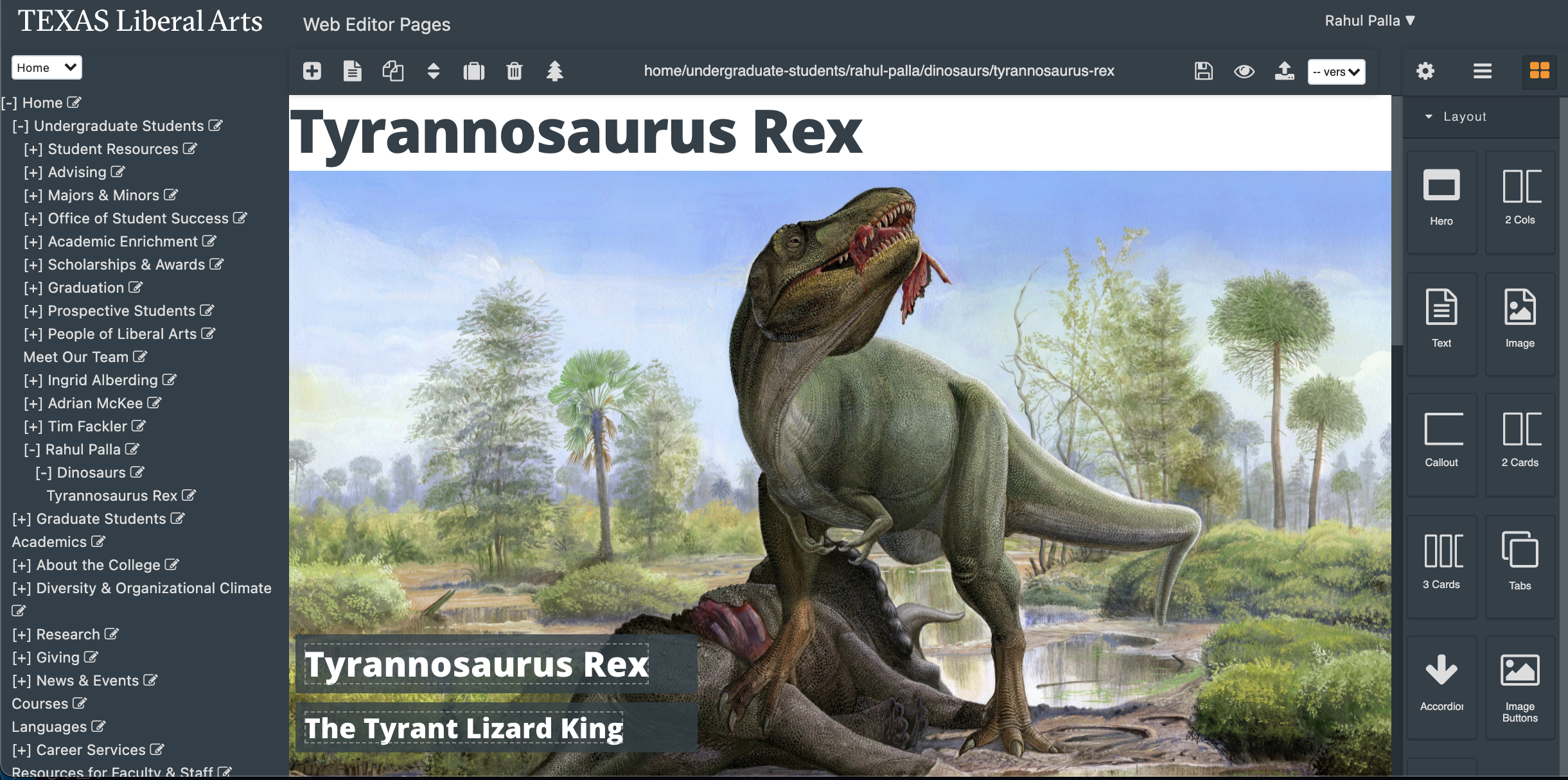
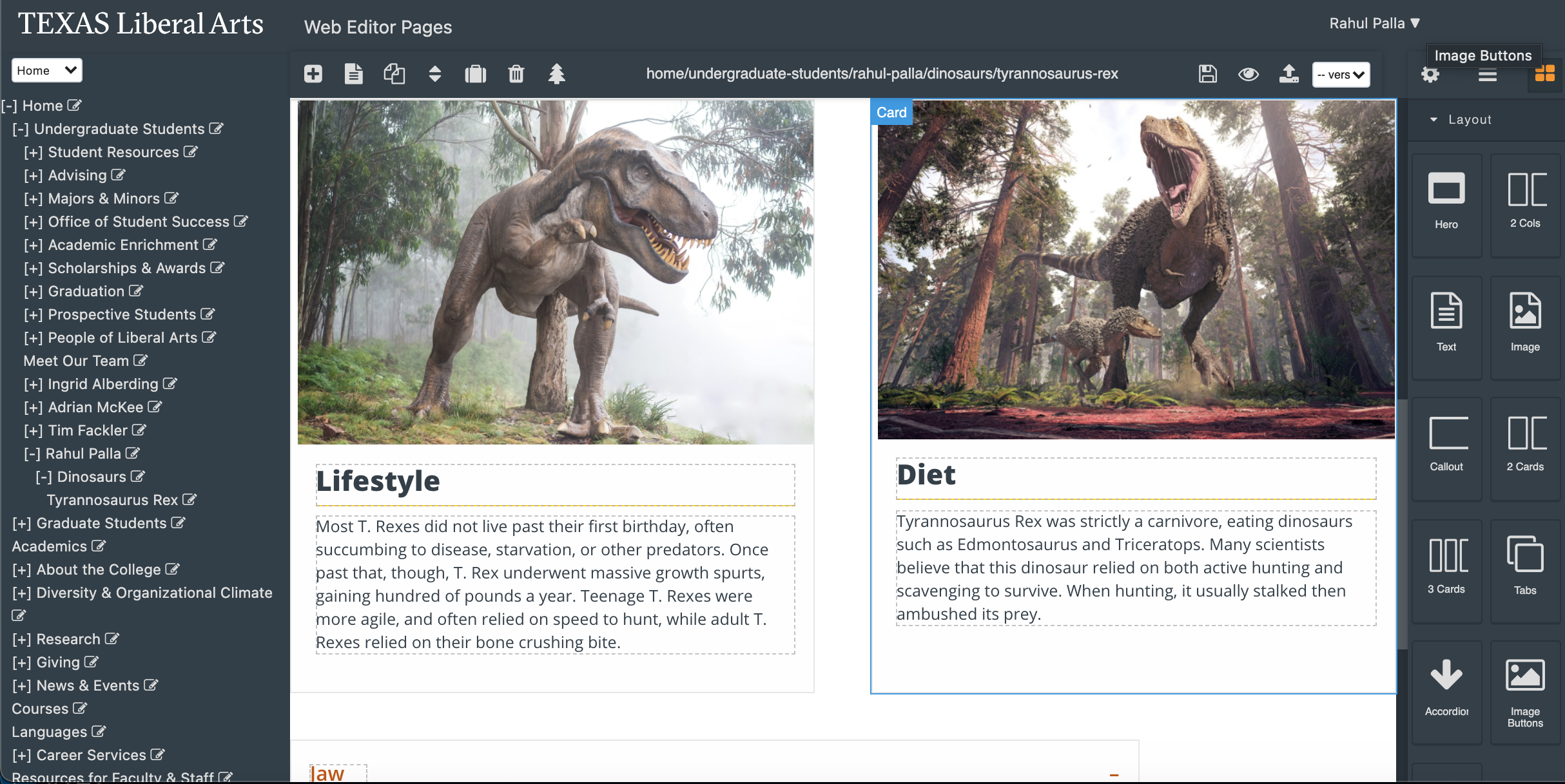
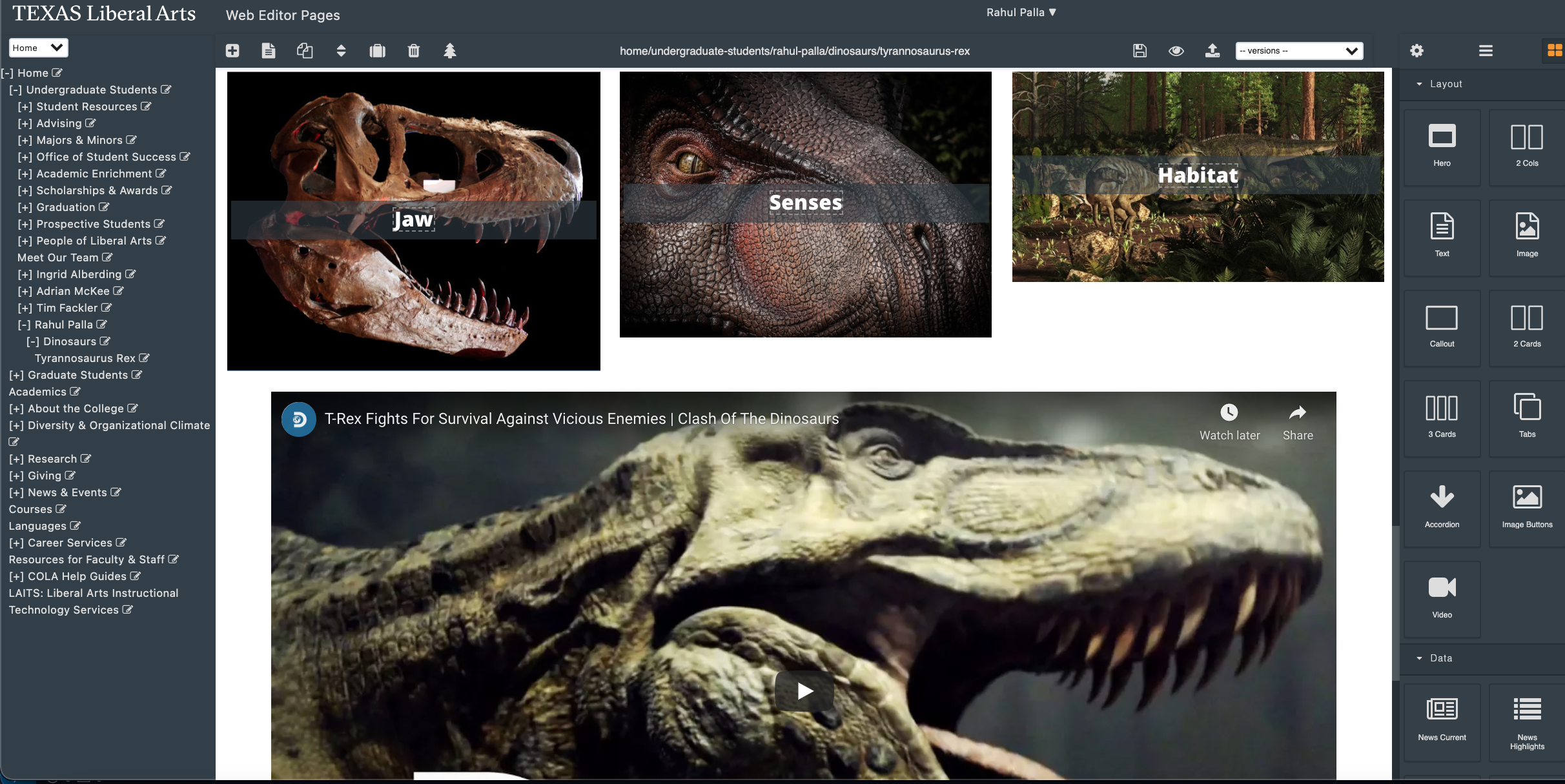
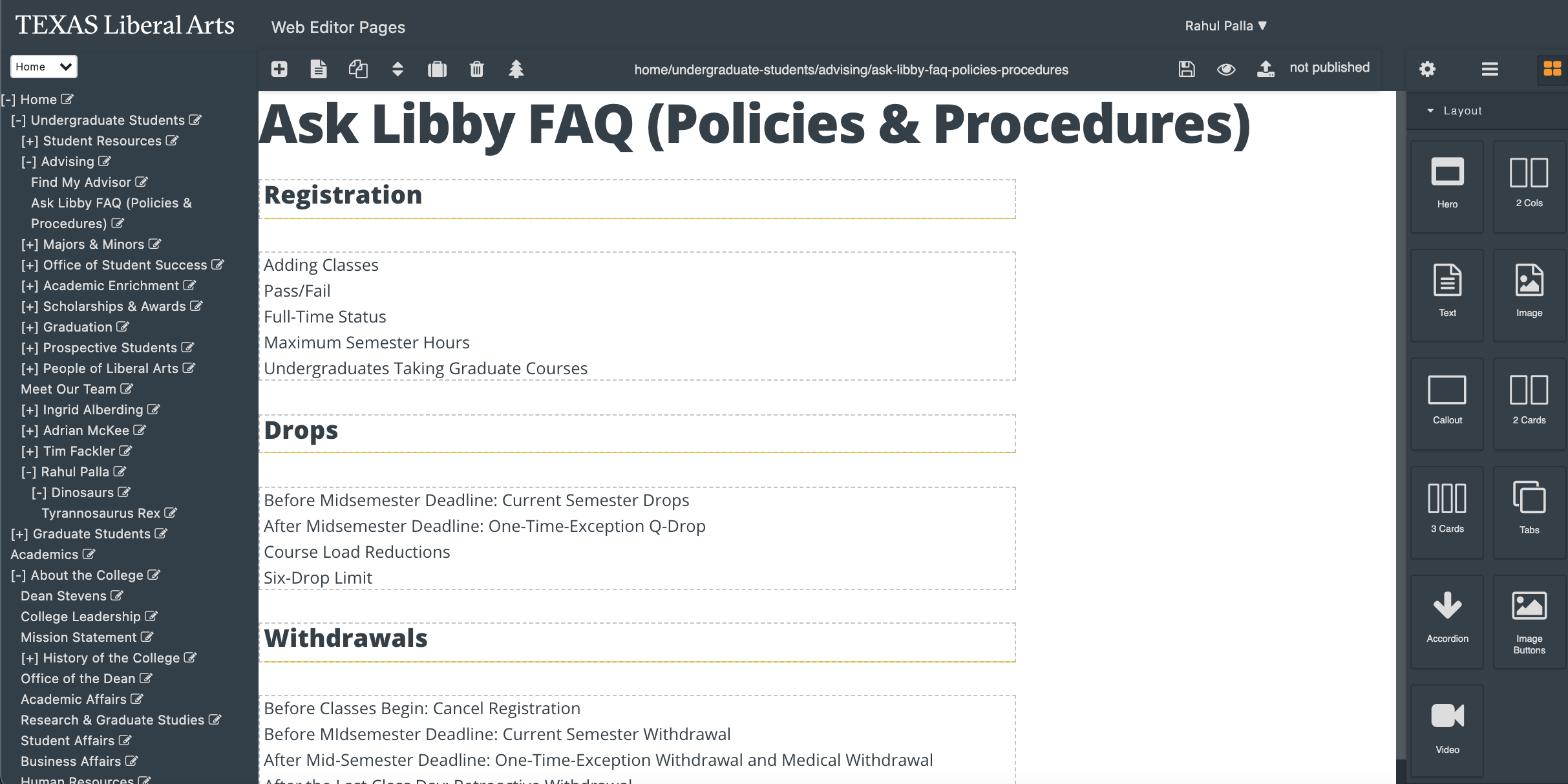
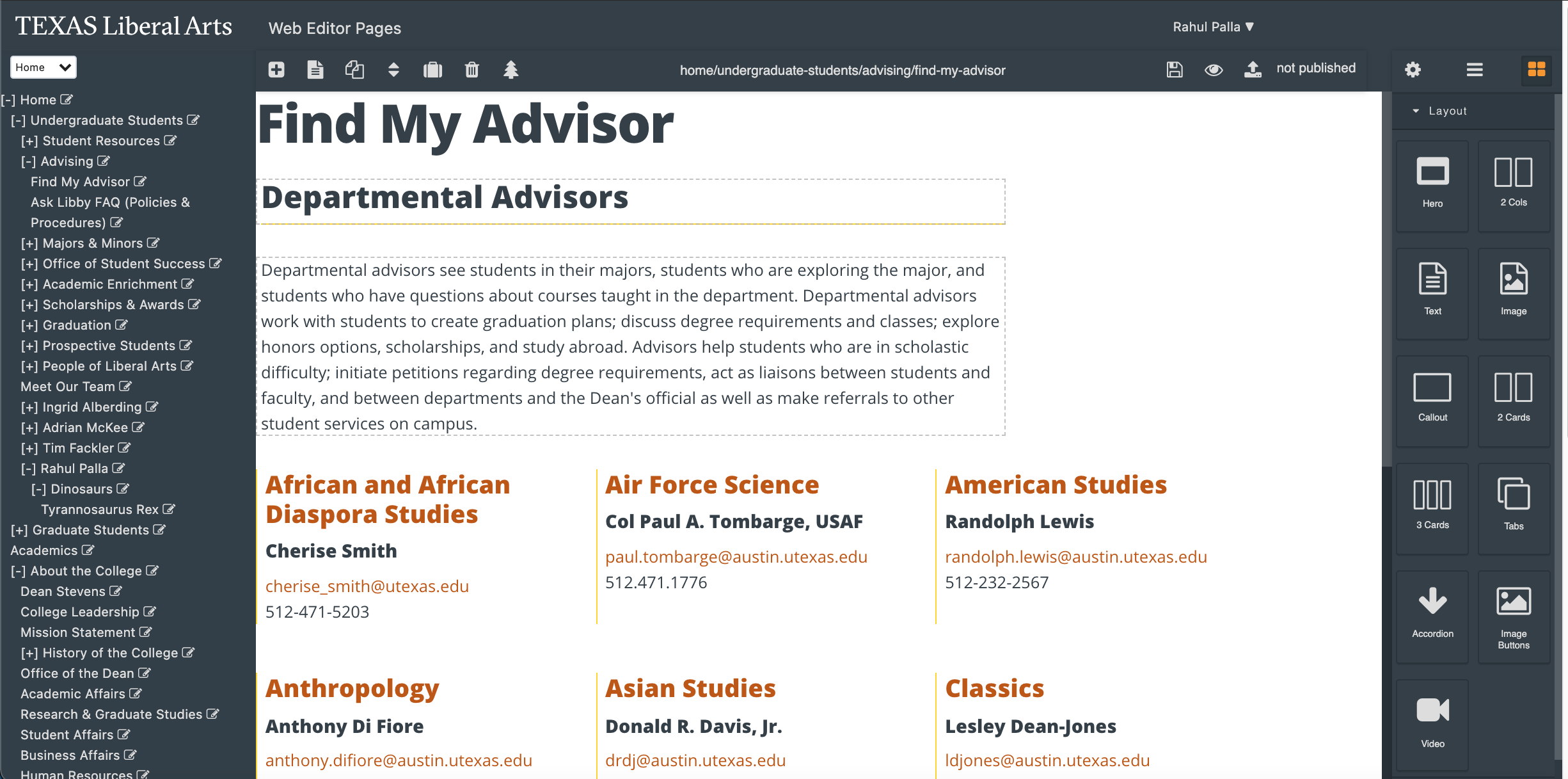
Last week I mostly worked on the COLA Web Refresher, especially the personal site in Pages. I had originally made 3 sites, one about me, one about a dinosaurs (personal interest), and then an in depth page on the Tyrannosaurus Rex. Unfortunately, there was a bug in Pages that I happened to stumble upon, which was with the undo function, in which all 3 sites were replaced. Due to this, I had to restart all the progress I made, but at least I found a bug! I also met with Jake about the Epic Similes project, which was really interesting to learn about. Below are pictures of the two sites I was able to finish.


Filed Under: Fall 2021 - Spring 2022, We are STAs

Stinger – Animation Refresh Title

September 7, 2021 By De'sha Bass-McClellan

Stinger – Animation Refresh Title

I began working on different draft options for the title on the Stinger Refresh project. Since the icons will have the most animation, we want the title to have a small, subtle animation added to it. I decided the choose between two options so far, a typing animation and a fade in animation.


I believe they both bring their own style to the animation, but I don’t want to take away from the main animation with too much movement. With that being said, I believe I am drawn more to the second option. Only because it is simpler and doesn’t take away from the main animation and with the other animations that will be created.


http://sta.laits.utexas.edu/wp-content/uploads/2021/09/Title-Stinger-Draft-1.mp4
http://sta.laits.utexas.edu/wp-content/uploads/2021/09/Title-Stinger-Draft-2.mp4

Filed Under: Fall 2021 - Spring 2022, We are STAs

Stinger – Animation Refresh Survey

September 7, 2021 By De'sha Bass-McClellan

Stinger – Animation Refresh Survey

Last week I mainly focused on the survey animation for the Stinger Refresh project. For this animation, I wanted to create something that mimicked the movement of bars if the students were actually taking a survey.

For the first draft, I did a lot more motion in the bars and the animation was slightly longer.

http://sta.laits.utexas.edu/wp-content/uploads/2021/09/Survey-Stinger-Draft-1.mp4


With some editing tips, I drafted a second animation that is shorter in length. I also made the
bars move more consistently.

http://sta.laits.utexas.edu/wp-content/uploads/2021/09/Survey-Stinger-Draft-2.mp4

Filed Under: Fall 2021 - Spring 2022, We are STAs

Week 2: Electric Boogaloo

September 2, 2021 By Rachel Sacks

Hello!

Well, somehow I finished up my second week as an STA. This was my first full 12-hour week, though it went by impressively fast. I’ve become very comfortable using the Mac that is second to last on the right side of the room. I fear that it will not always be the one I use, but I will cherish it for now.

This week I primarily worked with De’sha and Megan on the Animation Stinger refresh assignment, where we are adding animations to the stinger templates with adobe After Effects. I first created animatics on Procreate to quickly sketch out my ideas for the Chat, Instapoll, and TA discussion animations. I made several versions and drafts for both, but these are the ones we decided to stick with:

http://sta.laits.utexas.edu/wp-content/uploads/2021/09/Insta-Poll-Animatic-draft2.mp4
http://sta.laits.utexas.edu/wp-content/uploads/2021/09/Chat-Time-Animatic-draft2.mp4
http://sta.laits.utexas.edu/wp-content/uploads/2021/09/TA-discussion-2.mp4

After I finished this, I began the actual animation for the Chat Stinger.

I first edited the chat Illustrator file and added in two smaller bubbles that I will later animate in After Effects. When doing this, I made each of the three dots a separate object from the large chat bubble, so that I am able to remove them later in AE when I replace them with masks. To create the smaller bubbles, I:

  • Copied the large bubble object, resized and rotated it, and moved it to the bottom left. This location is where it will be largest in the animation.
  • Used the pen tool to remove the anchor points for the triangle at the end of the chat bubble, which I felt was too off-center for the smaller bubbles.
  • Used the pen tool to create a new triangle closer to the center of the bubble.
  • Duplicated this first bubble to create the second bubble, which I placed on the top right.

After this, I imported the .ai file into the main After Effects template we are using for all the stingers. I imported this as a composition, and placed it next to the other animation compositions that already exist in the template (right now, the only other one we have done is the Survey stinger). Inside the composition, I created three masked circles to replace the ones with color in the .ai file. This way, the circles will be transparent and fit over any color background that is used in the template.


Next, I went back to the main composition, and edited the text on the left side of the screen to say “Chat Time.” We may change this later to be slightly larger.

Next week I will animate this, as well as the other stingers. I may also change the shapes of the bubbles to be more rounded, depending on if it fits the theme.

Have a great Labor Day weekend!


Filed Under: Fall 2021 - Spring 2022, We are STAs

August 30, 2021 By Ingrid Alberding

Project: COLA Website Refresher
Client /Prof: N/A (College of Liberal Arts)
completion status: started on August 25, 2021
staff guidance: Michelle Vanhoose, Chris Rankin
STA team members: Rahul, Adrian
description/plans: Begin to grow comfortable with Pages and create a practice page, start to transfer content from Cascade beginning with content from the Office of the Dean.
To be completed: TBD (long-term)

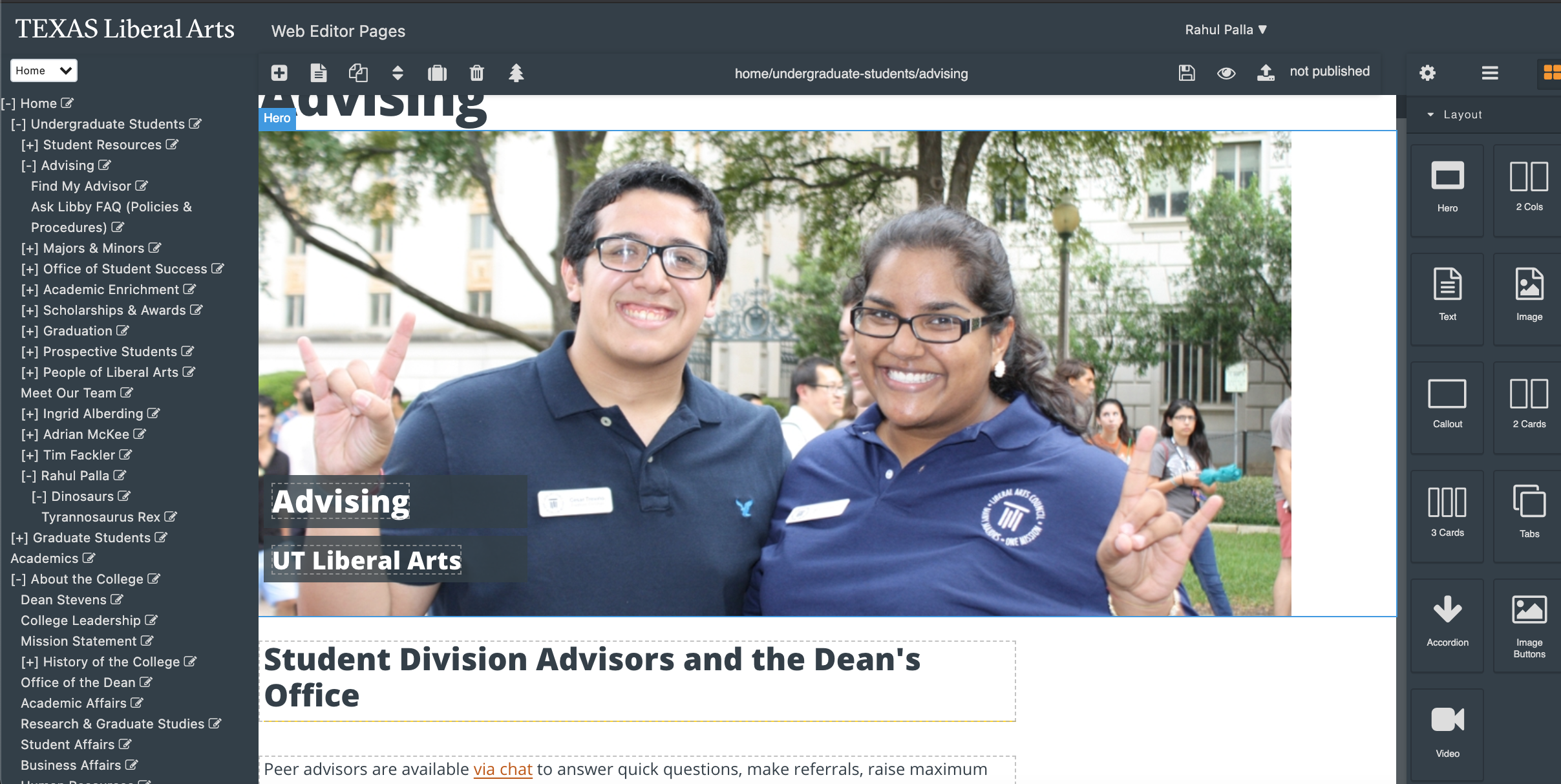
So — worked on IDs, Cascade feedback, and really got the ball rolling on the web refresher project! Below are some screenshots from my work on my practice site, which I made entirely about calicos, snowballing from a love for Pirate.

I also continued to part 2 of the Pages training, by drafting and sending an email to Michelle, Chris, and Crystal describing my work, what went well & what didn’t, and any suggestions I have. I’m including it below (also in BC) because why not, let’s let this blog post be a big boy.


Hello,

I am writing to let you all know of my current progress on the COLA web refresh project. As of now, I have created a parent page for myself under “Undergraduate Students” (with my name as the title). The home/landing page simply contains a hero image. There are two personal pages contained therein. I chose to construct my pages’ content around my cat roommate, Pirate, and educating the audience about calicos in general. The first subpage includes two images of Pirate in the card component format. Next, I included a FAQ centered around calicos, this time as an accordion component. The last component of this page is a callout, featuring a highly publicized calico-related news event. The second subpage included some more information about calicos, starting with some featured famous calico-loving artists, rendered as image buttons. Next, I included some more calico information, represented as tabs, covering what differentiates calicos from torties and torticos. Lastly, I embedded a short video with some quick facts about calicos. Across all pages, I demarcated different section of information by using the header text formatting. 

Overall, I thought this activity went well. I was able to attain some familiarity with different Pages components and how they work in practice. The preview option (much easier to use than Cascade) was also a great resource to check my page as I went along with my edits. The drag and drop functionality was also pretty useful, as well as being able to view different Pages components as layers. As someone who often works in Photoshop, this was a really great and familiar tool. 

As for things that did not go quite as smoothly, there were a few barriers. First of all, as far as I could see, there was no way to resize pictures within this platform. I ended up cropping some of the image assets I used in Photoshop before so that they would show up proportionally. Let me know if there is an easier way to do this. Moreover, the CMS’ canvas being small was a bit of a challenge, especially working on the large Mac monitor here in the office. 

Lastly, I had a couple of possible improvements or functionalities I’d like to suggest. As I have very limited web development experience or insight into the workload of those on that team, I understand if they’re unrealistic requests, but they are features I wished I had while creating my page. First of all, perhaps some kind of table of contents kind of component could be useful. This component, already present in the HTML of some present COLA Cascade pages, would link certain topics or questions to relevant sections of the page. One last suggestion I have is that maybe there could be a way, in the case of image components, to toggle a basic color overlay from one of the branding colors like the blue/orange/dark/light text box options in the card components. This could maybe create a little bit of cohesiveness across pages, but I also realize this could be too much.

I hope you are all doing well. Let me know if there’s anything I should add or change, or if you need any clarification!

Sincerely,
Ingrid Alberding

https://sta.laits.utexas.edu/blog/2021/08/30/40536-2/

Filed Under: Fall 2021 - Spring 2022, We are STAs

Stinger – Animation Refresh Planning

August 26, 2021 By De'sha Bass-McClellan

Stinger – Animation Refresh Planning


project: Stinger – Animation Refresh
Client /Prof: N/A
completion status: Started August 25 2021
staff guidance: Maddy
STA team members: Rachel and Megan
description/plans: Refresh the stingers for the course graphics to add light animation.
To be completed: N/A


For this project, I started working on planning out the steps to make the overall creation of the stingers simple for future STAs.


Notes:

Current Stingers: 

  • Chat
  • instapoll
  • Quiz
  • Survey
  • TA

Questions to Consider:

  • Easily customizable After Effects File
    • Color
    • Background Images
    • Fonts? Segment title
  • Standard animations for each segment??
  • Standard animation for title??
  • How long do the animations need to be? (2 seconds + additional second for static image) 

*** Standard AE composition with the layout of each element (Title, background, animation). ***

  • Duplicate “standard” composition
  • Edit the Title and Background Image
  • Insert/open the different icon animation compositions into “standard composition”

After Effects File Requirements:

  • Placement of Title with small animation
  • Placement for icon with animation
  • Background image placement (static)

Title Animation Ideas:

*** Left side of the graphic (simple) ***

  • Typing 
  • Fade in
  • Slide in from left or bottom


Stinger Animation Ideas:

*** Right side of the graphic (Fade in first) ***

Chat:

  • Multiple Chat bubbles appear?
  • iMessage chat

Instapoll:

  • Revolving circle around install with moving bars?

Quiz:

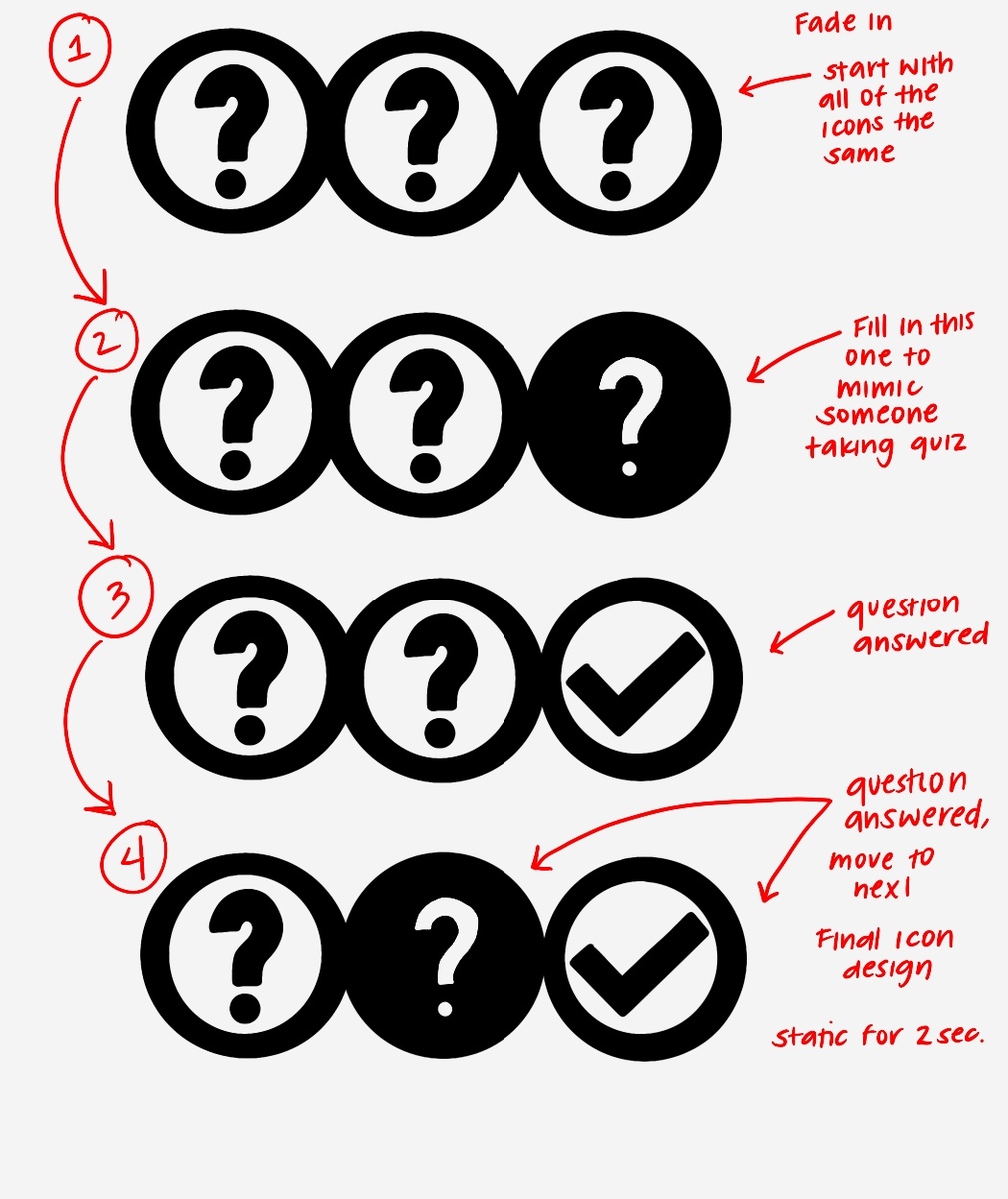
  • Blinking/transitioning between filled question mark and open. Switch to check mark after?

Survey:

  • Toggle back and forward

TA:

  • Interchanging the chat bubbles


Files:

I already began creating the AI files for the different stingers. Once we have decided on the animation for each icon, we can began making the different frames in AI or creating the different piece to animate in AfterEffects.


I also began creating the After Effects Template for the animation composition. There is a “main composition” that will hold the final completed animation that will be sent off. Within the main composition, there is the Title, that can be changed, the background composition, and the animated stinger composition. There will also be a composition that the STA can use to change the background image.


Filed Under: Fall 2021 - Spring 2022, We are STAs

  • « Previous Page
  • 1
  • …
  • 84
  • 85
  • 86
  • 87
  • 88
  • …
  • 132
  • Next Page »

link to LAITS home page

Video STA Home

© 2026 Liberal Arts Instructional Technology Services | Production Credits