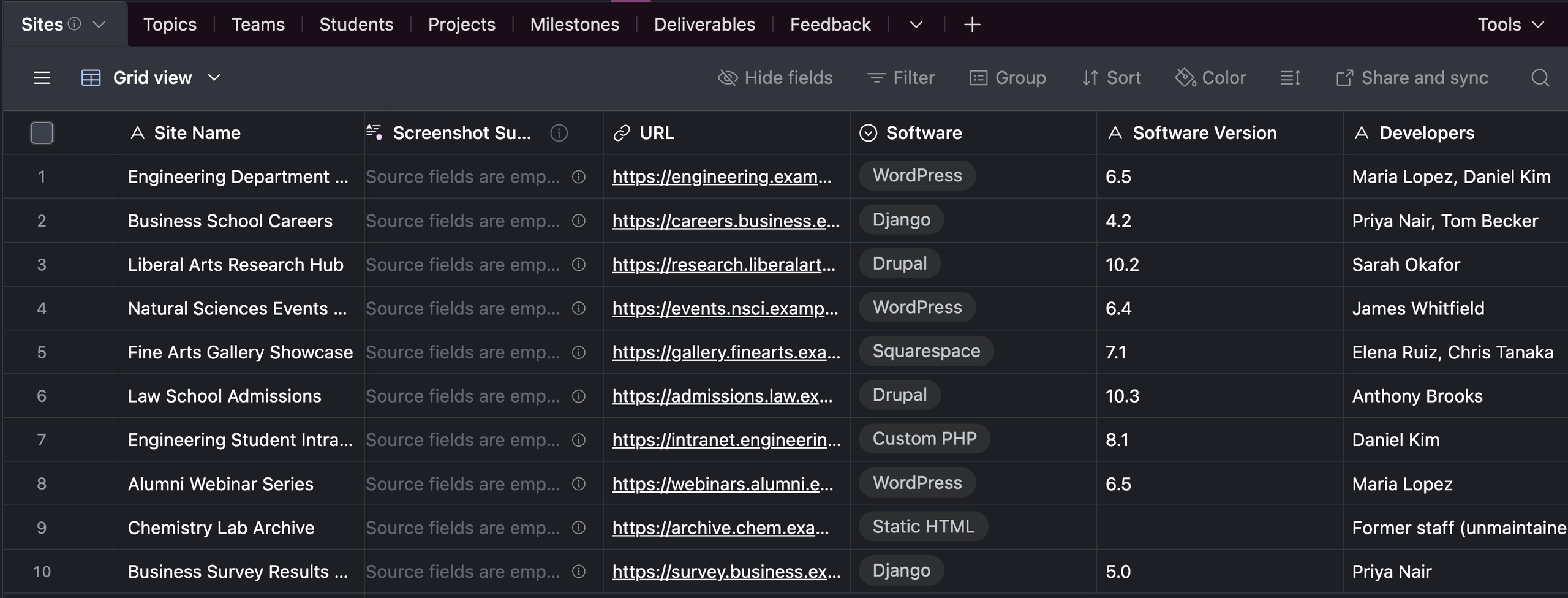
Day one as an STA at LAITS, I was introduced to a software known as Airtables: In Airtables, we are able to see all the sites hosted by LAITS, their associated frameworks, versions developers and the links to them (Note: for the purposes of the post I have recreated demo data following the format)
- The next area of work was to explore wordpress. Coming from a background of computer science, I had familiarity with the function and operations of php sites and was given the task to self host a wordpress site, as a way to explore functionality and understand the inner workings of wordpress.
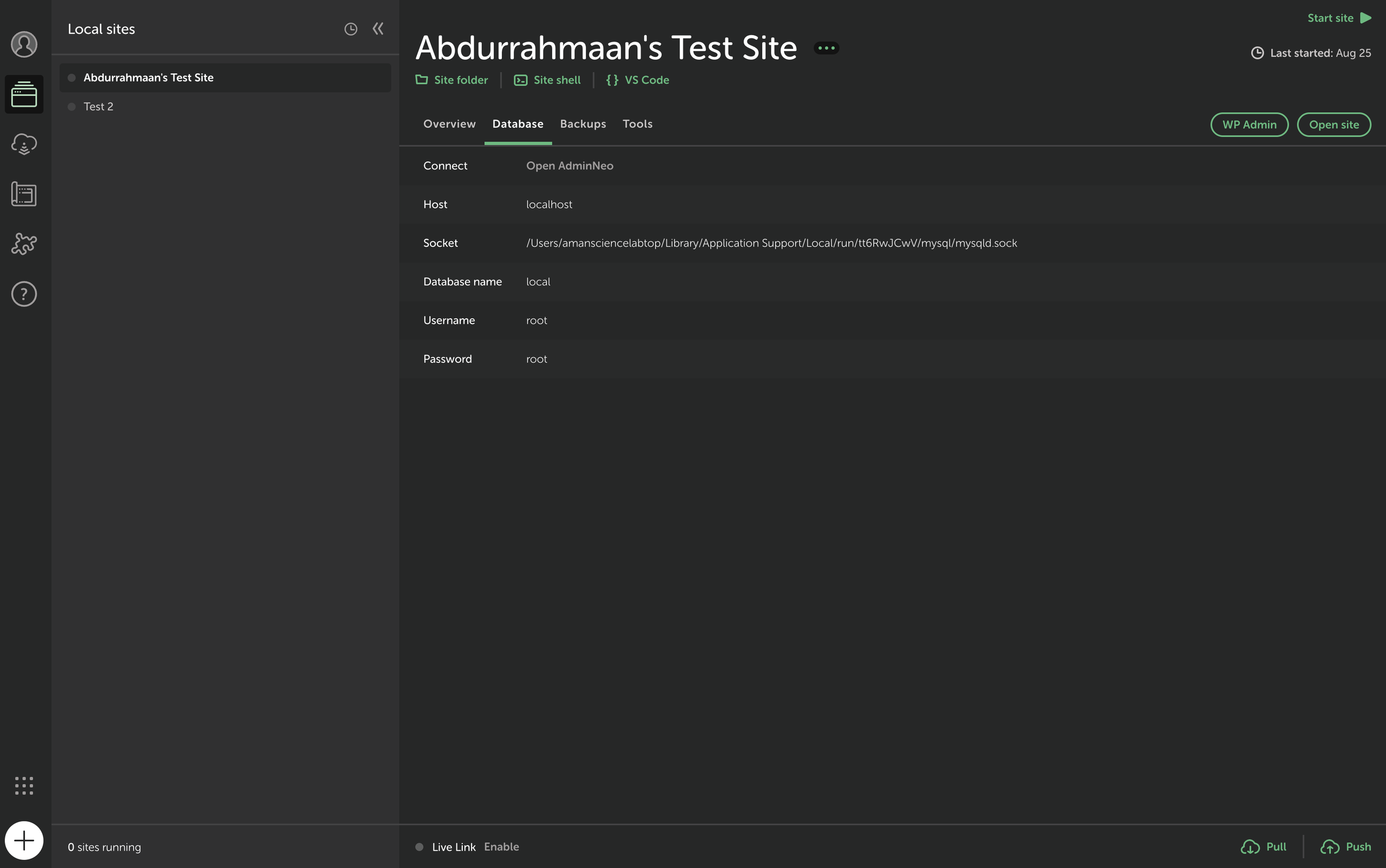
- Below you can see how I actually opened my self hosted site through a software called local that shows local sites and their associated databases:
- WordPress is programmed through a language known as php
- Most sites (not exclusively wordpress) have a database. A database is an efficient storage of information for organization, management, storage, and retrieval.
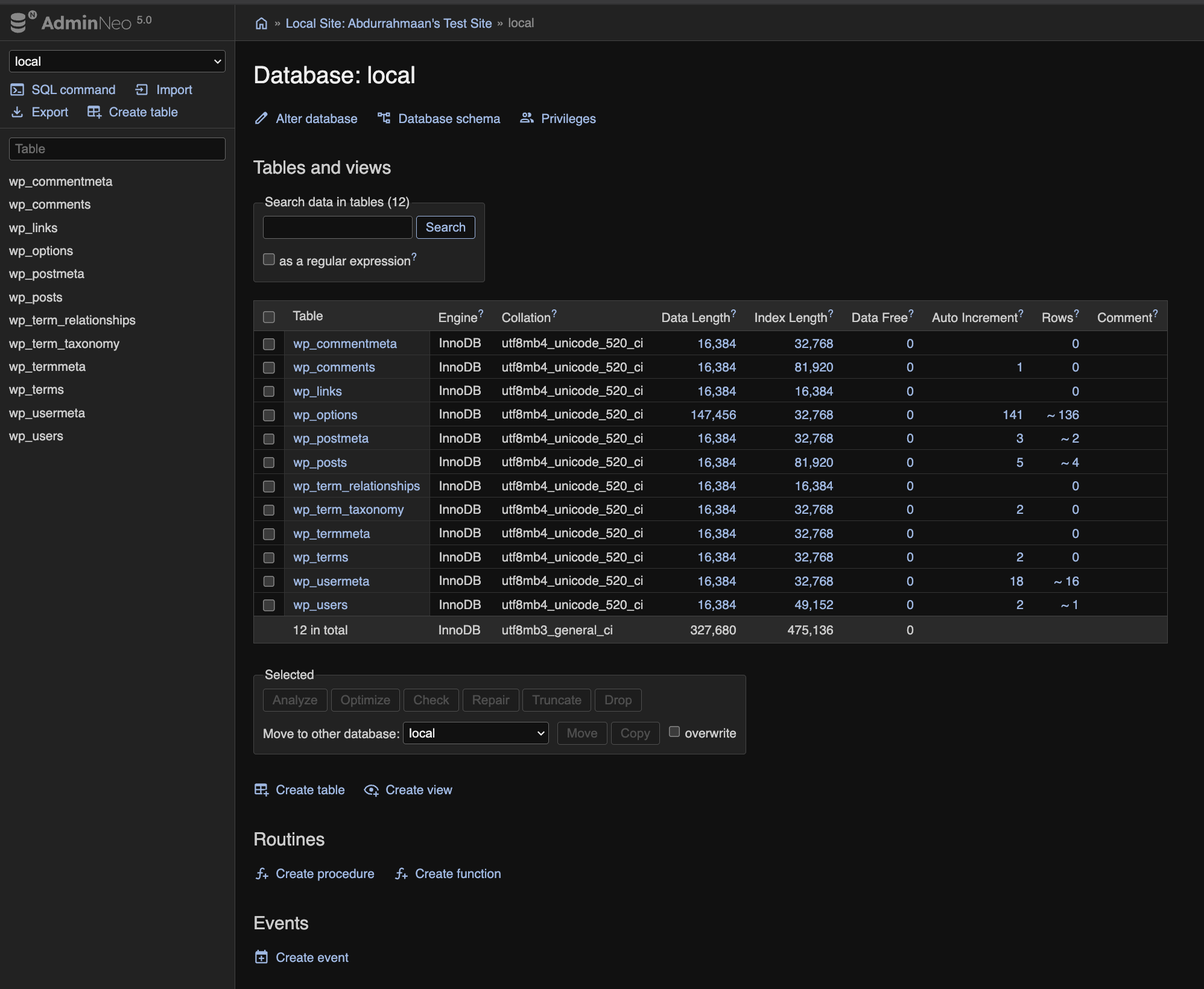
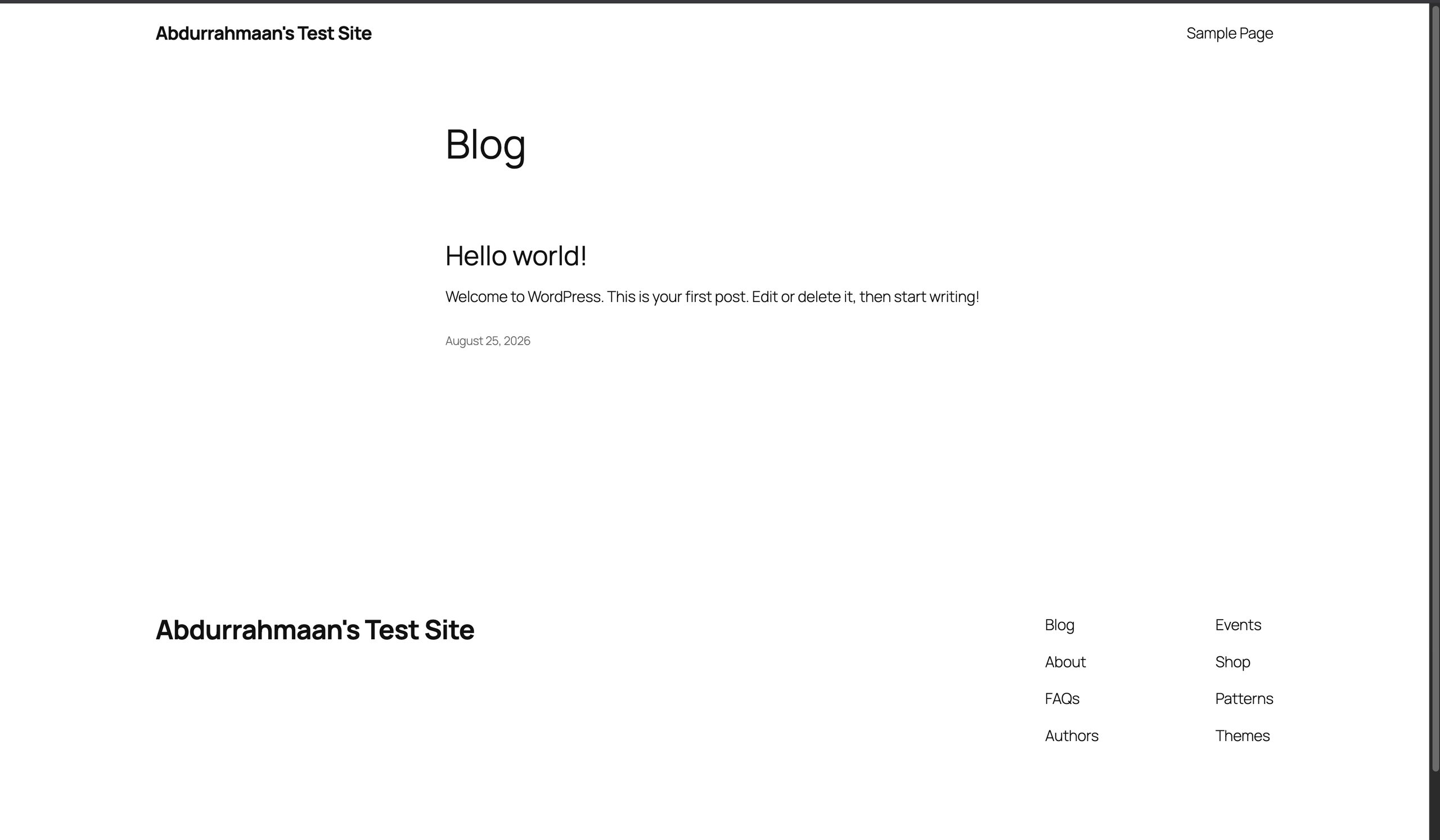
- Below we can see the Database for the self hosted wordpress site and how it translates to the actual website:
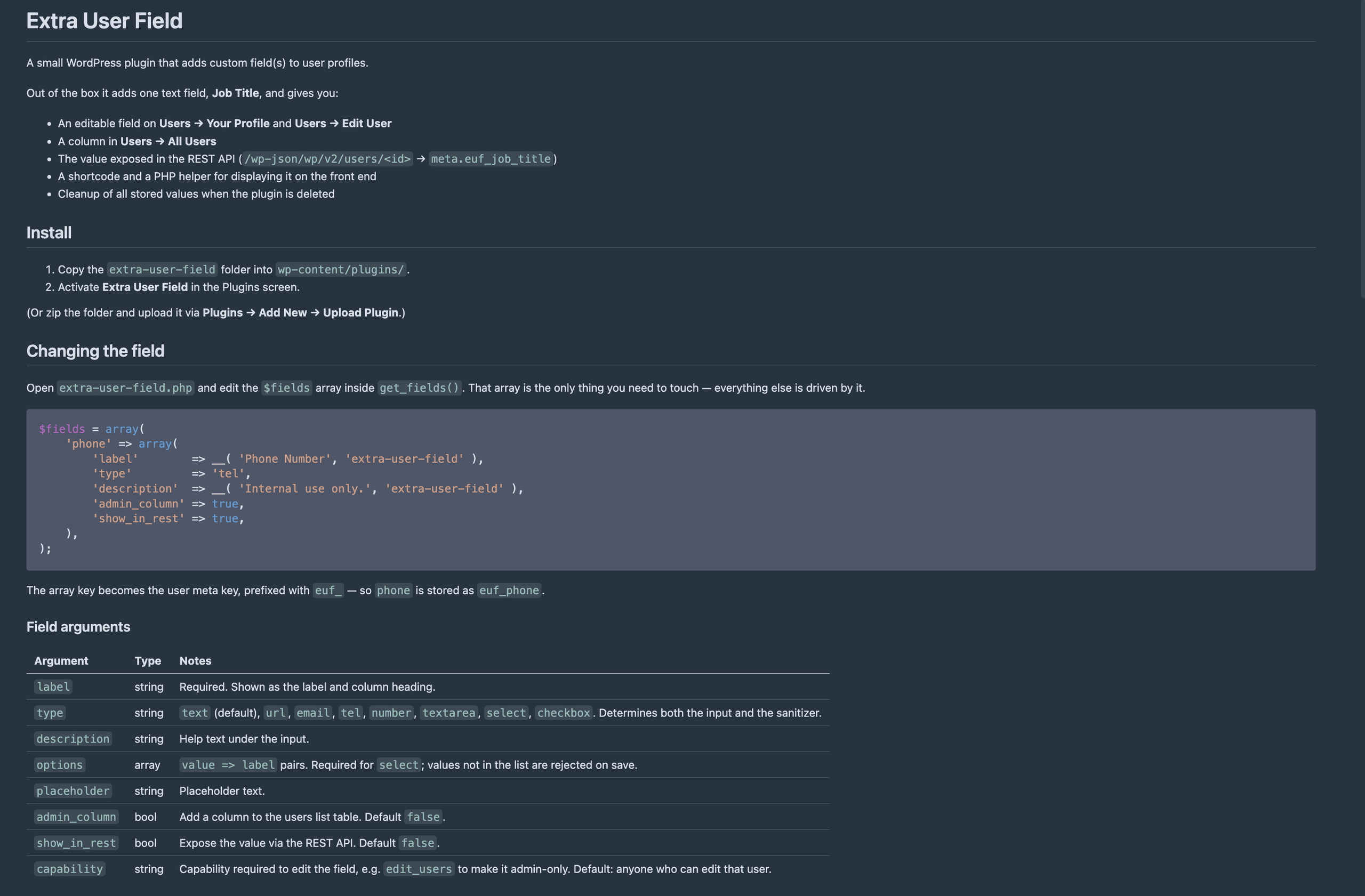
Below is an example of the Readme for the self hosted Sites on how to interact with users (opened in the VScode IDE):
Here is an example of how that is seen in a database:
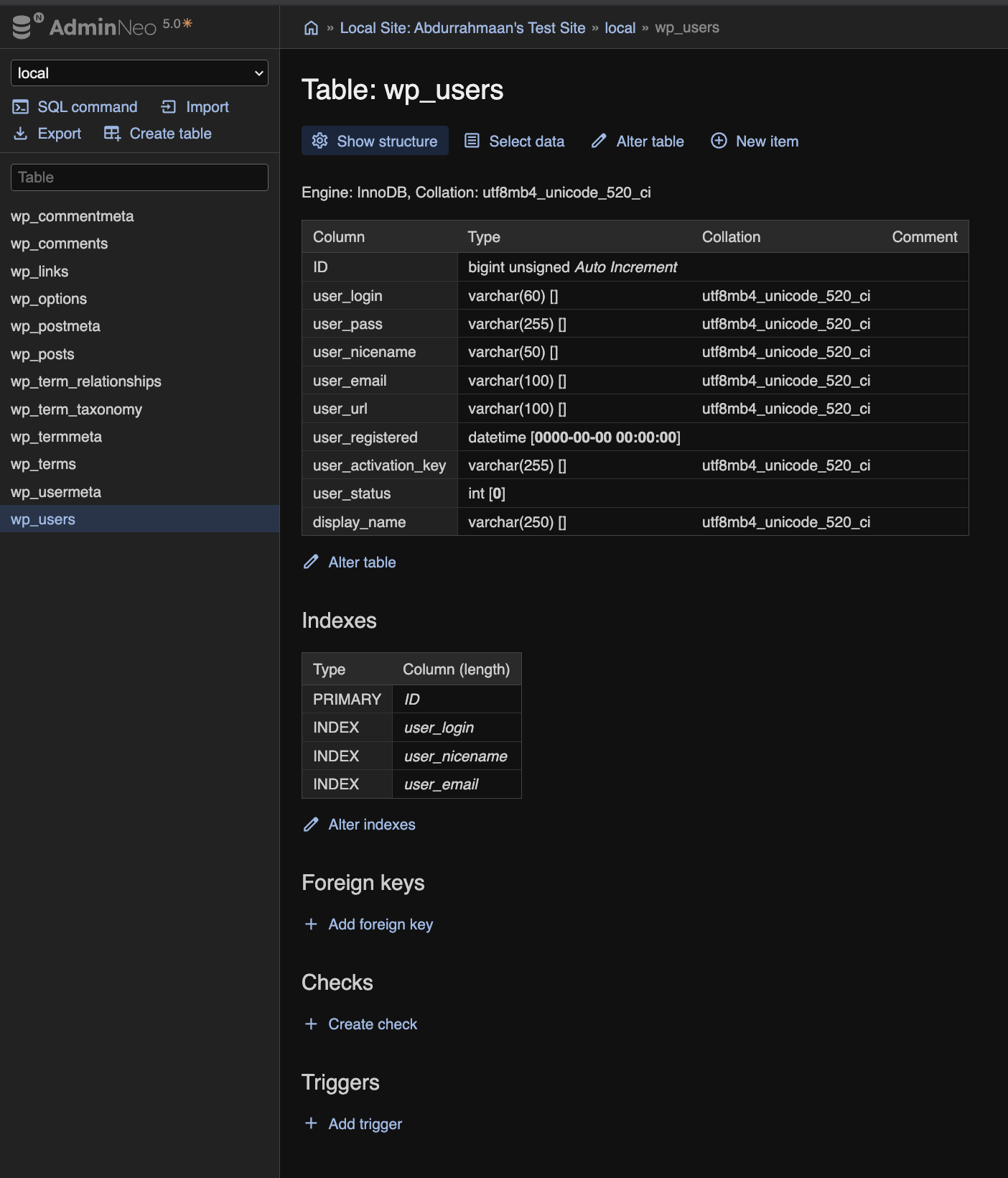
There a couple of important items to take a look at in regards to databases, we see here foreign keys, indexes, and triggers
In my example I did not implement any of these, but the idea is that there is a set of tables in a database that interconnect in a schema known as an Entity Relationship Diagram (ERD)
Example below:
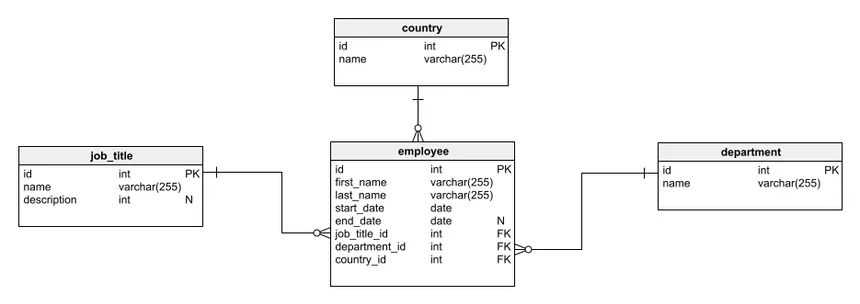
Credit: https://www.red-gate.com/blog/schema-diagram/
There are 3 different relationships/ways a database can interconnect based on each datapoint:
- one-to-one
- one-to-many
- many-to-many
foreign keys:
Foreign keys are columns in a database that reference the head of another table indicating a connection between the two tables within the database
Indexes:
Indexes are a selection of values in a database that are stored in a smaller list for quick access, this can be done with specific data structures to increase the speed and efficiency of referencing common elements in a database
Triggers:
Any interaction that causes changes in long term data causes a process to run in the database the core of these operations is referenced as CRUD
- CREATE
- READ
- UPDATE
- DELETE
The significant purpose is to set protocols that occur in reaction to these operations in order to maintain a database
Ex.
1. DDL Triggers
Data Definition Language (DDL) triggers run when commands like CREATE, ALTER or DROP are used. They help track or stop changes to the database structure, such as creating, modifying or deleting tables.
Example: Prevent Table Deletions
CREATE TRIGGER prevent_table_creation
ON DATABASE
FOR CREATE_TABLE, ALTER_TABLE, DROP_TABLE
AS
BEGIN
   PRINT 'you can not create, drop and alter table in this database';
   ROLLBACK;
END;
Automatically Updating Related Tables (DML Trigger Example)
Triggers can automatically perform tasks when data changes in a table. For example, in a student database, when a student’s grades are updated, the total score should also be updated automatically.
CREATE TRIGGER update_student_score
AFTER UPDATE ON student_grades
FOR EACH ROW
BEGIN
   UPDATE total_scores
   SET score = score + :new.grade
   WHERE student_id = :new.student_id;
END;
credit: https://www.geeksforgeeks.org/sql/sql-trigger-student-database/
Content Management System
- The next Large part of wordpress sites is the content management system (CMS) interface for the site.
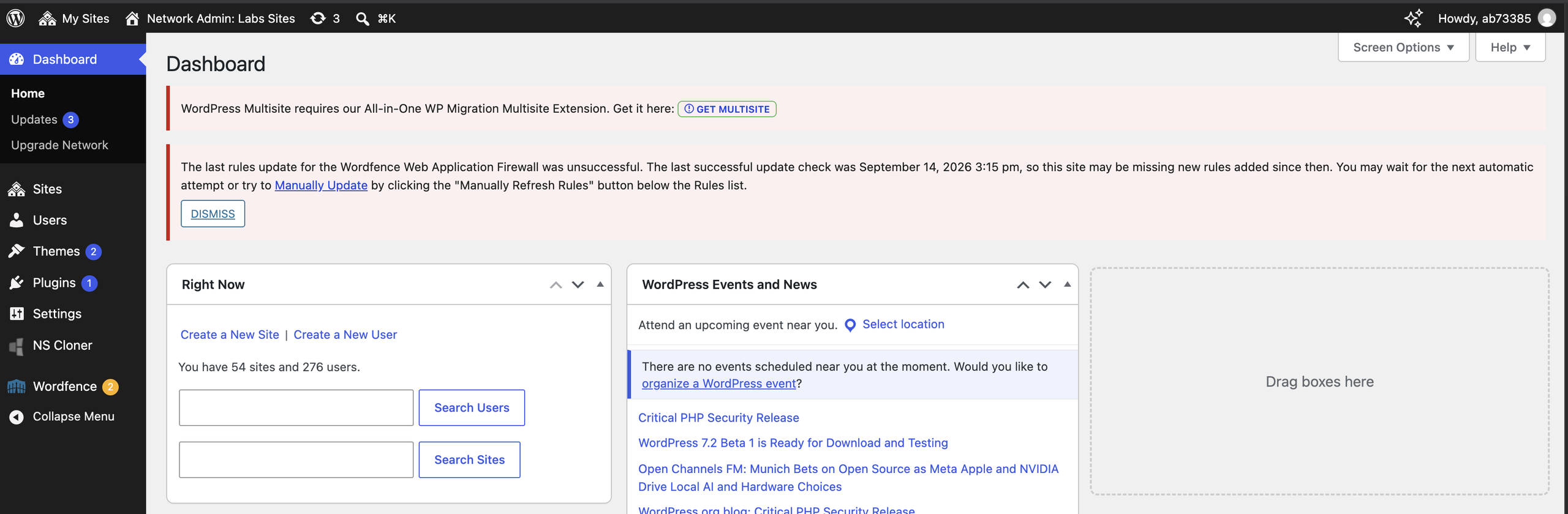
- Below is a picture of the dashboard for the labs multisite at LAITS:
- Here we can interact with users, sites, themes, plugins
Themes:
Templates that can be edited to interact with the way a site looks. The way it is displayed and its default visual behavior.
Plugins:
Add-ons to WordPress sites that can add to or change WordPress functionality