• We are STAs
    • Asha Rountree
    • Haley Ma
    • Kate Shih
    • Kyra Lee
    • Nicholas Peasley
    • Sasha Kenney
    • Shanda Horm
    • Shriya Atreya
    • Tomas Marulanda-Mesa
  • We were STAs
  • STA Presentation
    • STA Presentation 2017
    • STA Presentation 2016
  • Testimonials
  • Resources
  • Home

STA Blog

This past week

September 3, 2021 By Megan Fletcher

This past week

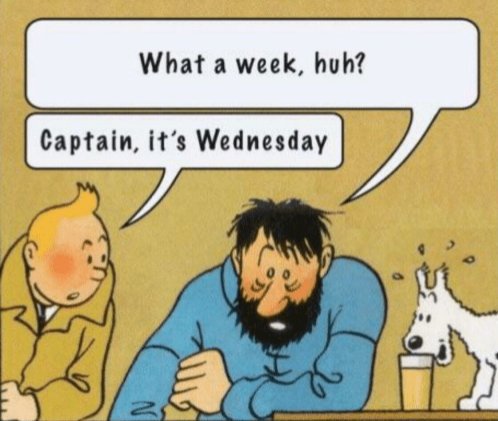
This week had me feeling like this old TinTin comic at times, but I got through it!
 

Here’s what I’ve been working on this week:

project: AFR 303 Animation & Green Screen Photo Selection
Client /Prof: Dr. Edmund Gordon
completion status: Started Sept. 1 2021
staff guidance: Maddy Kaniewski
STA team members: Sheryl Long
description/plans:
For animation:
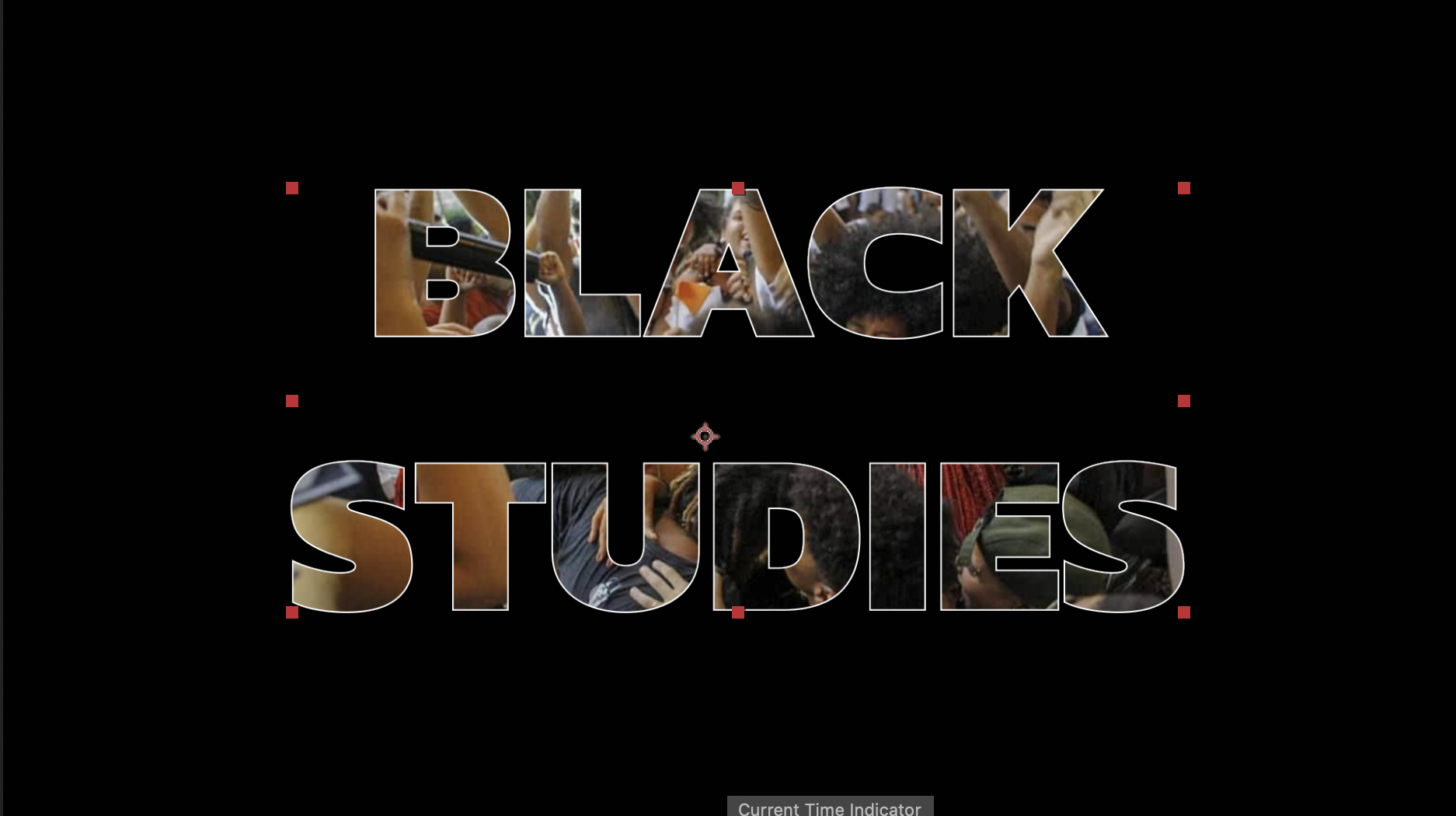
Take 20-40 images from professor’s lecture presentations, find a free, bold sans serif font, and make an After Effects animation masking the images into bold “Black Studies” text.

For green screen photo selection:
Find images to replace current ones in lecture presentation: images of certain African cities on a street level view, so that the professor looks like he’s standing on the street.

To be completed: September 6th 2021


I’ve also done some photo IDs and a button for NTR 306!
Filed Under: Fall 2021 - Spring 2022

Miscellaneous Tasks

September 3, 2021 By Cristina Villarreal Núñez

Miscellaneous Tasks

Howdy y’all. This week I didn’t work on many new projects that you don’t already know about. I will be updating you all on those, so keep an eye out for my upcoming posts. But for now, let me talk to you guys about some of the smaller tasks I completed this week.


First off, one of the biggest news of the week is that Tuesday was the last work day of two of our STAs; Athena, who started out at the same time as I did a little over a year ago; and Jake, who has been a core STA since before I joined the program. So, following our good ole farewell tradition we have here at the Design/WebDev STA team, I made two goodbye cards this week. They were really cool too. I made sure to personalize the design a bit, so I made Athena’s tennis related, and Jake’s more tech/game related. I won’t add them to this post because it feels weird to post about what is supposed to be a heartfelt gesture. But just so you know, those were two of the minor tasks I completed this week.


Another miscellaneous task I completed this week was a mandatory UT training, specifically the Information Security Awareness training. Not much to say about that. I just watched the videos, completed the tests, and overall reinforced my knowledge on information security. Which, if you may not know, is the kind of security related to password protection, viruses, email scams, etc.


Finally, I worked on a some blog related stuff. As in, we are holding a Blog Banner Contest to determine the new design for the blog banner. This was not a mandatory assignment, but I had some inspiration over the weekend and some time this week to get it done, so I went for it. I also tested them with the old STA caricatures and they both looked neat. I’m not even thinking about the contest to be honest, I’m just happy I designed a cool looking retro banner, hehe.


Here are the two designs I proposed:


Nevermind… It’s a secret 👀


Oh, I also worked on editing my blog caricature too, but it’s not worth uploading. I just made my hair longer, but it’s the same design, hehe.

Filed Under: Fall 2021 - Spring 2022

Week 2: Electric Boogaloo

September 2, 2021 By Rachel Sacks

Hello!

Well, somehow I finished up my second week as an STA. This was my first full 12-hour week, though it went by impressively fast. I’ve become very comfortable using the Mac that is second to last on the right side of the room. I fear that it will not always be the one I use, but I will cherish it for now.

This week I primarily worked with De’sha and Megan on the Animation Stinger refresh assignment, where we are adding animations to the stinger templates with adobe After Effects. I first created animatics on Procreate to quickly sketch out my ideas for the Chat, Instapoll, and TA discussion animations. I made several versions and drafts for both, but these are the ones we decided to stick with:

http://sta.laits.utexas.edu/wp-content/uploads/2021/09/Insta-Poll-Animatic-draft2.mp4
http://sta.laits.utexas.edu/wp-content/uploads/2021/09/Chat-Time-Animatic-draft2.mp4
http://sta.laits.utexas.edu/wp-content/uploads/2021/09/TA-discussion-2.mp4

After I finished this, I began the actual animation for the Chat Stinger.

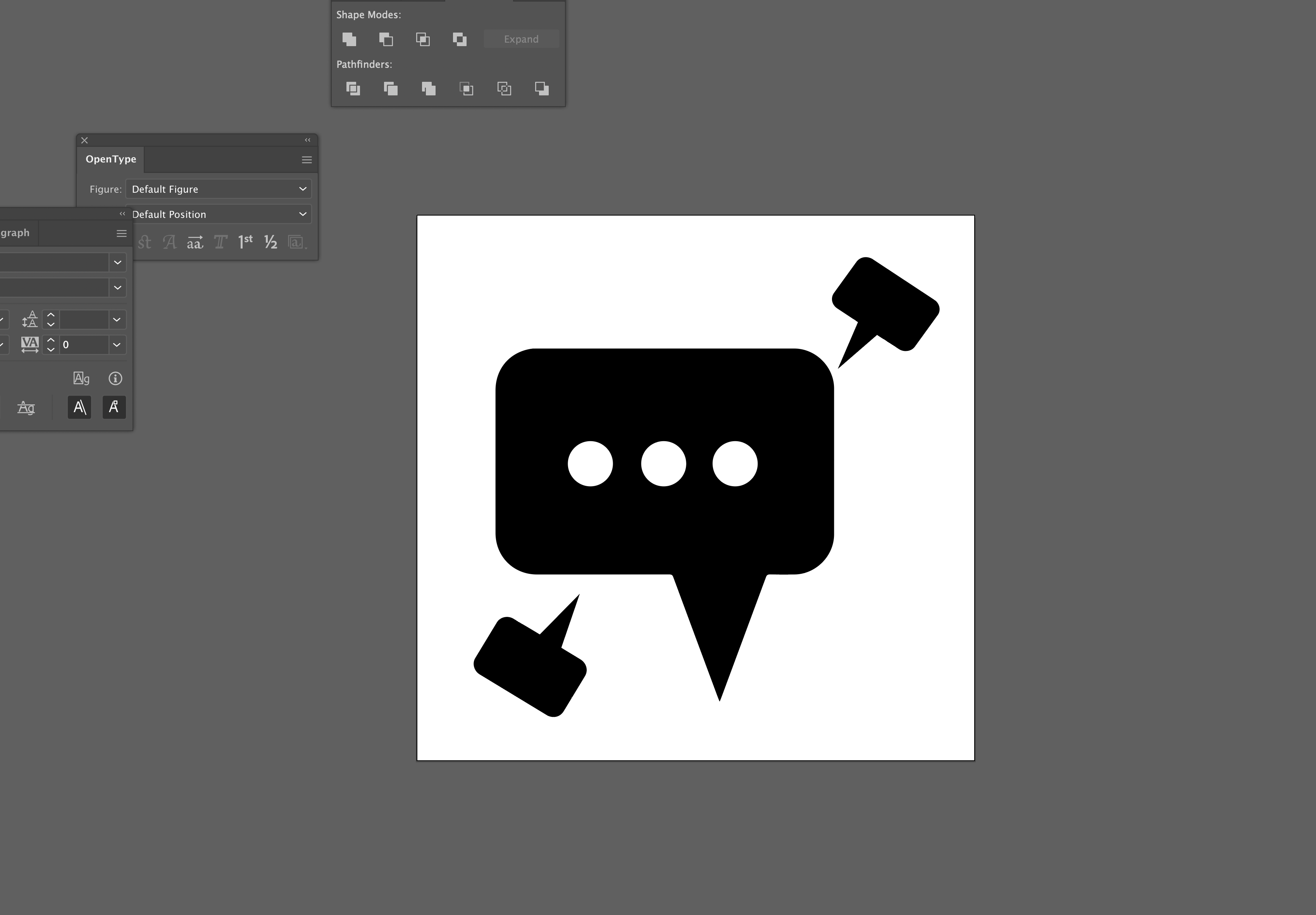
I first edited the chat Illustrator file and added in two smaller bubbles that I will later animate in After Effects. When doing this, I made each of the three dots a separate object from the large chat bubble, so that I am able to remove them later in AE when I replace them with masks. To create the smaller bubbles, I:

  • Copied the large bubble object, resized and rotated it, and moved it to the bottom left. This location is where it will be largest in the animation.
  • Used the pen tool to remove the anchor points for the triangle at the end of the chat bubble, which I felt was too off-center for the smaller bubbles.
  • Used the pen tool to create a new triangle closer to the center of the bubble.
  • Duplicated this first bubble to create the second bubble, which I placed on the top right.

After this, I imported the .ai file into the main After Effects template we are using for all the stingers. I imported this as a composition, and placed it next to the other animation compositions that already exist in the template (right now, the only other one we have done is the Survey stinger). Inside the composition, I created three masked circles to replace the ones with color in the .ai file. This way, the circles will be transparent and fit over any color background that is used in the template.


Next, I went back to the main composition, and edited the text on the left side of the screen to say “Chat Time.” We may change this later to be slightly larger.

Next week I will animate this, as well as the other stingers. I may also change the shapes of the bubbles to be more rounded, depending on if it fits the theme.

Have a great Labor Day weekend!


Filed Under: Fall 2021 - Spring 2022, We are STAs

Week II: Pages and Banners

September 2, 2021 By Adrian McKee

Week II: Pages and Banners

Project: COLA Website Refresher
Client /Prof: N/A (College of Liberal Arts)
completion status: Started on August 30, 2021
staff guidance: Michelle Vanhoose, Chris Rankin
STA team members: Rahul, Ingrid
description/plans: Learn Pages and begin to transfer COLA website content into new CMS
To be completed: TBD (long-term)

A lot to cover today!

Cascade

At the very start of the week, I wrapped up the last part of my Cascade test site, adding buttons I had drawn in Photoshop the previous Friday.

Pages

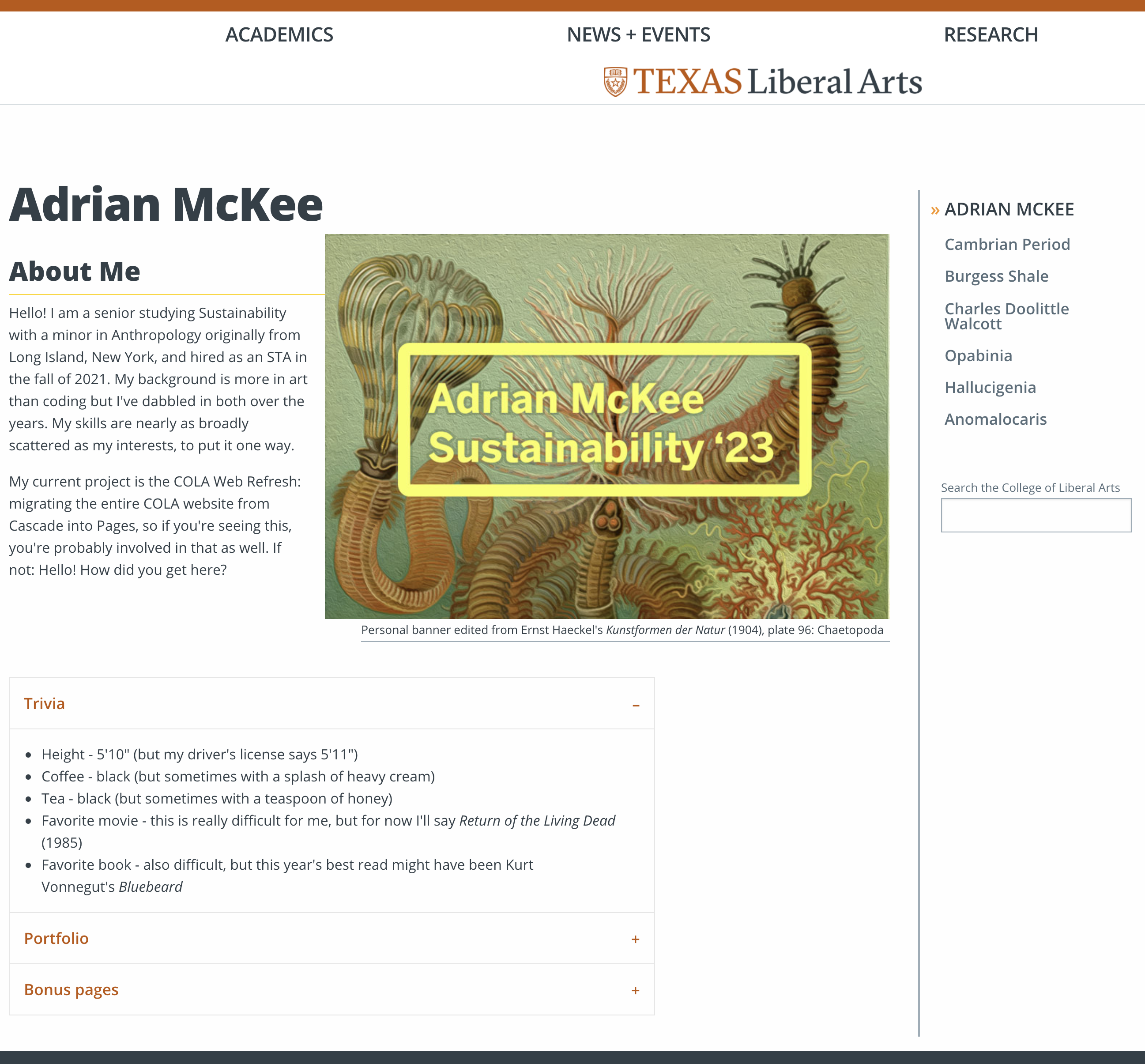
Most of this week was spent working on my Pages training for the COLA Web Refresh Project. Pages, as you may know by now, is a new CMS the COLA website is being migrated into from Cascade. The first part of this involved creating a personal site about an interest or hobby, and much like my Cascade page, I chose a natural science theme. Though for this one, I started with a homepage providing some basic information about myself.

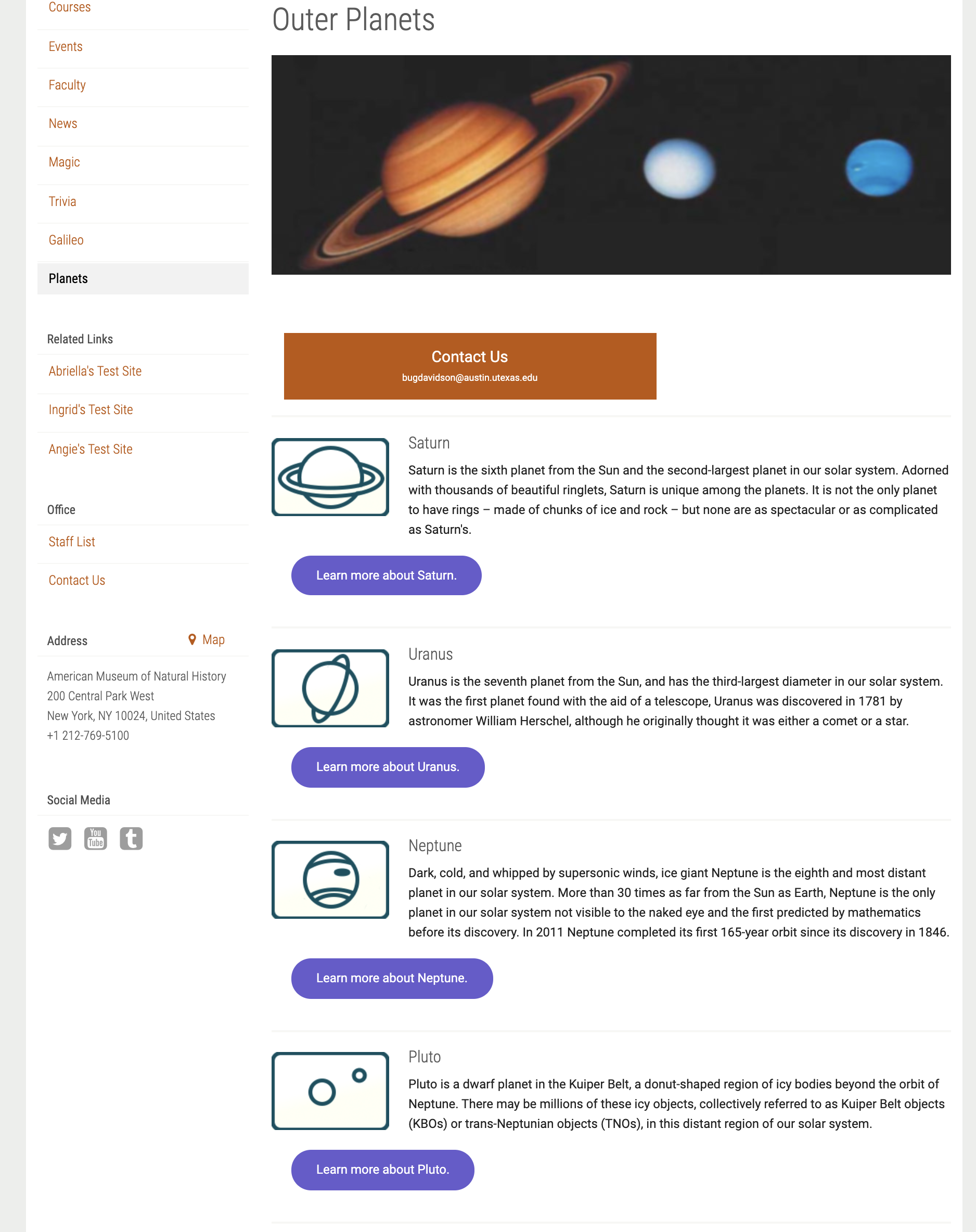
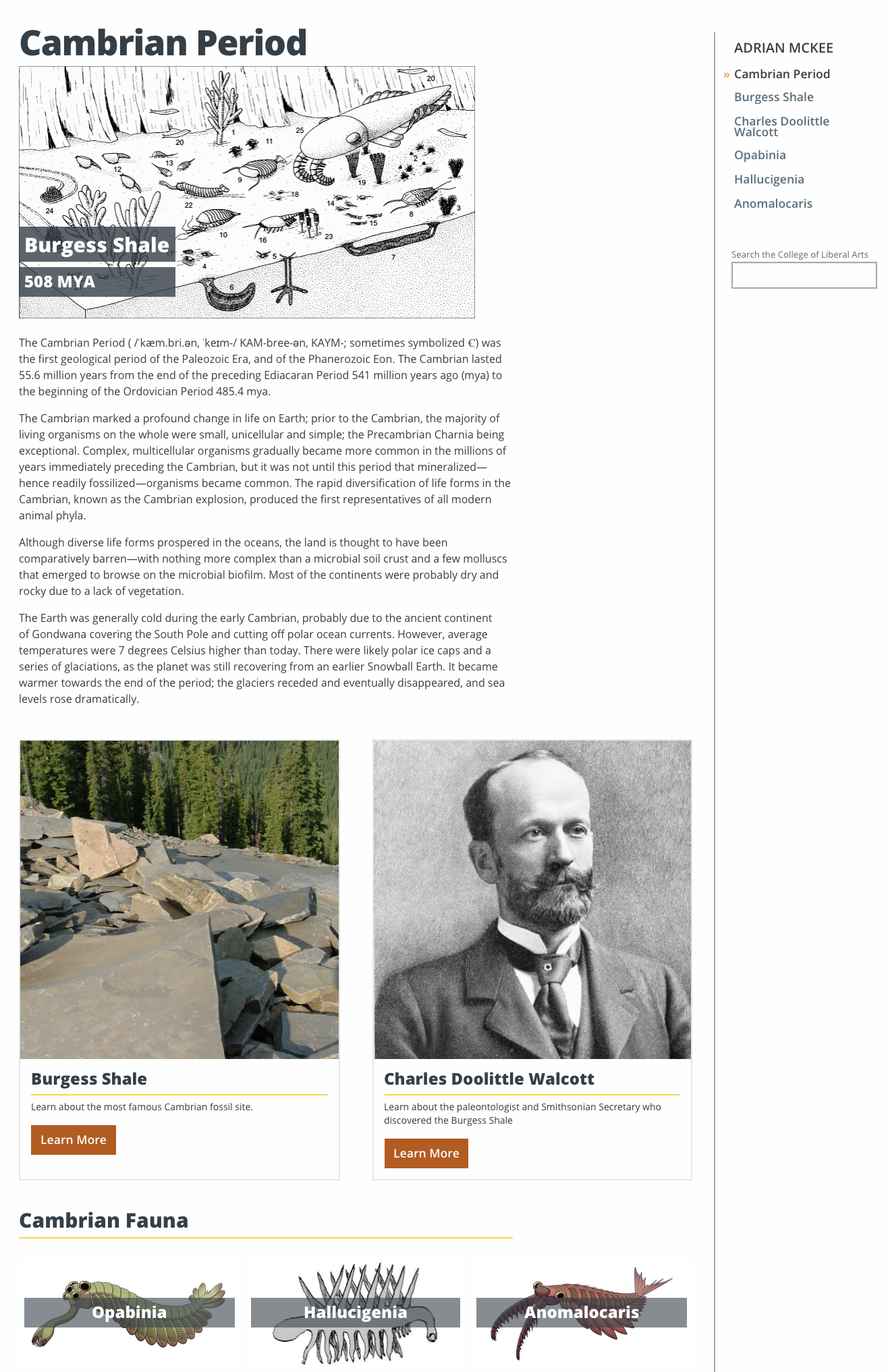
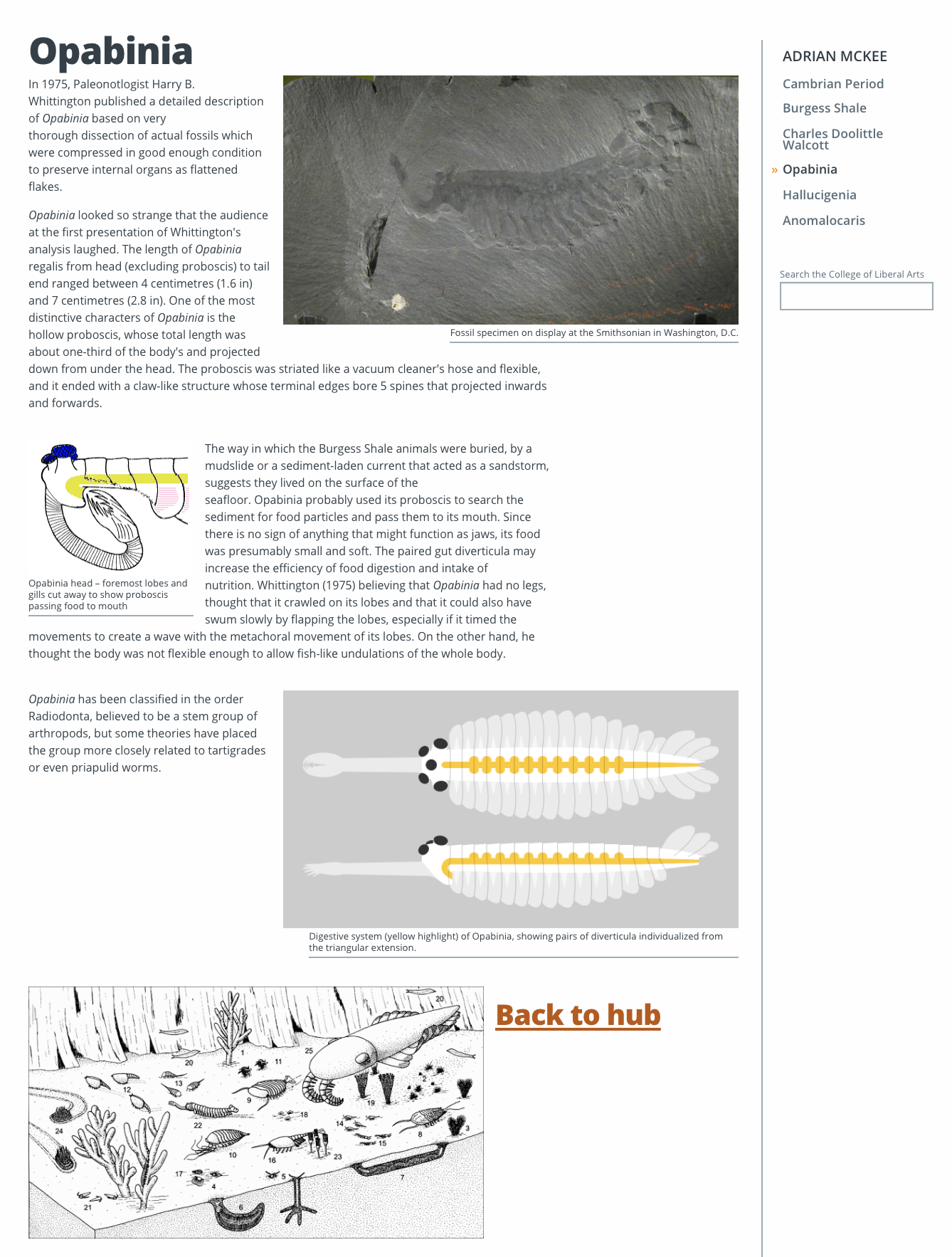
Nested below this, I created six other pages for a paleontology-themed info portal (sorry for the plagarism, Rahul, but I did do a different era). This included a “hub” with links to five other pages, mostly in order to use all the text and image formatting features of Pages without cluttering them all into one page.

Hub page

Species subpage

I found the limitations of Pages quite apparent, such as the difficulty displaying images with much freedom. I tried embedding an image into a tab using html which promptly deleted itself, as well as creating an image button with a single line of text (this will show up again later!) to no avail. I will say I got everything done much faster than I probably would have in Cascade, albeit with less creative freedom.


My next assignment was to compose a formal writeup email on my project so far, which doesn’t have much information not already in this blog post, so I’ll omit it.


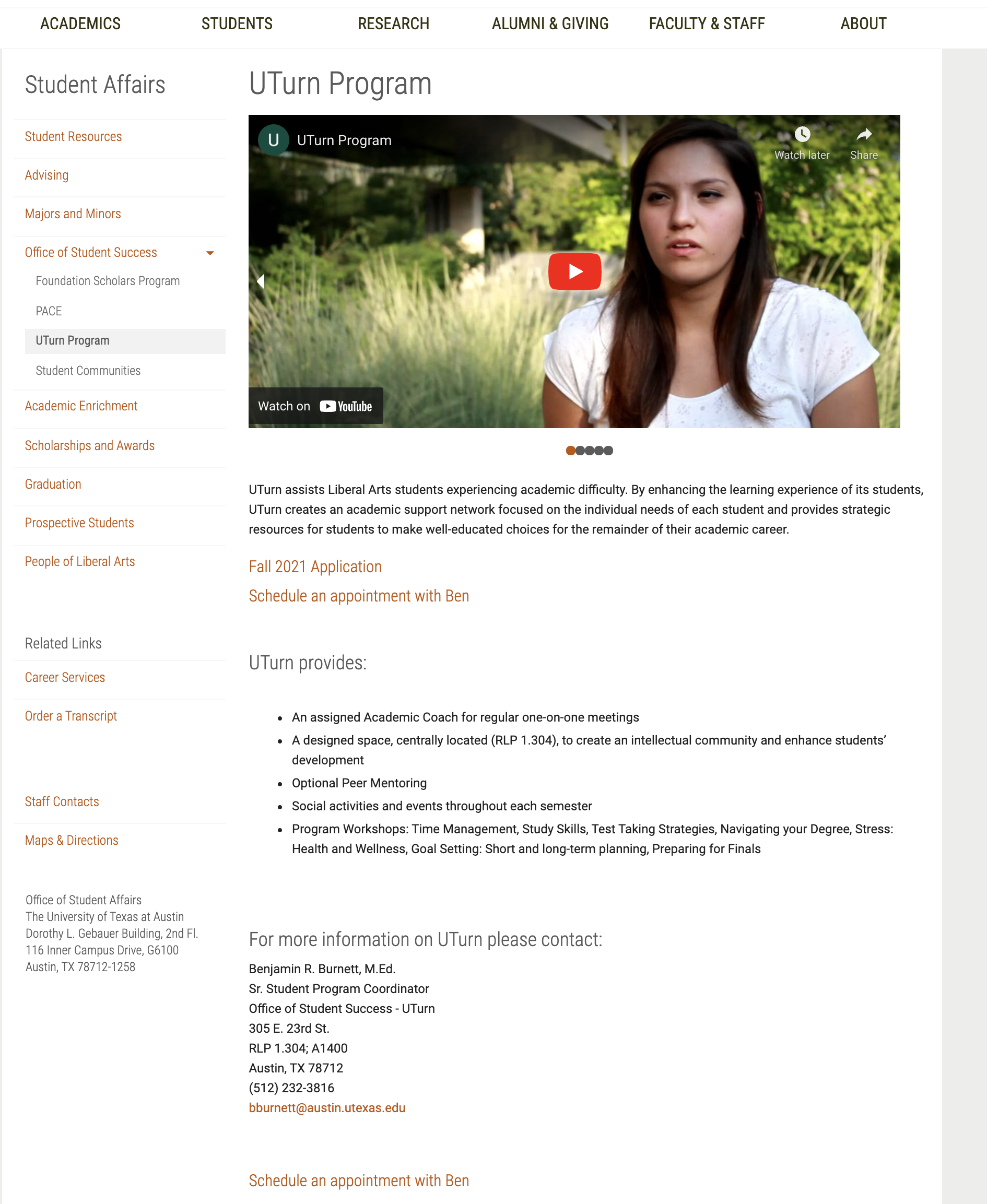
After that I began practicing transferring content from the old COLA site into pages, rewriting ten in total. 80% of it was very straightforward (copying bodies of text and reuploading header images) but 20% was quite time-consuming in that it took a lot of mental energy to rework complicated pages into the more limited framework of Pages. One page (shown below) included a slideshow of different images, links, and embedded videos at the top of the page, of which no analogy exists in Pages.


The most tedious part was finding a way to insert two images with single-sentence captions (There it is again! Grrrrrr!). Since Pages has no option for a single image with a single line of text, my attempts included:

  • Using “Image Buttons” to display the images with one line of text (but this feature has a minimum of 3 buttons, and each has to be a hyperlink)
  • Using the “Two Cards” Feature with the captions as the body text, but I had no way to remove the title, or split the text between the body and title
  • Using the “Text & Image” feature with each image’s caption as the main body of text (but the spacing created a huge gap
  • Using the “Text & Image” feature with each image’s caption below the image and other text in the main body (also created a spacing issue)
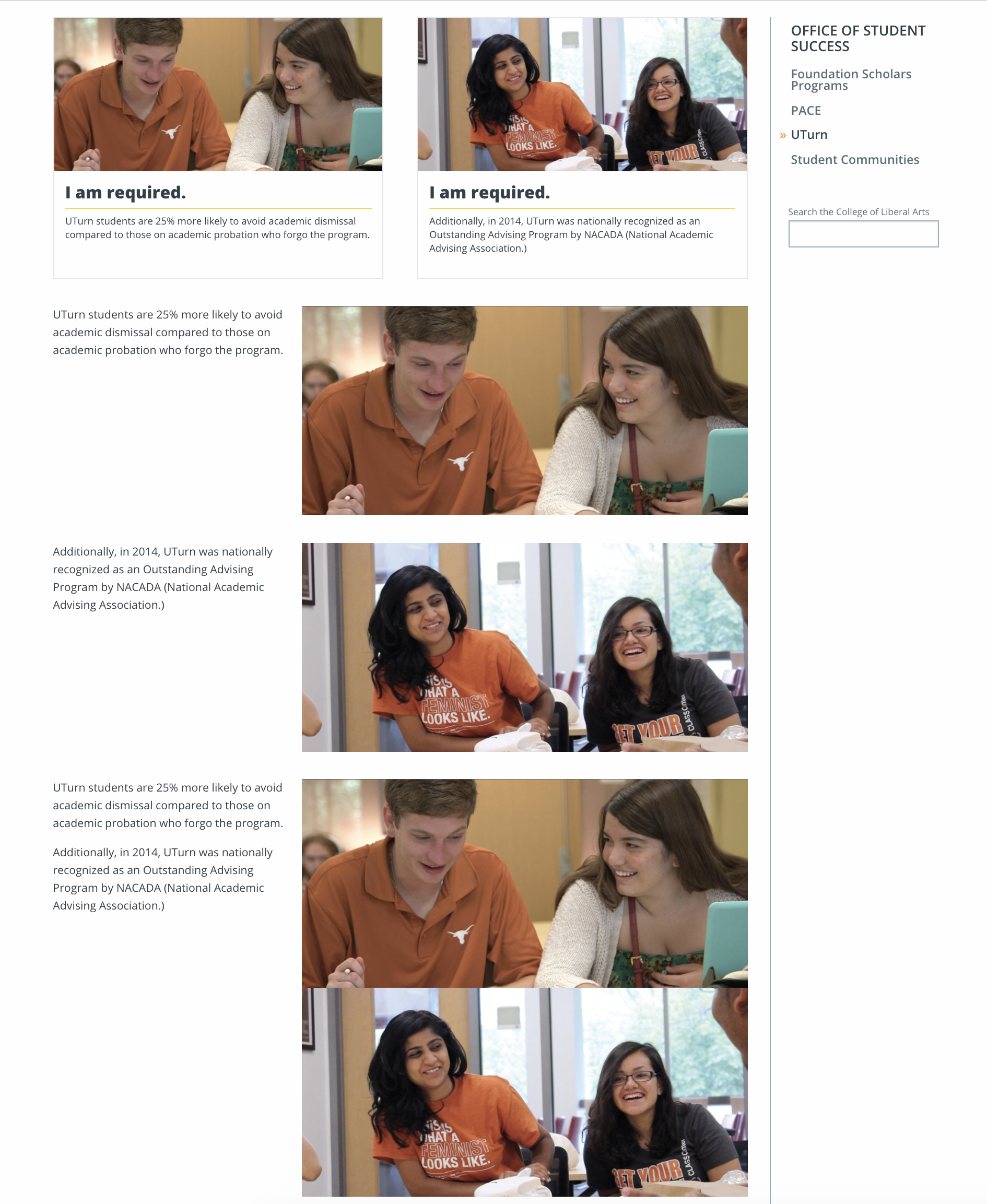
  • Using the “Text & Image” feature with one image made by combining both in Photoshop

Several of my miserable attempts.
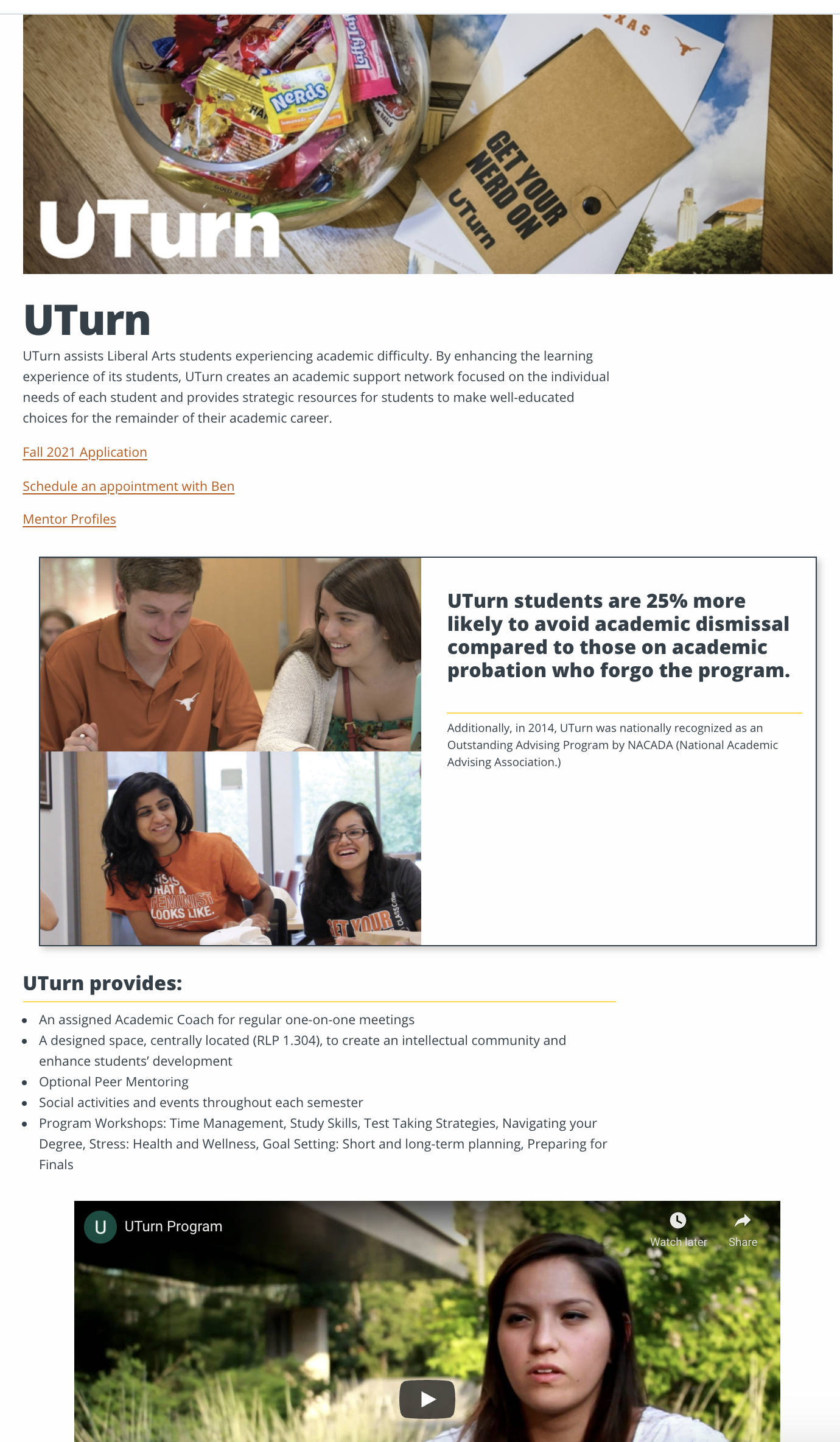
Finally, I settled on using the Photoshop-combined image as a single “Callout” card, with one caption as the title and one as the body. Note the differences in the final site layout from the original.
Housekeeping
I’m also including brief coverage of two basic trainings I forgot to cover last week.
One of these was a brief read on professional email communication, which I don’t have much to report on.
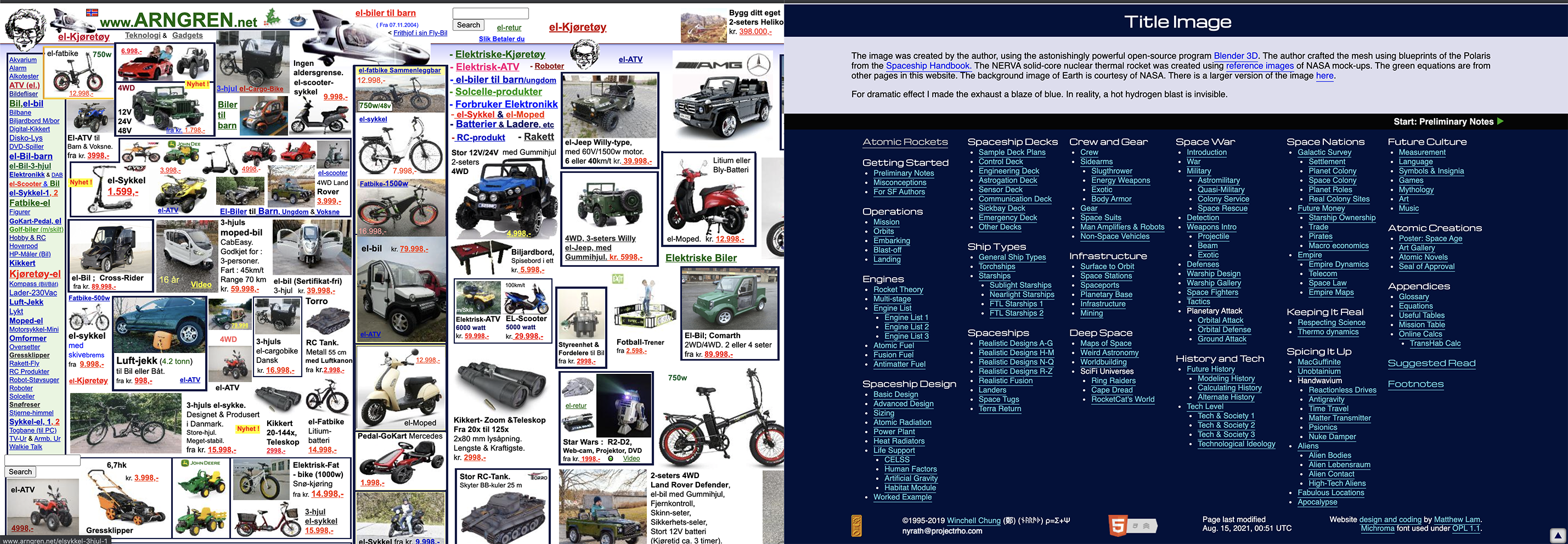
The other was an exercise in understanding web accessibility standards. Part of this involved finding two sites and contrasting accessible and inaccessible design, so I contrasted a Norwegian garden store site so messy it became an internet meme, and a very Web1.0 science fiction blog dating to 1995 which, though gaudy, met most of the basic standards.
I’m still getting through a lot of different small assignments, so hopefully future blog posts will be more streamlined. One very last note: on Wednesday, I took some time to draw a caricature for the STA banner, as well as my own banner entry, which will remain secretive for now since I don’t know if the ballot is blind or not, but I might demonstrate my process in a future blog post. I’m excited to see everyone else’s entries! Signing off.

Filed Under: Fall 2021 - Spring 2022

Interactives for Medical Bill Project

September 1, 2021 By Abriella Corker

INTERACTIVES FOR THE MEDICAL BILL PROJECT


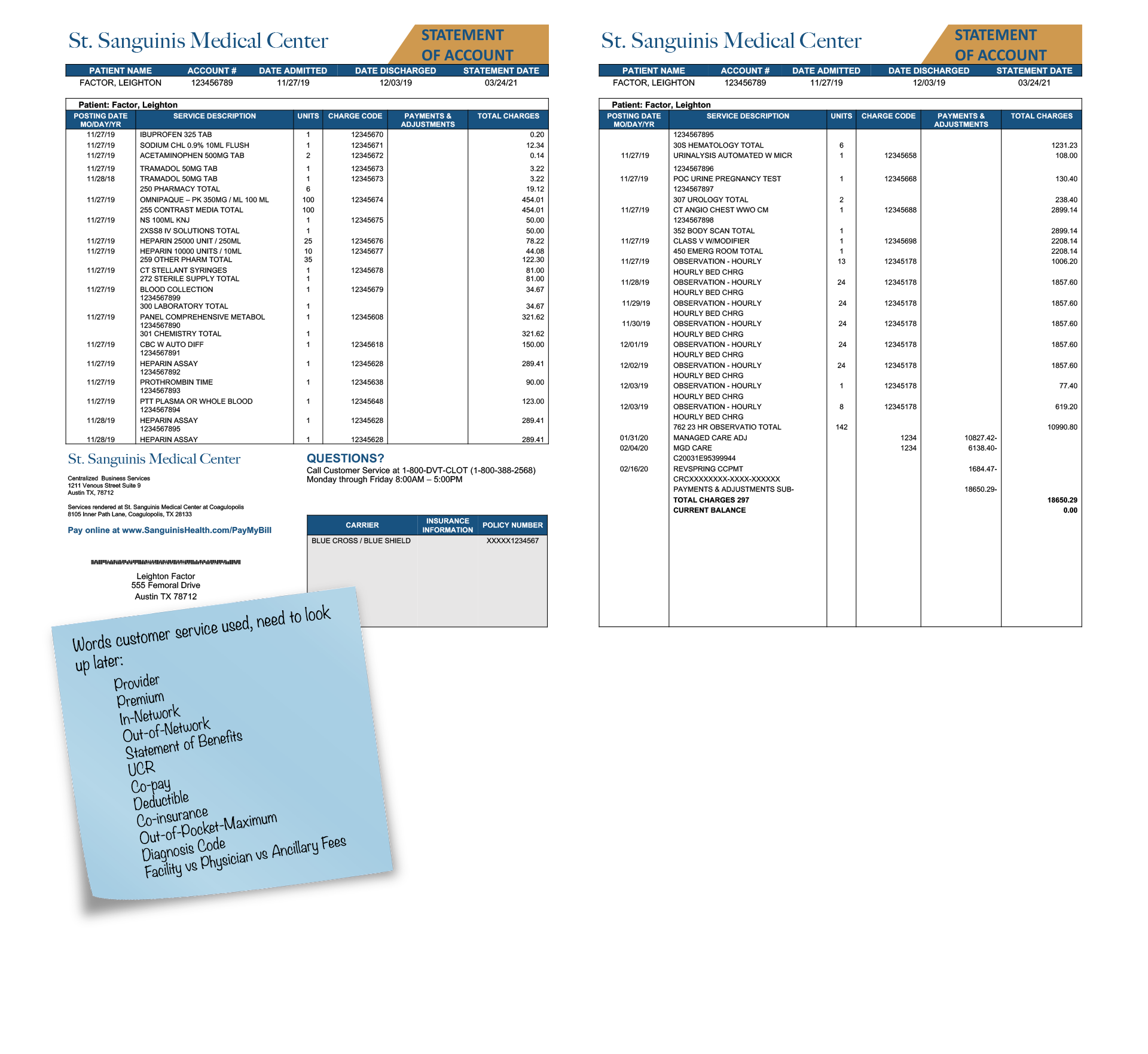
Here are interactives I made for the medical bill project. Essentially, this is an example image of what a standard medical bill looks like. The graduate students who are working on this project want to help make medical bill breakdowns more understandable and accessible to the public. To create these interactives I needed to add clickable elements near different parts of the bill (the orange and blue circles). Then once the circle is clicked a pop-up window with a description of the component and a highlight on the word clicked will appear. I included exit buttons for each window as well so that they can be exited easily.


Initially, I had made this as one big file but it started lagging and got overly complicated and cumbersome to edit. To work around this I broke up the bill into 3 parts. A left, right, and bottom page that can then be assembled through code onto the website by Estella or Thuy. These are the final edits using the client feedback given to me after our first round of drafts.


Click to view:

  • https://laits.utexas.edu/canvasser/canvasser_content/medical-bill-bottom/medical-bill-bottom.html
  • https://laits.utexas.edu/canvasser/canvasser_content/medical-bill-rightside-true/medical-bill-rightside-true.html
  • https://laits.utexas.edu/canvasser/canvasser_content/medical-bill-leftside/medical-bill-leftside.html

Filed Under: Fall 2021 - Spring 2022

Draft Web Service Page In Cascade Update

August 31, 2021 By Cristina Villarreal Núñez

Draft Web Service Page In Cascade Update

Daaang Daniel, back at it again with the Web Service Page… (sorry and you are welcome for the old Vine reference)…


Anyway, on todays news, we have a new update on the Draft Web Service Page situation. In brief, last time I was working on a few different banner options for Suloni to look at, but they were a but too out of the box for what the project requires. So, not long ago, I resumed my work on this project and got down to business on a new banner following Suloni’s feedback into this new direction.


Long story short, this is what the banner looks like now! I’m also excited because I got to work with UT’s official illustrations and even got to alter them a bit to fit the purpose of the banner.


After I got approval for that, I was assigned the followup task to work on three more things (for now, at least).

1. Design a new illustration (still using the official UT illustrations) to include within the content of the page.

2. Mockup the Web Service Page on my own STA Cascade site.

3. Draft the content of the page to reflect the services that will be offered through it and/or to redirect them to the right assistance provider.


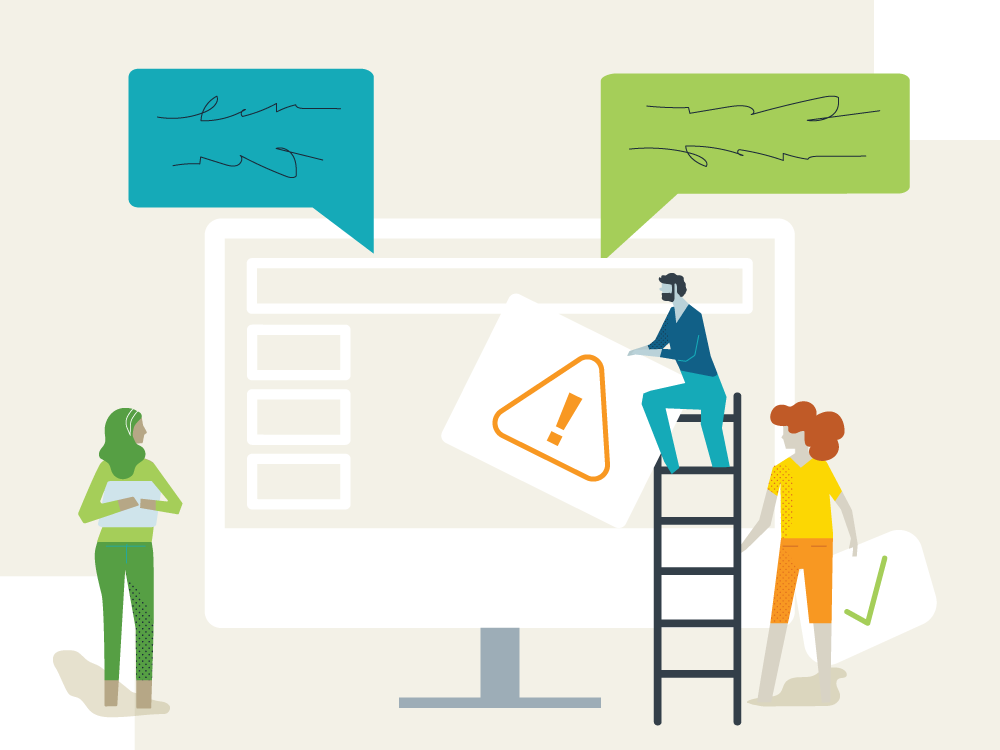
So, without further a do, you can find all those cool things in the following link: https://liberalarts.utexas.edu/sta-12/draft-web-service-page/, enjoy! I will also include the content body illustration I designed for the page bellow. I’m proud of it…


I think we are still waiting on suggestions and ideas for next steps from the web development team, so final update coming soon to a theater near you. 👍

Filed Under: Fall 2021 - Spring 2022

  • « Previous Page
  • 1
  • …
  • 55
  • 56
  • 57
  • 58
  • 59
  • …
  • 63
  • Next Page »

link to LAITS home page

Video STA Home

© 2025 Liberal Arts Instructional Technology Services | Production Credits