• We are STAs
    • Asha Rountree
    • Haley Ma
    • Kate Shih
    • Kyra Lee
    • Nicholas Peasley
    • Sasha Kenney
    • Shanda Horm
    • Shriya Atreya
    • Tomas Marulanda-Mesa
  • We were STAs
  • STA Presentation
    • STA Presentation 2017
    • STA Presentation 2016
  • Testimonials
  • Resources
  • Home

STA Blog

STA Work Blog

STAs: Student Technology Assistants

Who We Are
LAITS: IT and Facilities Director, Joe TenBarge initiated the Student Technology Assistant program in 2004. STAs are UT students who work on a variety of projects in collaboration with UT faculty and LAITS staff members. STAs assist College of Liberal Arts faculty members and administrative staff with print and web design. From building presentations, to creating audio/visual works, and producing online classes in the LAITS film studios, STAs are instrumental in helping COLA faculty realize their vision for multimedia projects that enhance their teaching and the students learning experience. By the end of their student careers, STAs have portfolios which demonstrate their accrued technical and design skills.


Prospective STAs:

Creative and technically inclined students are appointed as STAs for one year, with the possibility of being rehired as long as they study at the university. Applicants for the program are hired before both long semesters. Interested students may look for postings on Hire-A-Longhorn when positions are available. Positions will have Student Technology Assistant (illustrator or web designer) in the title of the job post.


Faculty and Staff:

Faculty & Staff with questions about services, please contact us.

https://liberalarts.utexas.edu/laits/contacts.php

  • Audio Services: Michael C Heidenreich, Director of Studio Operations & STA Program Coordinator
  • Video Services: Kelly Webster, Video Production Supervisor, Video STA Supervisor
  • Graphic Design & Web Design Services: Suloni Robertson, Art Director / Design & Coding STA Supervisor

Cascade Assignments

February 11, 2019 By Rodrigo Villarreal

This week I took a little break from Immigration History to work on some small fixes to department sites on Cascade. This whole thing started when a few people in charge emailed Suloni because they were having trouble editing or fixing their sites. It took me 1 shift to quickly fix all their problems but this led to a discussion with Suloni about our Cascade documentation. It took a big effort from other STAs and myself to produce a document with instruction on how to do almost everything on Cascade, and then put all that info into the LAITS website. This guide has not gained as much traction among the department admins as we originally hoped. In an effort to improve it, I volunteered to look over all the pages that we already have online and find any possible mistakes.

One of the most common issues we get is “I’m retiring, how do I give my replacement access to Cascade?”. We already have instructions that help you do that, but I notices that the link to change your password was broken. I spent some of my last shift making instructions to do that and adding them to the site and fixing the link.
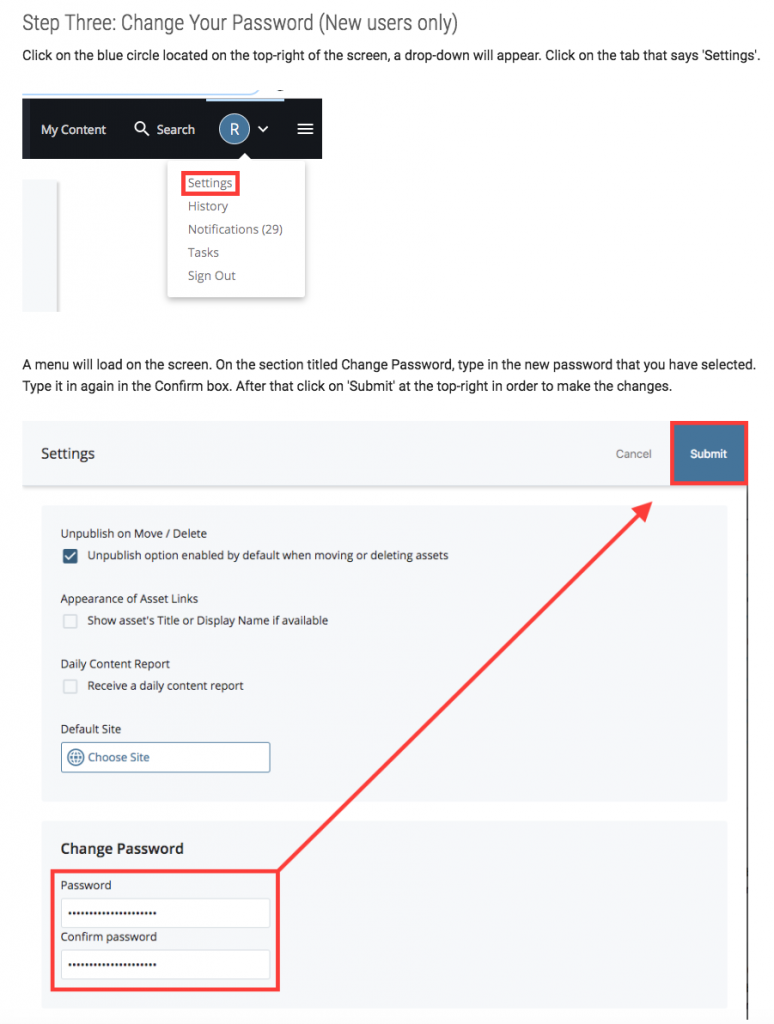
I’ll spend a portion of my time for the next weeks checking the remainder of the guide for mistakes.

Filed Under: 2018 Fall - 2019 Spring

Update 2/11

February 11, 2019 By Jaclyn Alford

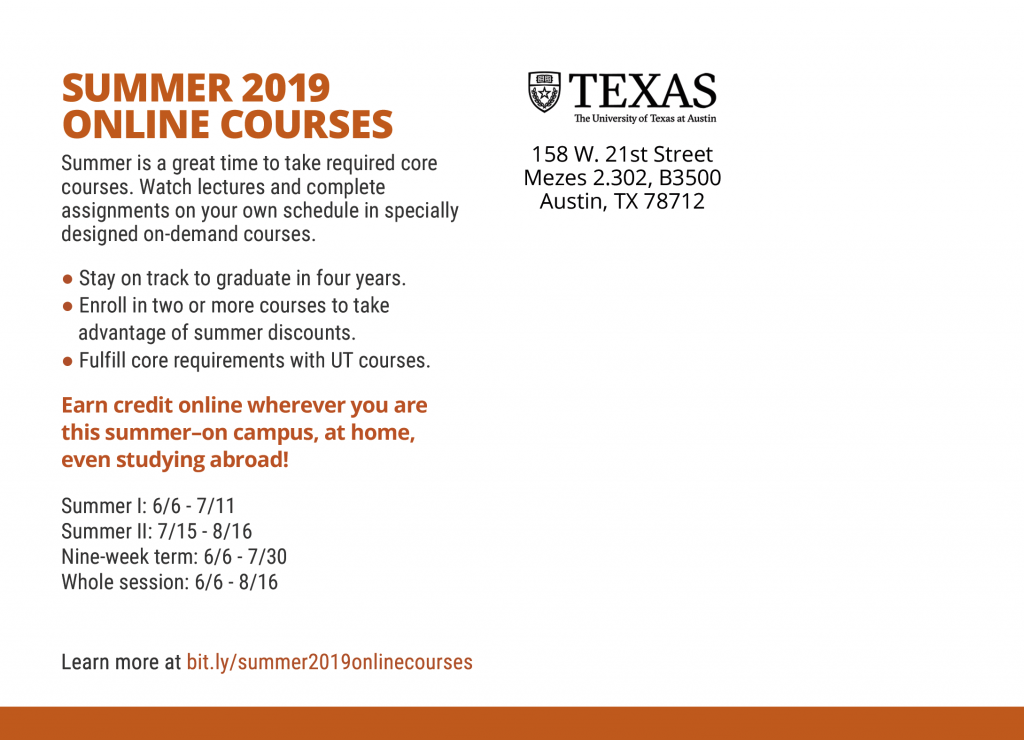
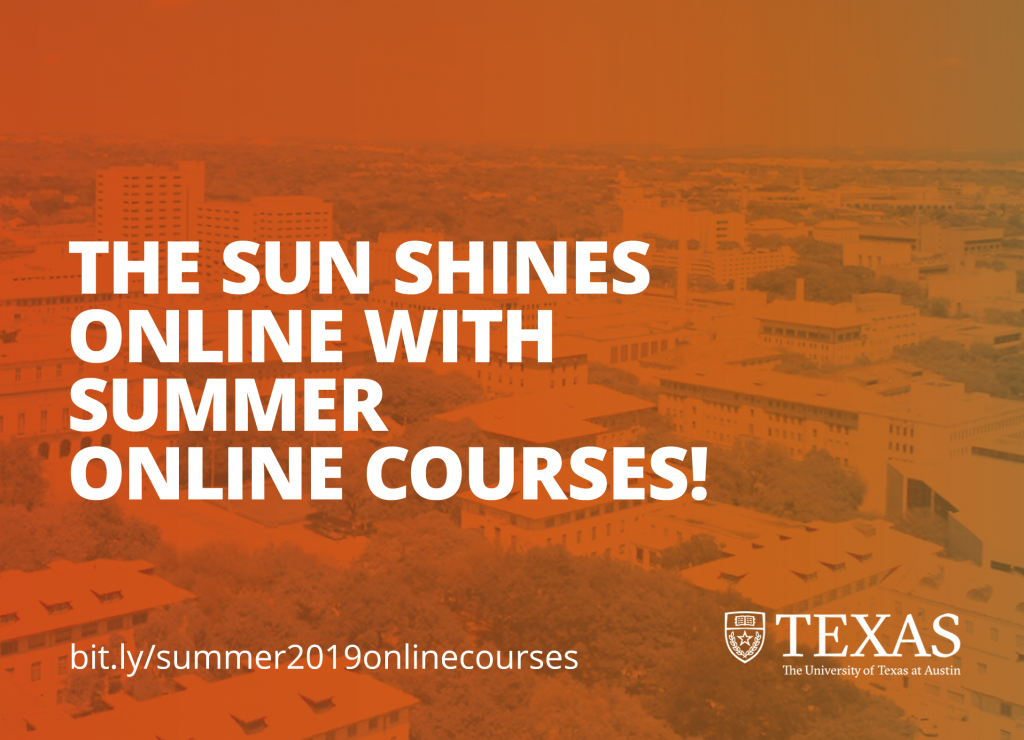
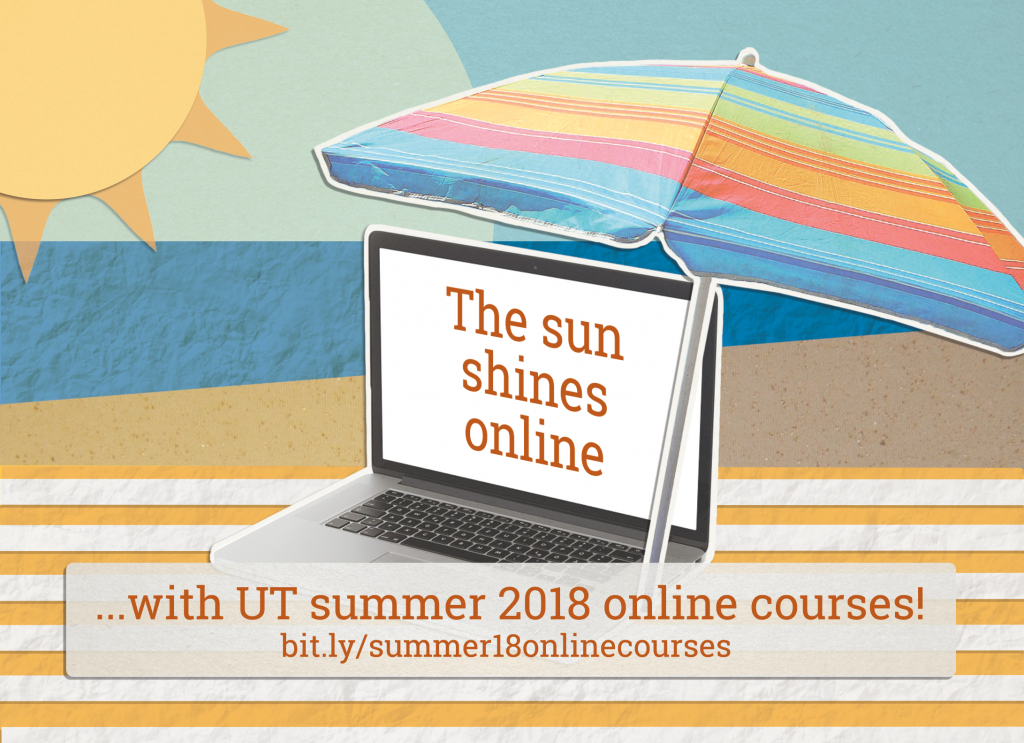
project: Summer Online Courses Postcard
Client /Prof:
completion status: Started Feb 5, 2019
staff guidance: Suloni, Myra
STA team members: n/a
description/plans: create a mailer to inform about summer online courses
To be completed: Feb 8, 2019

Past designs:

New design options:

project: Mellon Scholar Photoshop Flyer
Client /Prof: Mia Carter
completion status: Started
staff guidance: Suloni, Tate
STA team members: Chloe
description/plans:
To be completed: 

https://docs.google.com/document/d/1zVTbTAjzfuu7HF5FjEP-G83k1K7FvSRpiMO_qTIQjcA/edit

Filed Under: 2018 Fall - 2019 Spring

Immigration History Glossary

February 11, 2019 By Rodrigo Villarreal

Immigration History Glossary

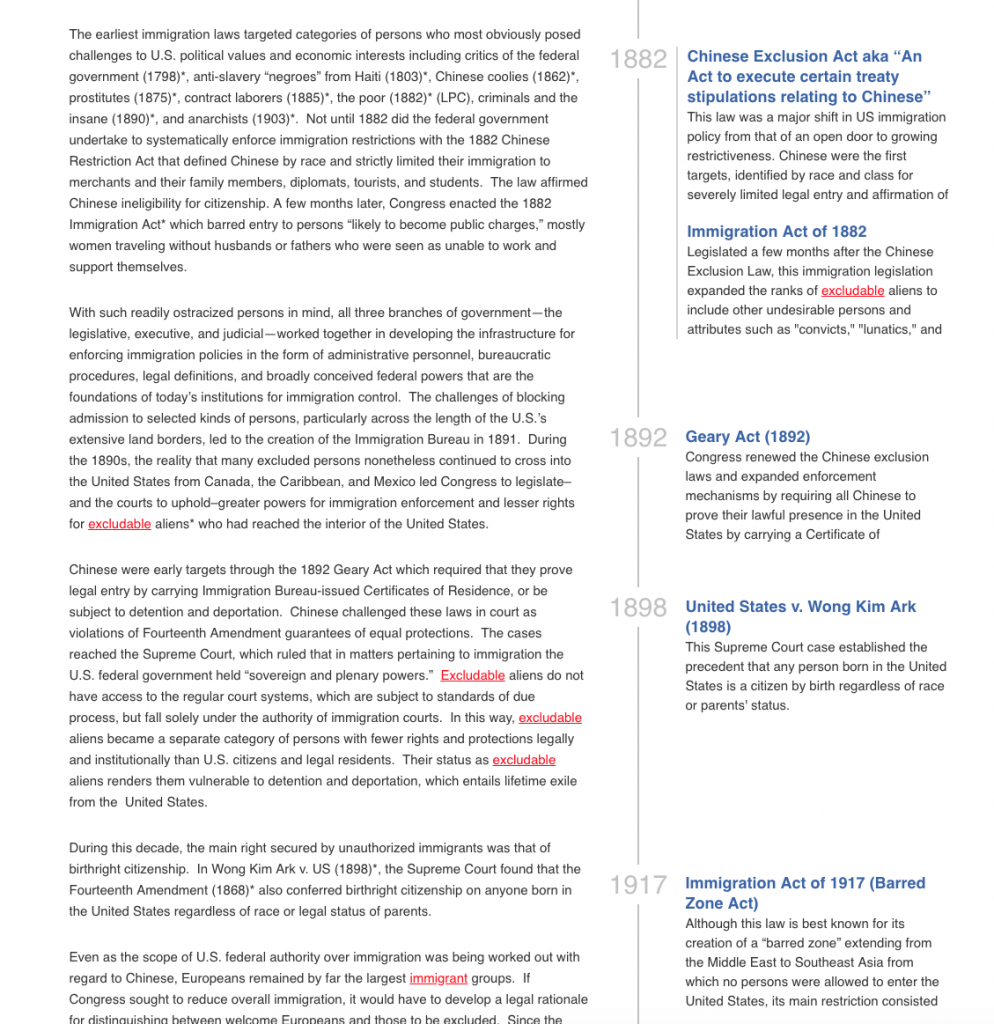
Since I came back this semester I’ve been focusing most of my time on Immigration History. More specifically, I’ve been putting some work into the Glossary that the client asked for us to make. This has been a very interesting project so far and I’ll quickly take you through all the steps it took for me to make it.

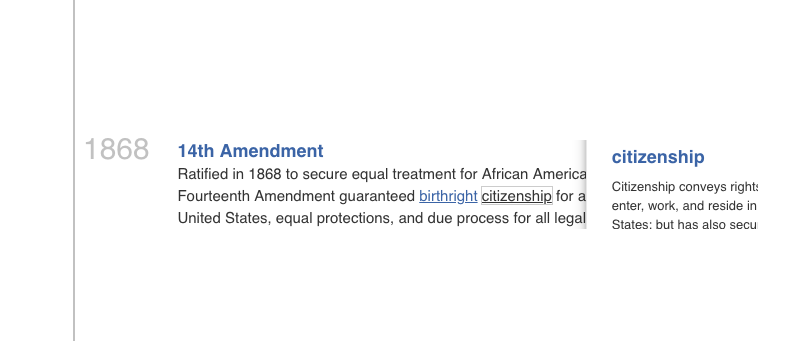
First of all, I had to find a way to identify our glossary words on any given page of the site. Originally I thought that JS methods such as innerHTML and regex functionality would make it very simple but I quickly found out otherwise. Apparently if you try to select and replace words that way all your HTML will flatten when you replace, this means any links or buttons will turn into just text. I found a more complicated approach to identify these words using Nodes. Using a recursive function I can traverse the nodes in a page one by one, calling it again on elements and replacing on pure text nodes. This took me a couple of shifts to code and debug, but when my red links finally appeared on the page I was so happy.

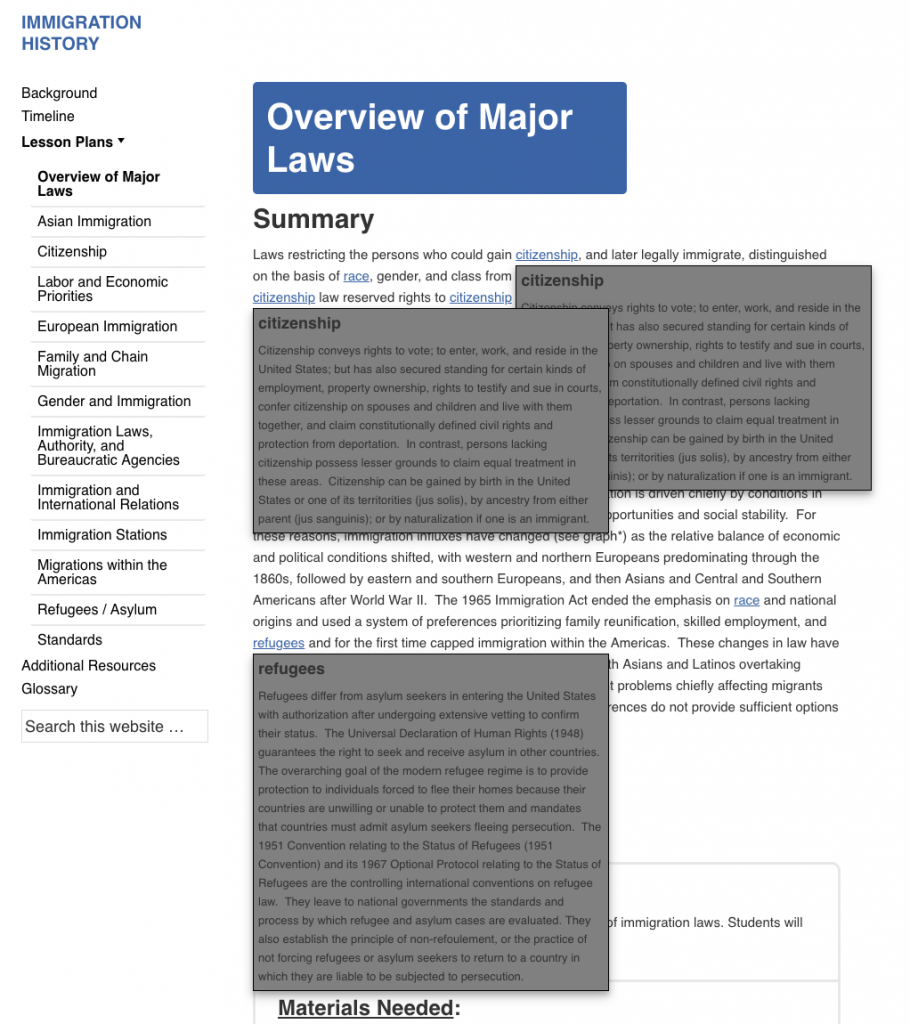
After that I made some HTML to insert next to the link, which would be the pop-up definition for a word. The looks were pretty rough since I didn’t have a mock-up but they fulfilled their purpose. Whenever the user clicks on a link, the display attribute on the divs changes and therefore the definition appears.

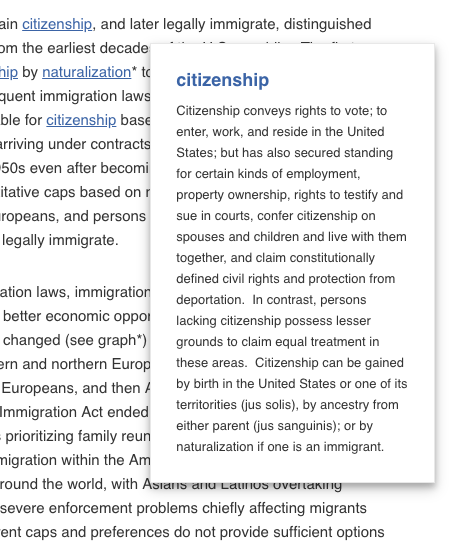
This approach was good but several things could be improved. Ideally, only one definition will be on the page at once. Also, they should never overlap. I fixed this by using focus instead of clicks to display the pop-ups. Finally, the looks could be better. Jac took some time to mock-up a better design, which I implemented.

I also notices that the positioning of the pop-ups was not working very well. For links too close to the right or left edge of the page, the pop-up would be cut off. Also, for links inside the timeline portion of the page, the pop-up would be covered by other elements.

At this point, I had to change my approach. Instead of inserting the pop-up HTML when I find the corresponding word, I needed to create it dynamically when the link was clicked. This way I can append it to the body and then absolute position it by doing some calculations so that it will always be visible.

I think these look really good, they work on small screens and on mobile.

Some next steps for this project: All this time I’ve been focusing on the pop-ups and neglecting to make the actual Glossary page, which will include all the words in alphabetical order. Ideally, the big blue titles on each pop-up will link to that big glossary and scroll down to that specific word.

Filed Under: 2018 Fall - 2019 Spring

Podcast Progress

February 11, 2019 By Clarissa Miranda

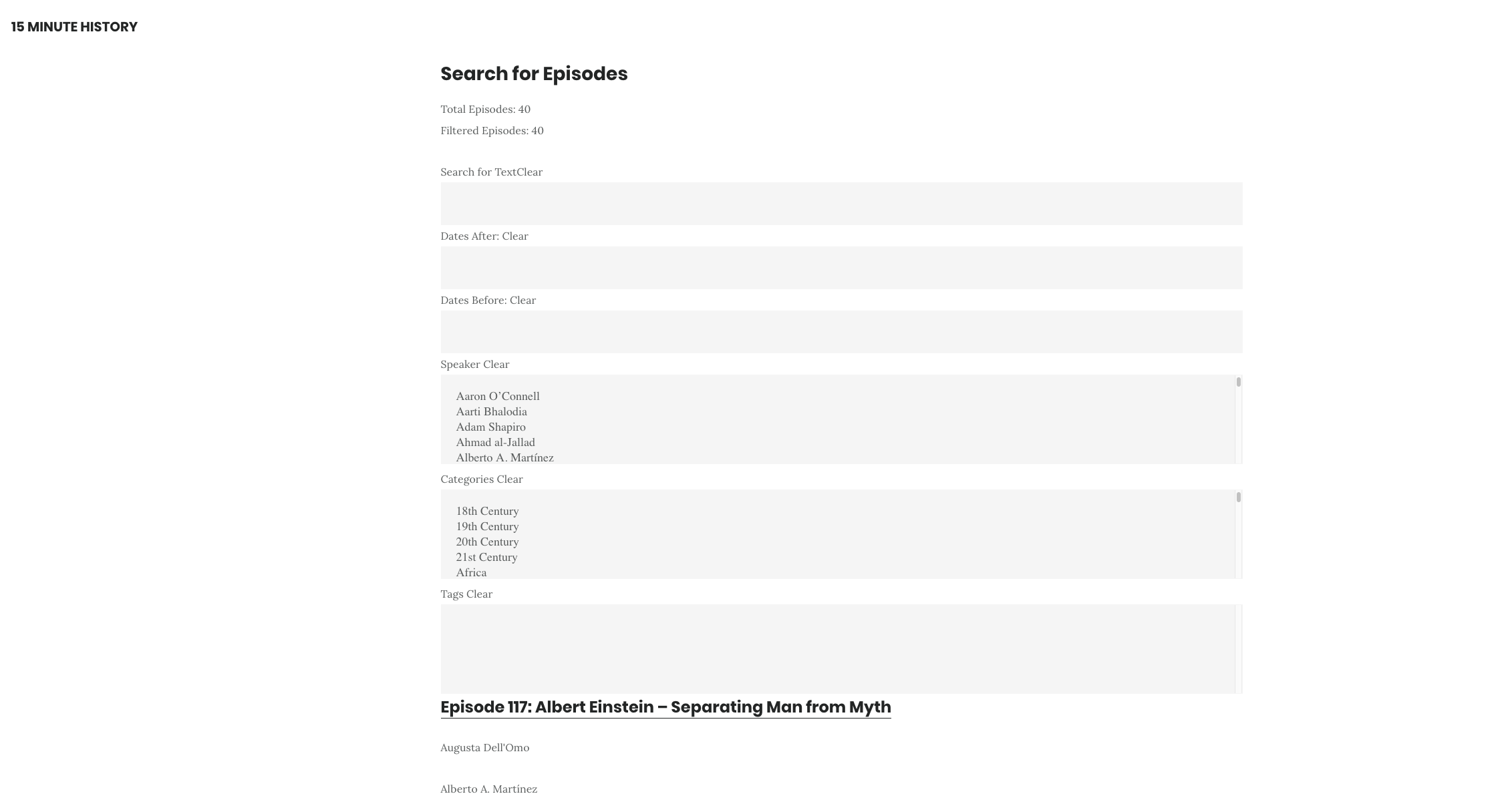
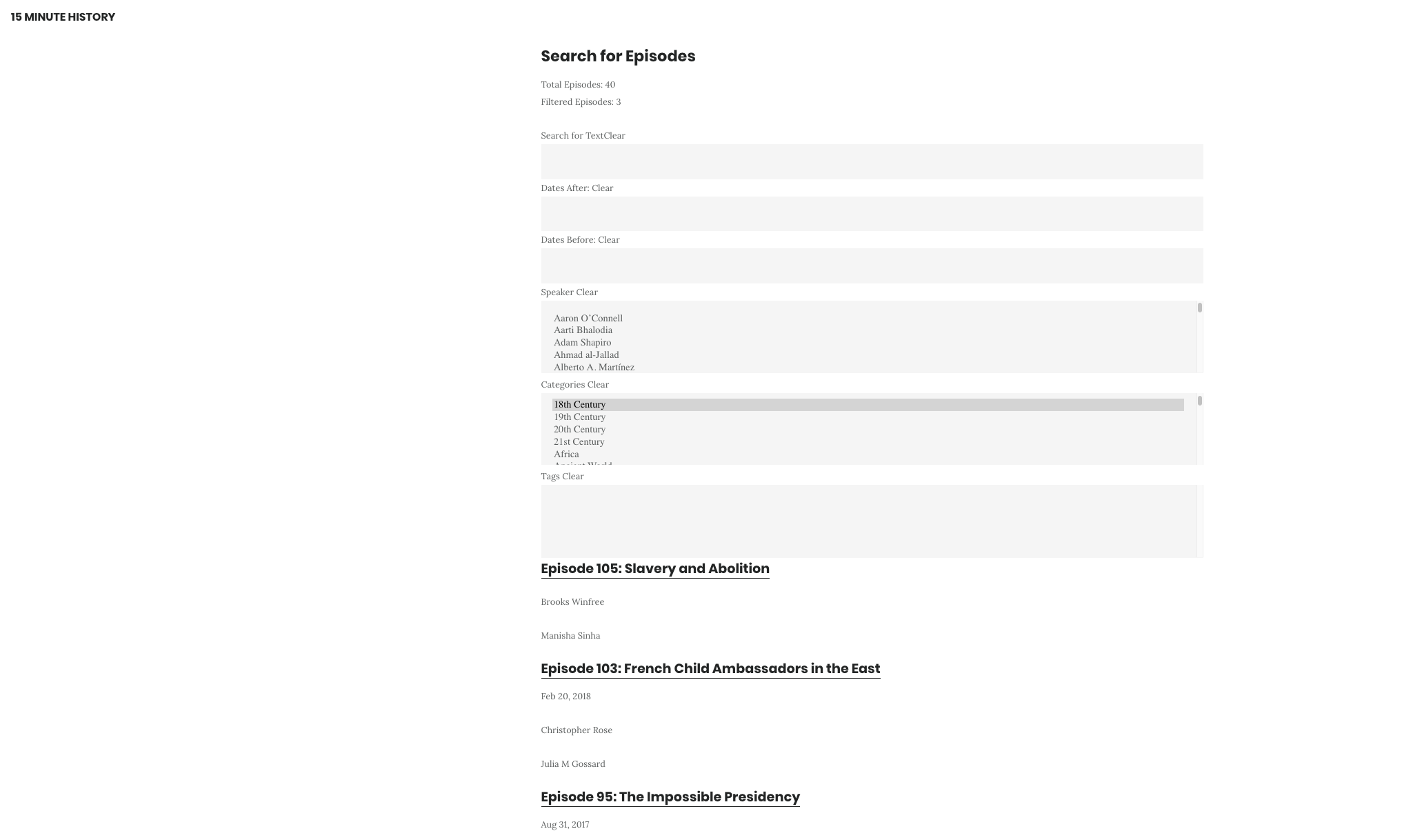
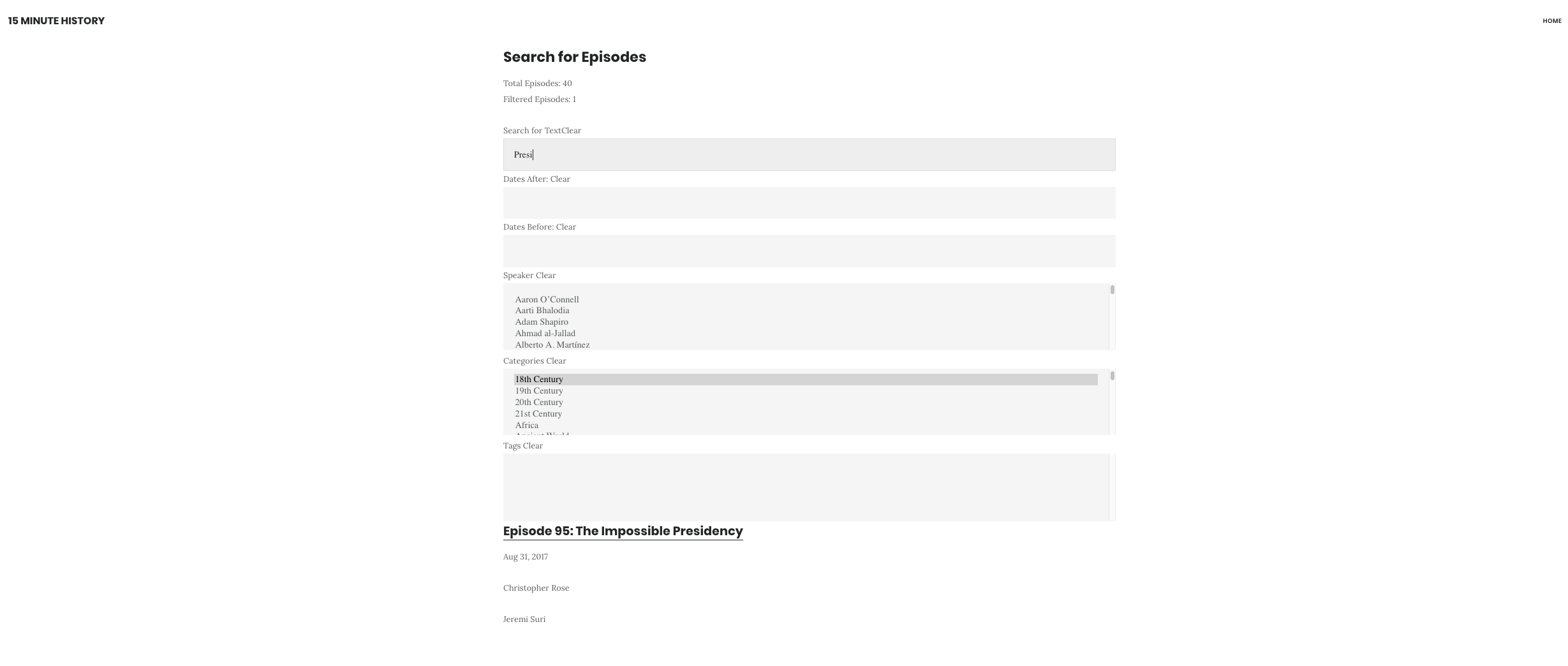
Today I was able to display the search bar, it is not displaying tags yet.

You can filter by category.

And by contained text in the title or the transcript of the podcast.

Filed Under: 2018 Fall - 2019 Spring

2-7-19

February 11, 2019 By Bridget

Russia Bookmark

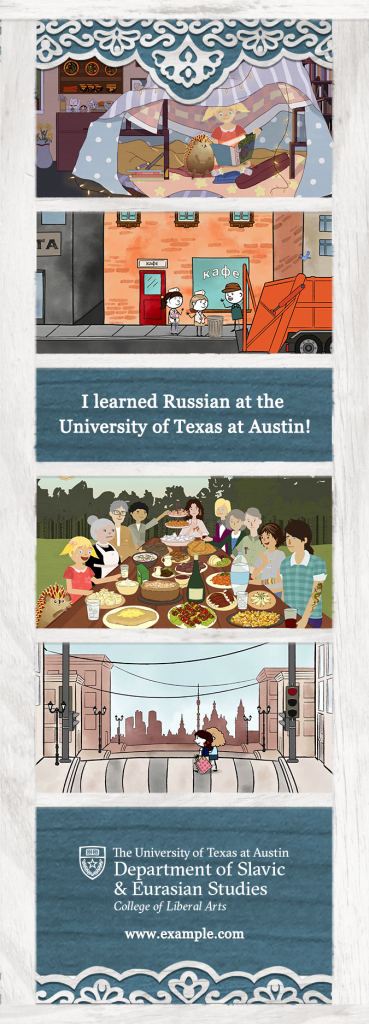
This past week I’ve been helping Tate mockup a bookmark for the promotion of the online Russian learning course. This is the final design:

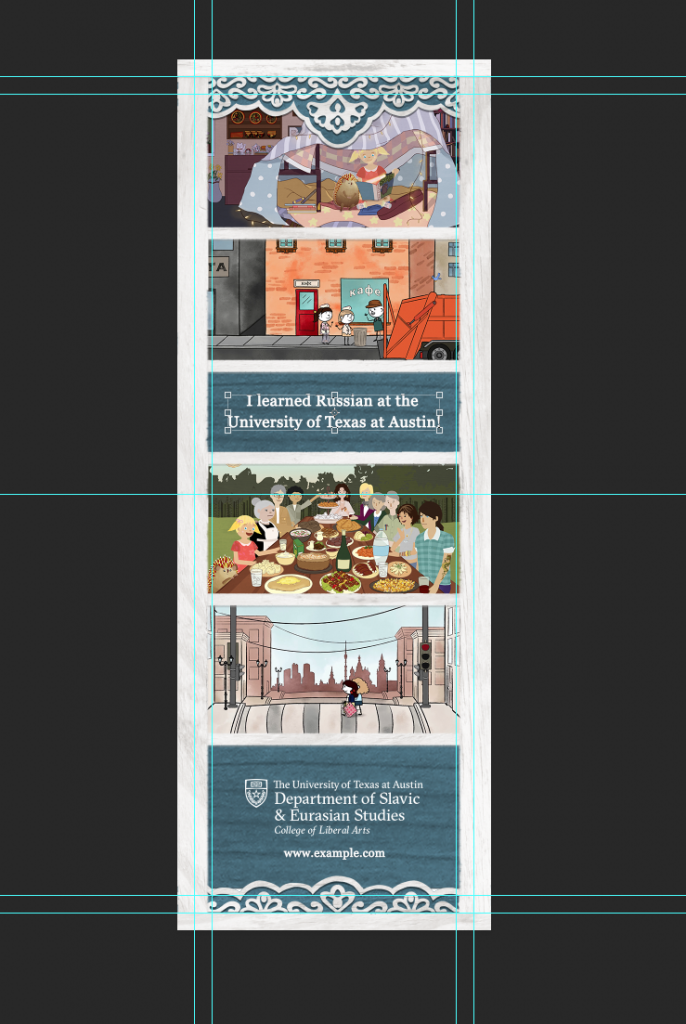
The borders and wood texture used in the background were designed by a former STA. We also extended the white border into the bleed area, which you can see in the second image showing the grid lines in Photoshop.

I’m also helping to redesign the profile page for a professor. I’m mocking up the content in a Google Doc, then when that is approved I’ll move it into the

Filed Under: 2018 Fall - 2019 Spring, Uncategorized

More stuff

February 11, 2019 By Estella Sun

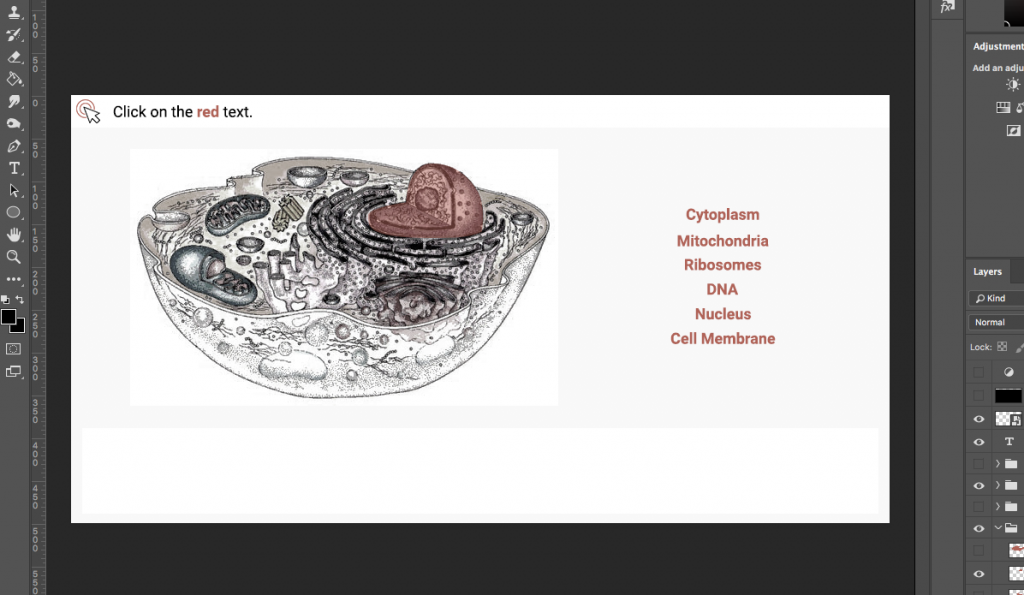
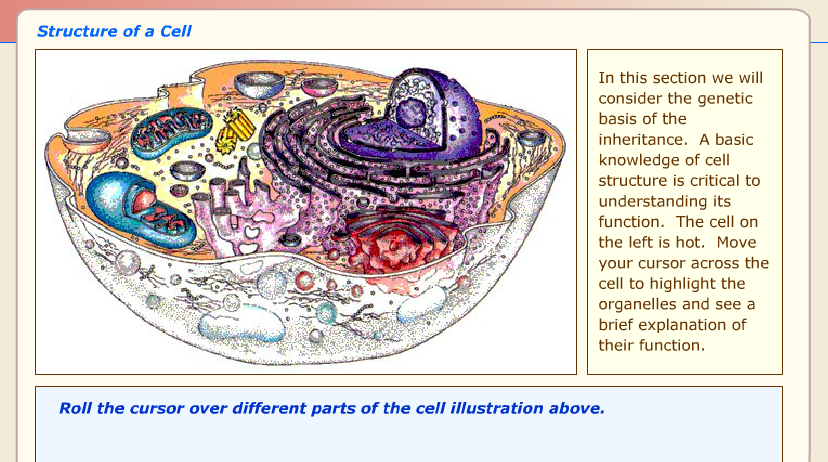
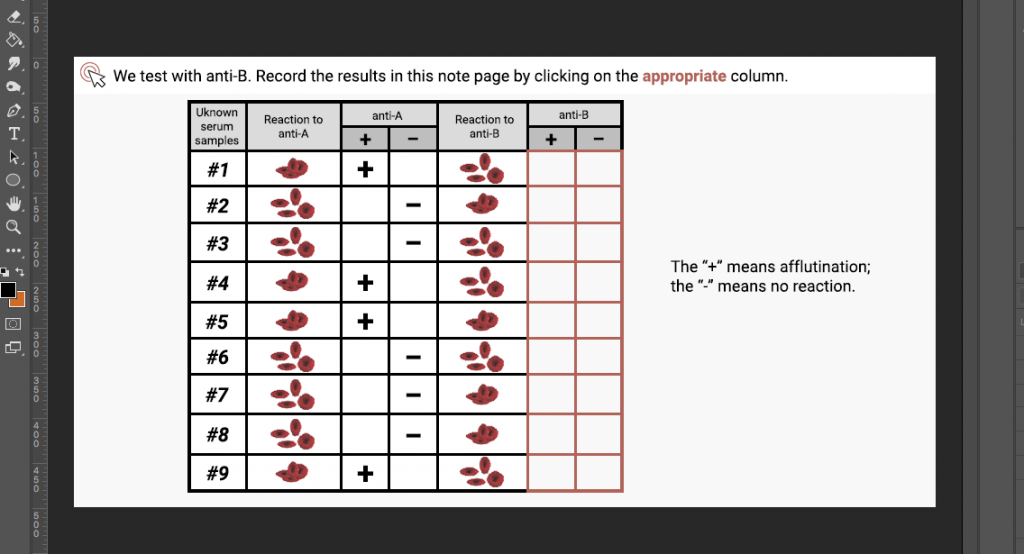
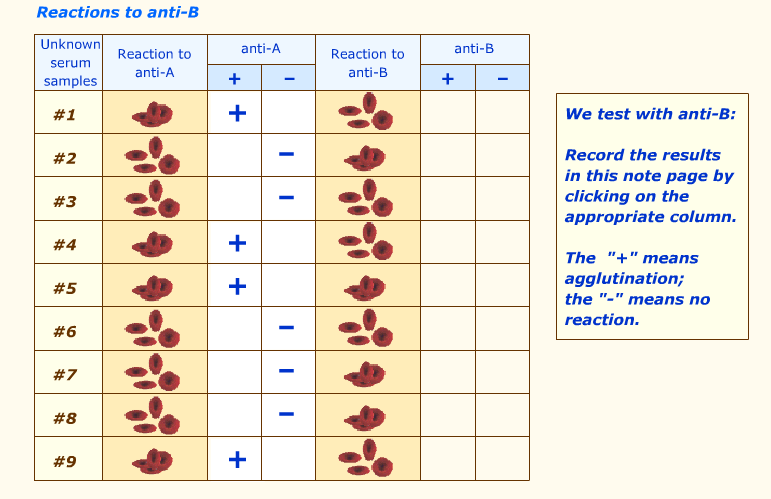
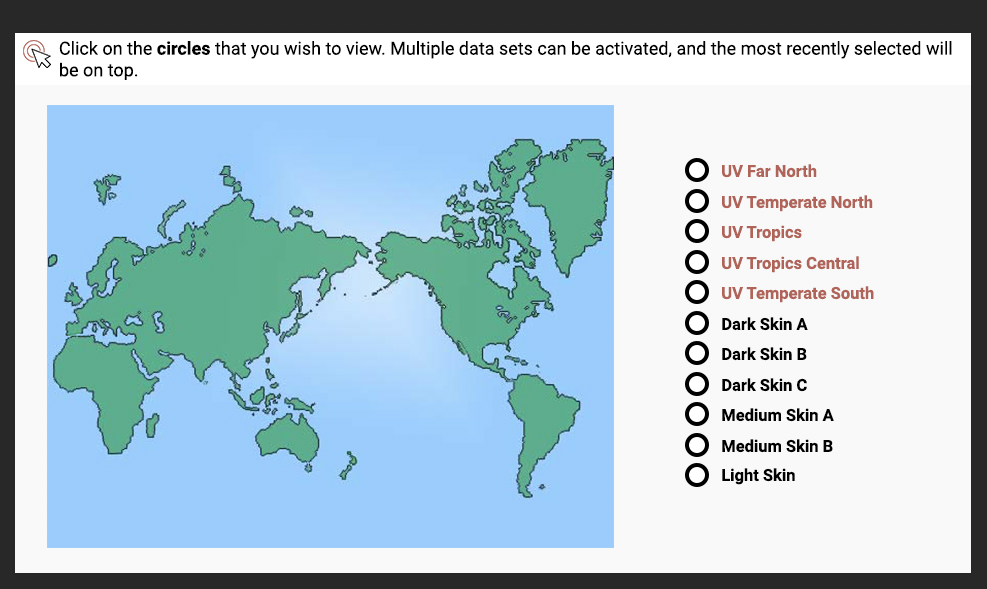
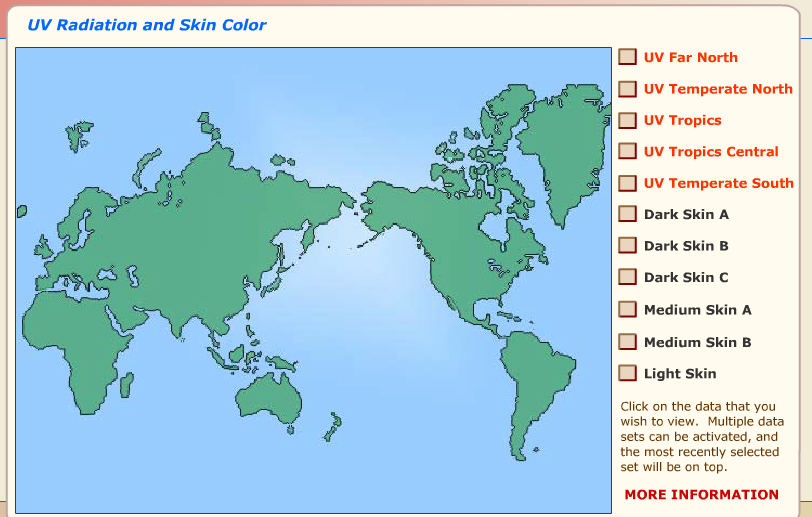
Mainly been working on vlabs! Not much has changed since last week, but I have made quite of a bit of progress.

Structure of a cell
Reactions to anti-B
UV radiation and skin color

Additionally, Stacy gave me feedback on my site, so I’ll be editing it again before I send it back.

I’ve also trained Clarissa in Canvasser, and plan on doing the same for Olivia and Sanika soon.

Filed Under: 2018 Fall - 2019 Spring

  • « Previous Page
  • 1
  • …
  • 24
  • 25
  • 26
  • 27
  • 28
  • …
  • 62
  • Next Page »

link to LAITS home page

Video STA Home

© 2025 Liberal Arts Instructional Technology Services | Production Credits