• We are STAs
    • Asha Rountree
    • Haley Ma
    • Kate Shih
    • Kyra Lee
    • Nicholas Peasley
    • Sasha Kenney
    • Shanda Horm
    • Shriya Atreya
    • Tomas Marulanda-Mesa
  • We were STAs
  • STA Presentation
    • STA Presentation 2017
    • STA Presentation 2016
  • Testimonials
  • Resources
  • Home

STA Blog

Kate Shih

Kate Shih

Summer 2025

August 29, 2025 By Kate Shih

Summer 2025

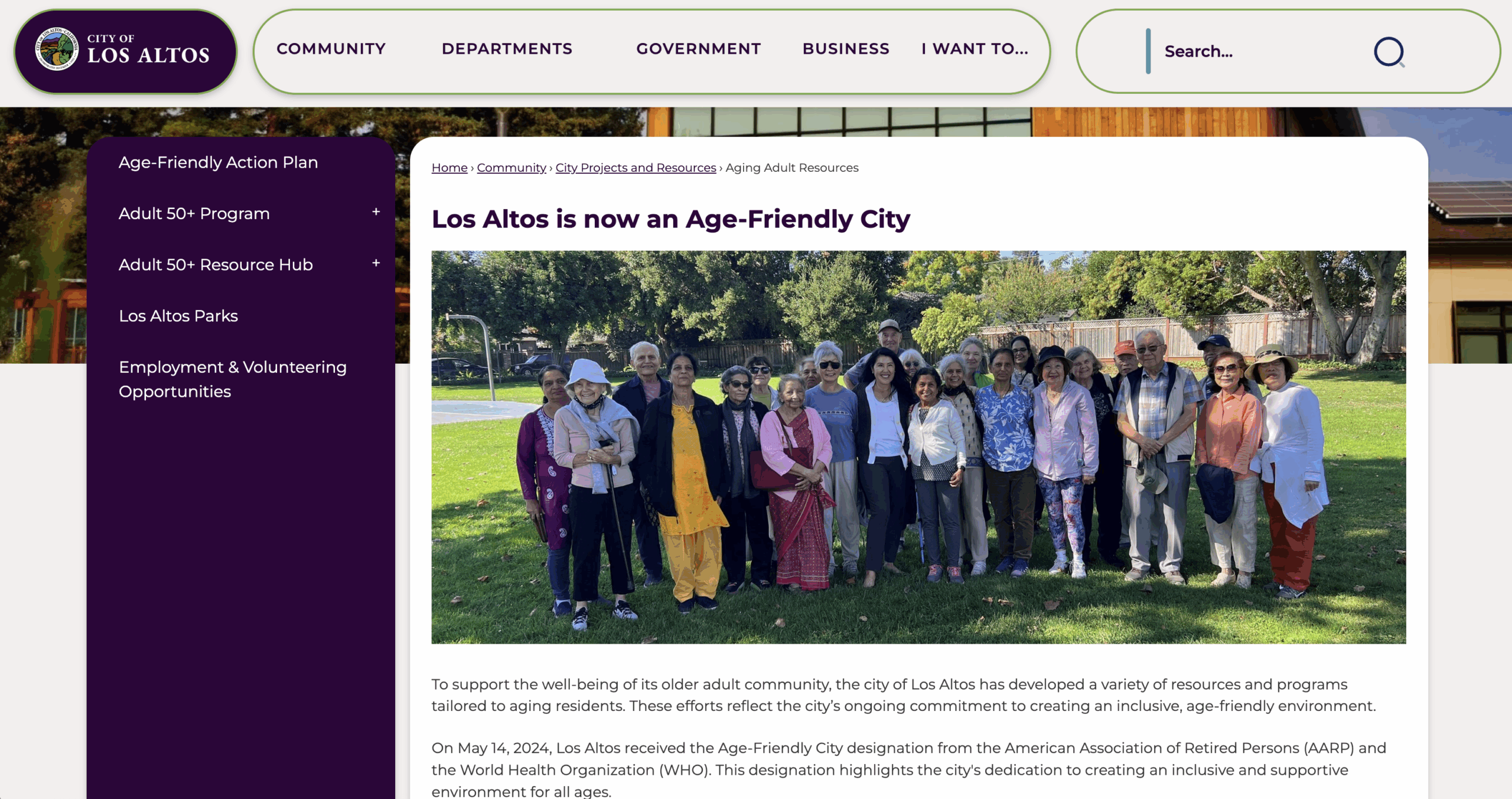
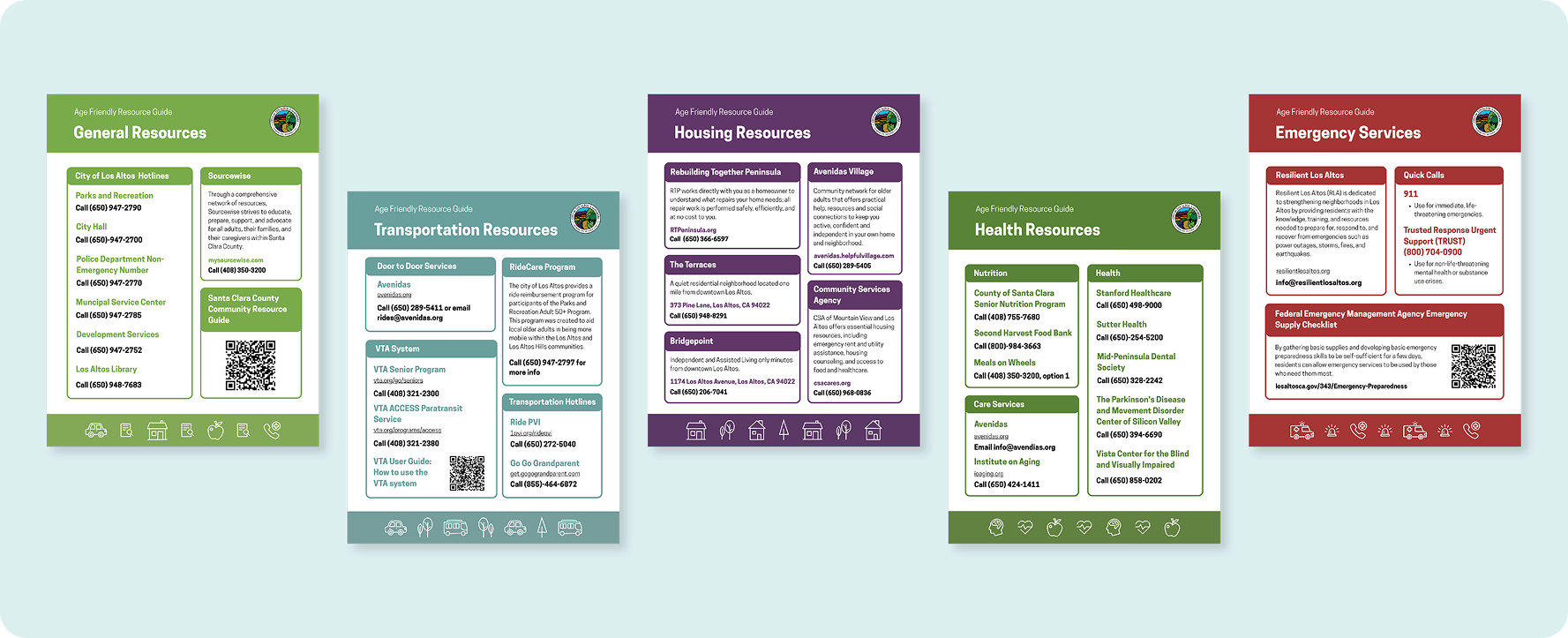
This summer, I went home (California) and got the chance to work for local government. I helped them add new sections to their website, as well as created some marketing materials!

Check out what I did below:

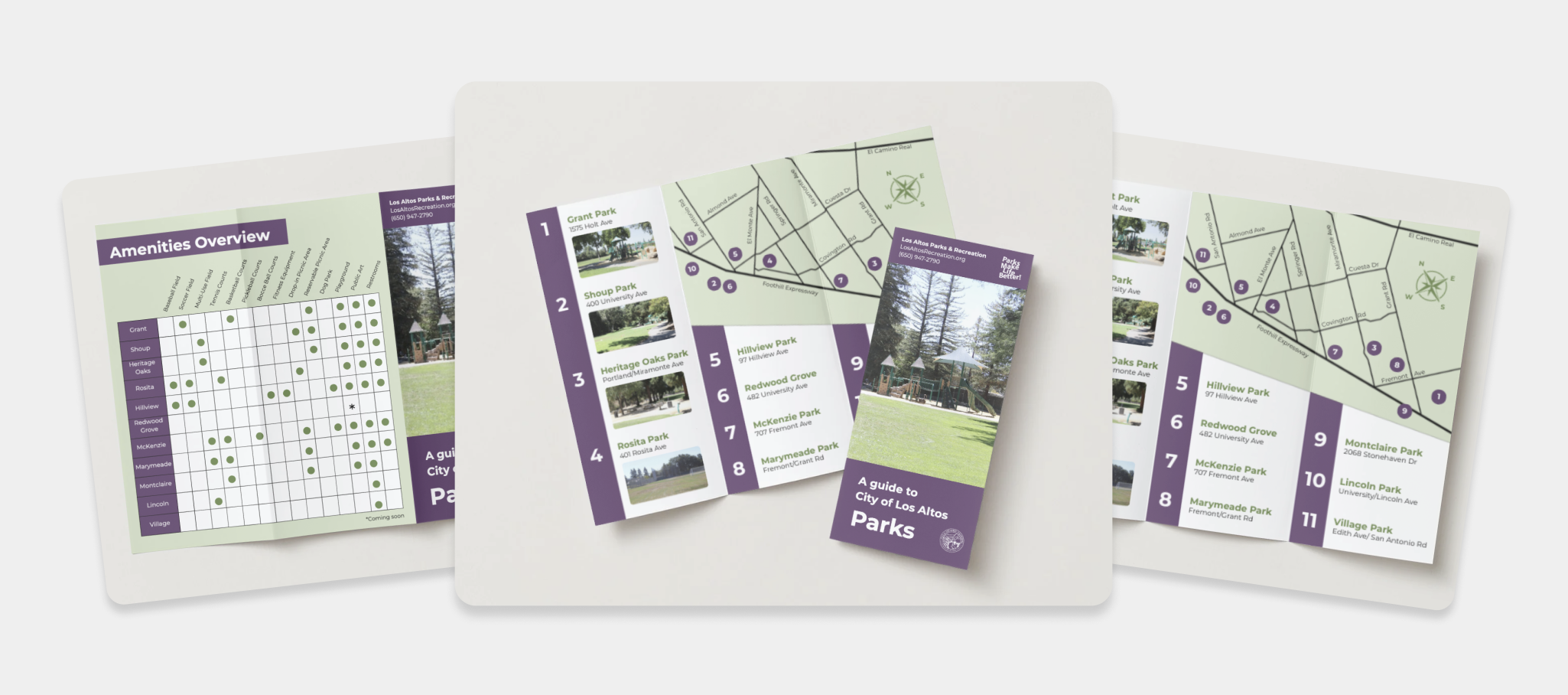
I added a new section to their website catered towards the older population. This included revamping their 50+ Program’s web presence, as well has adding a resource hub.

Visit the live site here: https://www.losaltosca.gov/660/Aging-Adult-Resources

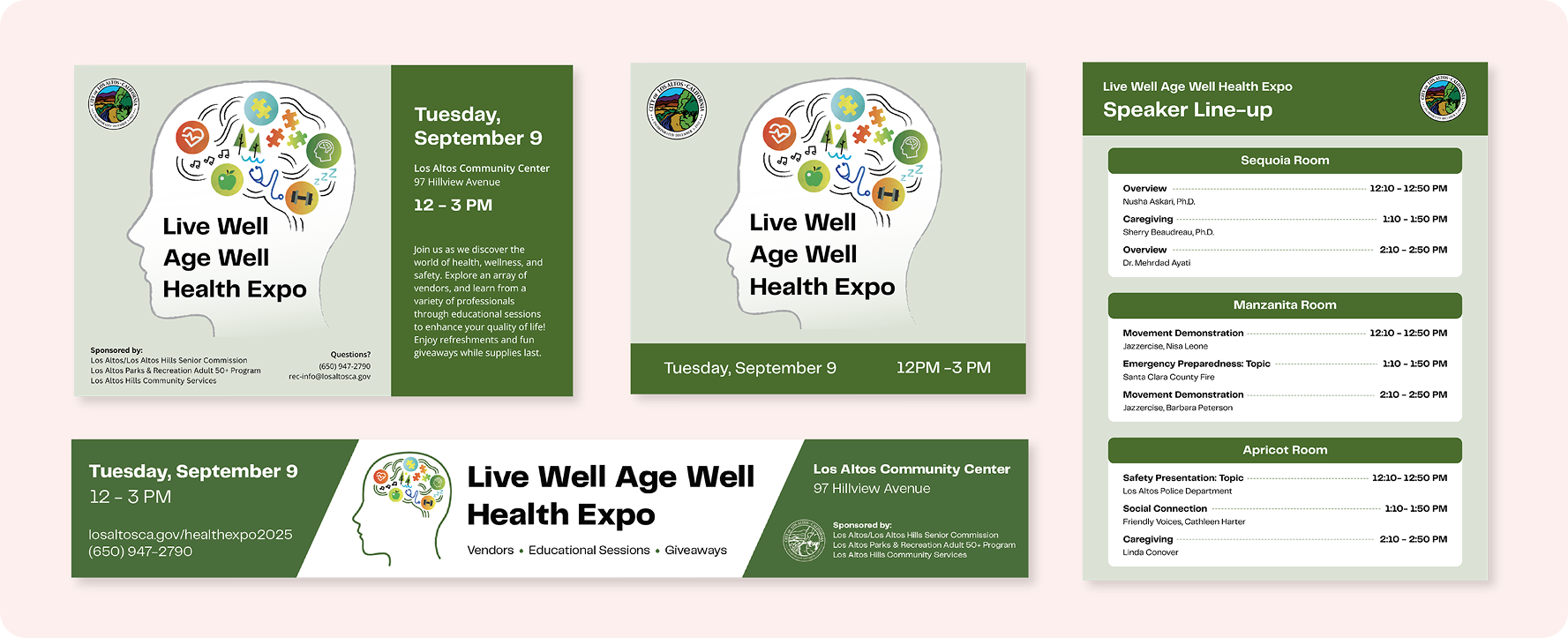
I also got the chance to do a bunch of graphic design work:

Aside from my local government work, I also did some work for LAITS, pursued some side projects, hiked by the ocean, and ate a lot of ice cream (dairy free, of course).

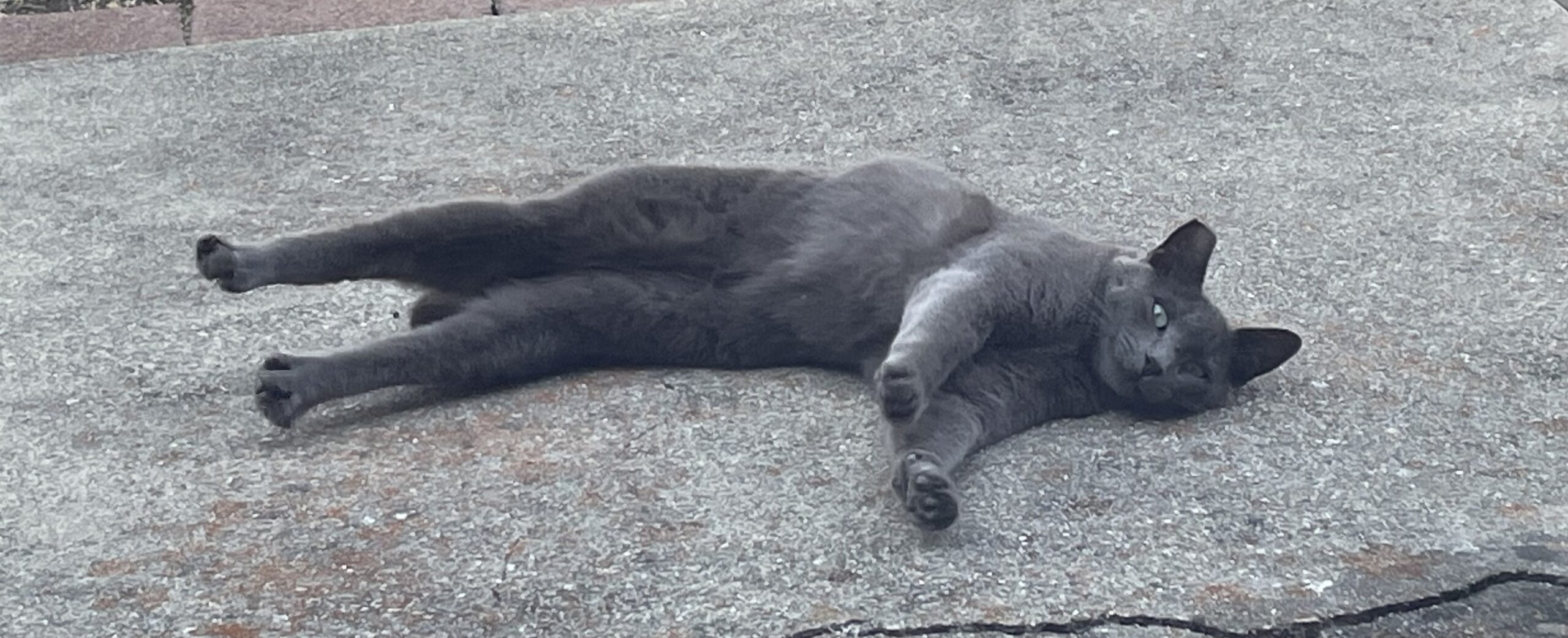
I also made a cat friend ฅ^•ﻌ•^ฅ

Filed Under: Uncategorized, We are STAs

Texas German Phonology (TGDP)

August 26, 2025 By Kate Shih

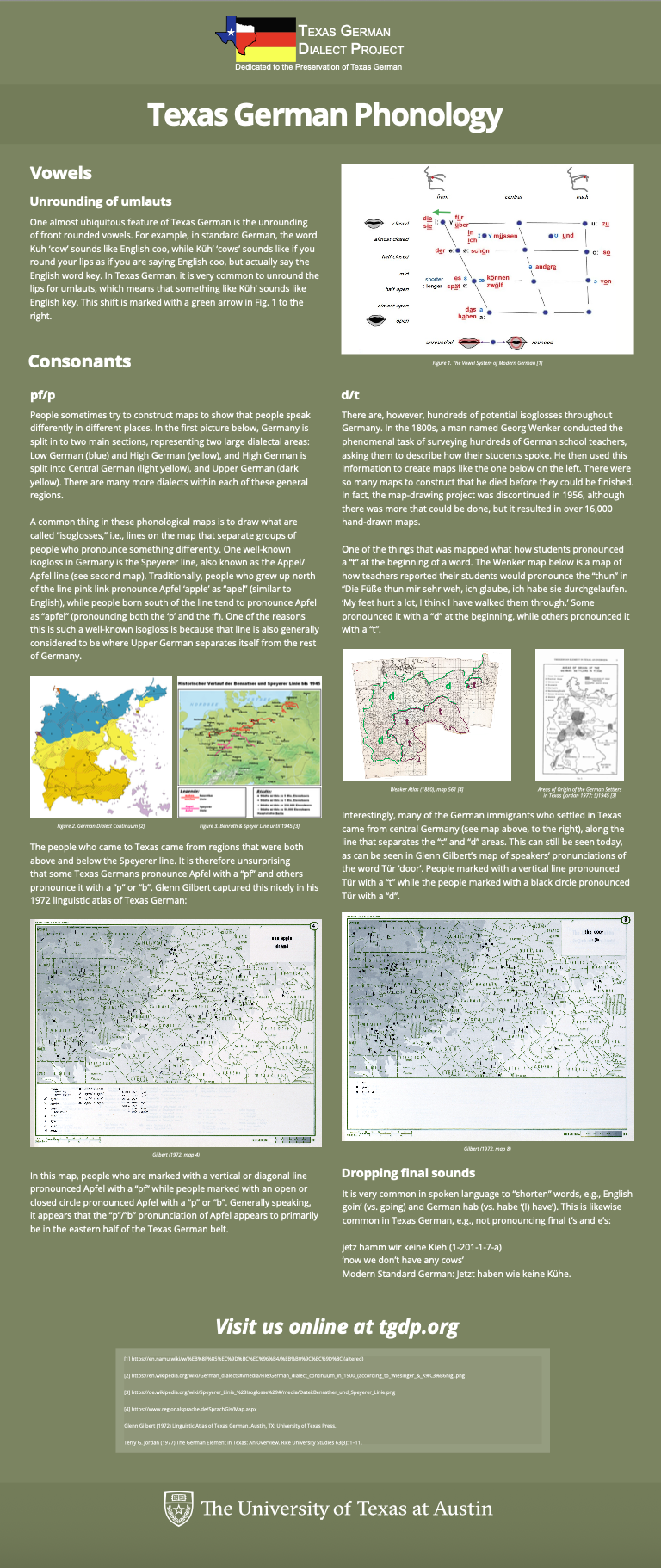
Texas German Phonology Poster (TGDP)

This banner is part of TGDP’s “linguistics of Texas German” mini-series. I was given the information and photos that go on the poster, as well as a couple of reference posters.

Here was the first draft of the poster:

Project status: Waiting for feedback
Filed Under: Uncategorized, We are STAs

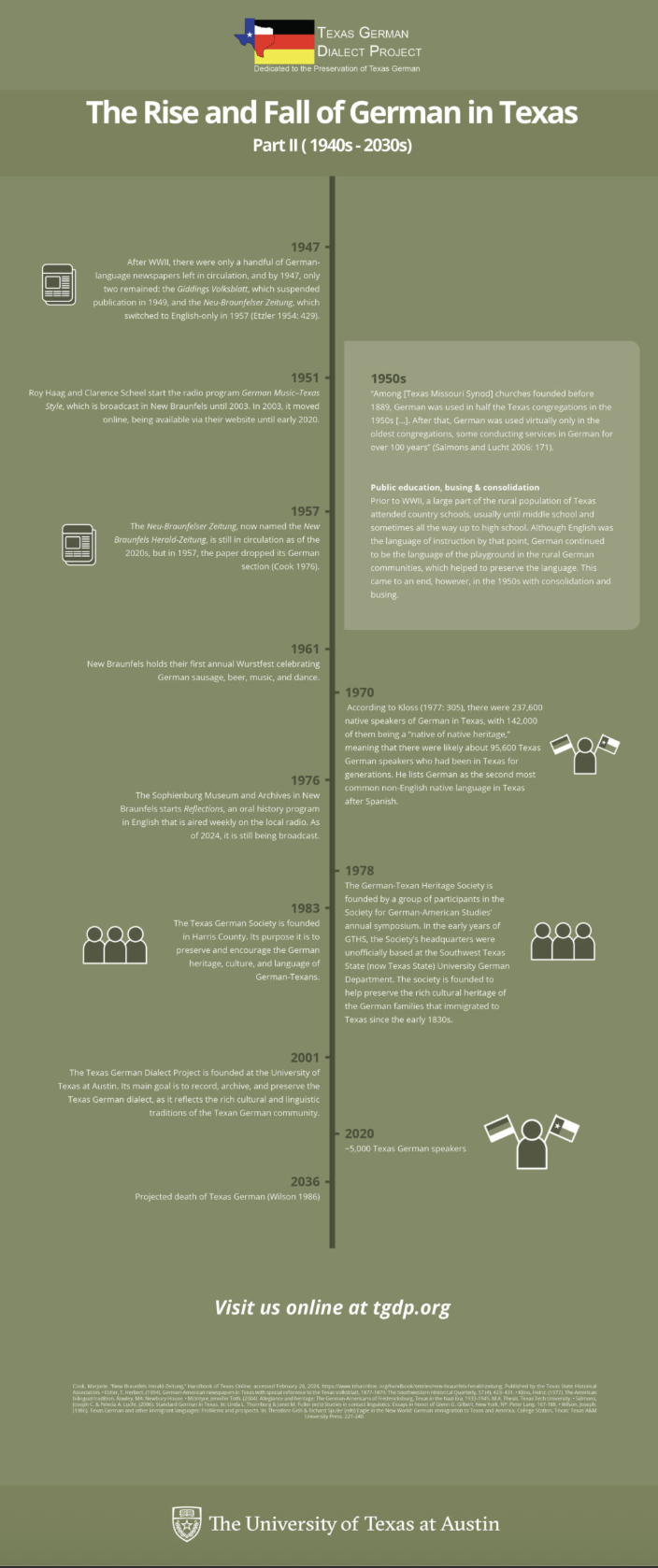
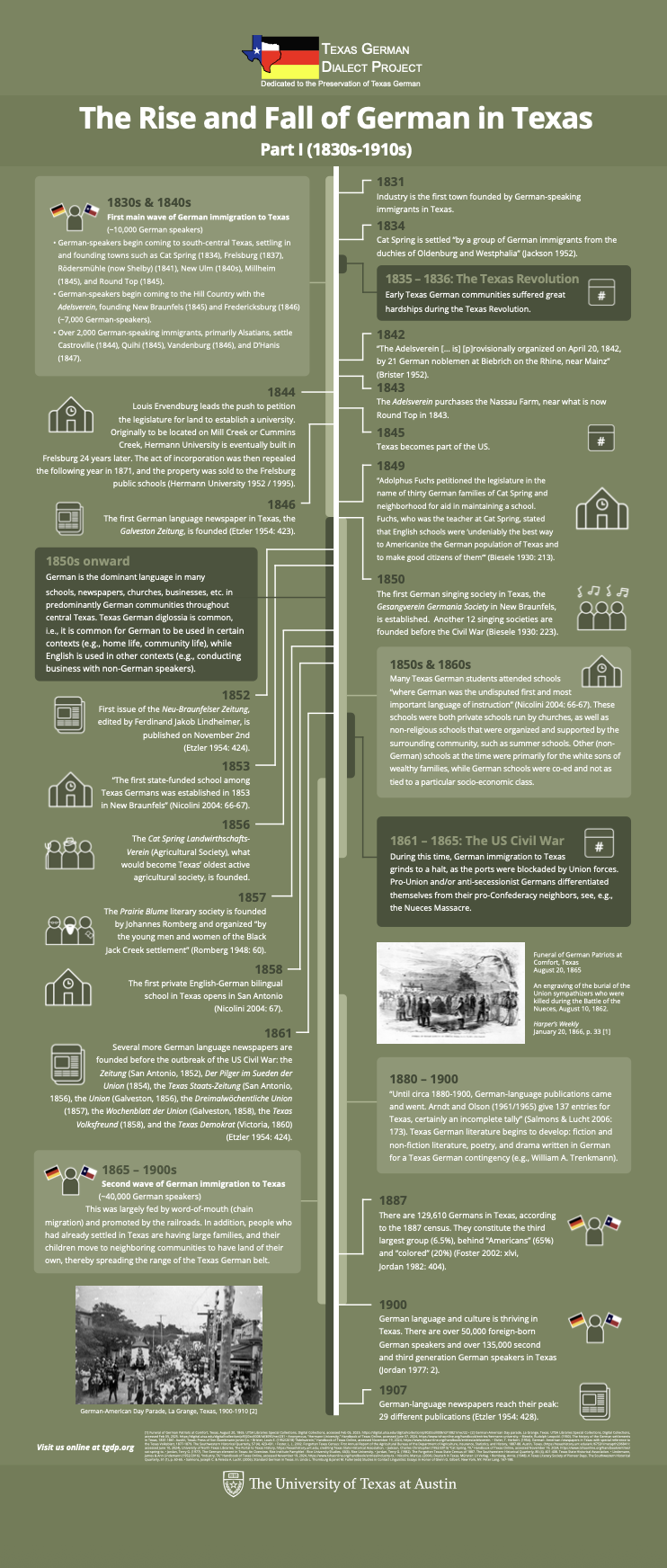
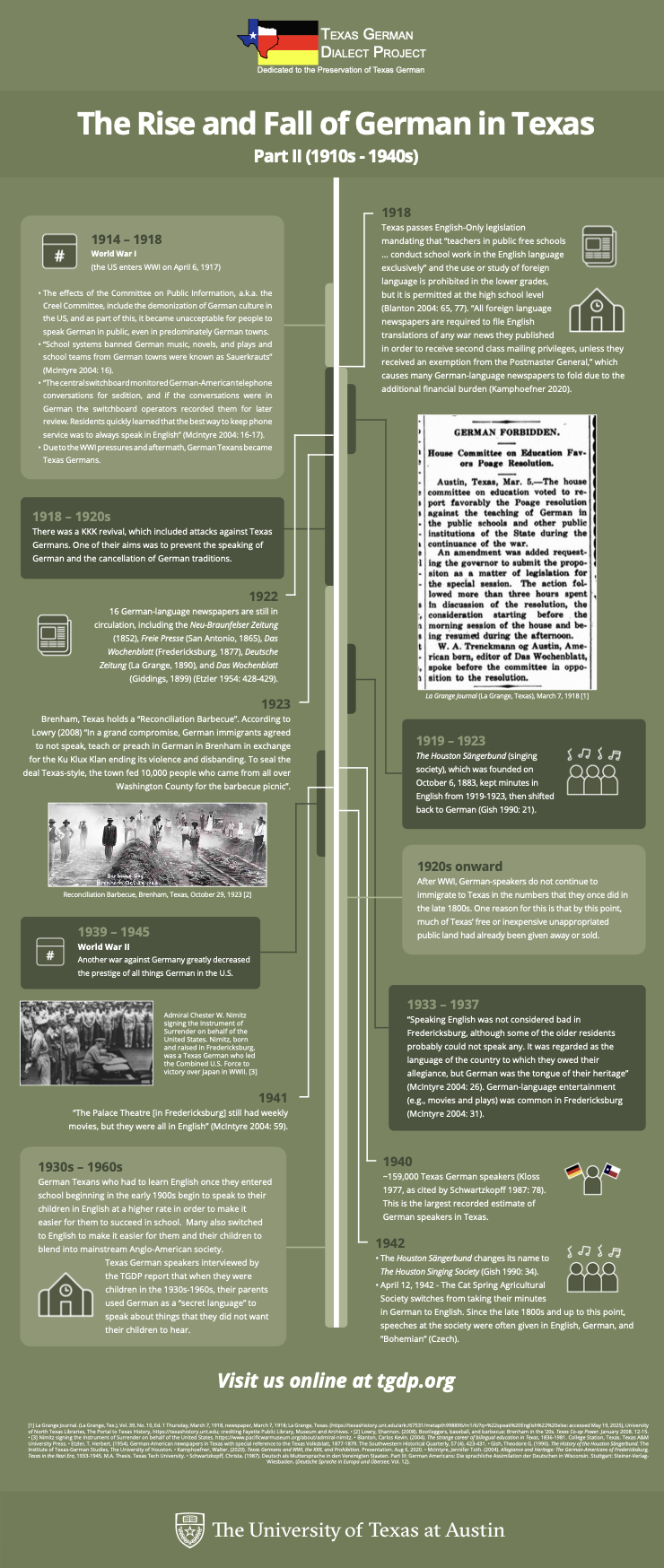
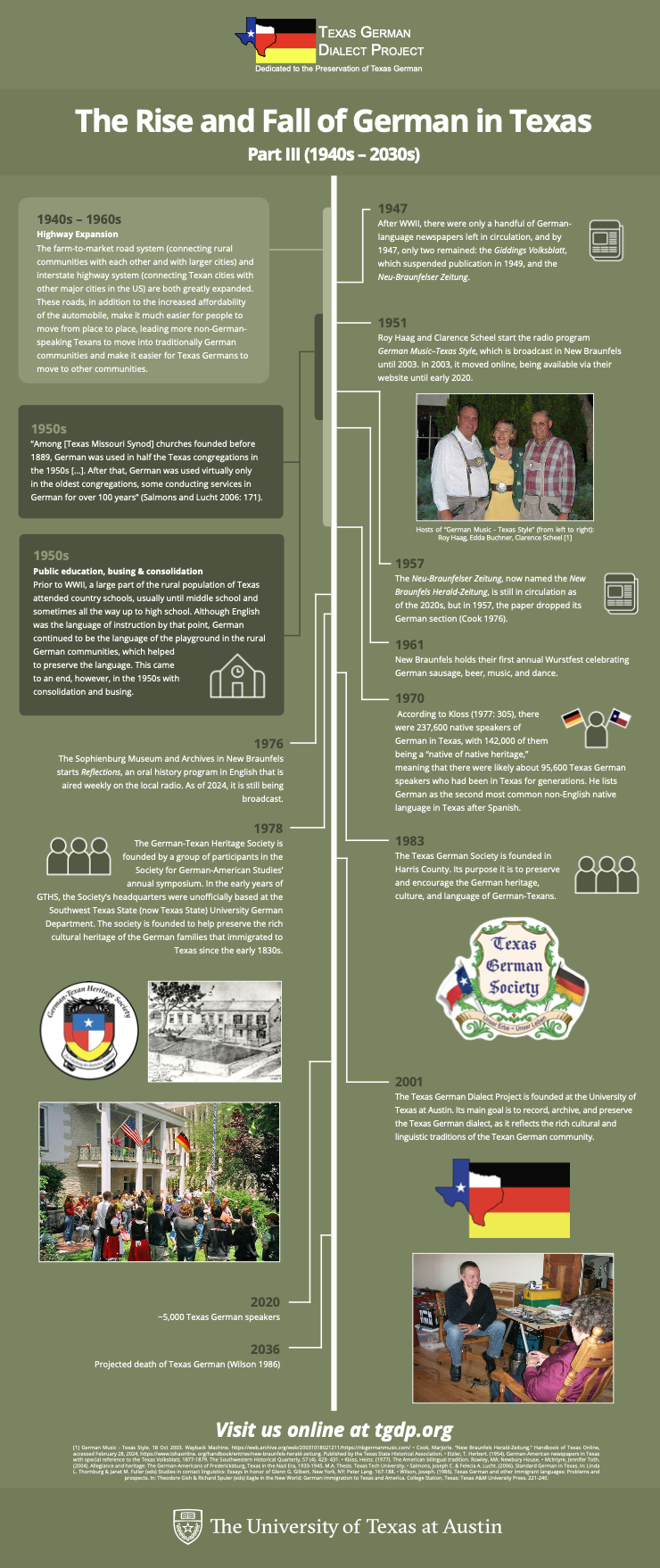
The Rise and Fall of German in Texas Posters (TGDP)

March 25, 2025 By Kate Shih

The Rise and Fall of German in Texas Posters (TGDP)

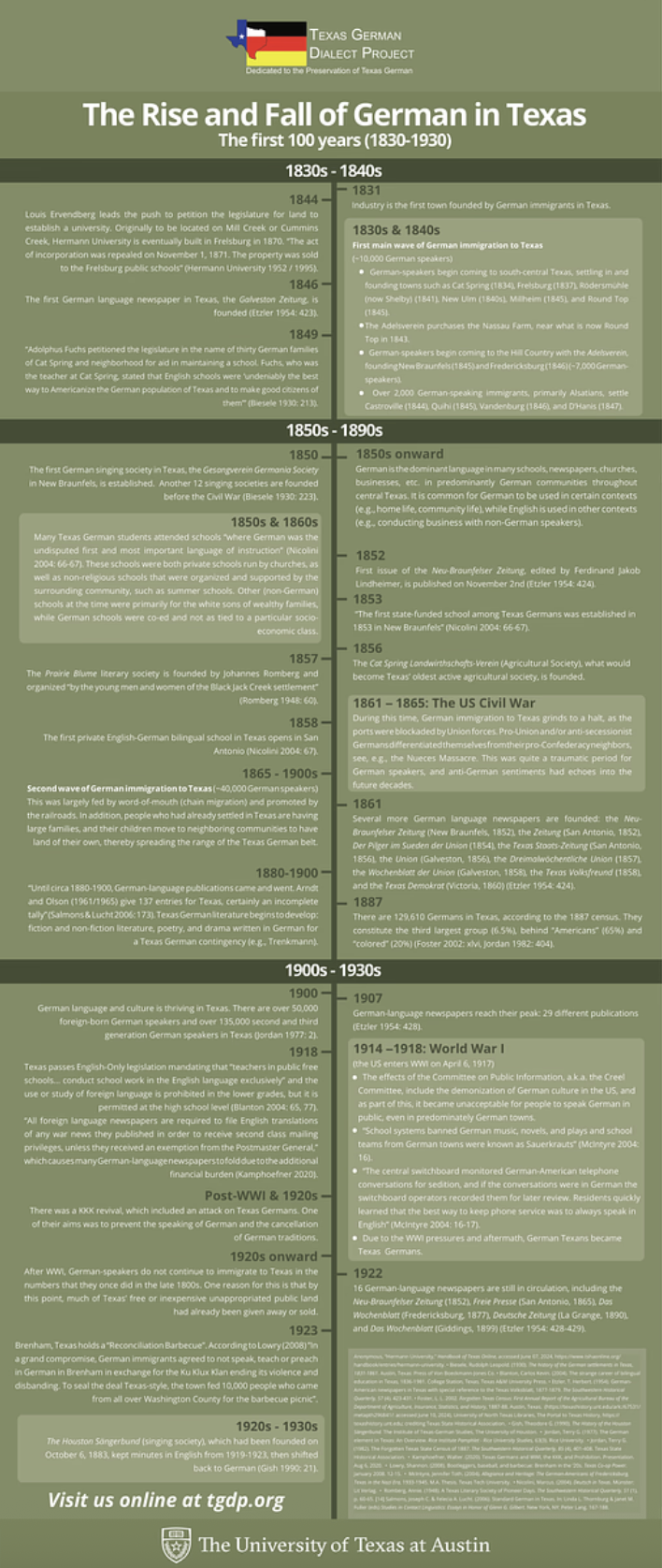
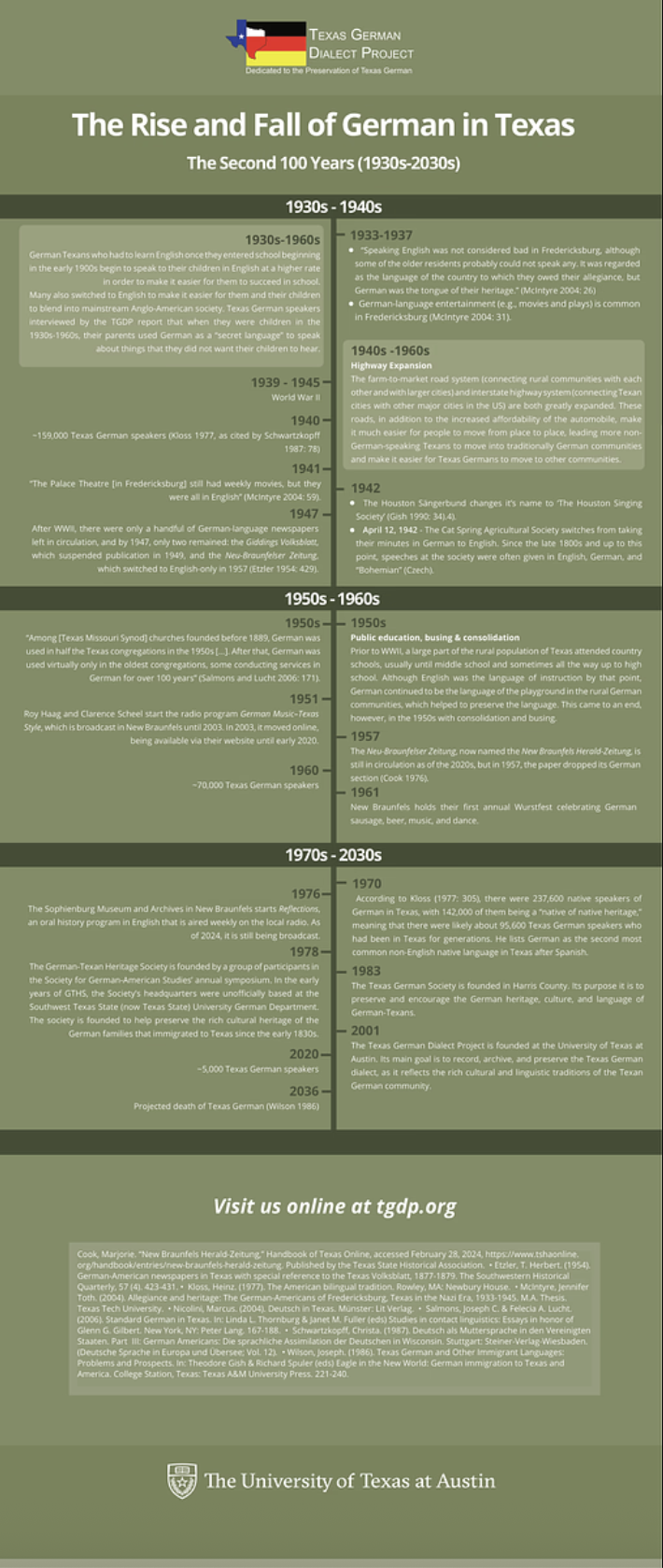
I was tasked with continuing to work on the Texas German Dialect Project retractable posters. These posters had already been in the works, and I had to adjust based on client feedback. The client wanted 3 vertical posters with an icon key. Additionally, the client wanted the dates on the timelines to be proportional to the actual time (for example, if the date is labelled “1930-1934”, it should be clearly indicated that the event took place over that span of time).

Here are the posters that I was given to start with:

Changes I had to make:

  • Create icons and develop a visual key
  • Work on making date ranges look like a range on the poster

Creating Icons

This first thing I had to do was develop a visual key. The client wanted icons that represented 5 different types of events: society, immigration, schools, newspapers, and key event. I used Illustrator to draw icons, staying on brand with the colors given to me.

Society
Immigration
Schools
Newspapers
Key Event

Redesigning the Posters

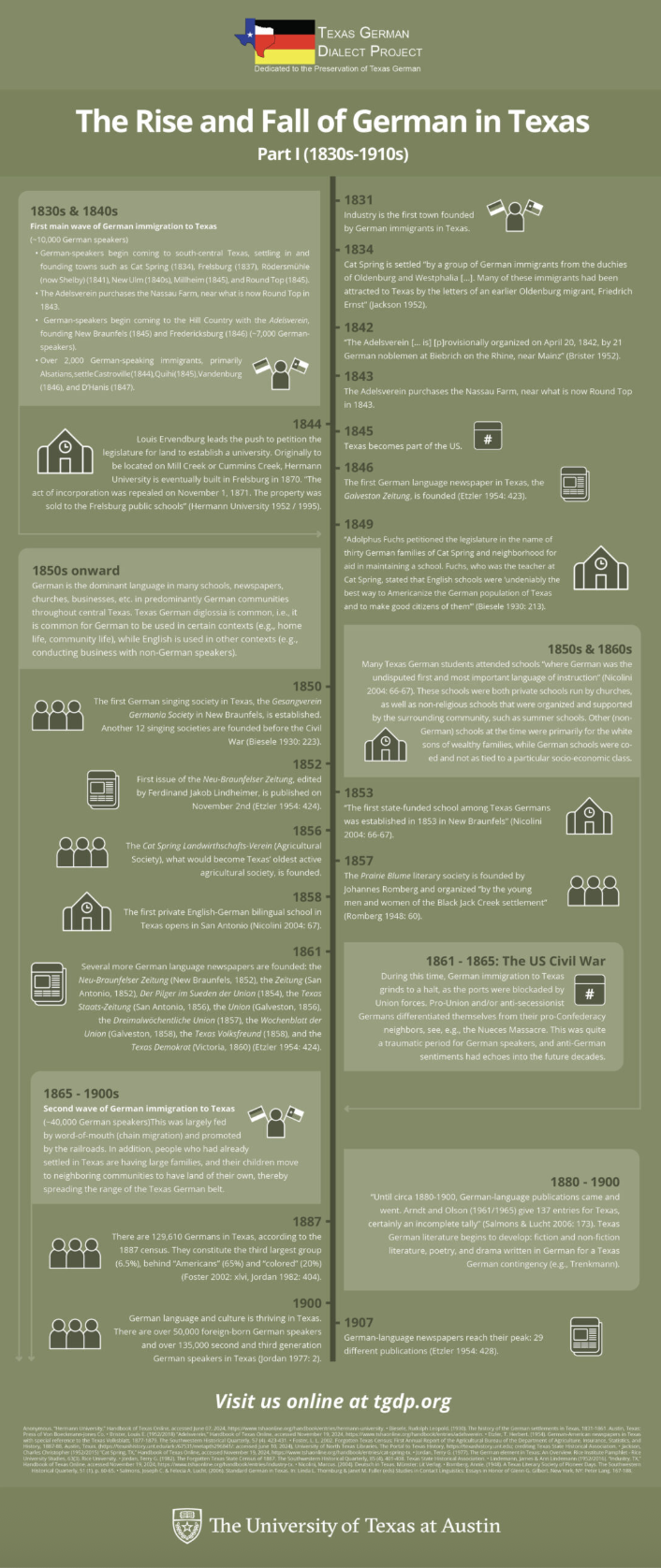
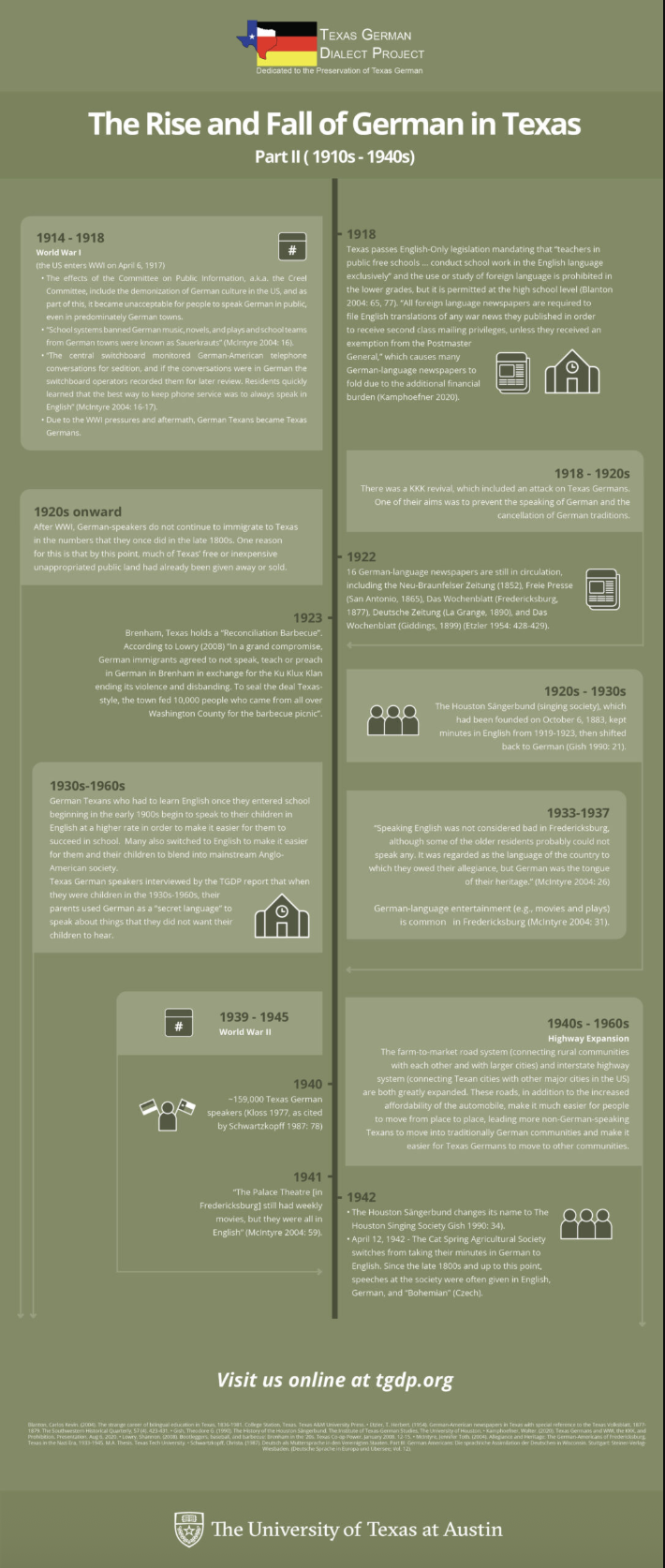
Now that I had icons, I could move on to putting the posters themselves together. The main thing I wanted to focus on was how to show the date range. I settled on added a transparent box behind the event description and using arrows to indicate it’s date range.

After using this technique and adding the icons, the posters ended up looking like this:

Second Drafts

After sending my designs to the client, I got feedback to make sure that the events were proportionally distanced from each other and to add photos + captions to the poster.

Project status: Waiting for feedback
Filed Under: Fall 2024 - Spring 2025, Uncategorized, We are STAs

History SZB Posters

March 25, 2025 By Kate Shih

History SZB Posters

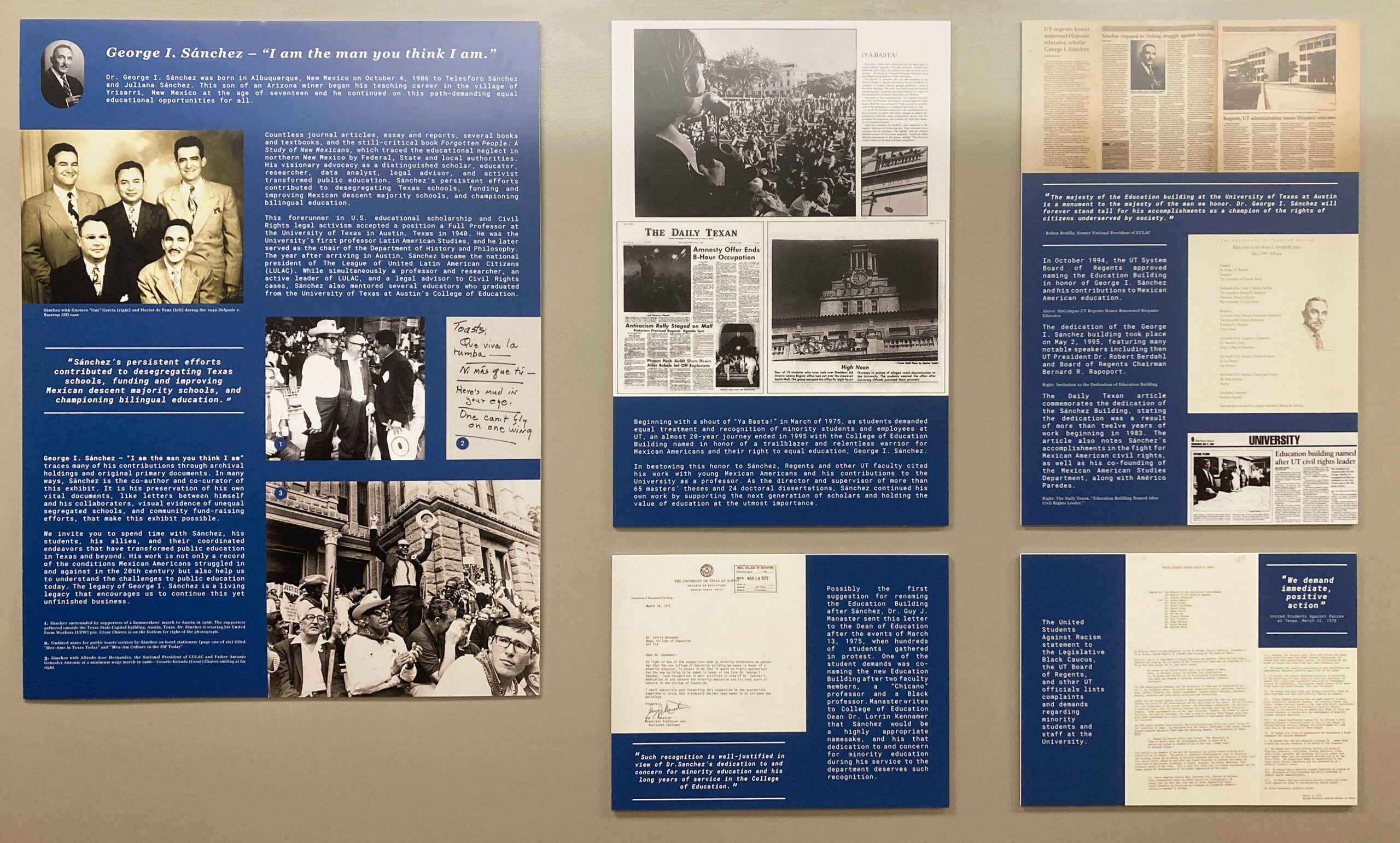
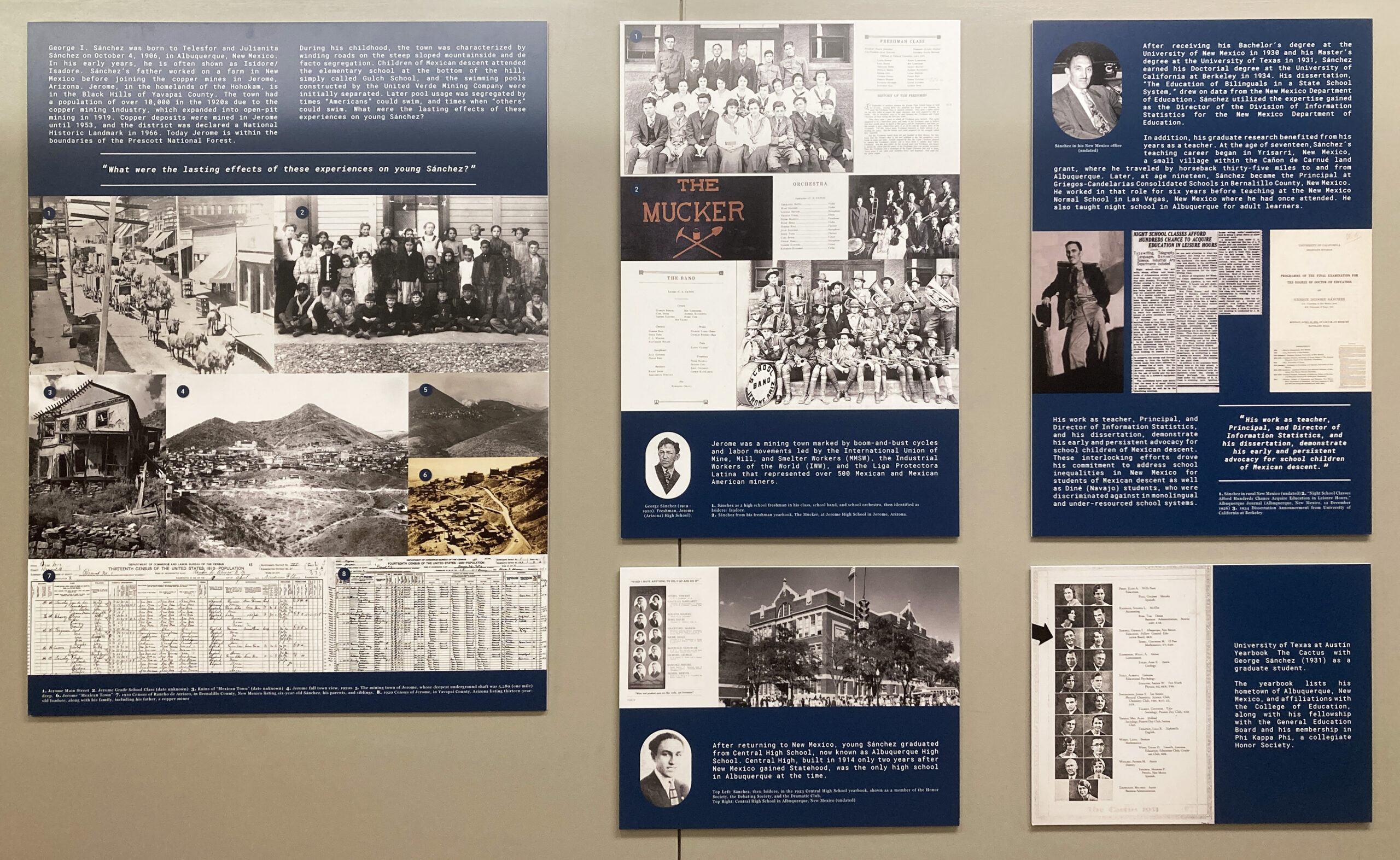
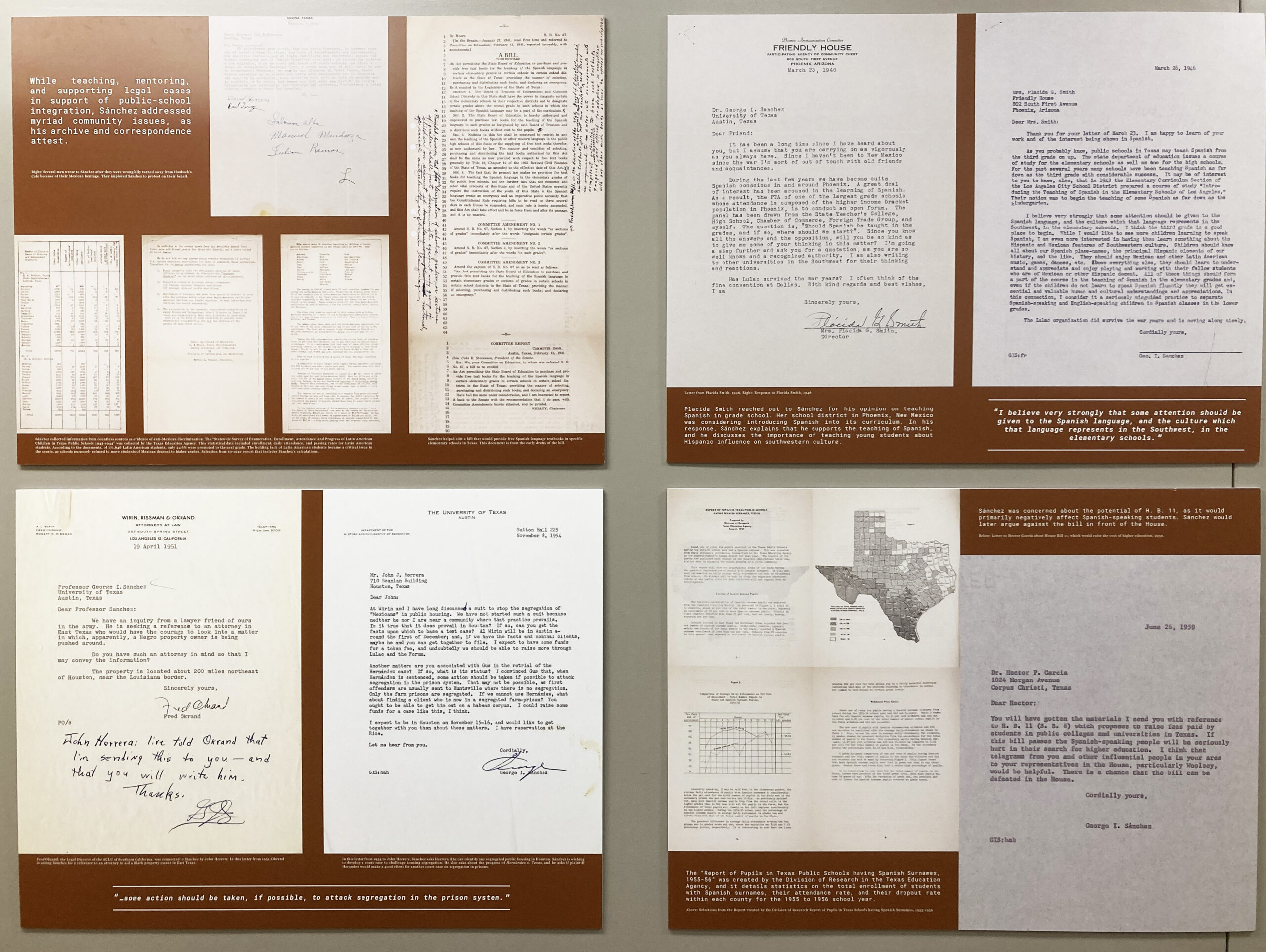
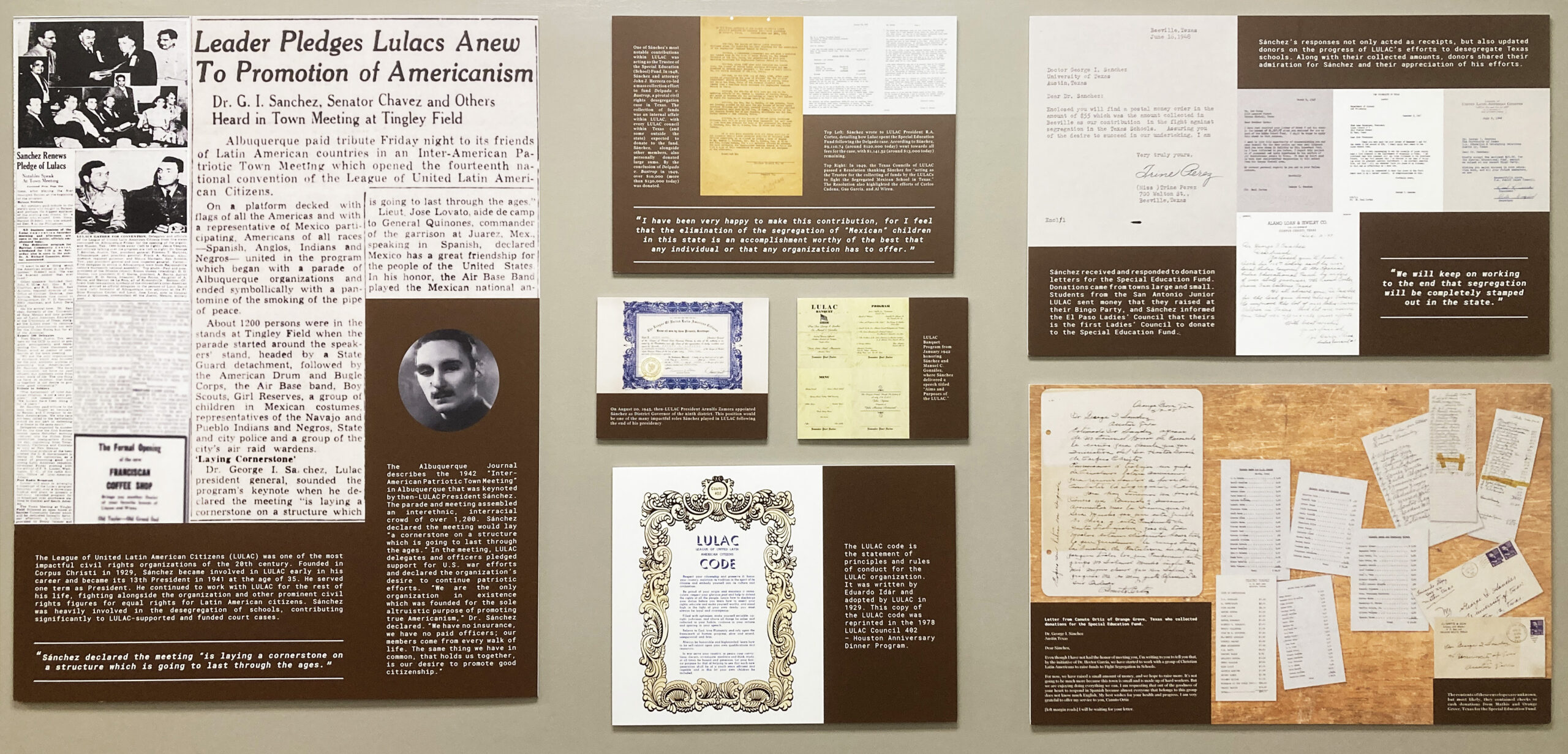
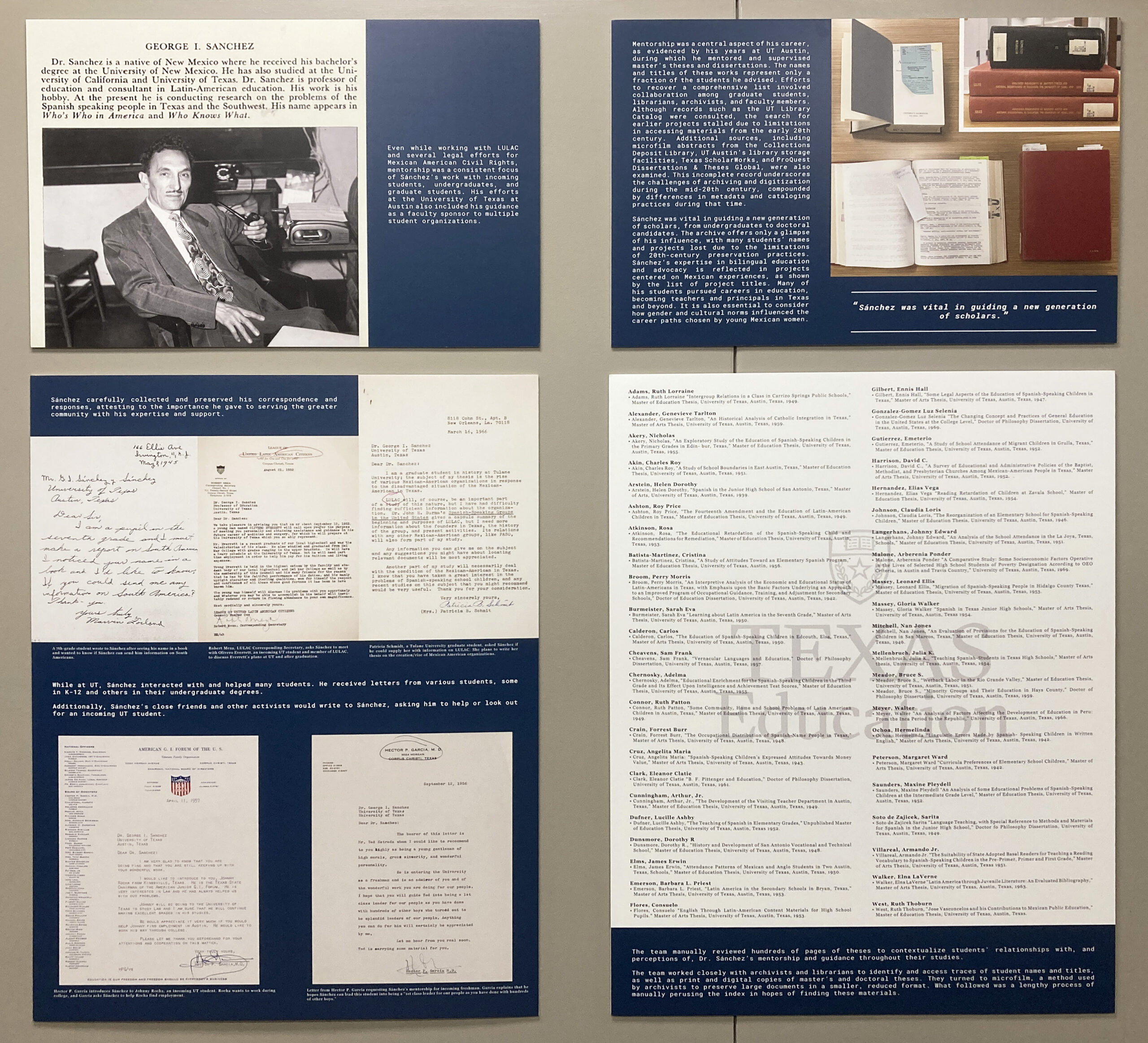
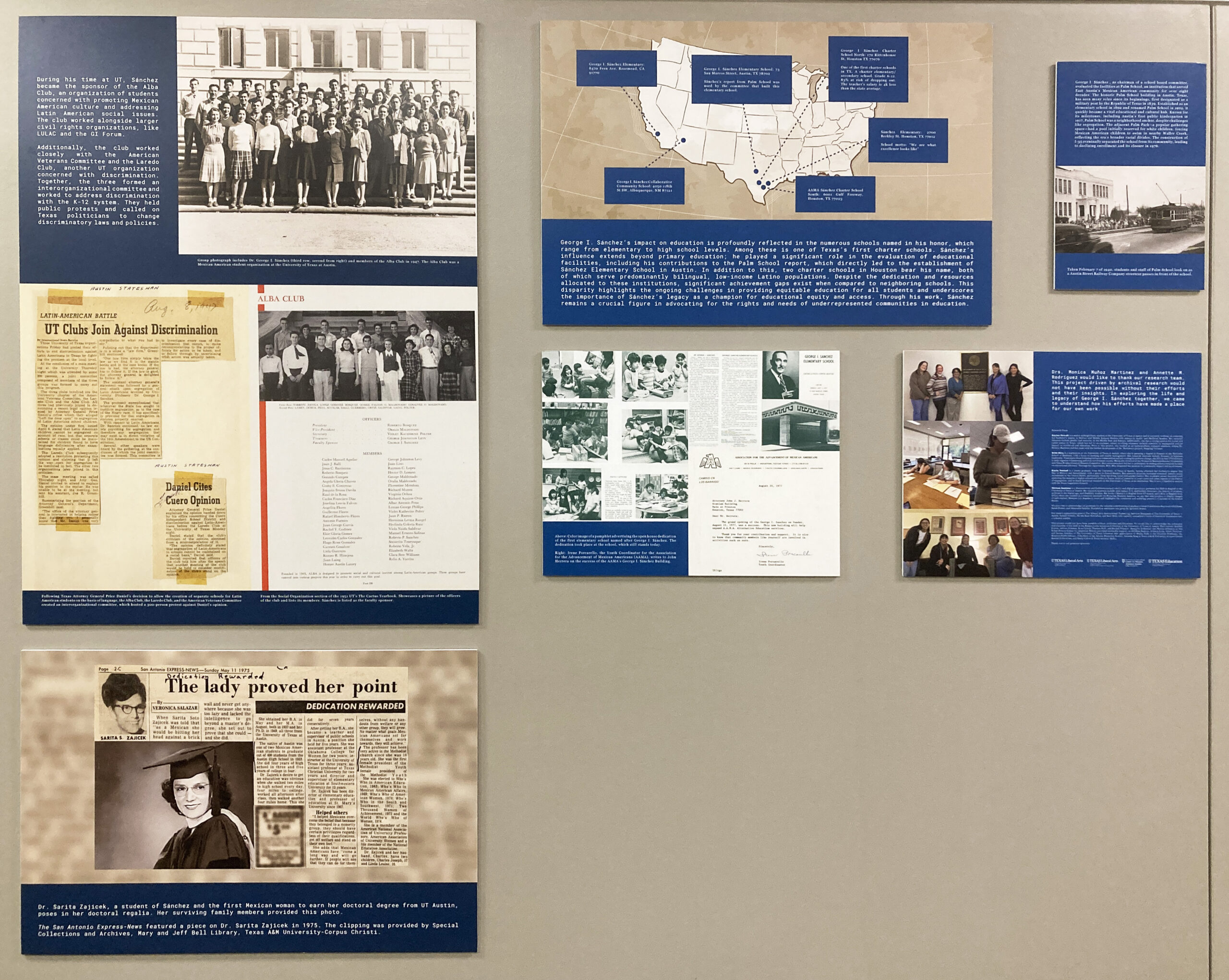
I was assigned to help create posters documenting the life of George I. Sanchez for the SZB building. I was given pictures and text, which I was then to format on posters using Adobe InDesign. The process mainly consisted of cleaning up the photos in Photoshop (sometimes converting to grayscale, removing blemishes, and adjusting them so they weren’t skewed), getting all the elements onto the page, and then rearranging them to make sure that the text was not too overwhelming and that the images were big enough.

View the exhibit:

Filed Under: Fall 2024 - Spring 2025, Uncategorized, We are STAs

Save the Date

March 25, 2025 By Kate Shih

Save the Date

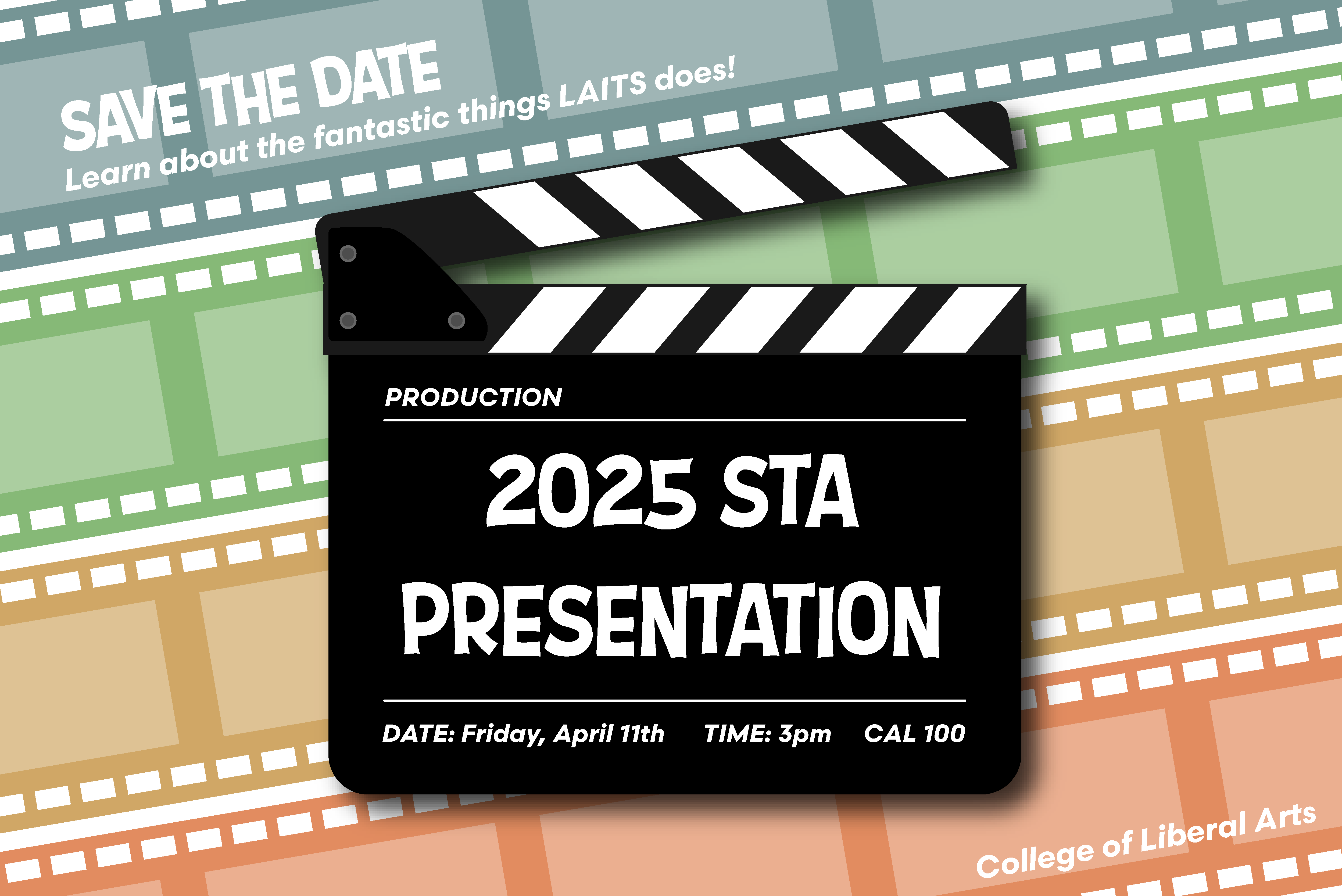
The theme for STA Presentations this year was movie productions! The presentation poster was themed around “The Peanuts Movie” film poster, so Save the Date was to be similarly themed.


First Drafts

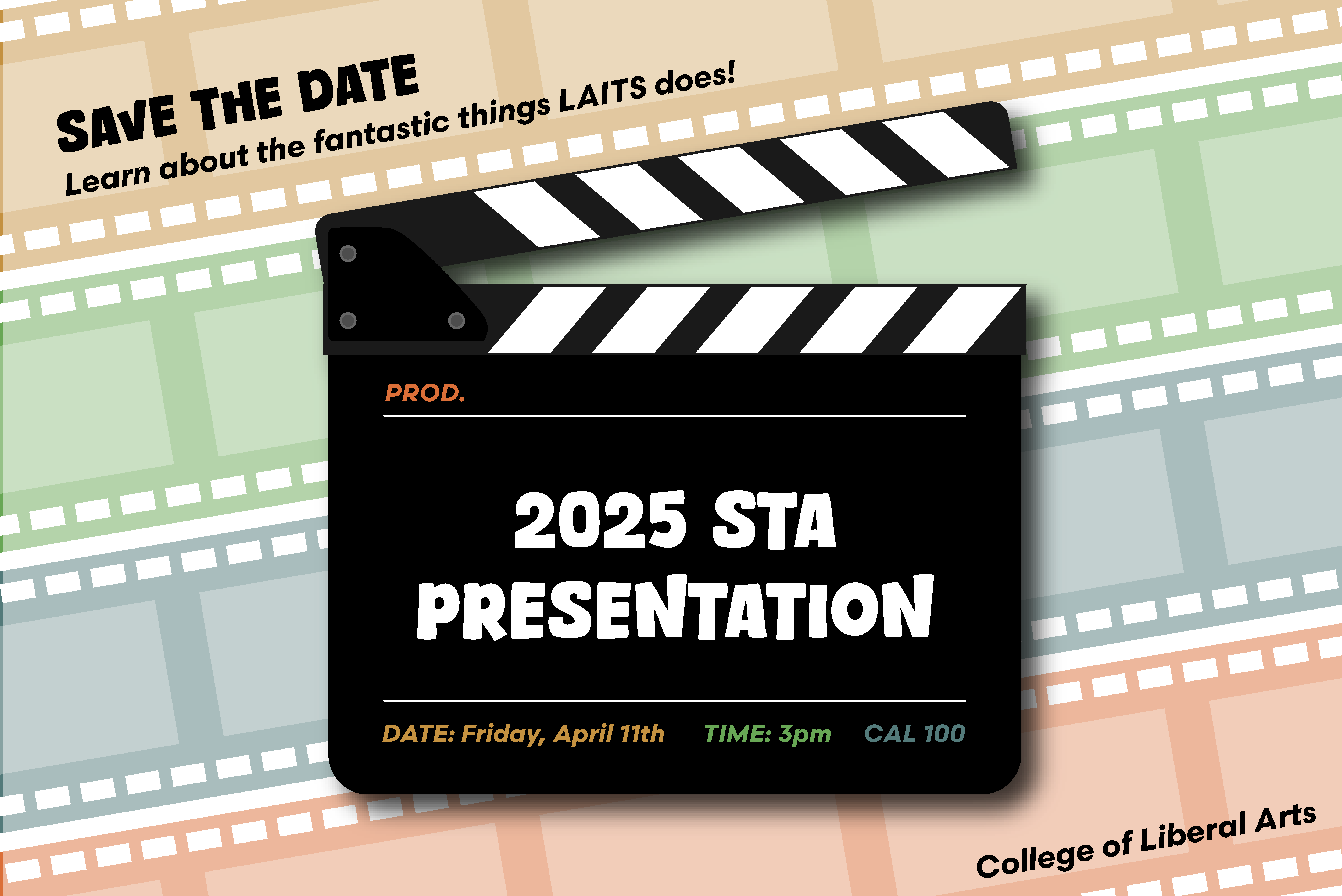
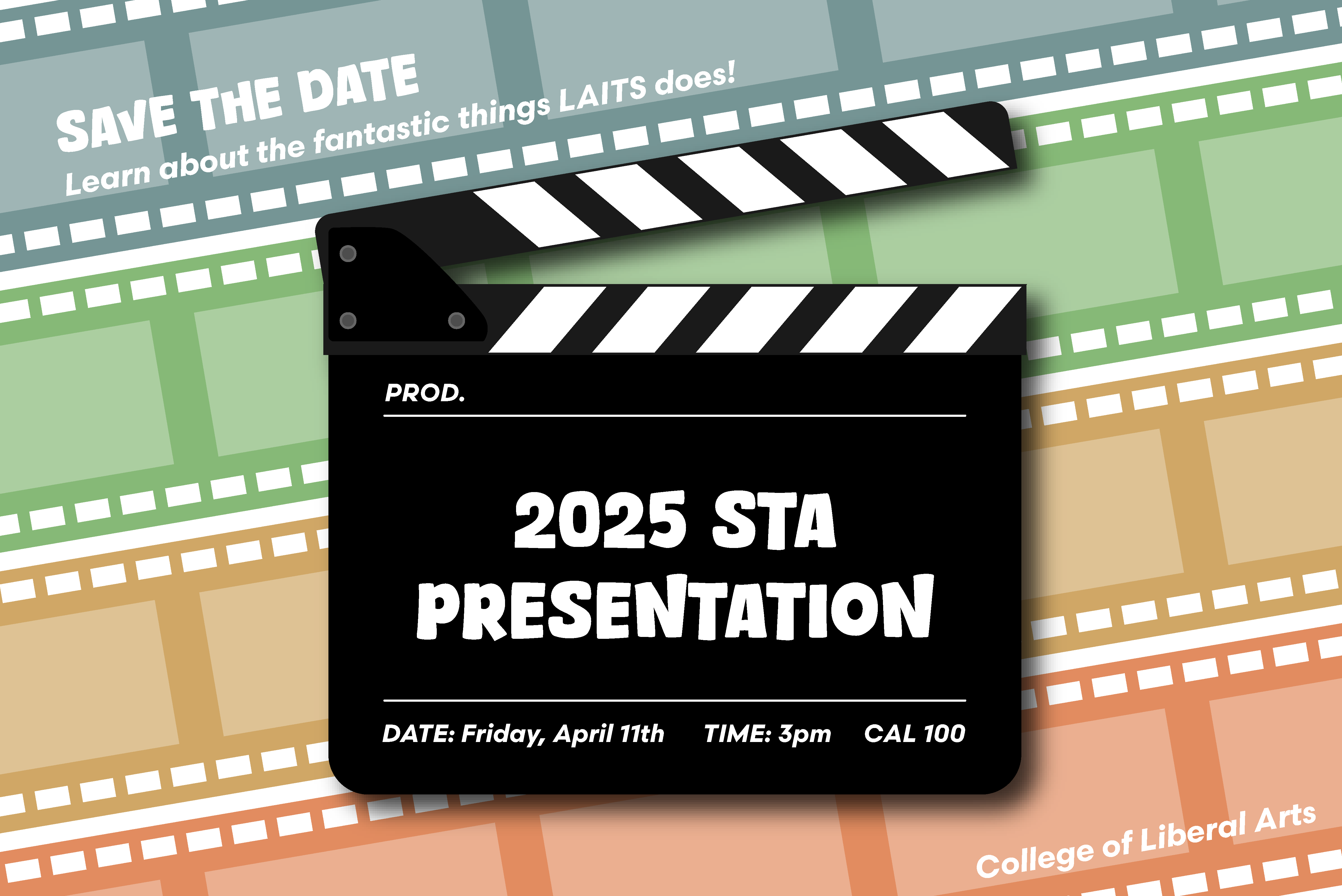
I decided to display the important information on a clapper board to keep with the movie theme. However, after doing that, the background looked really empty, so I added film strips behind it. I used the LAITS logo colors as the accent colors for my design.

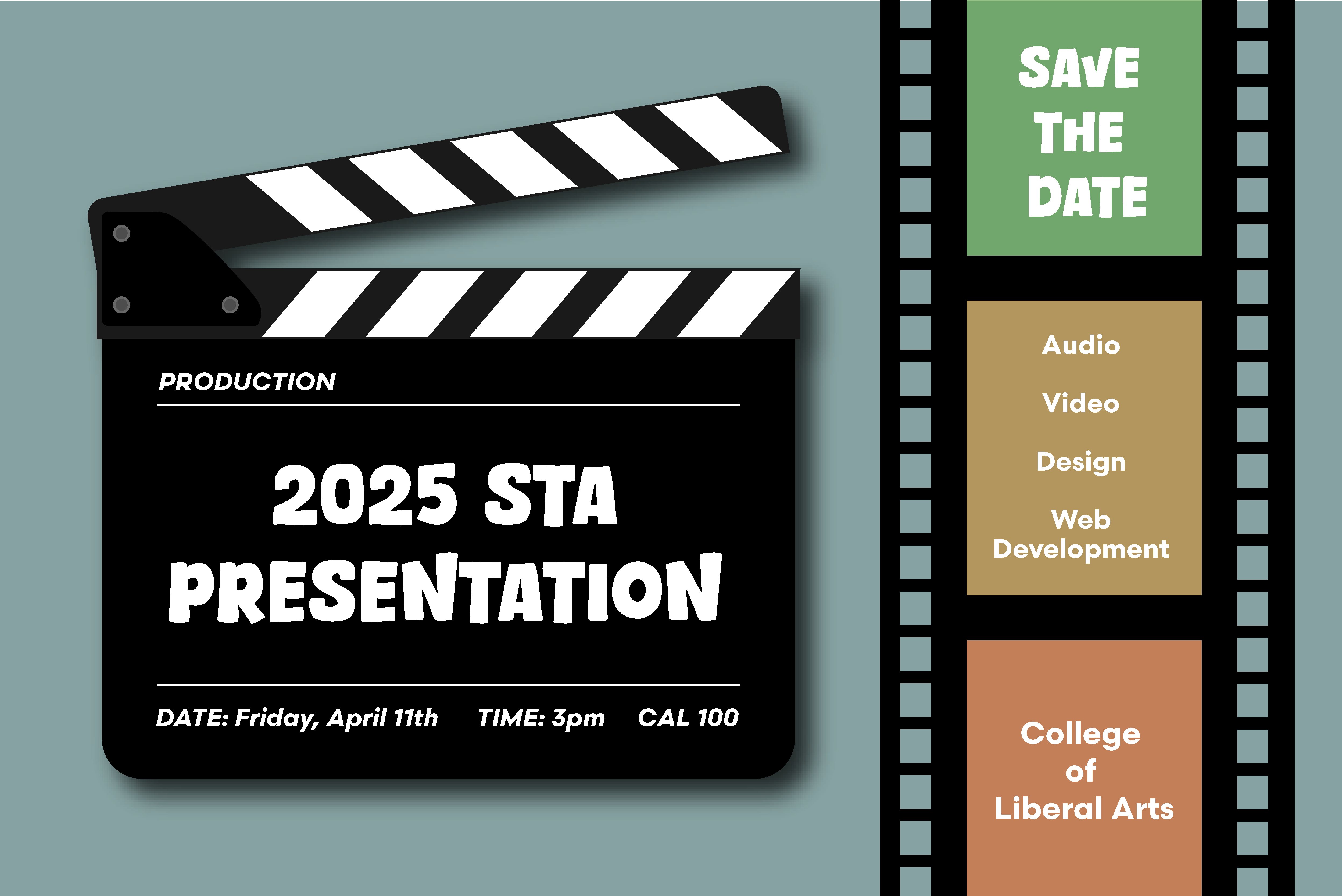
Additionally, I came up with a secondary design because I felt that the colors on the clapper board may be unnecessary, and the black letters for the less important information (“Save the Date”, “College of Liberal Arts”) might be too bold. I also switched the order of the colored film strips in the background (and brightened them) to match the order they are in in the LAITS logo.

Lastly, I created an option with a different accent font choice. This is a font that matches the one on “The Peanuts Movie” poster, so I thought we may want to see what that looked like too.

This is an alternate design that I thought could work as well. I was also able to get the STA roles information in using this layout.

For style one, I received feedback to:
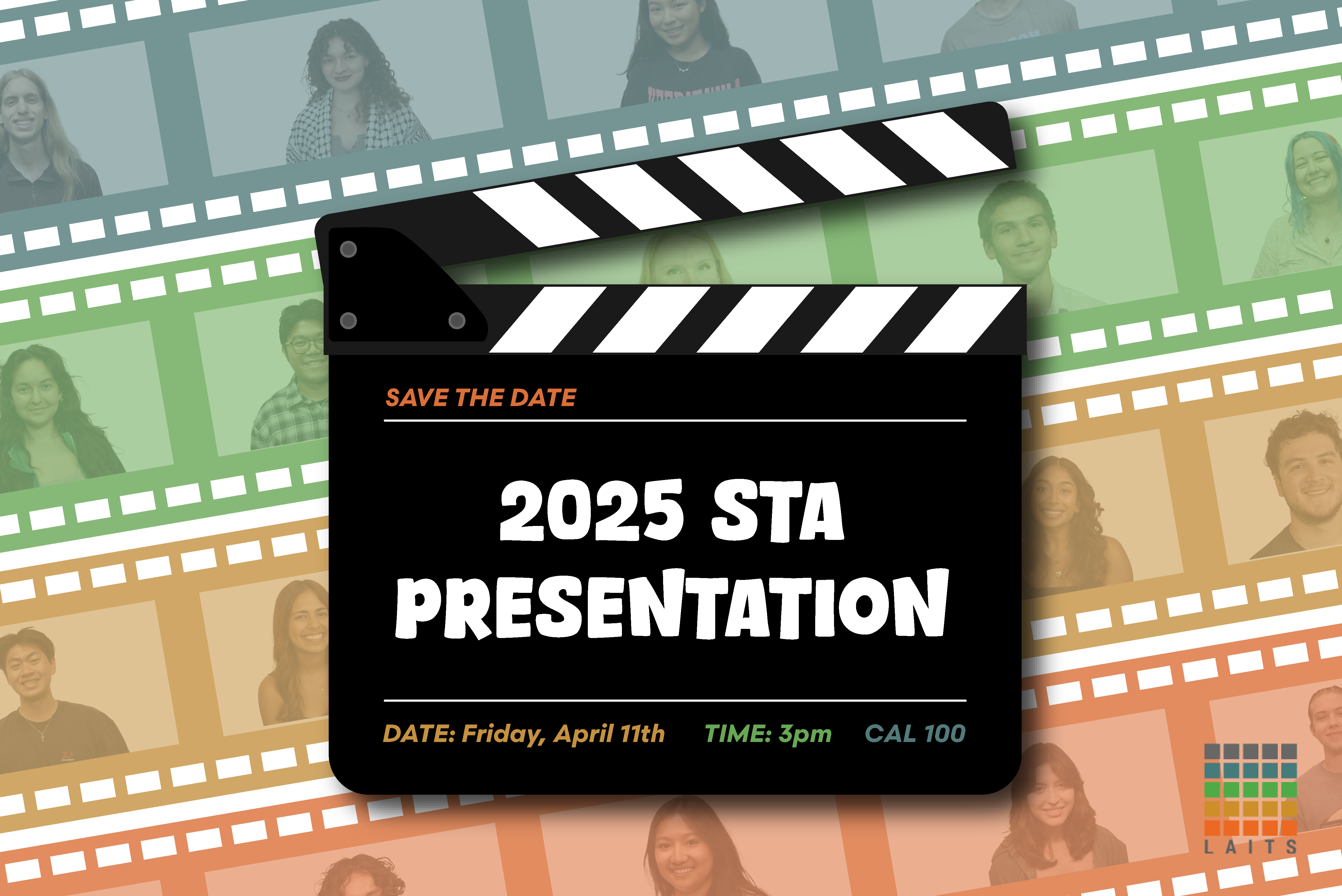
  • Add STA photos to the film strips with a color overlay
  • Replace “College of Liberal Arts” with the LAITS logo

For style two, I received feedback to:
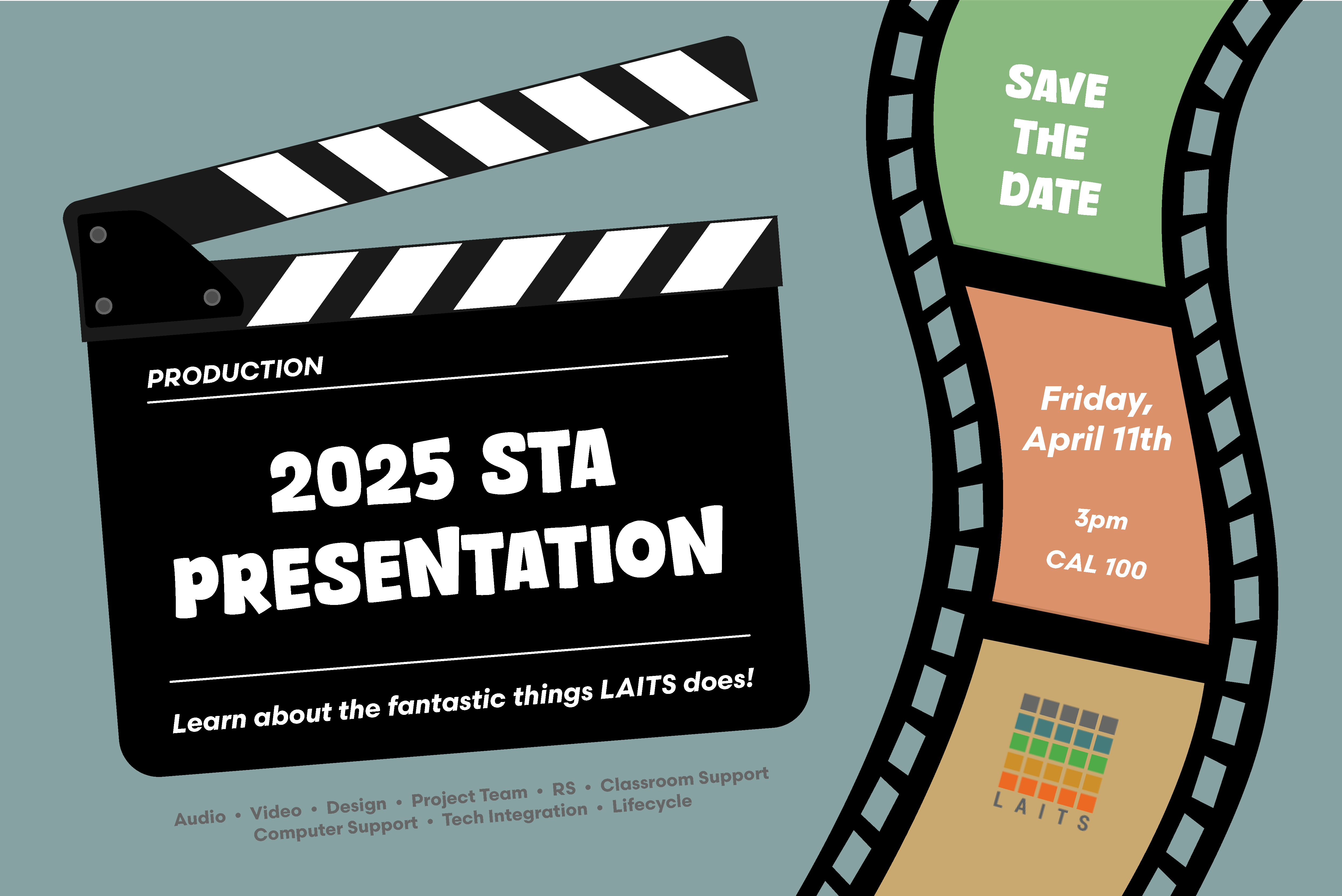
  • Try and add more personality, as the black was a little overwhelming, and it wasn’t very dynamic
  • Rework the hierarchy/arrangement so that the date is more prominent
  • Add the LAITS logo

Second Drafts

For the first version, I added the STA cutouts to all the film strip rectangles because it looked a little odd to have some empty, even if they were covered with something in front. I also moved “Save the Date” to the slate because it became hard to read in the top left corner when I added the STA photos.

For the second version, I tried to add some movement by creating a new, curved film strip and tilting the film slate. I also added the date/time/location to the film strip because it was more prominent there and put the STA roles under the slate.

We decided to go with style 1, and I received feedback to:
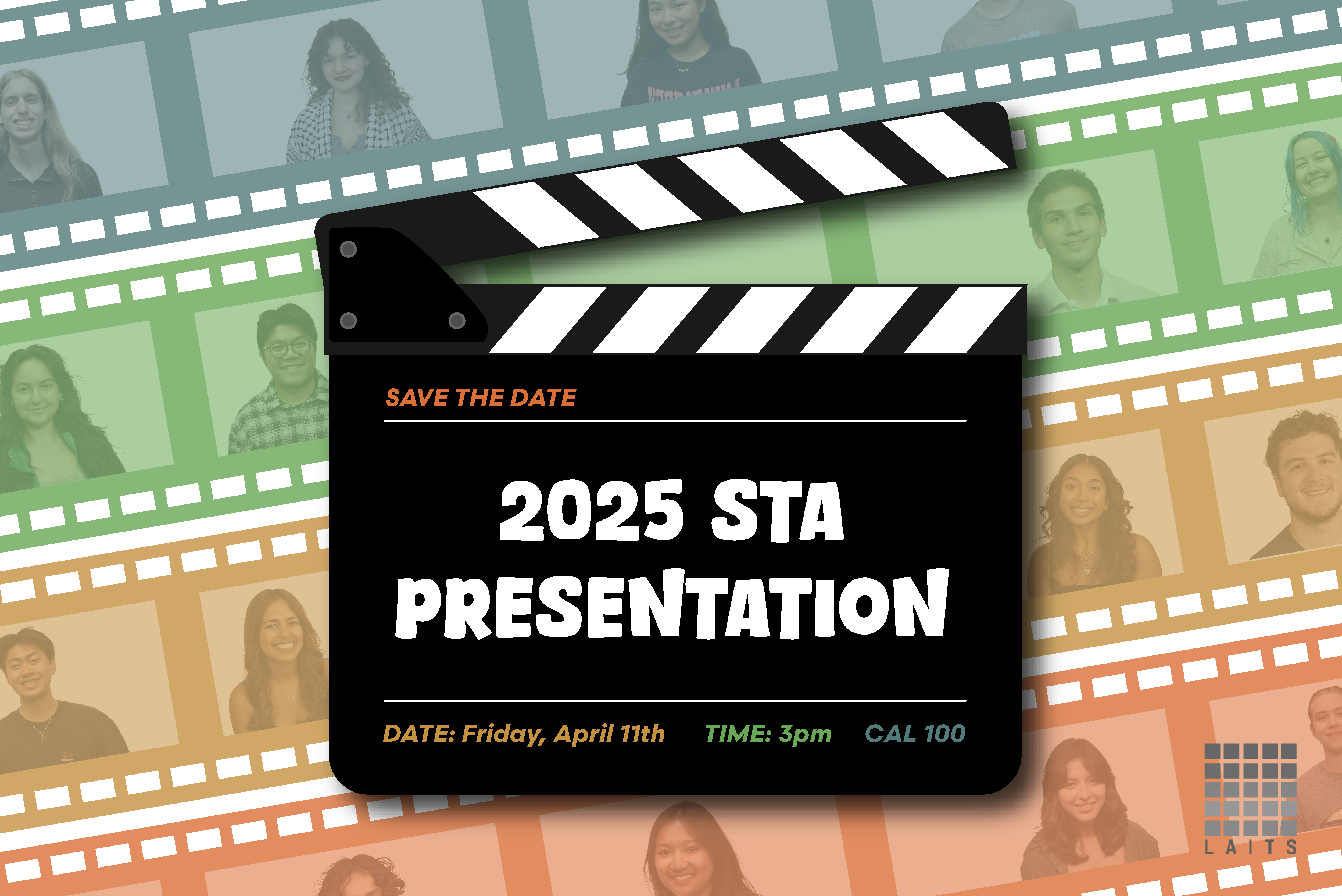
  • reposition the STA photos so that they weren’t being blocked by the film slate
  • make the LAITS logo grayscale

Third draft

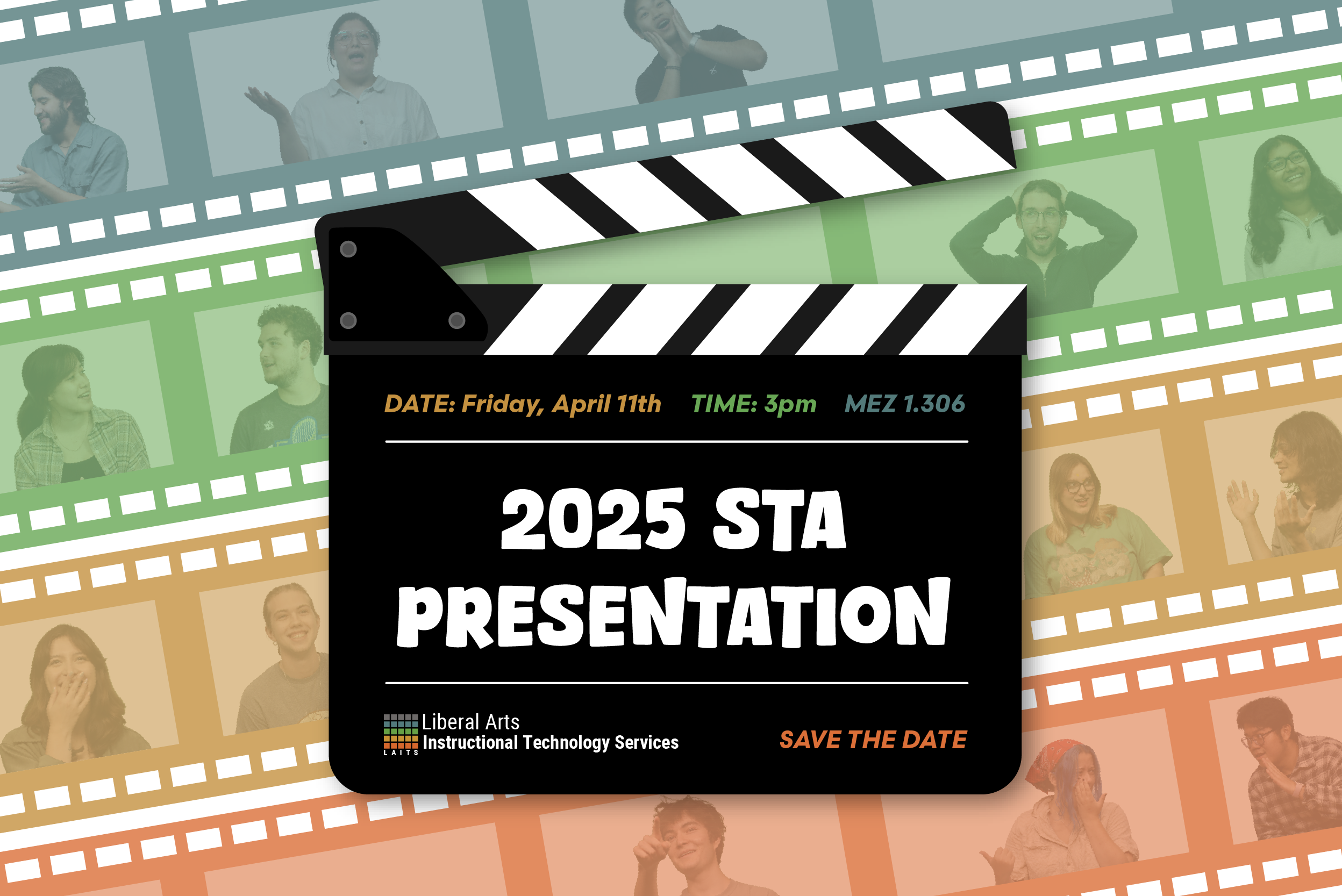
After adjusting the graphic according to the feedback I received, it ended up looking like this:
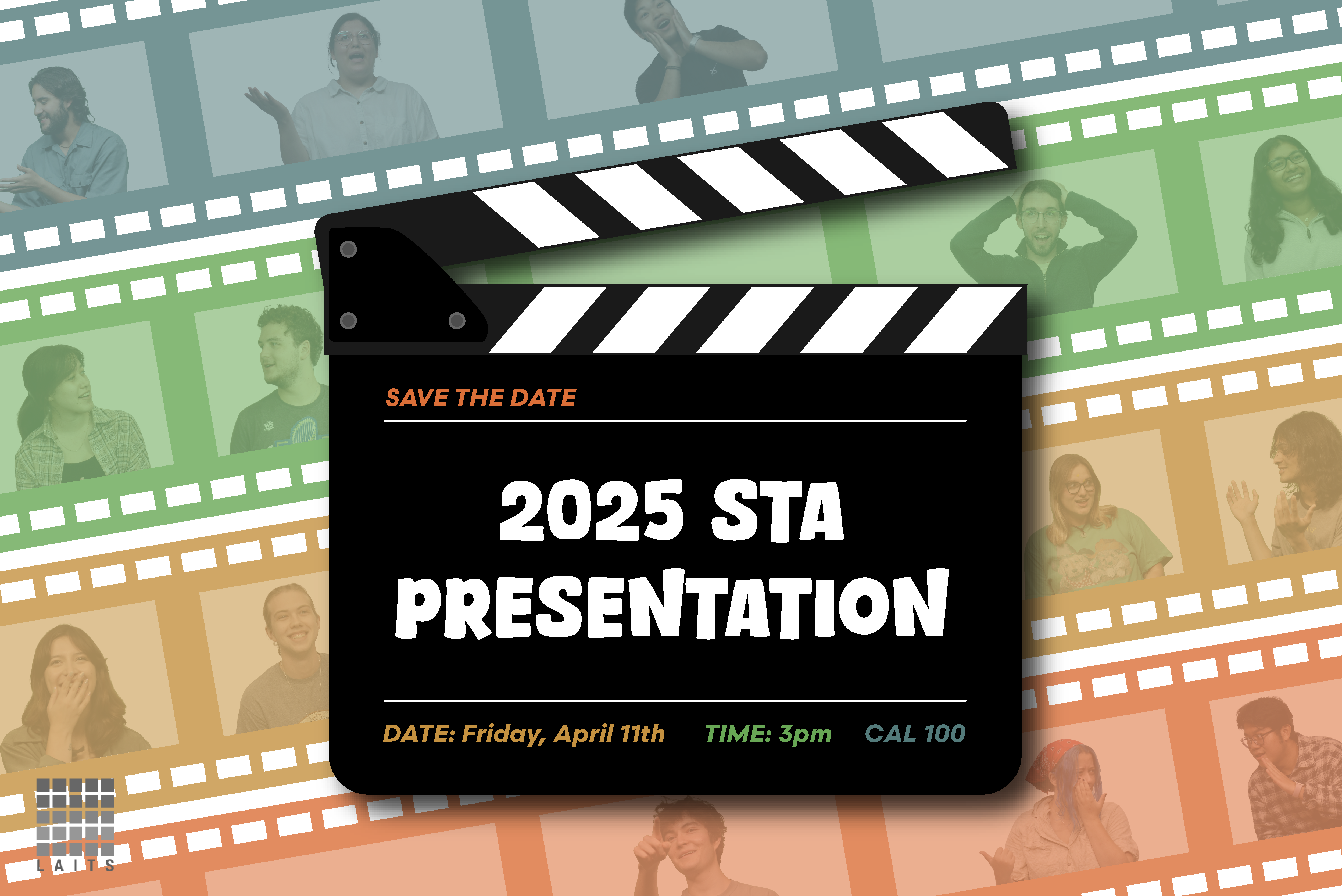
We then decided that there was too much white space in certain places, so we decided to use the more dynamic photos of STAs that were also used on the presentation poster. After deciding this, the graphic looked like this.


Final Thoughts

Overall, this assignment was a fun way for me to practice both my layout and graphic design skills. I don’t have as much practice with Illustrator, so making graphics for this assignment was a new and fun challenge. I’m also happy that we decided on adding the STAs inside the filmstrips—I think it’s a lot more visually interesting and unique. Here is the final design!

Filed Under: Fall 2024 - Spring 2025, Uncategorized, We are STAs

PSY 339 Course Graphics

December 5, 2024 By Kate Shih

PSY 339 Course Graphics

My first assignment was to work on making course graphics for PSY 339: Behavior Problems of Children. The professor wanted Style B graphics and had already chosen an image to be used.

For this assignment, I created:

Canvas dashboard/homepage graphics

Canvas buttons

Powerpoint resources

Animated stingers

An end card


Canvas Assets

These were my initial designs for the Canvas assets. I had some trouble positioning the girl so that she wasn’t covered up by anything, and couldn’t find the department logo initially.

After this, I received feedback to:
  • Use the department branding
  • Use a color overlay on the logo
  • Change the color bar to more of a gray color instead of a slightly blue color
  • Put “of” on the second row with “children”
  • Push the picture of the girl up a little

Incorporating Feedback

After receiving feedback, I changed the logo, color bar, text, and played with the photo. I tried to make sure that the girl was more visible and more fully in the frame.


Canvas Buttons

After this, I created my Canvas buttons. I wasn’t sure what color to make the bottom bar, so I just made them a different gray because it didn’t clash with the main gray.

After this, I received feedback to:

  • Make the main color a gold/yellow so it matches the image
  • Make the bottom bar the gray color

Incorporating Feedback

I used the eyedropper tool to pick a gold/yellow color from the photo, and my buttons ended up looking like this:


Powerpoint Assets

Next, I created my Powerpoint assets. The professor specified that she wanted them to be in Style B Color Overlay. Creating these slides involved using Adobe Illustrator to make the backgrounds and then importing them into Powerpoint.

After this, I received feedback to:

  • Change the slide to the faded color instead so that the image doesn’t have the gray overlay

Incorporating Feedback

After changing the background accordingly, the slides looked like this:


Stinger Animations

Lastly, I created stinger animations and the end card. The professor had some that she had previously used, but she wanted to change the background color to match. I made these in Adobe After Effects.

After this, I received feedback to:

  • Change the background color to the same gold/yellow color that buttons use
  • Add the Department of Psychology branding onto the end card

Incorporating Feedback

I then changed the background to the gold button color and revised the end card. Since I’m not as familiar with After Effects, it took me a little while to figure out how to add the new logo and animate it. However, after playing around (and a bit of Google), I learned how to use keyframes and opacity to make the logo fade in and out.

I then got final feedback to:

  • Add the utexas logo back in at the end of the end card

Incorporating Feedback

Here is the updated end card with the added logo:


Pre-Roll Animation

Lastly, I had to fix the pre-roll animation logo. Originally, it was the logo for the Department of Government, and it should have been the logo for the Department of Psychology. This wasn’t necessarily a difficult task, but I’m not as adept with Adobe After Effects, so it was a fun challenge for me to see if I could figure out the layers and elements needed.


Final Thoughts

Overall, I thought this assignment was interesting and a good way to practice the skills and guidelines I learned in my previous course graphics trainings. The most challenging part for me was the end card because I’m not as familiar with Adobe After Effects. I had a little trouble figuring out how to get the logos to fade in from black and color, and just how to animate in general. I held off on asking for help, just to see if I could teach myself—and I was able to use online resources, as well as a little trial and error to learn what I needed to do. Aside from After Effects, I thought I was a fun exercise in layout and color.

Filed Under: Fall 2024 - Spring 2025, We are STAs

  • « Previous Page
  • 1
  • 2
  • 3
  • Next Page »

link to LAITS home page

Video STA Home

© 2026 Liberal Arts Instructional Technology Services | Production Credits