• We are STAs
    • Asha Rountree
    • Haley Ma
    • Kate Shih
    • Kyra Lee
    • Nicholas Peasley
    • Sasha Kenney
    • Shanda Horm
    • Shriya Atreya
    • Tomas Marulanda-Mesa
  • We were STAs
  • STA Presentation
    • STA Presentation 2017
    • STA Presentation 2016
  • Testimonials
  • Resources
  • Home

STA Blog

Week LIX

January 23, 2023 By Adrian McKee

Week LIX

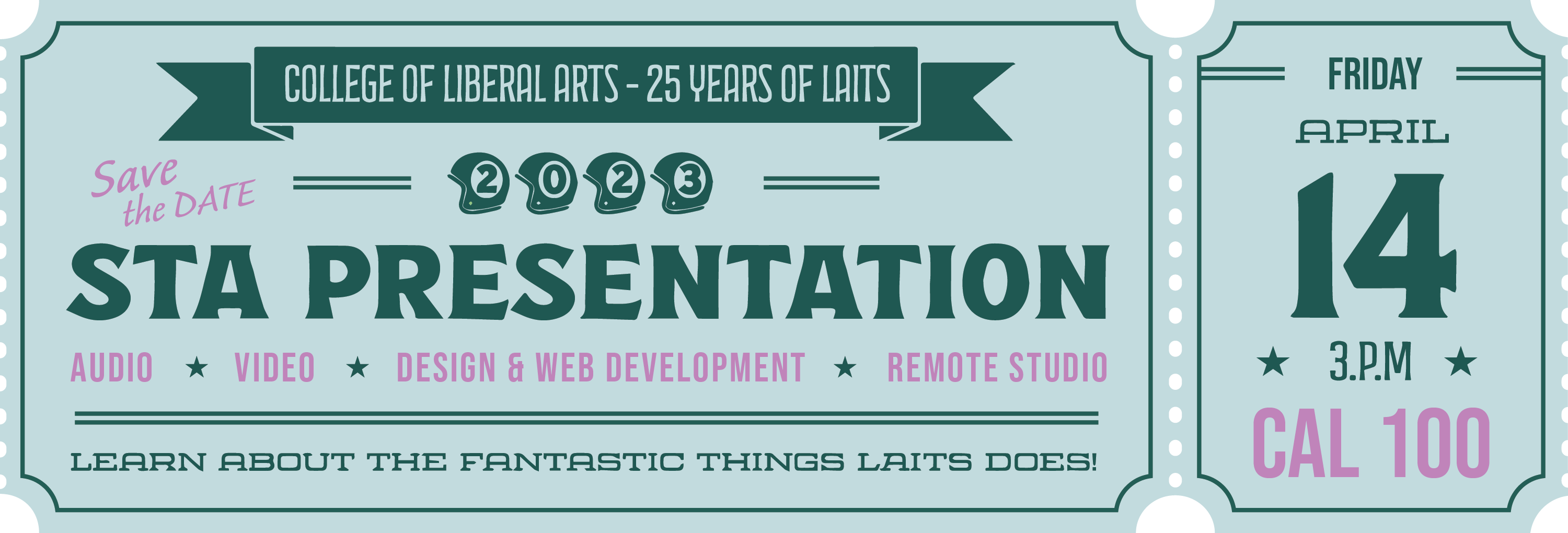
Save the DATE!

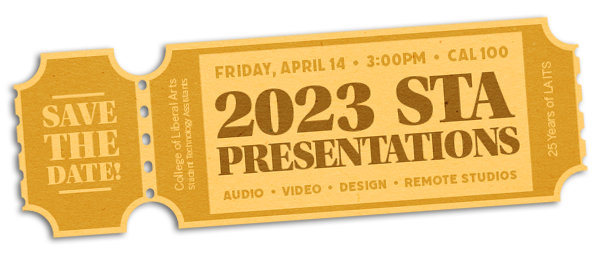
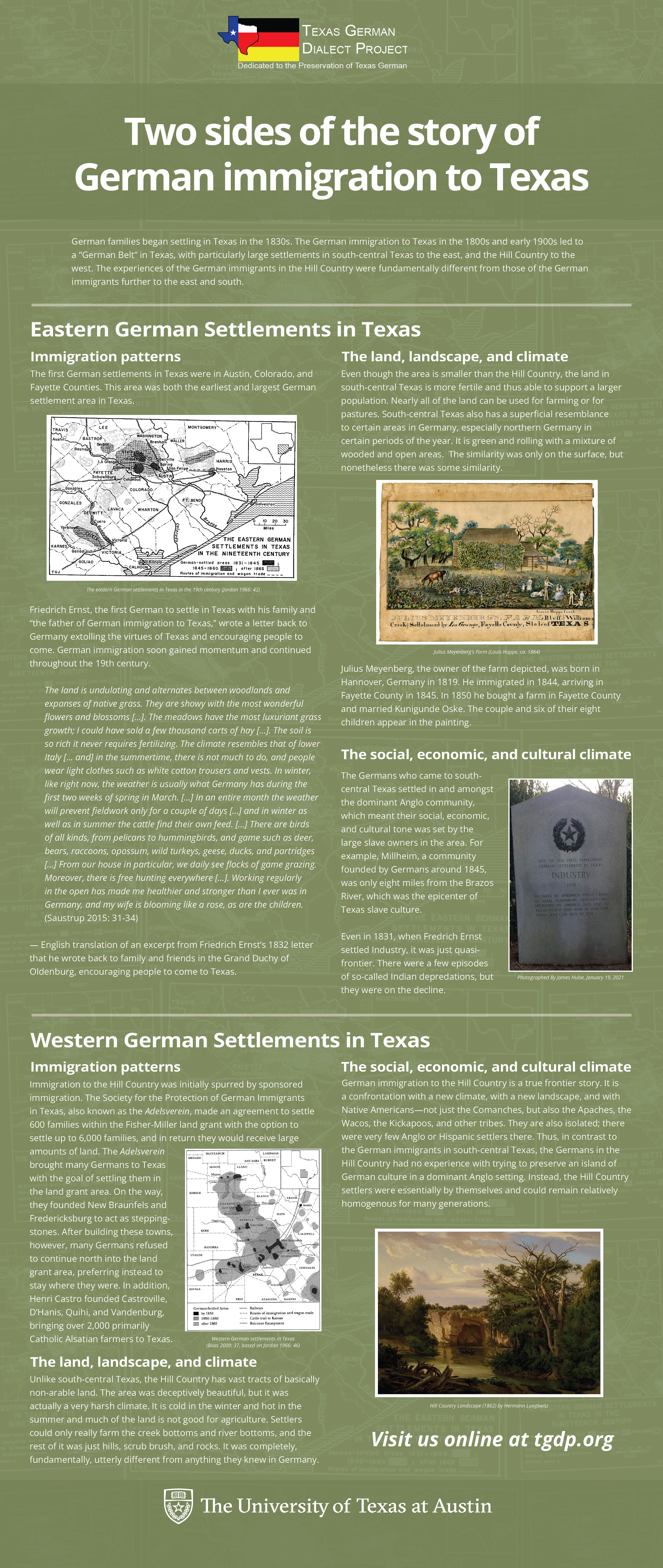
Earlier in the week, I settled on this general layout (with MUCH feedback from Leilani) and tried out a splayed stack graphic.

Maddy commented that it looked more like a movie ticket, or at least not specifically ‘sporty’ enough, so I added some more flairs like a ribbon banner and an art deco font.

Ultimately, there will only be one final product, and two other STAs are working on it, so I’m not sure how directly any of this will be used, but I have plenty of iterations and material to go into it.

I also worked on a second graphic for the STA presentation, which is…

TOP SECRET!!!

(I could probably get away with posting it on my blog, especially since we haven’t started meetings yet, but hey, where’s the fun in that?)

TGDP Banner 4

There was a communication hiccup here (mostly on me), but we’re finally at the tail end of this one, just awaiting final approval. I had somehow duplicated an entire paragraph in the last draft you saw here.
STA Trainings Planning

This was a big thing this week, but sadly without any fun graphics to break up the text.

Valerie, Maddy and I have met twice now about how to better handle STA trainings. Some issues that have come up are:

  • Trainings not being approved properly before they’re checked off
  • STAs spending too much time on trainings (especially due to photo IDs not existing as a “filler” task anymore)
  • Trainings can be dubiously relevant/redundant, depending on prior skills
  • Training spreadsheet isn’t up-to-date

As for solutions, we’re working on streamlining it and having Valerie or me approve and more directly oversee (10 minute in person feedback) all trainings going forward, as well as writing up rubrics for scoring trainings, but it’s all still in the draft phase.
Filed Under: Fall 2022 - Spring 2023

Week 2

January 20, 2023 By Daniela Caballero

Week 2

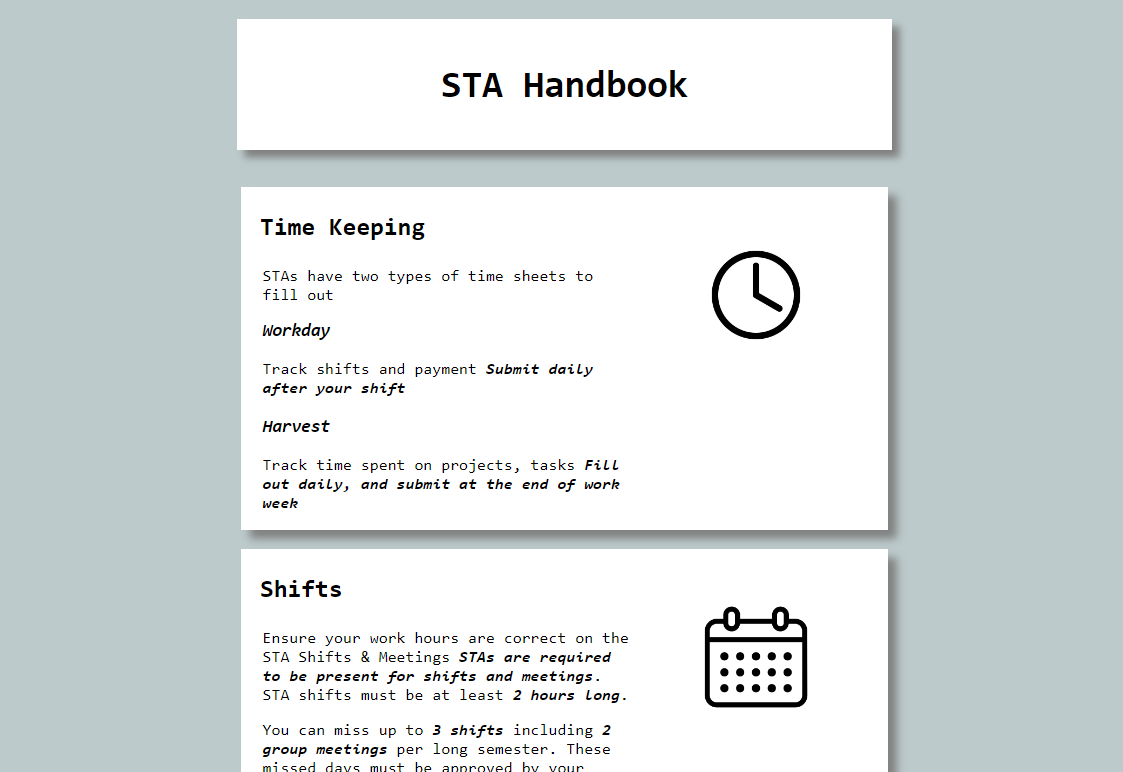
Training: HTML/CSS Basic Training


Started on: January 17, 2023

Completed on: January 19, 2023

STA Guidance: Thang Truong

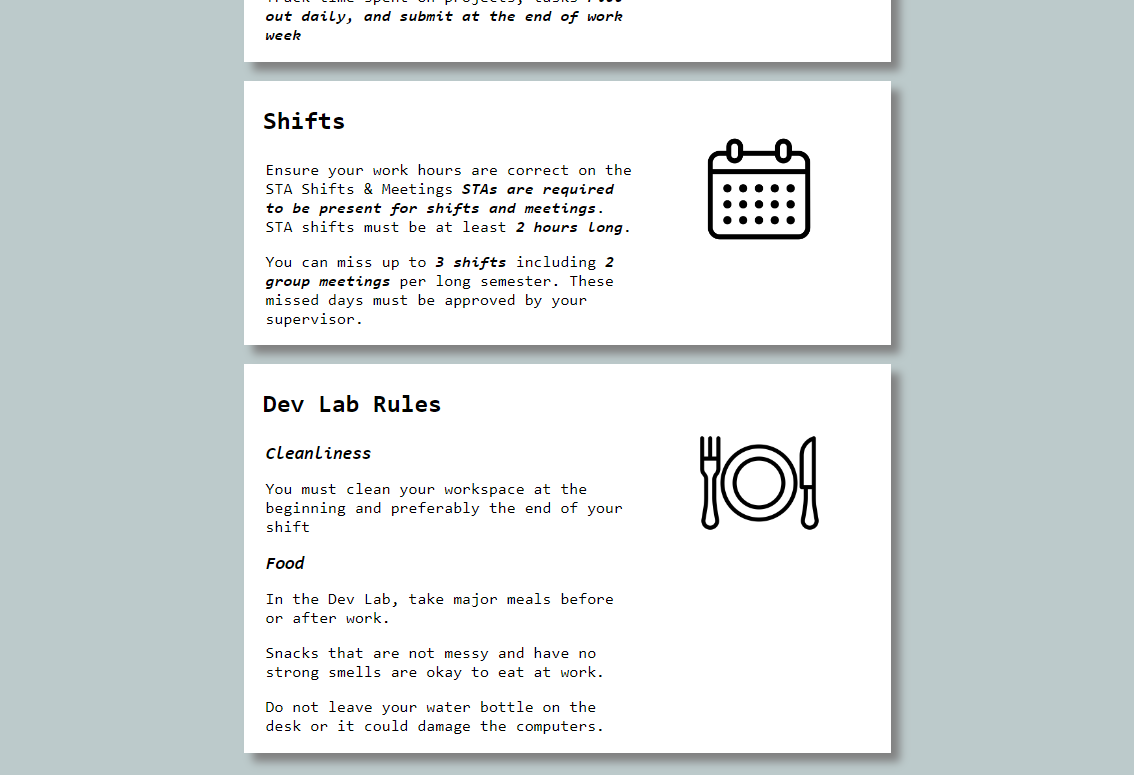
Description: In this training I learned the basics of HTML/CSS. HTML (Hyper Text Markup Language) is responsible for all the text we see on websites and CSS (Cascading Style Sheets) is used to add style and color. To freshen up my skills with CSS and HTML I did a training that required me to create a single-page website including three rules from the STA handbook.


HTML: Starting off with HTML, there are two general components to a website layout written in HTML. These are the head and the body. The head includes metadata about the page and the body is where all the text and element actually seen on the page are added. In HTML, the best way to separate different elements is by using a <div> or a container for other div types, headers, paragraphs, images, etc. I was able to center the header and STA rules in the center of the page by placing them all in the same div.


CSS: Working with CSS was definitely my favorite part of this training since there are so many properties to work with and ways to style a webpage. In order add CSS style properties to the elements and text found in an HTML, a class or id type must be added to the HTML element it order to reference it in the CSS file. All the white boxes (divs) about the rules on the page I created are tagged with the class “rule”.  In the CSS I referenced the “rule” class (this is also called using a selector!) and added the properties such as the font type, size, color and space to style it as seen below. Another thing about CSS is that it can used to dynamically change the sizing of some elements! By using percentages instead of fixed values for the width and height of divs, the text and images will increase and decrease in size proportionally to the browser window.


Link to the page

Filed Under: Fall 2022 - Spring 2023, We are STAs

Week 13

January 20, 2023 By Lorena Chiles

PHY 303K Course Animated Intro

Client /Prof: Dr. Viranga Perera
Completion Status: Started on Jan 9
Staff Guidance: Maddy
Complete by: ASAP

This week I’ve mainly been working on the PHY303K animated intro. Since last week I’ve mostly been getting feedback, shortening each video scene, and smoothing out transitions. The intro has now been approved, and here is the final version (without audio): https://utexas.box.com/s/2kpzbg1z50w9zsg3hu3gwb51bgn33b7i


2023 STA Presentation Ticket/Ad

Client: LAITS
Completion Status: Started on Jan 13
Staff Guidance: Maddy
STA Team Members: Adrian and Carrie
Complete by: Feb 3

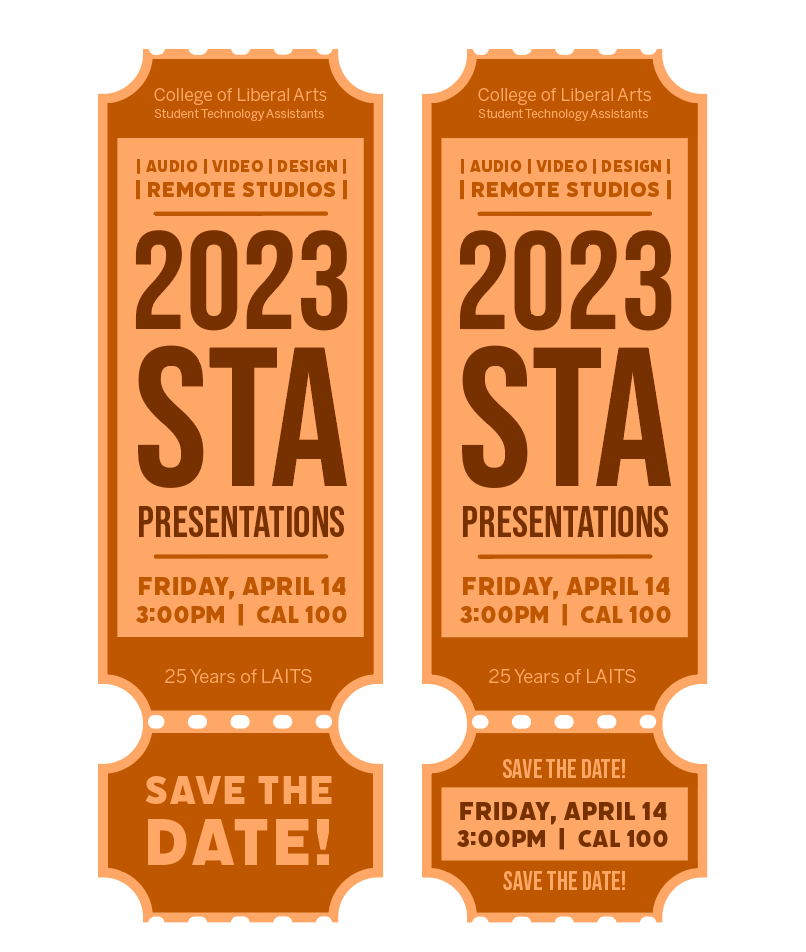
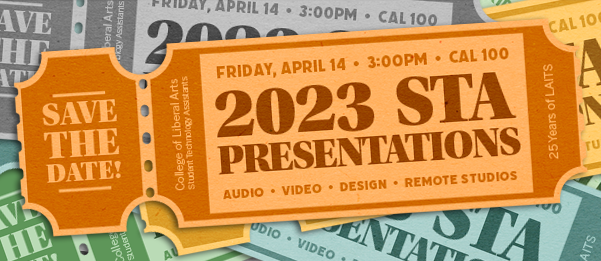
I’ve also been continuing to work on the Save the Date ticket for the STA Presentation, which is a presentation that LAITS puts on to showcase STA work. I started mainly focusing on text layouts, and eventually I came up with this one:

After talking with Maddy, I realized that the functionality of a vertical ticket might be hard to view on a computer screen because of its orientation.

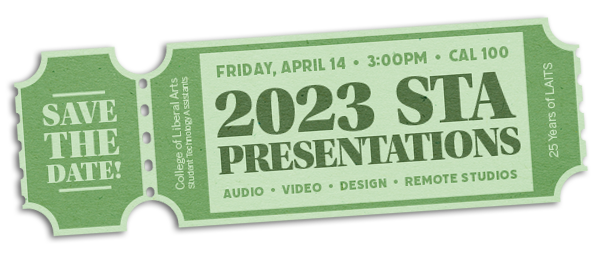
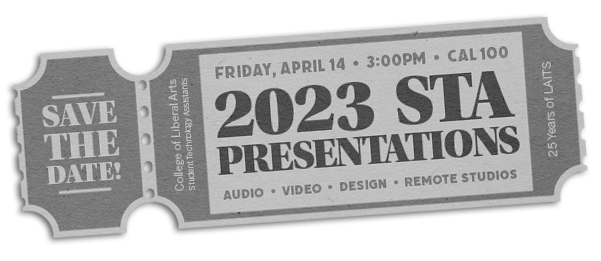
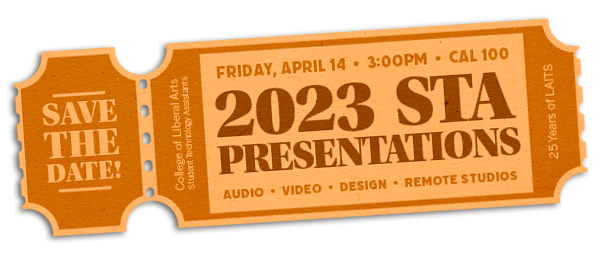
From there I used my idea of even spacing of texts from left to right, as well as further trying out colors and fonts, and then made these versions:

Filed Under: Fall 2022 - Spring 2023, We are STAs

Week 13

January 19, 2023 By Marissa Devivar

Week 13

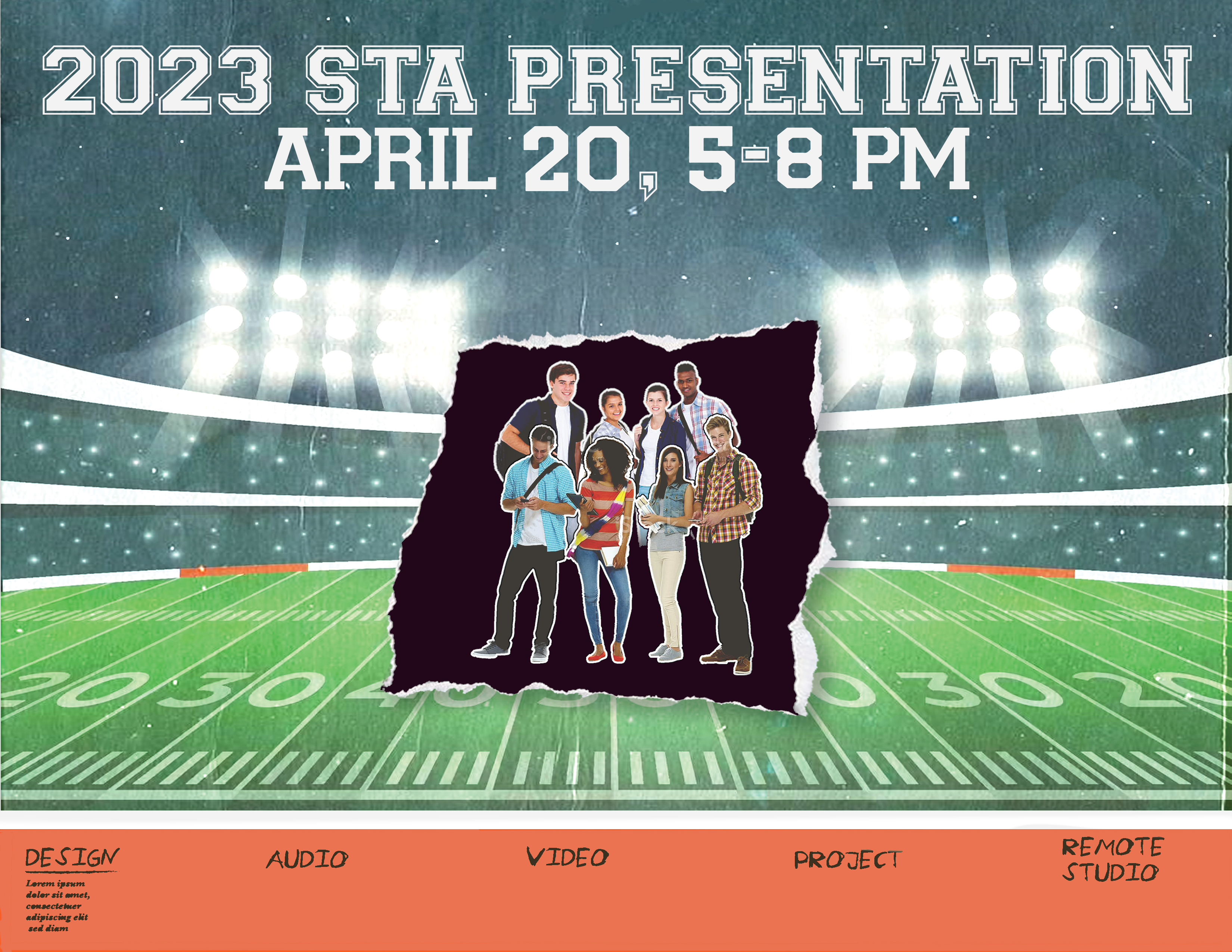
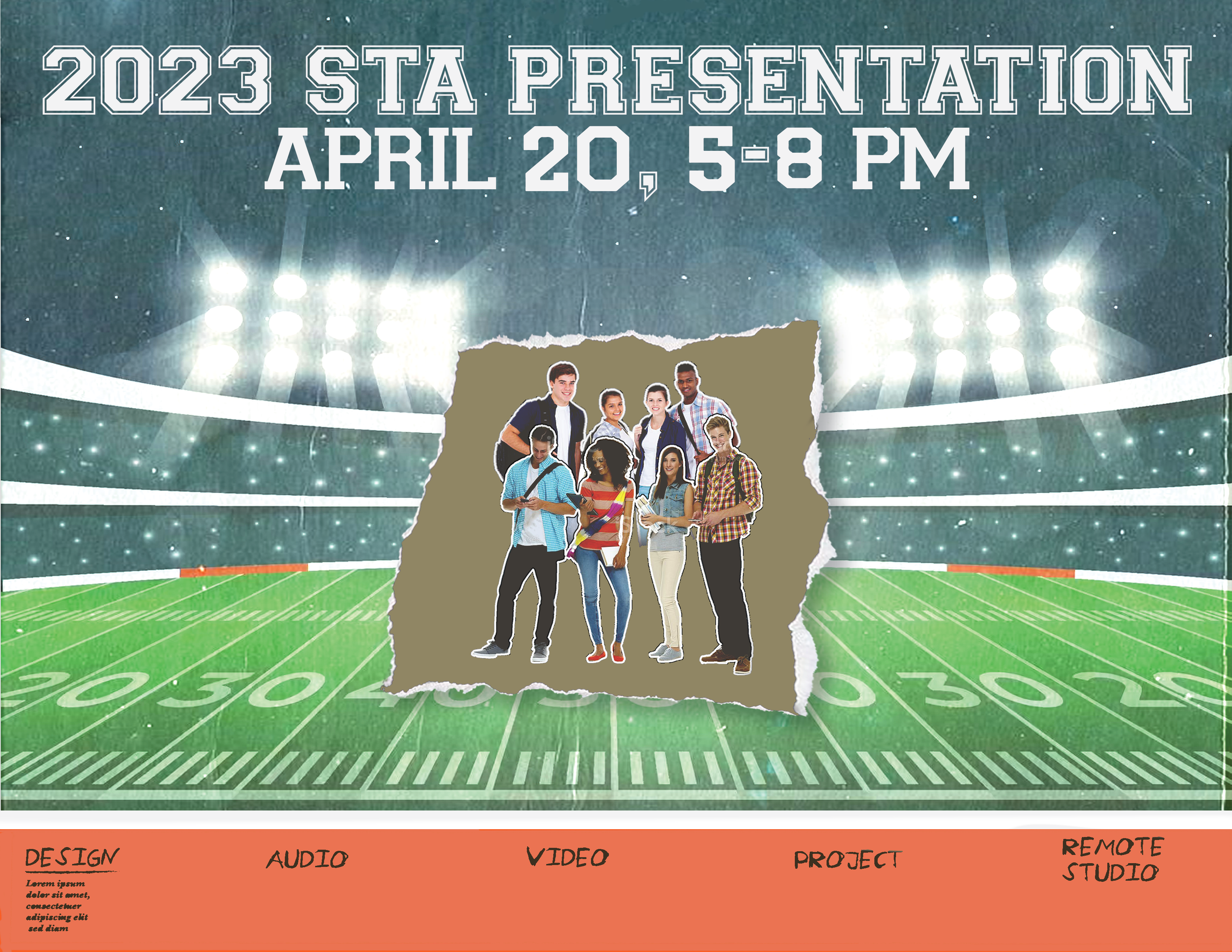
STA Presentation Poster

Client /Prof: LAITS
Started: January 17th, 2023
Staff/STA guidance: Maddy & Leilani


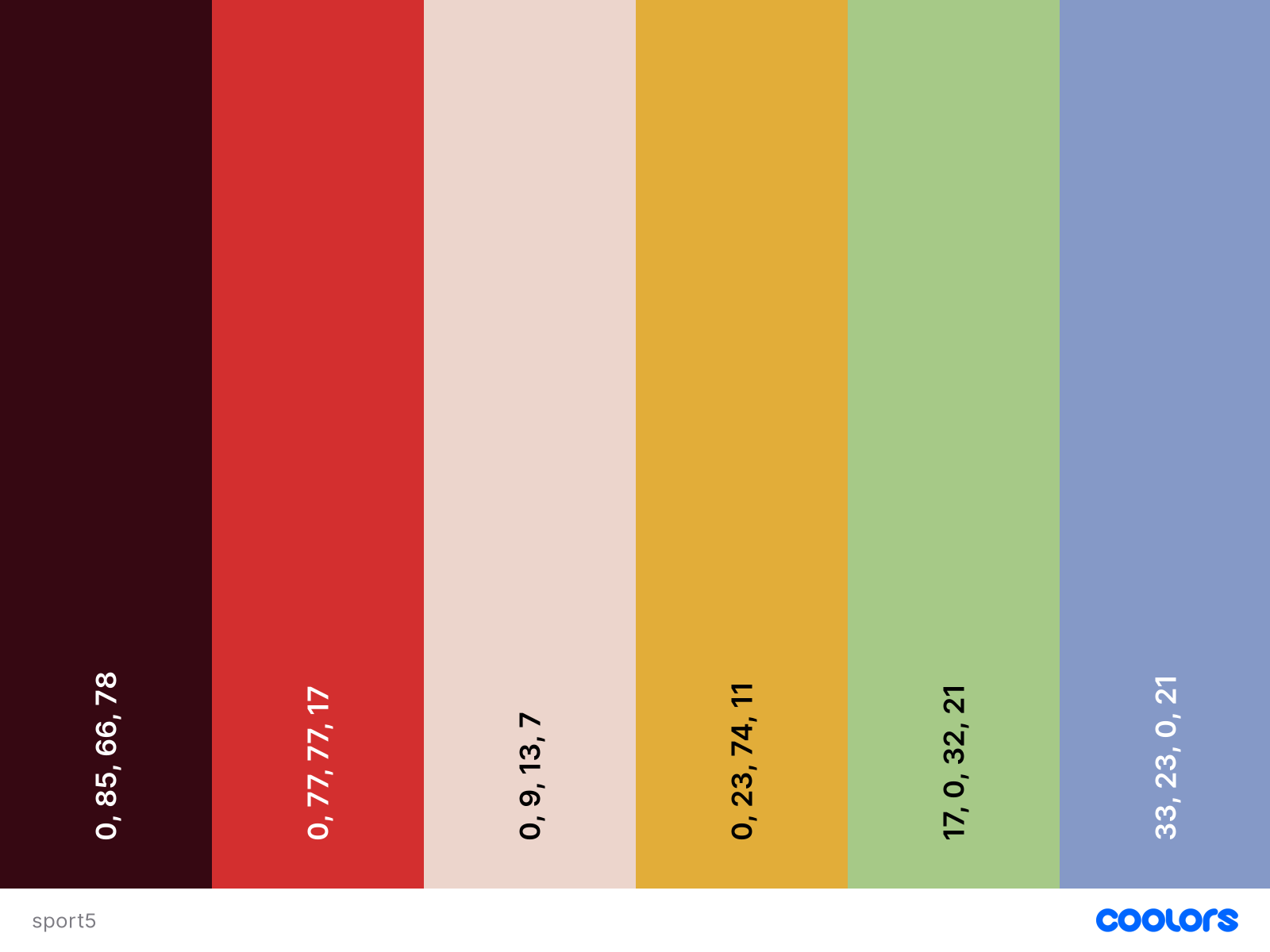
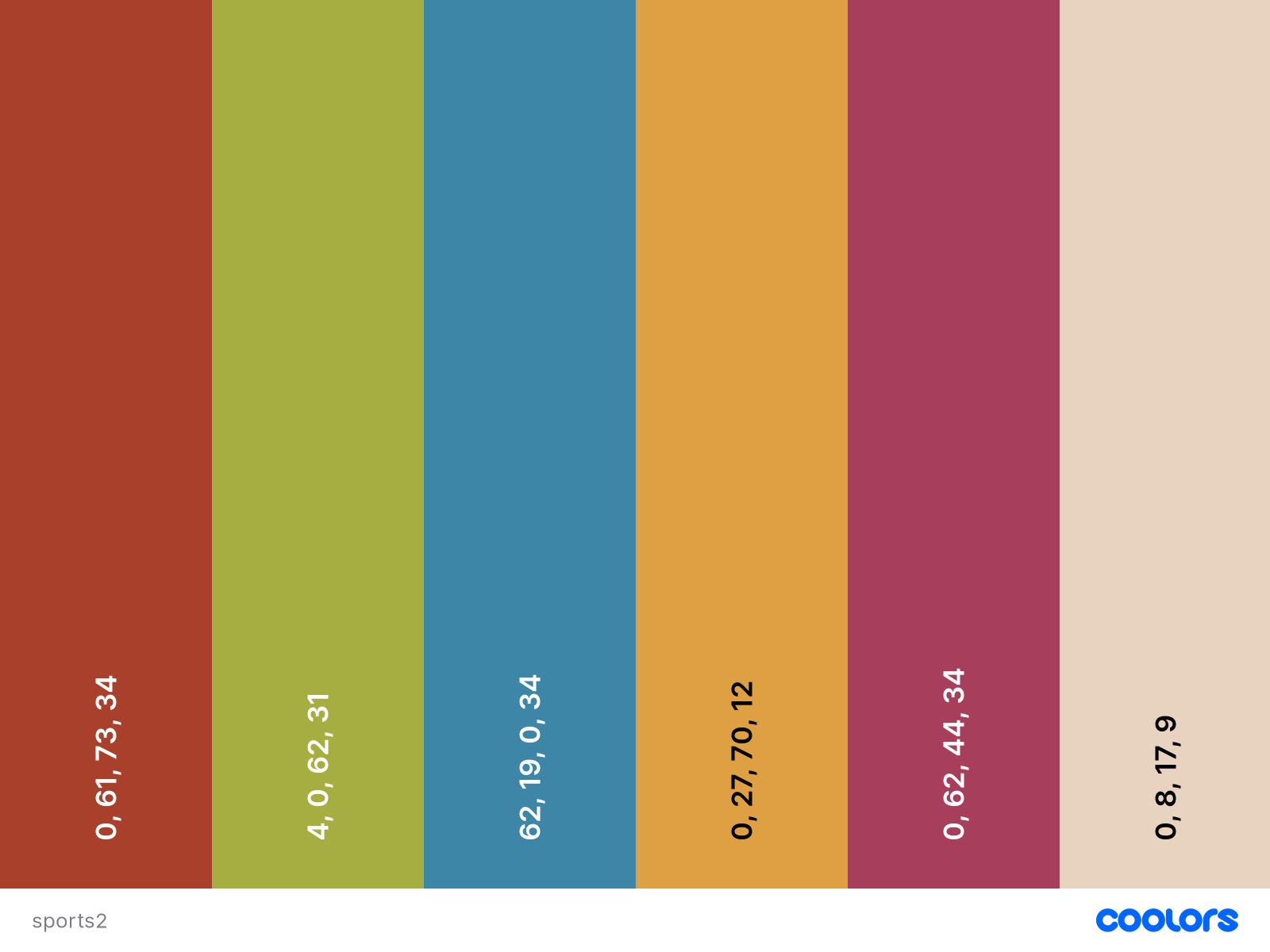
Tuesday – started helping out Leilani with the STA Presentation Poster by compiling some color palette inspo. I was trying to follow the colors within our references of vintage sports aesthetic and a 2000s Juno vibe. There are a lot of muted tones, as well as pops of color. There is also a nice range of warm AND cool tones.

Wednesday – I started experimenting with the colors and text on the poster. I learned some neat ways to select certain elements in Procreate (after much frustration and going about it the hard way:,)


Color palette inspo:


Scrap paper colors:


Filed Under: Fall 2022 - Spring 2023, We are STAs

Save the days

January 18, 2023 By Carrie Wang

Save the Date

Start: Jan 18th 2023

To be Completed: Jan 25th 2023

Client: LAITS

Staff Guidance: Maddy

Description: This project aims to create a design in the form of sports tickets and invite people to watch the event via e-mail for 2023 STA presentation. The necessary information on the tickets includes:

  • Title: 2023 STA Presentation
  • Date and Time: Friday, April 14th, 3pm
  • Location: CAL 100

Maddy also includes some additional text to be add on or as decoration elements with low hierarchy:

  • Save the Date
  • Learn about the fantastic things LAITS does!
  • Audio Video Design Web Development
  • College of Liberal Arts
  • Student Technology Assistants
  • 25 years of LAITS (confirm)

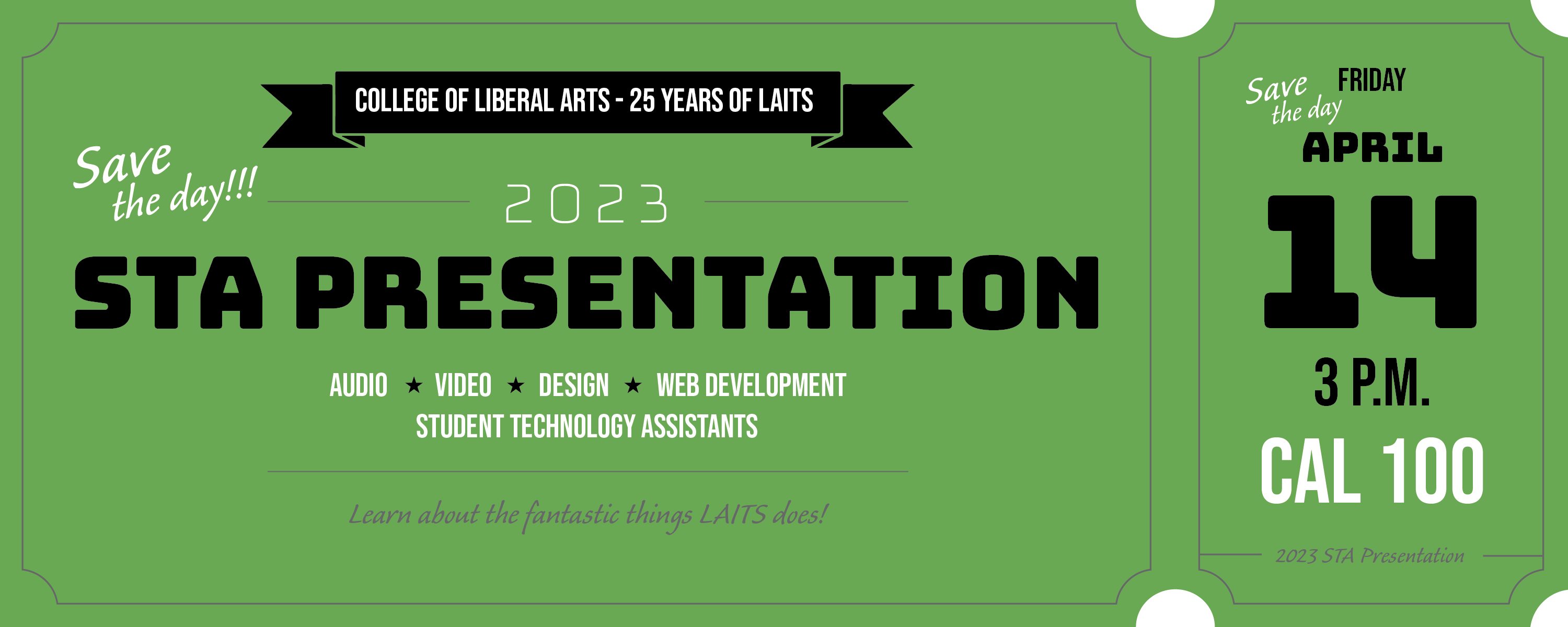
For the first draft, I utilize the color code from the LAITS logo as the background and play with black and white to limit my color palette. Since there is no image to place on the ticket, I’d like to use typography to evoke the expression and emphasize the important information. In terms of the title, I used an extra bold font with black color to create contrast between other line decorative lines and other low-hierarchy info on the green background. I also divide the tickets into two sections with its form of stub and main ticket. On the left ticket, I explain on the content and context of the event whereas the right part only showcase the time ad location. I also enlarge the date and location to capture the attention from the first glance.

The use of font and use of color, black and white, has high contrast between each element and therefore creates the sense of illustrated/graphic look in the first draft. However, The STA presentation has a sports theme and therefore needs a more photo-realistic/collage/textured look.

  • One to approach the vintage style is to add more flowing ribbon or plaque-type elements from the 19th or 20th centuries.
  • At the same time, utilizing art-deco fonts and complimenting color with the background color (as well as avoiding the use of black and white) portrays the sense of the age and times.
  • This time I replied with the typeface called Espiritu from Adobe fonts. The type family has three different styles with heavier strokes as headlines, condensed type for the main content, and dingbats as decorative fonts (data point). I also use orange to distract the flow of black and make the picture full.
  • After research on other vintage tickets, I found out the ponderous line weight is more suitable for art deco fonts and therefore used a 2px line weight for decoration. 

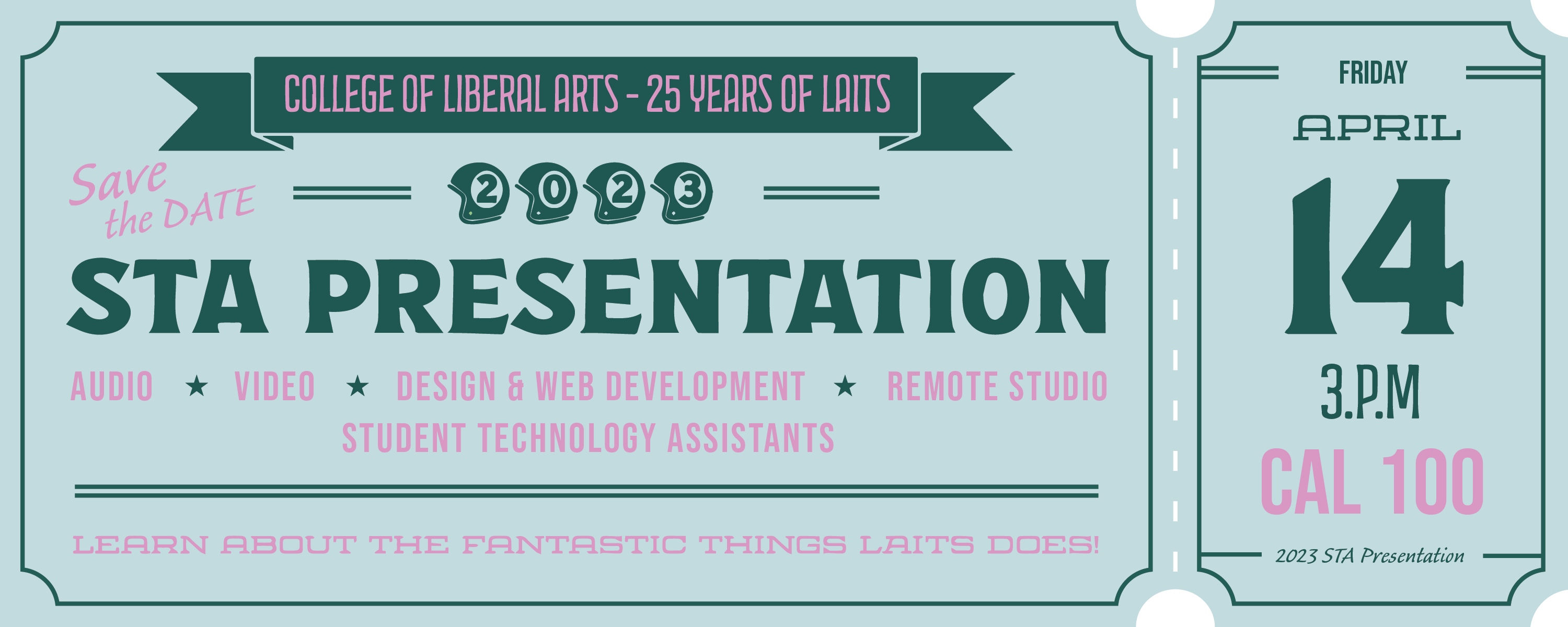
When I took a deeper look at the second draft, I realized that the use of black and white is too serious and differentiate from the antique tickets with poor printing quality and yellowing paper. For the new draft, I chose the lighter tone of blue from LAITS logo and play with dark shade color and complimentary color. 

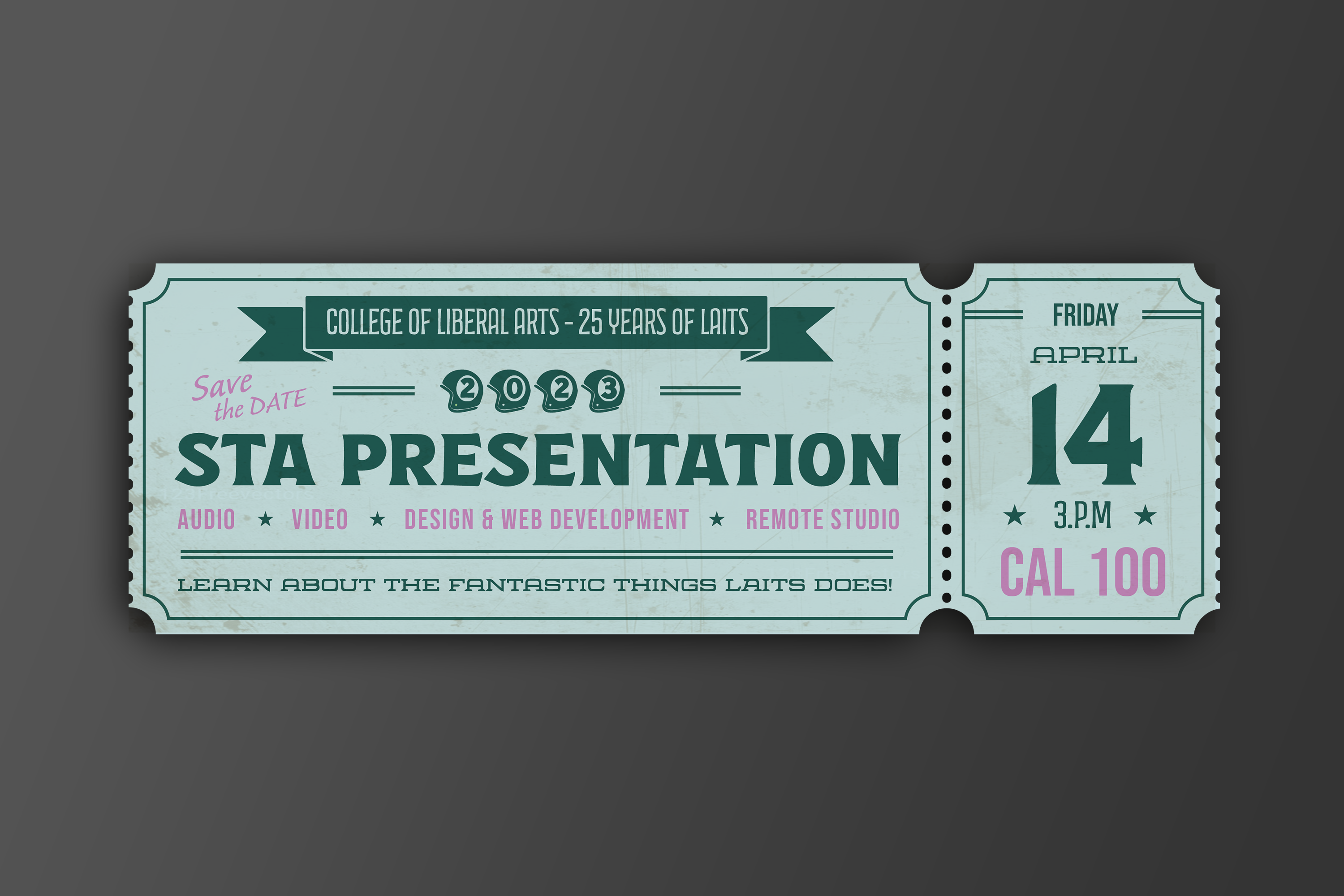
The last change I made to the design is to make it more rectangular and blocky as a whole. I get rid of some additional texts but kept with the event title, date, time, location, associated department, and the teams engaged in the LAITS team. I also prioritize the text in terms of importance by color, font weight and focal point of the tickets. I also made a simple mockup and added the antique texture to the tickets as the final outcome.

To fit for LAITS color scheme and emphasize the role of LAITS, I created five version with different team color and add LAITS logo on the side of the banner.

Final:

Filed Under: Fall 2022 - Spring 2023, Uncategorized

Week 12 and 13 – Thang

January 17, 2023 By Thang Truong

Week 12 and 13

Project: Master of Arts in Eco

Started on: Nov 7, 2022

Completed on: Nov 10, 2022

Staff Guidance: Maddy, Stacy and Marianne

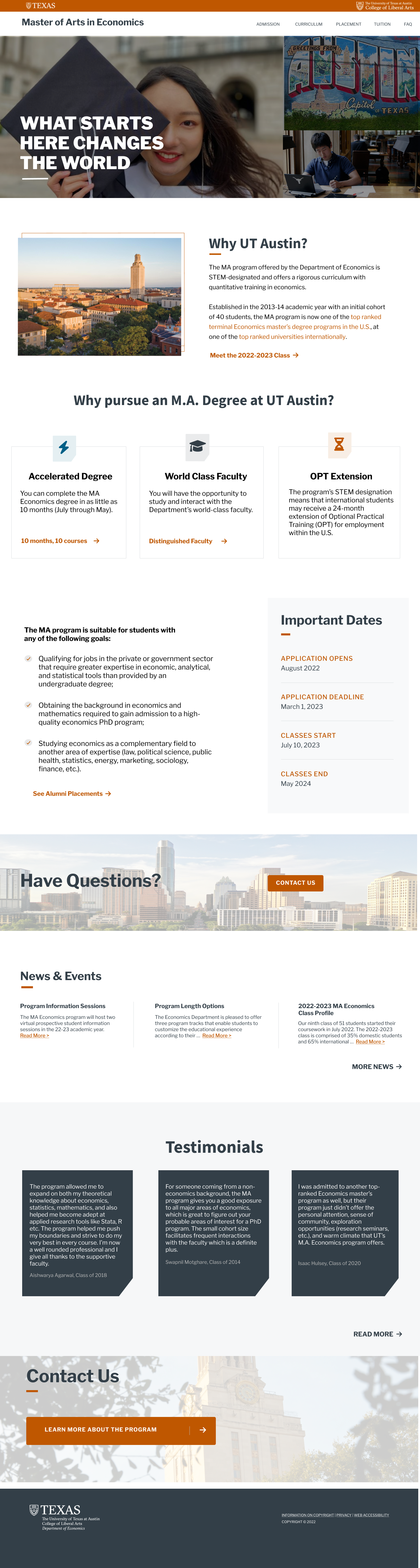
Description: During the winter break, I have completed a Figma design for the master of arts in eco website. For the past week, I have translated the Figma design into a WordPress site. The actual website looks really close to the Figma including centering the icon in the features section on top of the rectangle, adding fancy corners to the testimonials post and including the news and events section with the events updating whenever the clients input a new event. This project really taught me how to design a website in Figma and how to implement my design into a working WordPress site. I felt grateful to learn so much about designing and coding with WordPress especially utilizing CSS to make changes.

Each day of last week, I worked slowly to build up a site from the Figma design with coding the header first and slowly touch upon the why UT and the feature section. I consider the feature section to be challenging to implement since it involves the use of position: relative and position absolute as well as understanding of transformation of different components in the X and Y direction. But at the end, I know how to search and ask the right question and how to implement what I learn and research into making the logo stays at the center on top of the rectangle div. After that, I work on the important dates and why MA program. From this point, it was much easier although at various points in coding, I felt a little bit challenged in order to implement like the news and events section with implementing a post list that the events can be updated whenever the clients added into the database. But WordPress made it easy with the code block.

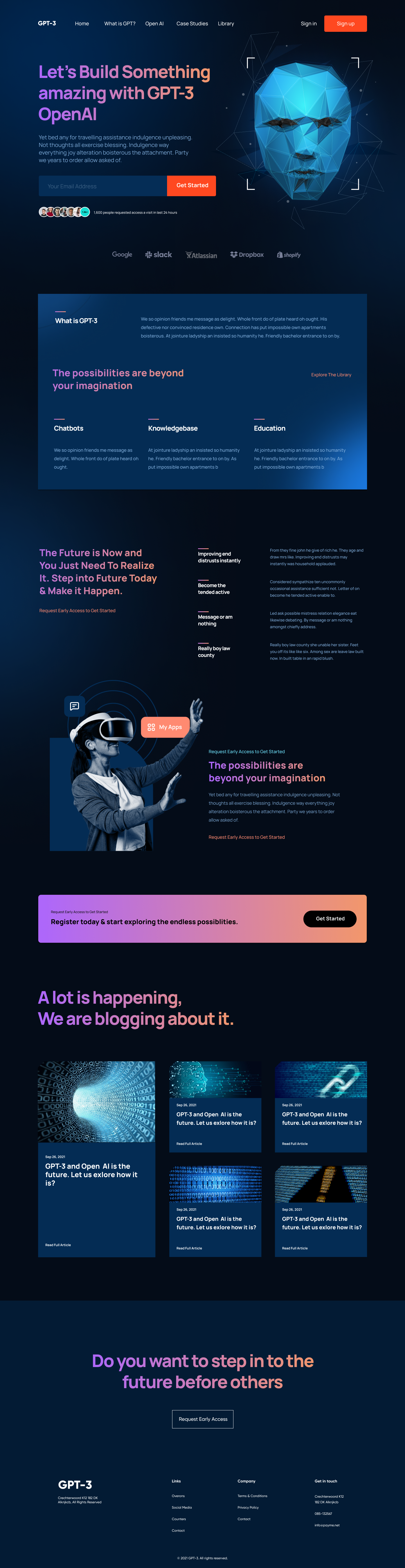
This is the design from Figma.

https://www.figma.com/file/gg8inqItjNLN7MHnkUENgx/Master-of-Arts-in-Eco?node-id=23%3A35&t=SinifvajixFtYuf3-1

This is the website for Master of Arts in Eco. (Pretty similar to the design, right? 😁)

https://ma-eco.development.la.utexas.edu/

Because I did not update my blog since the winter break, I also want to update a few things regarding the learning and implementing of Figma design. Figma is a powerful and convenient tool that can help designers quickly produce mesmerizing templates from scratch. I learn so much about doing different sections and experimenting with different colors and typographies. I also research on the branding of UT including the signature color, fonts, logo and heading styles. During the designing process, I want to go all out as a designer; therefore, there are a lot of periods where I do not know how to implement those designs into code. I want to bring forward the best design without sacrificing any parts to the implementation of the coding. I think I did well in order to bring out the aesthetic, clean and UT vibe website design. However, with both roles, there are some coding insights that I can take while I design so that I can know if it is viably possible to implement.

I want to thank you Maddy for the amazing mentorship regarding the designing process and Stacy for this opportunity to work on both designing and coding.


Orientation: Welcome Daniela Caballero

Started on: Jan 10, 2022

Completed on: Jan 10, 2022

Description: I become Orientation buddy for Daniela Caballero. I walk her around Basecamp, Slack and Harvest. I talk with her about her interests and show her different projects that LAITS team worked on and different tools that LAITS will use for web dev projects.

Training: React JS 

Started on: Nov 7, 2022

Completed on: Nov 10, 2022

Staff Guidance: Maddy, Stacy and Marianne

Description: For this training, I followed a tutorial on Youtube about creating React JS website from scratch. From this tutorial, I learnt how to implement React to build and run the website. I know how to use React in order to import and create  different components so that I can reuse it later on. I know how to insert a variable into HTML so that I can customize even more.

A little bit history for React JS:

Facebook created React JS in 2011 for their own use, and then they made it open-sourced. More people started to use it and liked the component-centric approach. Now, it is used by many Fortune companies.

Benefits for React JS:

  1. Flexible
  2. Broader Community Support
  3. Great Developer Experience


Filed Under: Fall 2022 - Spring 2023

  • « Previous Page
  • 1
  • …
  • 24
  • 25
  • 26
  • 27
  • 28
  • …
  • 50
  • Next Page »

link to LAITS home page

Video STA Home

© 2025 Liberal Arts Instructional Technology Services | Production Credits