• We are STAs
    • Asha Rountree
    • Haley Ma
    • Kate Shih
    • Kyra Lee
    • Nicholas Peasley
    • Sasha Kenney
    • Shanda Horm
    • Shriya Atreya
    • Tomas Marulanda-Mesa
  • We were STAs
  • STA Presentation
    • STA Presentation 2017
    • STA Presentation 2016
  • Testimonials
  • Resources
  • Home

STA Blog

STA Work Blog

STAs: Student Technology Assistants

Who We Are
LAITS: IT and Facilities Director, Joe TenBarge initiated the Student Technology Assistant program in 2004. STAs are UT students who work on a variety of projects in collaboration with UT faculty and LAITS staff members. STAs assist College of Liberal Arts faculty members and administrative staff with print and web design. From building presentations, to creating audio/visual works, and producing online classes in the LAITS film studios, STAs are instrumental in helping COLA faculty realize their vision for multimedia projects that enhance their teaching and the students learning experience. By the end of their student careers, STAs have portfolios which demonstrate their accrued technical and design skills.


Prospective STAs:

Creative and technically inclined students are appointed as STAs for one year, with the possibility of being rehired as long as they study at the university. Applicants for the program are hired before both long semesters. Interested students may look for postings on Hire-A-Longhorn when positions are available. Positions will have Student Technology Assistant (illustrator or web designer) in the title of the job post.


Faculty and Staff:

Faculty & Staff with questions about services, please contact us.

https://liberalarts.utexas.edu/laits/contacts.php

  • Audio Services: Michael C Heidenreich, Director of Studio Operations & STA Program Coordinator
  • Video Services: Kelly Webster, Video Production Supervisor, Video STA Supervisor
  • Graphic Design & Web Design Services: Suloni Robertson, Art Director / Design & Coding STA Supervisor

Update on Things and Stuff

October 25, 2018 By Jaclyn Alford

Update on Things and Stuff (October 24)

UT Canvas App Store

project: UT Canvas App Store UI Design
Client /Prof: LAITS
completion status: Started July 27th, 2018, finished mockups, currently being coded on up by Sanika
staff guidance: Suloni, Marla, Chad, Andre, Chris
STA team members: Sanika! (CSS)
description/plans: Create page mockups for a new App Store for Canvas apps developed by UT
To be completed: October 2018


LAITS Computer Support Webpages

project: LAITS Computer Support Webpages
Client /Prof: LAITS
completion status: Started Oct. 10th, 2018
staff guidance: Suloni, Tim, Mike, Aiden
STA team members: na
description/plans: Create page mockups for more user friendly and self-help focused Computer Support UI
To be completed: October 24, 2018


Project Notes:

10/10/18 Meeting notes:
LAITS Computer Support Page(s)
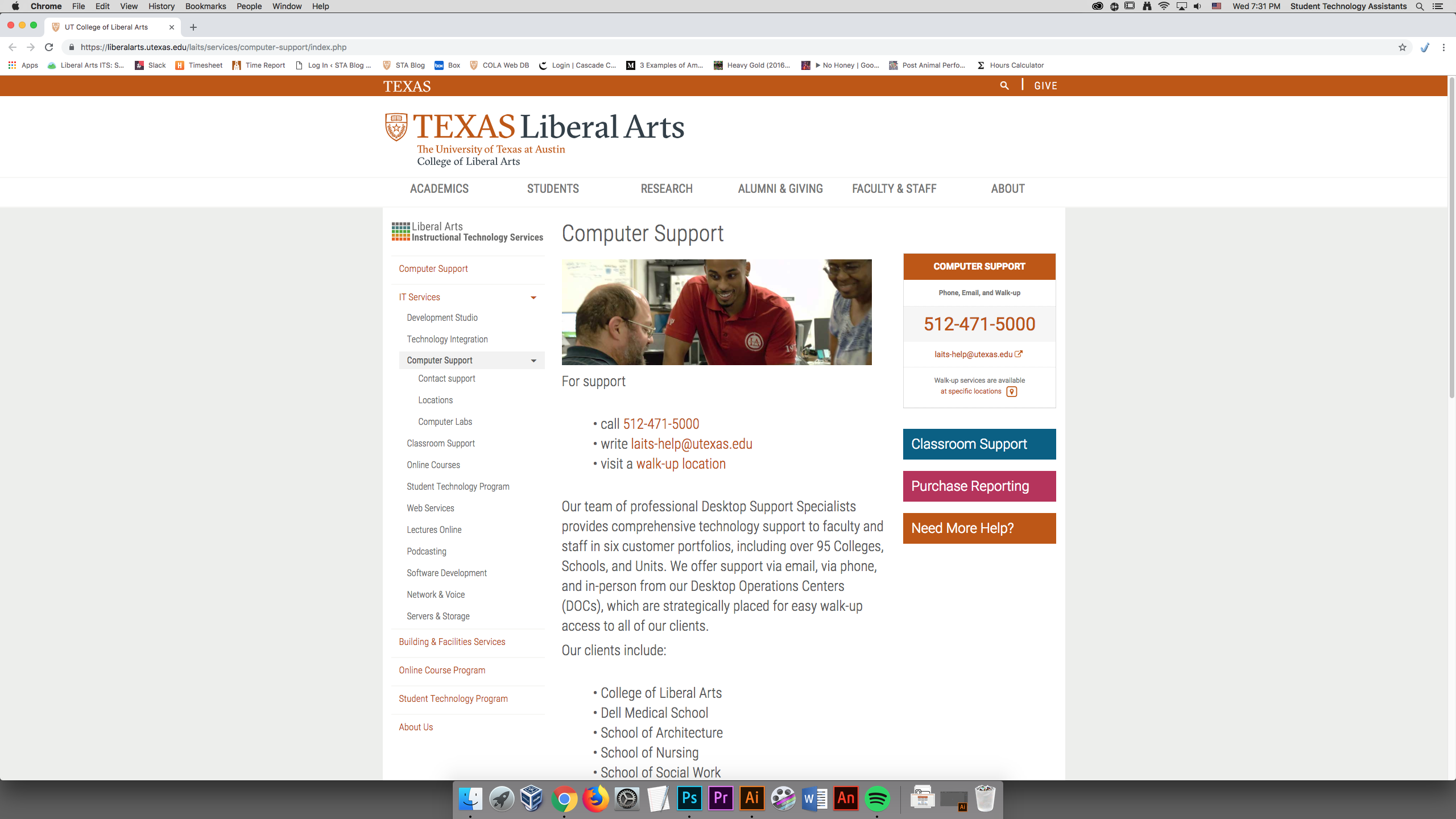
https://liberalarts.utexas.edu/laits/services/computer-support/index.php
(Cascade interface)
typical user: faculty and staff
  • under stress (dealing with a problem)
  • usually under time constraints
  • need some encouragement to seek information
goals:
  • help users help themselves (my first action shouldn’t be to call)
  • make finding information clear and easy and efficient (i.e. clear, clean, obvious)
Help Channels:
  • phone
  • email (uses ticket system)
  • in-person visit
  • chat (not released yet)
General notes:
  • current page is more of an “about us”
  • pages aren’t concrete, can be changed
  • set of help guides in progress
  • FAQ in progress
  • no search function
My initial thoughts:
  • info/issues should be categorized into easily identifiable/understandable “buckets” (since there is not a search function)
  • most users will scan the page in search of a quick fix; the current canvasser pages inhibit this with the click-through/gamified help portal (thus making the user’s journey lengthier)
  • the help portal makes me feel like my answers are being hidden from me (i.e. I have a question, so why do I have to answer more questions before I get an answer for MY question?)
  • personally I think the ticket system is more rigid and that chat and phone would be more efficient so I think the current ranking of help channels that makes the most sense to me right now is Help Myself > chat or phone (equally helpful) > email > in person visit > contact someone else in LAITS/my needs weren’t met
  • current page ideas (3 levels of pages here):
    • a list/menu of issue categories (no problem to have around 30-50? of these) on a page
    • each issue category having its own page that houses many issue answers (utilizing dropdown/accordion styles)
    • a separate master list page of issues
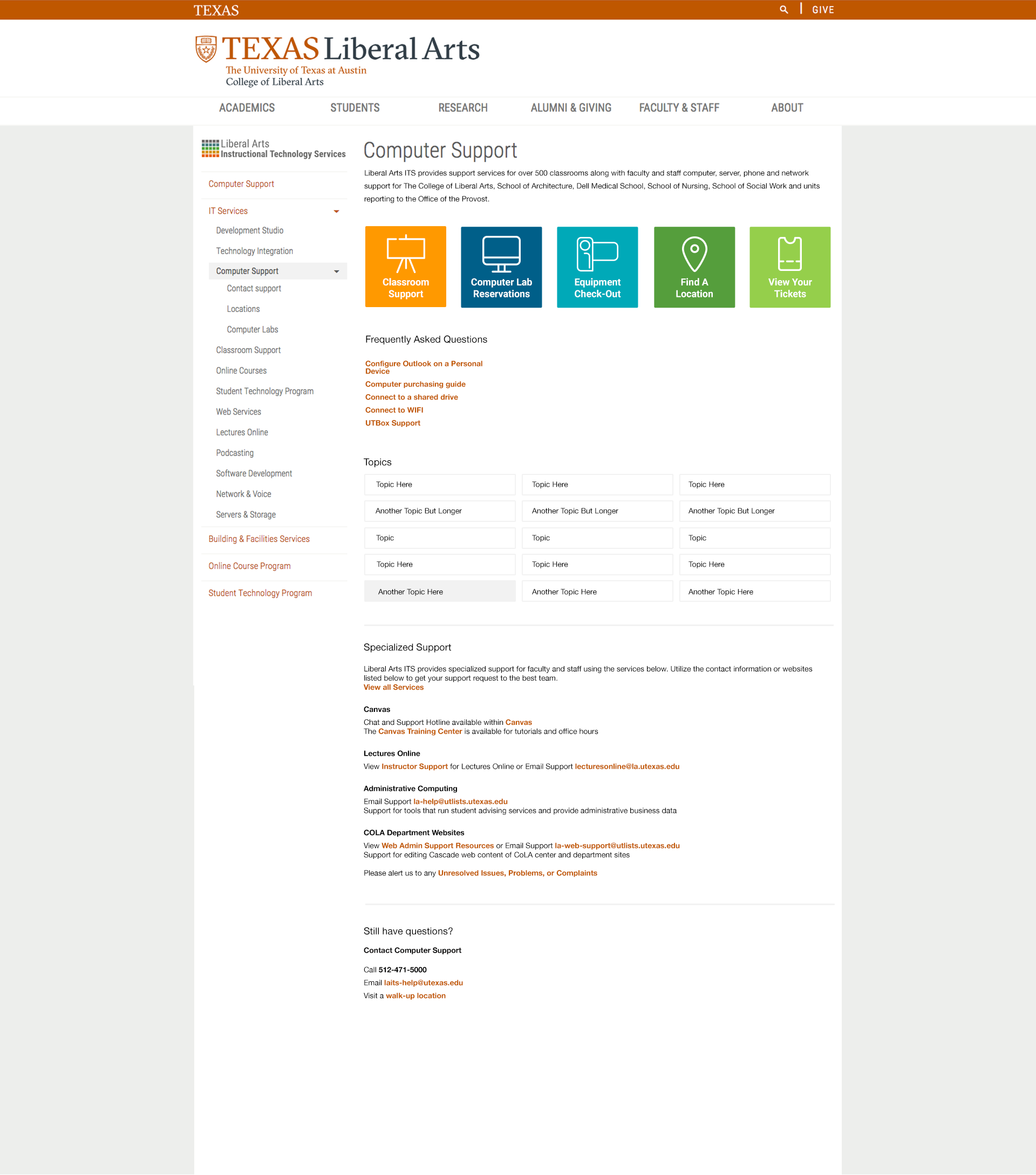
    • Adobe Help does a good job of this: https://helpx.adobe.com/photoshop/user-guide.html
Next steps:
  • research (find some good examples of help pages; see what they do right and how those techniques can be implemented here)
  • create mockups of support homepage!
Support Page E.g.:
https://squareup.com/help/us/en
https://www.eventbrite.com/support
https://help.instagram.com/

Current home page:
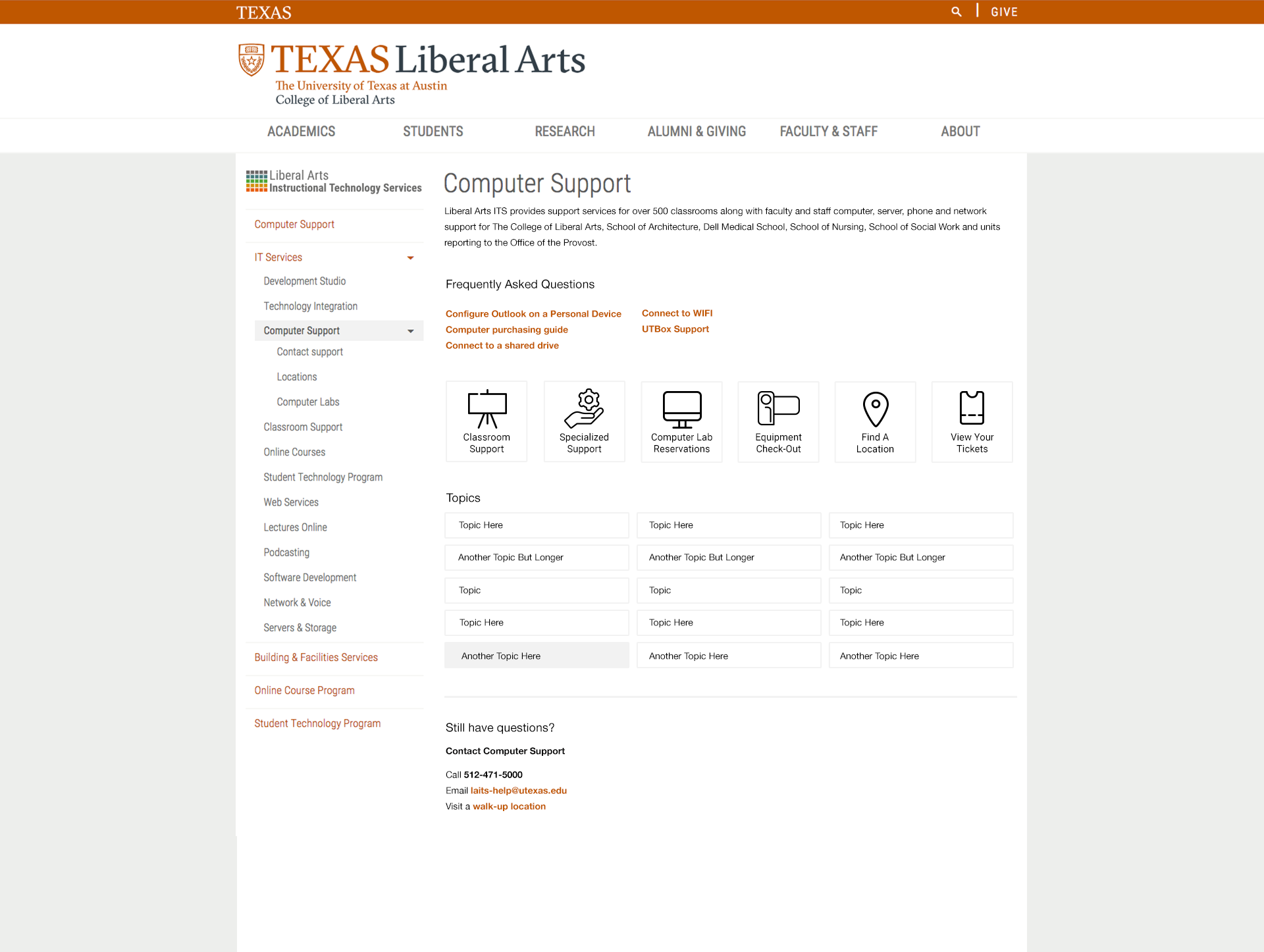
First Draft Mockup:

List of items that link to new page:
  • 6 square buttons
  • type written in bolded orange (underlined on hover)
  • “Topic” buttons (button container becomes grey on hover)
Notes:
  • Tried to keep things as clean as possible
  • Colors used are in the UT Brand Guide: https://brand.utexas.edu/identity/color/
  • If this design were to go up tomorrow, the “Topics” section would be removed. All of the other content shown on the mockup is currently published on the site.
  • I placed contact info at the bottom of the page as to encourage users to search for the answer to their issue first/help themselves
    • i.e. while scanning the page, they might see the answer to their question
    • on the current site, the first thing the user sees is contact info (this might make the user halt their search and ask for help)


More Drafts:

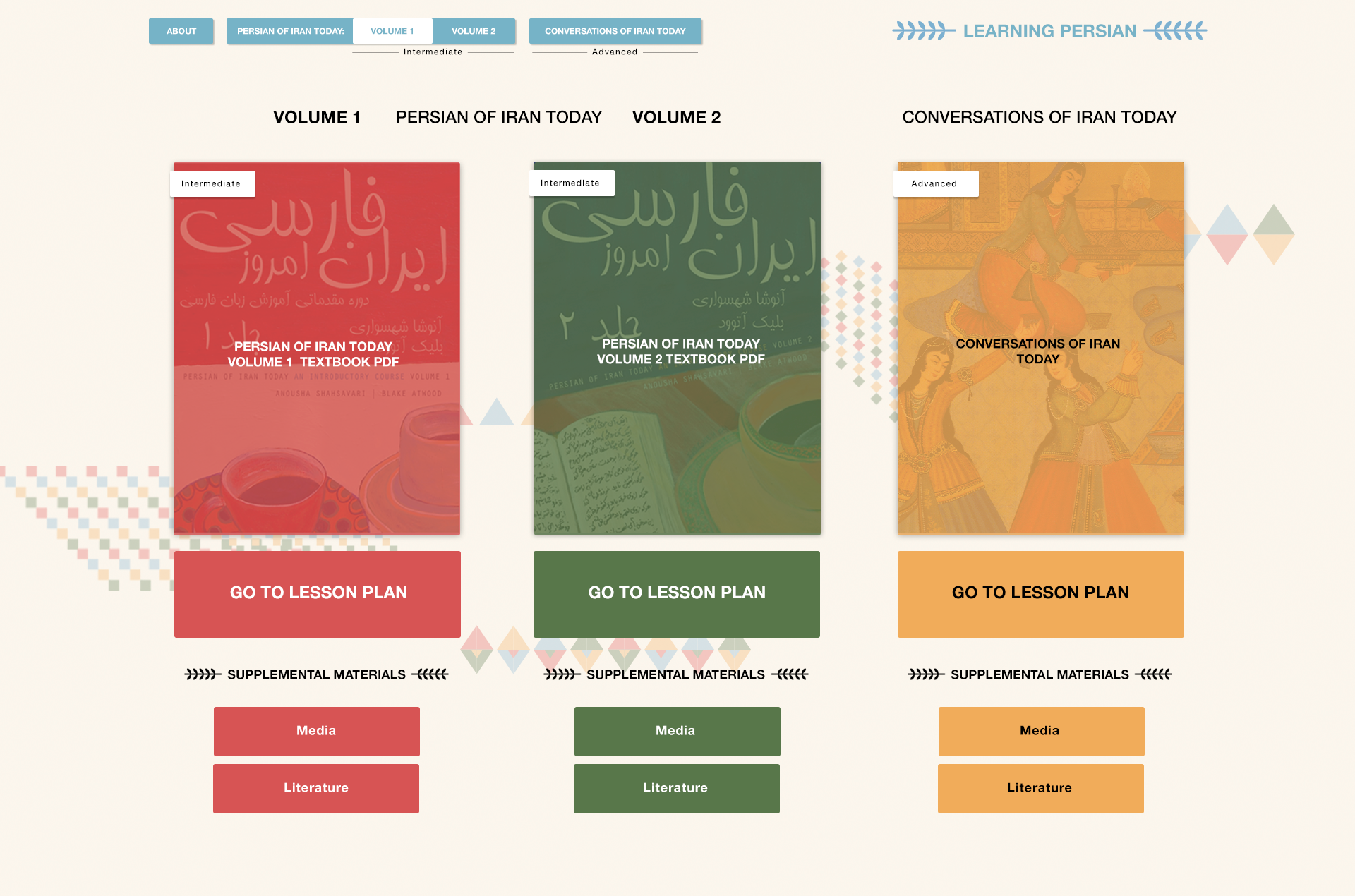
Persian UI Update

project: Learning Persian Online Resources

Client /Prof: Anousha

completion status: Started June 21st

staff guidance: Suloni Robertson, Stacy Vlasits

STA team members: Kathy Vong

description/plans: create page mockups for a site that provides language learning materials (including audio and video)

To be completed: Before Oct.


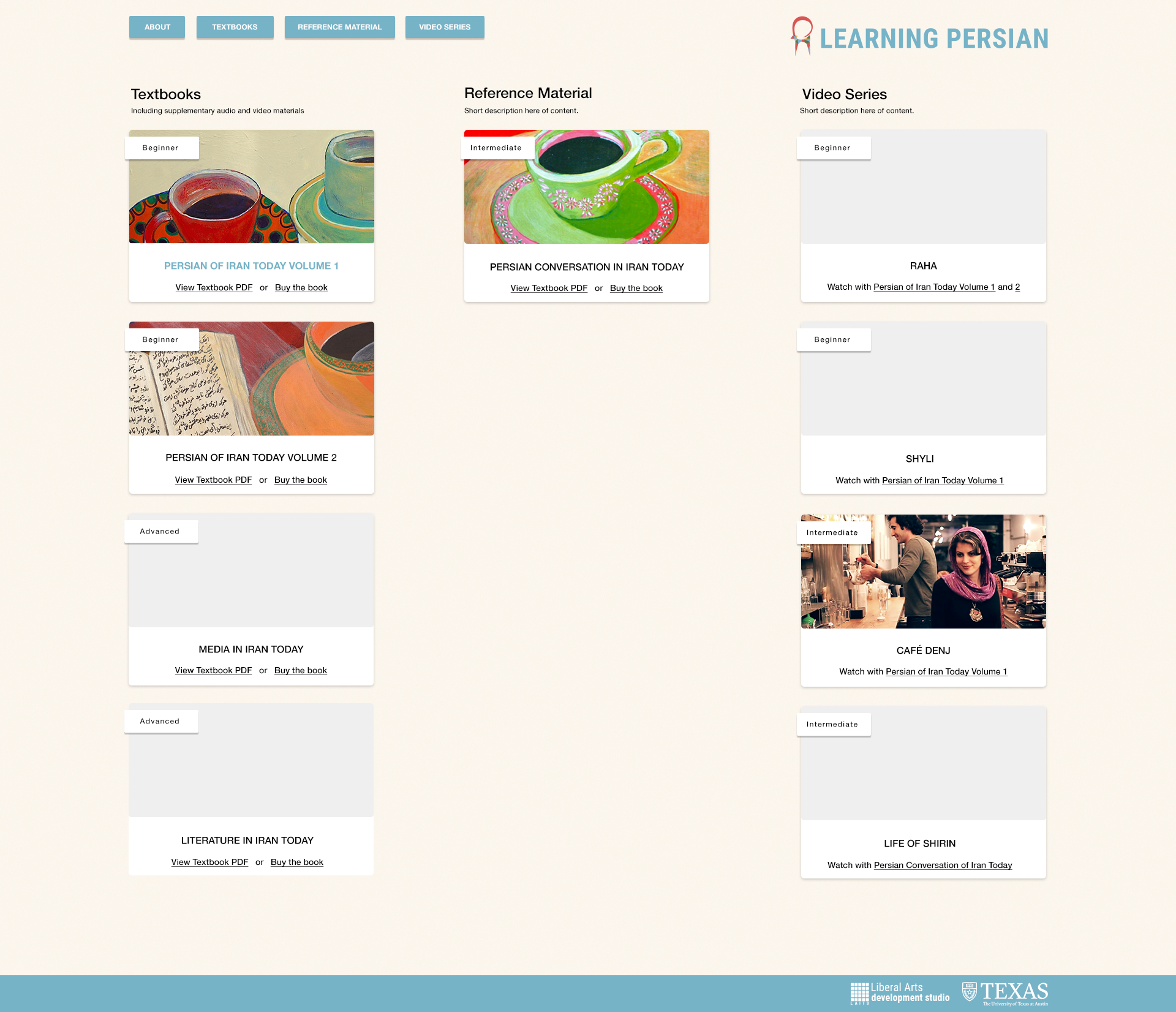
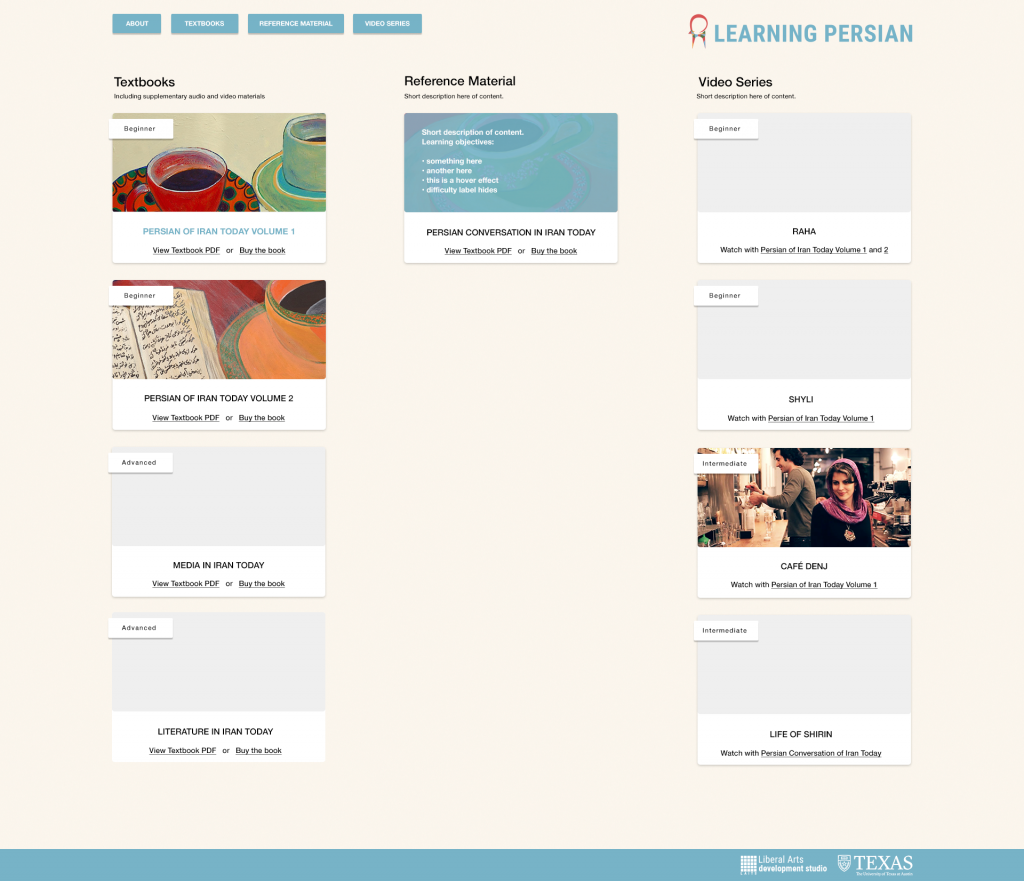
Updates:
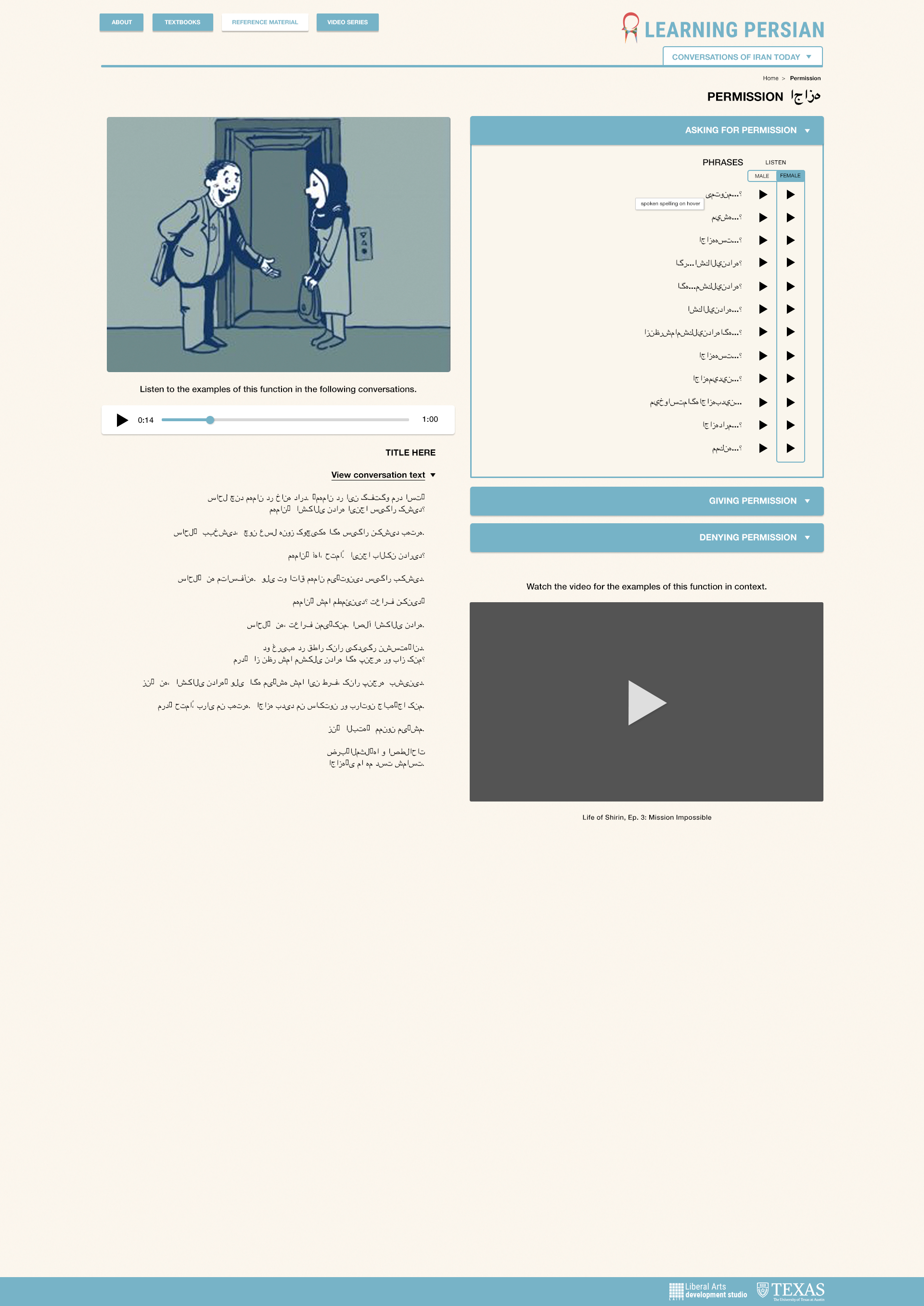
  • formatted the different categories into columns instead of rows
  • added all the unpublished content that was on Anousha’s mockup (media, lit, raha, and shyli)
  • updated uni nav menu–Hover on menu inverts the text and button color. This helps tie together the parent with the dropdown content.
  • description/blue overlay hover effect on each card
  • hover effect for links can be bolded + blue as shown on PIT Vol 1

Draft #1
Draft #?
Menu Dropdown

Card Description Hover Effect
Filed Under: 2018 Fall - 2019 Spring

Meeting and V-Labs

October 24, 2018 By Valerie Tran

Today we had our STA meeting and shared what everyone had done in the past week. It was another fine and dandy meeting. However, it was glaringly apparent during this meeting that I had not given the Online Anthropology Virtual Labs enough (or any) attention. It had been, as a fellow co-worker would say, a hot minute.

So in order to remedy the lack of content on my end, I dedicated my entire shift (and then some) to v-labs!


I have a lot to catch up on!


That’s all for this shift! 🙂

Filed Under: 2018 Fall - 2019 Spring

Vlabs Design

October 24, 2018 By Emily Park

Vlabs UI Design


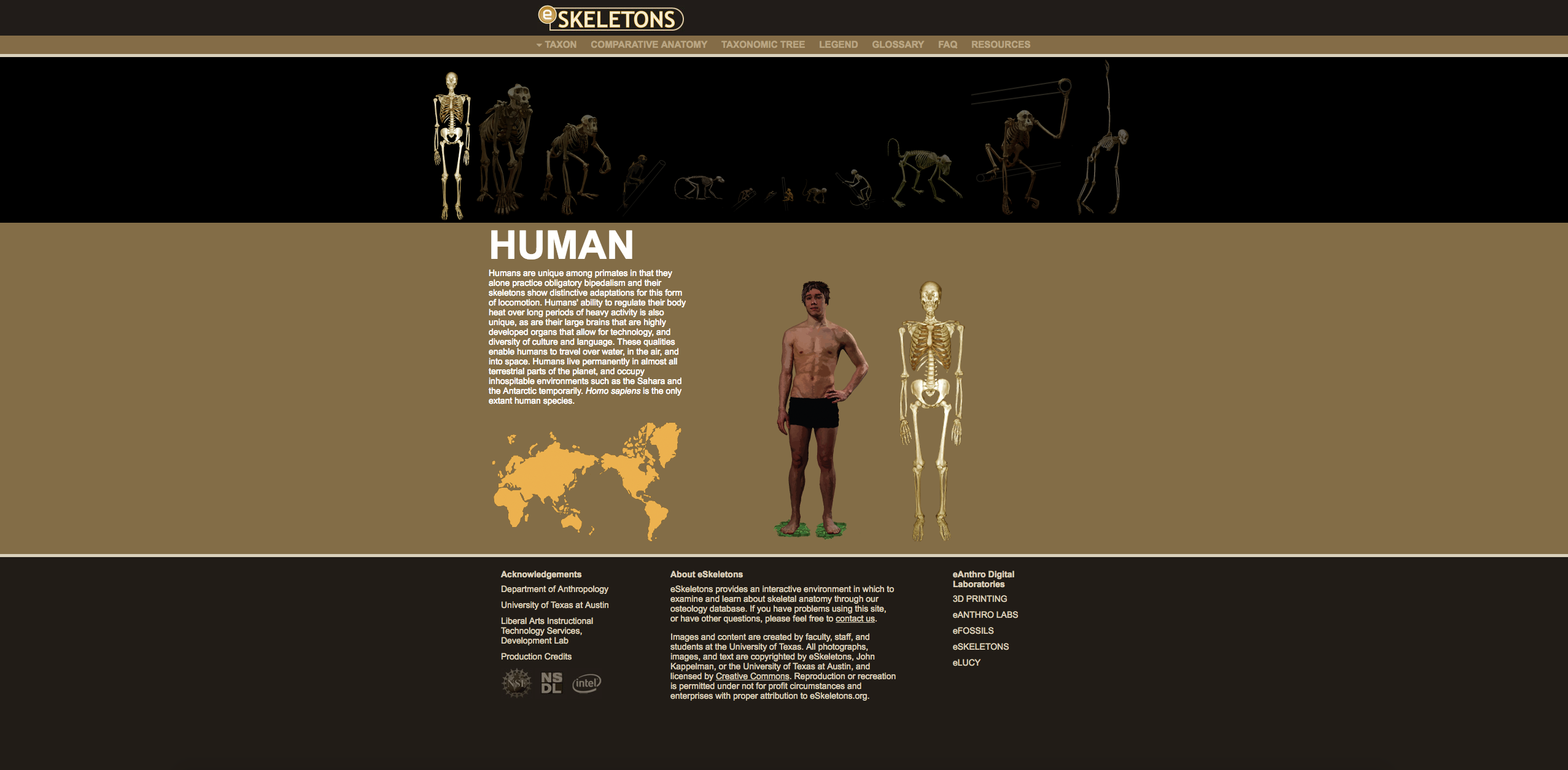
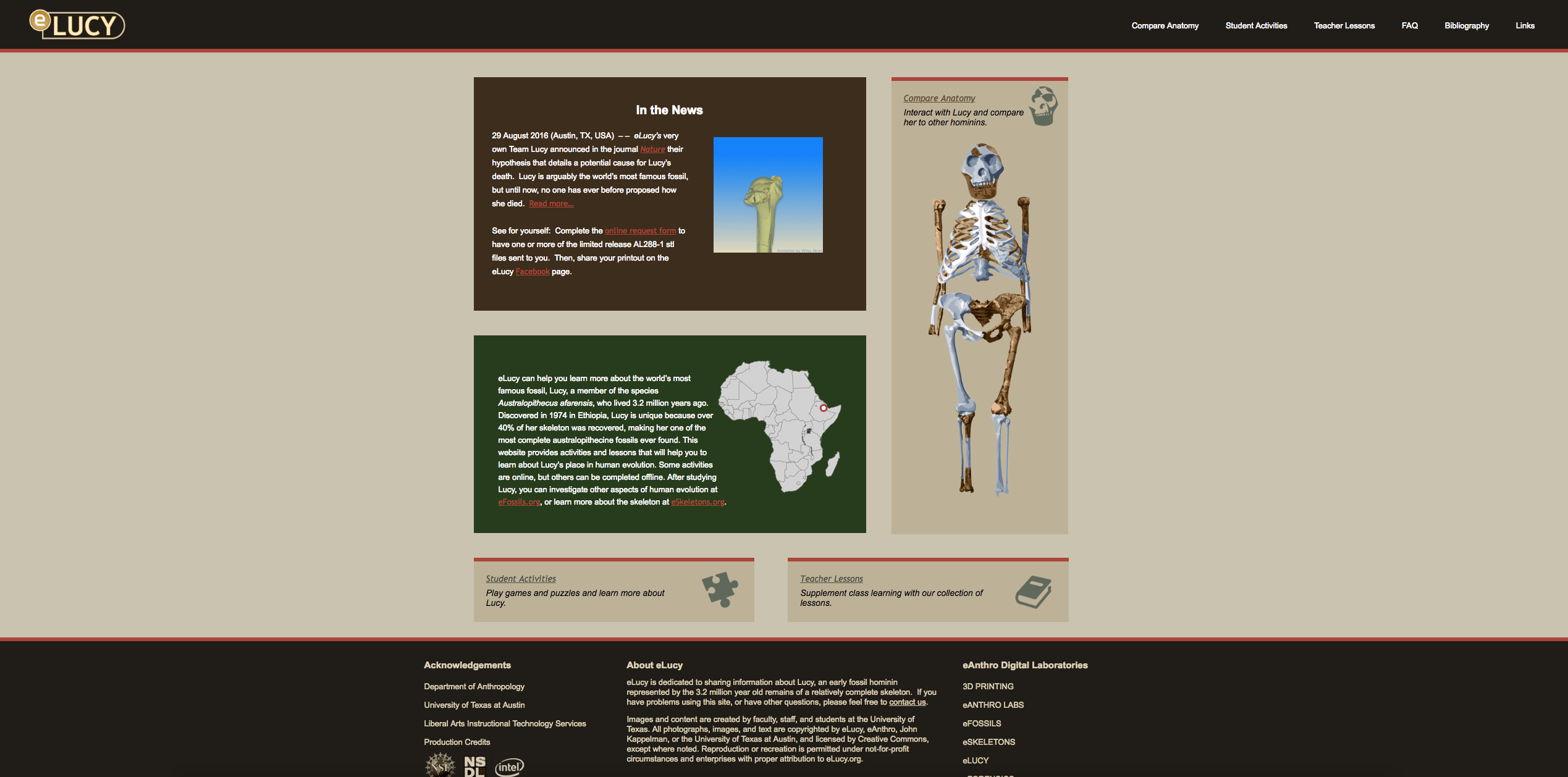
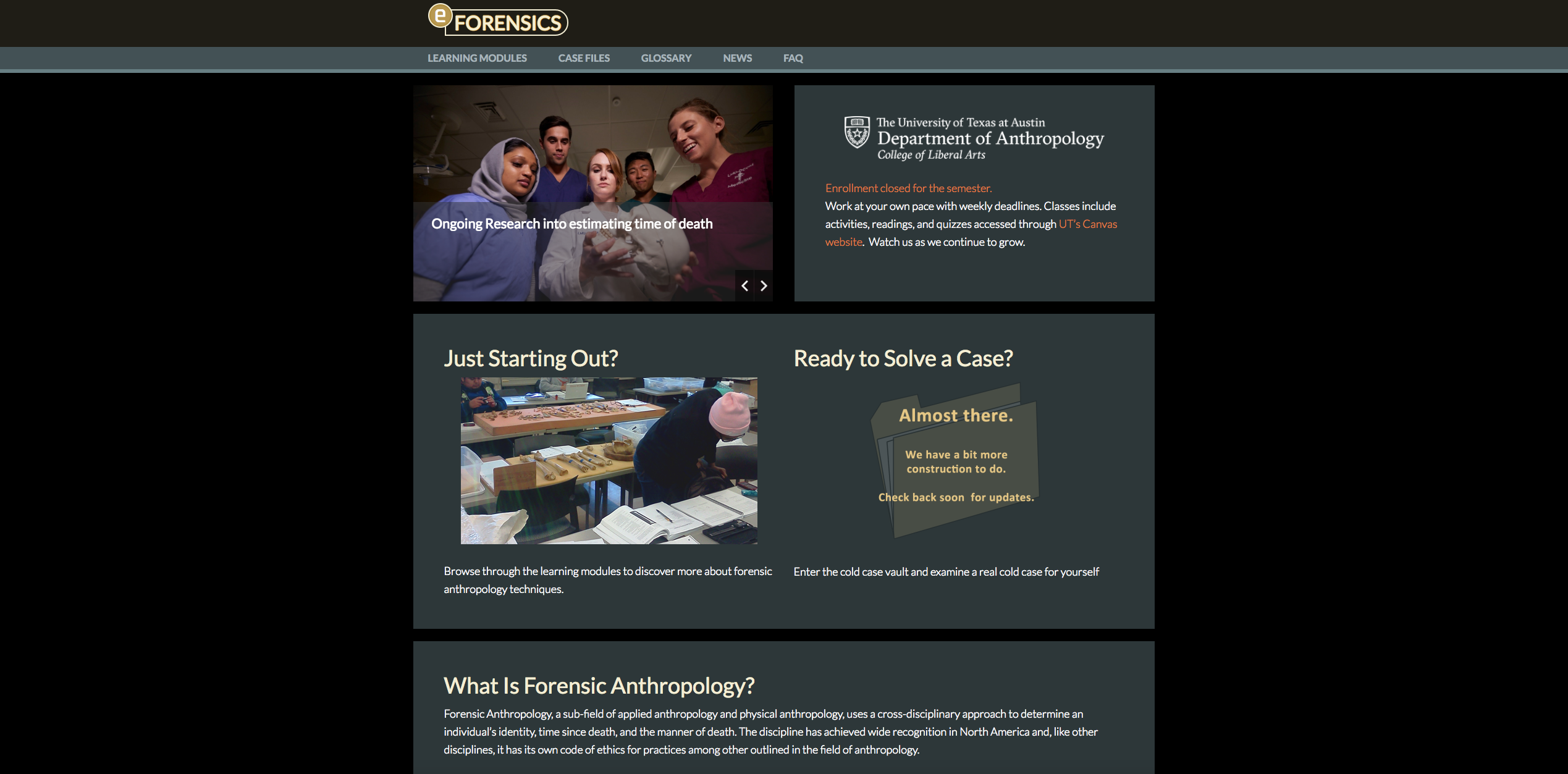
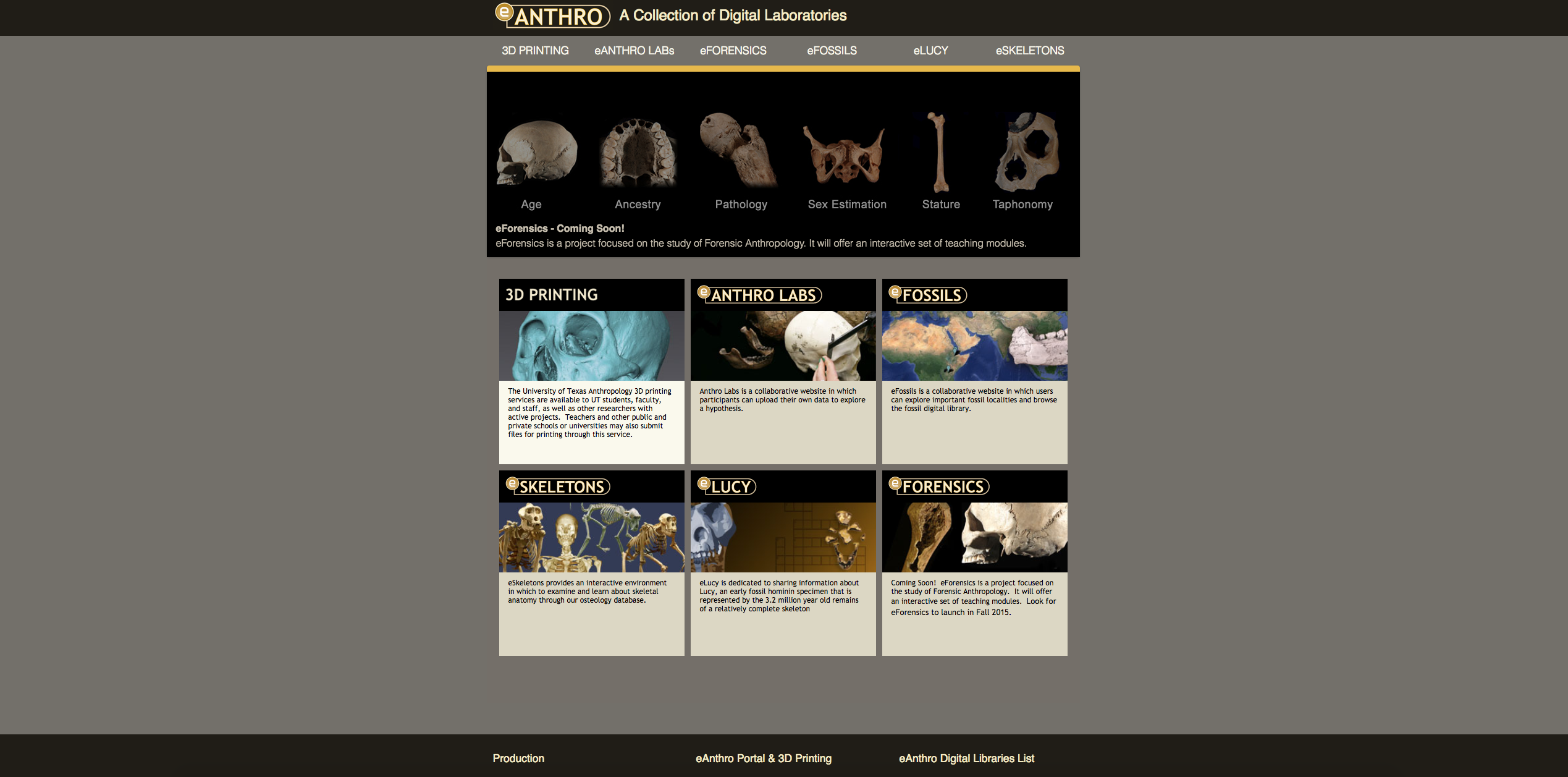
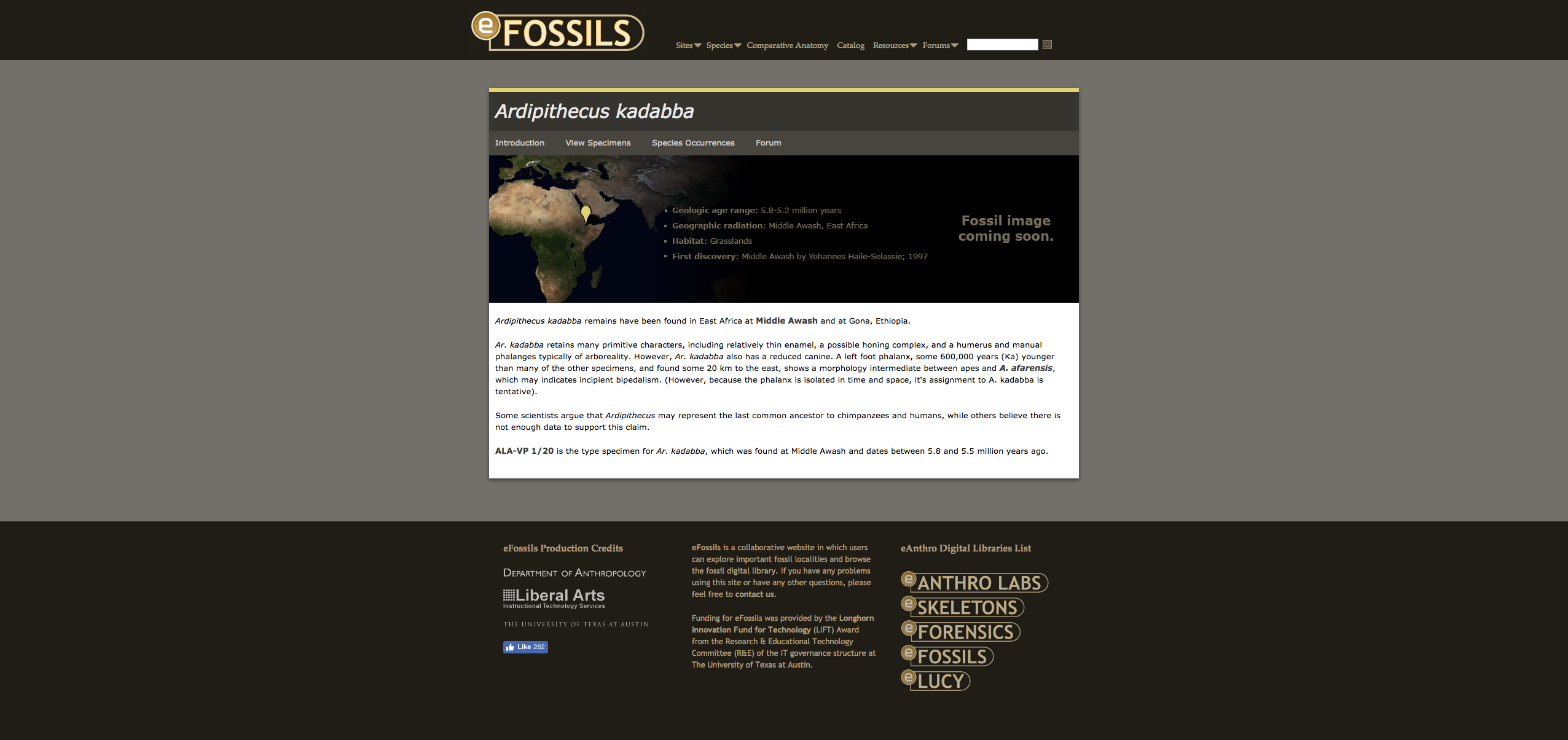
Today I started developing my ideas for how I want the UI design for Vlabs to look. I began by looking at the already existing sites in our eAnthro suite. Suloni had suggested maybe finding a design element other than the dark shades to tie vlabs in with the other sites and create a cohesive experience when accessing these sites.


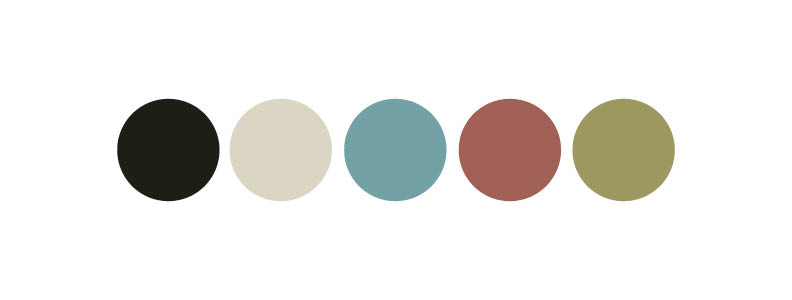
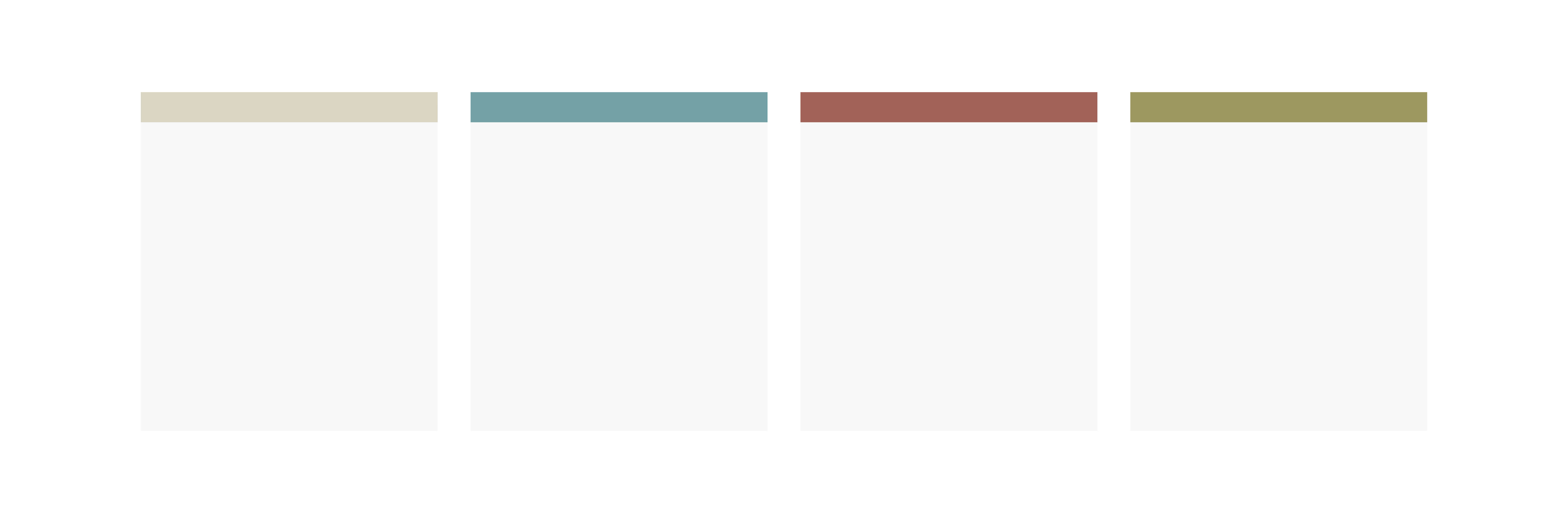
The sites in the eAnthro suite do have a heavy look because of the dark backgrounds and the bright look of Vlabs is refreshing and I don’t want to darken it. But looking through the sites I pulled some colors:


I want to keep the dark brown and tan to maintain some cohesion between the sites; however, they won’t be used  extensively but rather more as accent colors. There were also lots of colors I found within the eAnthro suite but I liked the colors above the best. They are bright and colorful but still have earthy and more subdued tones which seems fitting for an anthropology lab.


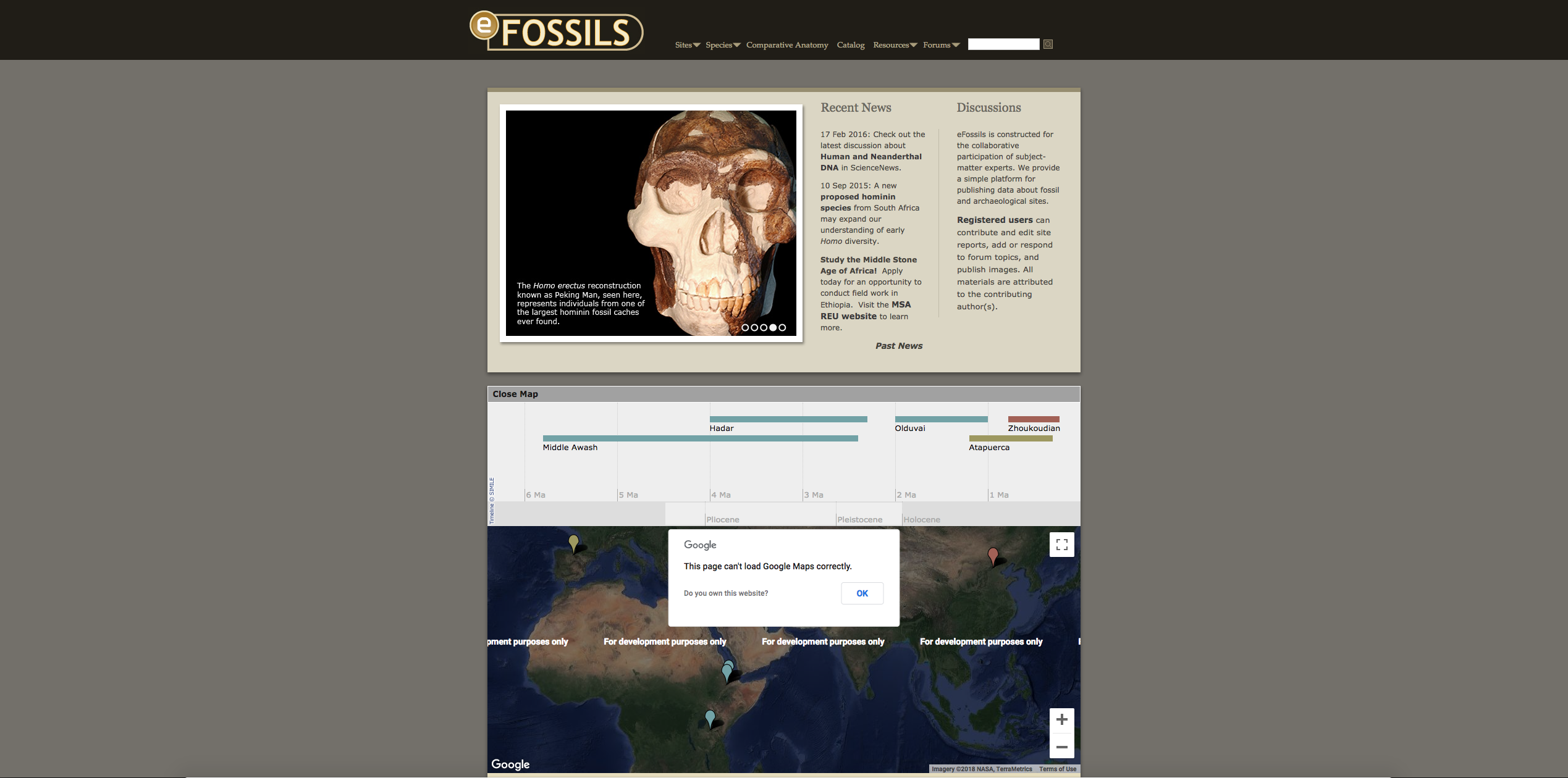
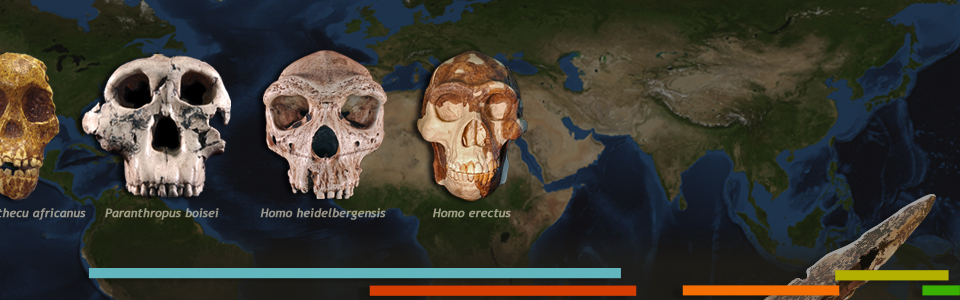
In addition, I noticed that all of the sites in the eAnthro suite utilize a colored bar as a design element. For example these bars found in the eFossils home page banner and the colored bar signifying a section within the site.


This is a design element I can definately bring over to Vlabs when housing the different labs and sections.


I am hoping to have a rough mockup by the end of Friday!

Filed Under: 2018 Fall - 2019 Spring

Appstore!

October 24, 2018 By Sanika Bhave

Progress Update!

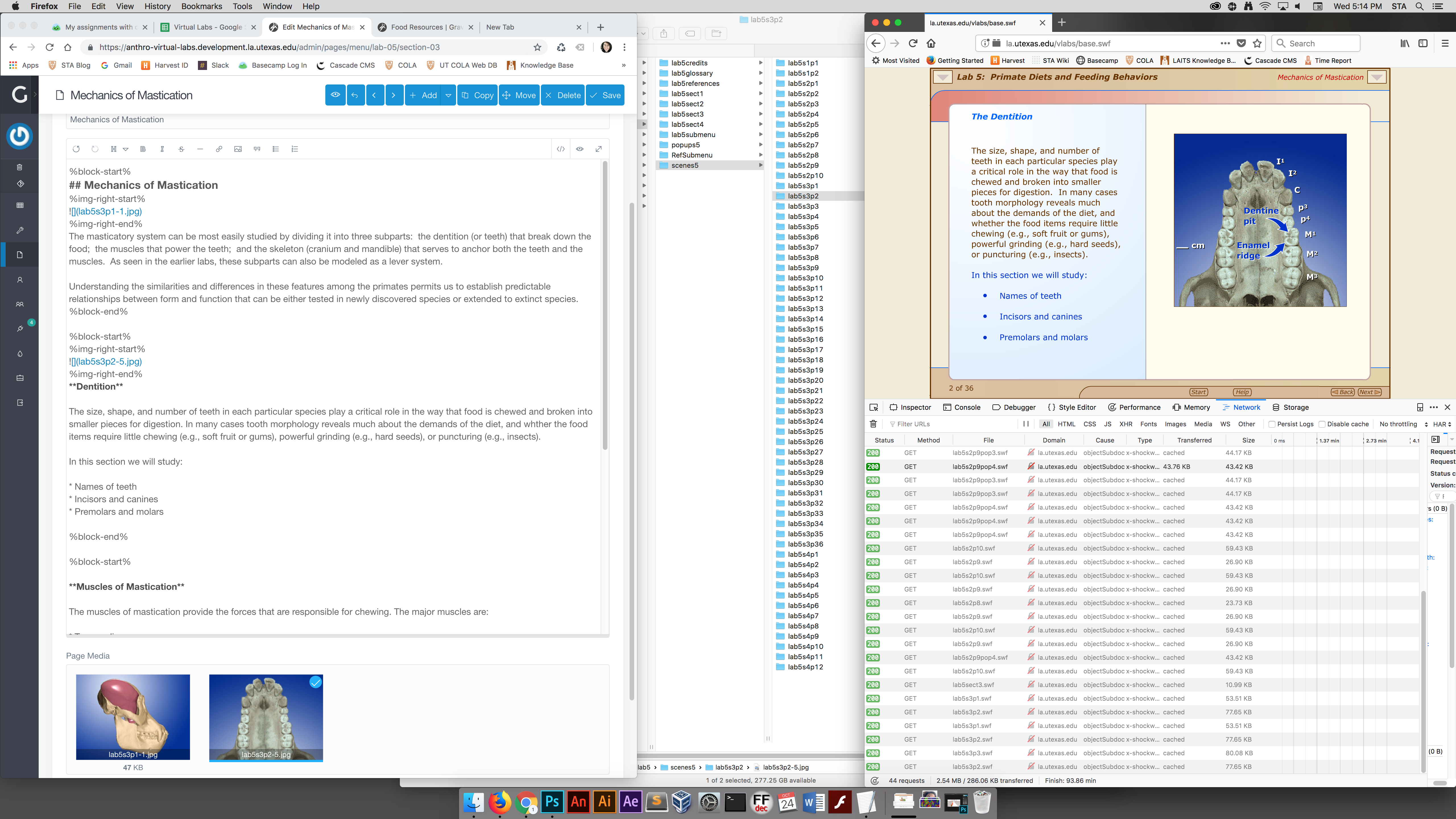
So I finally troubleshooted my problems with downloading, cloning, and working with Git. I’m pleased to announce that I’ve started to actually code and make changes to the static HTML that Chris provided me with!


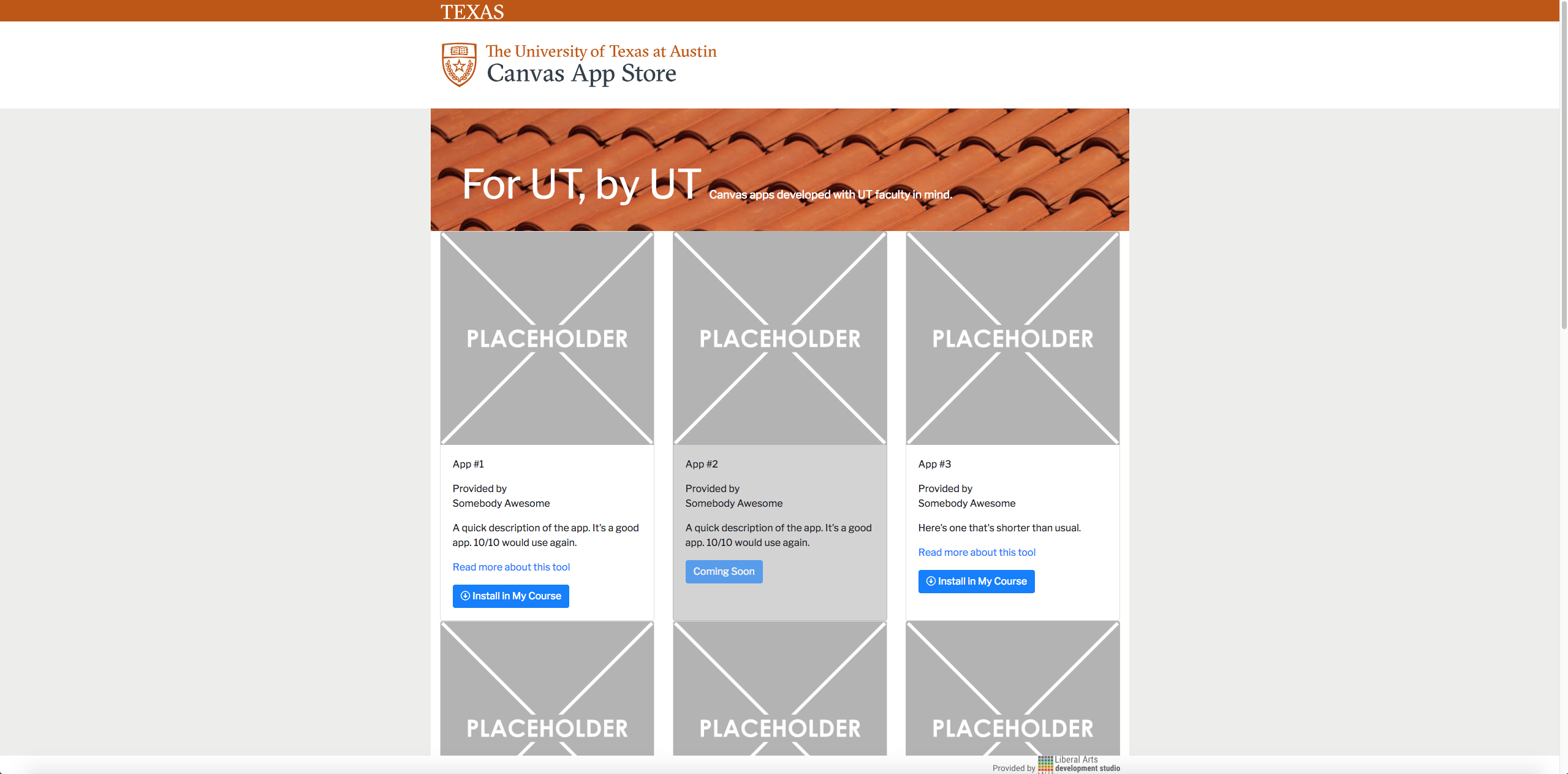
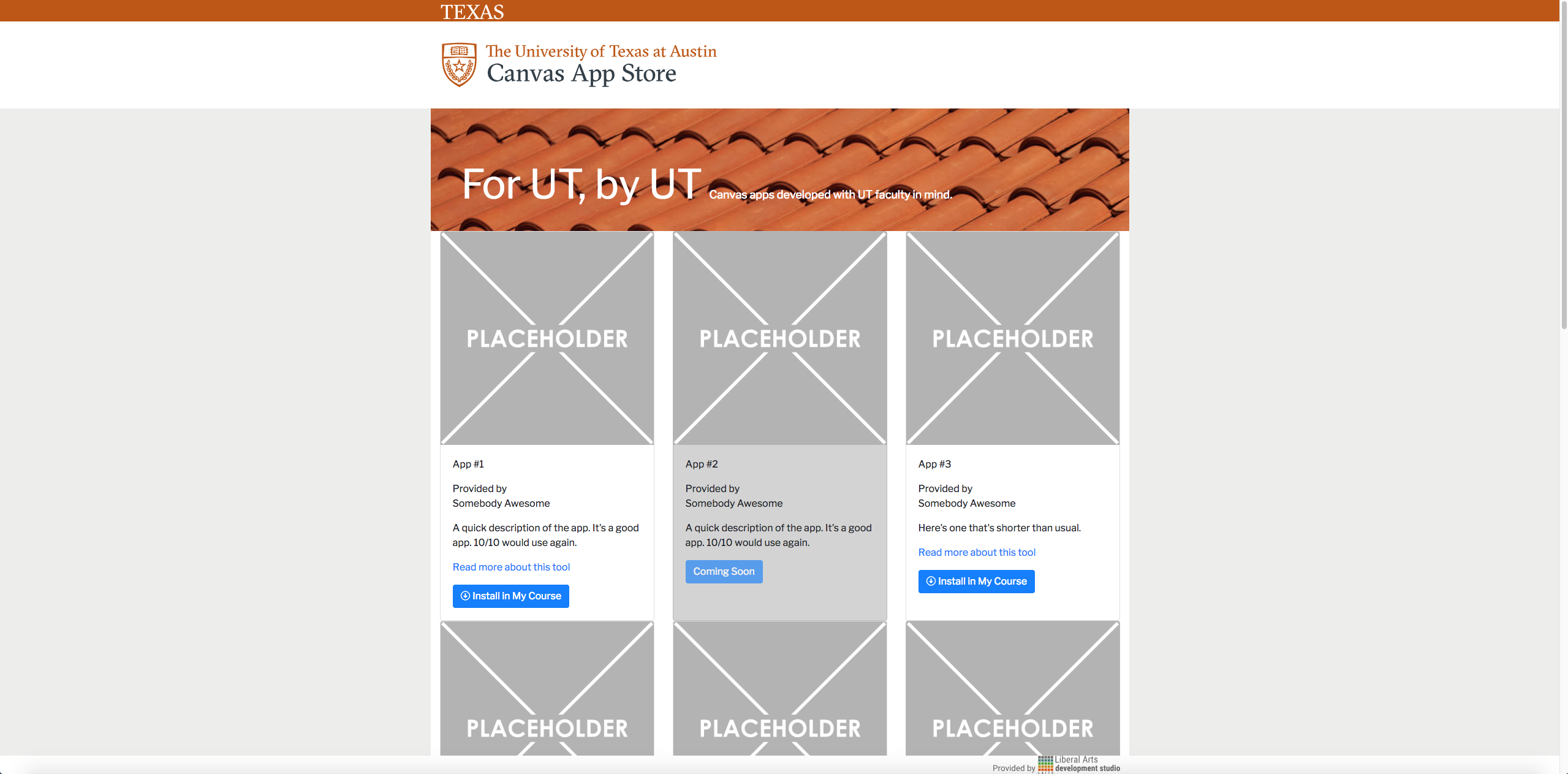
Here’s a screenshot of the site so far. I changed the “Texas” logo, the “Canvas App Store” bit, as well as the tiled banner and the text overlaid on it. Getting the tiled banner to display was a REAL pain, but Chris taught me how to resize images on Photoshop on my own so I was able to work on that on my own. I’m hoping to finish the banner completely by next time, but overlaying the image button (which takes you back to canvas) over the tiled banner is turning out to be far more difficult than I expected.


So far so good, I’m really loving the orange tones EVERYWHERE on the mockup and this site!

Filed Under: 2018 Fall - 2019 Spring

it’s been two weeks!

October 24, 2018 By Chloe Kim

Last time, I worked on a few AIH logo design:


I also finally finished the content portion of the AIH website!!!! But I still have to make new adjustments that Stacy asked me too… sed.

I also got the opportunity to finally work on the RUS412 projects for both illustration & animation. I had to color in the blank people for the previous illustrations:

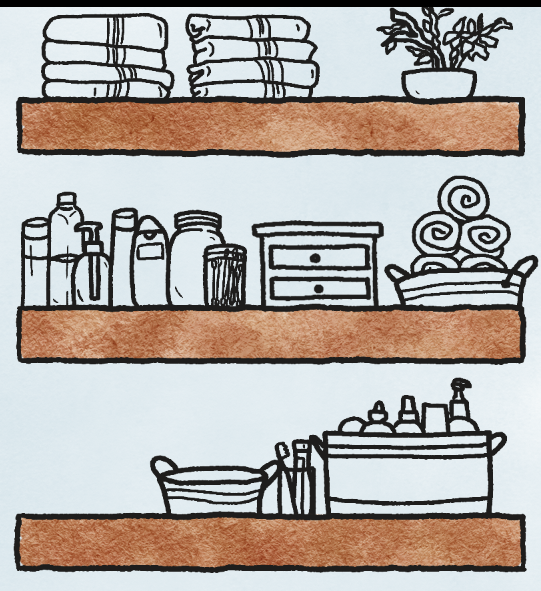
For the RUS412 animation, Tate has asked me to decorate a bathroom shelf with bottles, towels, etc. Here’s my sketch so far:

And then I have been doing photo ID’s here and there:

Filed Under: 2018 Fall - 2019 Spring, Uncategorized

RUS412 Laundry Box

October 24, 2018 By Tate Gibson

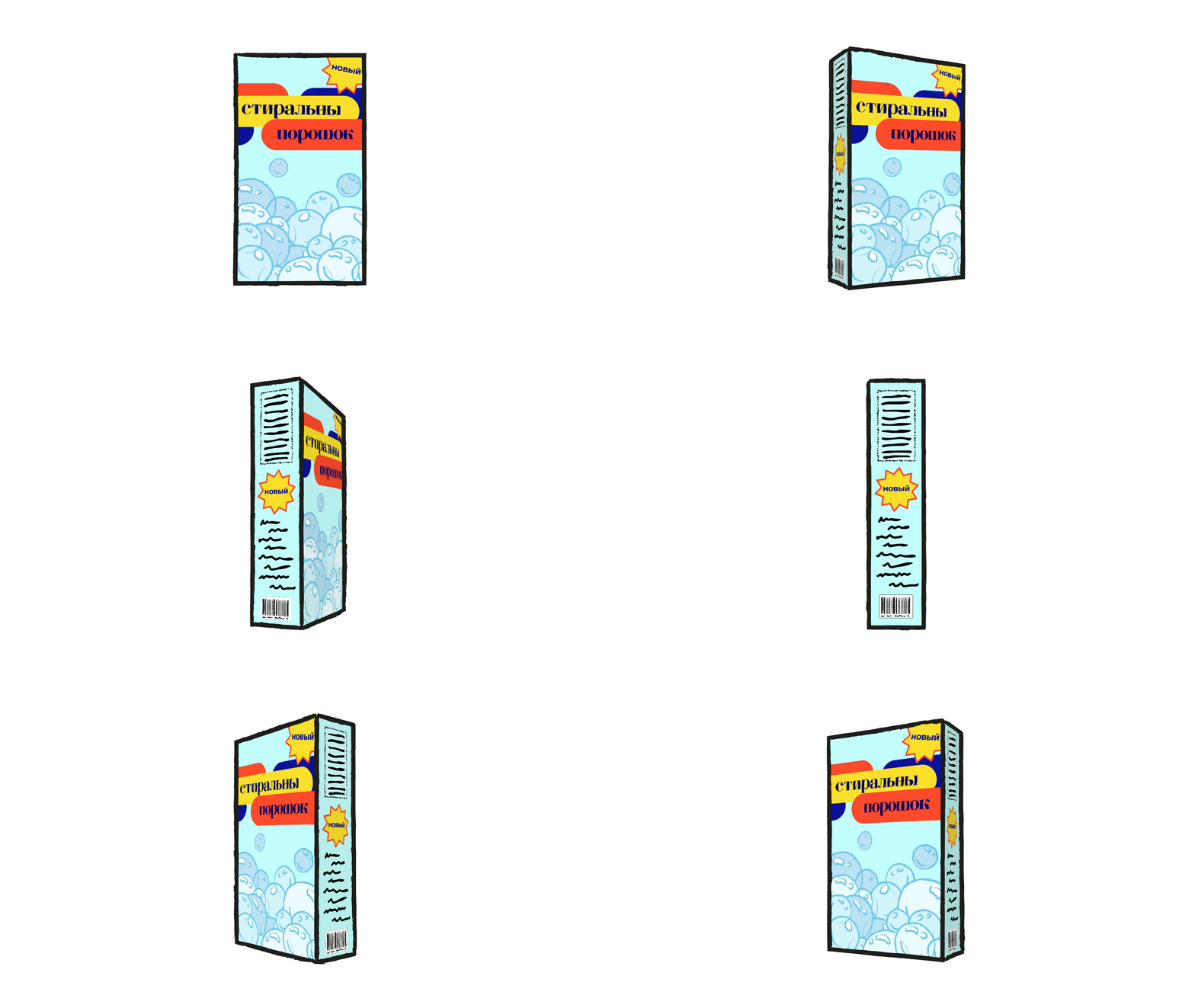
You may have seen some of the great work that Emily did helping create a bunch of angles for this laundry box, but I added the logo to it! I was going to give this to Emily to work on, but I forgot that Adobe Animate’s Distort feature is super finicky, so I had to export the logo at a super high resolution from Animate into Photoshop, distort it, then re-import into Animate. Click the box to see it spin!

Filed Under: 2018 Fall - 2019 Spring

  • « Previous Page
  • 1
  • …
  • 42
  • 43
  • 44
  • 45
  • 46
  • …
  • 62
  • Next Page »

link to LAITS home page

Video STA Home

© 2025 Liberal Arts Instructional Technology Services | Production Credits