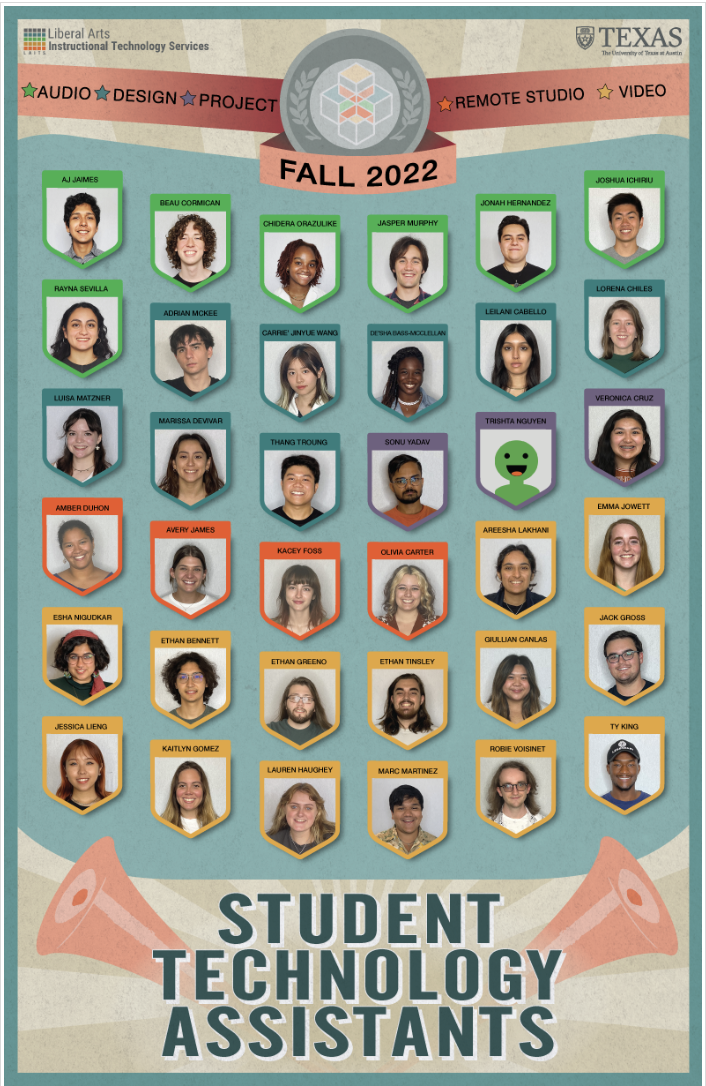
• We are STAs
    • Asha Rountree
    • Haley Ma
    • Kate Shih
    • Kyra Lee
    • Nicholas Peasley
    • Sasha Kenney
    • Shanda Horm
    • Shriya Atreya
    • Tomas Marulanda-Mesa
  • We were STAs
  • STA Presentation
    • STA Presentation 2017
    • STA Presentation 2016
  • Testimonials
  • Resources
  • Home

STA Blog

Current Sta

NTR Animations

August 23, 2022 By De'sha Bass-McClellan

NTR Animations

This is the animations for the NTR course. I kept with the design of the original assets and just added in the animation. The stinger is based on the original chat stinger animation but the intro in a design thought up by Luisa

Stinger:

http://sta.laits.utexas.edu/wp-content/uploads/2022/08/NTR306_Chat_Stinger.mp4


Intro:

There was a few problems with the final animation draft. I now know you can import PSD files into After Effects to create better video quality.

http://sta.laits.utexas.edu/wp-content/uploads/2022/08/NTR306_Intro.mp4

Filed Under: Fall 2022 - Spring 2023, We are STAs

UTFC Module 5 Banners

July 7, 2022 By De'sha Bass-McClellan

UTFC Module 5 Banners


This week, my main focus was on creating the UTFC module 5 banners. There were a total of 6 to complete for this module. In addition, I was assigned to complete some plain banners of all the color variation for the UTFC project too.


5.1 Casablanca

5.2 Marrakech

5.3 Alger

5.4 Tunis

5.5 Beyrouth

5.6 Caire

Plain Banners

Filed Under: Fall 2022 - Spring 2023, We are STAs

UTFC 5.3 & 5.4 Backdrops

June 28, 2022 By De'sha Bass-McClellan

UTFC 5.3 & 5.4 Backdrops

For the past couple of weeks, I have been working on completing the backdrops for UTFC 5.3 & 5.4. The other backdrops for this module, I assigned to Adrian to complete.

Alger 5.3

Tunis 5.4

I believe I am doing really well so far managing the French Textbook course. I am ahead so far on the backdrops and beginning to work on the banners for module 5.

Filed Under: Fall 2022 - Spring 2023, We are STAs

Welcome to the STA Blog!

June 21, 2022 By Luisa Matzner

Hi Louisa! 🙂 Welcome to the STA Blog! This the page where your blog posts will published.
Toward the end of your STA Orientation, you’ll design and upload a banner to go at the top of this page.

Upload a Blog Banner


Step One: Design Your Banner in Photoshop

Use these Photoshop specs when you’re making your banner:

  • Your banner should be 780 pixels wide (the height doesn’t matter)
    • Must include your name, your major, and your expected graduation year
    • Your banner should reflect who you are (your personality, interests or major)
    • Make sure to save your banner for the web (i.e. File > Export > Save for Web (Legacy))
    • If you save your banner as a JPG, make sure sure the quality is high (i.e. at least 60)

Step Two: Save Your Banner

  • There are two places you can save your completed projects: UT Box and the LAITS server. You’ll be given a personal folder in both locations. For now, you only have to save your banner to UT Box, but you may have to access the server at some point in the future.

Accessing UT Box

  • If you haven’t already registered with Duo,  follow the instructions here to set up an account.
    • Then log in to UT Box with your EID and password: http://utexas.box.com/
    • Go to the folder called Design-Coding-STAs, then the subfolder STA-folders
    • Find the folder with your name on it
    • Save your banner both as an image and an unmerged PSD

Accessing the LAITS server

  • Accessing the LAITS server from off-campus is slightly more complicated.
    • You’ll need to be registered with Duo if you aren’t already (you can register here).
    • Then you’ll need to connect to the UT VPN and the LAITS server. The videos below will walk you through how to do that:
      • Connect to the Server – PC
      • Connect to the Server – Mac
    •  Then navigate to your STA volume folder and save
      • smb://file.laits.utexas.edu/sta/Luisa Matzner
    • Save your banner both as an image and an unmerged PSD

Step Three: Upload Your Banner to the STA Blog

  • Log in the the STA Blog here.  You should’ve received an email confirming your new WordPress account with your username and assigned password. If didn’t get it or you can’t log in, ask Suloni or another STA.
  • You’ll be able to change your password anytime by going to Users > Your Profile > Account Management > New Password.

Uploading media and banners in WP

  • Read these links before you upload your banner.
  • They will walk you through how to upload media to your blog.

How to Upload a Homepage Banner

Adding New Posts and Media

Make Your First Blog post


  • Reflect on the day. You blog posts will be a documented experience of your time as an STA with LAITS. They can include anything you want to share about the projects you’re working on, and the more media (screenshots, images, links, videos, gifs) you can use, the better.
  • For today, write a bit about about yourself and what you did during orientation.
  • If you haven’t already, upload your banner.

Things to Remember


Image Specs

  • You should never copy and paste images intoto your blog. Always upload images into the media section of blog first (Click on the add media button), then insert the image from the media folder to display on your blog.
  • Don’t use the thumbnail version of your images.
  • Use images that are 72 dpi
  • Screenshots are fine
  • Images that are 780 pix wide format nicely above or below text blocks

Always Categorize Your Posts

  • Always check the category “2019 Fall-Winter | Spring-Summer 2020” on the blog posts you make this summer. This is the only category you need to check.
  • Make sure your posts are categorized correctly so that all of your work is documented in the correct semesters.

Commenting on Basecamp

Notification comments: etiquette, files, questions, feedback

Let us know when you’ve completed this task by adding a link to your blog to a comment in Basecamp.
Notes for all comments in Basecamp:
  • *Always address the person/people you are writing to by their names.
  • *Always use complete sentences.
  • *Always add links or paths to your design file in your STA folder.
  • *Make it easier for your collaborators and mentors to give you feedback on a design by adding screenshots to your comment.


Notify people in Basecamp by adding the @ symbol before their names (no spaces), otherwise they may not see your comment.

@ your STA mentor and Suloni in your comments when you want to:

  • ask us questions about the mechanics of using the STA blog,
  • about the mechanics of photoshop,
  • to let us know that you have completed this task,
  • or that you would like a little feedback on on your banner design 🙂

Thank you & have fun!

Filed Under: Fall 2022 - Spring 2023, We are STAs

UTFC Practice

May 24, 2022 By De'sha Bass-McClellan

French Textbook Practice

For the last two weeks, Abriella was preparing to pass the French Textbook project to me. As a result, she gave me a few practice assignments based on the overall items I will be creating during this project. A lot of these items are not in the final stage of what I would put out for this project, but Abriella gave me great feedback on approval and I was assigned the next task since she was leaving soon.


Digital Backdrops:

Orginals:

Edits:

Feedback:

  • For the 4×4, collage, and single image they are a bit dark and could go lighter.
  • I could also blur the images more so they aren’t so crisp.
  • Also, the water color backdrop shouldn’t be a standard 4×4. Add range in the position of the images.


Greenscreen:

The greenscreen turned out really good and Abriella didn’t have any feedback.

[UTFC] Colors and Common Objects

Banners:

Feedback:

  • On the images of the buildings, they could be lighter, especially the tower because there is a lot of black.
  • On the smaller banners, I could extend the buildings out more towards the letters so there isn’t so much blank space.

Draft:


French Textbook France Video

After I completed the practice assignments, I had a meeting with Yazz and everyone else on the project to discuss the hand-off. I was assigned to create some templates for the video they will be creating for france.


PowerPoint 1: Strasbourg
  •  Title Slide with 4 panel
  •  Title slid with Watercolor
  •  Full tan color BG with black text (make 4-5)
 PowerPoint 2: Paris
  •  Title Slide with 4 panel
  •  Title slid with Watercolor
  •  Full tan color BG with black text (make 4-5)
PowerPoint 3: Lyon
  •  Title Slide with 4 panel
  •  Title slid with Watercolor
  •  Full tan color BG with black text (make 4-5)
Final Drafts:
[UTCF] Strasbourg Template
[UTCF] Paris Template
[UTCF] Lyon Template

Filed Under: Fall 2021 - Spring 2022, We are STAs

Student Services Movie Posters

May 24, 2022 By De'sha Bass-McClellan

“Superhero” Style Poster

project: “Superhero” Style Poster
Client /Prof: New Student Services
completion status: Started May 3rd 2022
staff guidance: Valerie
STA team members: N/A
description/plans: Use a superhero poster of black widow and seamlessly blend the OA’s face in as the main character in photoshop. Also, include past UT Alumni and Bevo in the background.
To be completed: May 4th 2022

Progress

This was a fun project to complete. At the beginning of the project, my main focus was finding famous UT Alumni that fit the angles for these posters. Next, I needed to add in the main OA, and Bevo. These were really simple to implement and I had to do some color balance to give off the red hue in the original poster. Lastly, I focused on adding in the title and subtitle. I wanted the effect on the text to match the original poster so I bent the font and erased some of the texture to create the design.


Poster with Famous UT Alumni:

Kevin Durant, Janis Joplin, Neil deGrasse Tyson, and Renée Zellweger.

Final Design:

After this poster was uploaded, it was later realized that the titles of two posters were switched. Therefore, I was in charge of changing the titles and subtitles for both the superhero and horror movie posters.

“Silent Film” Style Poster

project: “Silent Film” Style Poster
Client /Prof: New Student Services
completion status: Started May 3rd 2022
staff guidance: Valerie
STA team members: N/A
description/plans: Use two silent film show posters, combine different assets from each and seamlessly blend the OA’s faces in as the characters in photoshop.
To be completed: May 4th 2022

Progress

This poster was a little more challenging because the poster was a sepia color with an older texture. I wanted to be able to add in the OA’s to create a realistic poster design. In addition, I needed to add in another “alien head” and three circles to make room for all five OAs.

Planning Process:

  1. Re-arrange the overall layout of the poster.
  2. Add in the the main two OA’s faces. Color match and blend into the environment.
  3. Add in the UT Tower in the background.
  4. Add the remaining OA’s into the scene and color match.
  5. Cut and format the text to say “freedom”

Original Posters:


Poster designs combined:

First draft of poster with OA’s, Title & Tower.

Completed Poster

“Sitcom” Style Poster

project: “Sitcom” Style Poster
Client /Prof: New Student Services
completion status: Started May 3rd 2022
staff guidance: Valerie
STA team members: N/A
description/plans: Use a sitcom show poster and seamlessly blend the OA’s face in as the main character in photoshop.
To be completed: May 4th 2022

Progress

For this project, I decided to use the office as the sitcom. Based on the images provided of the OA, it was best to use the image with them facing forward to match the composition.

In addition, I adding a slight grain to the image better match the quality of the background actors in the poster.


New Skills Learned:

  • Using the Spot Healing Brush Tool – It was nice to make things disappear

Upon some edits from Mike, I was asked to remove one of the actors from the background and rearrange some of the titles.

Afterwards, I passed this project over to Rachel to complete the Final edits so that I could work on completing the silent film and superhero movie posters.

Filed Under: Fall 2021 - Spring 2022, We are STAs

  • « Previous Page
  • 1
  • …
  • 57
  • 58
  • 59
  • 60
  • 61
  • …
  • 126
  • Next Page »

link to LAITS home page

Video STA Home

© 2025 Liberal Arts Instructional Technology Services | Production Credits