• We are STAs
    • Asha Rountree
    • Haley Ma
    • Kate Shih
    • Kyra Lee
    • Nicholas Peasley
    • Sasha Kenney
    • Shanda Horm
    • Shriya Atreya
    • Tomas Marulanda-Mesa
  • We were STAs
  • STA Presentation
    • STA Presentation 2017
    • STA Presentation 2016
  • Testimonials
  • Resources
  • Home

STA Blog

Adrian McKee

Adrian McKee

Housekeep: Color Theory Training

September 30, 2021 By Adrian McKee

Housekeep: Color Theory Training

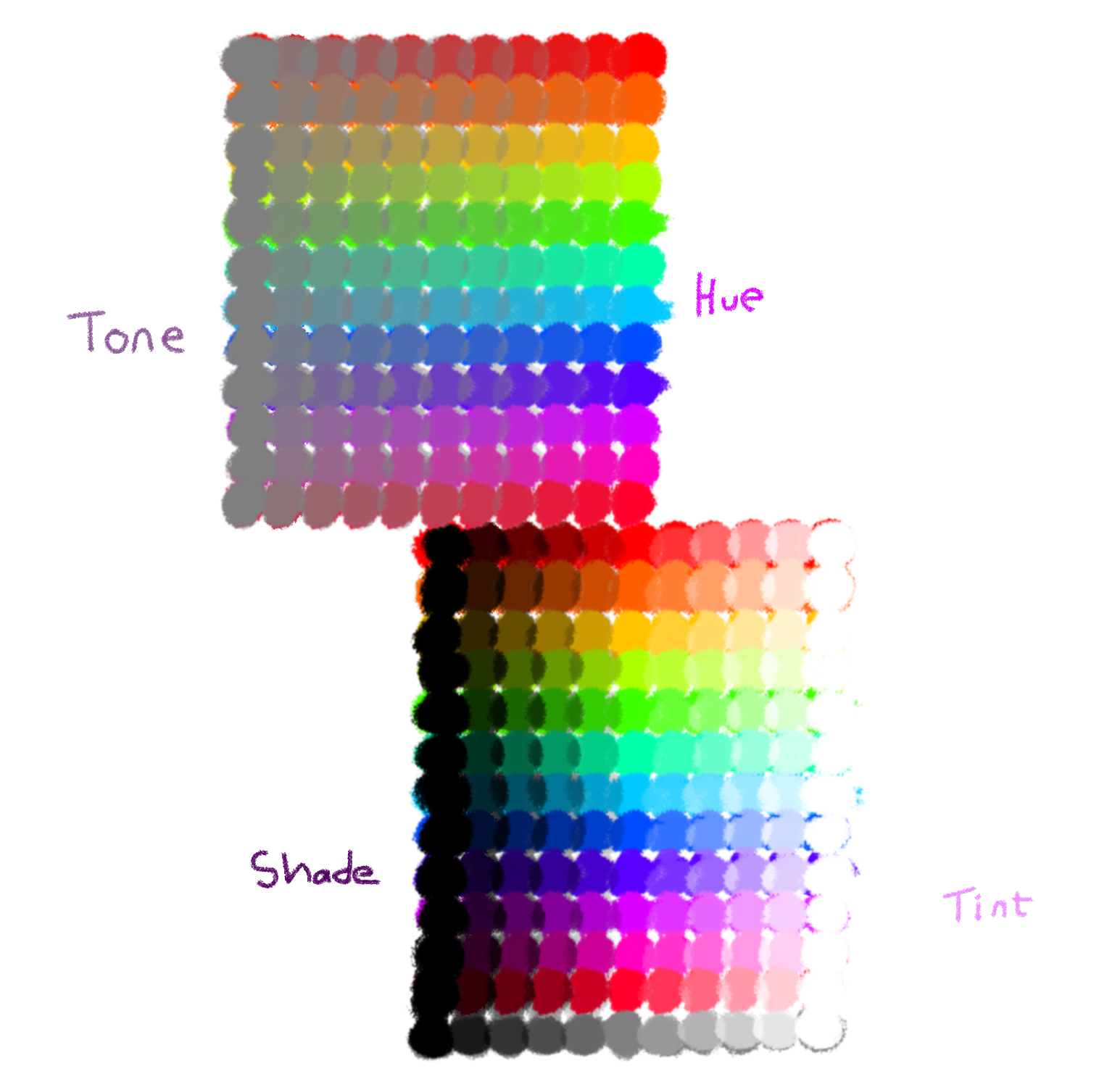
This week, I did the Color Theory training, which provided a lot of useful info on color design. The first section went over the physics of color, defining hue, tone, shade, and tint. The activity was to draw our own color wheel demonstrating all 4, of which mine turned out to be more of a grid, but oh well.
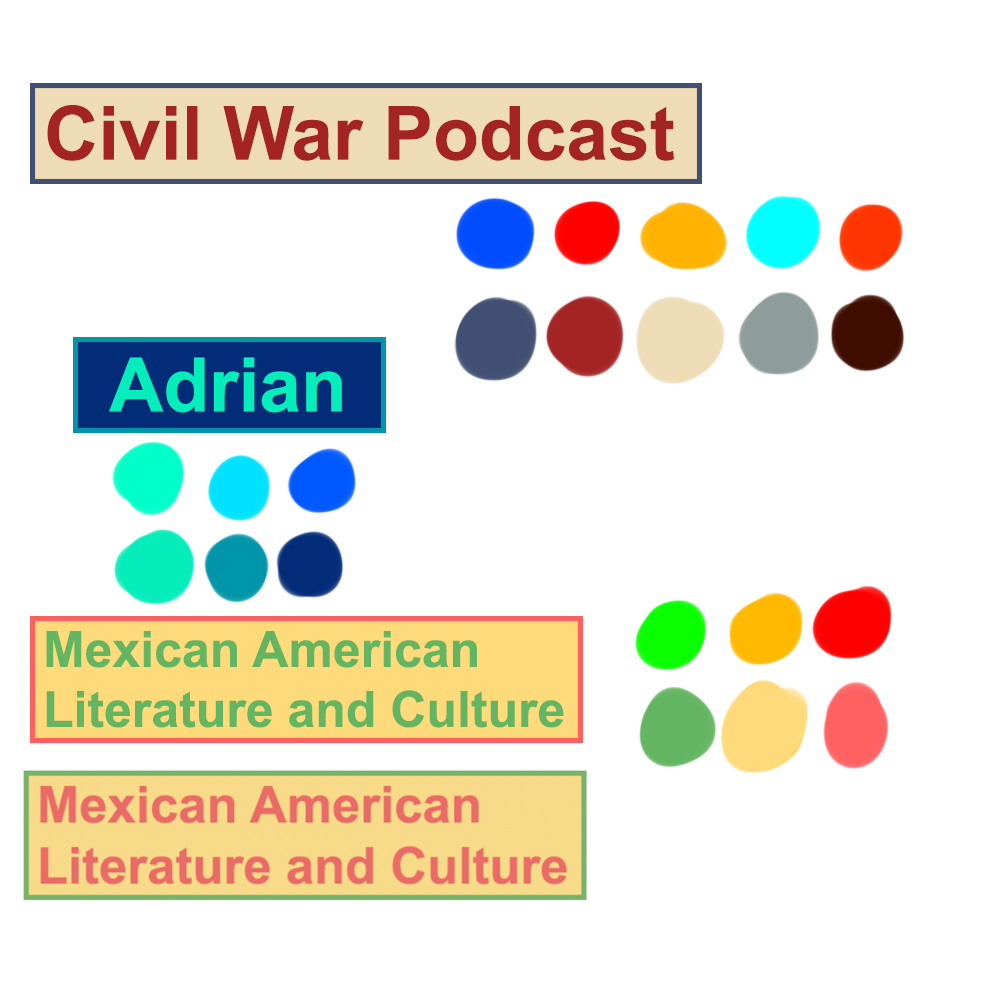
The second section covered color psychology and the palette design. The activity was to select a palette for 3 different fictional clients.
Below is my experimental new tutorial ranking system.

Theory:

☆☆☆☆☆

Great info here, I love reading about the history and science of something.

Technical skill:

☆☆☆★★

Not really the focus for this training, but it did explain how to set additive or subtractive color in Photoshop/Illustrator, and provided some color tools.

Instructional clarity:

☆☆☆☆★

I got slightly lost at the very last activity, but mostly because I jumped ahead.
Filed Under: Fall 2021 - Spring 2022

Housekeeping: Shapes Training

September 23, 2021 By Adrian McKee

Housekeeping: Shapes Training

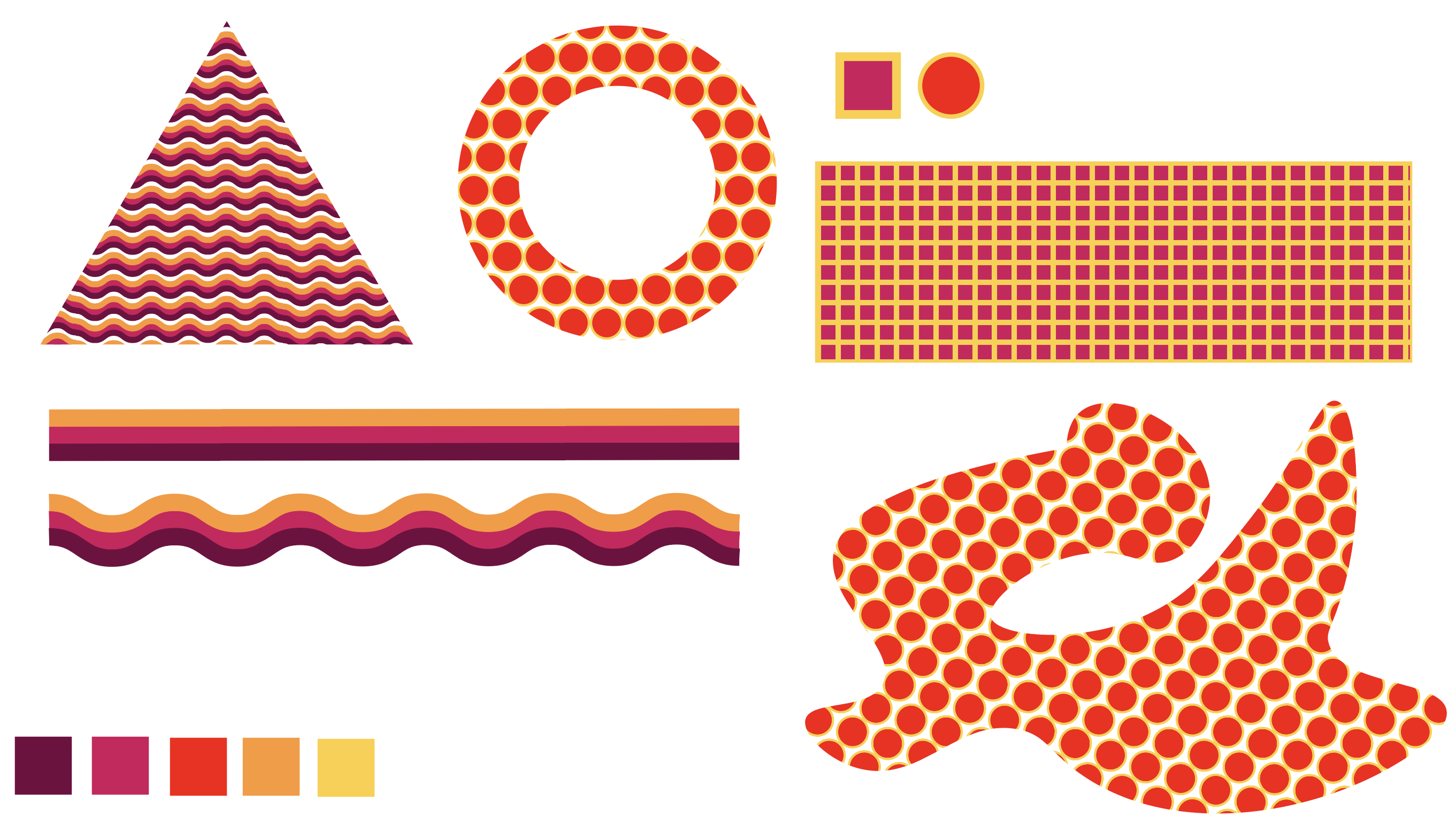
This week, I completed the Shape and Pattern training, which was very informative. Also: my first foray into Illustrator! I’m not that experience with vector editors…
Similar to the History of Design training, I liked the step-by-step nature of it. Besides some minor confusion on the third assignment, all of it was very clear.

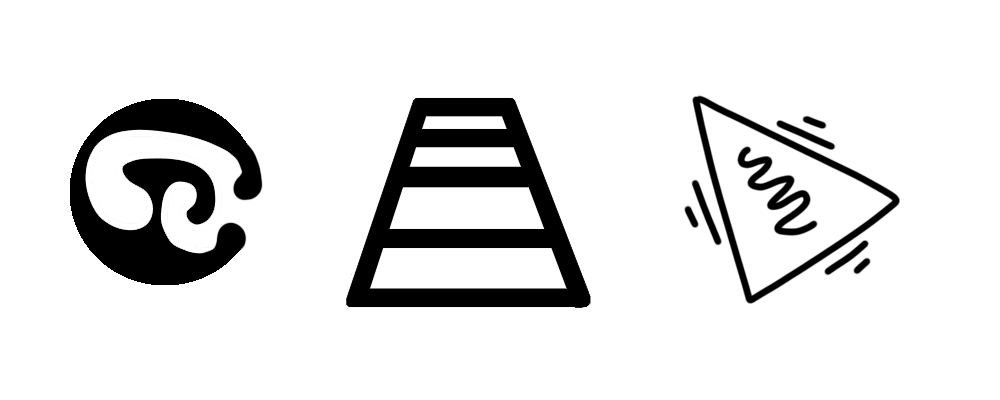
The first section I actually did in Photoshop, so you can see the raster elements especially on that circle shape. I hope I can use the Keith Haring triangle for something one day! I was supposed to design shapes for 3 different moods: relaxed, serious, and energetic.

The second section was in Illustrator proper, learning the layout and demonstrating various shape/pattern tools.

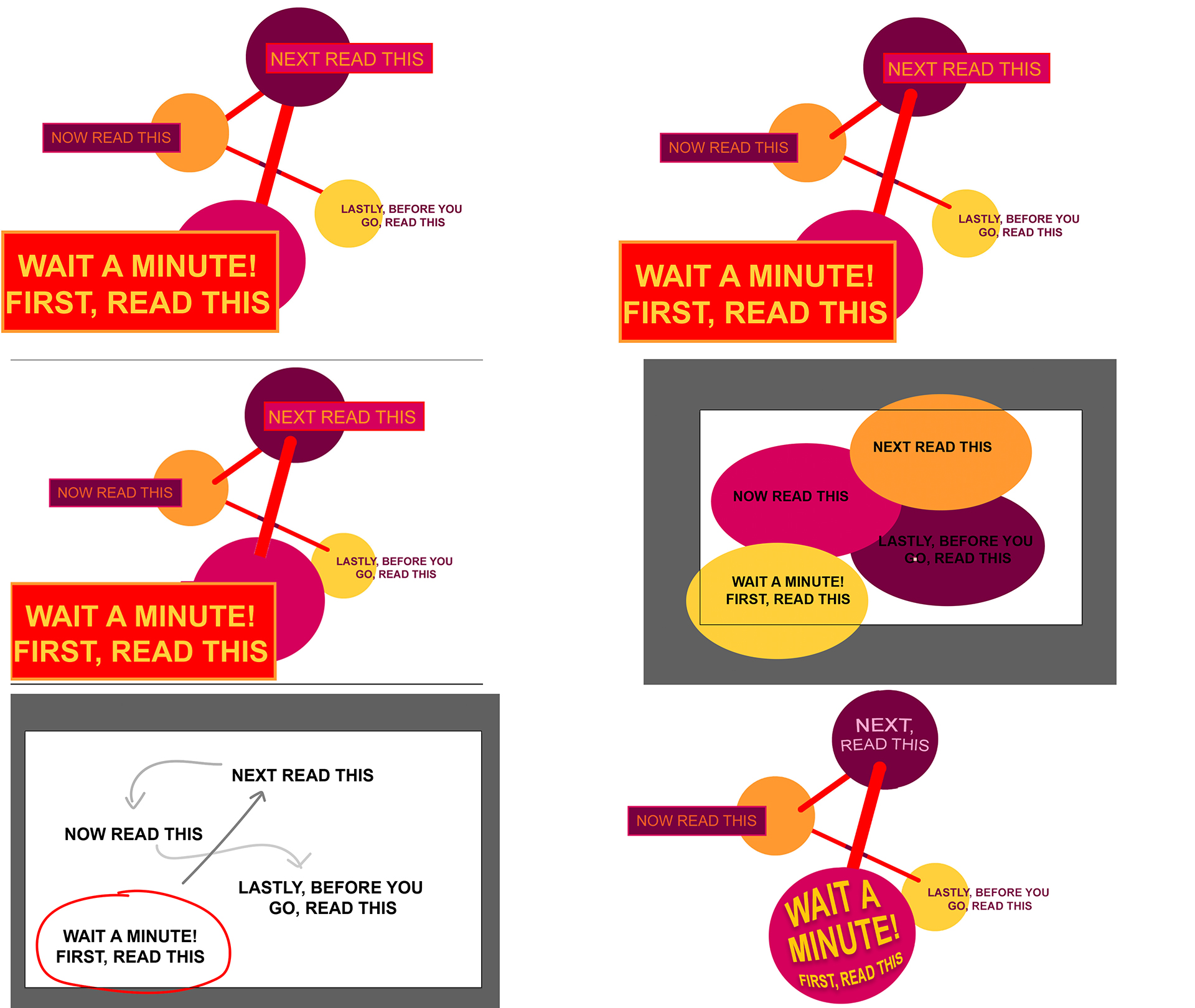
The third involved structuring a visual hierarchy around some text. The instructions were slightly vague, but I believe I was not supposed to move the text around.

In sum: not as scary as I thought, for my first time in raster editing!

EDIT:

After finishing, I got some more feedback from Maddy on better ways to design a visual hierarchy; I’m adding some of our back-and-forths.

Filed Under: Fall 2021 - Spring 2022

Housekeeping: Elements and Principles of Design training

September 20, 2021 By Adrian McKee

Housekeeping: Elements and Principles of Design training

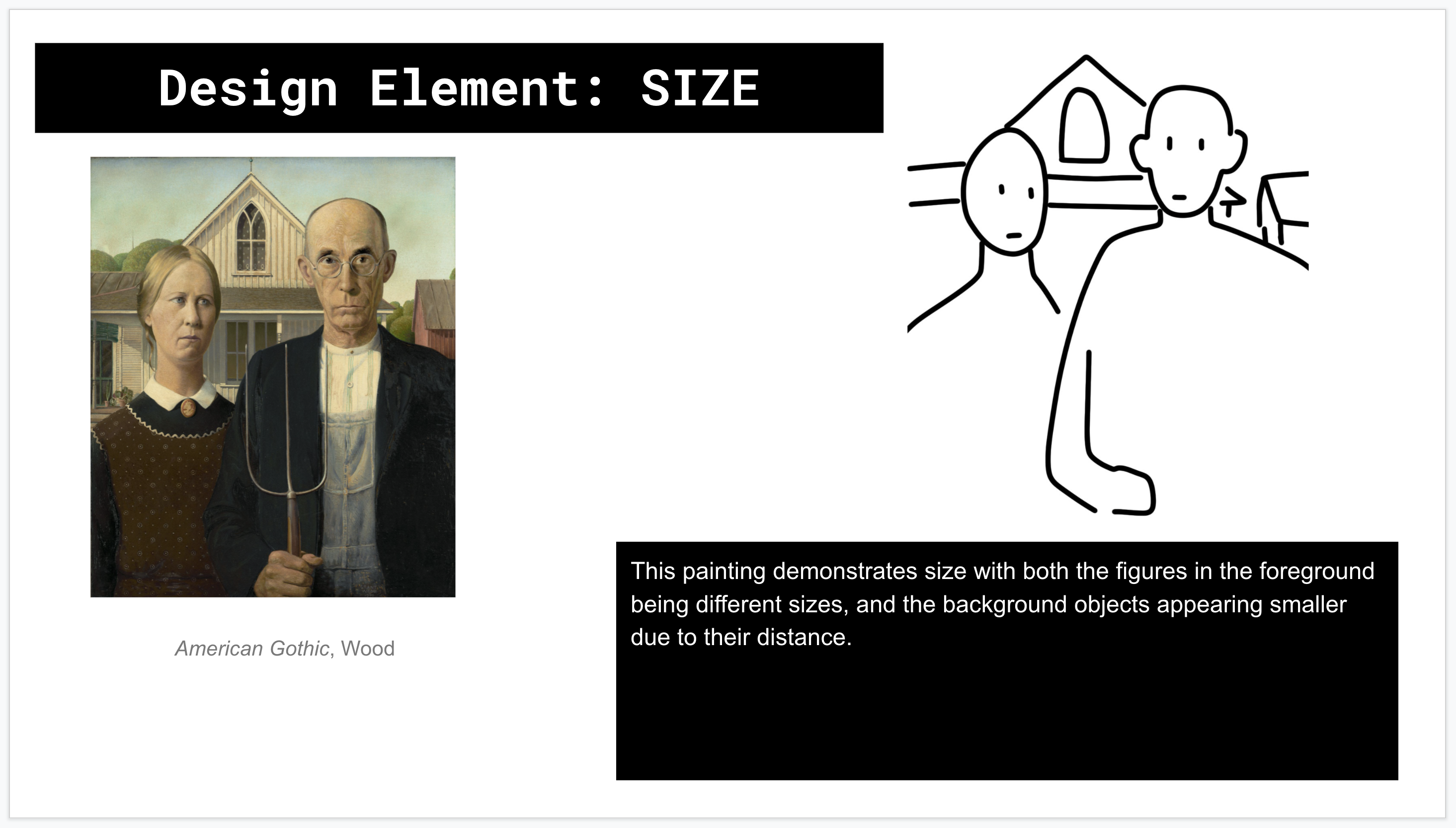
Some more housekeeping, as the CoLA Refresh project slowly picks up steam: I just completed the Principles and Elements of Design training, which involves demonstrating different design aspects using art as examples. I also created sketches outlining each feature. I won’t show you all of them, since there are close to 30, but here are two slides.

Some of the elements I found kind of subjective and hard to identify (like the difference between size and proportion, or balance and unity) but I had fun making the sketches. I particularly hope my American Gothic interpretation ends up in a stick figure museum one day.

EDIT:
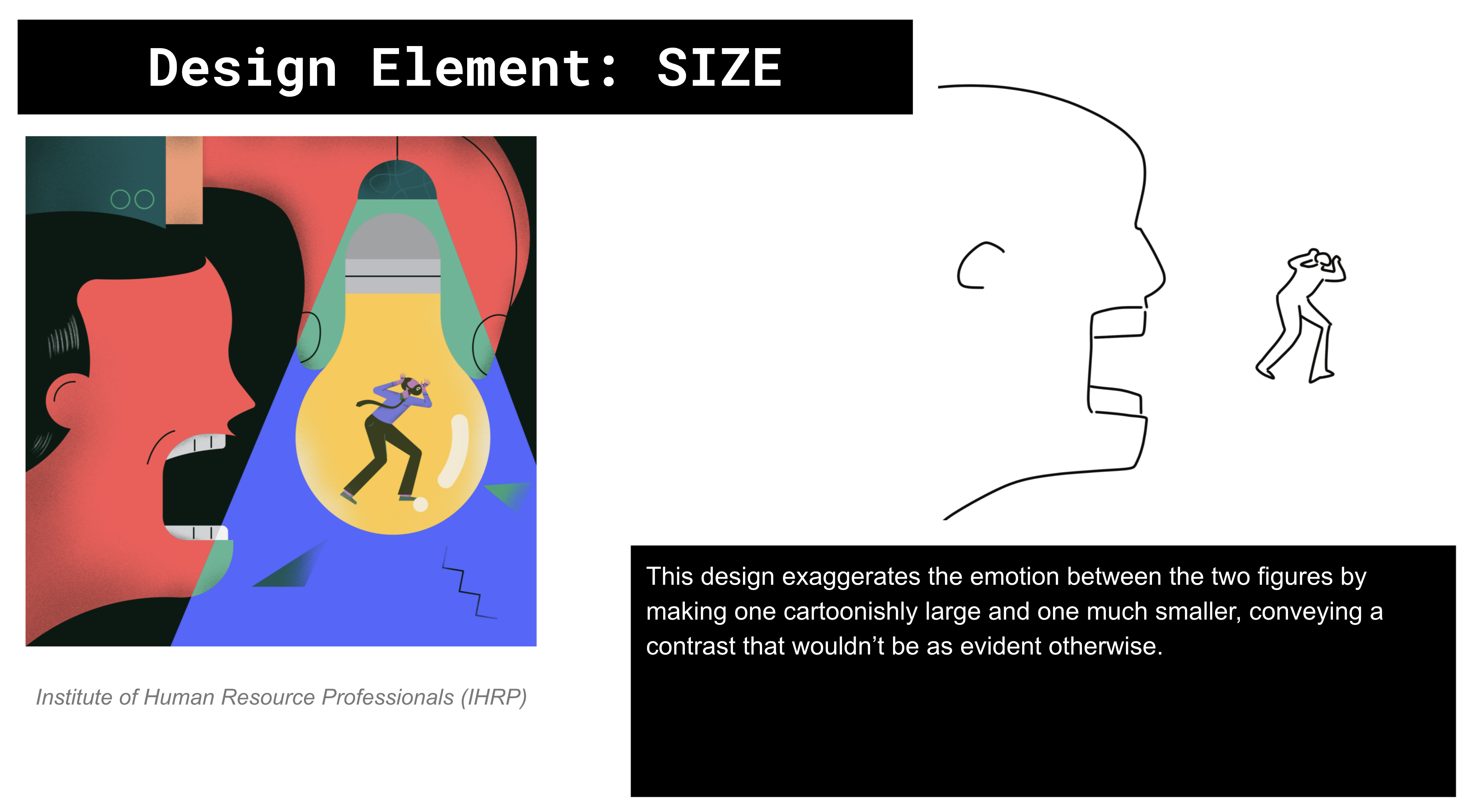
Got some feedback, and I revisited a few slides with more contemporary design examples, which was, honestly, much easier conceptually. We may end up clarifying in the KB post, but I wasn’t actually supposed to do classical art for all of them. Here is the “size” slide:

Filed Under: Fall 2021 - Spring 2022

Week IV: CoLA Refresh

September 16, 2021 By Adrian McKee

Week IV: CoLA Refresh

This week was fairly rote, so I don’t have much new to report on. Most of it was spent on the CoLA Refresh Project, working with Ingrid and Rahul to migrate pages listed on a very big spreadsheet.

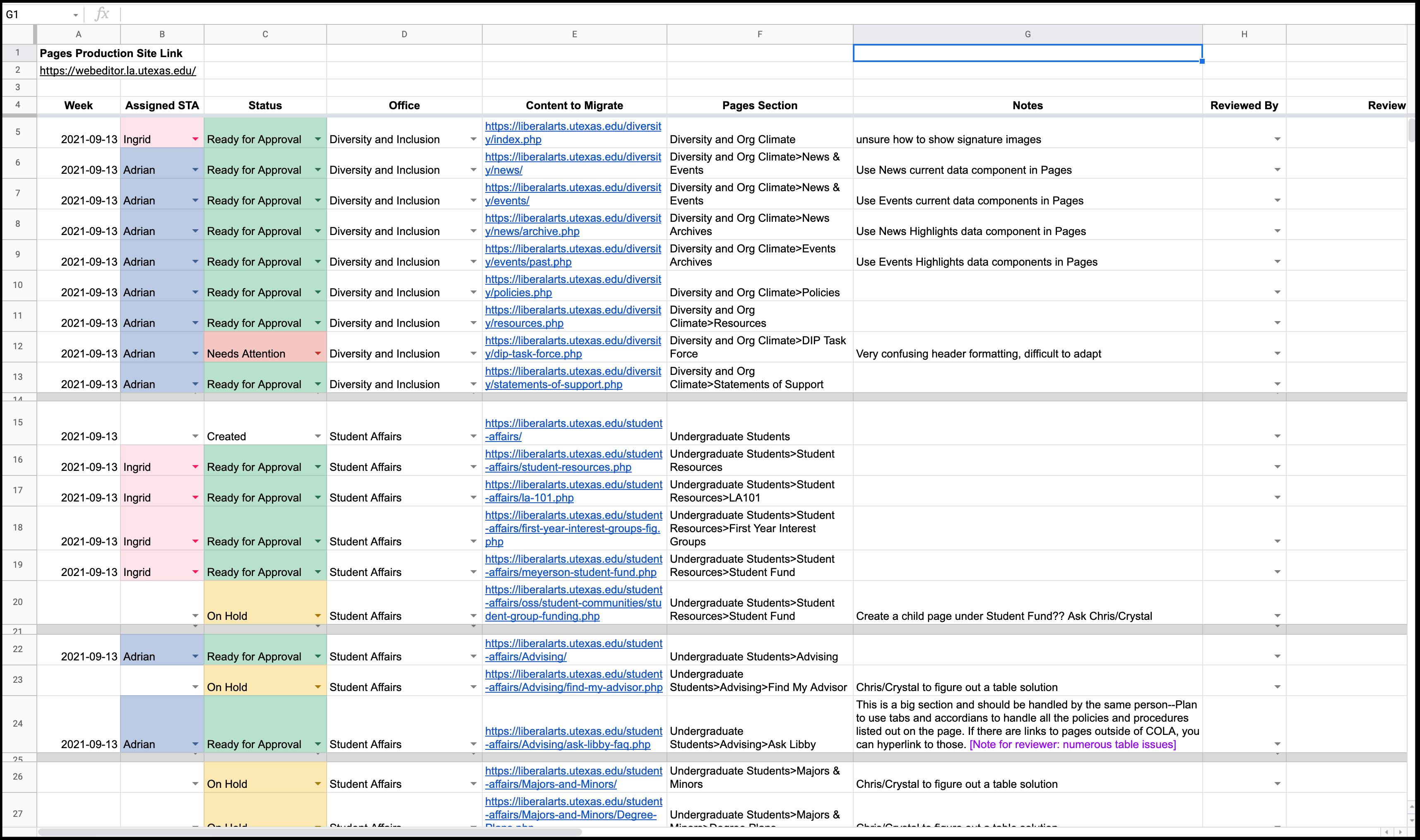
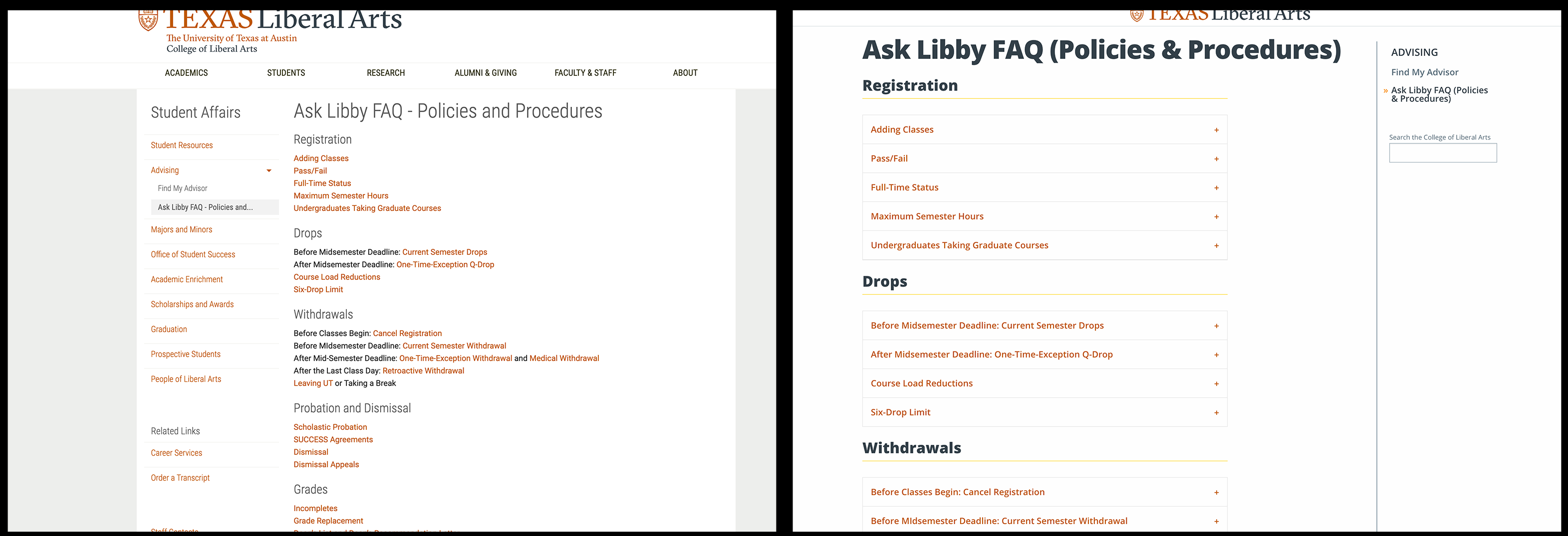
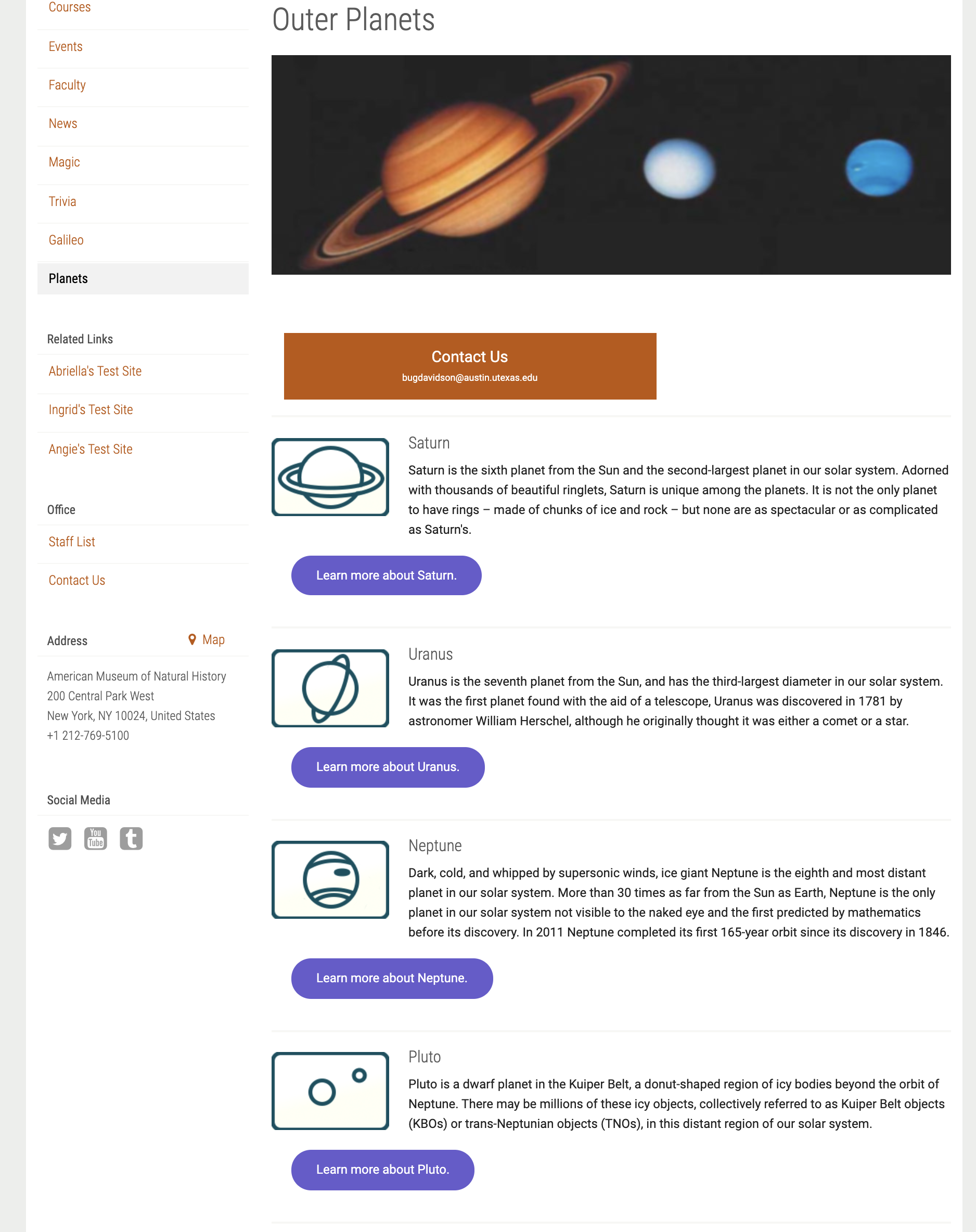
Here is one example of a particularly complex page I migrated, and I reformatted it.

This one was linked to 22 subpages which were all reformatted into accordion tabs. I could show you all 22 but there’s not much noteworthy except for a few with tables, which we are trying to find replacements for.

Filed Under: Fall 2021 - Spring 2022

Week III: Housekeeping

September 10, 2021 By Adrian McKee

Week III: Housekeeping

This week, leading up to and right after my Web Refresh meeting Wednesday, I was not given much to do in Pages. With Michelle’s permission, I worked on some basic STA trainings, though I was slightly sidetracked by some priority confusion.

History of Design Training

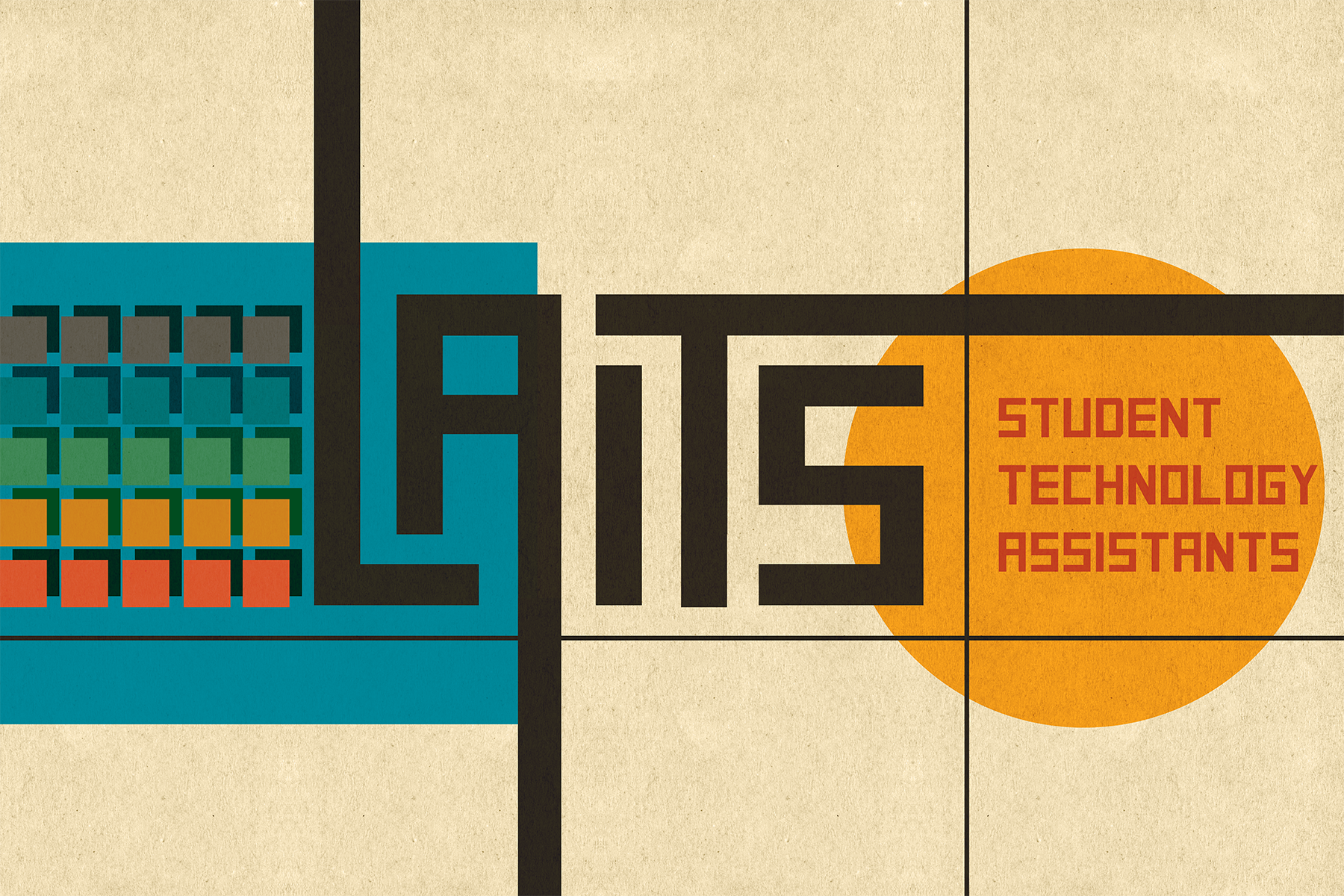
For this exercise, I made a Bauhaus-style poster. This was my first official design training (besides making banners for webdev trainings by blindly poking around in Photoshop) so I did pick up a bit more understanding of the software than the experimental method granted me.

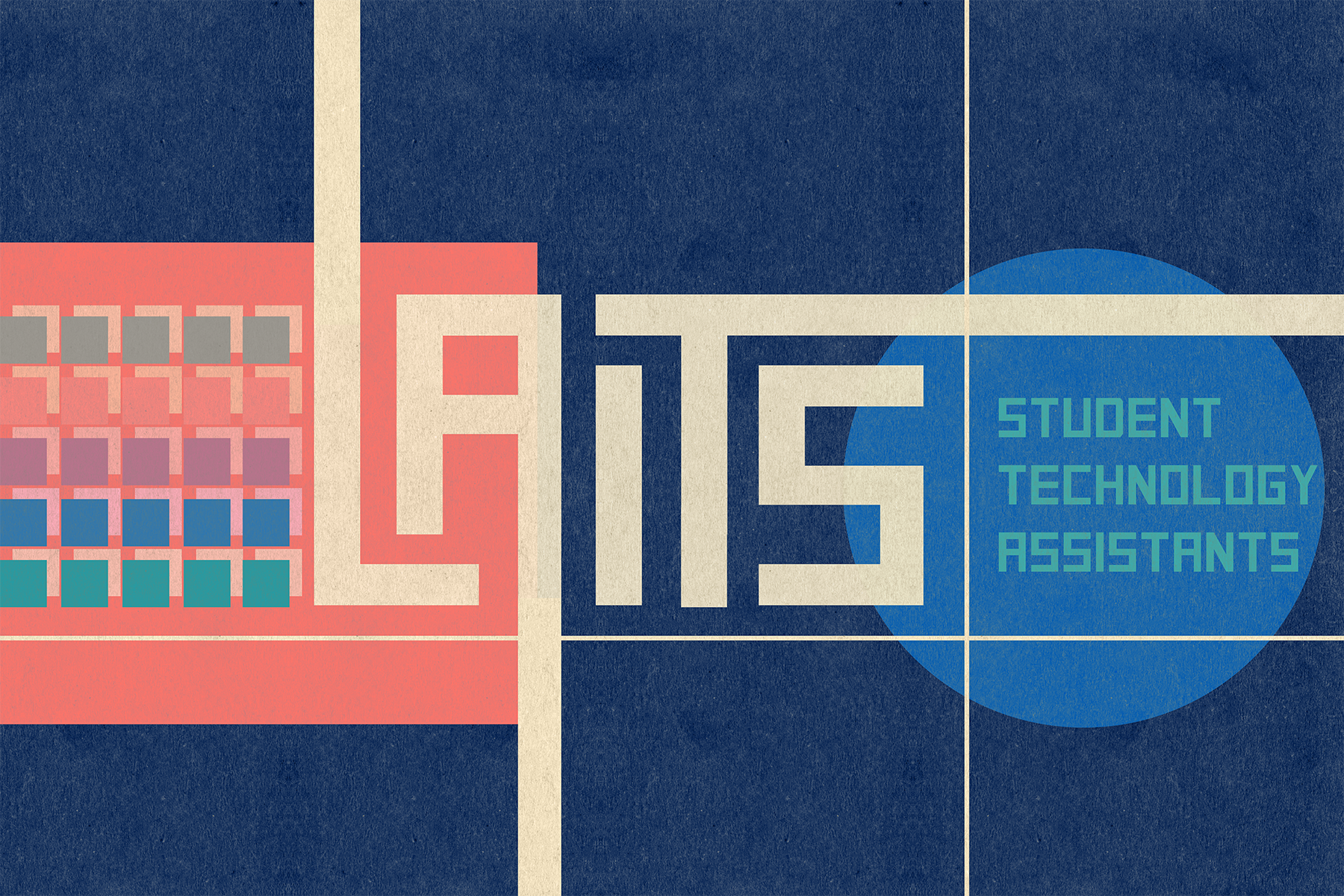
I also made an inverted version that looked more space-age than Weimar, by playing around with filters.

Color Correction Training

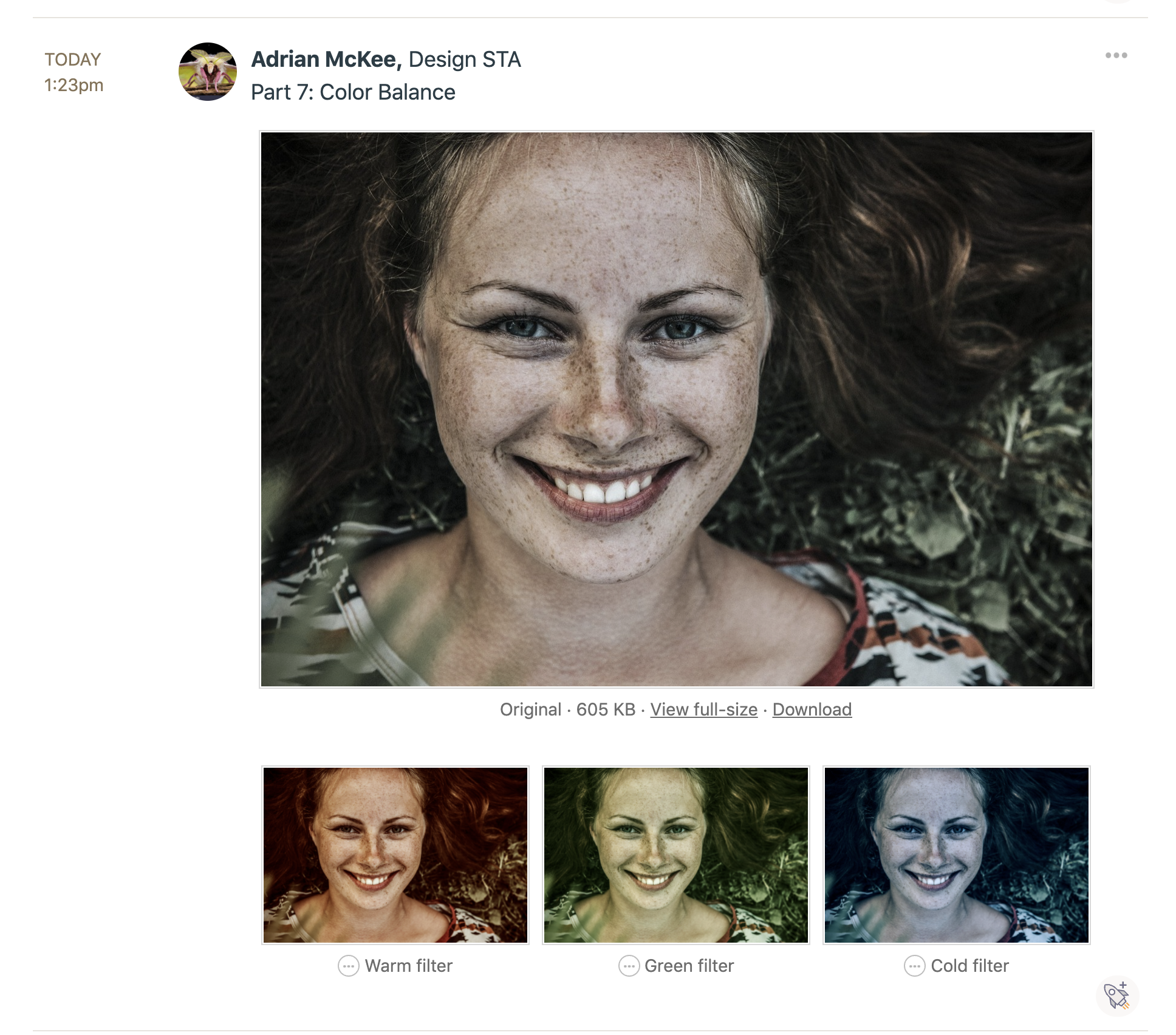
This training was straightforward enough that I don’t have much to report on, except my habit of over-saturating photo edits.

These in particular were commented on as a bit much; I think my experience with illustration has given me a maximalist impulse that I hardly realize sometimes.

Bonus: special operation from Suloni

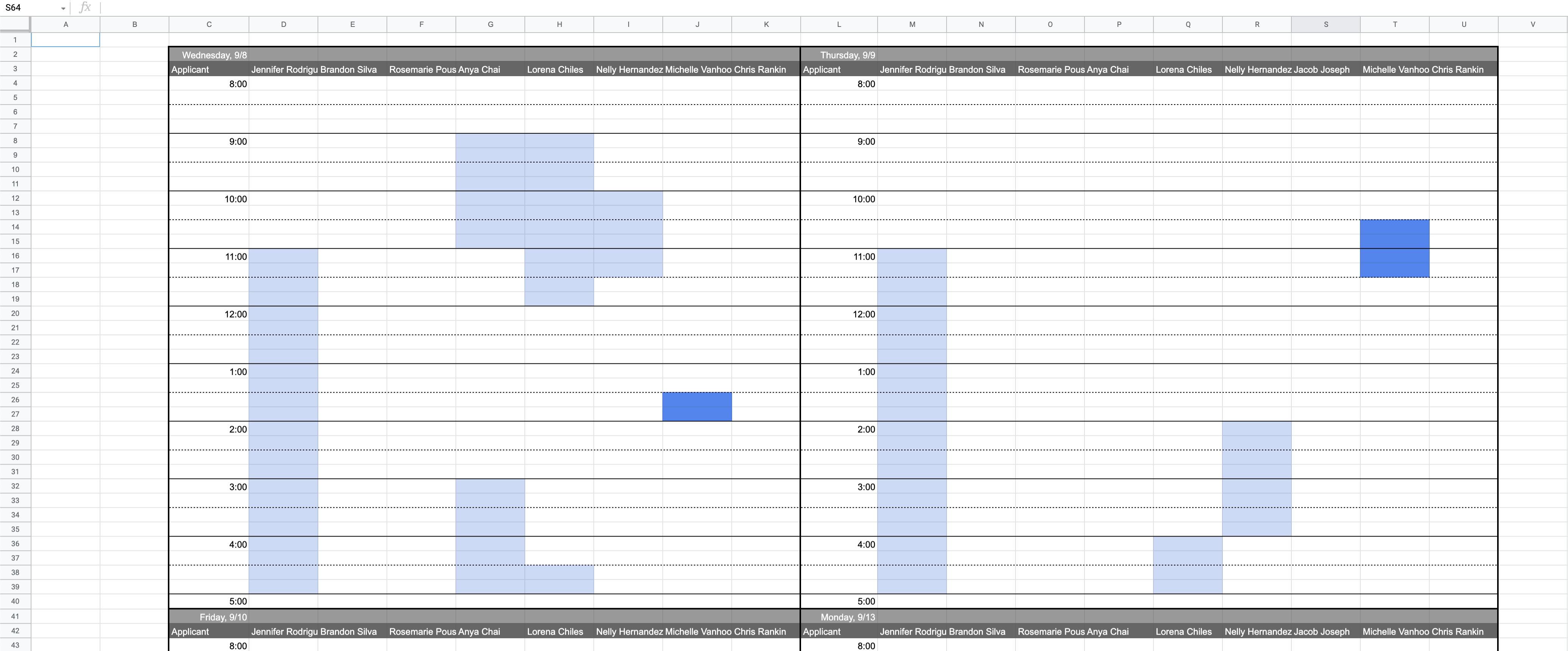
Another chunk of time this week was put into making a spreadsheet to help Suloni schedule interviews. I am not very good at Google Sheets, so it took some tedious experimenting to lay it out right, but I wanted to show off the meticulously formatted end result.
I also started the Photo ID training, but without enough progress to report here. Next week will probably be busier, once the Web Refresh project picks up steam.

Filed Under: Fall 2021 - Spring 2022

Week II: Pages and Banners

September 2, 2021 By Adrian McKee

Week II: Pages and Banners

Project: COLA Website Refresher
Client /Prof: N/A (College of Liberal Arts)
completion status: Started on August 30, 2021
staff guidance: Michelle Vanhoose, Chris Rankin
STA team members: Rahul, Ingrid
description/plans: Learn Pages and begin to transfer COLA website content into new CMS
To be completed: TBD (long-term)

A lot to cover today!

Cascade

At the very start of the week, I wrapped up the last part of my Cascade test site, adding buttons I had drawn in Photoshop the previous Friday.

Pages

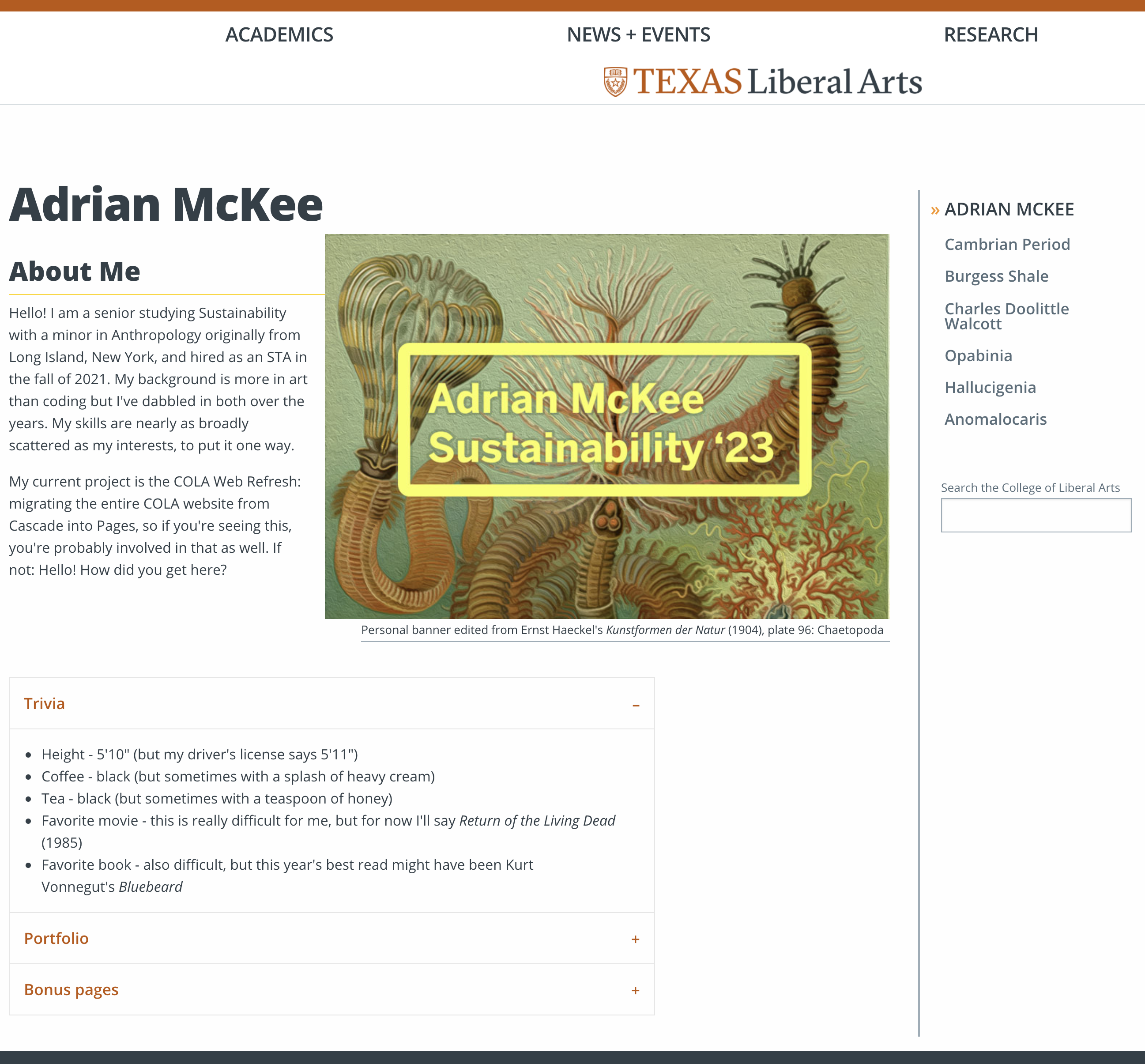
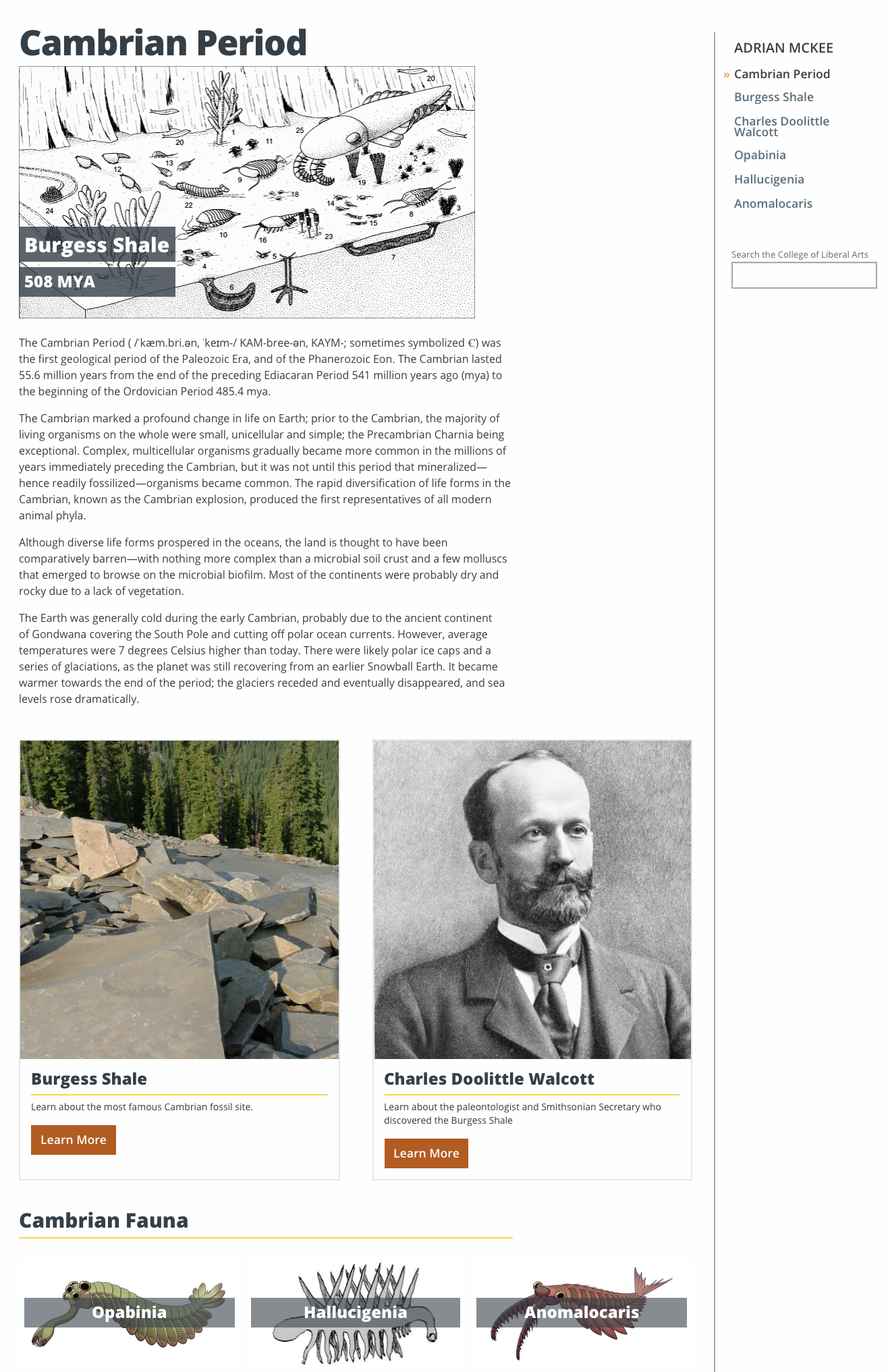
Most of this week was spent working on my Pages training for the COLA Web Refresh Project. Pages, as you may know by now, is a new CMS the COLA website is being migrated into from Cascade. The first part of this involved creating a personal site about an interest or hobby, and much like my Cascade page, I chose a natural science theme. Though for this one, I started with a homepage providing some basic information about myself.

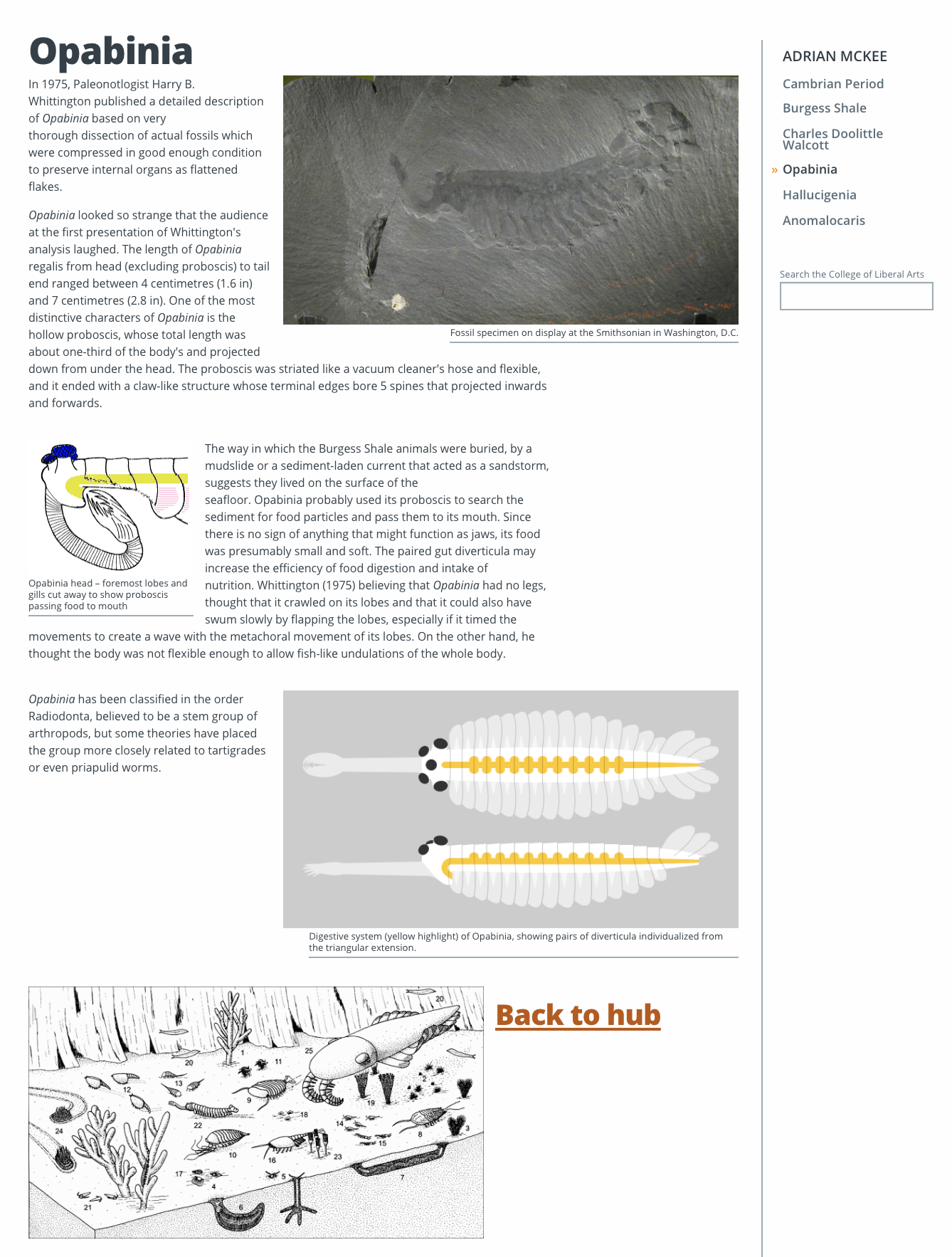
Nested below this, I created six other pages for a paleontology-themed info portal (sorry for the plagarism, Rahul, but I did do a different era). This included a “hub” with links to five other pages, mostly in order to use all the text and image formatting features of Pages without cluttering them all into one page.

Hub page

Species subpage

I found the limitations of Pages quite apparent, such as the difficulty displaying images with much freedom. I tried embedding an image into a tab using html which promptly deleted itself, as well as creating an image button with a single line of text (this will show up again later!) to no avail. I will say I got everything done much faster than I probably would have in Cascade, albeit with less creative freedom.


My next assignment was to compose a formal writeup email on my project so far, which doesn’t have much information not already in this blog post, so I’ll omit it.


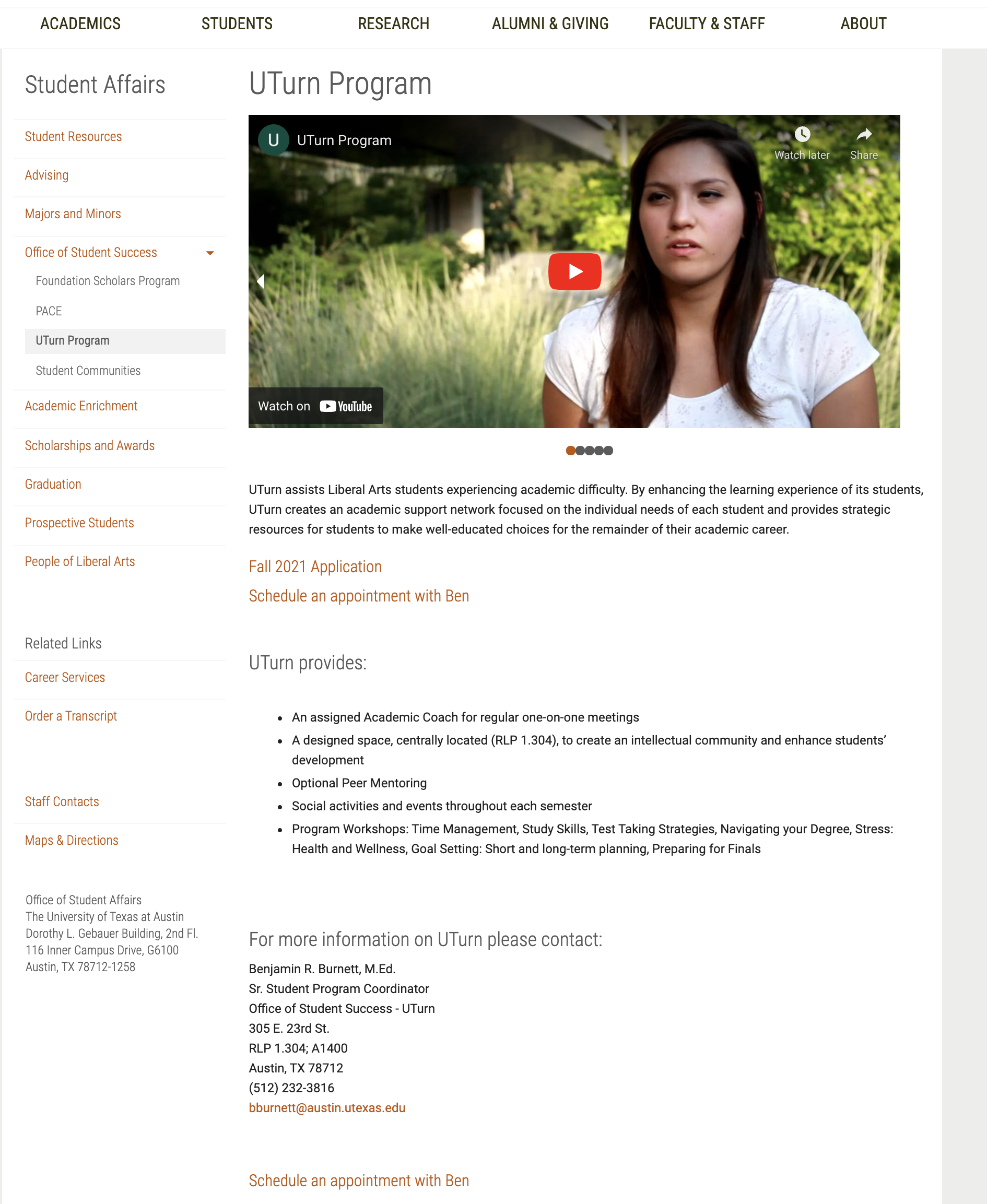
After that I began practicing transferring content from the old COLA site into pages, rewriting ten in total. 80% of it was very straightforward (copying bodies of text and reuploading header images) but 20% was quite time-consuming in that it took a lot of mental energy to rework complicated pages into the more limited framework of Pages. One page (shown below) included a slideshow of different images, links, and embedded videos at the top of the page, of which no analogy exists in Pages.


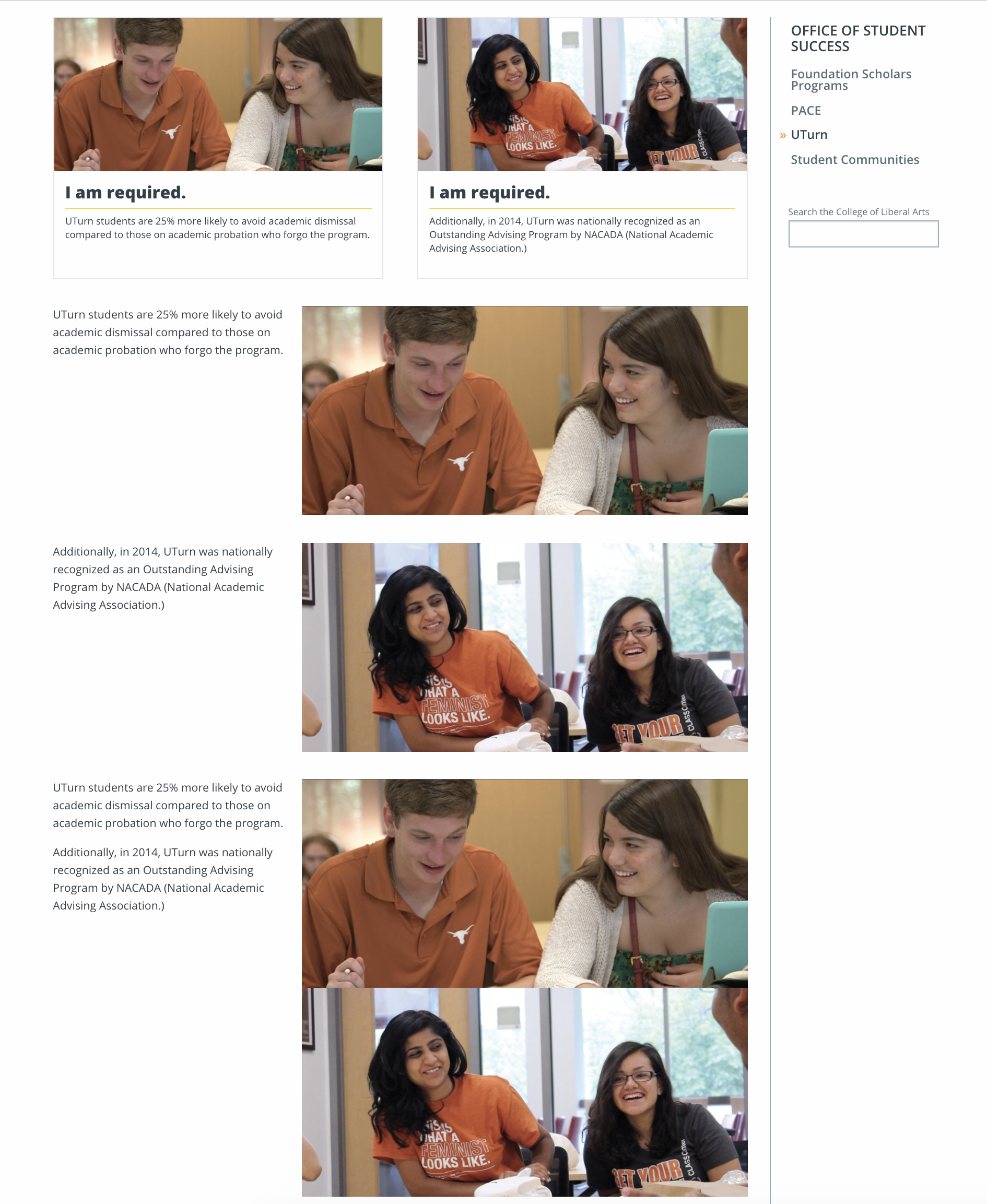
The most tedious part was finding a way to insert two images with single-sentence captions (There it is again! Grrrrrr!). Since Pages has no option for a single image with a single line of text, my attempts included:

  • Using “Image Buttons” to display the images with one line of text (but this feature has a minimum of 3 buttons, and each has to be a hyperlink)
  • Using the “Two Cards” Feature with the captions as the body text, but I had no way to remove the title, or split the text between the body and title
  • Using the “Text & Image” feature with each image’s caption as the main body of text (but the spacing created a huge gap
  • Using the “Text & Image” feature with each image’s caption below the image and other text in the main body (also created a spacing issue)
  • Using the “Text & Image” feature with one image made by combining both in Photoshop

Several of my miserable attempts.
Finally, I settled on using the Photoshop-combined image as a single “Callout” card, with one caption as the title and one as the body. Note the differences in the final site layout from the original.
Housekeeping
I’m also including brief coverage of two basic trainings I forgot to cover last week.
One of these was a brief read on professional email communication, which I don’t have much to report on.
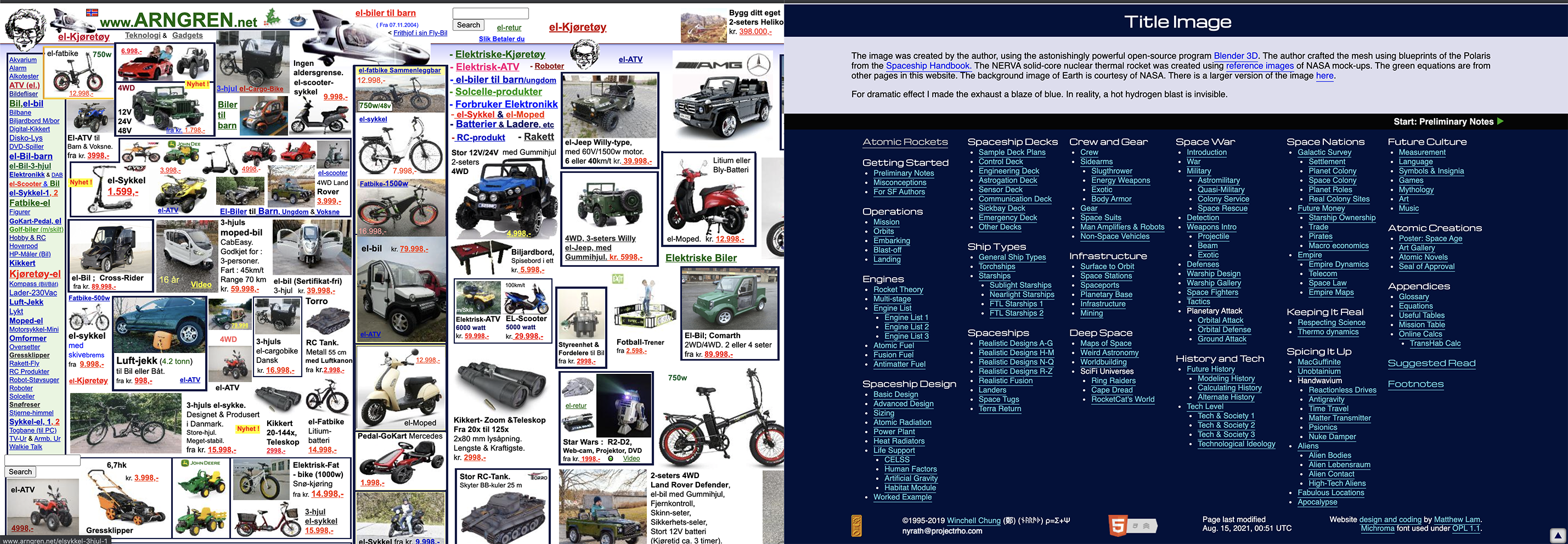
The other was an exercise in understanding web accessibility standards. Part of this involved finding two sites and contrasting accessible and inaccessible design, so I contrasted a Norwegian garden store site so messy it became an internet meme, and a very Web1.0 science fiction blog dating to 1995 which, though gaudy, met most of the basic standards.
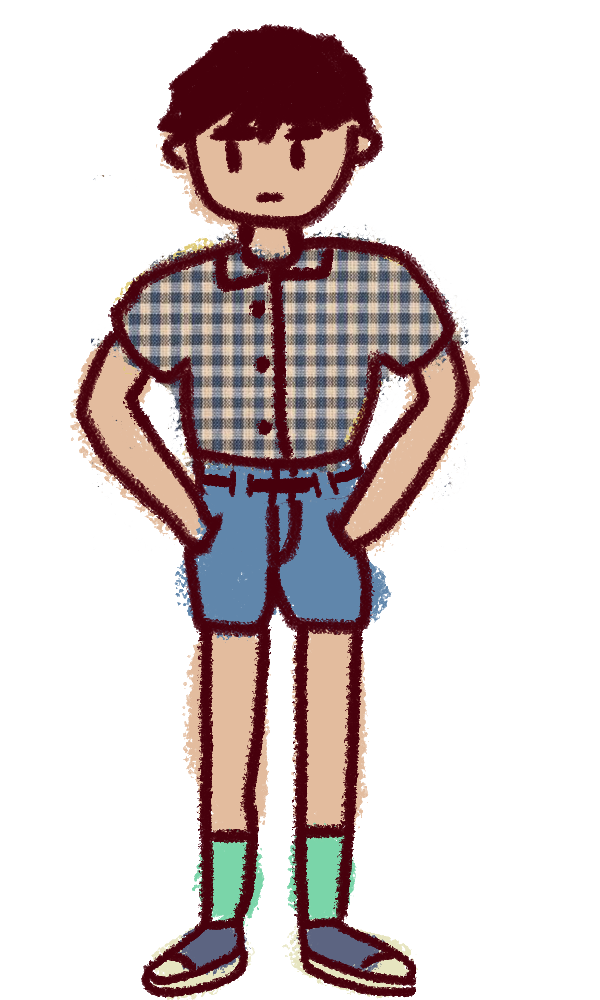
I’m still getting through a lot of different small assignments, so hopefully future blog posts will be more streamlined. One very last note: on Wednesday, I took some time to draw a caricature for the STA banner, as well as my own banner entry, which will remain secretive for now since I don’t know if the ballot is blind or not, but I might demonstrate my process in a future blog post. I’m excited to see everyone else’s entries! Signing off.

Filed Under: Fall 2021 - Spring 2022

  • « Previous Page
  • 1
  • …
  • 10
  • 11
  • 12
  • 13
  • Next Page »

link to LAITS home page

Video STA Home

© 2025 Liberal Arts Instructional Technology Services | Production Credits