• We are STAs
    • Asha Rountree
    • Haley Ma
    • Kate Shih
    • Kyra Lee
    • Nicholas Peasley
    • Sasha Kenney
    • Shanda Horm
    • Shriya Atreya
    • Tomas Marulanda-Mesa
  • We were STAs
  • STA Presentation
    • STA Presentation 2017
    • STA Presentation 2016
  • Testimonials
  • Resources
  • Home

STA Blog

September 16, 2020 By Athena Zeng

A More In-Depth Look at Cascade Pages

Suloni explained to me that, after a while, our Cascade sites will be recycled to new STAs. She recommended that I capture some more screenshots of what I had done with my site for future reference, so here it is. The site is loosely environment/plant/sustainability-focused.

Main Page

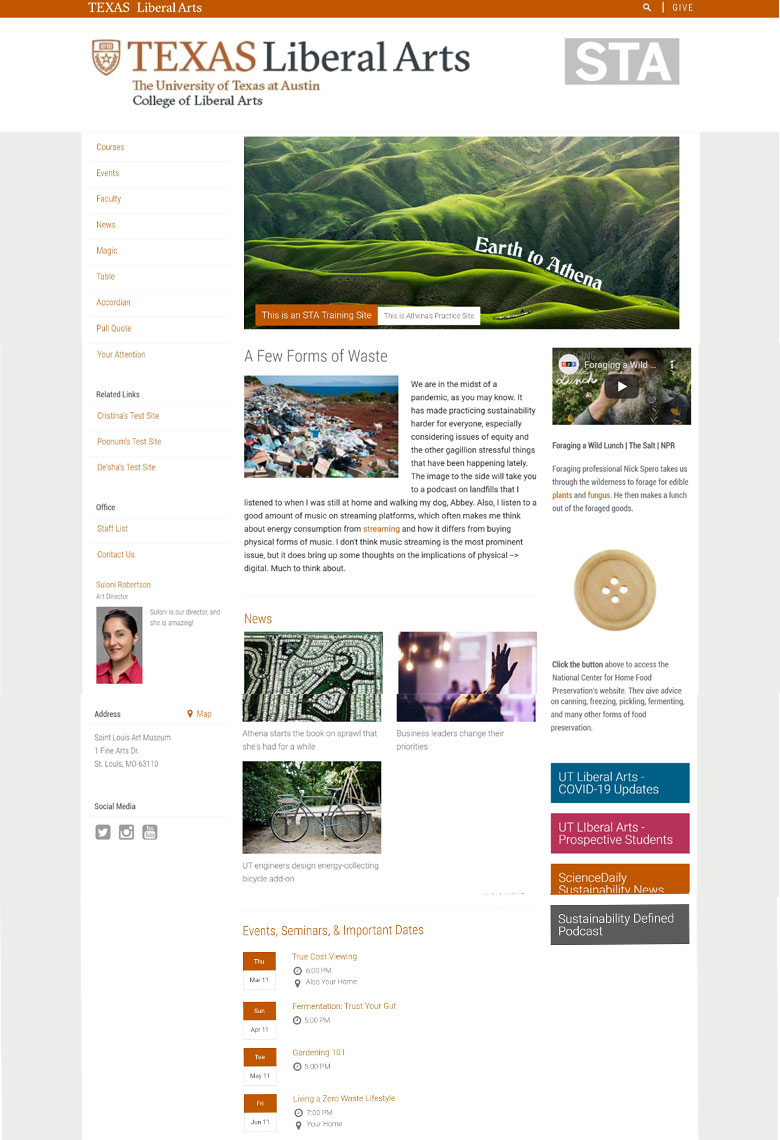
Here is the main page. On the left, there is an index for all the other pages, related links to other STA sites, a bio for Suloni, and the address to an art museum I like (I’m from St. Louis). In the main body lies the site banner, the main story, and current news and events. On the right, there is a video, a clickable button, and quick links. This part of the process was great for learning how the Cascade cms is organized, as each edit was sort of a guess and check process of submitting, publishing, and seeing if the changes I was trying to make were actually being made.

Events

The page it takes you to when you click on an event.


News

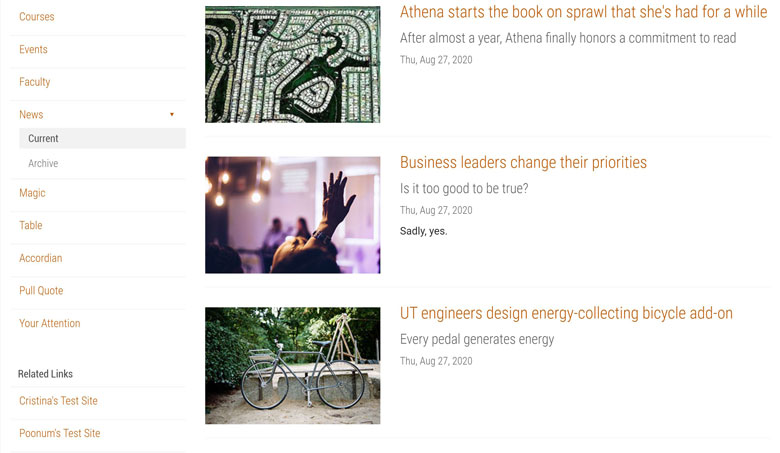
The page it takes you to when you click on a news story.


Magic

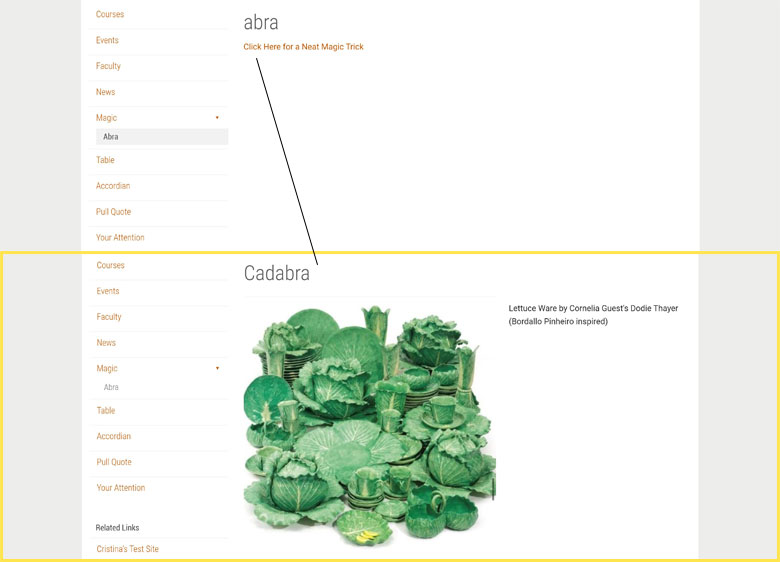
In this exercise, the “Magic” aspect was creating both a page that was visible under the Magic folder (abra) and creating a page that was “invisible” under the Magic folder (cadabra). You can access the cadabra page by clicking on a link the abra page, but it will still appear unindexed under the Magic folder directory.

Tables

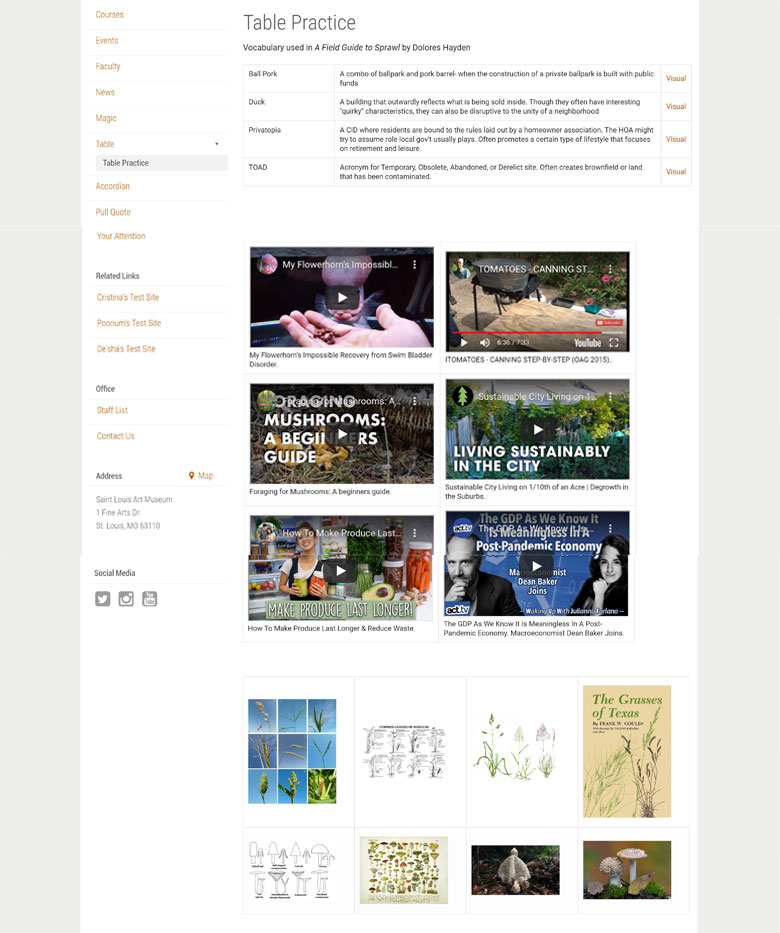
Here, I practiced making three different kinds of tables using text, video, and images. This was the point in the Cascade training where we started practicing more HTML-related exercises.

Pull Quotes

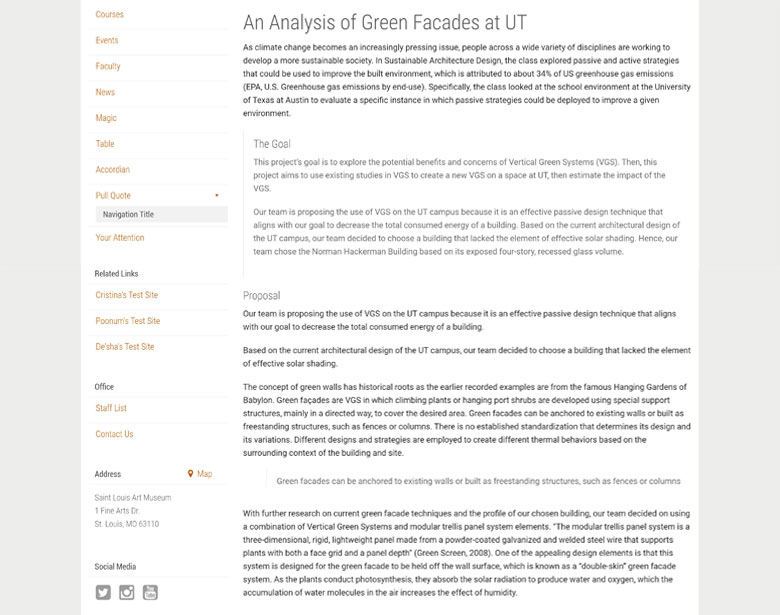
Here, I practiced making some different kinds of pull quotes (The Goal and “Green Facade…”).


Custom Layout and Buttons

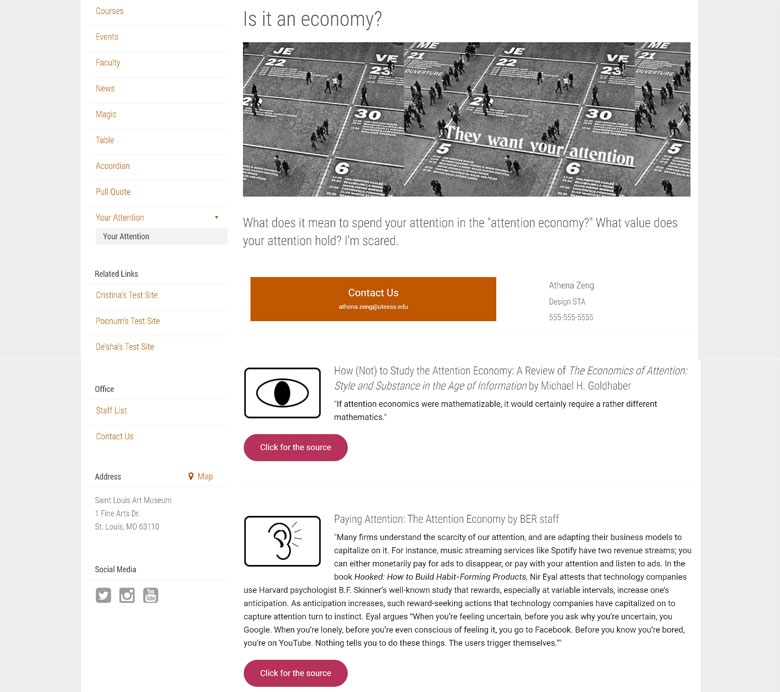
Here, I practiced making a page with a custom layout and buttons. I explained it more in my last blog post, but we practiced using HTML elements to add some extra pizzazz to the page. Something I didn’t note in my last post: it took me a while to figure out why my oblong buttons were not changing color when I was adjusting the code. It was because I didn’t copy over the style section… so don’t do that.
So that is all, I hope this helps future STAs!
http://sta.laits.utexas.edu/blog/2020/09/16/34674-2/

Filed Under: 2020 Summer | 2020 Fall

Basic Training: Cascade Site Pt. 4

September 15, 2020 By Cristina Villarreal Núñez

Basic Training: Cascade Site Pt. 4

This assignment was all about pull quotes, specifically, about me learning “how to create a fancy Pull Quote in Cascade” (according to the KB). There are many different methods for doing so, though. So I tried various styles and options to learn what the differences are and when one might be used over the others.


The KB tutorial was divided into two different steps. So I did the same on my page.


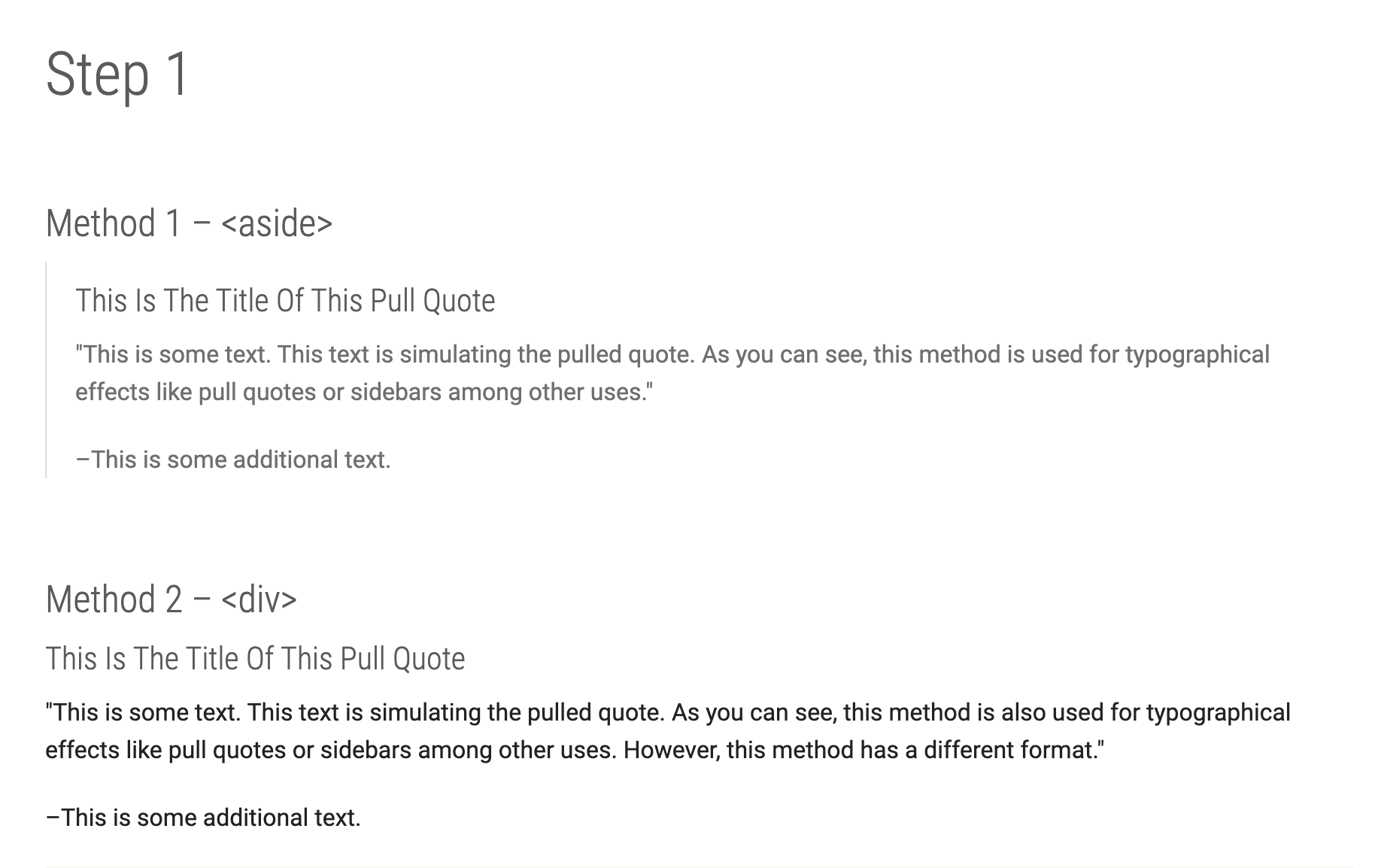
Step 1 focused on the HTML aspect. This section was further divided into two different methods. How are these two methods different from one-another? Well, the first one (the <aside> method) pulled the quote apart from the text by using a line to mark the quote section, whist the second one (the <div> method) did not.


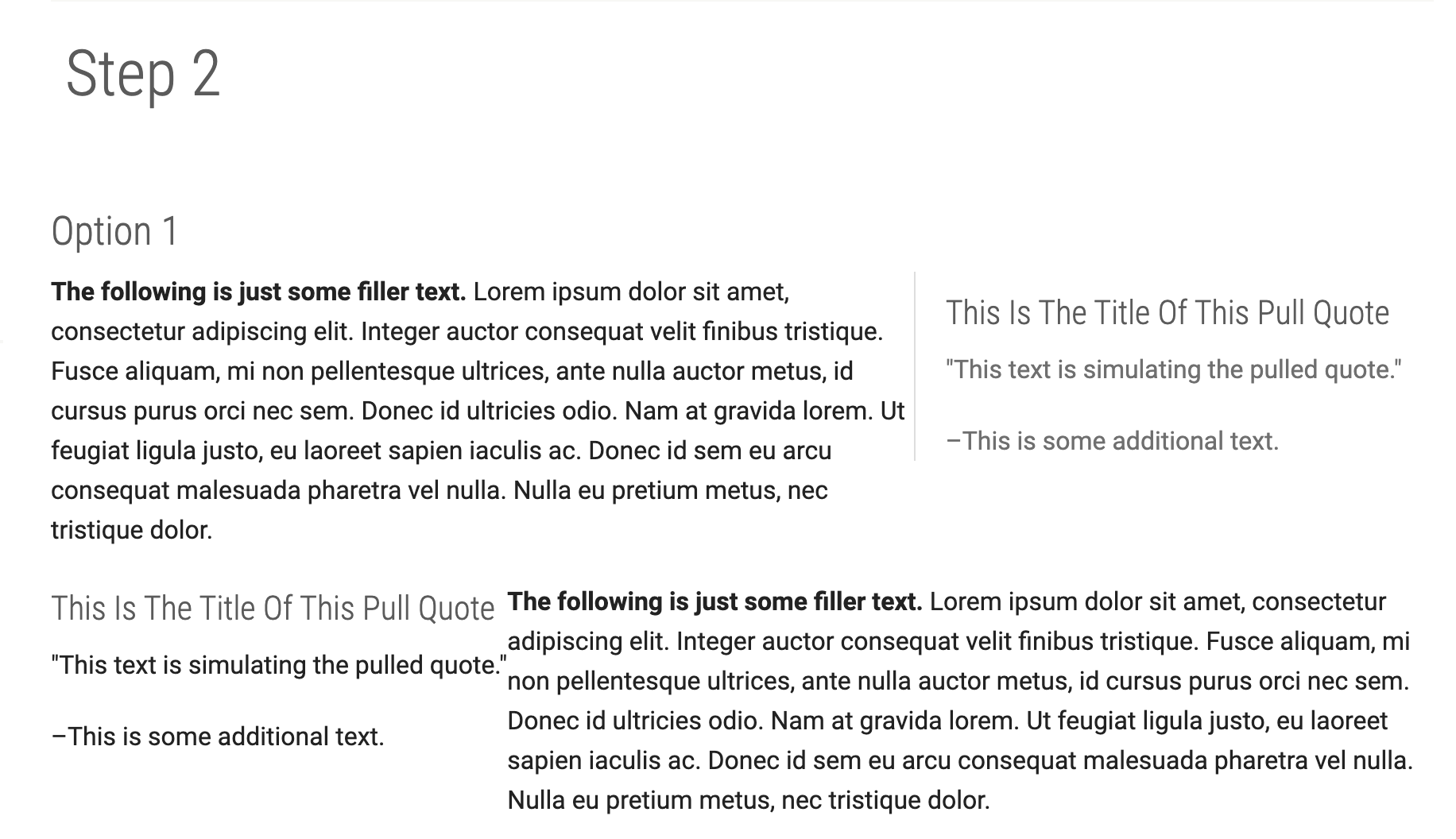
Step 2, on the other hand, focused on the CSS aspect, and for this section I had two options. The first option was to use pre-defined CSS classes. I tried using two of those: the “right” and the “left” ones.


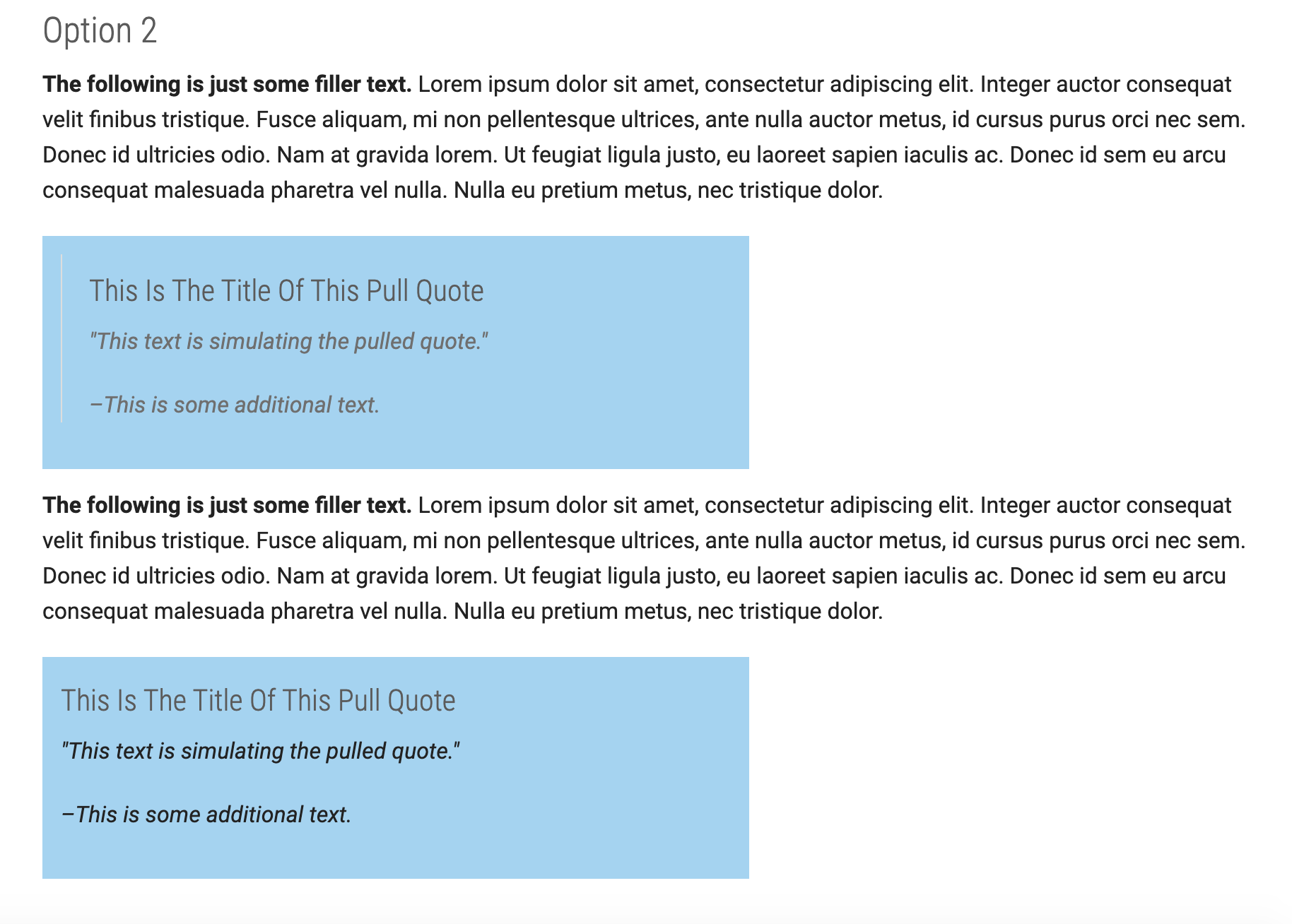
And the second option was to add custom CSS. For that section I added two pull quotes, one in the <aside> method and one on the <div> method. For both of them I customized the background color and changed it from the example’s default orange tone to blue (to match the cool-toned banner).


I had a hard time at the beginning because I kept getting an odd looking formatting error. But both by reviewing the work on my own and by asking some of my peer STAs, we figured out what the problem was. Now that everything is fixed, you can find this page of the following link: https://liberalarts.utexas.edu/sta-12/pull-quotes.php

Update

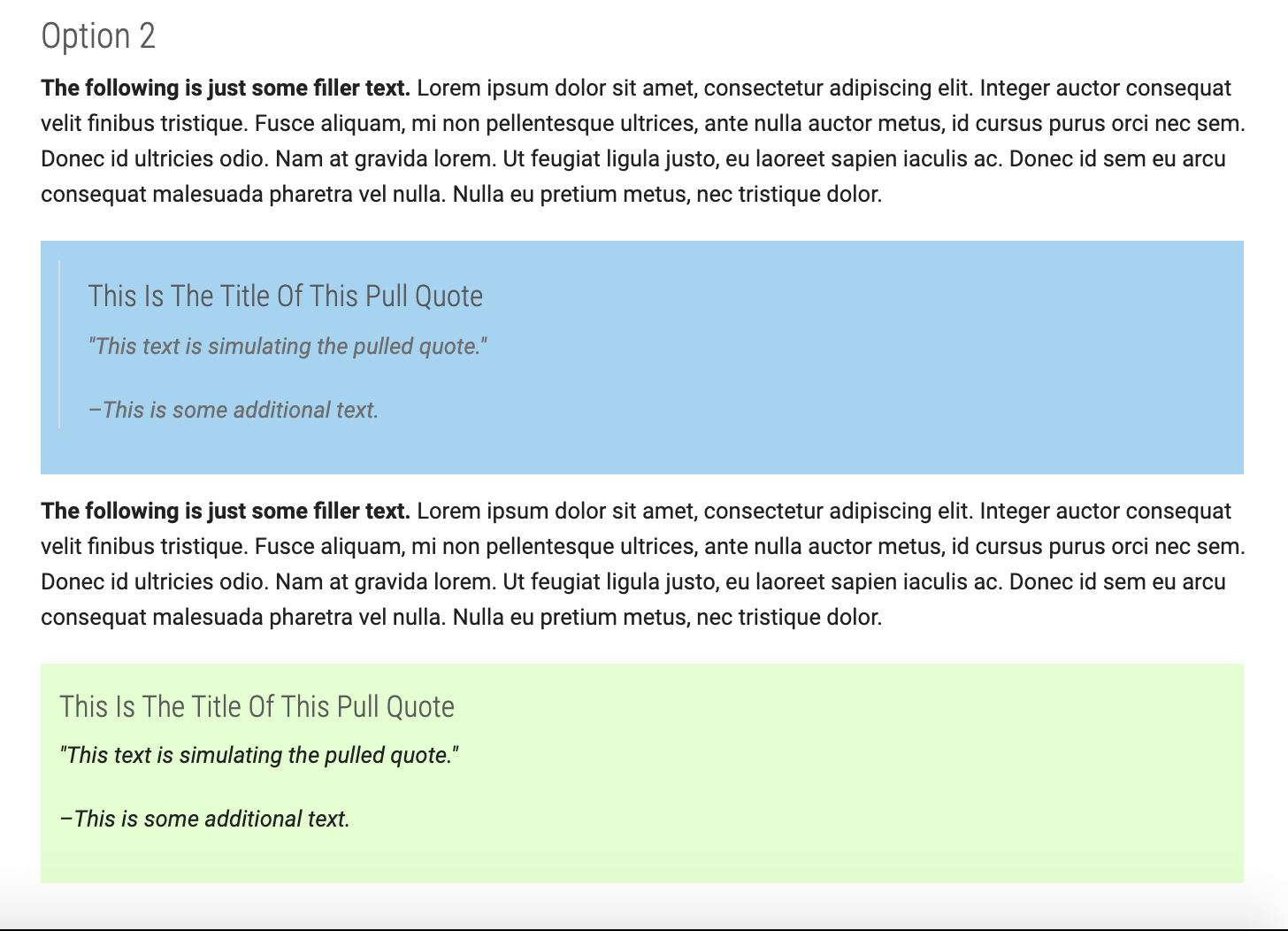
I also learned how to change the background colors for different quotes and how to adjust their width so that it spans across to the same length of the text. These changes are unpublished, but I still learned how to do them in case a client asks for them.


Filed Under: 2020 Summer | 2020 Fall

Progress on Texas Politics Project template

September 14, 2020 By Megan Fletcher

Making progress on Texas Politics Project template

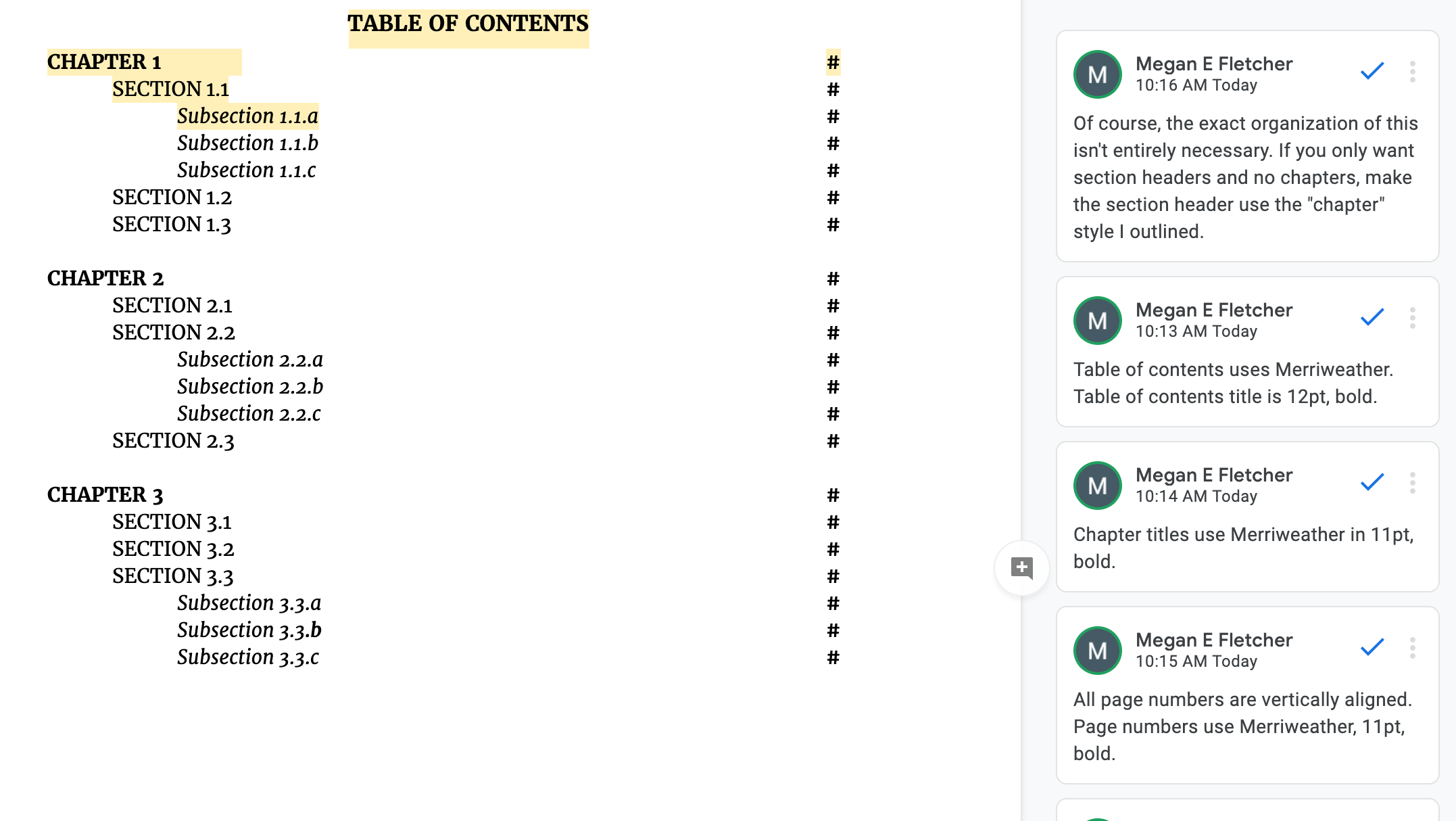
Today, after applying some minor edits from Maddy, I started on the style guide. I just made a copy of the doc and added comments to it with guidelines like font, font size, and font weight. I also added guidelines for photo placement, just because Google Docs can be a little messy with a document with a lot of images and text.

Filed Under: 2020 Summer | 2020 Fall, We are STAs

9-11-20

September 11, 2020 By Bridget

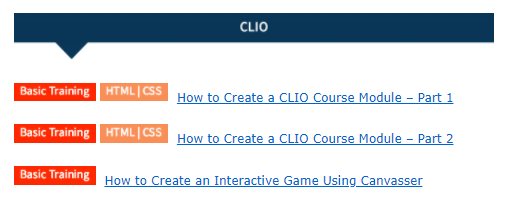
CLIO Basic Training

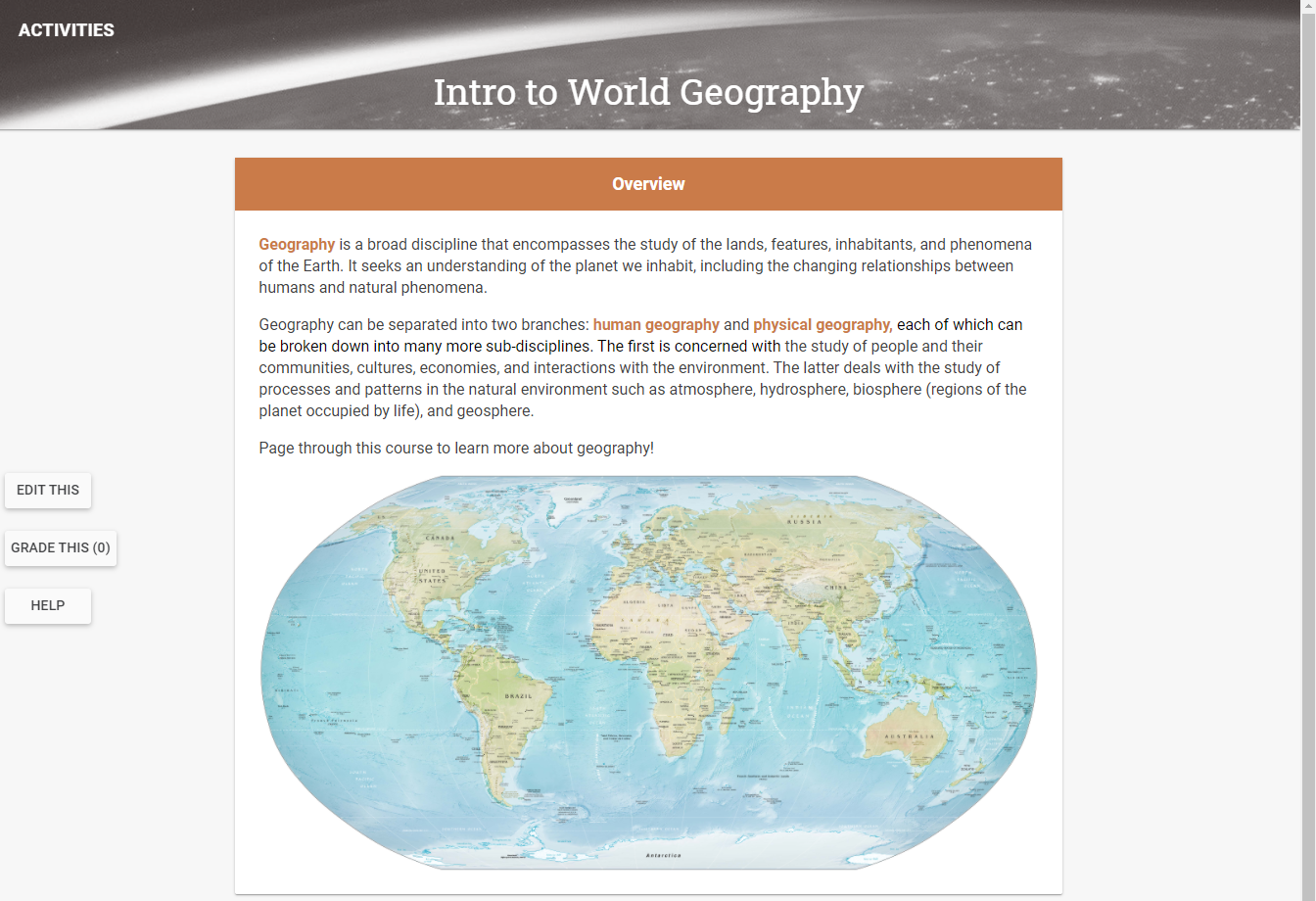
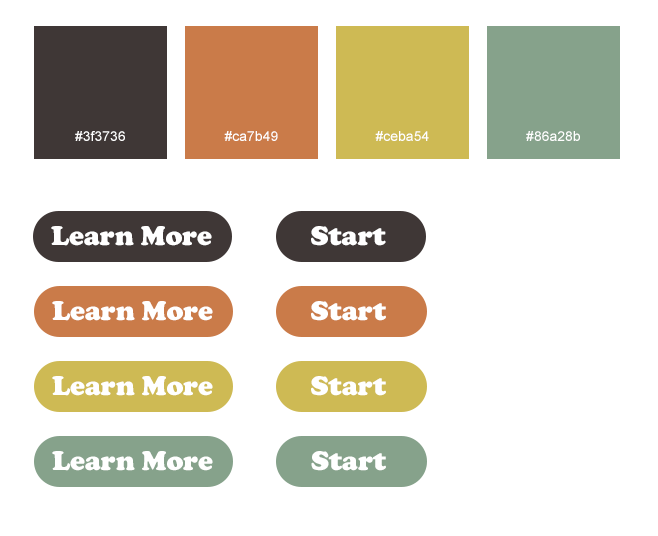
Even though I’ve been working on writing up the basic training for the third part of CLIO training, I’ve never actually done the first two parts (making my own CLIO site). So this week I’ve been catching up a bit by starting my own module, with my own theme and subject (world geography). It’s still in the early stages but I’m just working on adding content and using CSS to modify the visuals of the site as per the instructions. I also created some buttons that I want to incorporate in my site somehow.


Canvasser Tutorial

The Canvasser tutorial is published and basically done, the main thing that’s holding it up is the the fact that we’re not entirely sure how to embed Canvassers in CLIO. It was also a short week for me, so I didn’t make a ton of progress on this, but hopefully next week can figure this out!

Filed Under: 2020 Summer | 2020 Fall

Basic Training: Cascade Site Pt. 3

September 11, 2020 By Cristina Villarreal Núñez

Basic Training: Cascade Site Pt. 3

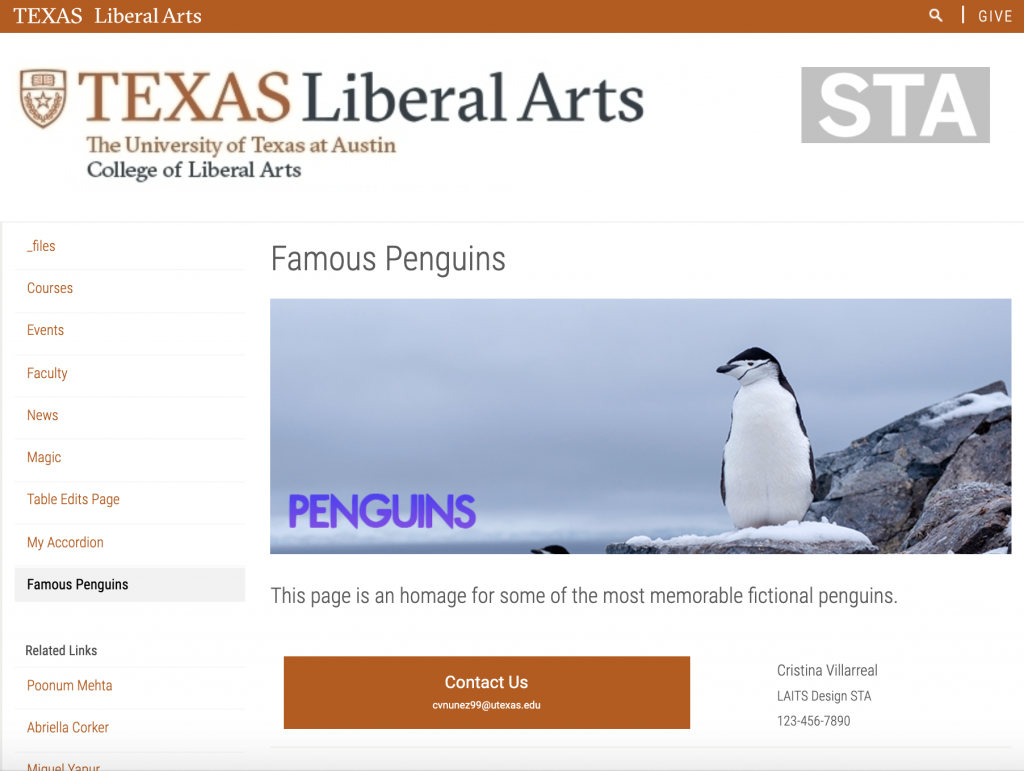
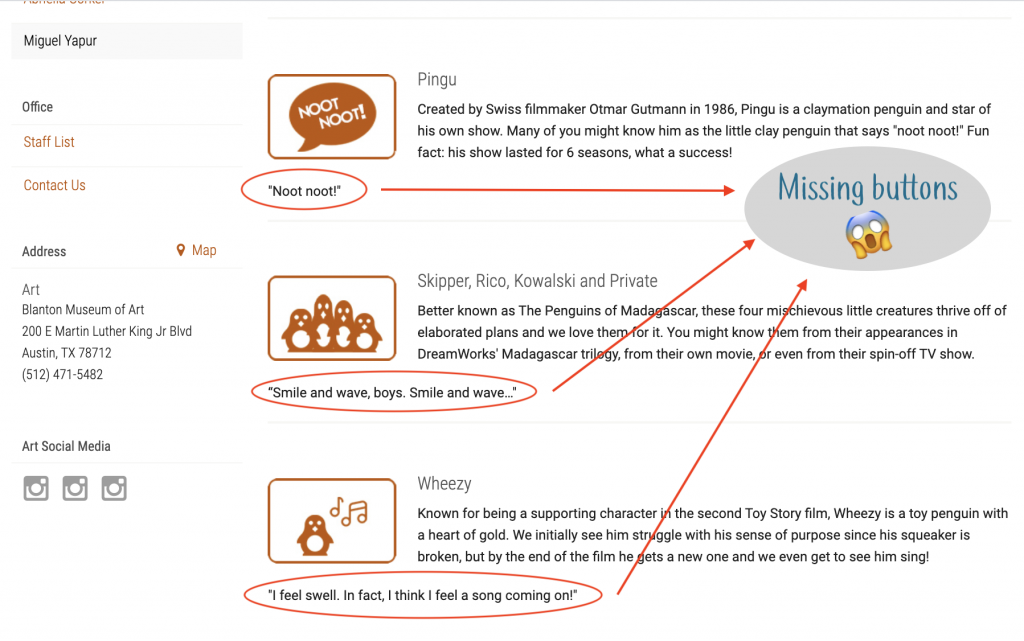
For Part Three of the Cascade training I was tasked to learn how to create a custom layout and buttons. I ended up dedicating the page I created for this activity to some of the most memorable penguins in media. I made a new banner which I personally think turned out really cute. I also designed some icons, one for each section and added a description of the character(s). This is what it currently looks like.


In my experience, the layout part went quite smoothly, but I had some troubles with the buttons. Fortunately one of my STA peers was able to help me through it because for a long time this is what my page looked like…


Anyway, now those errors have been fixed and you can find the page here: https://liberalarts.utexas.edu/sta-12/famous-penguins.php

Filed Under: 2020 Summer | 2020 Fall

Purple !

September 11, 2020 By Danielle Daynos

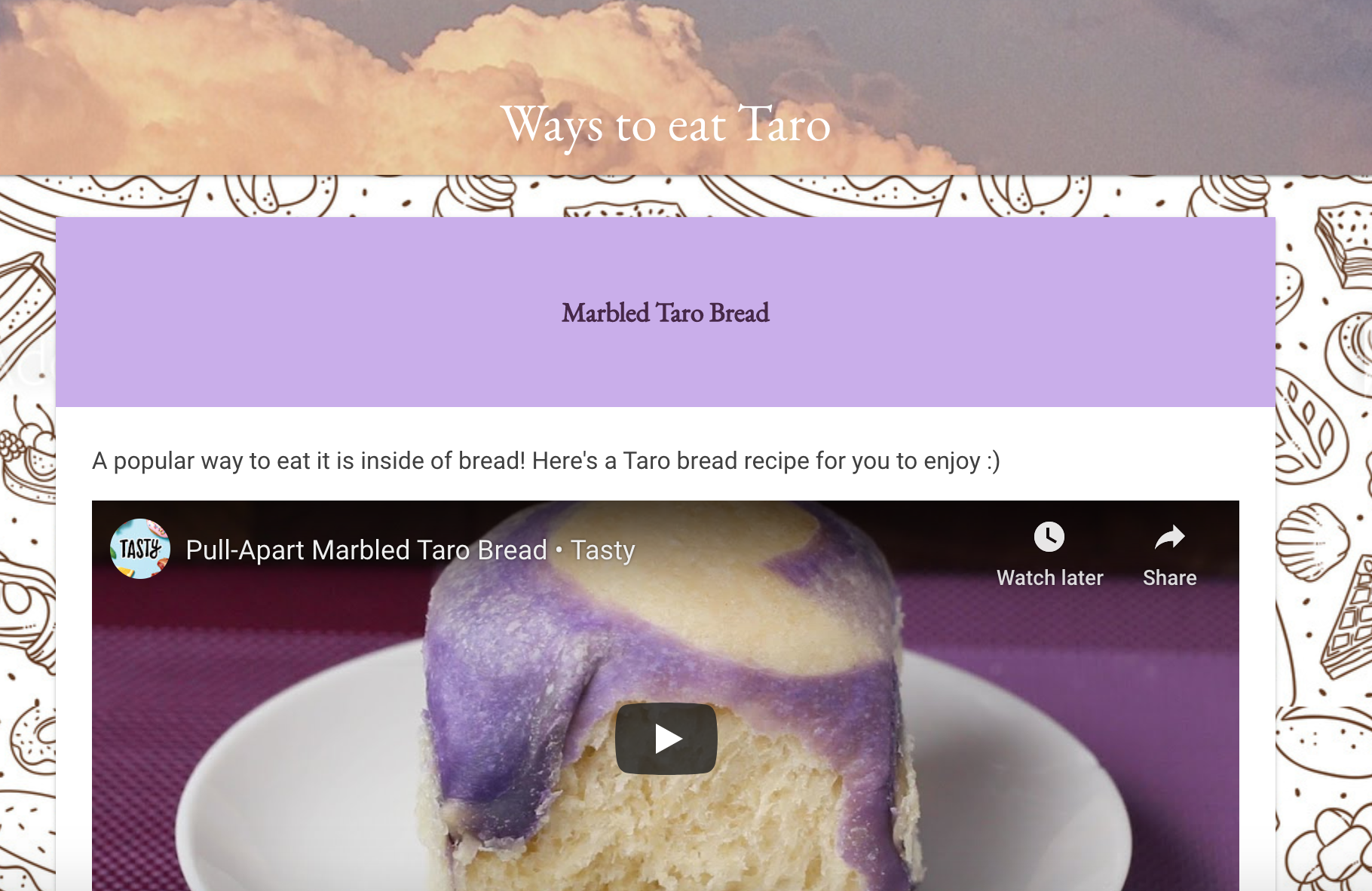
This week I mostly worked on CLIO and Photo IDs. My theme of purples and creams has been coming together nicely. It really makes me want to make the recipe!

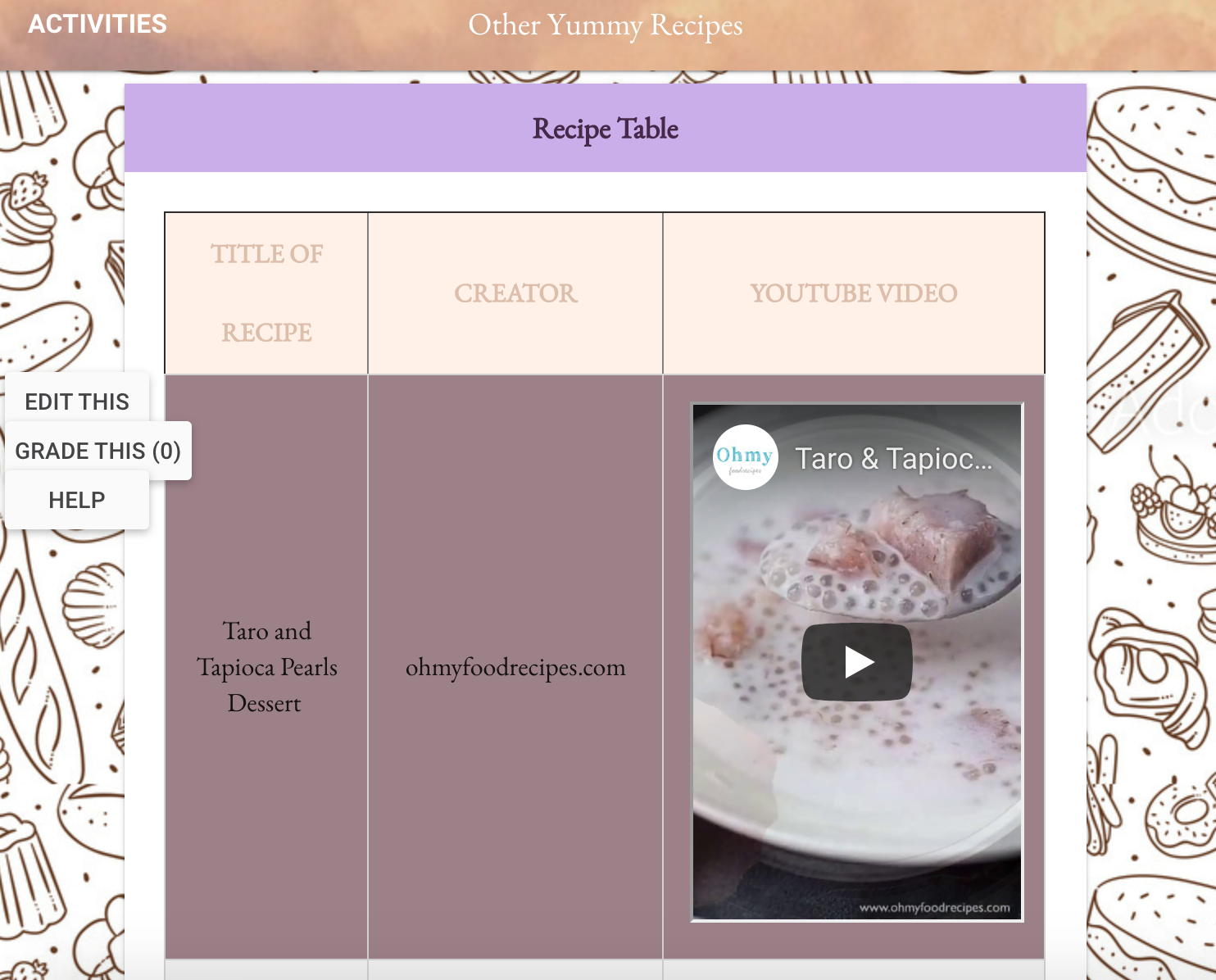
Added a table where there are 3 videos listing other ways to eat Taro besides in a bread.

Next I made an image float in the text and it looks much nicer.

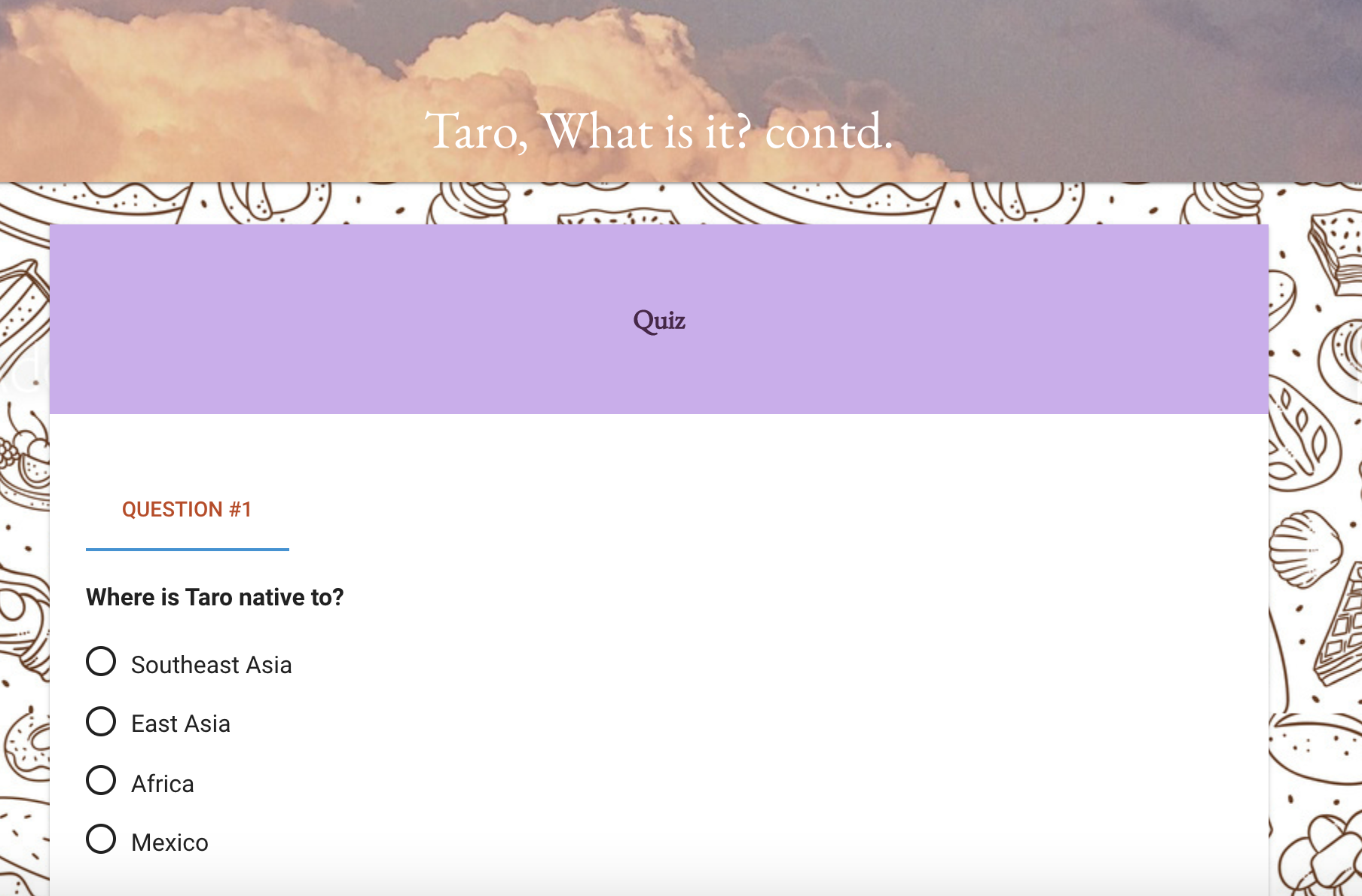
As you see in these pictures, I fixed the card headers to have a nice soft pastel gradient.

Filed Under: 2020 Summer | 2020 Fall

  • « Previous Page
  • 1
  • …
  • 30
  • 31
  • 32
  • 33
  • 34
  • …
  • 50
  • Next Page »

link to LAITS home page

Video STA Home

© 2025 Liberal Arts Instructional Technology Services | Production Credits