• We are STAs
    • Asha Rountree
    • Haley Ma
    • Kate Shih
    • Kyra Lee
    • Nicholas Peasley
    • Sasha Kenney
    • Shanda Horm
    • Shriya Atreya
    • Tomas Marulanda-Mesa
  • We were STAs
  • STA Presentation
    • STA Presentation 2017
    • STA Presentation 2016
  • Testimonials
  • Resources
  • Home

STA Blog

Solar Architecture, STA Showcase, PSD Flashcards

November 2, 2020 By Miguel Yapur

1. Canvasser Activity

After a couple of weeks of working on it, I am pleased to say that my Canvasser activity, titled “Solar Architecture,” has been finished. The purpose of the game is to teach the players about the awareness that is needed to design effective shading in buildings and houses based on the location of the solar path throughout the day, the orientation, and the placement of windows on each wall. The game has four sub-activities, one in each wall of a house, in which the player is prompted to measure windows to determine the area, measure the height of a floor to determine the appropriate height of a tree, and at what time do certain walls start or stop receiving light.

The following is a link to Solar Architecure.

2. STA Showcase

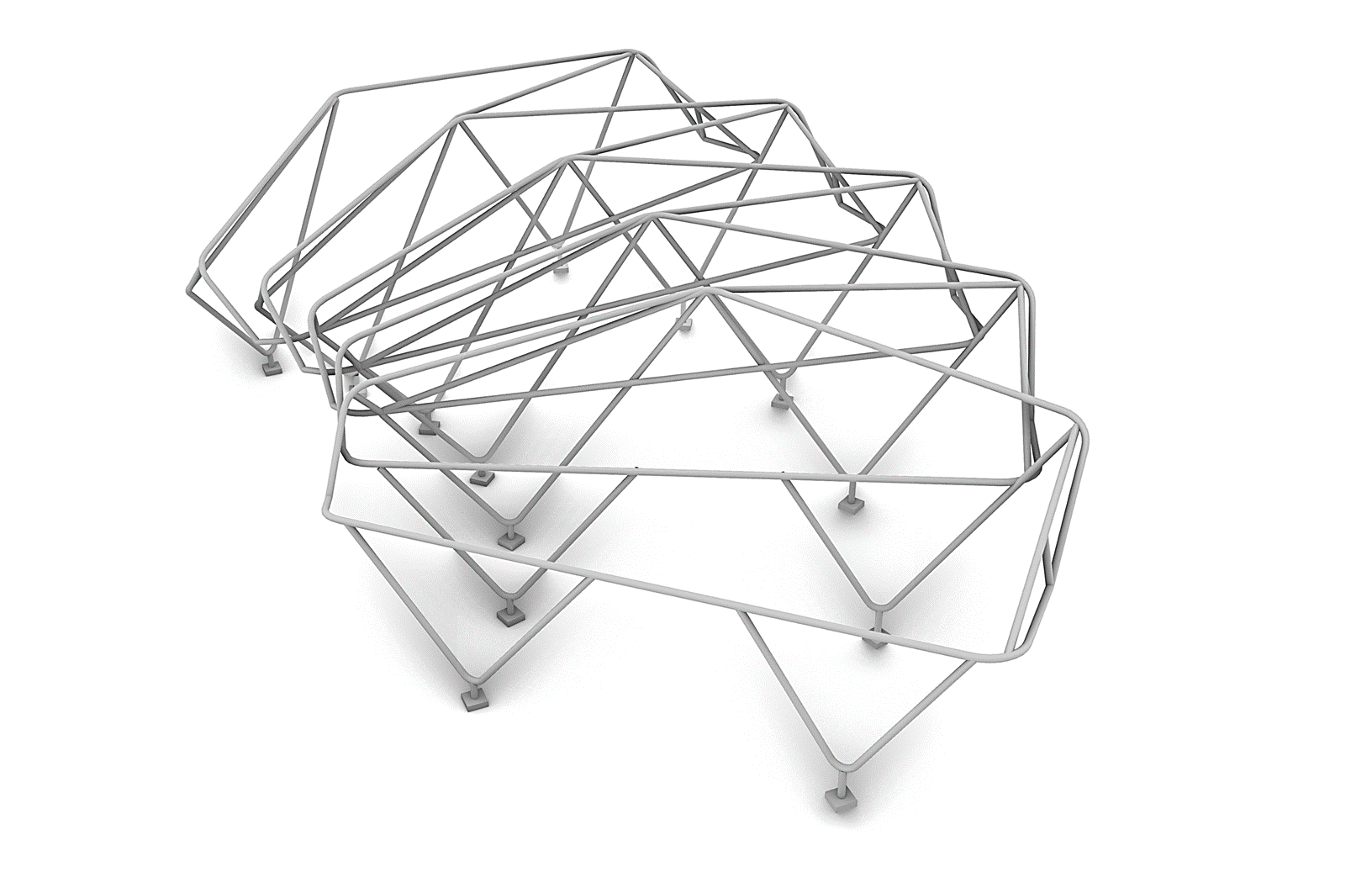
On Friday I presented a proposal that I worked on in one of my Design Studios. The Zilker Pavilion is a lightweight steel structure topped by pieces of tensile members that give shade and protection from the rain. Below are the slides that I presented:

3. PSD Flashcards

I also completed my PSD Flashcards basic training. My flashcards focus on air travel, something I miss doing in times before COVID. Here they are:

Picture credits:

  • Airplane Logo
    • Symbolon from the Noun Project
    • ATOM from the Noun Project
    • Calvin Goodman from the Noun Project
  • Backpack Logo
    • Michael Stucker from the Noun Project
    • Iconcheese from the Noun Project
    • MHD AZMI DWIPRANATA from the Noun Project
  • Seats Logo
    • Path Lord from the Noun Project
    • Alexander Jordan Mulia from the Noun Project
    • LINECTOR from the Noun Project
  • Ticket Logo
    • Maxim Kulkov from the Noun Project
    • Three Six Five from the Noun Project
    • Teleymon from the Noun Project
  • Suitcase Logo
    • Nanda Ririz from the Noun Project
    • AFY Studio from the Noun Project
    • Alice Design from the Noun Project
Filed Under: 2020 Summer | 2020 Fall, We are STAs

Religiology Logo Wrap Up + Canvasser + STA Showcase

October 30, 2020 By Athena Zeng

Religiology Logo Wrap Up + Canvasser + STA Showcase

Mega post for real!

Religiology Logo Wrap Up

First, I want to talk about the Religiology Logo. After some working meetings with Maddy, it is finally done! Maddy was so helpful in teaching me about good practices for Ai. I feel like I want to do some more trainings in that area. At the end, we focused on making a more crisp (?) crescent shape and adding some color. Then, I followed Sheryl’s KB on preparing an approved graphic in different file formats to ensure that the right assets were in the Box for the client. Here is the style guide I prepared. I was telling Maddy this- it was very exciting to see this process through to the end, for a real client. It did not really register with me that this logo would actually be used on a real school website, so that was cool to understand. Below, you can see the blog site right now, and the style guide I prepared.

Canvasser

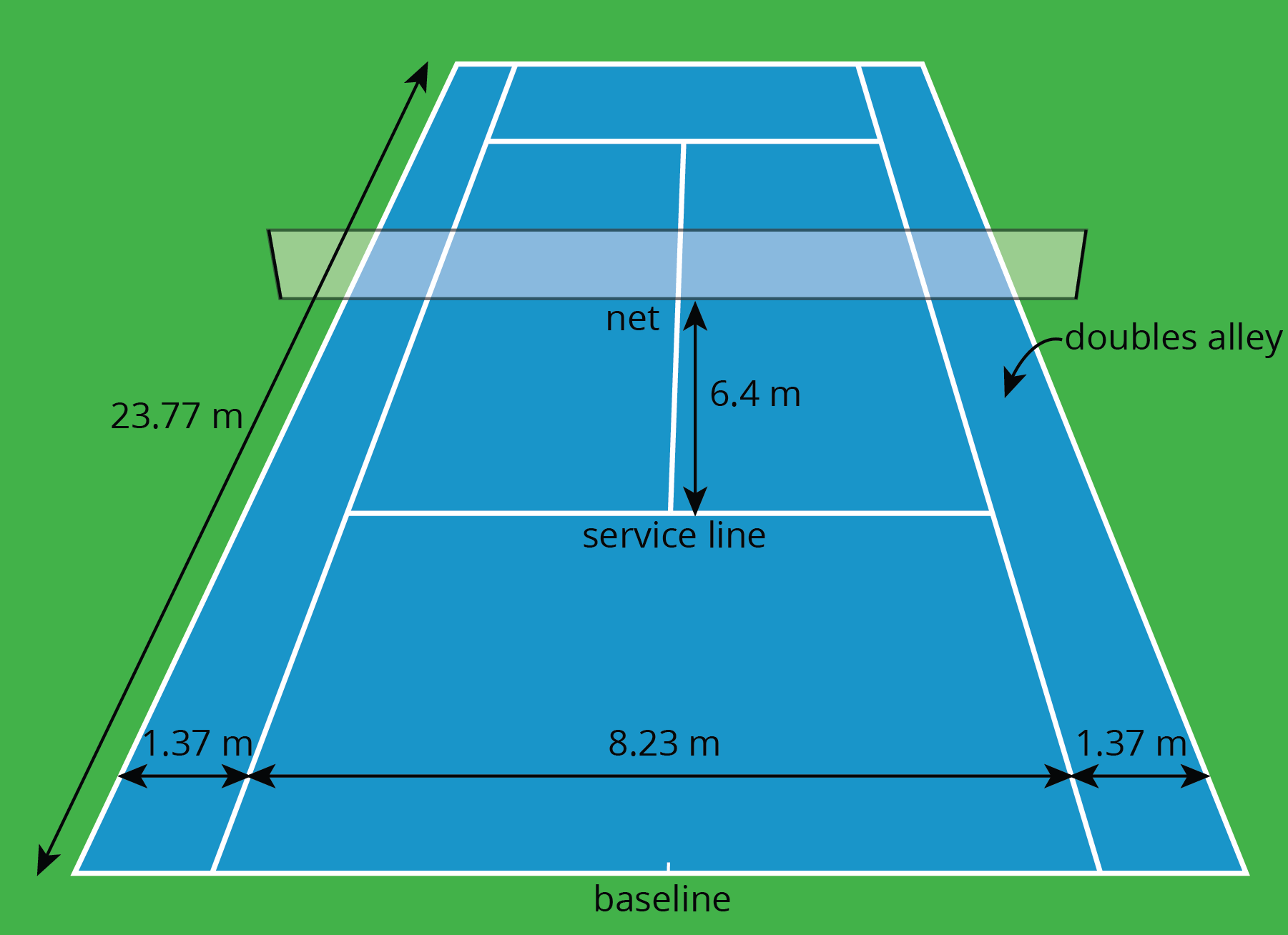
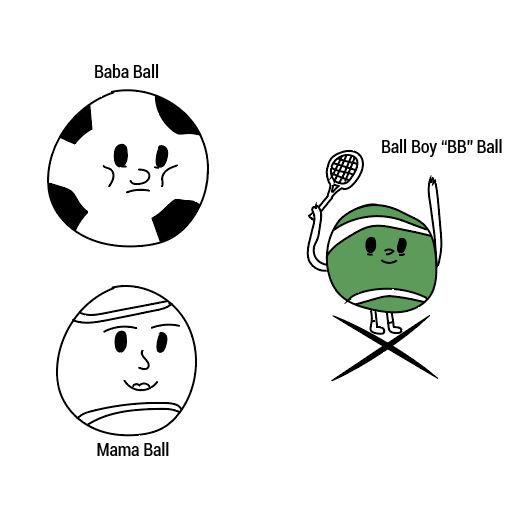
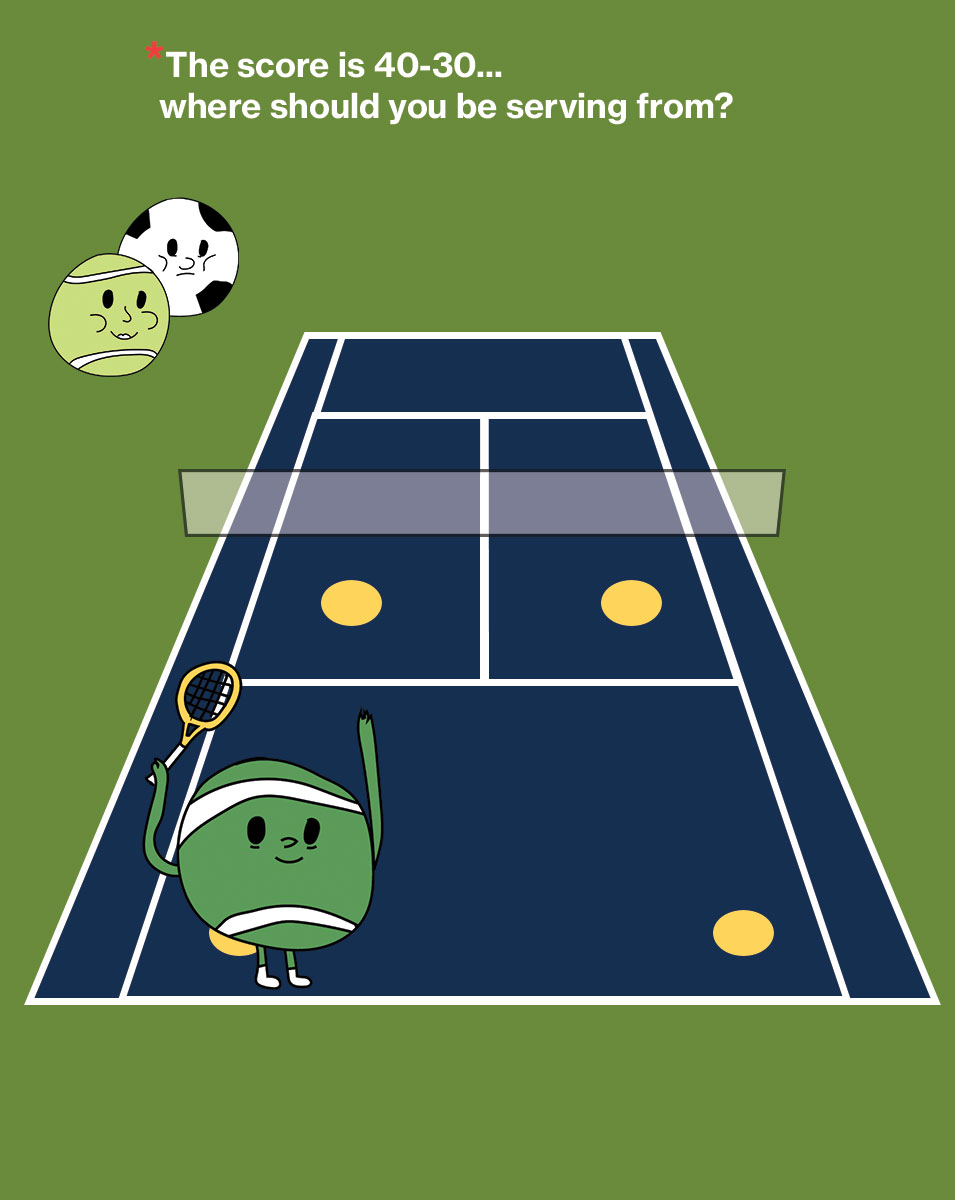
I have also started preparing my Canvasser game for the Clio training. Continuing along with the tennis theme, his game follows Ballboy “BB” Ball, and the player is instructed to drag the character to the right places, in response to a prompt. It tests the player’s understanding of tennis rules and lingo. Baba and Mama Ball observe from the sidelines and baba is a soccer ball. I have been told to be wary of the number of assets I create, as other STAs have been having issues with Canvasser for reasons related to the number of assets. Here it is so far! The characters kind of look like my STA caricature. Pic 1: inspiration for the court, pic 2: the process of creating the characters, and pic 3: where I’m at now

STA Showcase

Today was also the STA showcase! I presented on the process of fermenting sweet rice, but my presentation was really more about process itself and how much I appreciate the things I get to do as an STA! I truly appreciate the supportiveness of Suloni, Valerie, Maddy, and all the STAs! There are a lot of other philosophical and existential things I could get into regarding my mediocre food, but that will have to wait for another day. With only 3 minutes per STA, we really had to fly through it. I’ll attach my presentation for funzies. It was also SO GREAT to see all the other projects the STAs from all departments worked on, especially my fellow design STAs.

Fermenting Rice and other reflections

There the mega post goes. And Happy Almost Halloween. I am wearing a costume as we speak, but I am going nowhere. Just going to listen to the Cocteau Twins and CRY! Have a great weekend 🙂

Filed Under: 2020 Summer | 2020 Fall

Some updates from this week

October 30, 2020 By Megan Fletcher

Some updates for this week

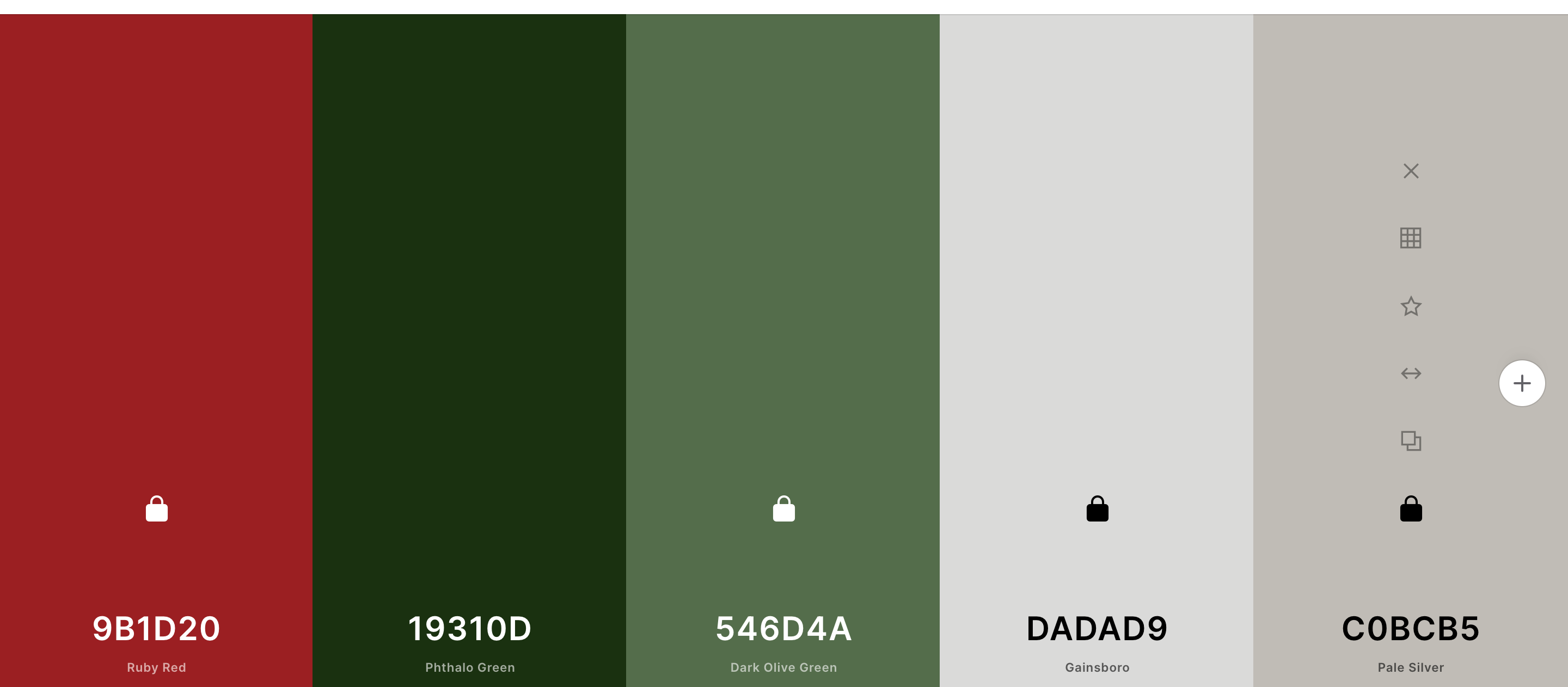
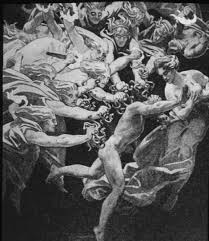
This week, I uploaded some photo IDs, got a lot of the infographic training done with Angie, and started on the new HTML/CSS training! I haven’t met with Thuy yet for the coding, but I was able to get started in CodePen temporarily. I’m doing my training site on the trilogy of Greek tragedies, The Oresteia. Here’s the aesthetic I’m going for:

Filed Under: 2020 Summer | 2020 Fall, We are STAs

Basic Training: CLIO Module Training Pt.2

October 29, 2020 By Cristina Villarreal Núñez

Basic Training: CLIO Module Training Pt.2

After finishing this part of the training, so much of my CLIO Module has changed from the last time you saw it. So, the following is a list of the things I changed in the module:

  • I added 3 new  activities. Overall there are now 5 activities and their descriptions are as follows:
    • Activity 1: The Basics – in this activity one can learn a few very easily translatable words and their proper pronunciation.
    • Activity 2: Quiz 1 – in this activity one must answer a short quiz regarding the words they learned in the previous activity. There is also space for feedback.
    • Activity 3: Story Time – in this activity one learns about translation in context through the translation of the classic story of  Humpty Dumpty; available in English and Spanish.
    • Activity 4: Movie Time – in this activity one can learn new words in context through the translation of 5 different movie titles.
    • Activity 5: Quiz 2 – finally, one must answer a short quiz regarding the movie titles they learned in the previous activity.
  • I changed the color of the module’s background twice.
    • First, I changed it from the default setting to a solid color, specifically black.
    • Then, I changed in from black to a background image. That image (which I designed myself) looks something like a black background with a vibrant green grid to add a retro video game/8-bit feel to the module.
  • I formatted some images so that their general format and captions were standardized.
  • I changed the background of the navbar banner from a solid black color to an image. Specifically to an image (I also designed myself) that looks like a black background with pixel-style stars in two colors; green and gray.
    • To that I also added a slight color overlay to make it more cohesive.
  • I changed the card header backgrounds from a solid black color to an image, more specifically to the same image I added to the navbar banner background to maintain the theme consistent.
  • I embedded a Google Font into the navbar title and the card titles.
    • More specifically, the font’s name is Press Start 2P, and I chose it because matched the aesthetic I planned for the module.
  • I worked with HTML to format two text-wrapped image figures. Those can be found in Activity 3.
  • I worked with HTML to format a table in different ways.
    • I added a different background and font color for the first row of the table
    • I added a different background color to all even numbered rows
    • I added a different background color relative to the row that is being hovered by the user’s mouse
  • Last but not least, I added an images carousel in Activity 4 also using HTML.

But, if you are more of a visual learner and/or would like to know what all of these changes actually look like, here’s a demonstration for you.

http://sta.laits.utexas.edu/wp-content/uploads/2020/10/STA12_Clio_Part_2_Evidence.mp4

Filed Under: 2020 Summer | 2020 Fall

CLIO Training

October 29, 2020 By Abriella Corker

CLIO TRAINING

Here is a walkthrough of my CLIO page that I had been working on these past two weeks. The theme is self-care.

http://sta.laits.utexas.edu/wp-content/uploads/2020/10/CLIO-AbriellaCorker.mp4

Filed Under: 2020 Summer | 2020 Fall

Experimenting Flip Cards in CLIO

October 28, 2020 By Thuy H Nguyen

Experimenting Flip Cards in CLIO

I’ve been working on experimenting the possibility of flip cards in CLIO. I found out on W3Schools that this can be done using pure HTML and CSS (CLIO is a little restricted when it comes to JS), so I tested it out because Dr. Hunt and Dr. Lundy from the Diversity and Inclusion course mentioned that they are interested in this.

flip-card-demo

Filed Under: 2020 Summer | 2020 Fall

  • « Previous Page
  • 1
  • …
  • 15
  • 16
  • 17
  • 18
  • 19
  • …
  • 50
  • Next Page »

link to LAITS home page

Video STA Home

© 2025 Liberal Arts Instructional Technology Services | Production Credits