• We are STAs
    • Asha Rountree
    • Haley Ma
    • Kate Shih
    • Kyra Lee
    • Nicholas Peasley
    • Sasha Kenney
    • Shanda Horm
    • Shriya Atreya
    • Tomas Marulanda-Mesa
  • We were STAs
  • STA Presentation
    • STA Presentation 2017
    • STA Presentation 2016
  • Testimonials
  • Resources
  • Home

STA Blog

GIF frames

September 30, 2019 By Abriella Corker

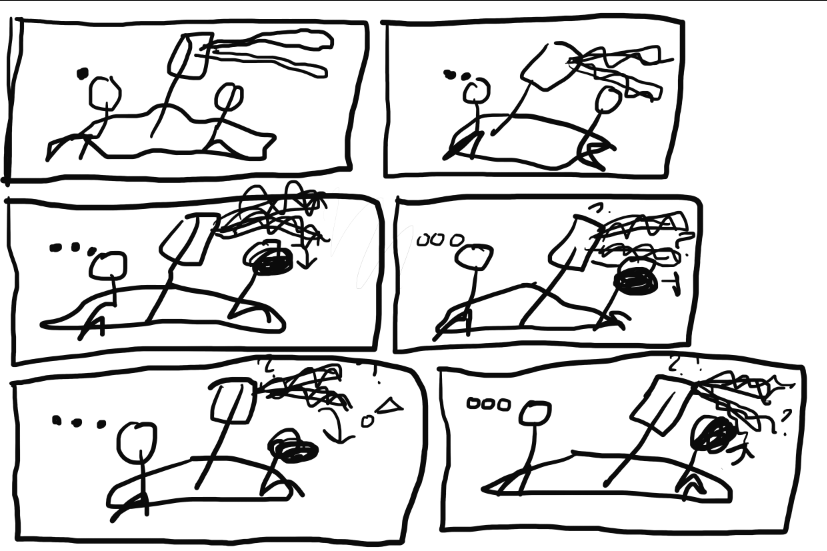
GIF FRAMES IDEA

This looks really messy and unclear but it is the beginning of something great! I hope. I need to turn an image into a GIF with moving parts. Many elements of the image need to move simultaneously with each other and it could be easy to lose track of how that is suppose to work. When making a GIF frame by frames of still images need to be uploaded so each frame needs a partial change. I used very simple images to determine more or less what I want to have changed in each frame. Right now there is only six but I might add more in-between as I progress through this and see that maybe changes need more half steps and smoother transitions.
Filed Under: 2019 Fall-Winter | Spring-Summer 2020

TX German Dialect Banner

September 30, 2019 By Maddy Kaniewski

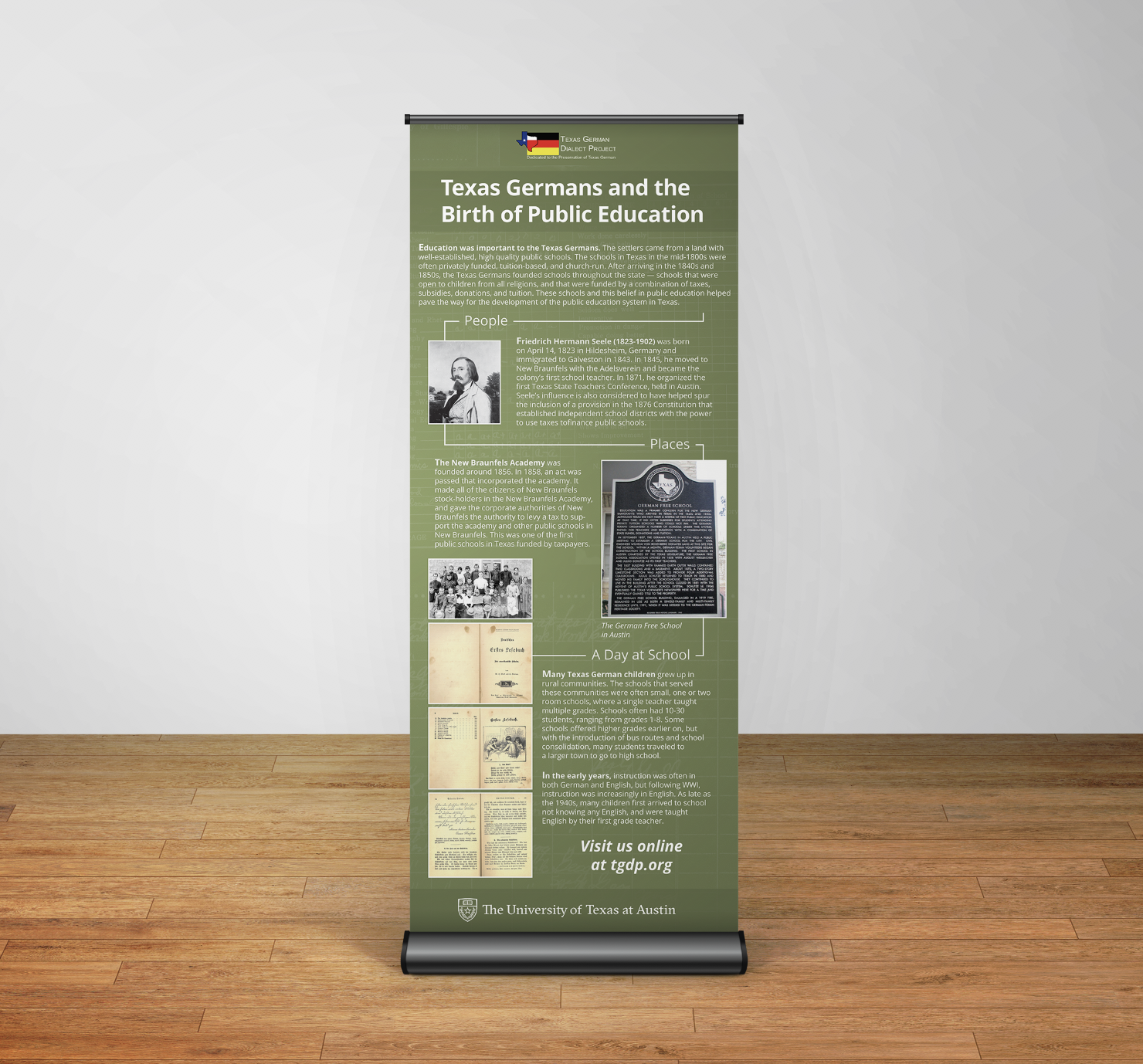
German Retractable Banner

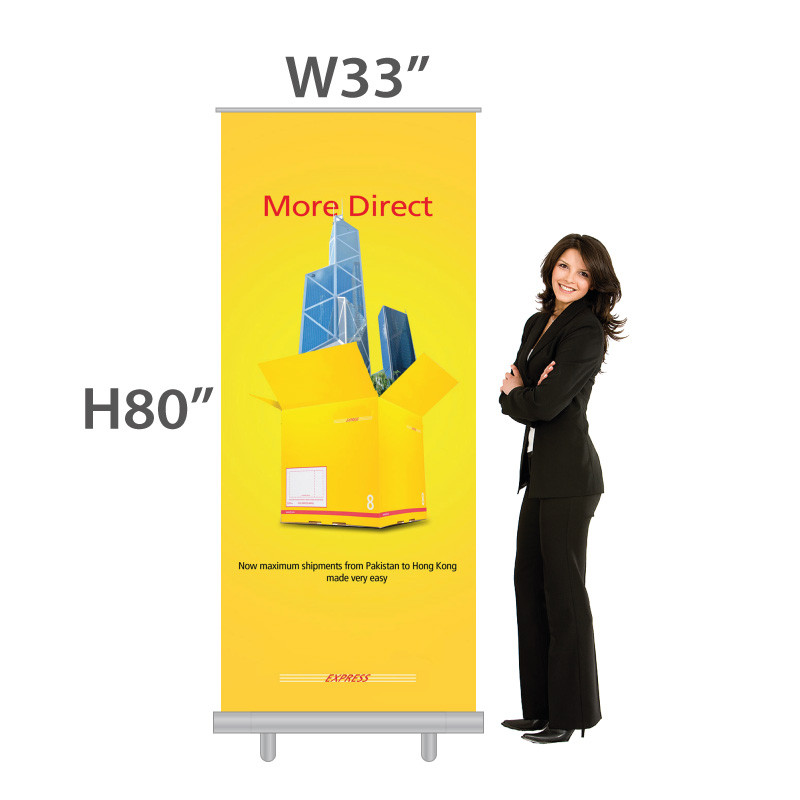
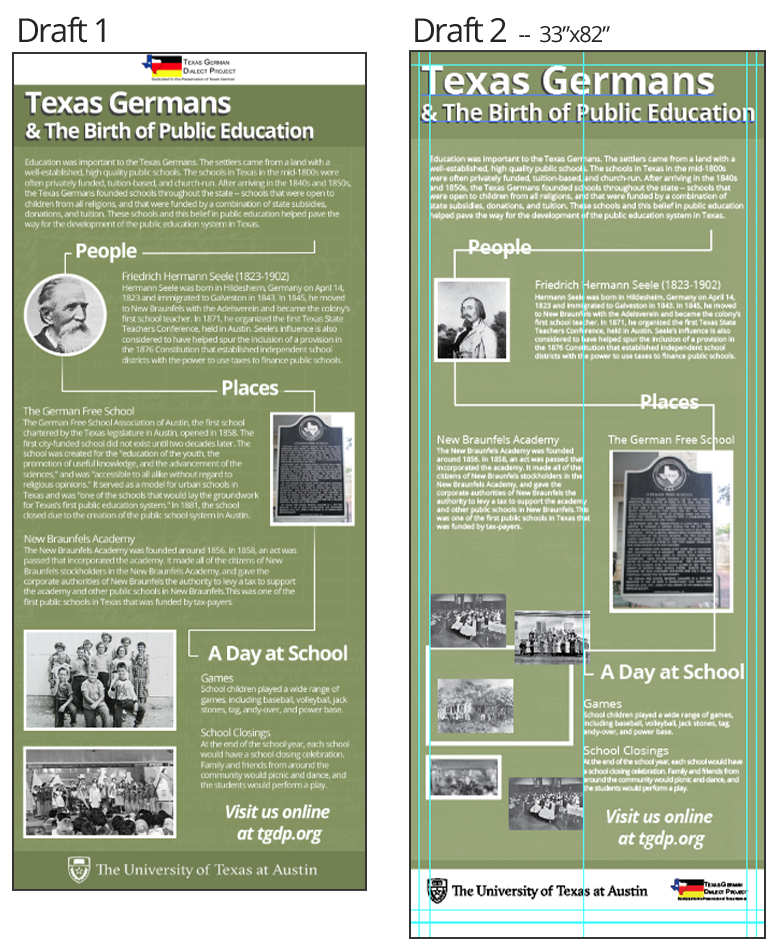
I’ve started designing a big retractable banner for the German Department. Draft 1 an ideal mockup done at a proportionally smaller size but now I’m running into some issues making the full size version.


Mainly, I’m not totally comfortable building large files at a high DPI. One issue is font size – the printing company told me 10pt will be legible, but in Draft 2 the body copy is already 46pt and seems very small. I still am not sure if that is a file size or DPI issue (I think the former). I’ll just have to eyeball what looks proportional.


Another issue is the provided images are small – the images at the bottom of Draft 2 are sized about 6-7″, but since the banner is 33″ wide, they’re too small for this design. I may need to do a collage, which I fear would look chaotic with all the grainy black and white photography. I’m waiting for some new photos from our client.


Update as of 12/10


Final design incorporating client feedback. They sent over new photos and we removed the white headers/footers because they drew too much attention.


Filed Under: 2019 Fall-Winter | Spring-Summer 2020, We are STAs

Flow charts

September 27, 2019 By Abriella Corker

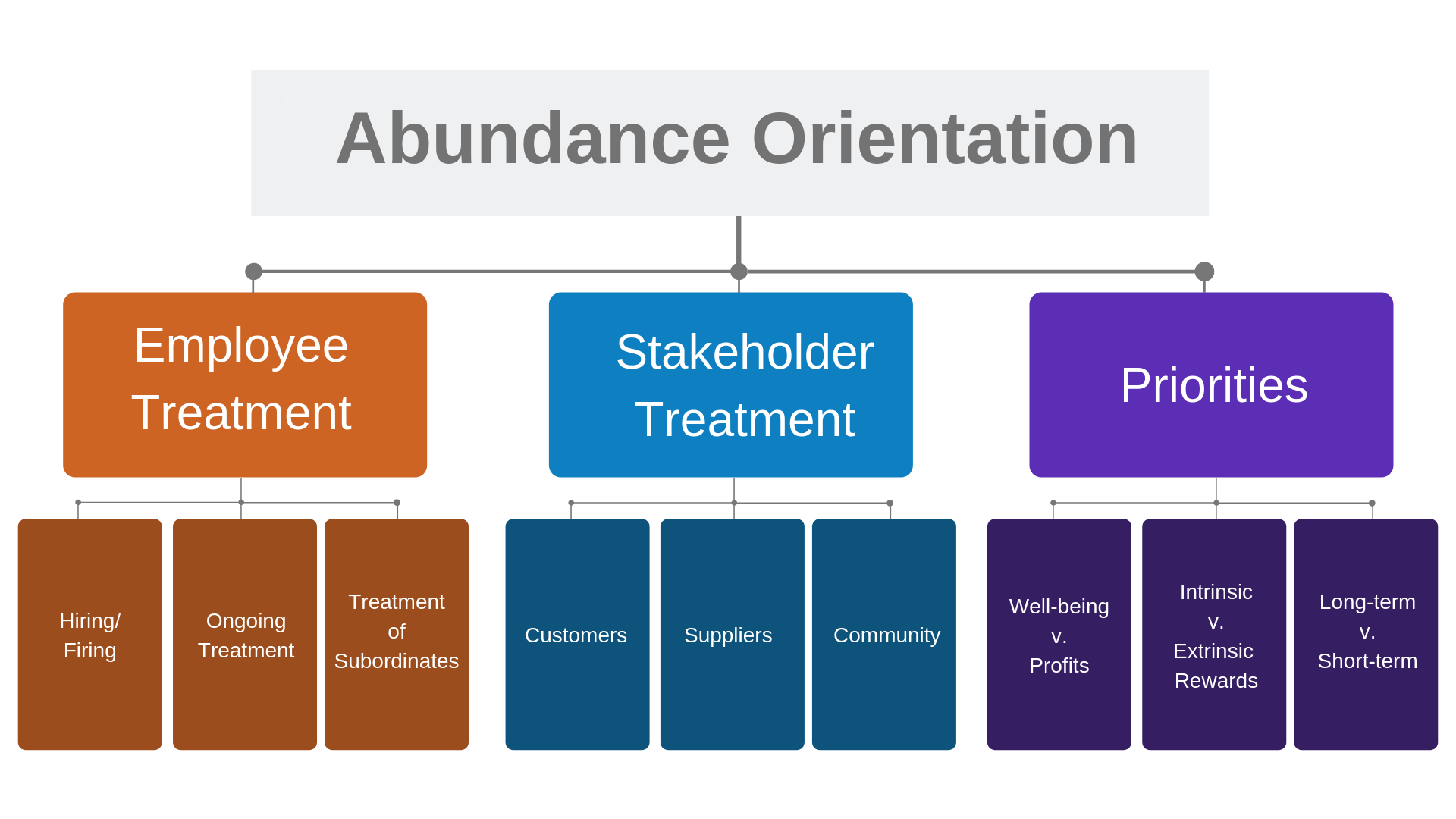
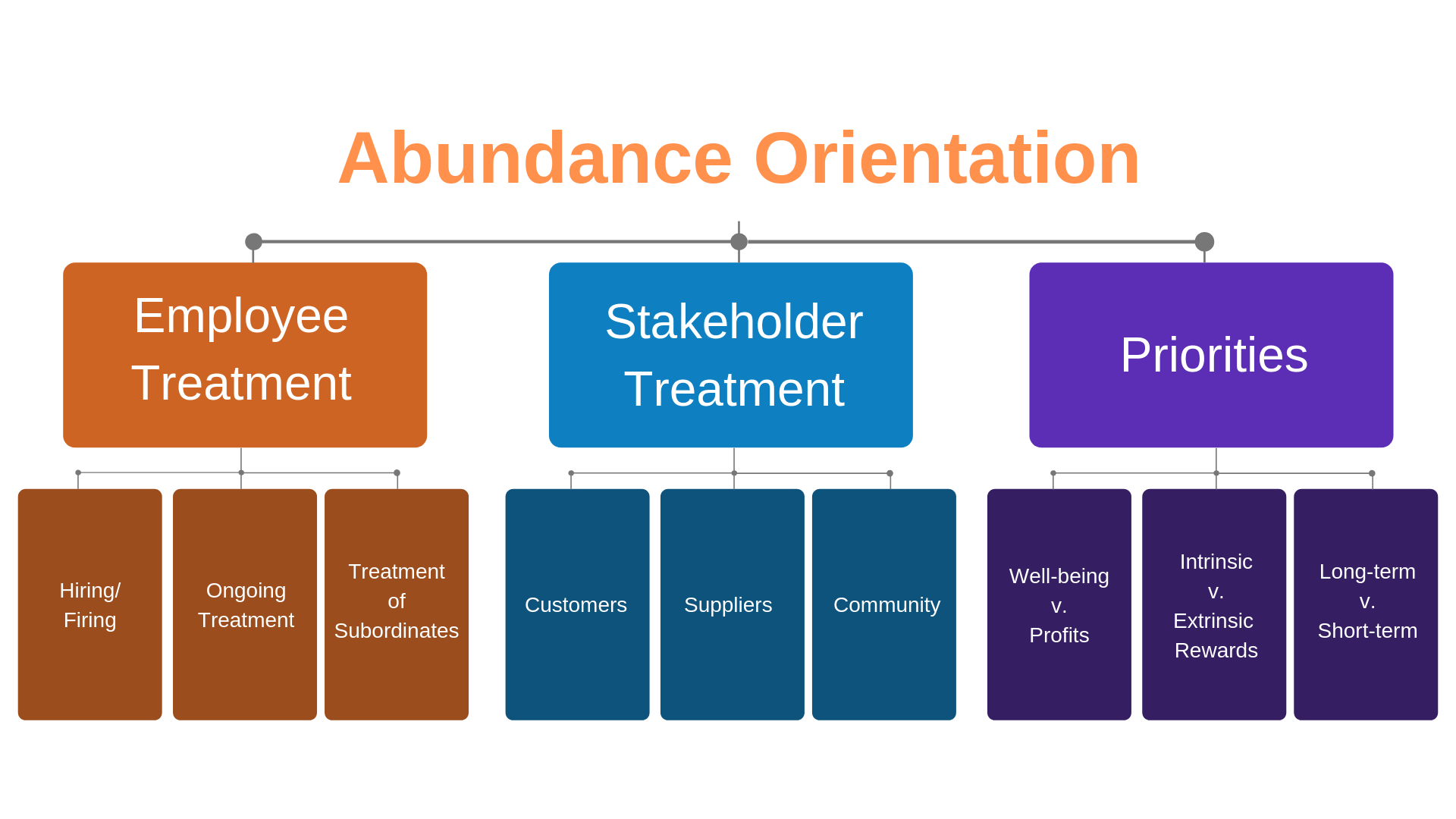
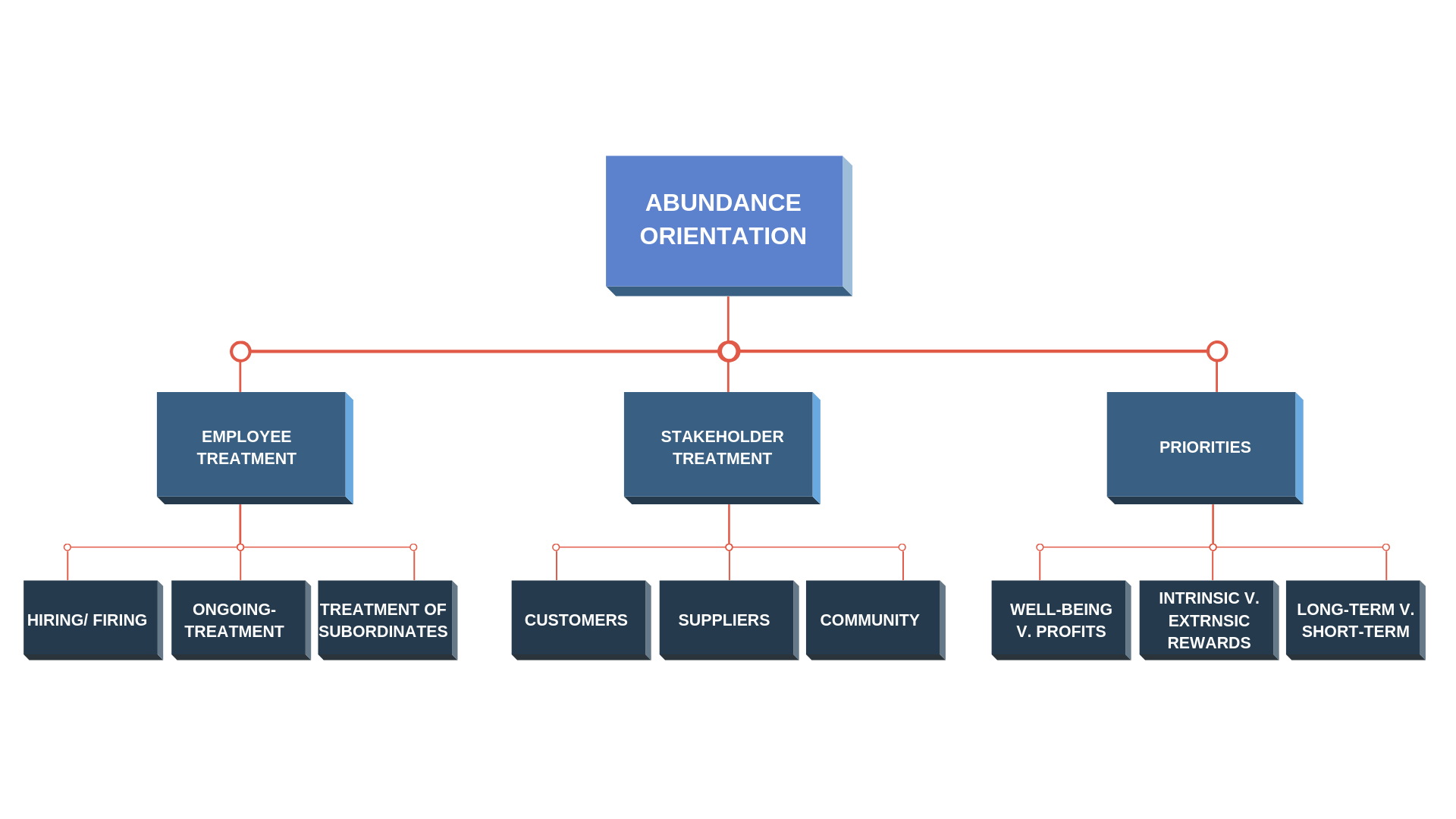
FLOWCHARTS

I have been at work at some flow charts for a professor’s video. The one that was currently used was not popping enough in color and every part of flow chart was treated the same visually. With these things in mind I decided to integrate the color palette from other slides in the video into the flow chart and change the value of each box so that there is a clearer hierarchy of content presented. 

Filed Under: 2019 Fall-Winter | Spring-Summer 2020

McCombs Online

September 24, 2019 By Maddy Kaniewski

McCombs Online Courses

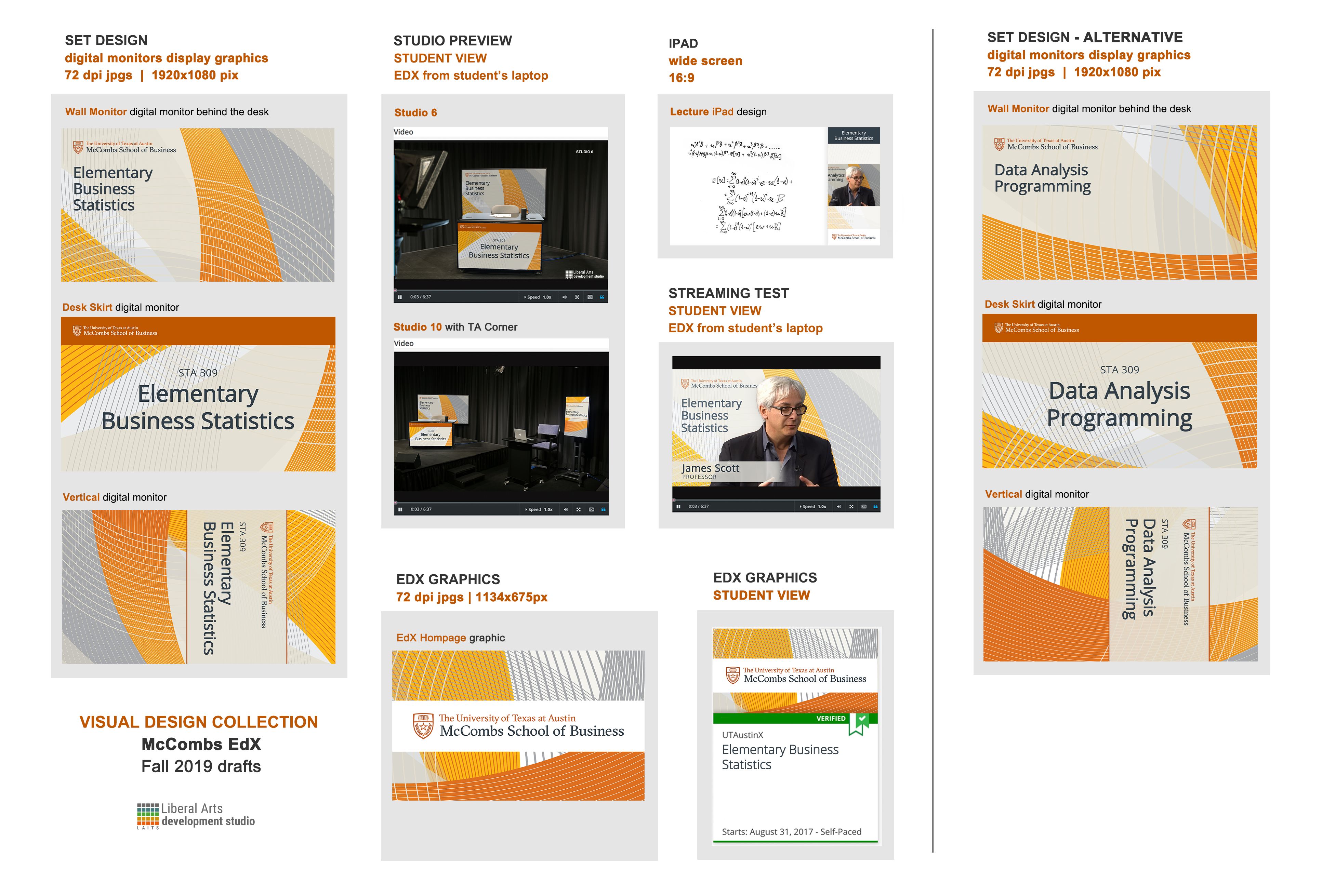
I’ve spent the last few weeks attending client meetings for some of McCombs’ massive open online courses (MOOCs). McCombs already has a pretty robust comm+branding team but I’ve been able to explain to them what design options LAITS has for making a well branded course. I went through the McCombs brand book before designing some of the mockups.


#1 – McCombs network pattern:

#2 – Photography:

WIP


Project: McCombs EdX launch
Client/Prof: McCombs School of Business
Completion status: started September 11th
Staff guidance: Suloni Robertson
STA team members: Just me so far
Description/plans: Creating digital and studio assets for 3-4 online courses
To be completed: End of October(?)

Filed Under: 2019 Fall-Winter | Spring-Summer 2020, We are STAs

ID Editing

September 24, 2019 By Jalisa Broussard

Jaclyn assigned 20 photos for me to edit to ID pictures for graduate students, staff, and faculty of the College of Liberal Arts. I was nervous about this assignment initially because I didn’t have much experience editing outside of mobile apps. Plus, editing ID photos that represent grad students, professors, and staff on the UT website felt like a big responsibility. But once Jaclyn walked me through how to edit one ID, I realized that the Photoshop tools were easy to use. Suloni introduced me to the stamp tool which takes pixels from one part of an image and applies them to another area. I found this tool especially impressive because of how useful it was in editing harsh shadows away. After this assignment, I feel much more comfortable editing photos in Photoshop and I’m really happy that I can help fellow longhorns put their best foot forward!


Filed Under: 2019 Fall-Winter | Spring-Summer 2020

KB: Slide Scanning Instructions

September 23, 2019 By Abriella Corker

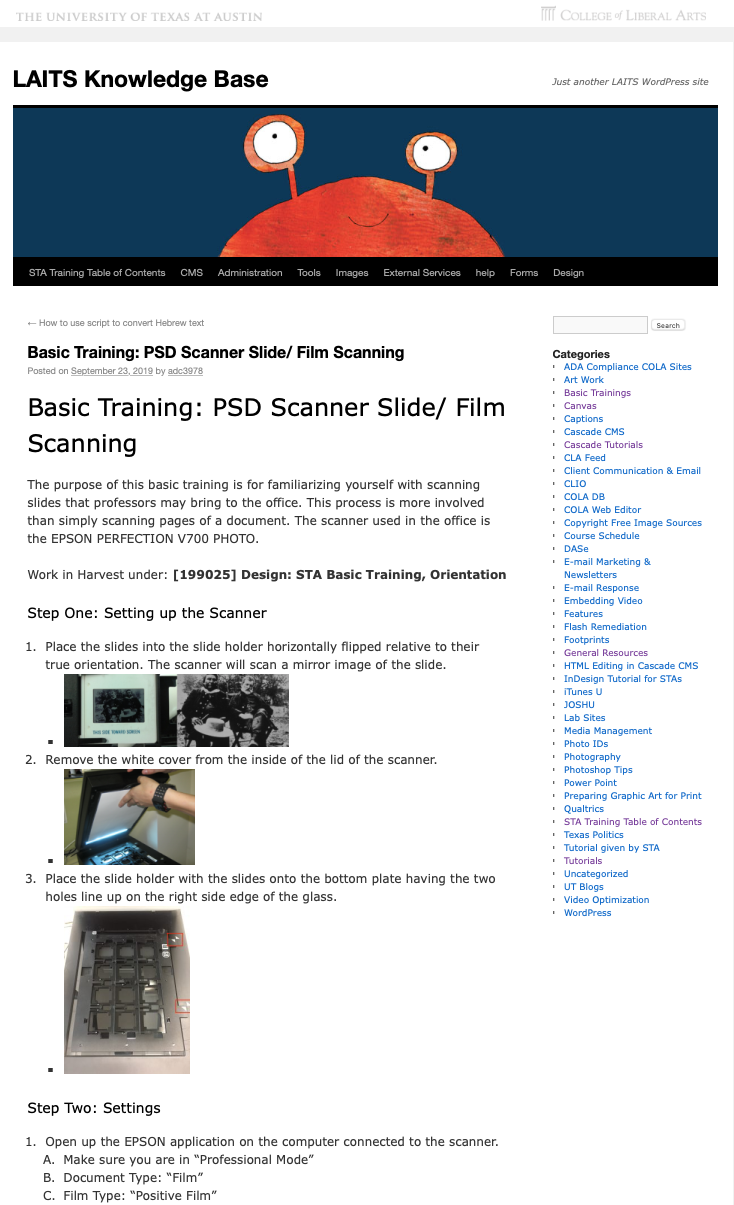
KB INSTRUCTIONS: SLIDE SCANNING INSTRUCTIONS

I was able to kill multiple birds with one stone working on scanning for a professor. There are about 200 slides to scan one-by-one so the task was taught to Kevin so he can teach Jalisa. Divide and conquer! Now all three of us can cross off this basic training in our Basecamp. Since Suloni eventually wants all the Basic Trainings uploaded to the Knowledge Base I added this one since the instructions for it are scattered across our different platforms. It was fairly quick to put together but I think this will still need more refining as time goes on as with all things. Its been busy!

Filed Under: 2019 Fall-Winter | Spring-Summer 2020

  • « Previous Page
  • 1
  • …
  • 73
  • 74
  • 75
  • 76
  • 77
  • …
  • 80
  • Next Page »

link to LAITS home page

Video STA Home

© 2026 Liberal Arts Instructional Technology Services | Production Credits