• We are STAs
    • Asha Rountree
    • Haley Ma
    • Kate Shih
    • Kyra Lee
    • Nicholas Peasley
    • Sasha Kenney
    • Shanda Horm
    • Shriya Atreya
    • Tomas Marulanda-Mesa
  • We were STAs
  • STA Presentation
    • STA Presentation 2017
    • STA Presentation 2016
  • Testimonials
  • Resources
  • Home

STA Blog

Updating the KB

February 3, 2020 By Abriella Corker

UPDATING THE KB WITH BASIC TRAININGS

We have been adding basic trainings to the KB and will continue to do so in between projects. Thuy, Bridget, and I have been the ones who have edited these so far. They have more instruction and examples implemented in them to give new hires a more well-rounded training. Folders in the server will eventually be updated to correspond with the content in here.

Filed Under: 2019 Fall-Winter | Spring-Summer 2020

2-3-20

February 3, 2020 By Bridget

Filed Under: 2019 Fall-Winter | Spring-Summer 2020

STA Roster Poster Draft

January 31, 2020 By Thuy H Nguyen

STA Roster Poster Draft

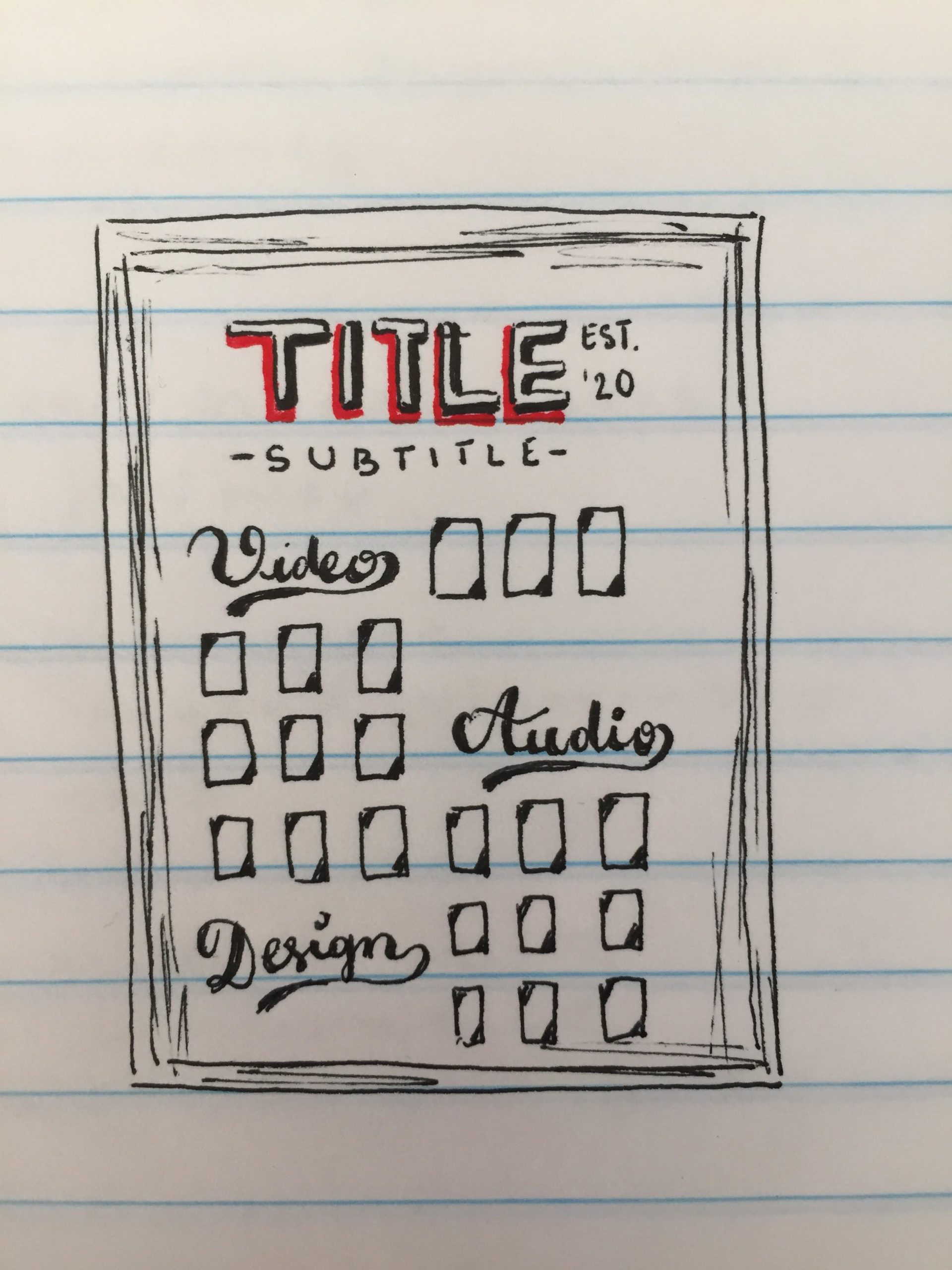
I started drafting the roster poster for the STA Program Spring 2020. Mike wanted something related to ‘champion,’ so I thought of the Retro style. After looking at some inspirations (retro fonts, posters, etc.) I came up with a rough draft that looks something like this.

Filed Under: 2019 Fall-Winter | Spring-Summer 2020

Nutrition Infographic Updates

January 31, 2020 By Thuy H Nguyen

Nutrition Infographic Updates

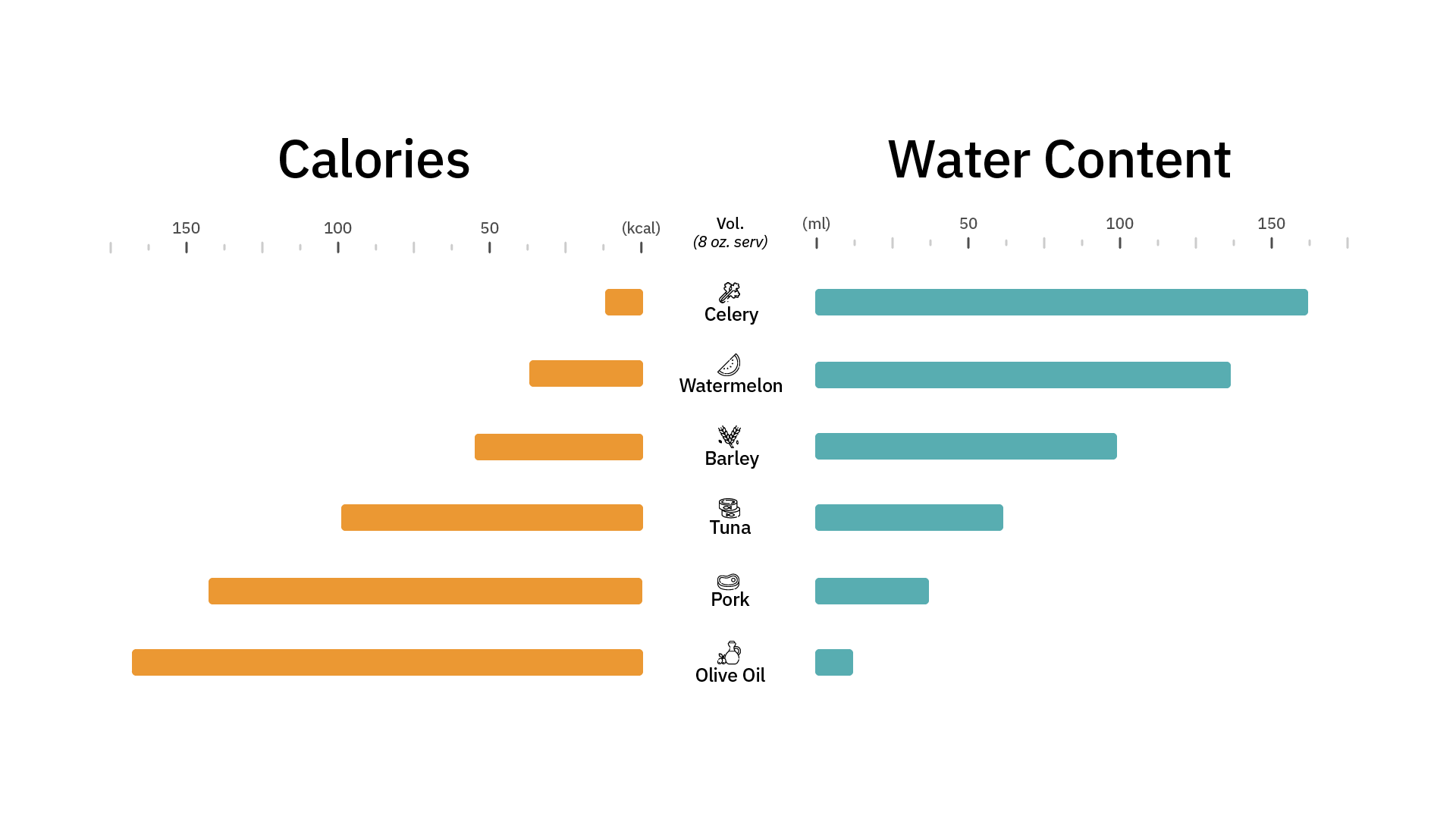
The client got back to us regarding the Nutrition Infographic. They like the version with the icons (yay!), and wanted to see two versions of the graph, so Abriella and I each made one, with her working on the one without line markings, and me working on the one with numeric markings like below.

And after some edits suggested by Valerie

Filed Under: 2019 Fall-Winter | Spring-Summer 2020

Web Support

January 30, 2020 By Abriella Corker

WEB SUPPORT

GIF

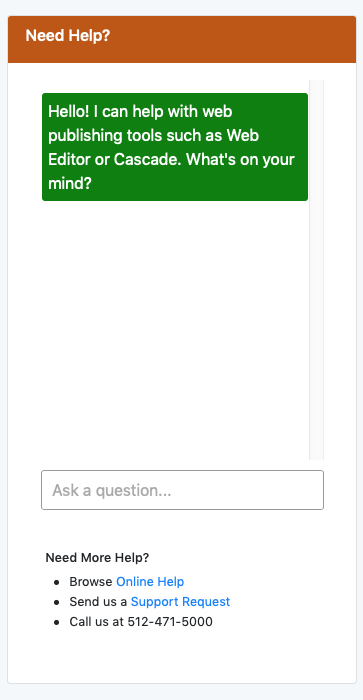
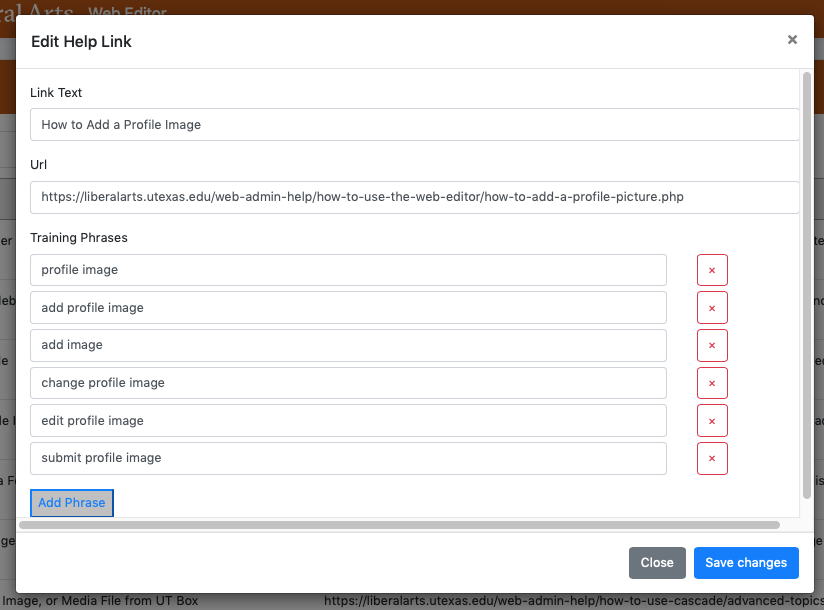
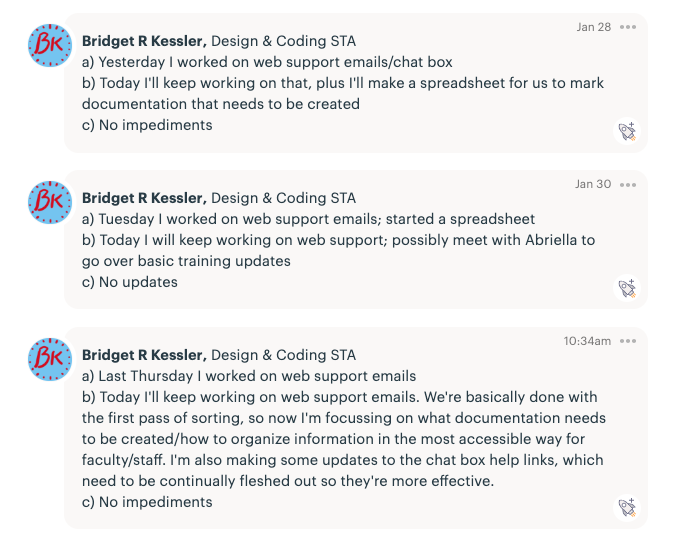
Lately Bridget, Thuy, and I have been working on web support questions from the years 2018-2019 as well as current incoming questions. These questions involve editing sites on Cascade and using the COLA web editor. Our job is to filter through these emails that have been sent and determine what is being asked. We then look up if it is information that has already been documented on our web-support site or is not documented but needs to be. We are doing this because recently, in the last few months, we have added a chat bot to our web editing site to help making searching for answers easier for staff, admins, faculty, and grad students.


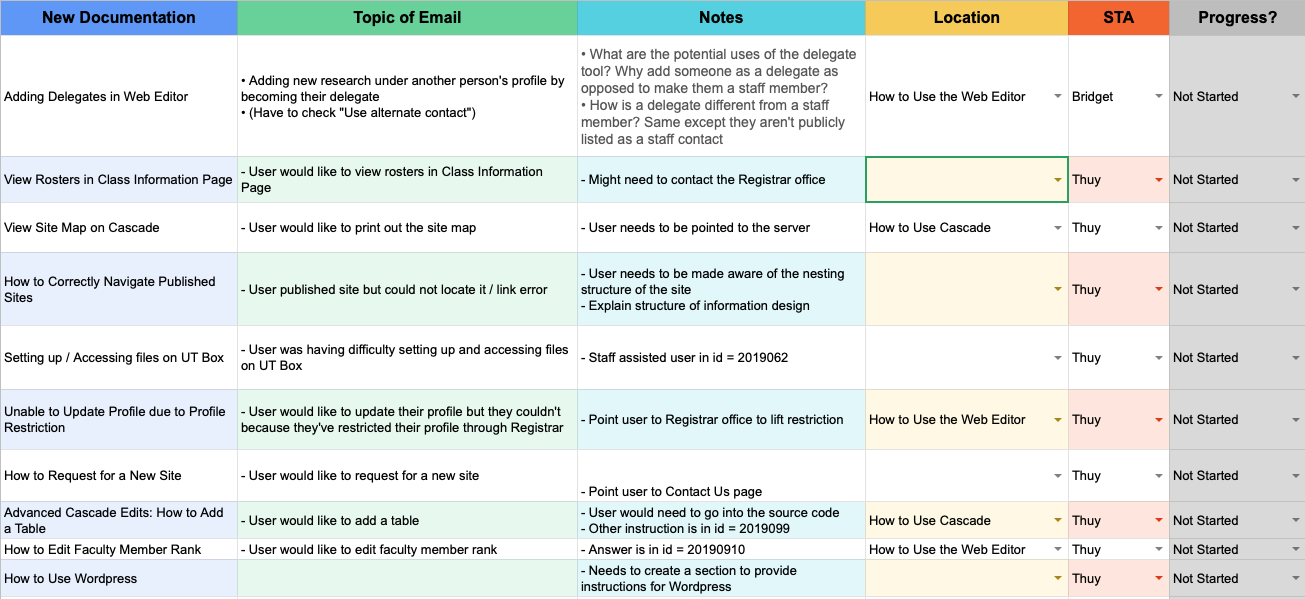
Below is an image of the chat bot that we have, a screenshot of the type of document that has already been added to the bot to link people too, and lastly what the training for the bot looks like. We include the title of the webpage with the instructions, and the hyperlink, and included various types of phrases that could possibly be asked about the topics answered in that instruction guide. As we go through more emails, we can identify a larger quantity of phrasing of questions that can be added to links we already have in the chat bot to make it more intelligent and accurate.


Underneath is part of the excel spreadsheet Bridget has made for keeping track of the type of documentation that needs to be made and added to our instructional site. These are what we have found so far during our first round of filtering through emails. Once, we start making these after the first round look throughs are complete, we can make the documentation needed and train the chat bot all at once. Then we will go through the second round of emails we previously filtered and update their status that the chat bot has been trained.


Filed Under: 2019 Fall-Winter | Spring-Summer 2020

Hebrew Flash Single Page to Images

January 27, 2020 By Jake Engelberg

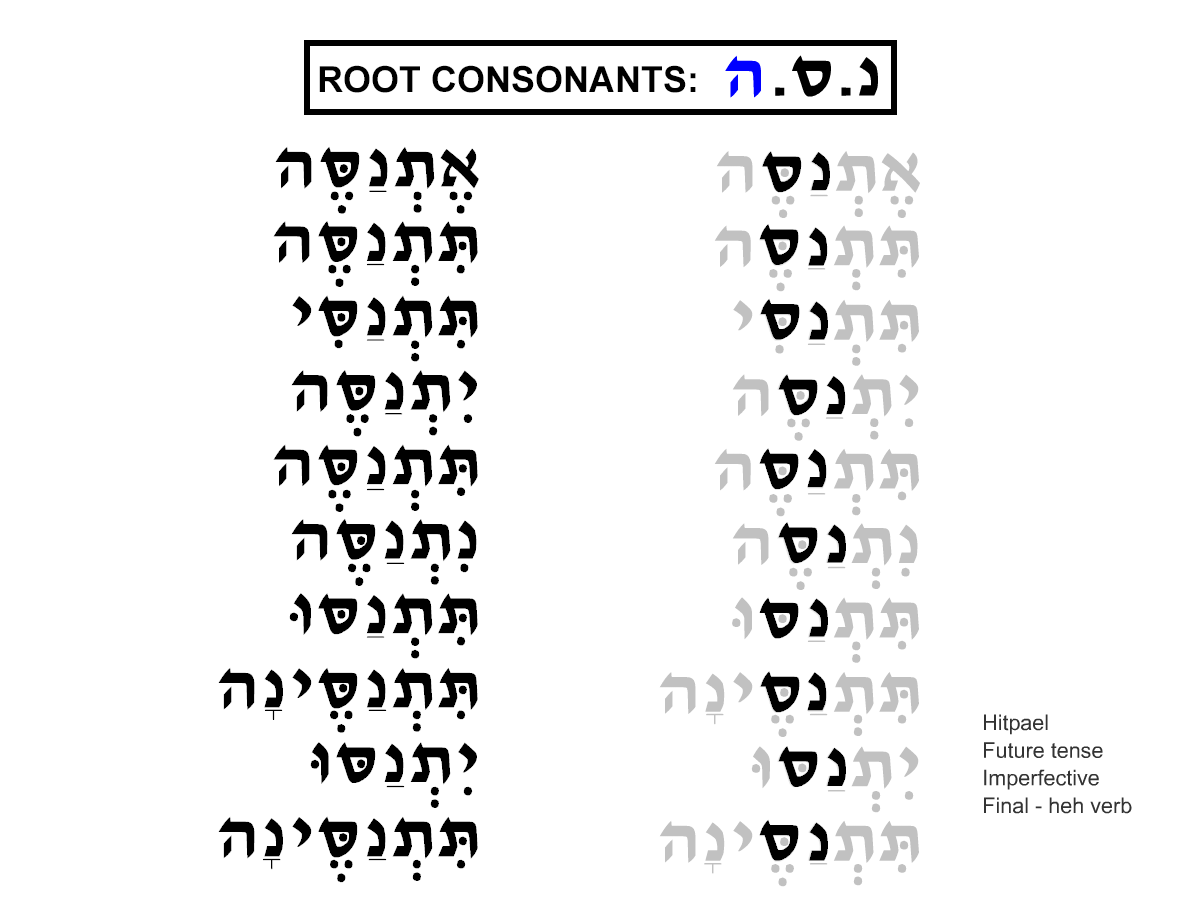
Continuing the task to convert some flash interactives into Canvassers, I’ve come to notice that the single paged interactives (about half of all interactives) are somewhat redundant in construction in my view. With this in mind, if I were to be able to convert the information to a static image, then the conversion of these interactives will take much less time.


Here is the original flash interactive:


As you may notice, clicking all of the buttons adds minor value to the information as a whole. So, I converted it to a static image:

This mockup hopefully makes the information a little more clear and simple. My next step is to pitch this to Dr. Raizen to get approval to assign these conversions out.

UPDATE:

We now have a final design to go with, which ended up just being a static version of the original flash interactive. However, I have to create a guide that maintains consistency between every image that we will create, and after a lot of trial and error, I have developed a .psd guide and I am drafting steps that an STA can follow to start conversion.

https://docs.google.com/document/d/1Pr28Xu6M6slUbh3z8F5la2efvQ7IeRFDbj5fID9S7rw/edit?usp=sharing

Filed Under: 2019 Fall-Winter | Spring-Summer 2020

  • « Previous Page
  • 1
  • …
  • 53
  • 54
  • 55
  • 56
  • 57
  • …
  • 80
  • Next Page »

link to LAITS home page

Video STA Home

© 2025 Liberal Arts Instructional Technology Services | Production Credits