• We are STAs
    • Asha Rountree
    • Haley Ma
    • Kate Shih
    • Kyra Lee
    • Nicholas Peasley
    • Sasha Kenney
    • Shanda Horm
    • Shriya Atreya
    • Tomas Marulanda-Mesa
  • We were STAs
  • STA Presentation
    • STA Presentation 2017
    • STA Presentation 2016
  • Testimonials
  • Resources
  • Home

STA Blog

STA Work Blog

STAs: Student Technology Assistants

Who We Are
LAITS: IT and Facilities Director, Joe TenBarge initiated the Student Technology Assistant program in 2004. STAs are UT students who work on a variety of projects in collaboration with UT faculty and LAITS staff members. STAs assist College of Liberal Arts faculty members and administrative staff with print and web design. From building presentations, to creating audio/visual works, and producing online classes in the LAITS film studios, STAs are instrumental in helping COLA faculty realize their vision for multimedia projects that enhance their teaching and the students learning experience. By the end of their student careers, STAs have portfolios which demonstrate their accrued technical and design skills.


Prospective STAs:

Creative and technically inclined students are appointed as STAs for one year, with the possibility of being rehired as long as they study at the university. Applicants for the program are hired before both long semesters. Interested students may look for postings on Hire-A-Longhorn when positions are available. Positions will have Student Technology Assistant (illustrator or web designer) in the title of the job post.


Faculty and Staff:

Faculty & Staff with questions about services, please contact us.

https://liberalarts.utexas.edu/laits/contacts.php

  • Audio Services: Michael C Heidenreich, Audio Services Manager
  • Video Services: Kelly Webster, Video Production Supervisor
  • Graphic Design & Web Design Services: Suloni Robertson, Art Director / STA Program Manager

Poster Design: The Littlefield Lectures, Manisha Sinha

October 9, 2017 By Anna Xu

[1/3] Poster Design: The Littlefield Lectures, Manisha Sinha


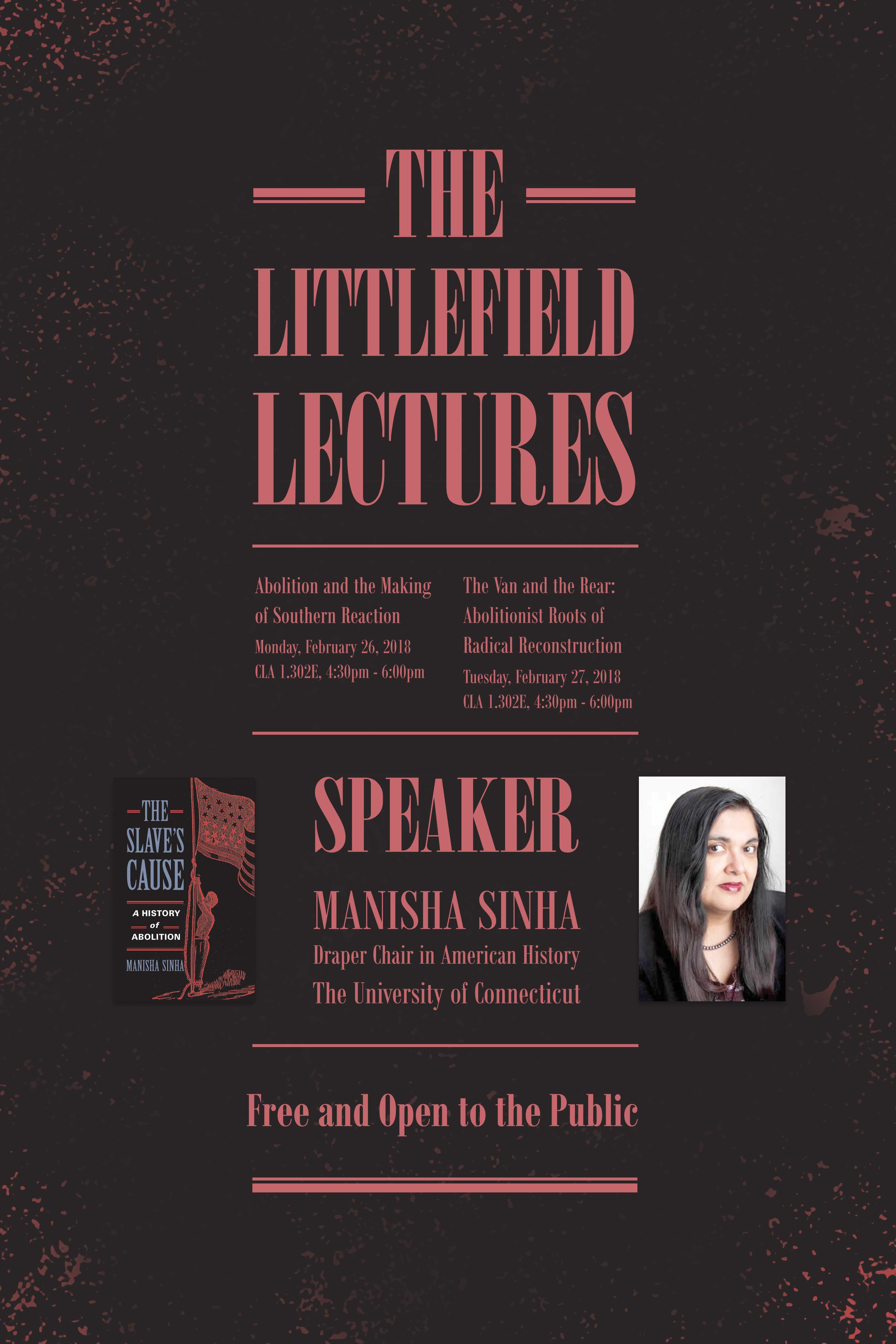
This is a poster for The Littlefield Lecture series. In this first draft, I’ve decided to depart from the previous design and create a new design. I based the overall design around the photo of the book cover I was given (the photo is featured in the poster). This is why I chose to use horizontal lines for accents, a sans-serif font, and colors similar to the book cover.


– Font: Bodoni MT, Poster Compressed | Compressed Bold

– Dimensions: 11″ x 17″ + 1″ Bleeds

– Currently saved as medium quality jpegs, will save in proper formats and file locations after first round of feedback


If this design winds up getting rejected, my fallback plan is to use the old poster as a template and make a new poster based off of the old one.
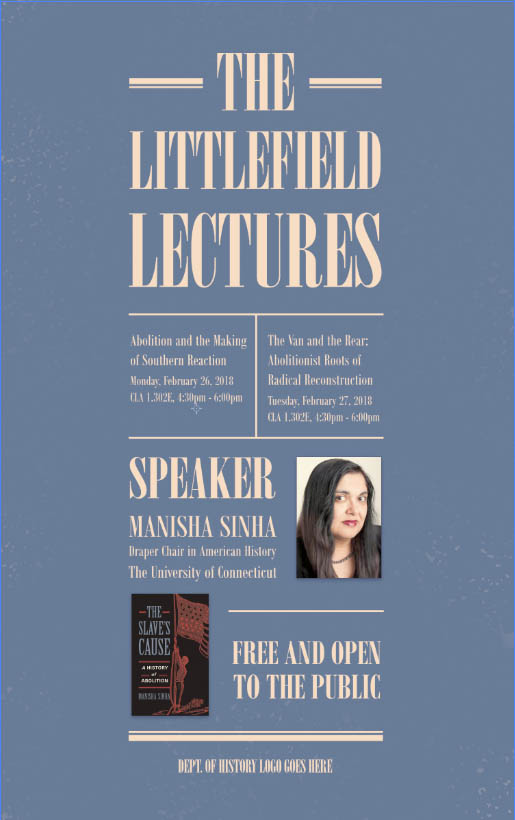
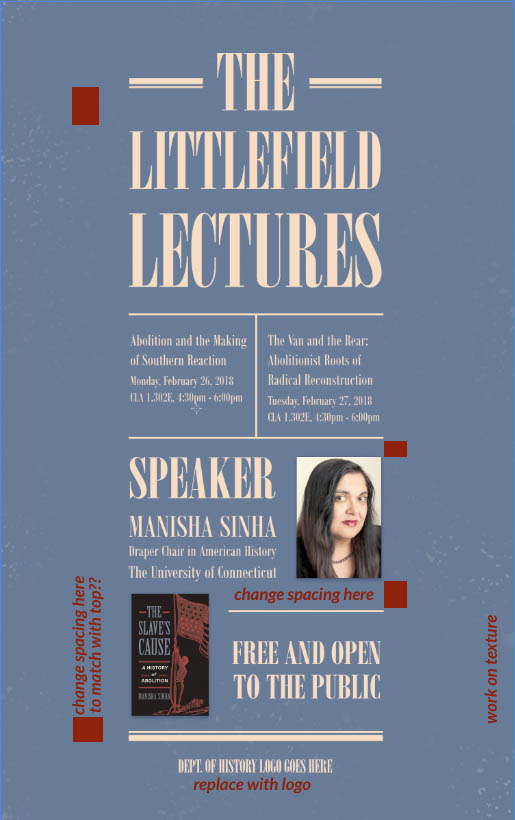


[verA] peach on white, 11″x17″ (1″ bleeds NOT depicted)
[verA] pending changes


Potential Alternatives for Color

**These are NOT new drafts.**


These are just here to illustrate the possible color options if peach on white is not preferred. For the color palette, I sampled colors from the book cover featured in the poster. For the final first draft, I used a peach for the text. (It looks more yellow on here, but it’s pinker on my laptop.) Since the colors on my laptop tend to view warmer, I’ve included the hex codes below:

Hex Codes     Background (blue): #687c98   |   Text (peach): #f6ddc3


Selected Draft 1
white on blue
red on black

Filed Under: 2017-2018

TBH Updates!

October 5, 2017 By Bryan Xiao

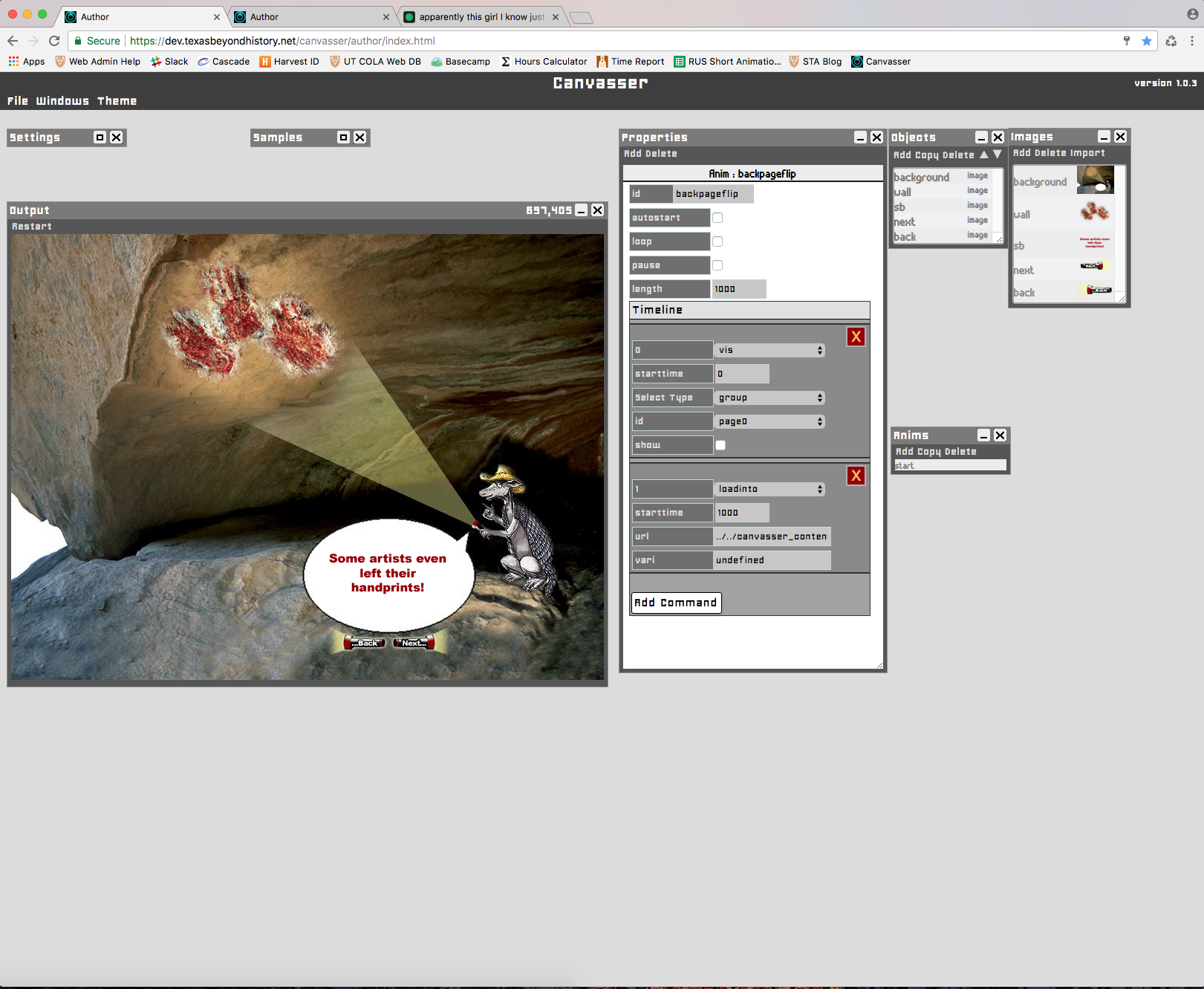
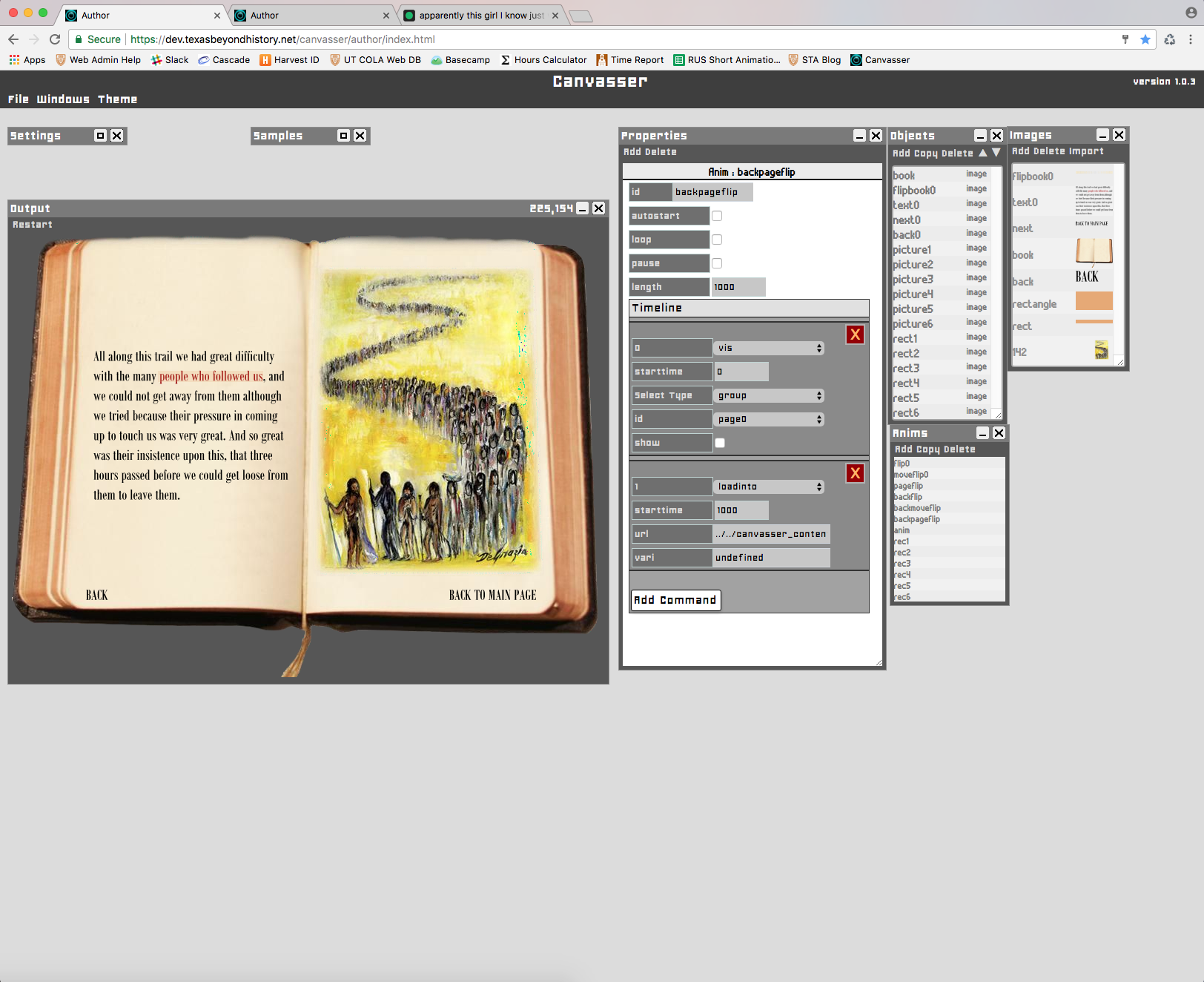
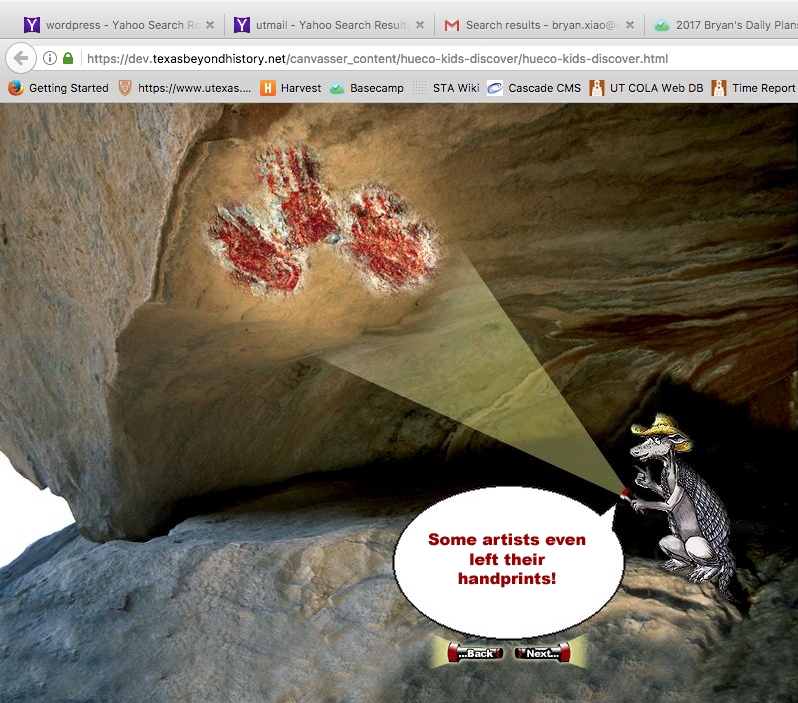
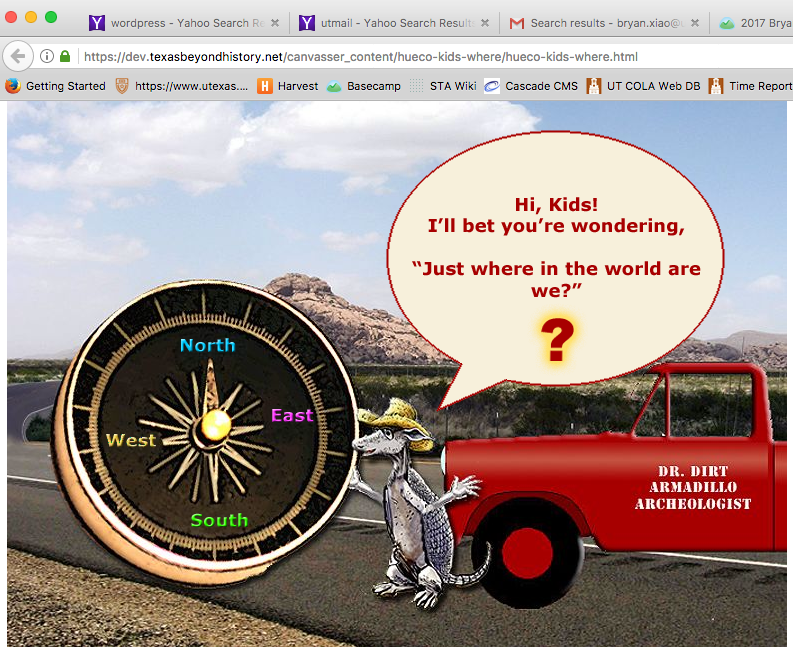
For the past couple of weeks, I’ve finished two more additional animations for Texas Beyond History. One–Hueco Kids Discover–was started by another STA. During recreation, I found that some backgrounds and images were either not available or needed editing. Because Suloni walked me through the basics of Photoshop a couple of weeks before, I was able to recreate these missing elements myself.

The other animation I finished was Cabeza Lost. At this point, I have become comfortable with combining Photoshop and Canvasser to create these animations.

An unexpected obstacle came up when Canvasser and our folder permissions were changed while I was in the process of recreation. Because the structure of how Canvasser functioned changed, I had to look at the JSON code to see where the problem was. What I had trouble with was with the new ‘Import Images’ function of Canvasser, and when I looked in the JSON code, I found that the paths for these newly created images were not lining up with the paths of the old images.

In the end, I was able to work with Nick and Reuben to figure out the new system and finish the animation!

Filed Under: 2017-2018

Finishing TBH Hueco Where and Discover

October 2, 2017 By Bryan Xiao

Since starting work on Texas Beyond History in Canvasser, I have learned more efficient ways of animating that let me better complete TBH Hueco Discover after finishing the “Where” page. Below are pictures of some of the final frames for both projects. For Discover, I had to learn and use Photoshop to recreate background images and flashing animations too.

Filed Under: 2017-2018

What I’ve Been Up To…

September 29, 2017 By Kathy Vong

I edited and uploaded a bunch of COLA photo IDs this month!

And… more COLA photo IDs!


I have also been busy working on illustrations for the RUS407 course.

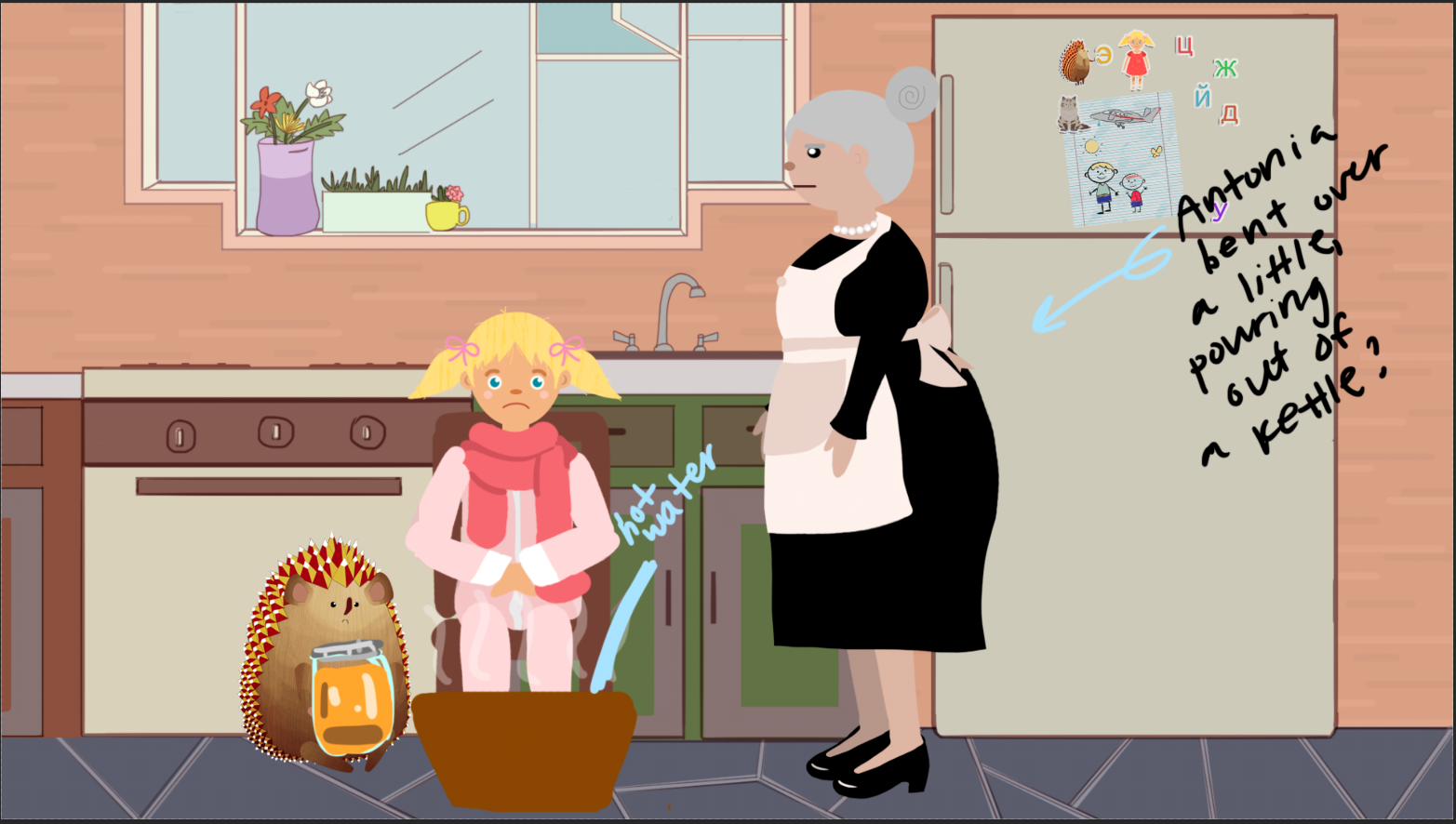
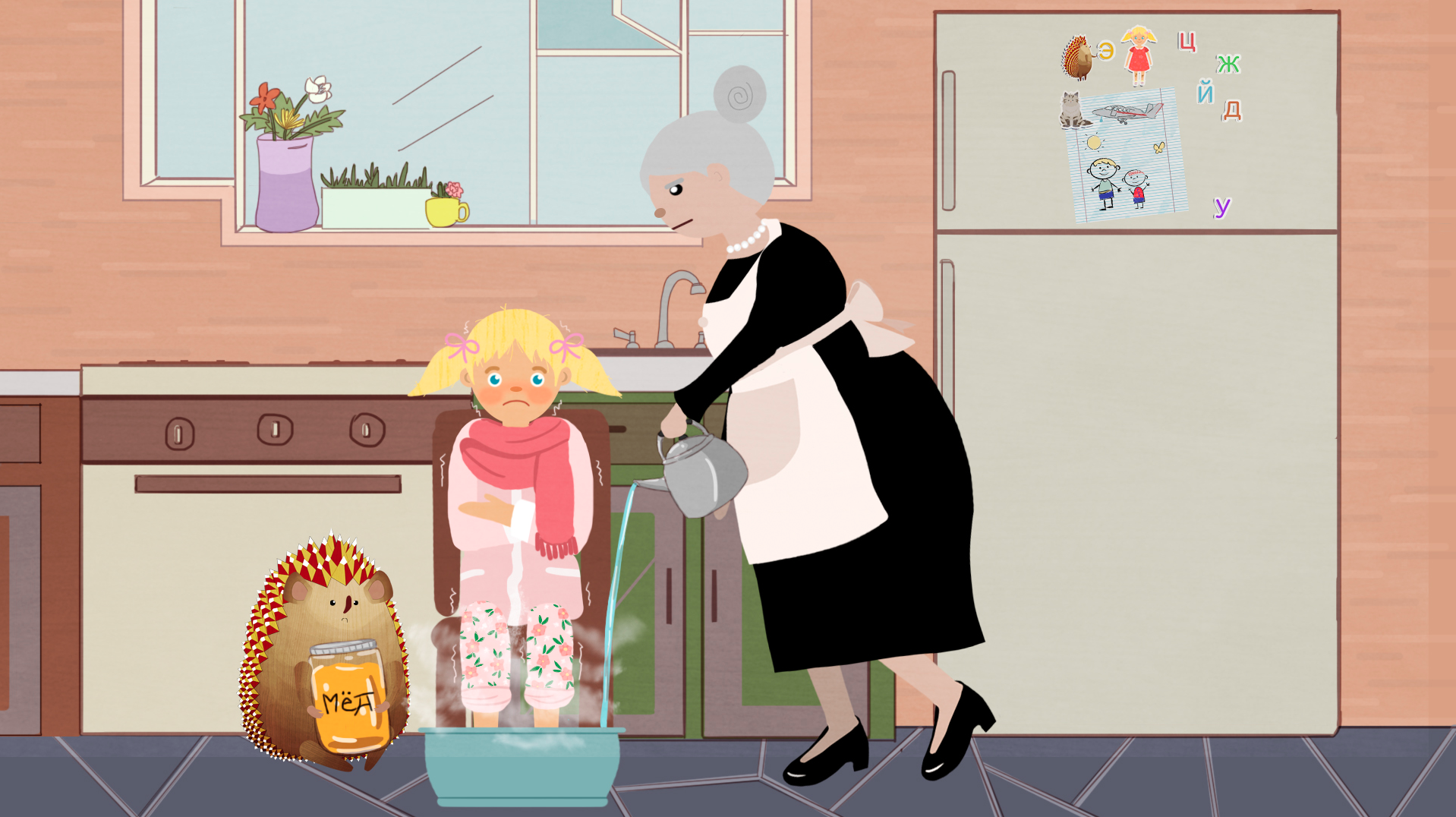
Scene description: Polina is sitting in a chair in the kitchen. Sad face. She’s all bundled up on warm pjs, with a thick scarf wrapped around her neck. Her bare feet are submerged in a basin into which Antonina is pouring very hot water (see steam). Oleg is sitting next to her holding a big jar against his tummy on which is written ‘Мёд’ (honey).

I started out with a very rough layout of the scene.

The scene utilized a lot of previously made assets. The kitchen background is one that has been used many times in the past, so it was really a matter of positioning the character puppets into the scene and roughly painting in a few additional details or props and outfits! I often put characters in with their default poses and paint on top of them if needed. I also enjoy scribbling notes in a layer on top of everything. This helps me get my thoughts together.

Things I had to address:

  1. How can I make Polina look cold?
  2. How can I make Polina look a little sick? (We’re assuming she’s sick!)
  3. How should Antonina be posed?
  4. How can I make it clear that there is steam coming from the water?
  5. Is the size and color of the basin appropriate?
  6. Give Polina’s pajamas a little more character!

Eventually, the illustration evolved into this:

Suloni suggested that I give Polina’s pajamas a print of some sort, so in a clipping mask layer, I painted a simple flower print. I also changed the size, shape, and color of the basin. Because the basin isn’t as tall, you can clearly see that Polina’s pants are rolled up! I made Polina hug herself to make herself look cold and added some redness to her face using a soft round brush with lowered opacity. I also drew in little shaky lines around her to emphasize the fact that she is cold and shivering. I had some difficulty posing Antonina, but I figured it out! And the honey jar Oleg is holding was easy to finalize. I simply wrote honey in Russian right on top with a hard brush!

The steam was created by using a textured brush. I simply painted over Polina’s legs and the basin using white and lowered the opacity. I also smudged it a little using the smudge tool to soften some of the edges just a little.

Some minor adjustments were made after the last progress check. The only real change made is that I made the steam slightly more opaque! Now you can really tell that the water is steaming hot! I also hunched Polina’s shoulders up a little more, and now she looks even colder.

Filed Under: 2017-2018

Texas Beyond History Canvasser

September 29, 2017 By Qiwei Li

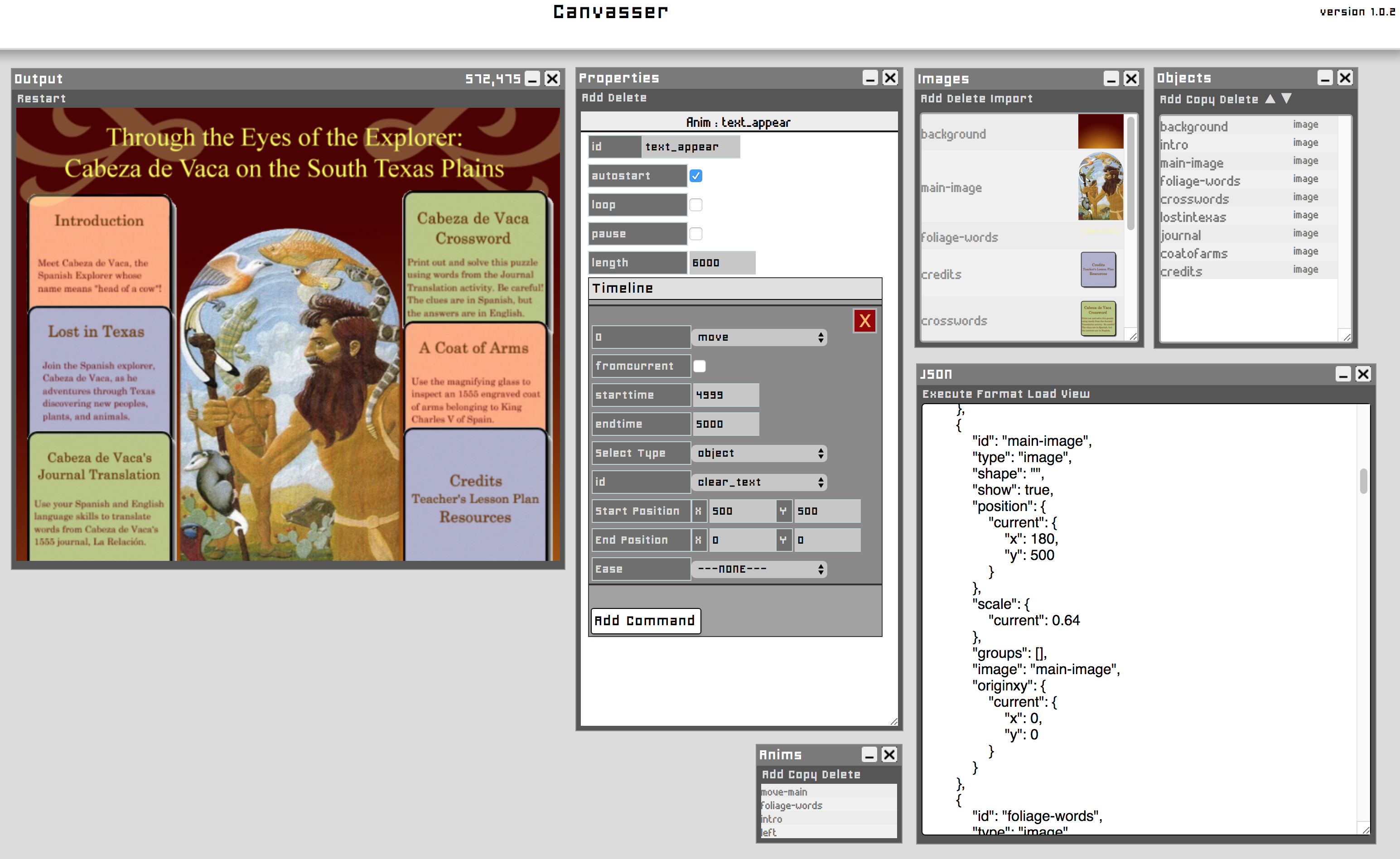
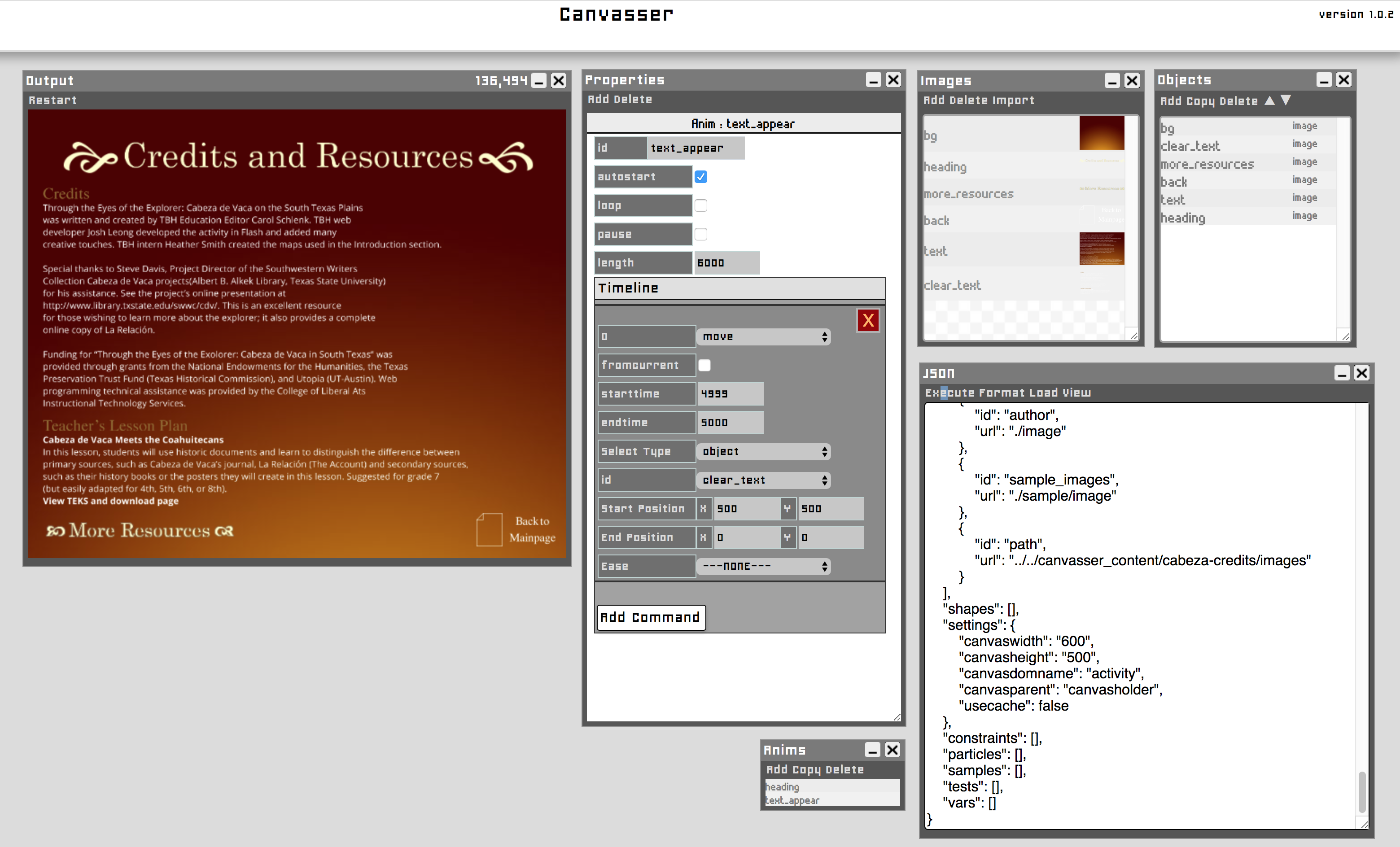
This past week I have been working on re-creating Flash content using JSON based Canvasser for the Texas Beyond History project. In this project my job consists of loading the correct images and files into the Canvasser portal, and making the changes to animate them. Below are some more screenshots for another animation.

At the same time, I have also been working on various COLA IDs, processing them for online display.

Filed Under: 2017-2018

Spinning Icons with Clock Animation

September 29, 2017 By Rodrigo Villarreal

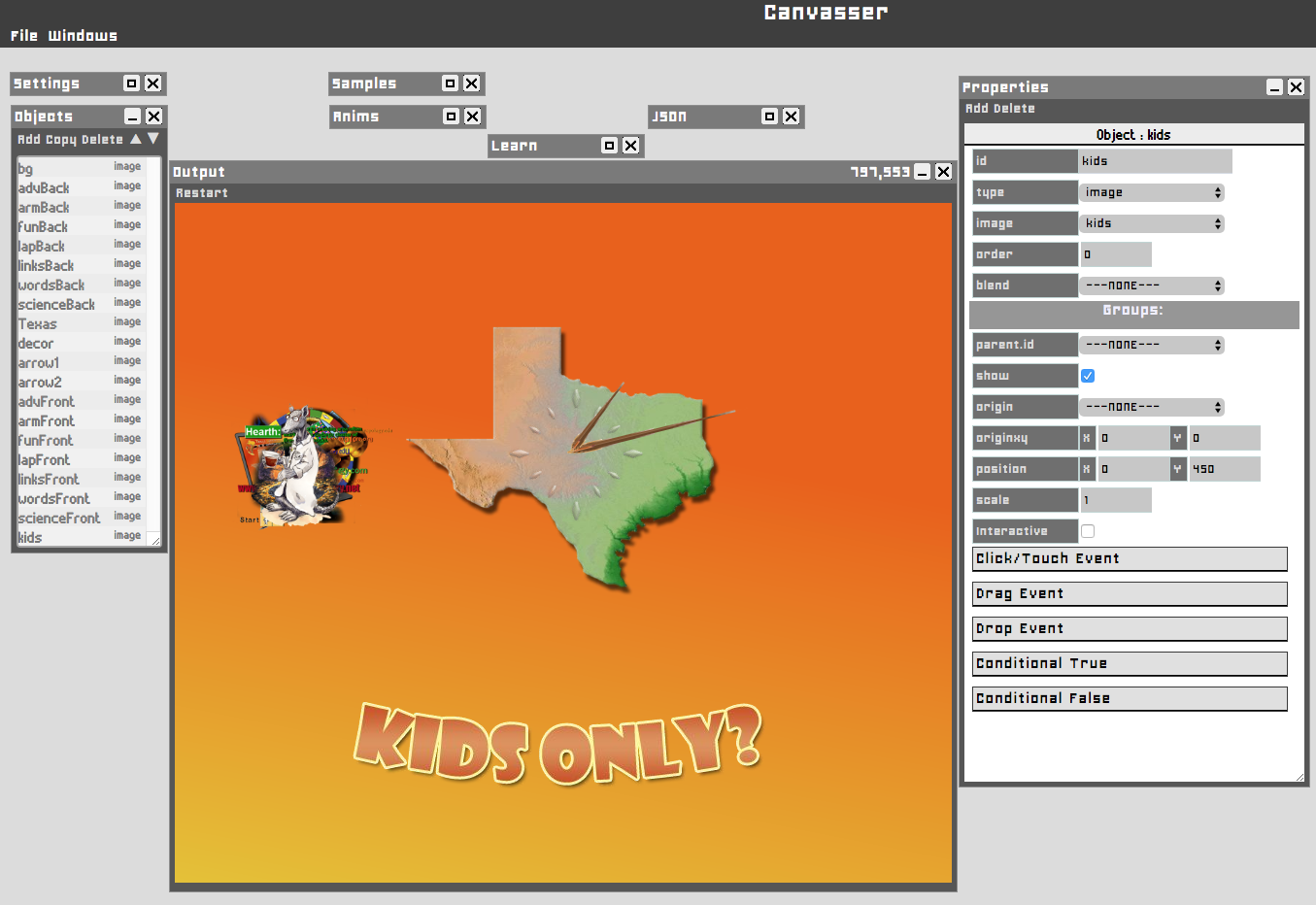
For my third project I had to work on creating this animation for the main kids TBH page. It has a bunch of spinning icons and a clock behind them.

It might not seem like much in a picture but it’s pretty impressive. The process was long and difficult. I’ve been working for 3 whole shifts but it’s almost done. Ironically the most difficult part to make was the clock, which is not all that impressive to look at.

I think I’m really starting to get good at Canvasser. The tool is really powerful but still has a few errors. I’ve been suggesting a lot of functions that they could add to it and make it better. Right now I’m waiting for them to add a tool which could let me start a new animation after another one ends. Anyways, here is my progress.

The icons are all mashed together but they actually spin. When the new stuff gets added I can finally finish. Meanwhile I get time to work on my banner. I’ll keep you posted.

Filed Under: 2017-2018

  • « Previous Page
  • 1
  • …
  • 33
  • 34
  • 35
  • 36
  • 37
  • …
  • 43
  • Next Page »

link to LAITS home page

Video STA Home

© 2025 Liberal Arts Instructional Technology Services | Production Credits