• We are STAs
    • Asha Rountree
    • Haley Ma
    • Kate Shih
    • Kyra Lee
    • Nicholas Peasley
    • Sasha Kenney
    • Shanda Horm
    • Shriya Atreya
    • Tomas Marulanda-Mesa
  • We were STAs
  • STA Presentation
    • STA Presentation 2017
    • STA Presentation 2016
  • Testimonials
  • Resources
  • Home

STA Blog

Poonum Mehta

Poonum Mehta

Figma Training

February 3, 2021 By Poonum Mehta

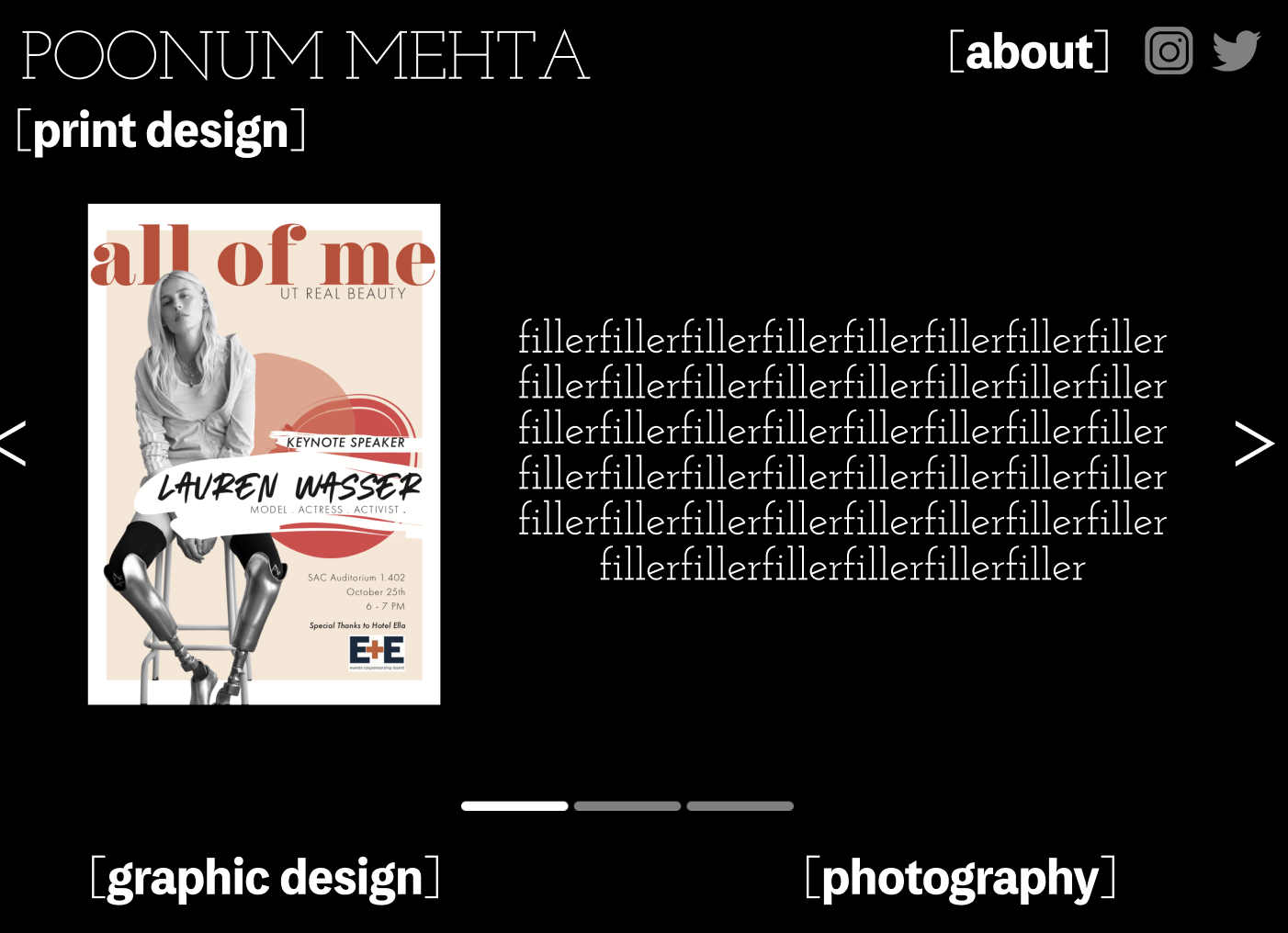
This Monday I finished up the UI/UX figma training. My initial sketch on this is two posts below this one. Here’s how that was executed on figma.


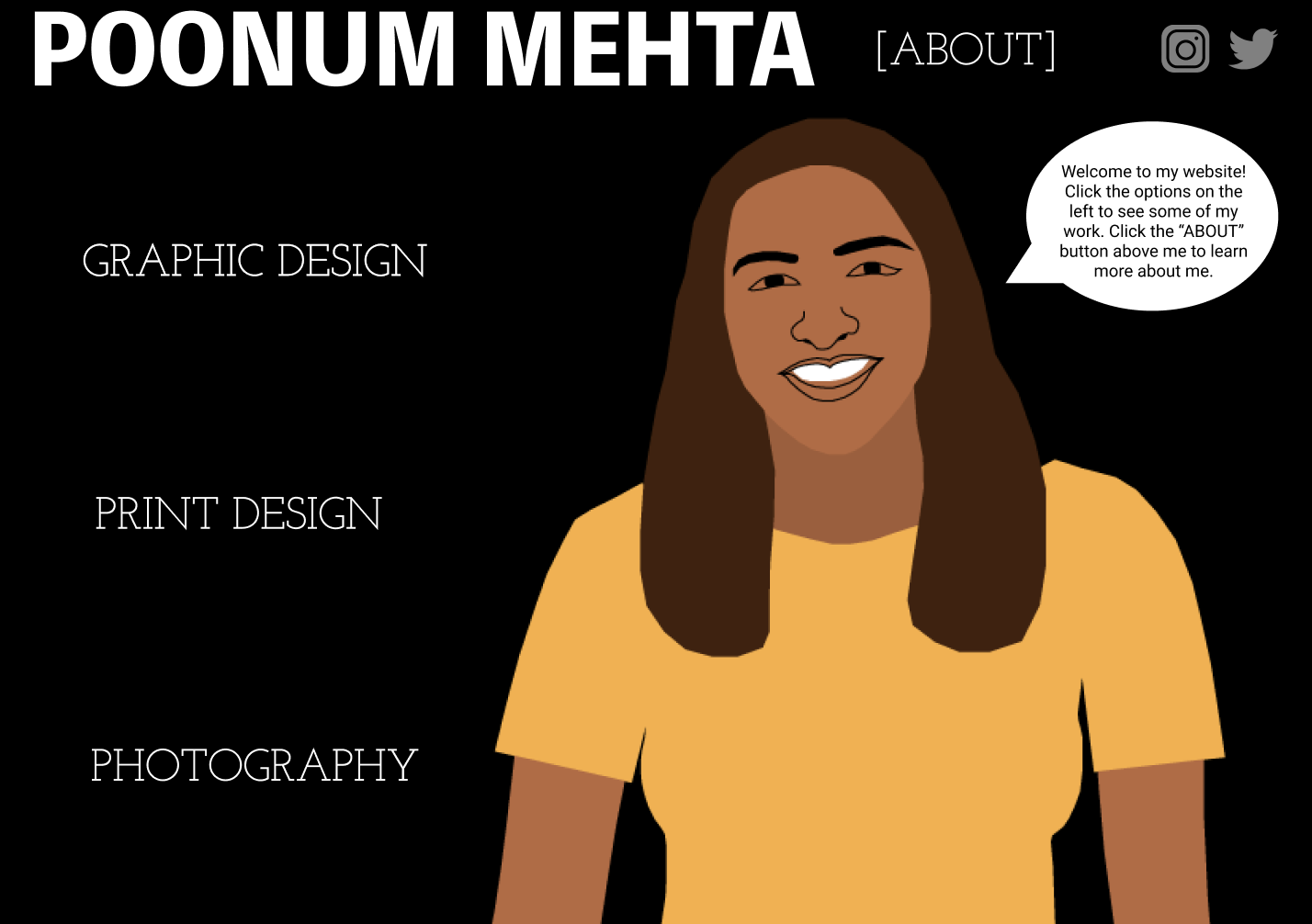
I created a homepage with links to four separate pages: three showcasing my design work, and one (“[about]”) explaining my interests, hobbies, and work experience.

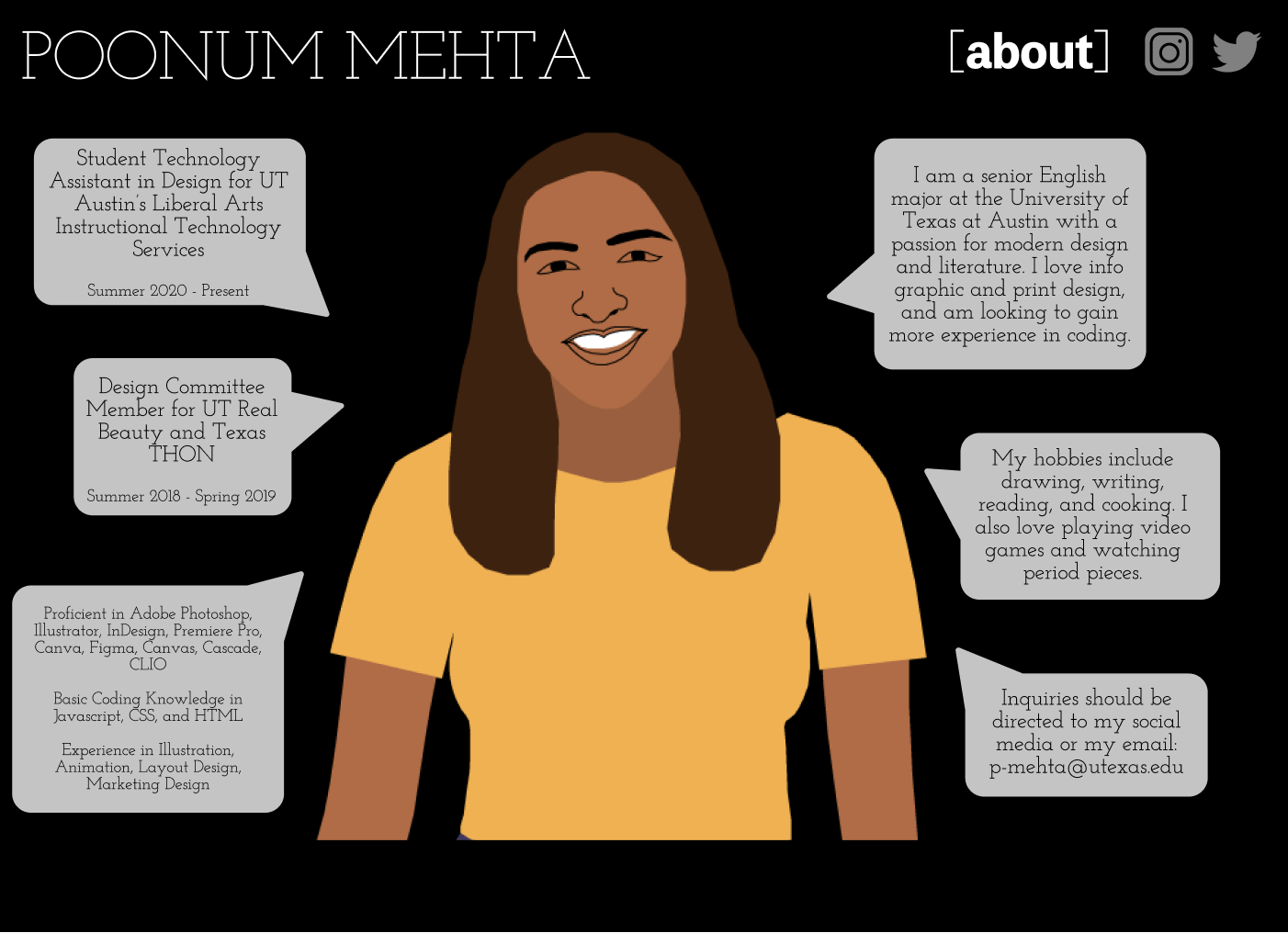
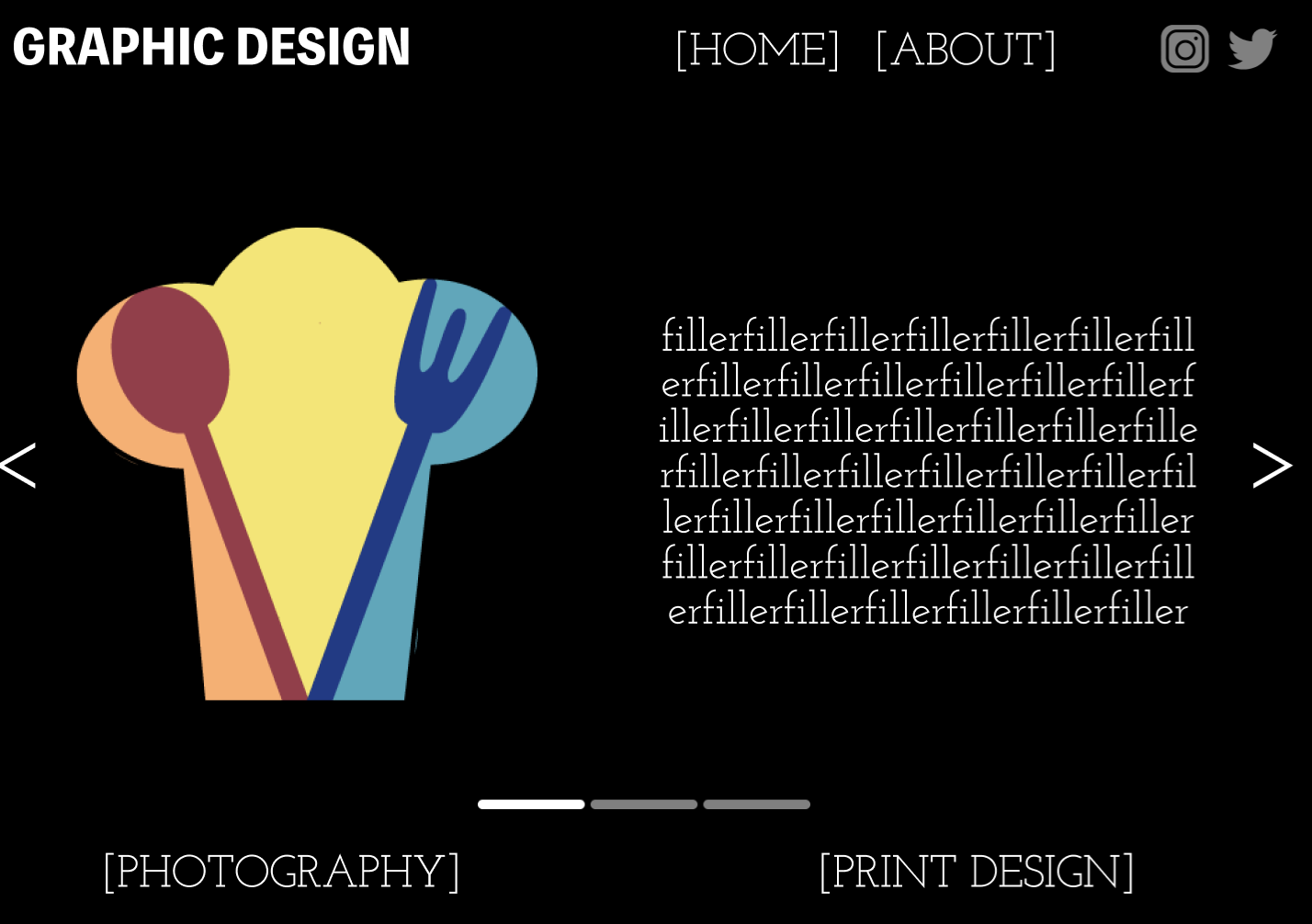
Each design page has a large image of the graphic work, and filler text to explain the creative process. I used the accent keys (< >) to create arrows on either side, and made a bar in photoshop to tell viewers what page they are on (this is below the graphic / filler text, above the other buttons).

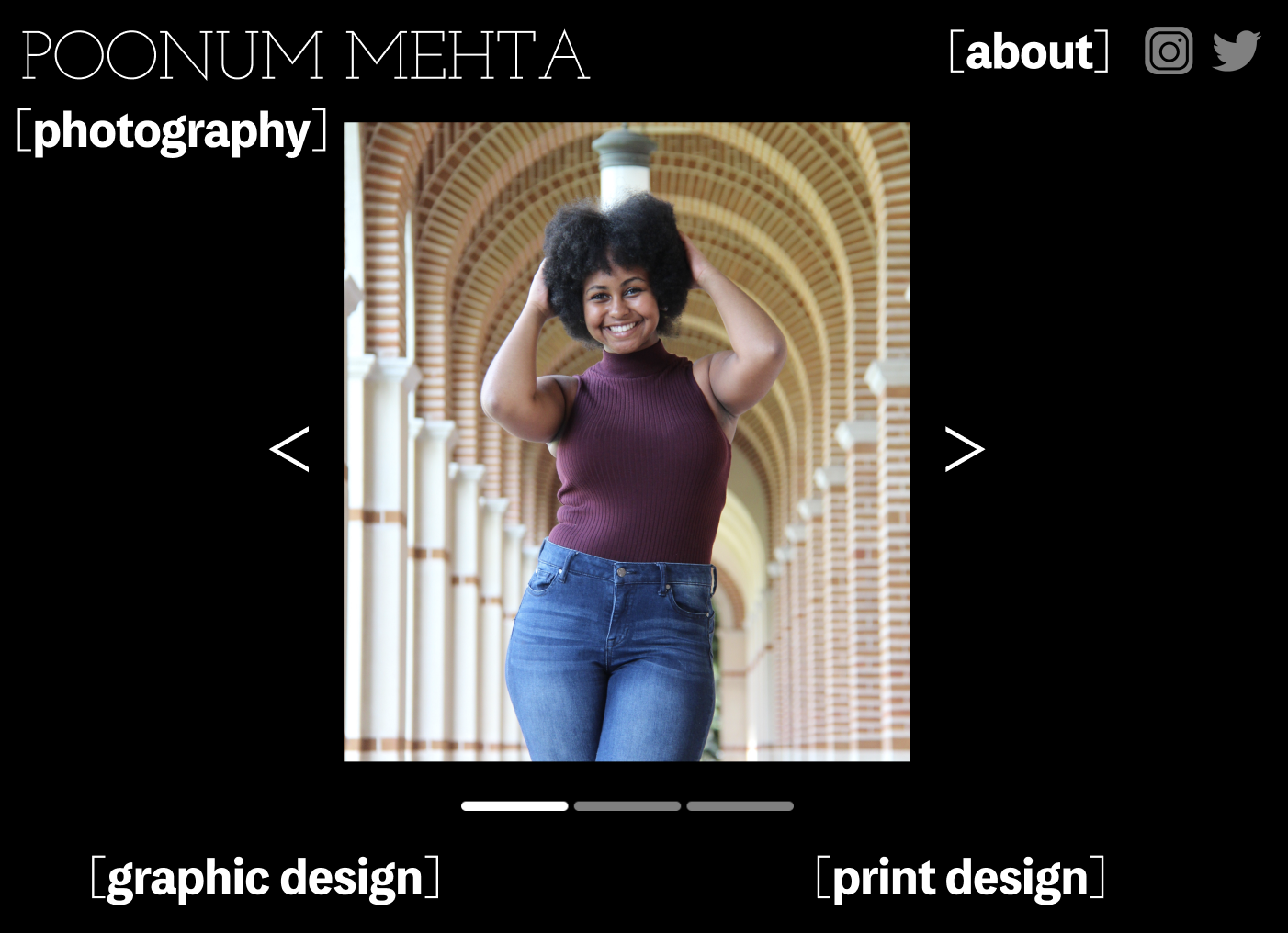
Pretty fun training, I think it taught me a lot about consistency. I tend to get carried away with customizing individual components of larger projects which takes away from the general theme, but because in this assignment I wanted to keep minimalist website vibes, I had to sacrifice customizing every little thing. Consistency is hard!

Filed Under: 2021 Spring - 2021 Summer

Pixel Art Training

February 2, 2021 By Poonum Mehta

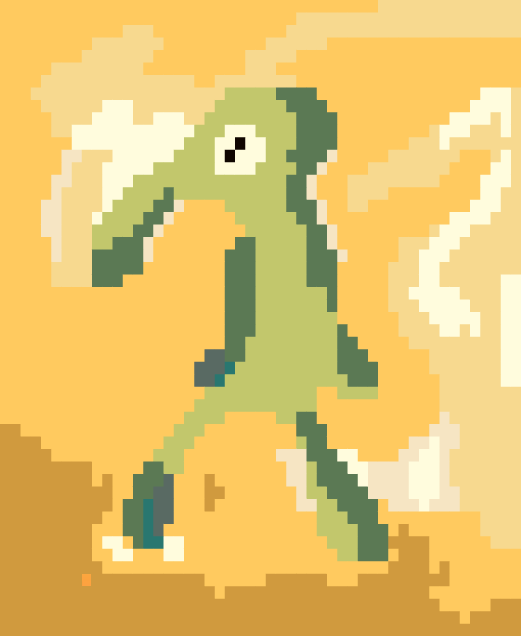
Hello bløg this week I’ve been working on creating pixel art in Ai. I used to grid tool on illustrator to create a grid over my image and then filled in the grids with ~14 colors that I selected from the original image using the eyedropper tool. Here’s the original painting, my favorite work of art, next to my pixel art version of it:


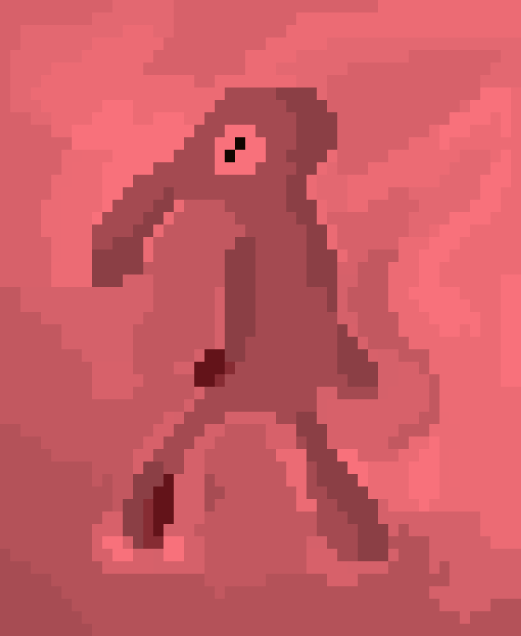
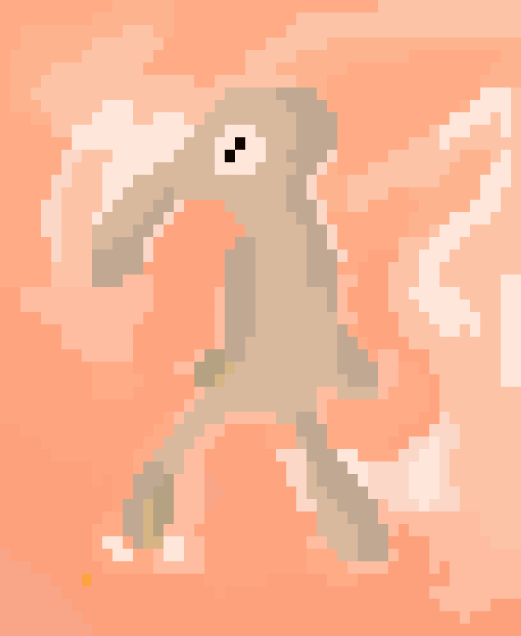
Here are three color edits that I made using the ‘Recolor Artwork’ tool to make adjustments on a web, global, and monochromatic scale:


This training was fun! It felt like paint by numbers but more tech-y. Would love to try and create my own paint by numbers for my cousins using this grid / coloring system but that also sounds harder, I’m not sure how I’d fill in the squares with numbers as opposed to colors (maybe with a stamp??) Not sure. Will update if I figure it out.

Filed Under: 2021 Spring - 2021 Summer

Figma Training

January 28, 2021 By Poonum Mehta

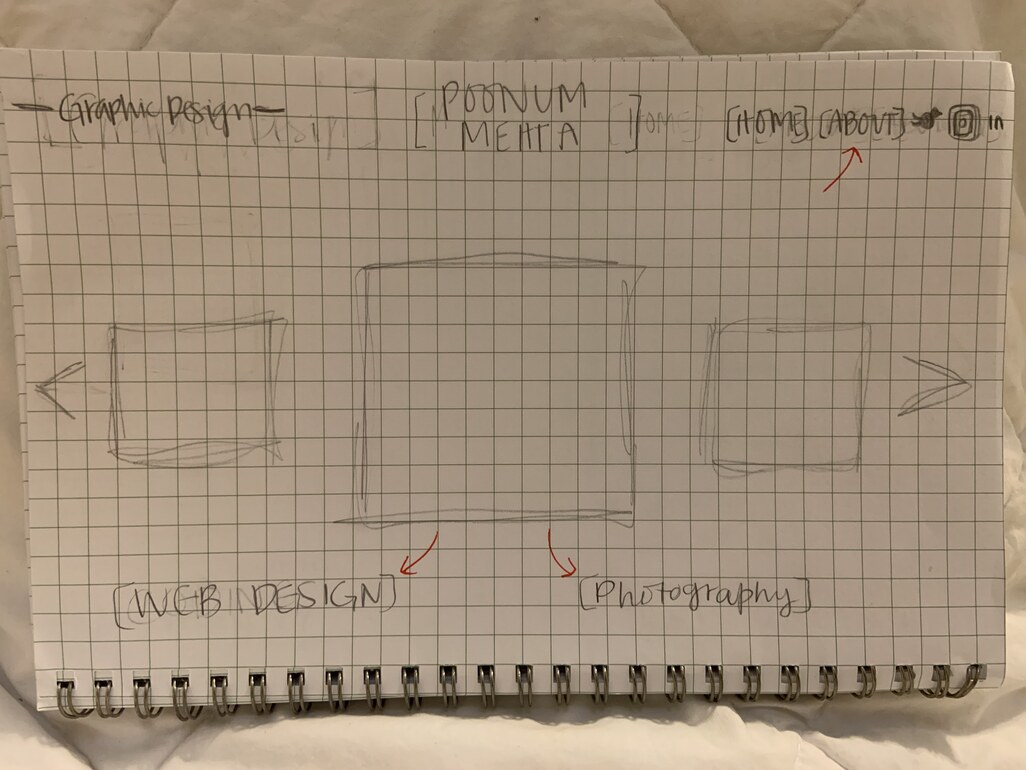
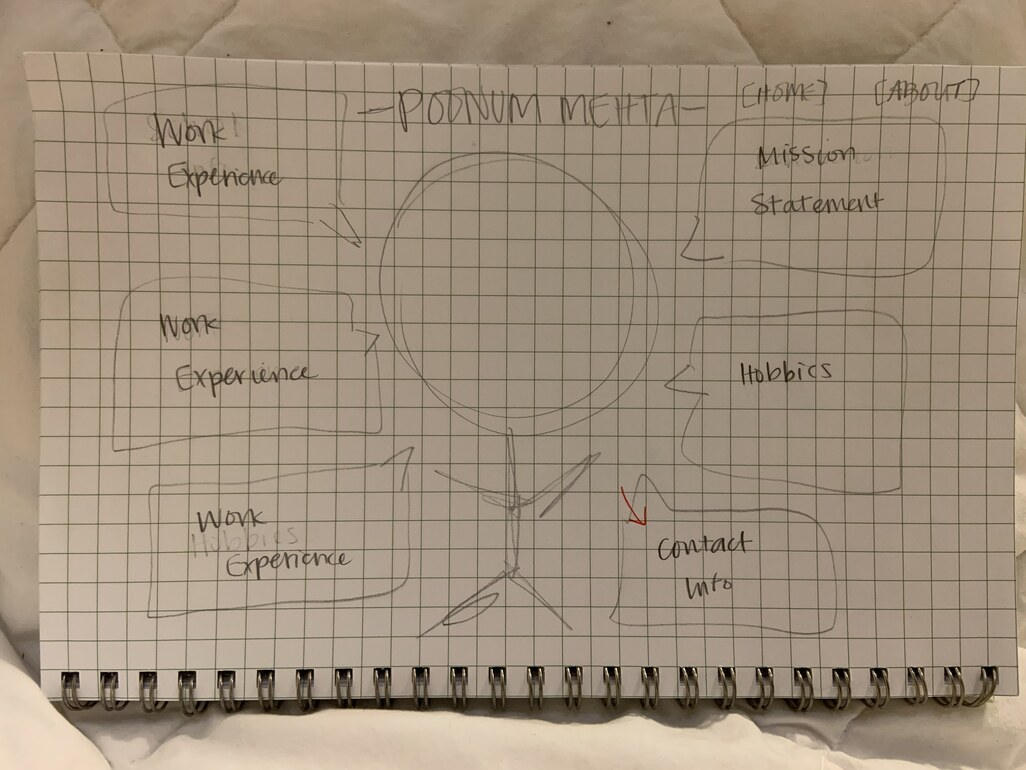
This week, I’ve mostly been working on a UI/UX Figma training, in which I’ve created a personal portfolio with 5 pages in total that showcase my photography, print design, and graphic design skills. I started out with a sketch of my idea. Each design page would have a simple carousel for viewers to flip through my work, and the about and home pages would have a large photo of me with speech bubbles.

Then, I started working in figma to bring my idea to life. Creating a carousel on figma turned out to be much more difficult than expected; I had to create three separate frames for each page and place all three images in the order they would be flipping on each frame, hiding the images that would not be displayed. This is how it turned out:

Screen Recording 2021-01-28 at 11.26.51 AM


Maddy suggested I include placeholder text on the graphic and print design pages for an explanation of the process I used to create various artwork. Here are the graphic design page, home page, and about me page in order:

I’m still waiting on some feedback, but I think I’m close to being done! This training has taken me a considerable amount of time and at times has made my brain hurt. Using the prototype feature to add buttons and transitions into the website is useful, but the display of these “connections” is confusing. Here’s an image of all of the connections on my *5 page* site:


It’s madness innit…Overall worth it because my site usability is great, but figma doesn’t seem like it supports many more pages than this.

Filed Under: 2021 Spring - 2021 Summer

AI Logo Training

January 20, 2021 By Poonum Mehta

This week I picked back up on a logo training I was working on before winter break in Illustrator. I wanted to create something I could use on my food blog (shameless plug chefpnut.com). I started our with a simple chef’s hat design:

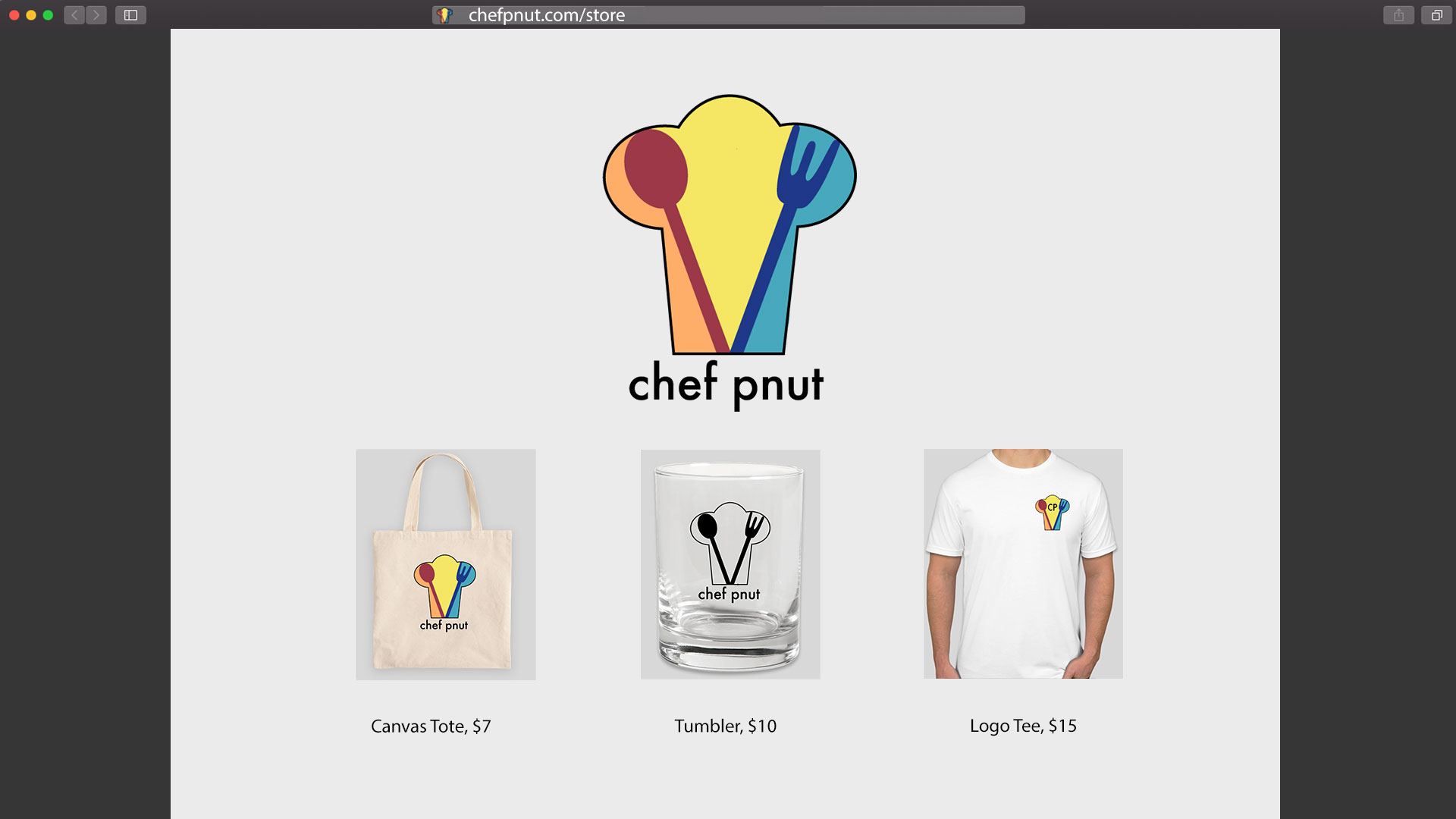
Angie noted that having the wordmark within the logo would impede my ability to scale the design smaller and larger. She also pointed out that because my design is very line-based, color options were limited. I adjusted accordingly, making the utensils larger to create spaces for color blocks, and moving the wordmark below the logo. I also changed the font because new year new me. Here are the three vaiations of the logos: one black and white, one full logo, and one with initials for the wordmark.

I then positioned these logos onto some merchandise, and positioned those mockups onto a webpage:


This training was pretty fun! Logo creation requires more attention to detail than I thought, as you really need to make sure the design is adjustable for products of varying sizes and shapes. I sometimes feel like I’m in a rut with the way I tackle creative design projects, but maybe this is just my style? I really love line work and creating line work, and I always steer towards primary color blocks. Some self-reflection is in order, me thinks. I’m hoping to rebrand my cooking blog soon so once that’s done I’ll post an update here of the logo ~in action~ hehe


Filed Under: 2021 Spring - 2021 Summer, We are STAs

Wellness and Study Tips are DONE – What’s Next!

January 19, 2021 By Poonum Mehta

Happy 2021! Our winter project is DONE and required so much finishing work that I haven’t had time to update my blog until just now. While it would be fun to show you all the amazing artwork that Miguel, Angie, and Athena created for this project, their talent wouldn’t portray the work I’ve put in. Much of what I’ve done these past four weeks has been managerial, a position I now value and appreciate much more. I spent hours organizing and reorganizing materials for the team, reviewing adobe files to ensure that assets were properly labeled and that the animations were seamless, and most importantly, checking in with the team frequently to answer questions. This was a huge, bold undertaking for a few students with very little animation experience but stellar work ethics. I couldn’t be prouder of the end result.


I spent the final week before our project deadline working in Premiere Pro to piece together the various scenes that the team created, which took a toll on my laptop processor for sure. Working remotely made this part of the project slightly more difficult, as some of our timing was bound to be off, but again, I’ll brag on the team. Their patience and efficiency when working through feedback was incredible and made my job a whole lot easier. The videos are a bit too lengthy to post here, so you’ll just have to wait and see once they’re added to Canvas 🙂


This semester, I’ve increased my work hours from 12 to 20 a week, and one of the major tasks I hope to undertake is reorganizing LAITS’s file system. One of the major roadblocks in working remotely on this project was asset transferral, which was something I struggled with in high school as well. When working in adobe software that requires assets t0 be linked rather than embedded, such as Indesign, AfterEffects, and Premiere Pro, every computer working on the project must have the same assets in an easily locatable folder, so that the graphics within the design maintain quality. When you’re in high school working on school computers, all hardwares are connected to the same “drive” so all of these files are easily locatable and need not be redownloaded on a single computer. When working on different “drives”, that solution is more tricky. However, as LAITS has been utilizing Box to save and transfer files remotely, I think there’s a way to make Box the drive to which everyone could link their own desktop files. If linked asset files were easier to open through Box, LAITS could take on a myriad of larger more collaborative projects.


I hope to spend this semester making LAITS better with some small reorganization and outreach. Looking forward to my last few months here and will definitely make them count 🙂


Filed Under: 2020 Summer | 2020 Fall

Winter Animation Project

December 17, 2020 By Poonum Mehta

Hi blog it’s been a minute! Work has been great but very very busy. I’m directing two short videos that will be played in all major studio courses with Miguel, Angie, and Athena over winter break. So far, we’ve storyboarded two videos and began on creating assets layers in photoshop. It’s a lot of different working components, but we’re staying as organized as possible!


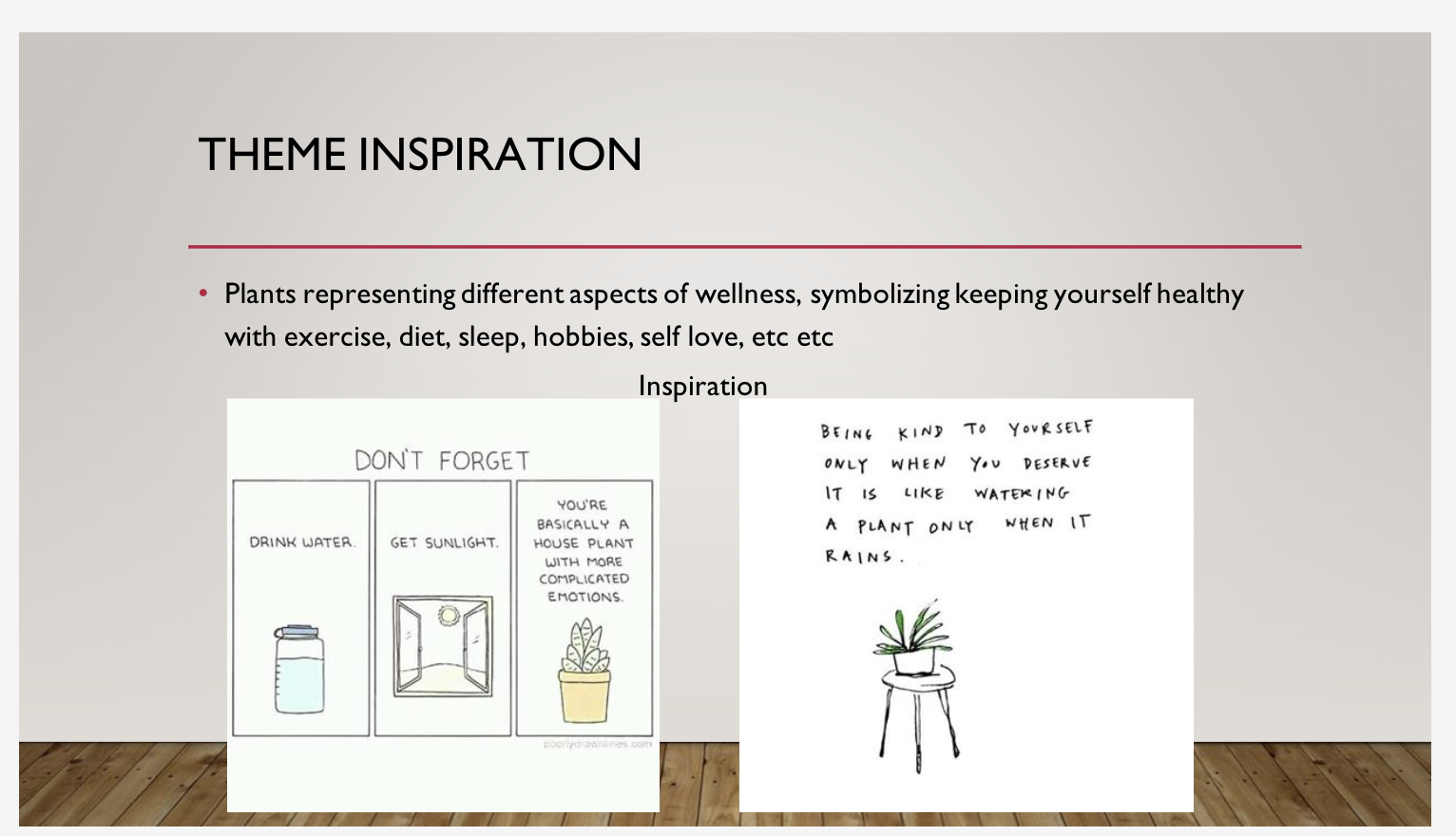
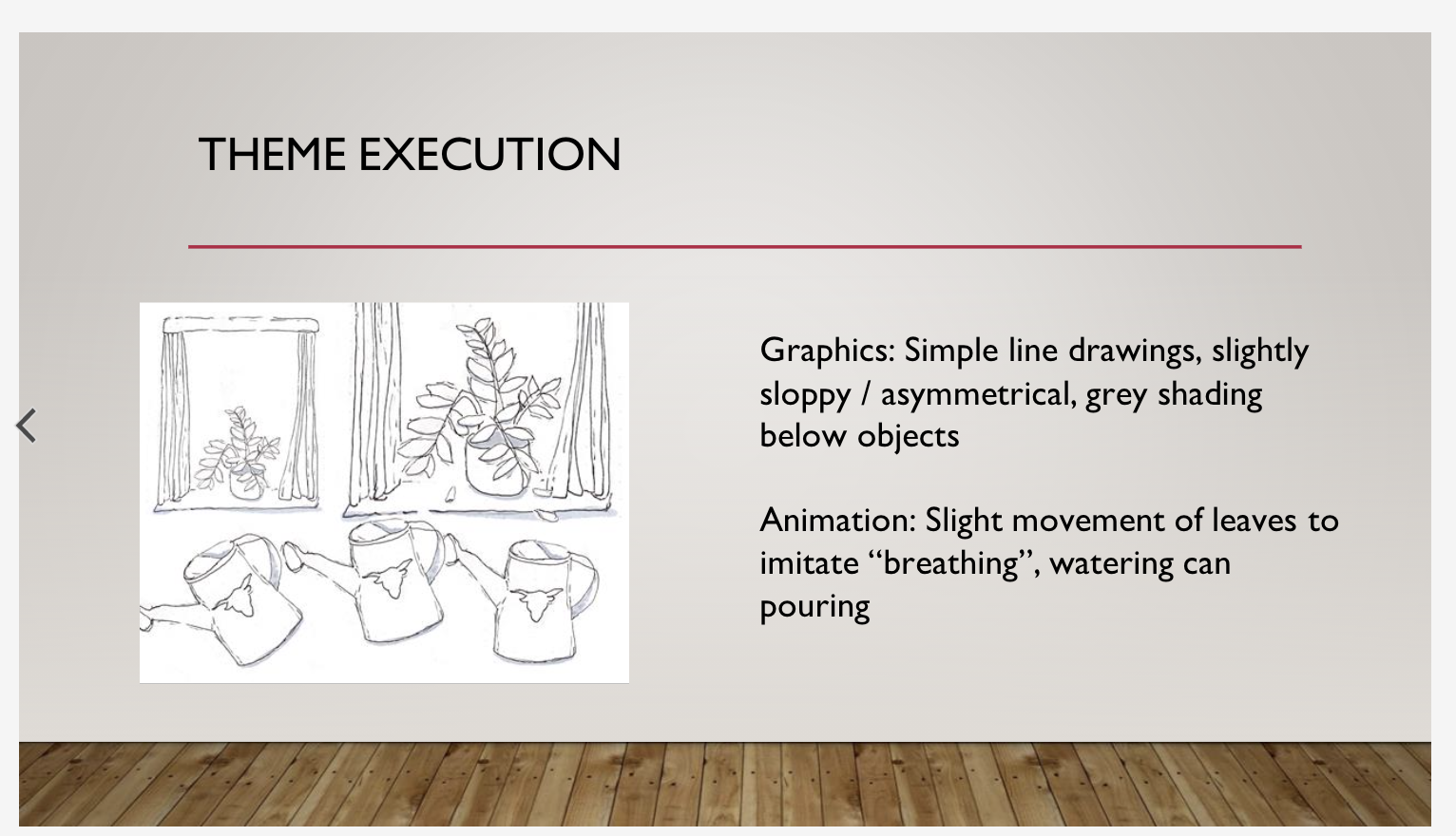
The first video is all about wellness and keeping your body healthy while under pressure. I started off with an idea of using stick figure comics that slide off the screen kind of like a flipbook. After some fine tuning we decided to take a more metaphorical approach and use plants to represent students and diff activities. Here’s a couple slides from our style guide (Athena led the illustrative style for this video)


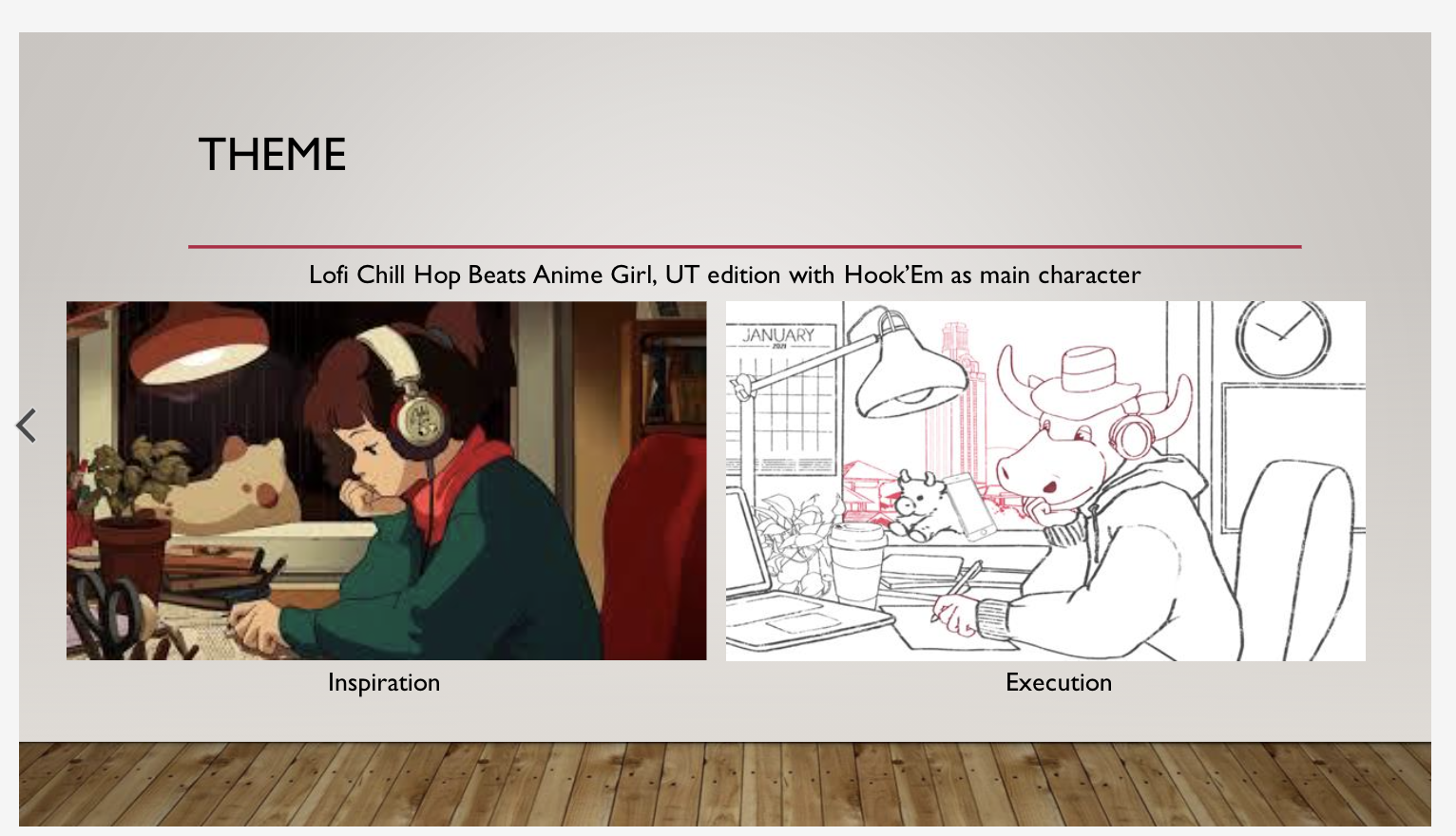
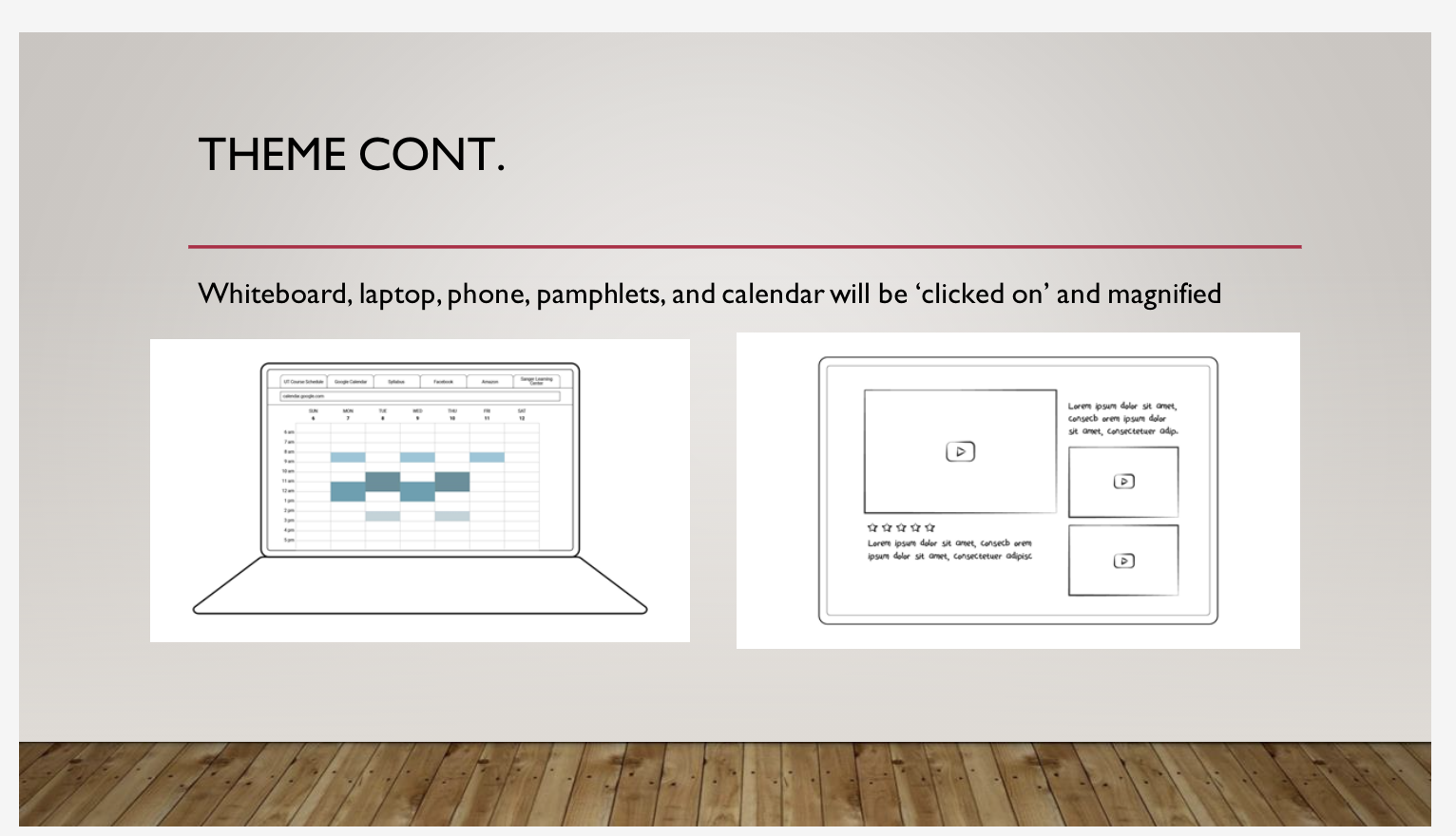
The study tips video focuses more on how to stay focused on school and manage your time wisely. For this video, I decided we’d make a “lofi chillhop beats to study and relax to” but UT themed, mixed with Dora the Explorer’s click and zoom concept for some objects around the room (laptop, whiteboard, etc.) Angie took the artistic direction for this lofi screen, and Miguel is creating the clickable frames.


So far super proud of this team for being patient with me as things shift around. They’ve been working so so diligently and I can’t imagine working with anyone else on a project this complex. We’re hoping to get assets finished up by next week before the holidays, which would be the greatest gift I could receive this year tbh :,)


Filed Under: 2020 Summer | 2020 Fall

  • « Previous Page
  • 1
  • 2
  • 3
  • 4
  • 5
  • 6
  • …
  • 11
  • Next Page »

link to LAITS home page

Video STA Home

© 2025 Liberal Arts Instructional Technology Services | Production Credits