
• We are STAs
    • Asha Rountree
    • Haley Ma
    • Kate Shih
    • Kyra Lee
    • Nicholas Peasley
    • Sasha Kenney
    • Shanda Horm
    • Shriya Atreya
    • Tomas Marulanda-Mesa
  • We were STAs
  • STA Presentation
    • STA Presentation 2017
    • STA Presentation 2016
  • Testimonials
  • Resources
  • Home

STA Blog

Abriella Corker

Abriella Corker

COM 301 Homepage Banner

July 24, 2020 By Abriella Corker

COM 301 Homepage Banner

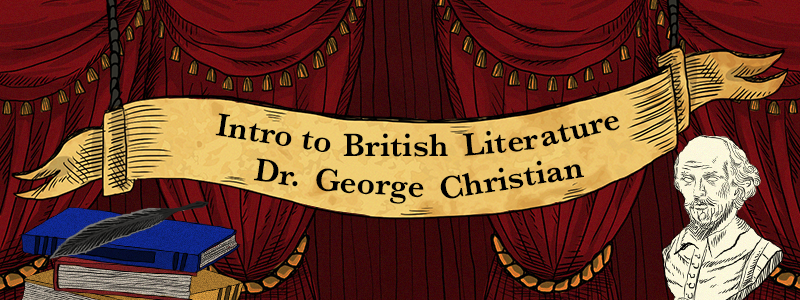
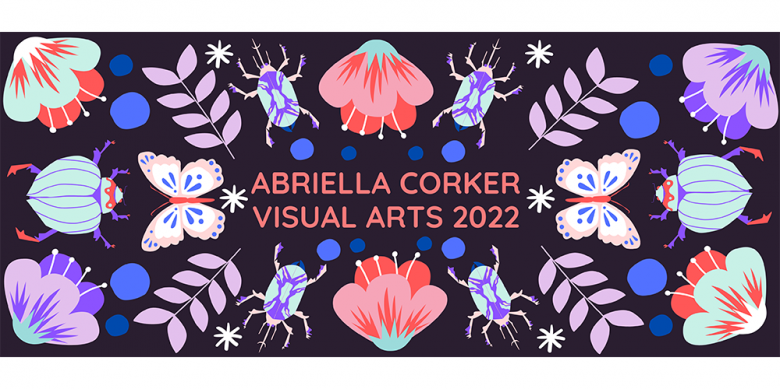
These are my three different drafts for the COM 301 banner. Maddy suggested these assets from the animation to use so I tried to incorporate them in a variety of ways. I’m still waiting on feedback to see if there are any edits Maddy wants to see to make this look better. Then I will move on to make the canvas dashboard graphic based on what we decide to go with for this.


Filed Under: 2019 Fall-Winter | Spring-Summer 2020

more kb

July 24, 2020 By Abriella Corker

KB Color Corrections Continued…

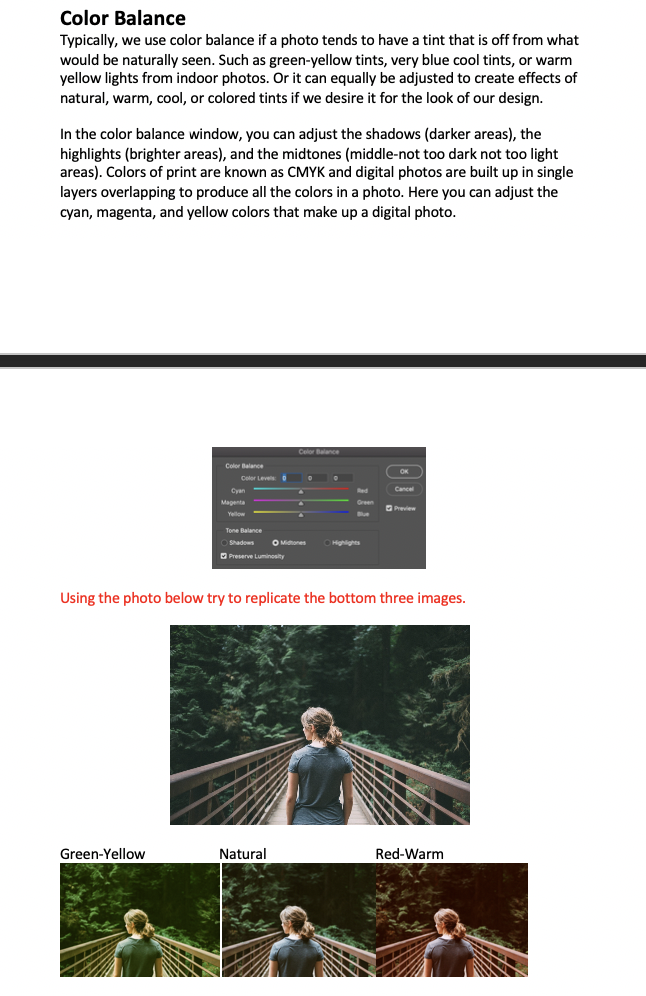
I added another section about color balance. I think I have about four more sections to cover before all the tools for color correcting are mention.

Filed Under: 2019 Fall-Winter | Spring-Summer 2020

Kb Edits

July 23, 2020 By Abriella Corker

KB EDITS IN PROGRESS

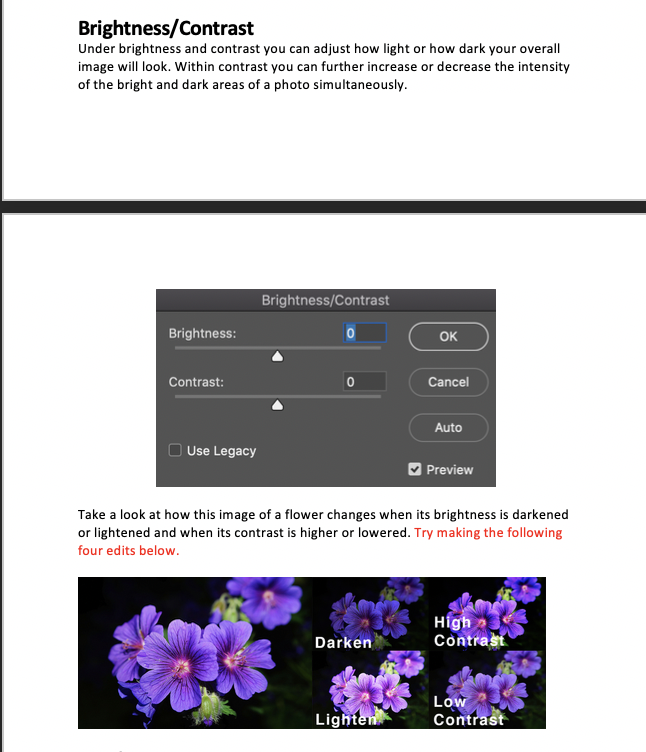
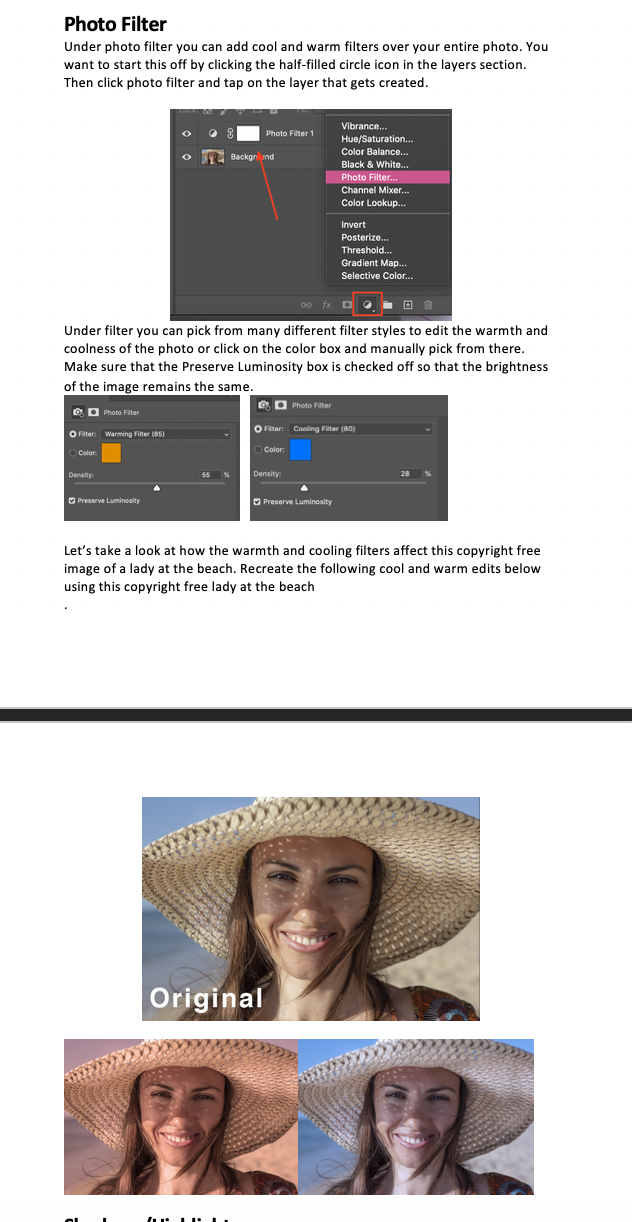
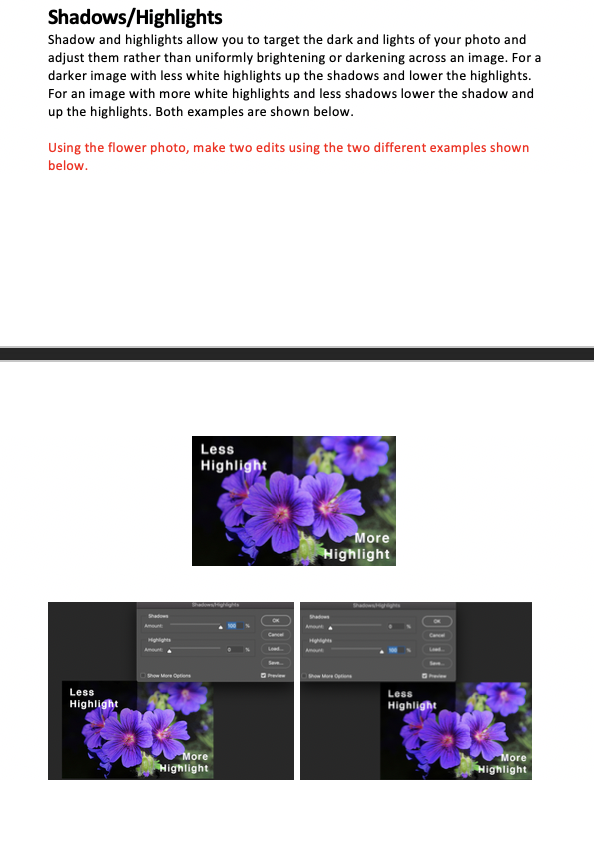
I have been working on the photoshop color correction KB. There is so much information that could be said about these things but I am trying to dilute it and add what is most important for basic skills so that this training isn’t information overload. Within each of these sections I try to add a line about how the STA should replicate my example below. That way there is a comparison they can try to make to see if they are doing it correctly. I still have an equal amount of sections to complete then revise the instructions to be better and incorporate feedback. Hopefully, it is helpful when completed.

Filed Under: 2019 Fall-Winter | Spring-Summer 2020

Editing KB

July 22, 2020 By Abriella Corker

Not very exciting and a small update but I was always having trouble finding the one page with all the COLA department logos so I added it under the UT Branding section that Bridget made in the KB.

Filed Under: 2019 Fall-Winter | Spring-Summer 2020

E 316 L

July 22, 2020 By Abriella Corker

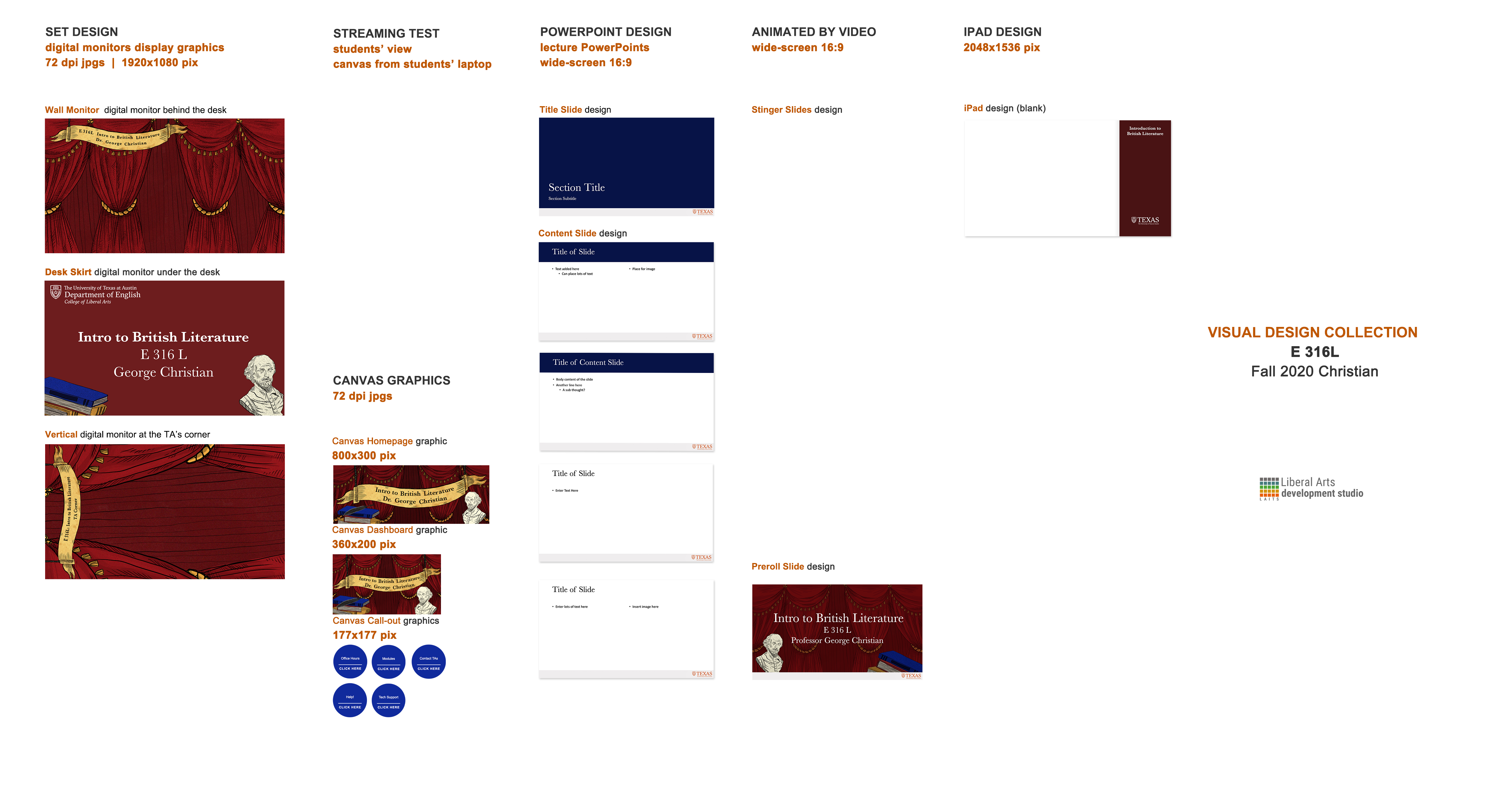
Intro to British Literature Course Assets

The following are all the course assets that I made for the British Literature class. Maddy first had me work on the animation parts to determine the rest of the course look. Tate did an amazing job animating it all it looked even better than I had originally thought! The first video is of my quick rough draft as well as an image of what all the images should look like together. Then I attached the final animation we will be using. For some reason I can’t center justify the first video so ignore that but take a look.


http://sta.laits.utexas.edu/wp-content/uploads/2020/07/Animation_Idea_Draft1-GeorgeChristian.mp4

http://sta.laits.utexas.edu/wp-content/uploads/2020/07/e316L-animated-intro-v1.mp4

Then I made the parts for Canvas which included the homepage, dashboard, and buttons. I used images from the animation for the course. I decided to go with the royal blue color to take a break from all the red of the curtains.


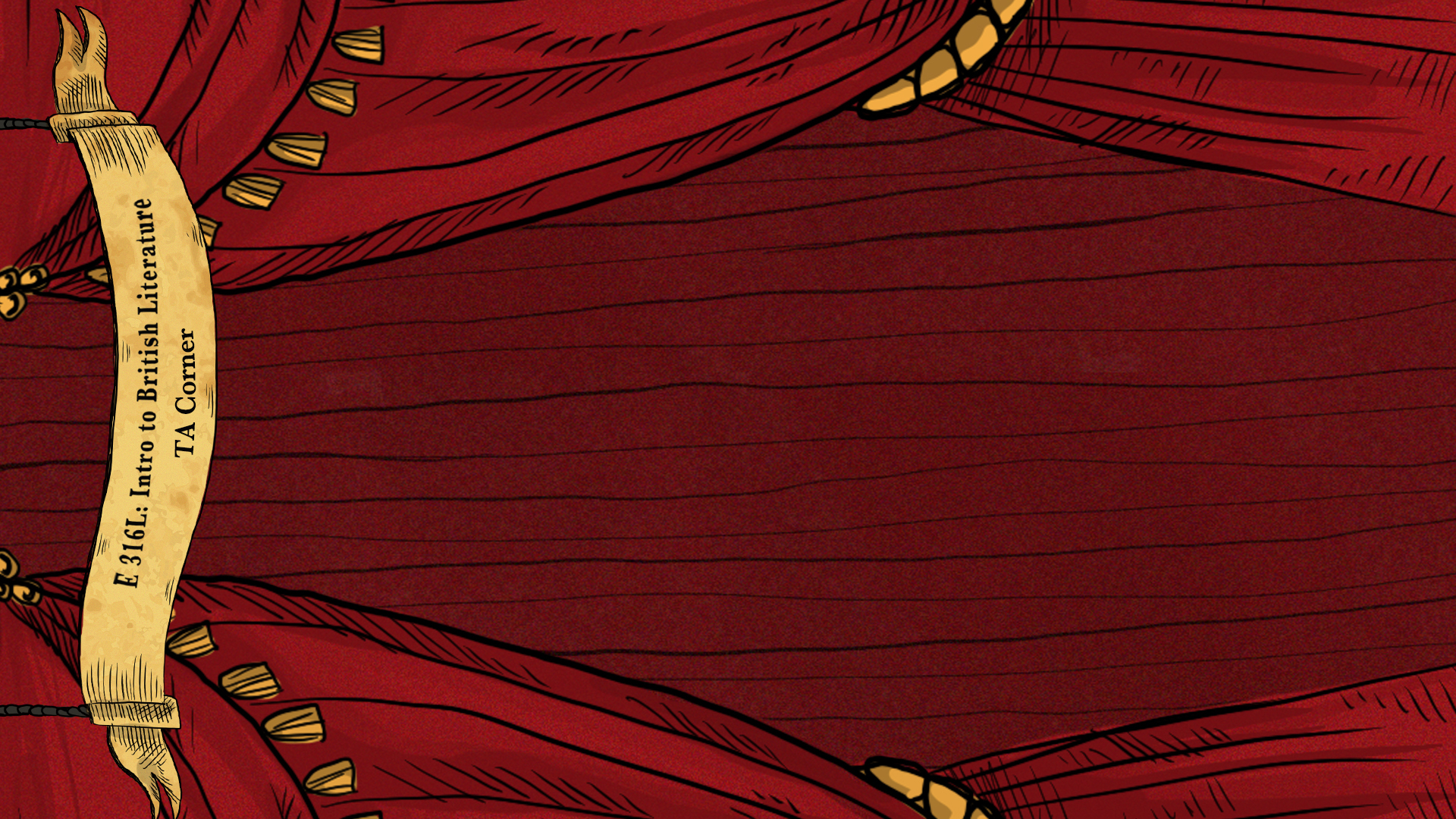
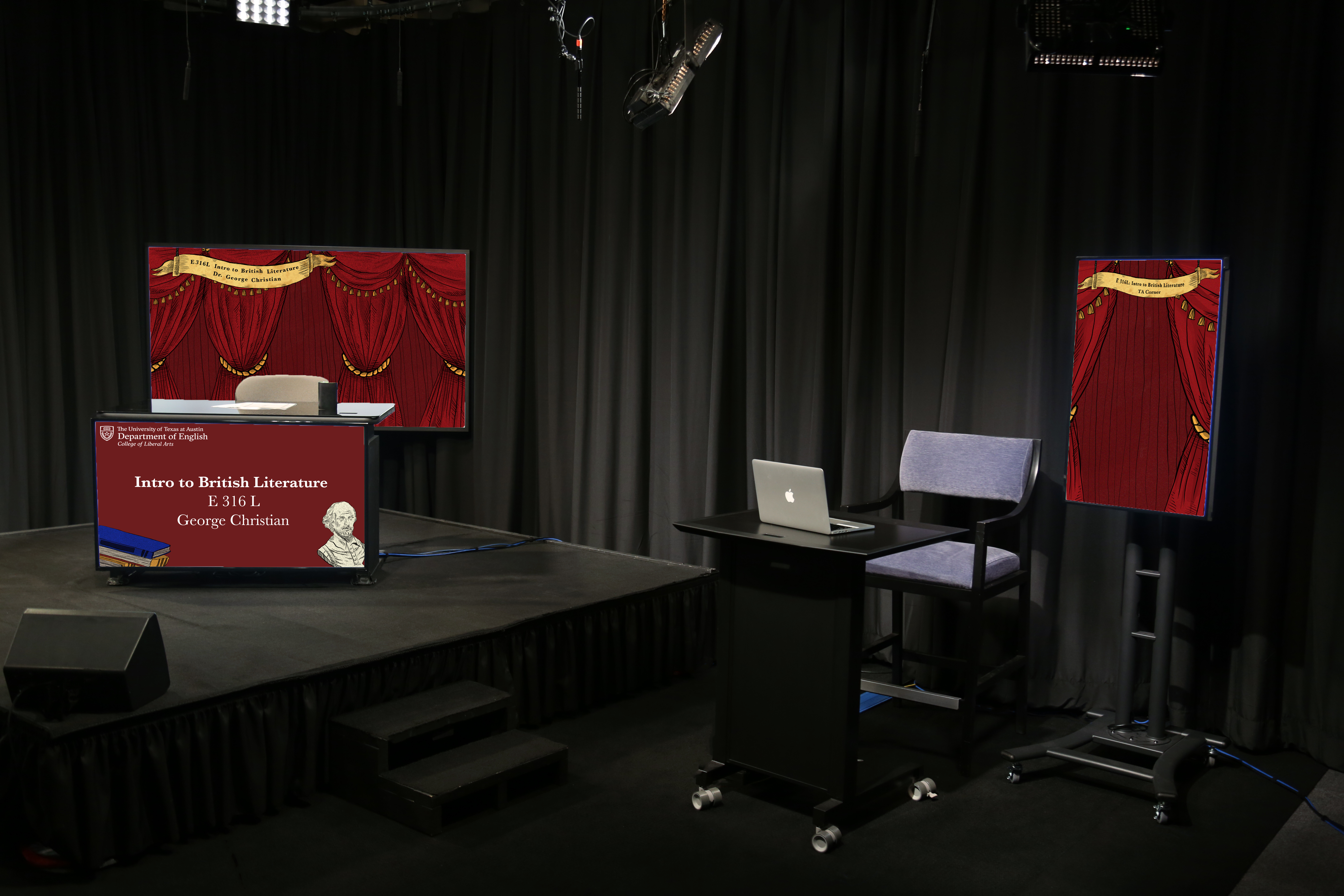
Then I had to make the studio assets which included the two wall monitors and a desk skirt. There was also a PowerPoint and ipad overlay.


Here is what everything looks like:


Filed Under: 2019 Fall-Winter | Spring-Summer 2020

Orientation for New Hires

July 9, 2020 By Abriella Corker

Orientation for New Hires

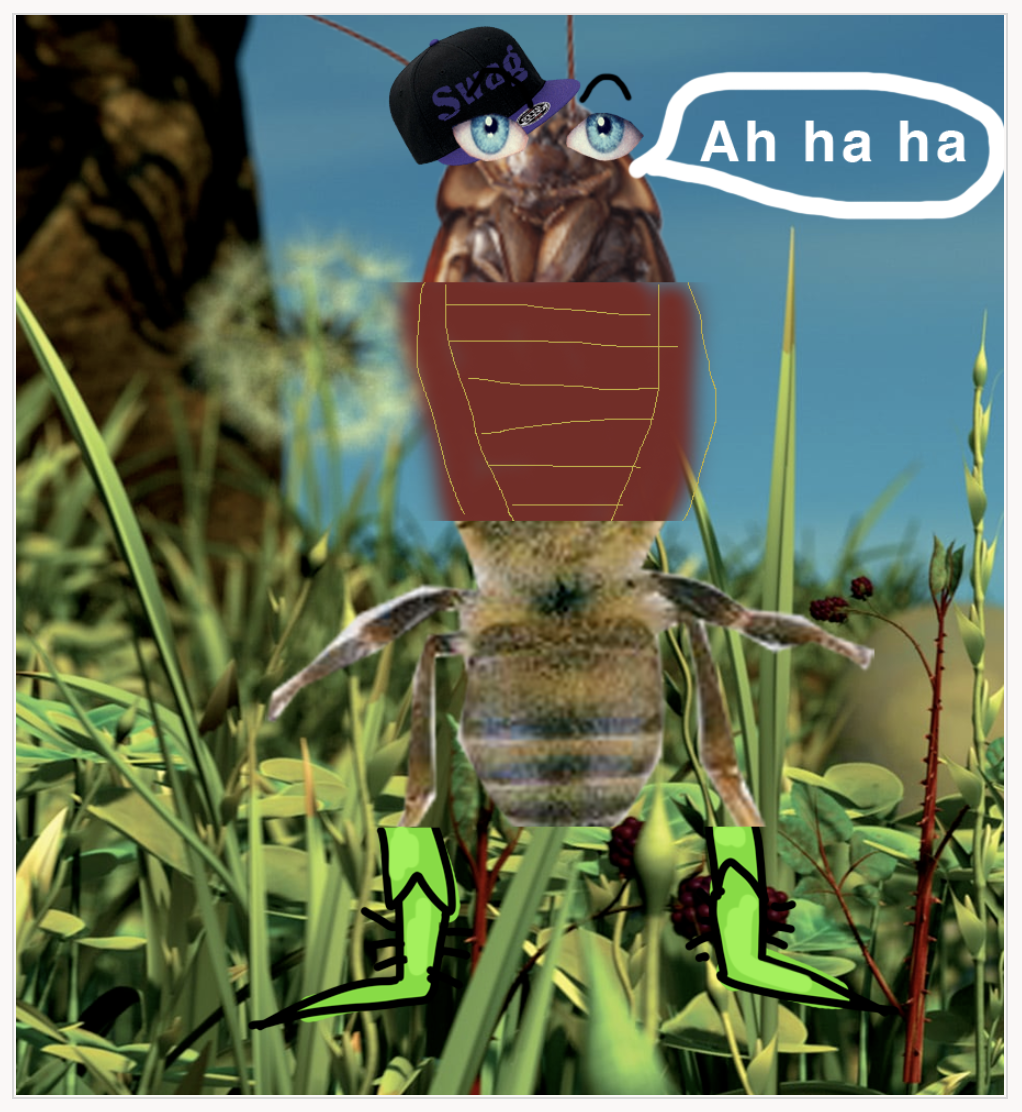
Below I copy-pasted the schedule that Maddy made for us STAs to help train new hires. We also did a warm-up training called the exquisite corpse that was our fun ice-breaker since we can’t meet in person and all. The one my group made is below also. The prompt was a great king bug.

Day 1 (4 hrs) – 7/6

Goals:
  • Familiarize new STAs with tools: BC, Slack, Zoom, Harvest, Workday, PPT
  • Introduce to other STAs and get to know each other some
  • Learn STA handbook rules
  • Make it feel as normal as possible to an in-person orientation — lots of visual
~~
Create #sta-orientation Slack channel

10:00 am 1 hr – Meeting – Everybody
Introductions (30 min): Normally we would tour the office but we can do a quick get to know you/circle of trust. Maddy will call on new and old STAs to share, and screenshare your bios that have been created so you can base off that. Share a crazy fact or expand upon something in your bio 🙂

Handbook (30 min): Maddy will screenshare, and we can popcorn-style read the handbook.
Assign Buddies (5 min): Buddies will be pre-assigned on BC but we will read them out on the call just to connect names to a face.

11:00 am 25 min – Buddy work
Walk through Basecamp together by screen sharing. Make sure you walk through the checklist (IN COMMENTS BELOW) step by step.
Show how to write a Daily Plan, then guide them through as they write their own (maybe stop screensharing right here)
Walk through Box screen share, following the checklist (also in comments below) step by step. Stop screen share, then Instruct your buddy to find a SFW meme they like, download it, upload it to their Box + share to their Daily Plan Basecamp
If you finish early, tell them to explore Basecamp until the next meeting.

11:30 am 10 min – Meeting – Everybody
Check in, how did things go. Answer questions.
Maddy (or others) will explain Powerpoint Project:
Assign your buddy the to-do on BC. It will include links to LAITS and TEXAS logos, plus Master Slide training (optional). We will screen share a few design resources they can use then instruct them to upload the final PPT to Box and post the link to BC when finished!

45 min – Individual Work
New STAs will work on their powerpoints. 🙂

12:15pm 20 min – Meeting – Everybody
Share out PPTs
Time Keeping Explanation – Maddy will screen share Harvest and Workday walkthru.
Show how to write for STA blog, screen shared
Ask: Any questions so far? 
Instruct 
to update their Harvest, Workday, and blog, then check in with buddy for further instructions.
(time: 2:40)

Last 1 hr 20 min :
Individual ~20 min
Update their time keeping
Write 1st blog post

5 min – Check in w/ Buddy
Instructions to make Bio (Assign the original BC to-do) and based off the design of their bio, create a BC Avatar (square dimensions). Tell them to post it to the BC with their new avatar when they are done.

50 min – Individual
Work time on bio/avatar

1:55pm 5 min – Sign off
Reach out to buddy for a quick message/slack call
Ask their progress, gauge how far along they are. (Let Maddy know so we can shift things around tomorrow if needed)
Check their blog post and thank them for getting all their work done!
Sign off on Slack #sta-working-from-home

Day 2 (4 hrs) – 7/7

10:00am40 min – Meeting – Everybody
Check in meeting, reflect on yesterday
Ask: any feedback for us? Need more time to work? clarification?
Icebreaker: Exquisite Corpse
Then, independent work time, up to an hour, to finish your bio and avatar. Once done reach out to your buddy for next steps.

1 hr – Individual
Independent time to look over everything from yesterday, continue working on yesterday’s bio and create BC Avatar

11:45am, latest 30 min – Buddy
Reach out if they haven’t already, if not finished with bio say there will be a little bit of free time later, and then:
Explanation of what Design STAs do 🙂 – show your blog/work
Introduce them to Basic Trainings – show the BC assignments and how they link to KB trainings.
  • Explain three priority trainings: Photo IDs, Canvas buttons, Cascade, must be complete in the next 2 weeks. Then they are free to choose 5-7 more to finish by end of summer (ideally).
  • Assign Photo IDs
  • If they finish they can work on Blog Banner (BC to-do)
1 hr 30 min – Individual / Buddy
Work on Photo ID training
Once your buddy is done editing/incorporating feedback, instruct them to upload their best photo ID to Cola DB and have them inform everyone in #sta-orientation which photo they’ve uploaded (so that none get double uploaded)

1:40pm 15 min – Meeting – Everybody
Share progress
Close out formal orientation

1:55pm 5 min – Sign off

Sign off on Slack #sta-working-from-home!
Update Workday + Harvest

Day 3 – 7/8

11:15pm Everybody join regular Daily Zoom Meeting
Present newly designed bios and get into the fold!
Keep working on assignments, trainings

Filed Under: 2019 Fall-Winter | Spring-Summer 2020

  • « Previous Page
  • 1
  • …
  • 23
  • 24
  • 25
  • 26
  • 27
  • …
  • 50
  • Next Page »

link to LAITS home page

Video STA Home

© 2025 Liberal Arts Instructional Technology Services | Production Credits