• We are STAs
    • Asha Rountree
    • Haley Ma
    • Kate Shih
    • Kyra Lee
    • Nicholas Peasley
    • Sasha Kenney
    • Shanda Horm
    • Shriya Atreya
    • Tomas Marulanda-Mesa
  • We were STAs
  • STA Presentation
    • STA Presentation 2017
    • STA Presentation 2016
  • Testimonials
  • Resources
  • Home

STA Blog

Abriella Corker

Abriella Corker

Logo Animation

May 26, 2021 By Abriella Corker

Logo Animation


I was working on this logo animation training to test it out and provide feedback to the creator (Miguel). The motion of the logo needs to strengthen the word of the logo. I decided to use my last name and have it be the motion of opening a cork bottle of wine, my last name is CORKer — get it? Anyways it was simple in theory but the execution was a little hard because I needed to work on how to do a 360 degree turn and how to wave adjust the motions so they aren’t jumpy. As for things to improve on myself: I feel like it still is a bit too stiff. I would have liked to do a more flowy fill of the darker purple to imitate liquid swishing instead of a flat line. Maybe add like a texture to the darker purple that’s supposed to be liquid or like sparkles in the ‘wine’? I didn’t know how I should go about those things.


http://sta.laits.utexas.edu/wp-content/uploads/2021/05/background-Logo-Animation-Training-Corker.mp4


Here was all my feedback on the training following the questions Angie wrote up:

What I have reflected on so far:
Introduction:
  • Does the introduction of the KB tell the purpose of the assignment?

yes – but I think there could be clarification on the type of logo we are making. From our own name like personal branding, from our logo training, or a fake company?

  • Does the KB post clarify what software/applications you will be using?

yes

  • Does the KB post clarify what skills you will be learning/ show what final product you will be learning to create?

Doesn’t clarify skills at the beginning but it does show the final product

  • At an initial glance, is the structure of the KB training easy to follow? Is there too much text- too wordy? Are there not enough pictures?
Yes not too wordy. The videos are good enough. It would be cute to pull out maybe 3 gifs of strong examples before the youtube links or up at the top. By strong I mean ones where the motion of the graphic really matched the branding and purpose.
  • Is there anything noticeably missing from the KB post?
  • Not yet
  • What does the KB training ask me to do? How is it testing me to apply what I have learned?
It is asking me to use AI which I have used before for making a logo. It is asking me to animate which I’ve done with the course graphics training. This exercise is now having me combine the two. I’ve done PS to AE but haven’t down Ai to AE yet. I also have to consider how to tie motion to my logo in a way that strengths the cohesiveness of the design so that’s a good mental design decision making and brainstorming exercise.
  • Are there any specific steps that are difficult to follow along with?
Not understanding why my vectors are overlapping the way they are when they are being inserted.
  • Do I broadly understand the instructions?
Yes
  • (If applicable) Am I provided all the necessary resources to follow this training assignment?
To an extent, I am provided steps I need to set up and to export, the actual building up of it is a bit kind of just a figure it out for yourself as you go thing. It’s understandable though because there would be way too much to insert. I think some type of pre-made youtube playlist of quick animation tutorials might help or like a list format with a bit more than what the training has might help. Even just like a check out these youtube channels for more tutorials kinda thing would be a bit more helpful.
3. After completing the training, share your final results below for the STA author to critique. Try and also provide some reflections to the trainer on your experience taking the KB training.
  • Do I understand the purpose and application of this training?
Yes I did.
  • How long did it take to complete this training? Was this amount of time appropriate for the task?
It took me a while but that’s because I am awful at it but I can see other STAs doing this much faster, others doing it as slow as I did. I think it will mostly depend on our experience but it sits in the middle and is not lengthy in it’s parameters and what it is asking us to do.
  • Was I able to implement the new skill that I have learned AND/OR was I able to make the desired product?
Yes I implemented a new skill of 360 rotations and curving motions to be less jumpy. I made *almost* my desired product there are a few lil things I didn’t know how to do but I got pretty close.
  • Does my final product look like what the KB training is asking for? Does my final product need many changes based on feedback from the STA trainer?
Yes is looks like what is being asked. I don’t know Miguels feedback yet.
  • Is the difficulty of this training appropriate for its placement within the KB hierarchy? (Was this KB too hard/easy as an intro/required, supplemental, or optional training assignment?)

It is a good stepping stone between logo training and motion course graphics and some other advance one for the future. I would say intermediate.

Filed Under: 2021 Spring - 2021 Summer

COM 302 Intro Animation Evolution

May 25, 2021 By Abriella Corker

COM 302 Intro Animation Evolution

I was working a lot more on trying to get the intro animation right. I wasn’t too happy with how the first one came out because it felt empty and underdeveloped. I did another version where I add more icons to the same frame so it feels more full and then onto the title slide as well. From there I realized it could use a bit more color and movement throughout so then I did version three. Maddy gave me feedback on coloring for the ribbons, keeping the time short, speeding up the last frame, so that’s what I did. the last video in this sequence is what I sent over for the professor to preview.


http://sta.laits.utexas.edu/wp-content/uploads/2021/05/IntroAnimation-2.mp4


http://sta.laits.utexas.edu/wp-content/uploads/2021/05/COM302-IntroAnimation-Draft2-1.mp4


http://sta.laits.utexas.edu/wp-content/uploads/2021/05/frame2.mp4


http://sta.laits.utexas.edu/wp-content/uploads/2021/05/frame2-copy.mp4

Filed Under: 2021 Spring - 2021 Summer

Updates on COM 302 Graphics

May 19, 2021 By Abriella Corker

COM 302 Graphics Updated


Here are some updated graphics for COM 302. There are the stingers and then I made a second intro animation video because I felt the first one had too much negative space so I did a different composition to fill it up.


http://sta.laits.utexas.edu/wp-content/uploads/2021/05/COM302-IntroAnimation-Draft2.mp4

Filed Under: 2021 Spring - 2021 Summer

COM 302 Course Graphics

May 13, 2021 By Abriella Corker

COM 302 Course Graphics

Professor Redlick would more course graphics in a similar style to the come 301 course.

Studio/Recording Assets needed:
Intro video for each class (much shorter like 5-10 secs)

– display all 6 core values.
– Same style as com 301 animation
Title slide for skill lab segment
– similar to com 301 keynote slide etc
Title slide for debriefing segment
– similar to com 301 keynote slide etc
Slide with the individual core value
– 6 individual core value slides — further divided into 3 slides per core value
– May or may not have the 3 professors listed on them
–  3 core slides each containing the speaker name
Zoom Background for COM 301/302
– For remote speakers
In-studio wall monitor Background for COM 301/302
– For Professor and Speakers

Canvas Graphics needed similar to COM301:
Canvas Dashboard
Canvas Homepage Banner (GIF)
Buttons


http://sta.laits.utexas.edu/wp-content/uploads/2021/05/COM302-AnimationIntro.mp4


Filed Under: 2021 Spring - 2021 Summer

AMS 310 Course Graphics

April 16, 2021 By Abriella Corker

AMS 310 Course Graphics


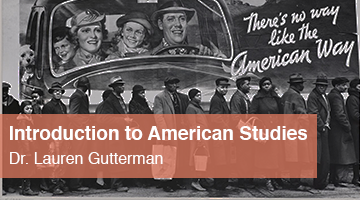
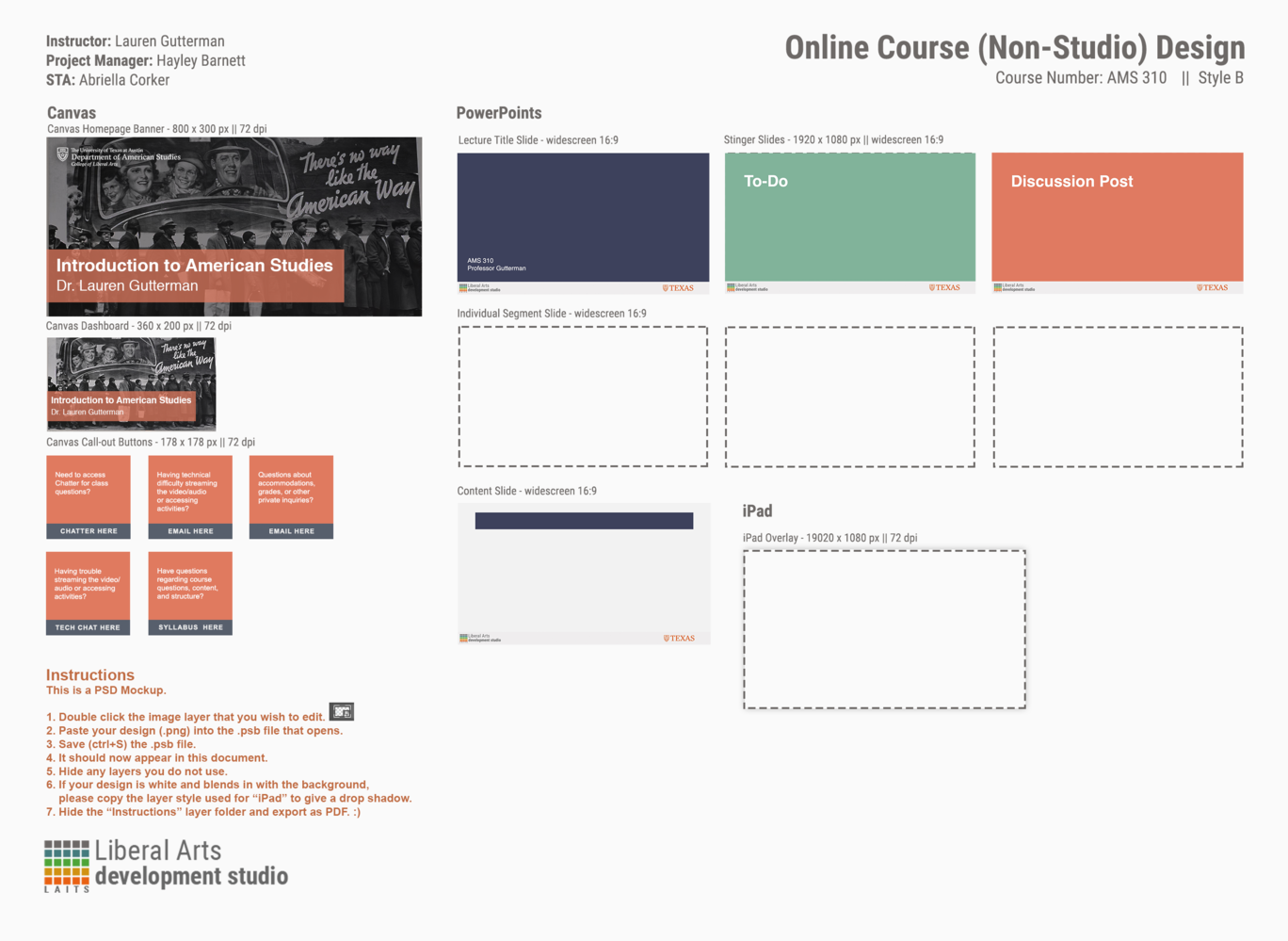
These are the course graphics I made for the American Studies summer 2021 course. You have already seen the PowerPoint templates but I wanted to show what they look like again with the course graphics I also made for the canvas site. I also filled out the design template but a lot of stuff was empty because we made different custom edits and all. I think they turned out well and the client was pleased with all the graphics made for the course!


Filed Under: 2021 Spring - 2021 Summer

Reformatting Powerpoints for American Studies

April 8, 2021 By Abriella Corker

Reformatting Powerpoints for American Studies

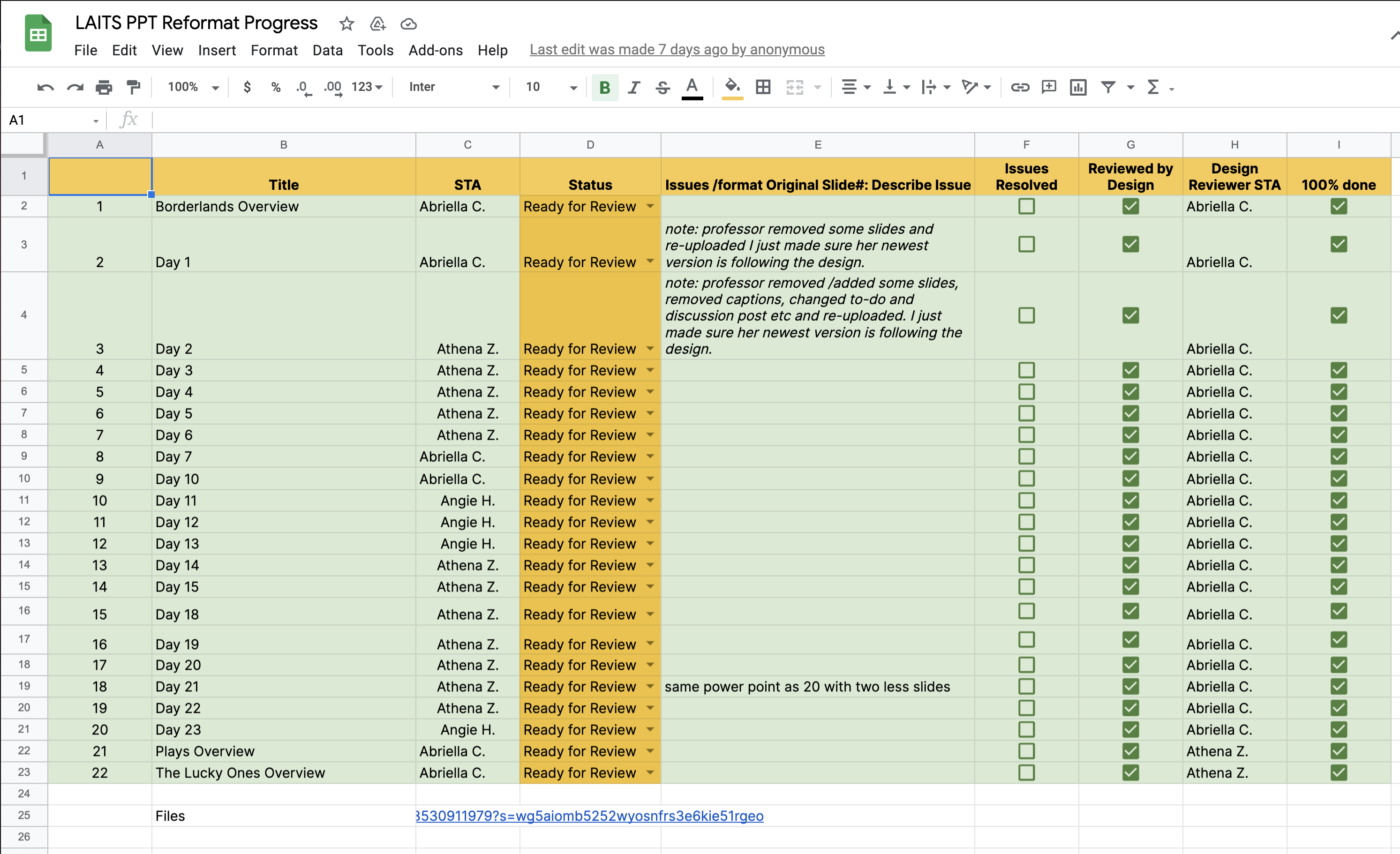
Athen and Angie helped me in the task of moving all the content on the professor’s slides into one that fits the format for our newly designed PowerPoint template. Here is the finished excel sheet showing we moved everything over.

Filed Under: 2021 Spring - 2021 Summer

  • « Previous Page
  • 1
  • …
  • 11
  • 12
  • 13
  • 14
  • 15
  • …
  • 50
  • Next Page »

link to LAITS home page

Video STA Home

© 2025 Liberal Arts Instructional Technology Services | Production Credits