• We are STAs
    • Asha Rountree
    • Haley Ma
    • Kate Shih
    • Kyra Lee
    • Nicholas Peasley
    • Sasha Kenney
    • Shanda Horm
    • Shriya Atreya
    • Tomas Marulanda-Mesa
  • We were STAs
  • STA Presentation
    • STA Presentation 2017
    • STA Presentation 2016
  • Testimonials
  • Resources
  • Home

STA Blog

Setting up Canvas for Panopto and Zoom

March 26, 2020 By Abriella Corker

Setting up Canvas for Panopto and Zoom

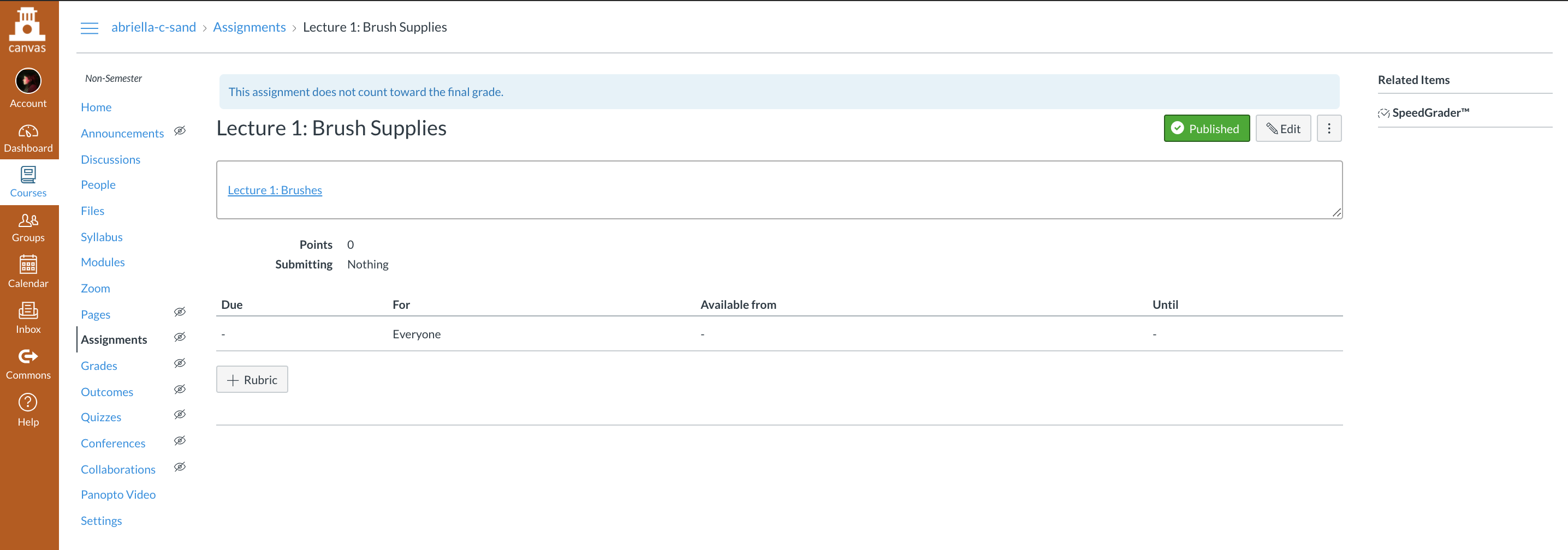
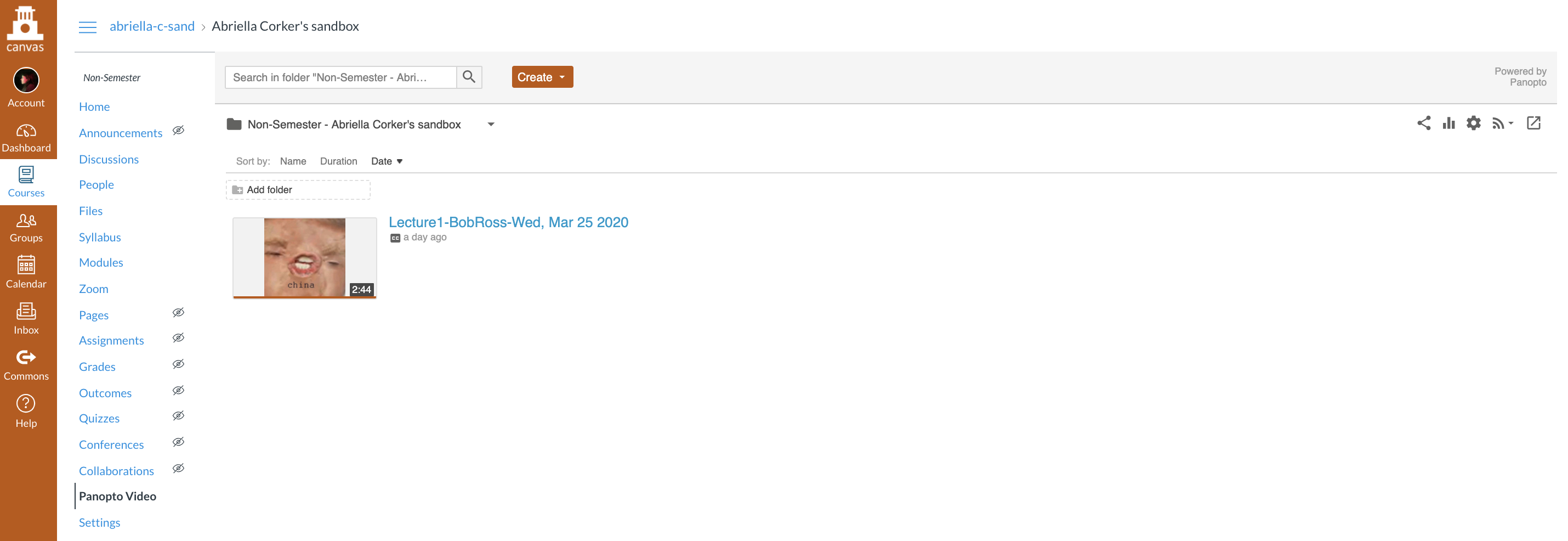
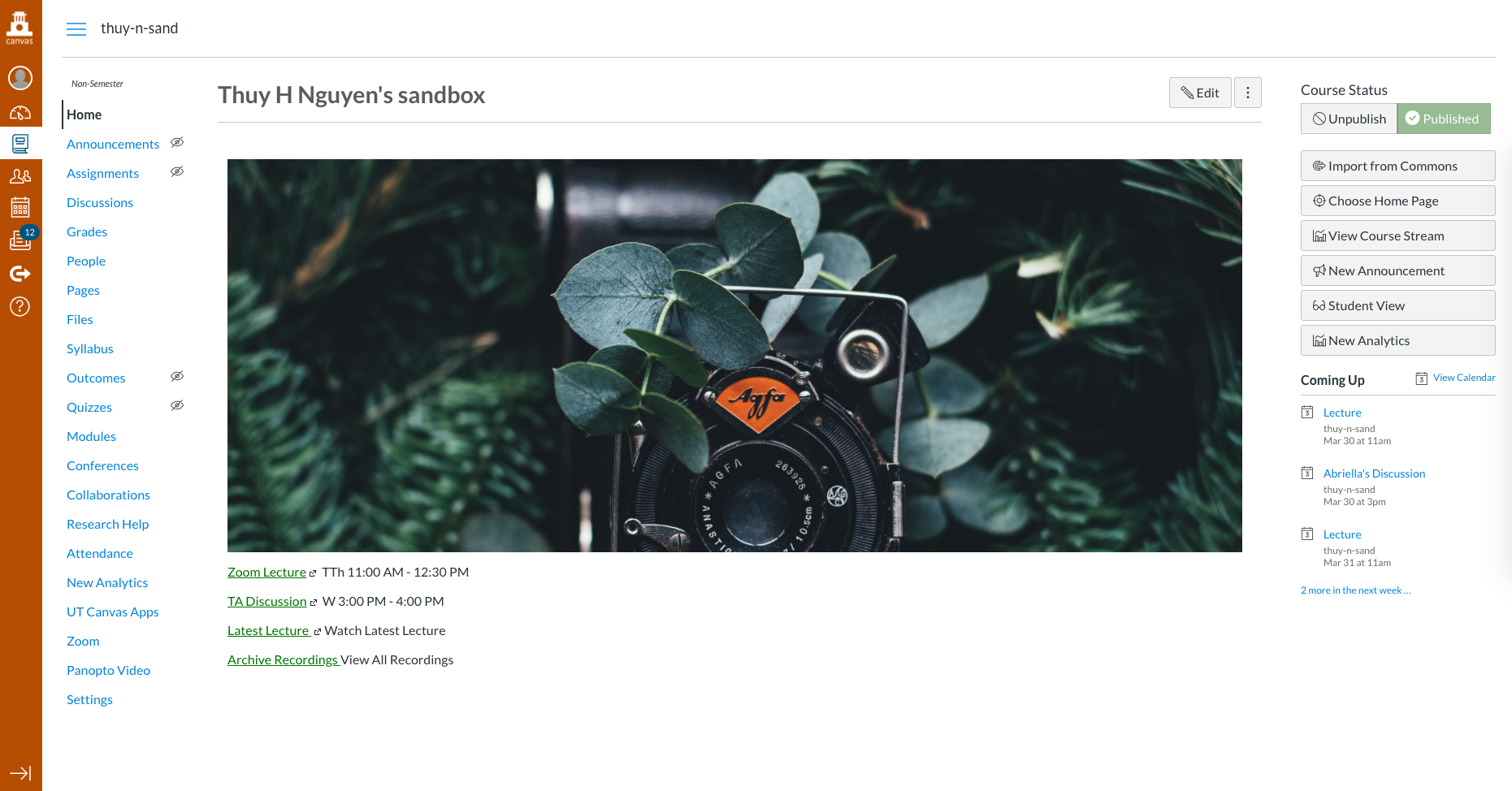
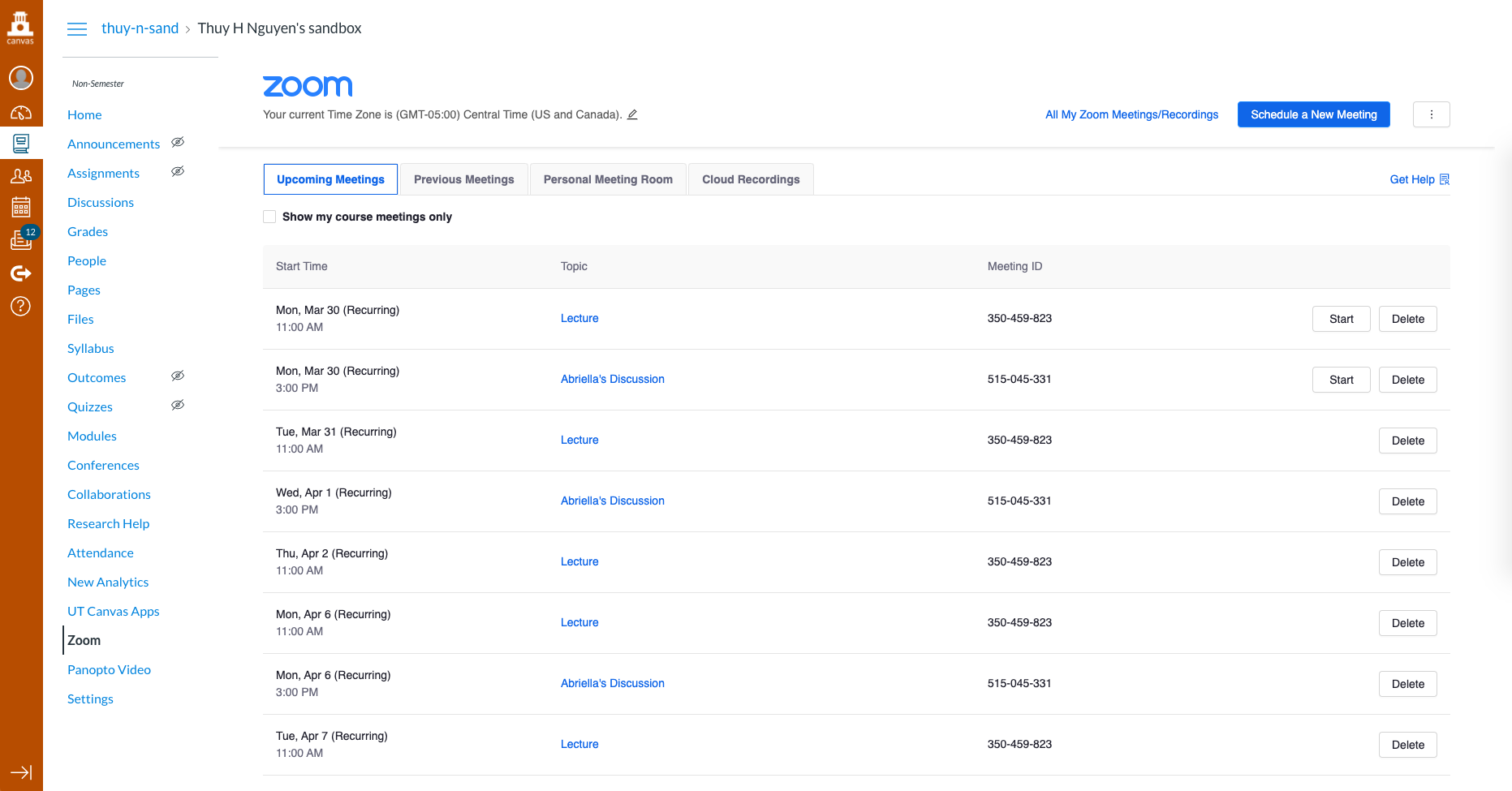
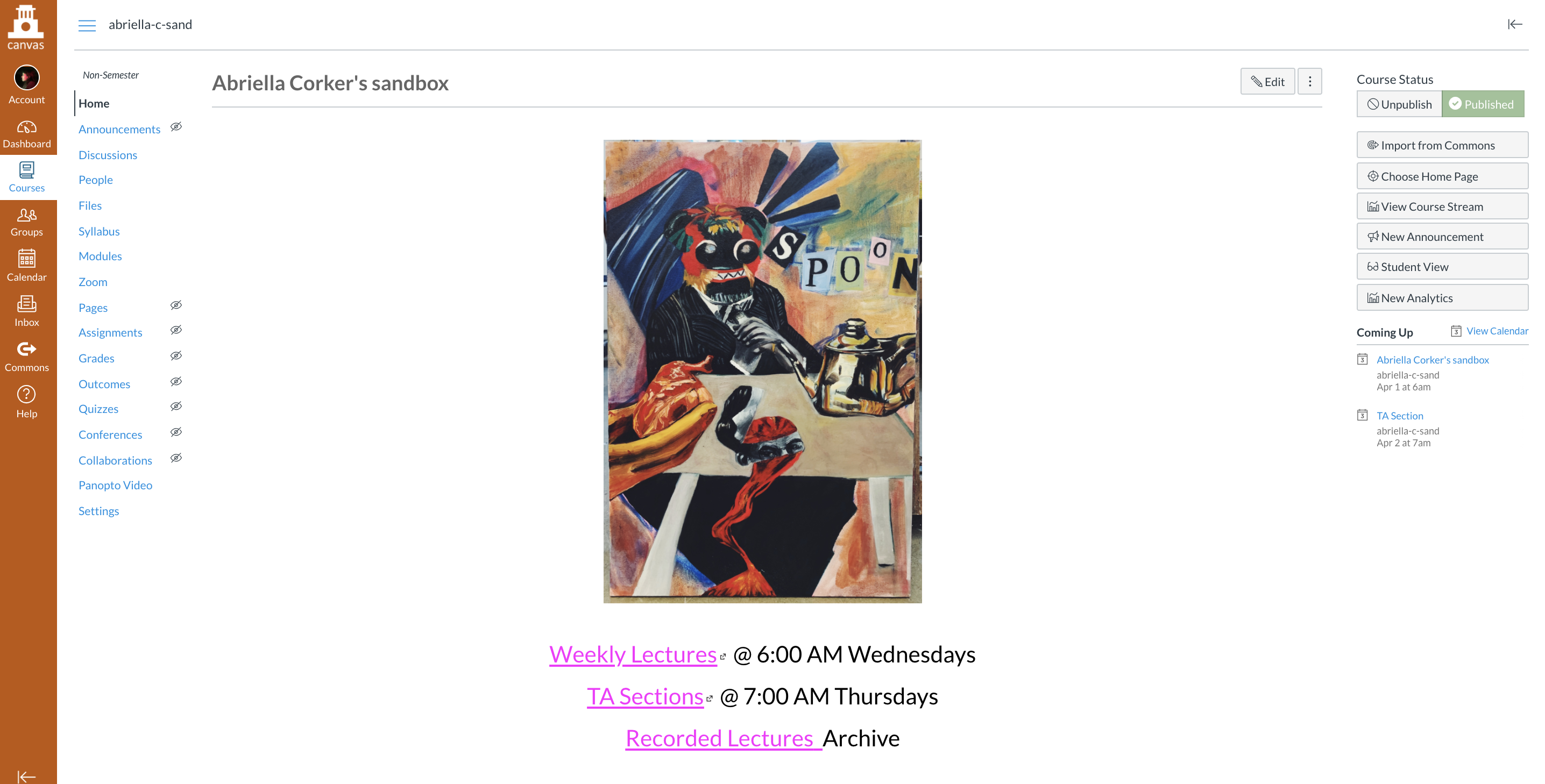
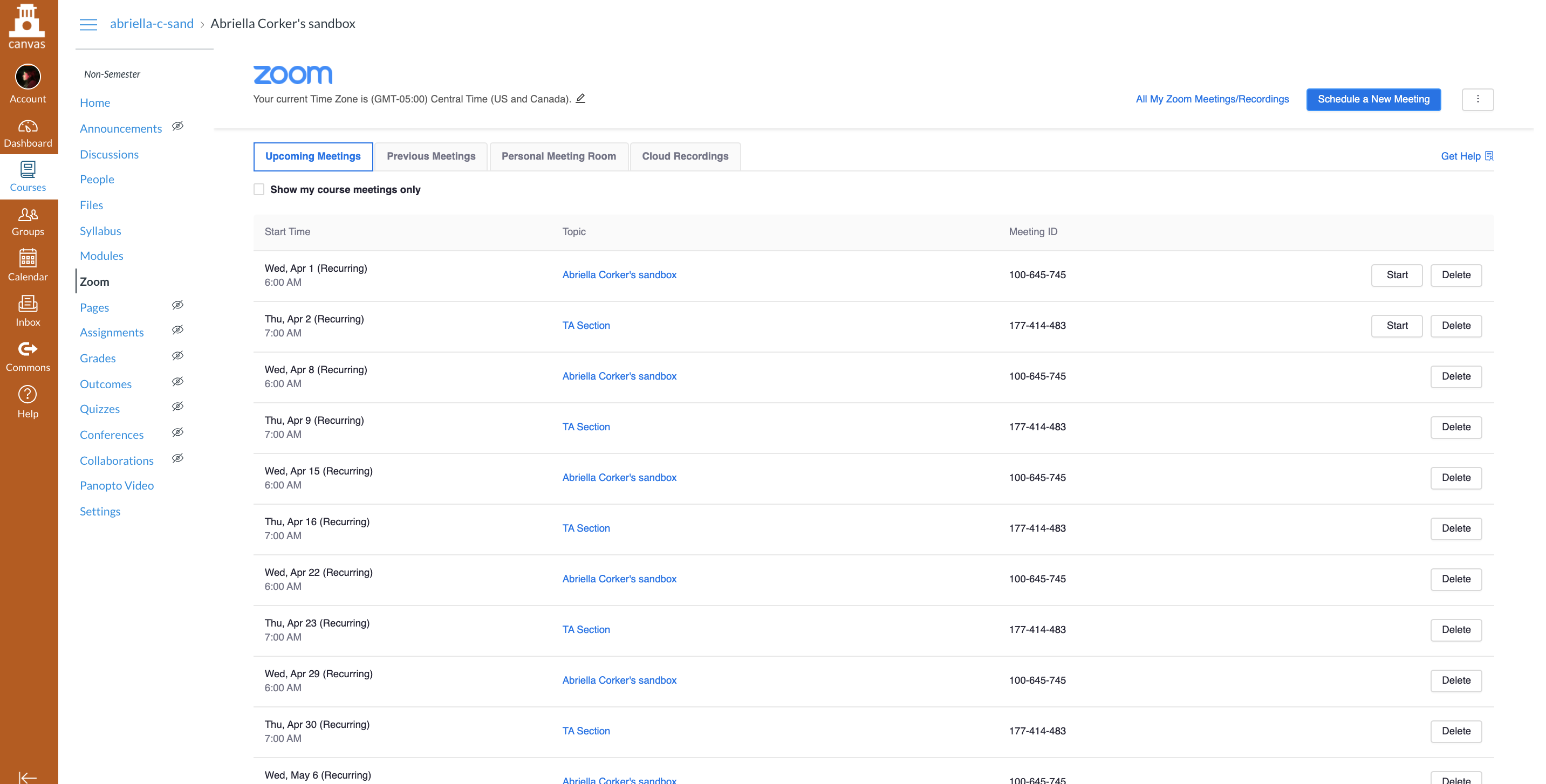
Suloni has assigned us to create our own course and set it up with applications such as Zoom and Panopto for content building. As the university has now moved onto all online classes since the outbreak of Covid-19 a lot of professors will now be using these apps to teach their students. My role here at LAITS is now focusing more on being able to help with tech support if need be and be trained up on how to use all the features that professors can use for their online classroom. Below are screenshots of my course that I have set up along with the location of where the content I made with Zoom and Panopto is located.
Filed Under: 2019 Fall-Winter | Spring-Summer 2020

Panopto Tool

March 26, 2020 By Thuy H Nguyen

Panopto Tool

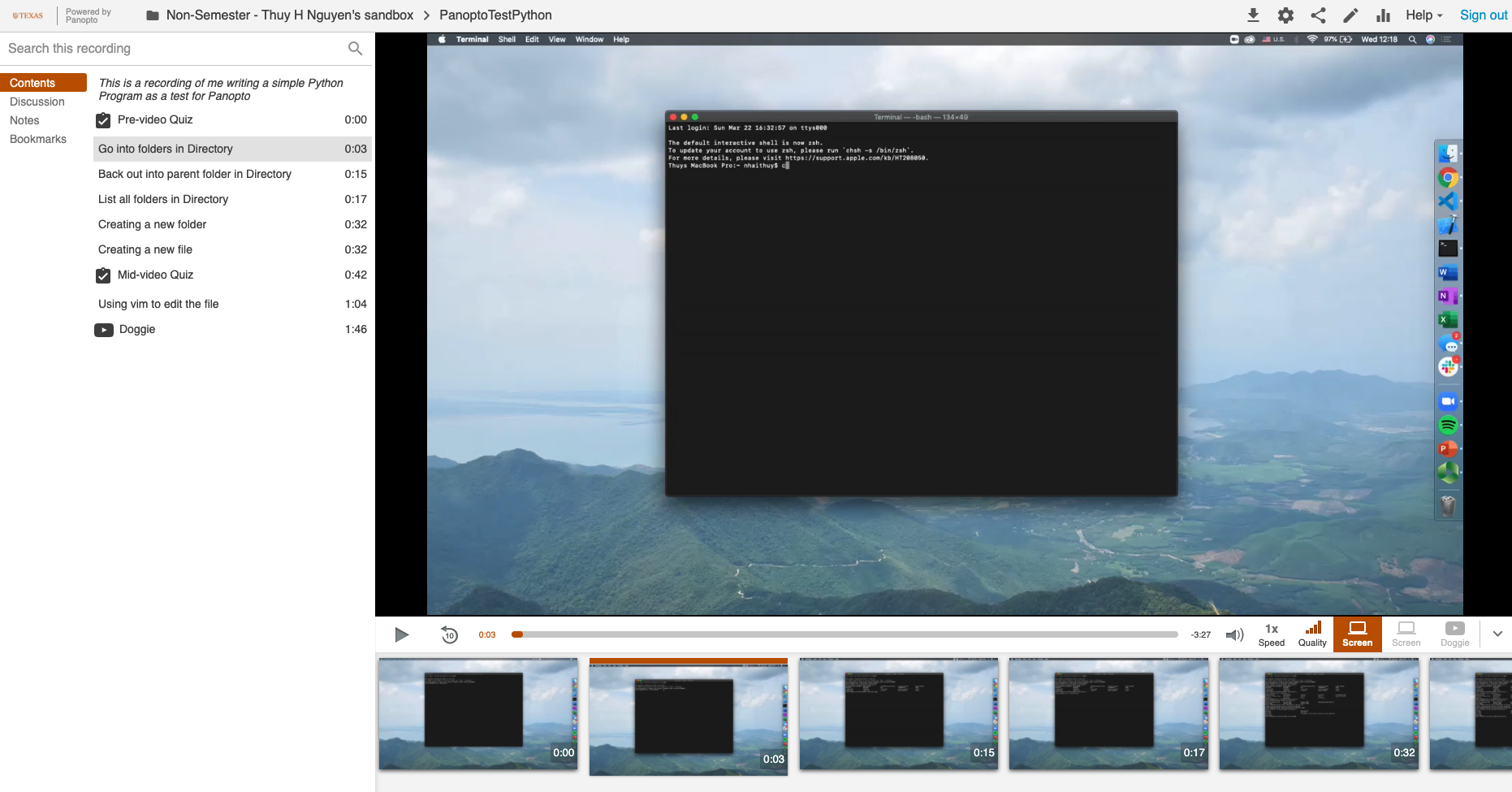
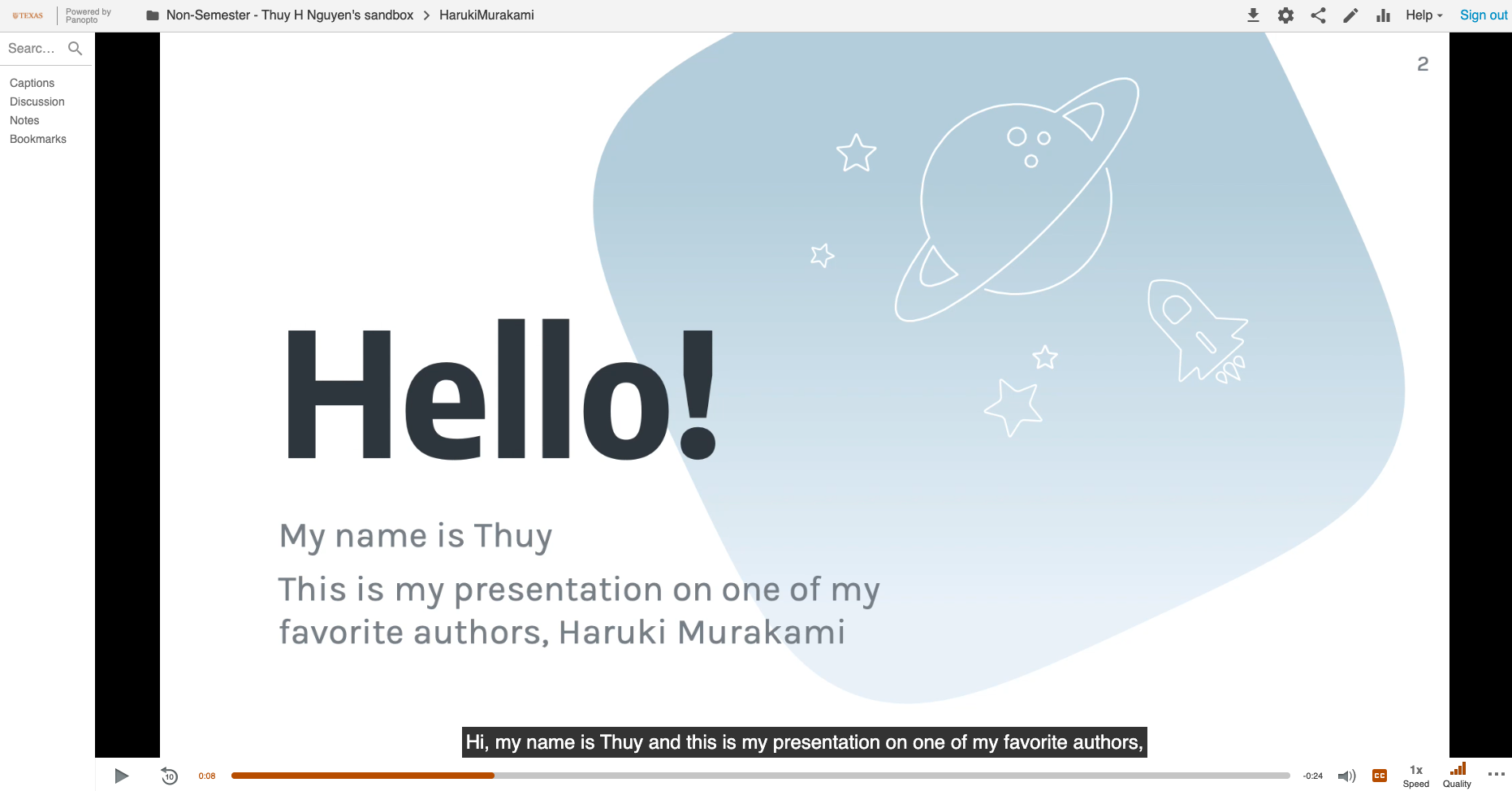
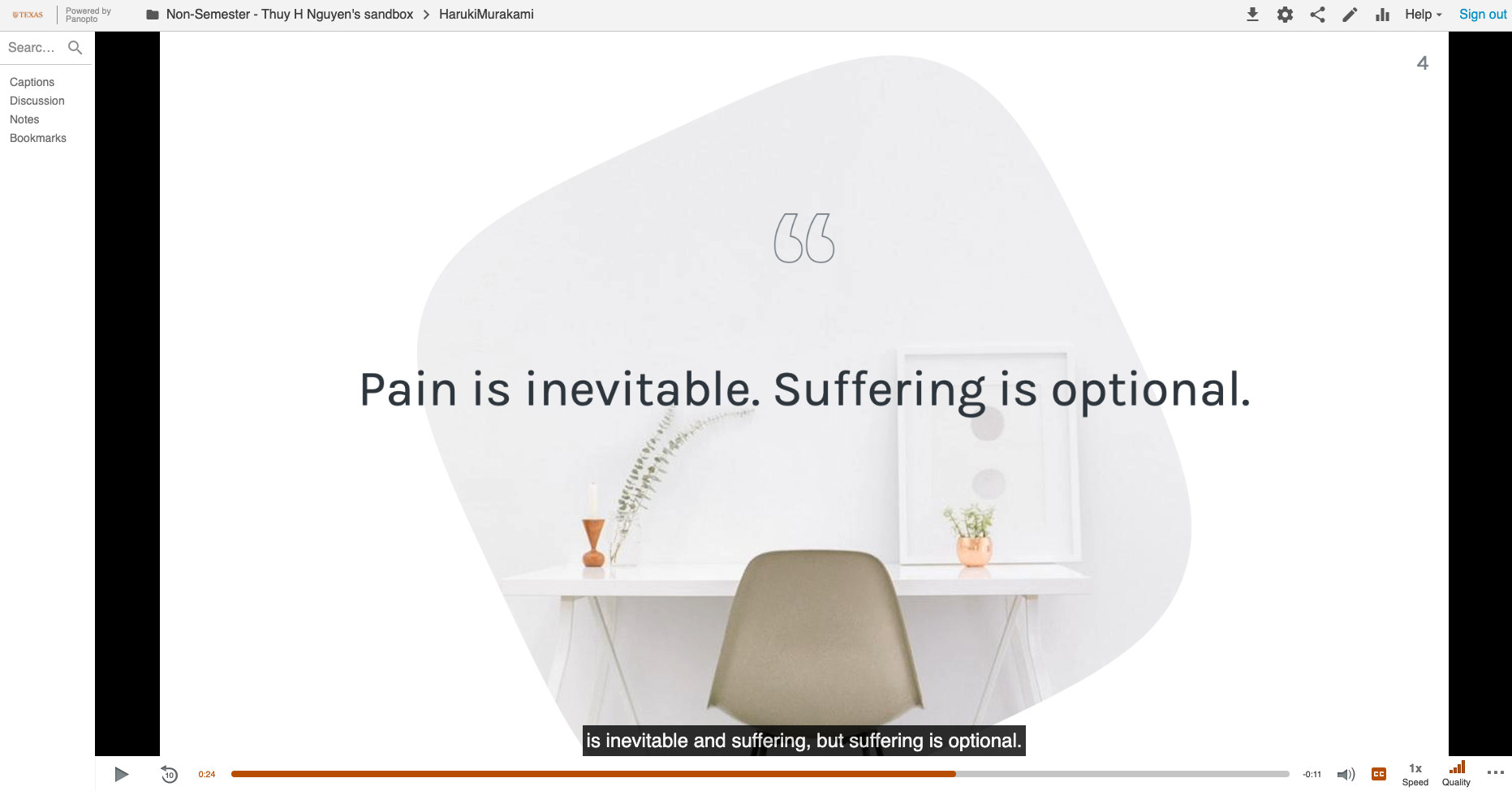
Since we’re getting ready for online classes, another tool that we were required to familiarize ourselves with is Panopto. Currently, LAITS is suggesting faculties using Panopto for prerecorded lectures and Zoom for live discussions / lectures. Here’re some of my attempts at Panopto.

Panopto Videos with Screenshots and some functionalities such as Quiz, Table of Content, etc. You can view it here: PanoptoTestPython

Panopto Videos with Automatic Captions and PowerPoints. View it here: HarukiMurakami

Filed Under: 2019 Fall-Winter | Spring-Summer 2020

Canvas Practice Page

March 26, 2020 By Thuy H Nguyen

Canvas Practice Page

For the first week back after Spring Break, I got trained by Abriella on creating my own Canvas Page and setting up Zoom through Canvas. Here are some screenshots of my page.

And here’s a screenshot of my ‘Lecture’ on editing a photo in Adobe Lightroom

Filed Under: 2019 Fall-Winter | Spring-Summer 2020

Summer 2020 Classes

March 26, 2020 By Abriella Corker

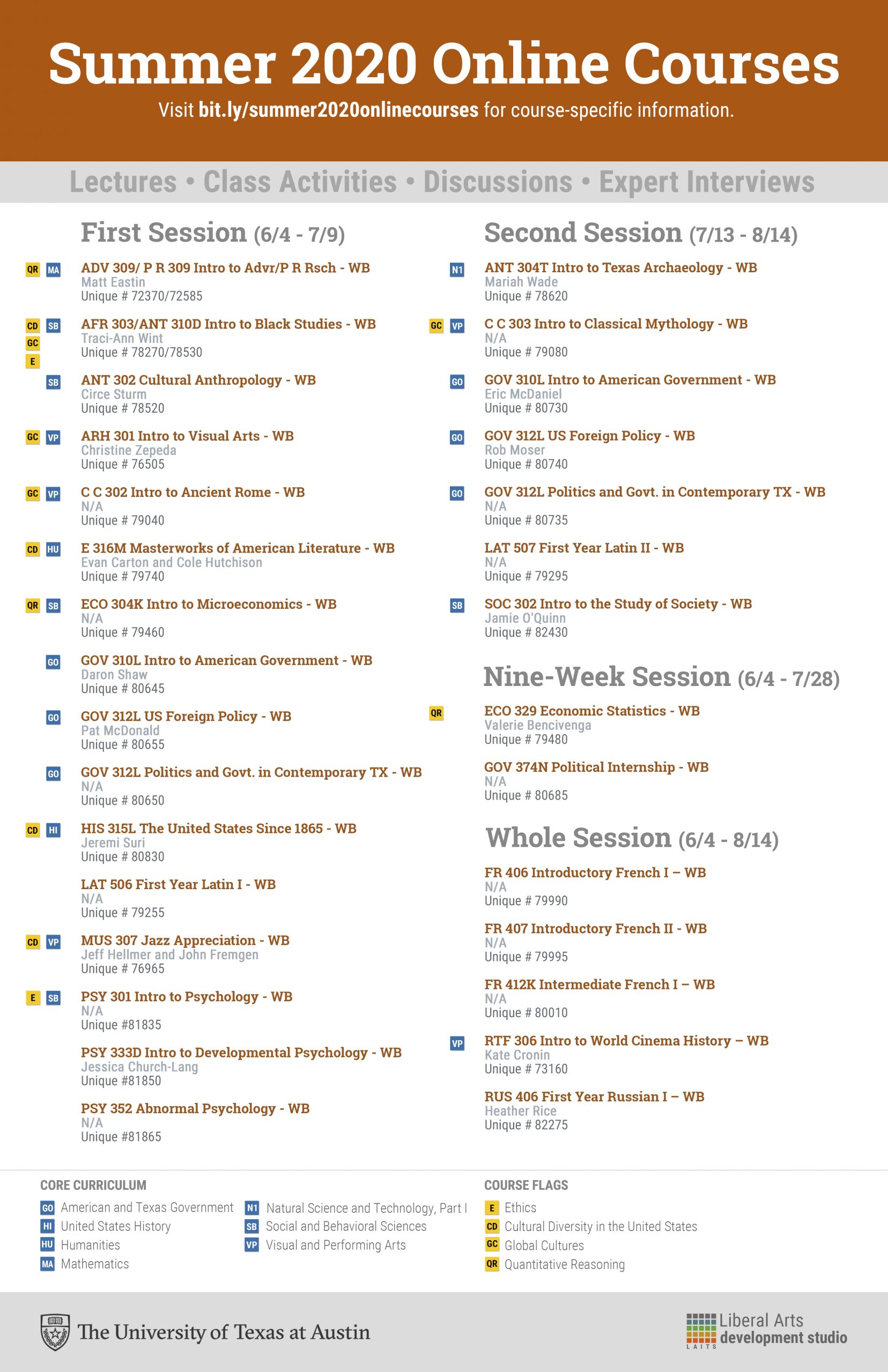
SUMMER 2020 COURSE FLYER

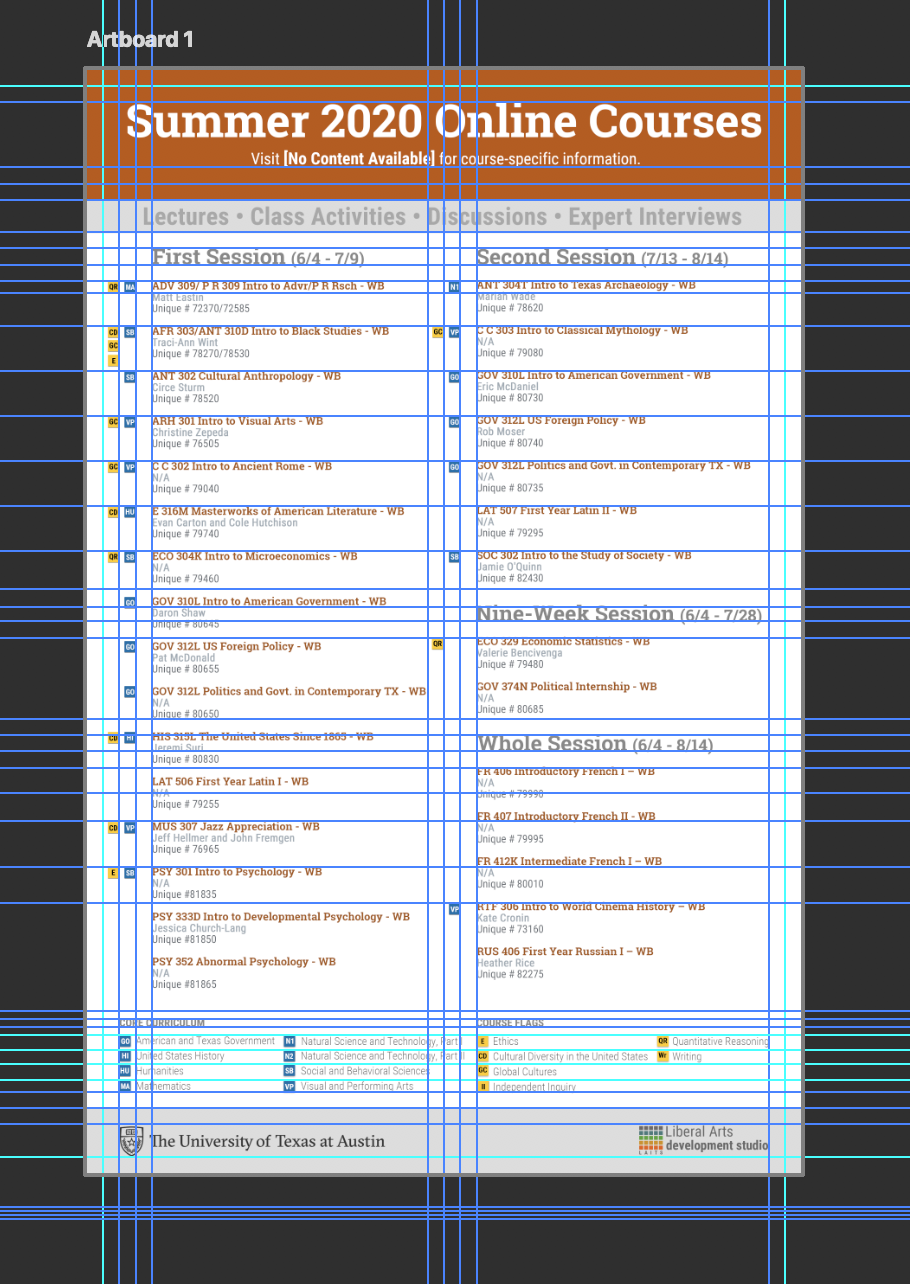
Before starting all the documentation edits for COVID-19 response online class apps, I was given a summer 2020 course flyer to make. The process I took to start, execute, and turn in the project will eventually be uploaded to the knowledge base so other STAs will have a laid-out process for completing the project with consistency to past flyers.

For this .psd file, I started off by opening one that was made last year and editing the content within it. I switched out courses, flags, special course numbers, and then adjusted the key to match the flags that were used. Everything had to be laid out carefully making sure all spacing was even and within a .25″ bleed. I adjusted my spacing to fit all the flags in the key so that future STAs using my .psd file will be able to easily insert more flags into the key if needed. In order to get exact measurements went into “view” and clicked “rulers”. Then to add my guide to an exact spot I click “add new guide” and inserted my value. This gives much more accurate results than dragging and dropping the guides.


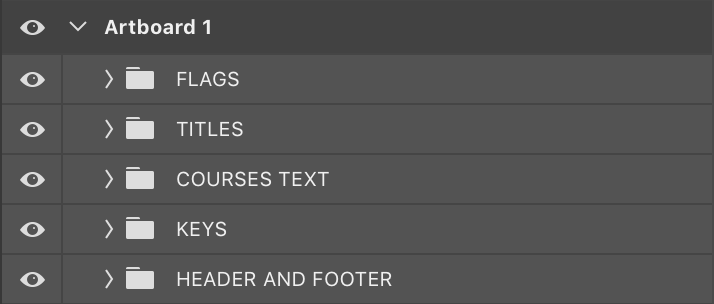
Then I made sure that the layers were named and grouped in a way that was easy to understand. The grouping of the layers in the old PSD was a little all over the place for me. I grouped the layers by content and area of the page. The only layer that is a little unorganized is the “Flags” because it is made up of many copies of the flag icons to duplicate on the artboard. However, clicking the move tool and then selecting a flag icon will point you to where it is in this layer.


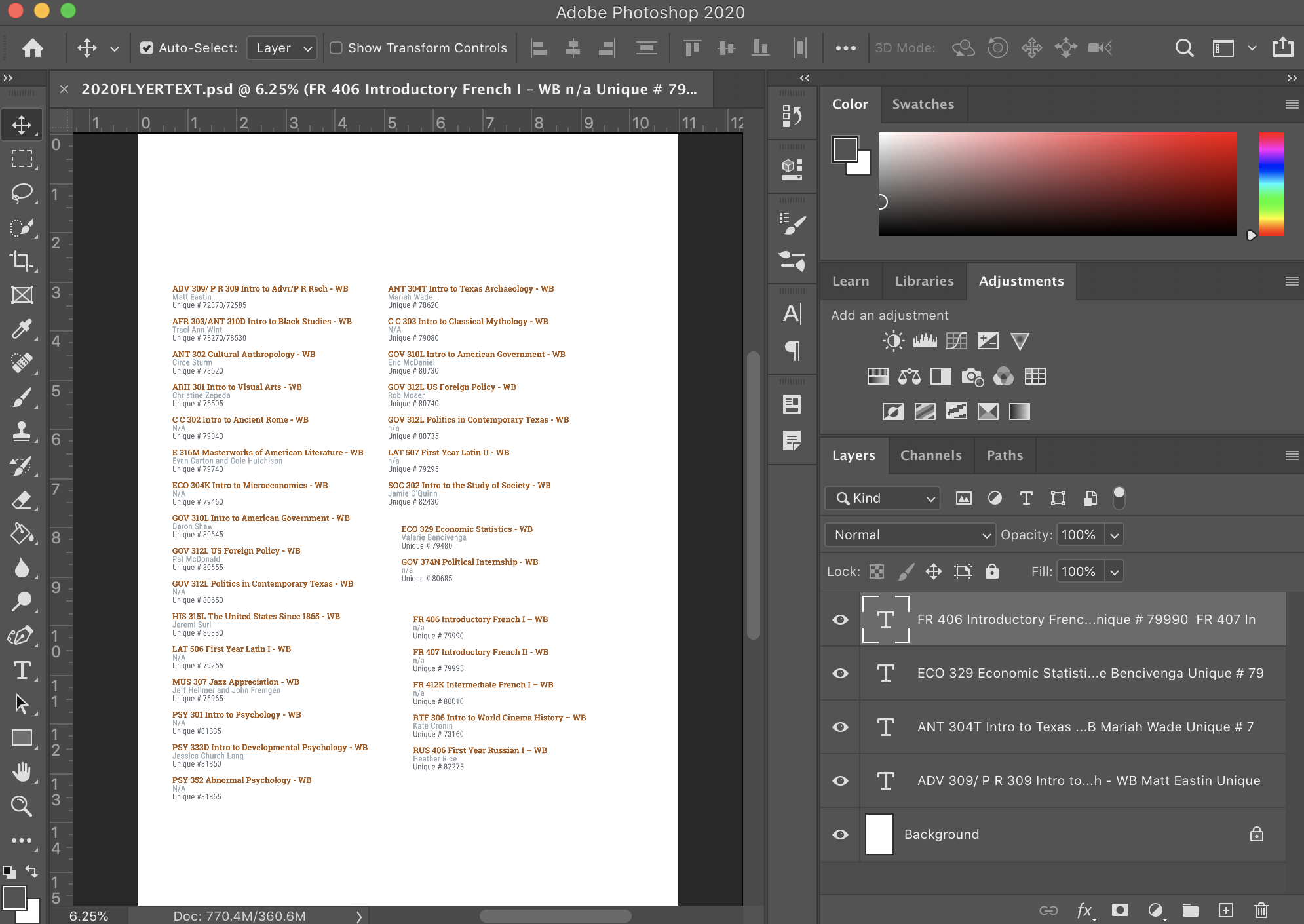
For adjusting the text, I noticed that each course was its own text box with made spacing and editing more cumbersome. I decided to make four text boxes and copy and paste all the text into their respective section and edit the content and spacing from there to all be even. This also makes adding and taking away text much easier when editing. I opened up a new .psd file with the same dimensions to do this editing and then copied and pasted it over to the final document.


I made a 300 dpi merged pdf version for print, and a 72 dpit merged jpeg for email. All files were uploaded to the BOX and Myra was notified and sent a link to the location of the files. I also included the editable .psd for any edits that may need to be made between now and when this is released. As well as for future STAs to be able to work on this document. Here is the final result of the flyer:


Filed Under: 2019 Fall-Winter | Spring-Summer 2020

Zoom Student Test Recording and Uploading

March 19, 2020 By Abriella Corker

Zoom Student Test Recording and Uploading to Canvas

Here is a video in response to Suloni’s become a creature test assignment. We are exploring different ways professors can have students upload video responses to assignments given by professors and TAs. Providing a link from a WordPress site and a Discussion page are two of the ways that we have set up so far.

http://sta.laits.utexas.edu/wp-content/uploads/2020/03/zoom_0.mp4

Filed Under: 2019 Fall-Winter | Spring-Summer 2020

Project Estimation: Scanning

March 16, 2020 By Abriella Corker

PROJECT ESTIMATION: SCANNING

I have added a new section in the table of contents for project estimations. We finally quantified how long each type of scanning material takes so that we can give more accurate time frames and billings to clients. Before it was more ambiguous on long a total project can take where we would overestimate by a few hours to be safe on billing with the client. Now with this, an STA handed a scanning project will be able to look over all the contents of what they need to scan and come up with a more accurate time frame. This will also allow the client to see a more itemized break down of the bill with the content and how long each one takes to scan.

Filed Under: 2019 Fall-Winter | Spring-Summer 2020

  • « Previous Page
  • 1
  • …
  • 47
  • 48
  • 49
  • 50
  • 51
  • …
  • 80
  • Next Page »

link to LAITS home page

Video STA Home

© 2025 Liberal Arts Instructional Technology Services | Production Credits