• We are STAs
    • Asha Rountree
    • Haley Ma
    • Kate Shih
    • Kyra Lee
    • Nicholas Peasley
    • Sasha Kenney
    • Shanda Horm
    • Shriya Atreya
    • Tomas Marulanda-Mesa
  • We were STAs
  • STA Presentation
    • STA Presentation 2017
    • STA Presentation 2016
  • Testimonials
  • Resources
  • Home

STA Blog

STA Work Blog

STAs: Student Technology Assistants

Who We Are
LAITS: IT and Facilities Director, Joe TenBarge initiated the Student Technology Assistant program in 2004. STAs are UT students who work on a variety of projects in collaboration with UT faculty and LAITS staff members. STAs assist College of Liberal Arts faculty members and administrative staff with print and web design. From building presentations, to creating audio/visual works, and producing online classes in the LAITS film studios, STAs are instrumental in helping COLA faculty realize their vision for multimedia projects that enhance their teaching and the students learning experience. By the end of their student careers, STAs have portfolios which demonstrate their accrued technical and design skills.


Prospective STAs:

Creative and technically inclined students are appointed as STAs for one year, with the possibility of being rehired as long as they study at the university. Applicants for the program are hired before both long semesters. Interested students may look for postings on Hire-A-Longhorn when positions are available. Positions will have Student Technology Assistant (illustrator or web designer) in the title of the job post.


Faculty and Staff:

Faculty & Staff with questions about services, please contact us.

https://liberalarts.utexas.edu/laits/contacts.php

  • Audio Services: Michael C Heidenreich, Audio Services Manager
  • Video Services: Kelly Webster, Video Production Supervisor
  • Graphic Design & Web Design Services: Suloni Robertson, Art Director / STA Program Manager

ID Training

June 14, 2018 By Duo

Photo ID training

Today I received my photo ID training and it was very fun! I used Lightroom to adjust the contrast and color schemes of each photo before cropping them into the correct thumbnail sizes. Some photos have filters applied, so I tried to manipulate the colors in a way that makes them look more natural and professional.




Filed Under: 2017-2018

Antique Print

June 13, 2018 By Duo

Antique Print

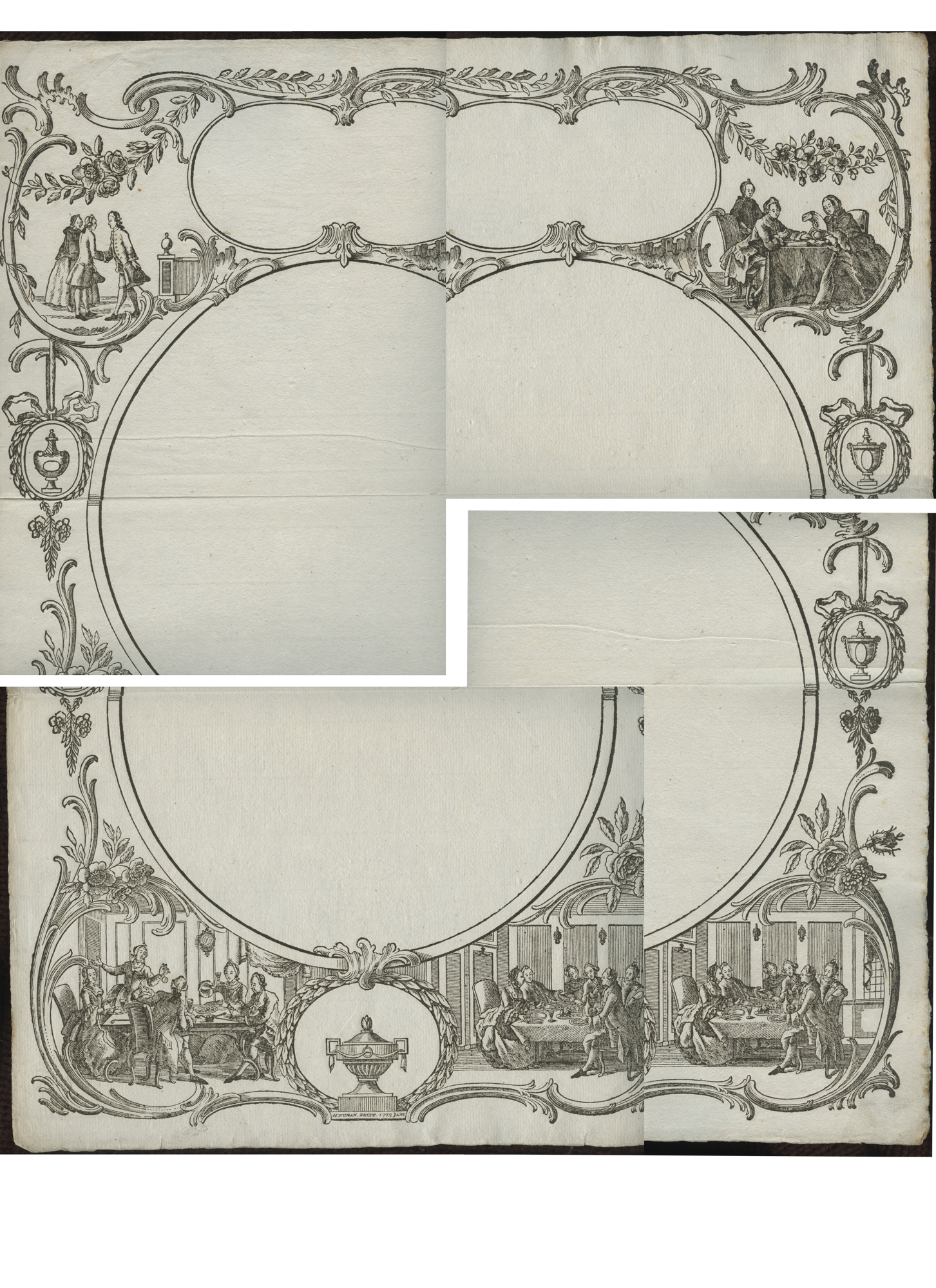
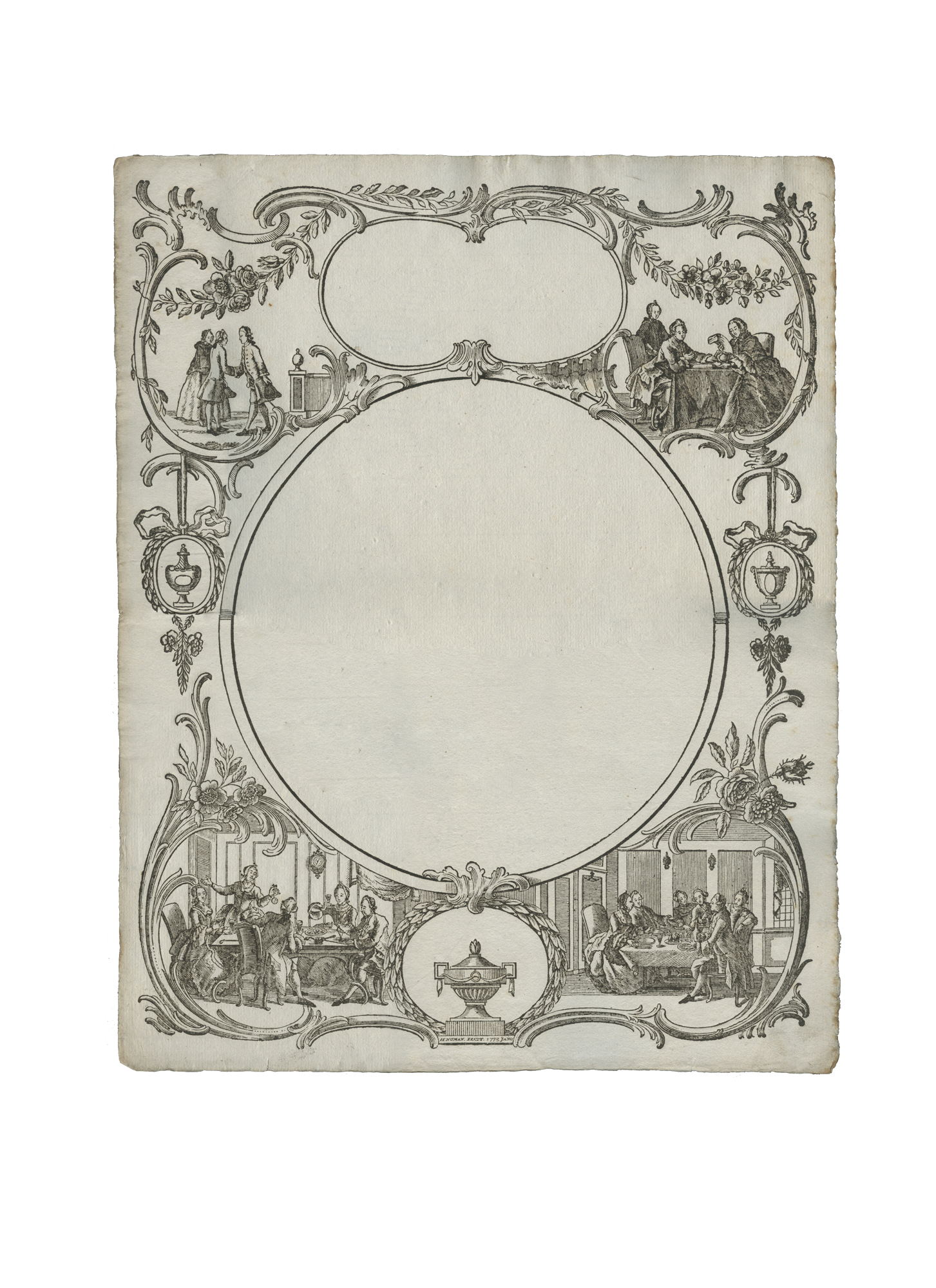
Professor Barchas needed a digitized version of an antique old print, and I was assigned to polish the prints. The scans of the print was done in 4 separate pieces, and I stitched them together as a single large print using photoshop. The dark spots, shadow drops, and folds on the original scans were all erased, while the rugged edges were kept intact to reminisce the historic feel of the print. Some tools that I used to line up the scans seamlessly are patch and distort, and textured brushes were used to enhance the lines in some faded areas  (。ò ∀ ó。)


Filed Under: 2017-2018

6-13-18

June 13, 2018 By Bridget

Project: Cascade practice site
Completion Status: Done
Staff Guidance: Andre, Chloe, Rodrigo, Suloni
Descriptions/Plans: I’m completing the tasks assigned on Basecamp and updating here on this blog post as I go along


Here is a link to my site:

https://liberalarts.utexas.edu/sta-5/


First, I added the official UT word mark and STA identity icon to my site. Then I uploaded my 870 x 385 banner and added text to my header and sub-header by going to units>sta-5>index>edit.

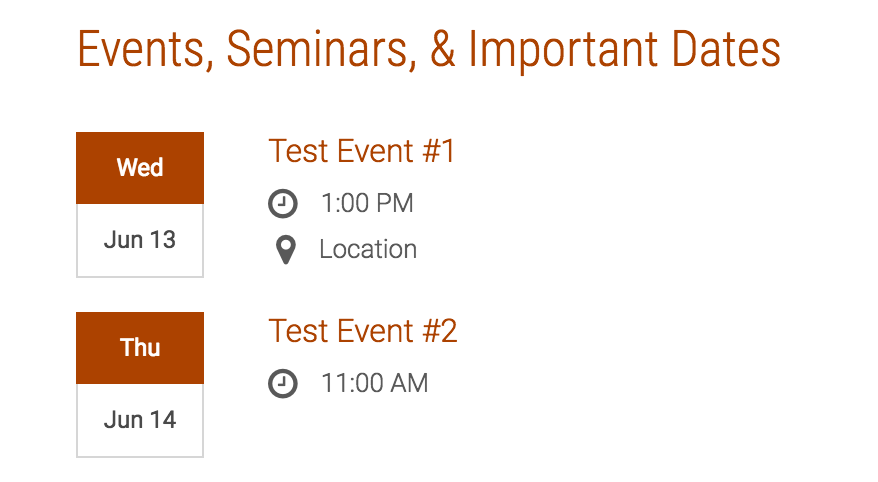
Created some events to go on my page by adding events to the Cola database and setting the office drop-down to sta-5.

And news stories:

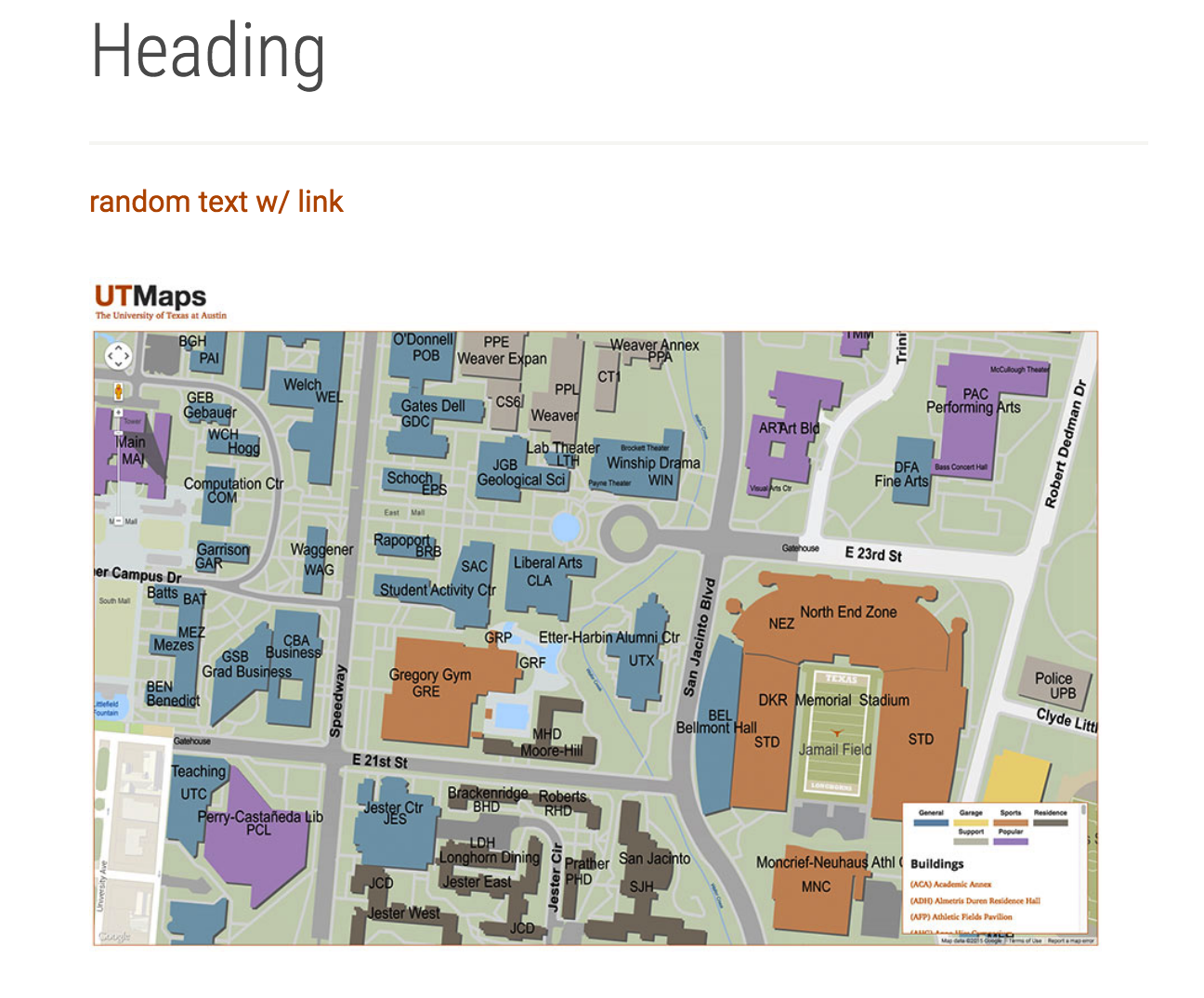
Added some random body content with links embedded (the text and the image redirect to my blog), reorganized the page to go news>body content>events

Embedded a Youtube video into the right side bar:


Filed Under: 2017-2018

Summer!!

June 12, 2018 By Chloe Kim

After spring semester ended, there were a lot of shenanigans that went down, but everything settled down once I came back to work! I haven’t worked too much on design projects, but rather helped Suloni and the new STA’s adjust to their new office environment and the STA program.

The only design project I worked on was for PSY364 – Dr. B needed a new title slide, and I had fun making it!

<before>

Instructions:

  • TITLE (use the popculture font): “Its Dr’B’s Morning Review Show” Due Jun 5
  • frame: pop culture TV frame
  • foreground= GIANT COFFEE!
  • inside frame:  DR.BRADBURY ON THE COUCH (cut-out)
  • bg= BIG SUN BEHIND

<After>

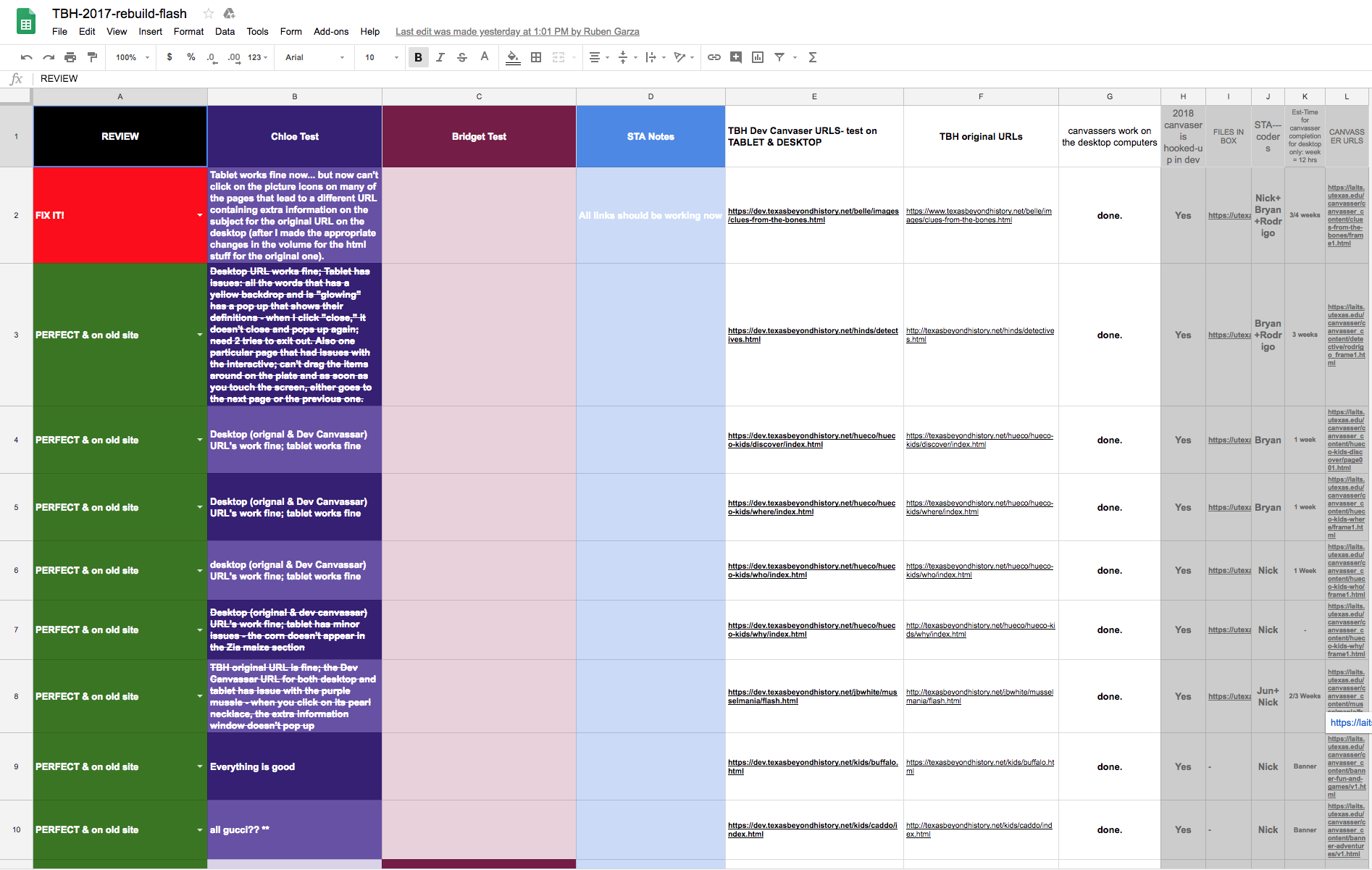
I continued working on TBH and testing out the interactives that the coding STA’s have worked on so hard!! It was mainly testing out the URL’s (both Dev and original) on the tablet and the desktop. Our spreadsheets were full of red “FIX IT’s,” but now it is almost all green “FIXED”!!!

In other times, I helped new STA’s like Bridget with the photo ID training and will also start on the cascade training.

A L S O, worked with a super cool antique print brought to the office by Prof. Barchas; we had to make 4 scans of the different sections, and I have assigned Duo to stitch them up into one nice piece. Can’t wait to see her work!

I also worked on a lot of office whiteboard organizations (putting up people’s schedule, etc.).

Filed Under: 2017-2018

6-12-18

June 12, 2018 By Bridget

During my first week, I’ve been helping test the new Texas Beyond History site with help from Ruben and Rodrigo, checking the pages for problems with the banners and interactive games and recording them in this Google spreadsheet:

https://docs.google.com/spreadsheets/d/16CaTKt9AjTef0dCdeqBt7EcnA_BMxm1leJCEFsRvyaM/edit#gid=1196322064

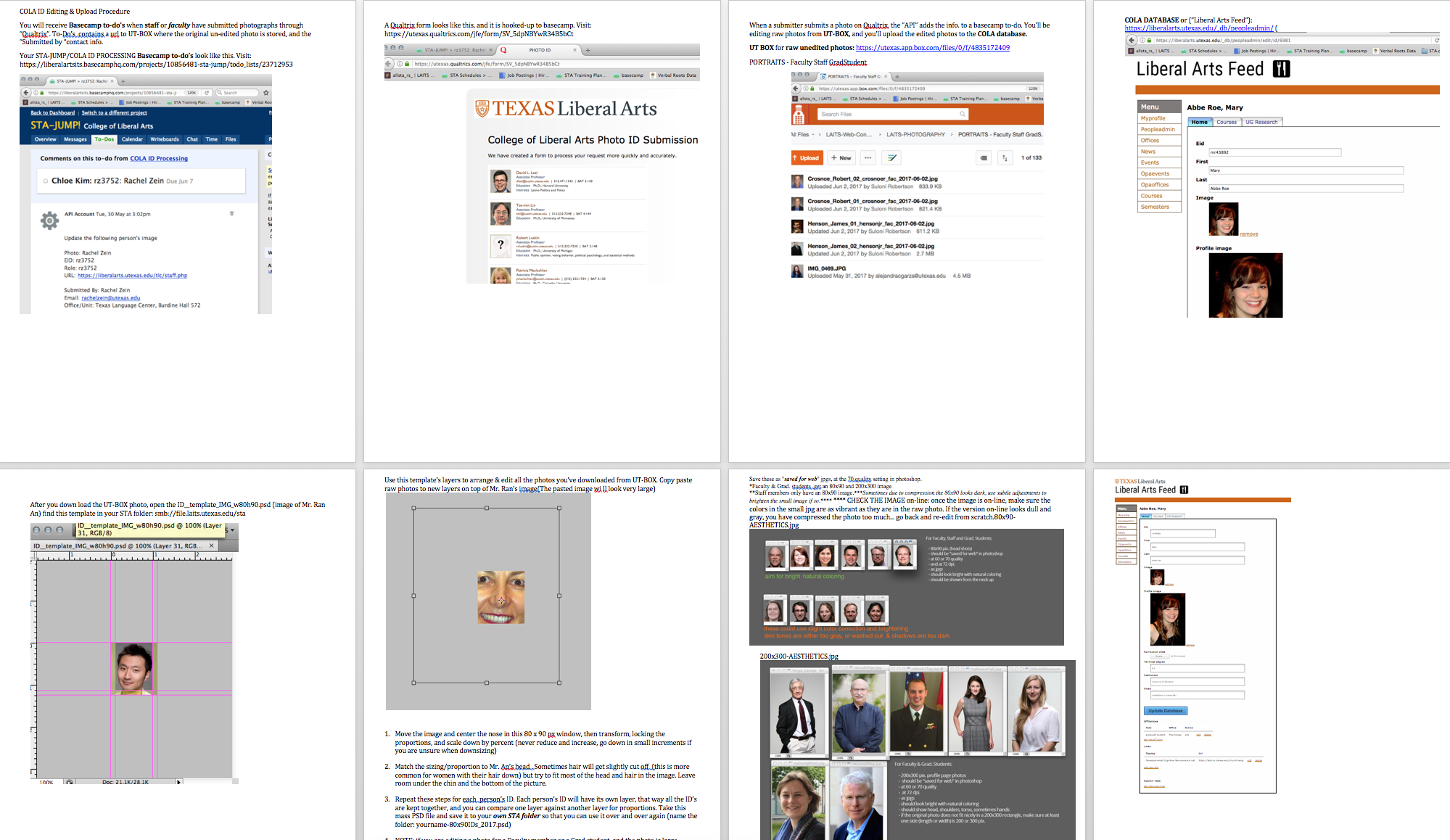
We are testing the new links on both desktop and iPad to guarantee there are no issues on either. I’ve also been trained by Chloe on the process for updating COLA IDs and have starting working on my first batch. I’ll add pictures to this post.

Example 80 x 90 photo:

Example 200 x 300:

After downloading the files from UT Box, the images are resized and color-corrected (if necessary) in Photoshop, then uploaded to the COLA database. Profile Image=200×300, Image=80×90. After the profile pages are checked to make sure the images uploaded correctly, the people who submitted the photos are notified by email using the template found in the STA volume (with Suloni and Andre CC’ed).

Filed Under: 2017-2018

Racial Geography Tour UI Design

June 12, 2018 By Jaclyn Alford

For this new, incredibly cool (and culturally relevant!) project, I am helping Suloni as a co-art director and UI design lead.

Racial Geography Tour was an in-person tour organized by Dr. Gordon in which he shares the history of certain buildings and landmarks on UT’s campus that have cultural significance.

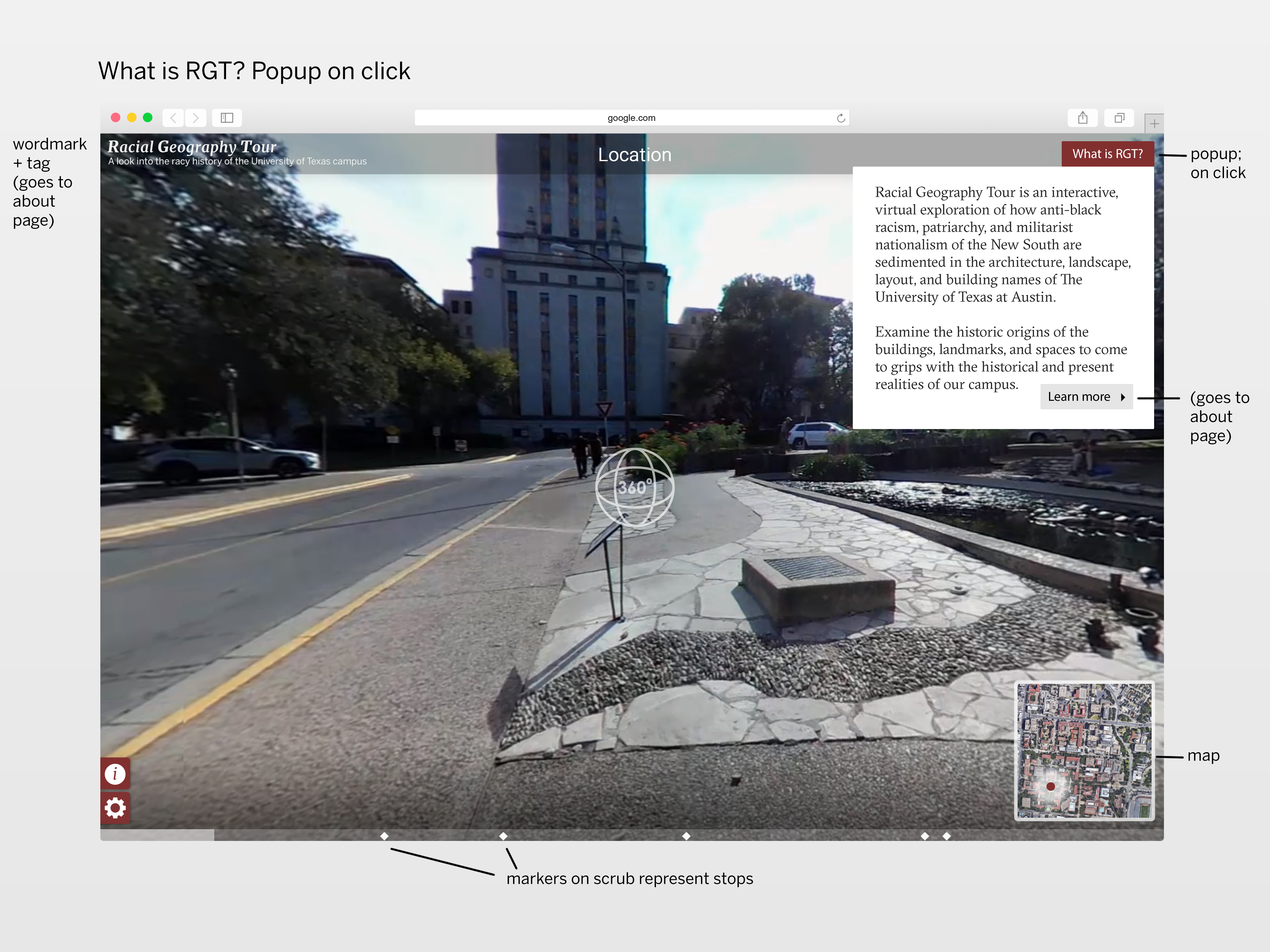
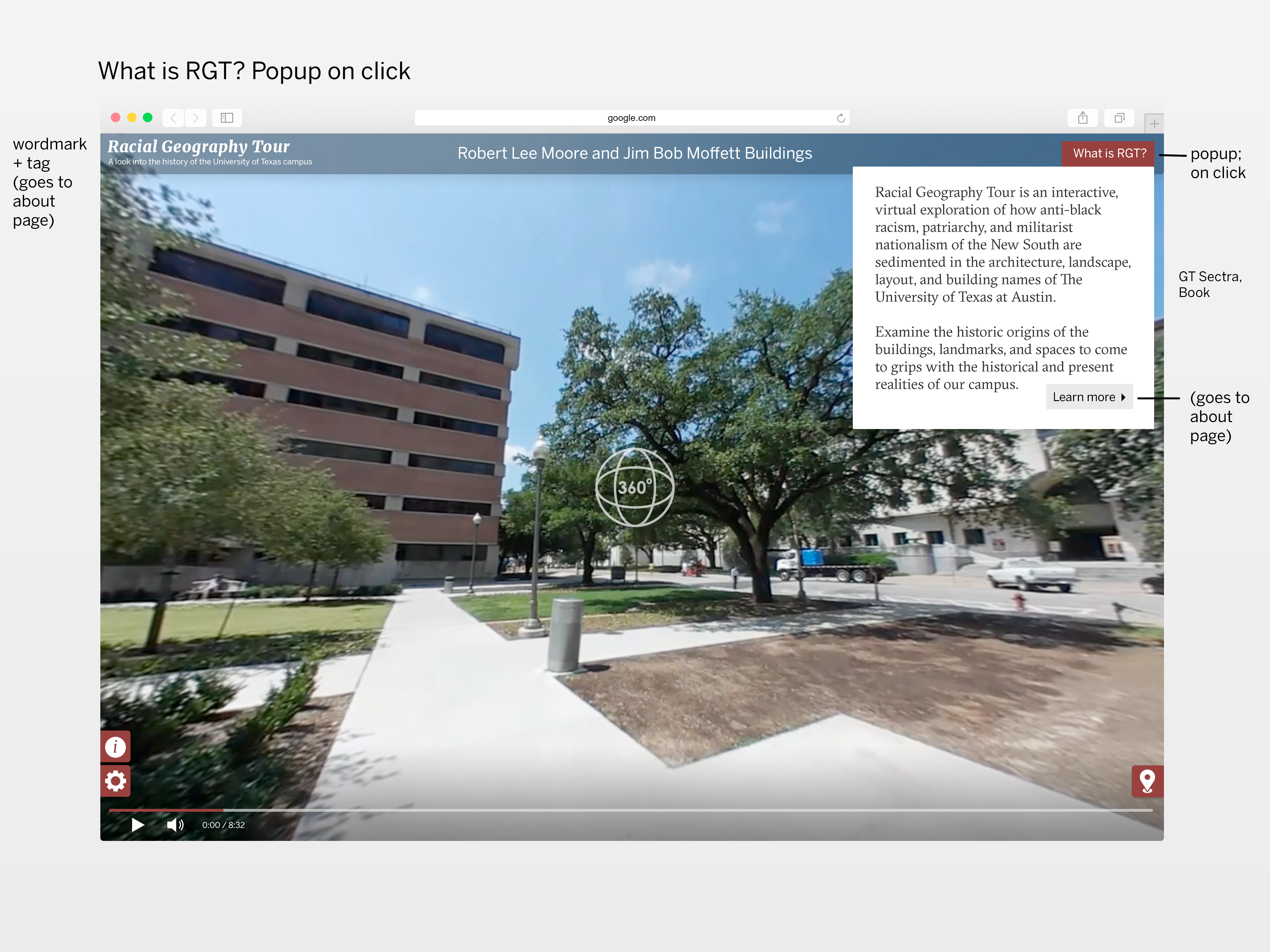
On the tour’s current webpage it further explains, “Learn about these and other intriguing historical facts by scheduling a Racial Geography Tour of campus with Dr. Edmund T. Gordon, Chair of the Department of African and African Diaspora Studies.  Taking up the challenge means engaging in a veritable archeological excursion! Explore how anti-black racism, patriarchy, and militarist nationalism of the New South are sedimented in the architecture, landscape, layout, and building names of our campus. Examine the historic origins of the buildings, landmarks, and spaces to come to grips with the historical and present realities of The University of Texas and Austin.”

https://liberalarts.utexas.edu/aads/racial-geography-tour-.php


Now, LAITS’ video and design team is helping Dr. Gordon make this incredible experience accessible to everyone with a device. It is in the process of being converted into a virtual tour website; most of the 360 videos are already recorded and edited.


I first sat down with Suloni, Stacy–the lead programmer, Kelly–the video manager, a video STA, and Melissa–who will be helping with design deliverables–to discuss this project and my roles.

For the first round of tasks, I am creating:

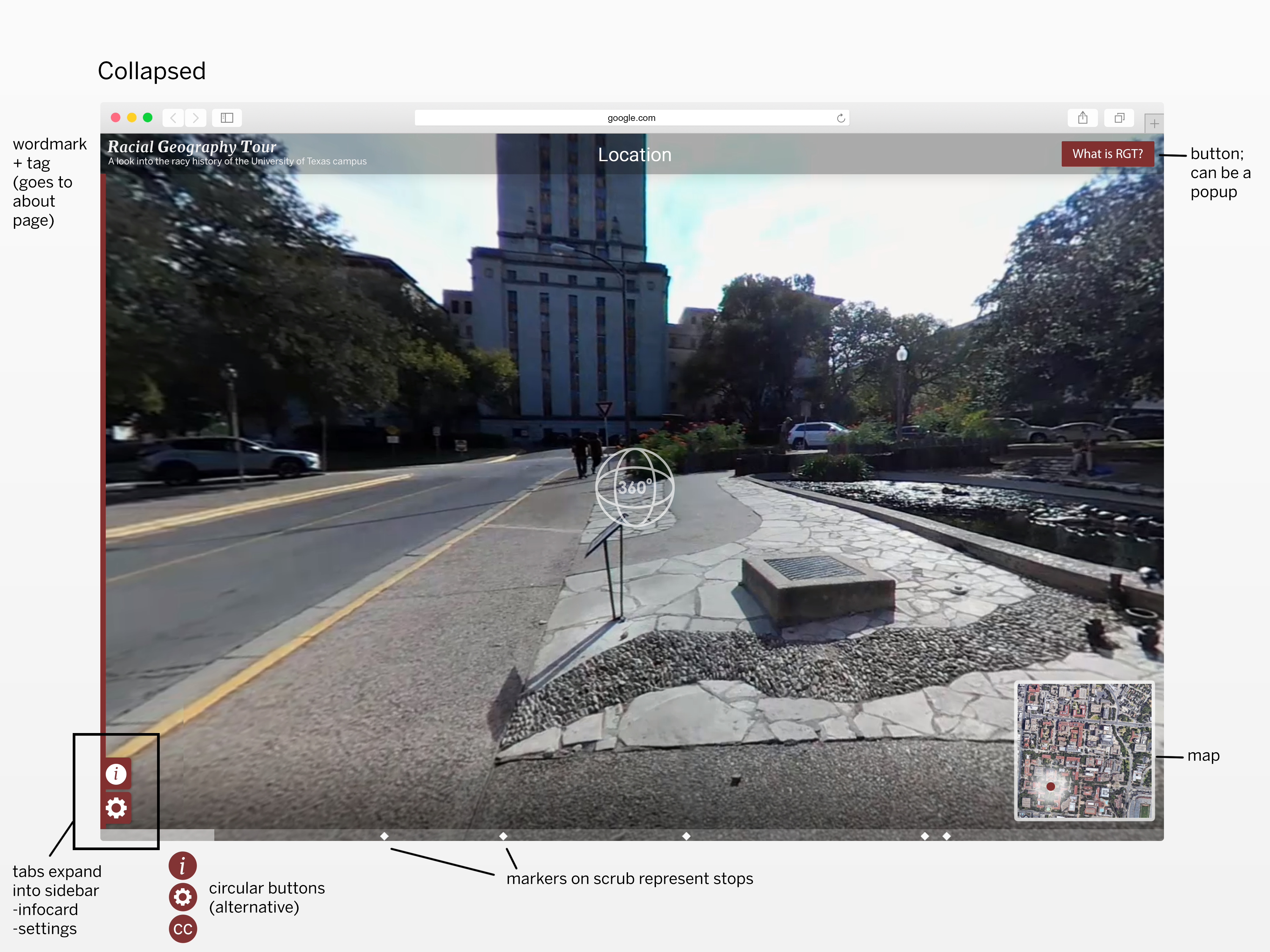
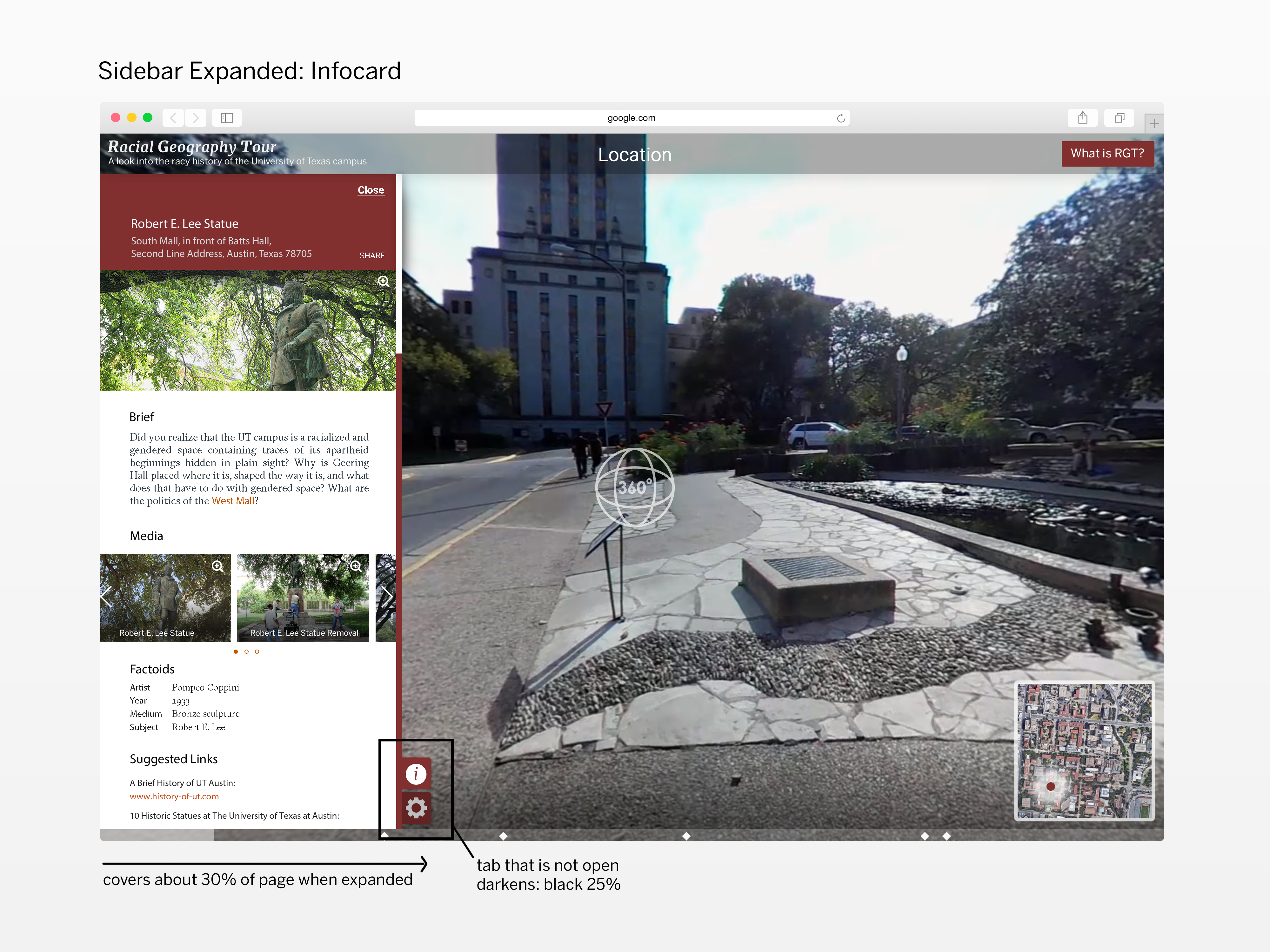
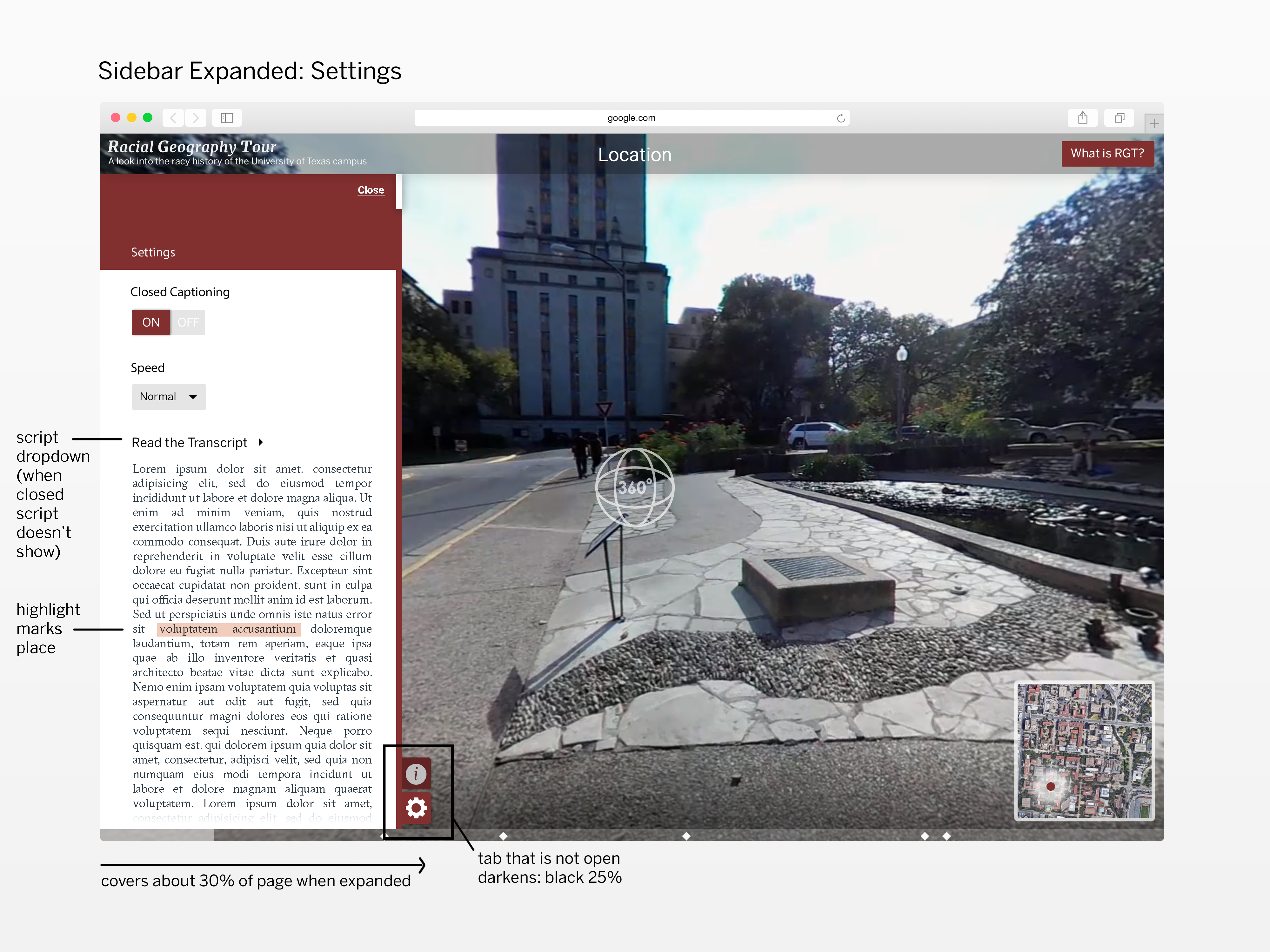
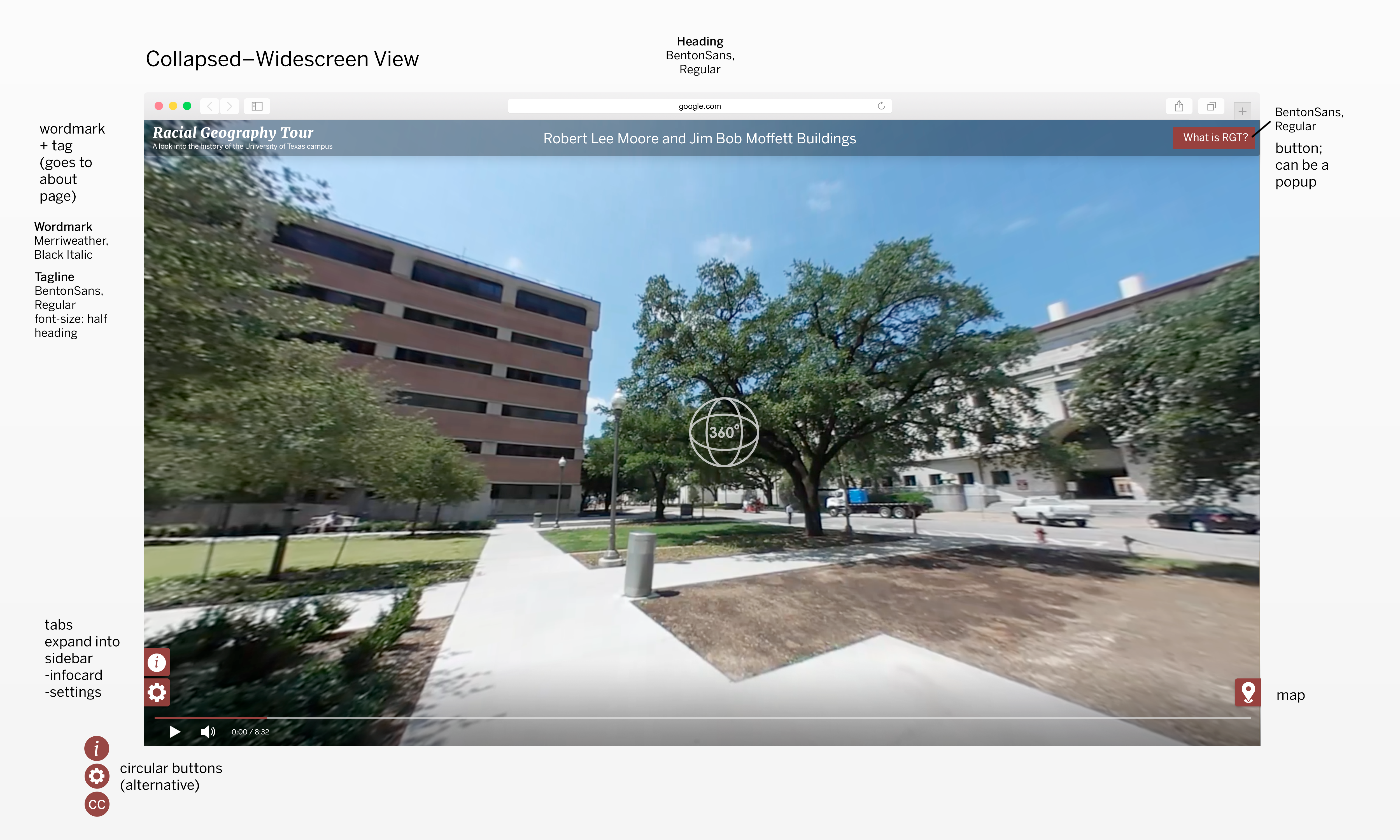
  • mockups of the site that includes its extent of controls and functionality
  • a style guide for the site
  • intro graphic options

Additionally, I am working with Suloni to examine branding options and practices–including potentially altering the title/adding a tagline for clarity.


I am genuinely ecstatic about this project and its message, and I am so thankful to help make this invaluable information available to UT students, alumni, prospective students, and individuals outside of the university system.


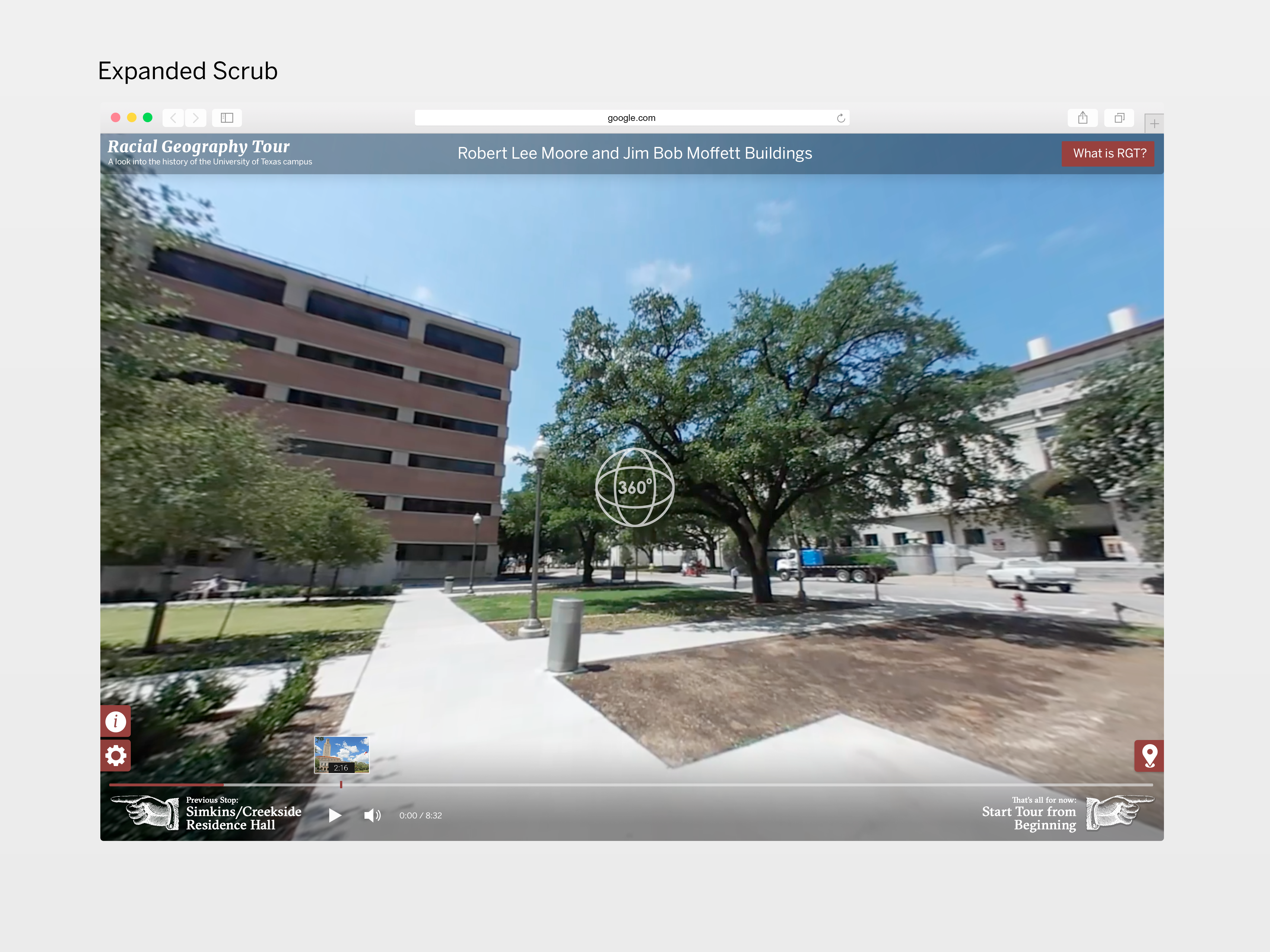
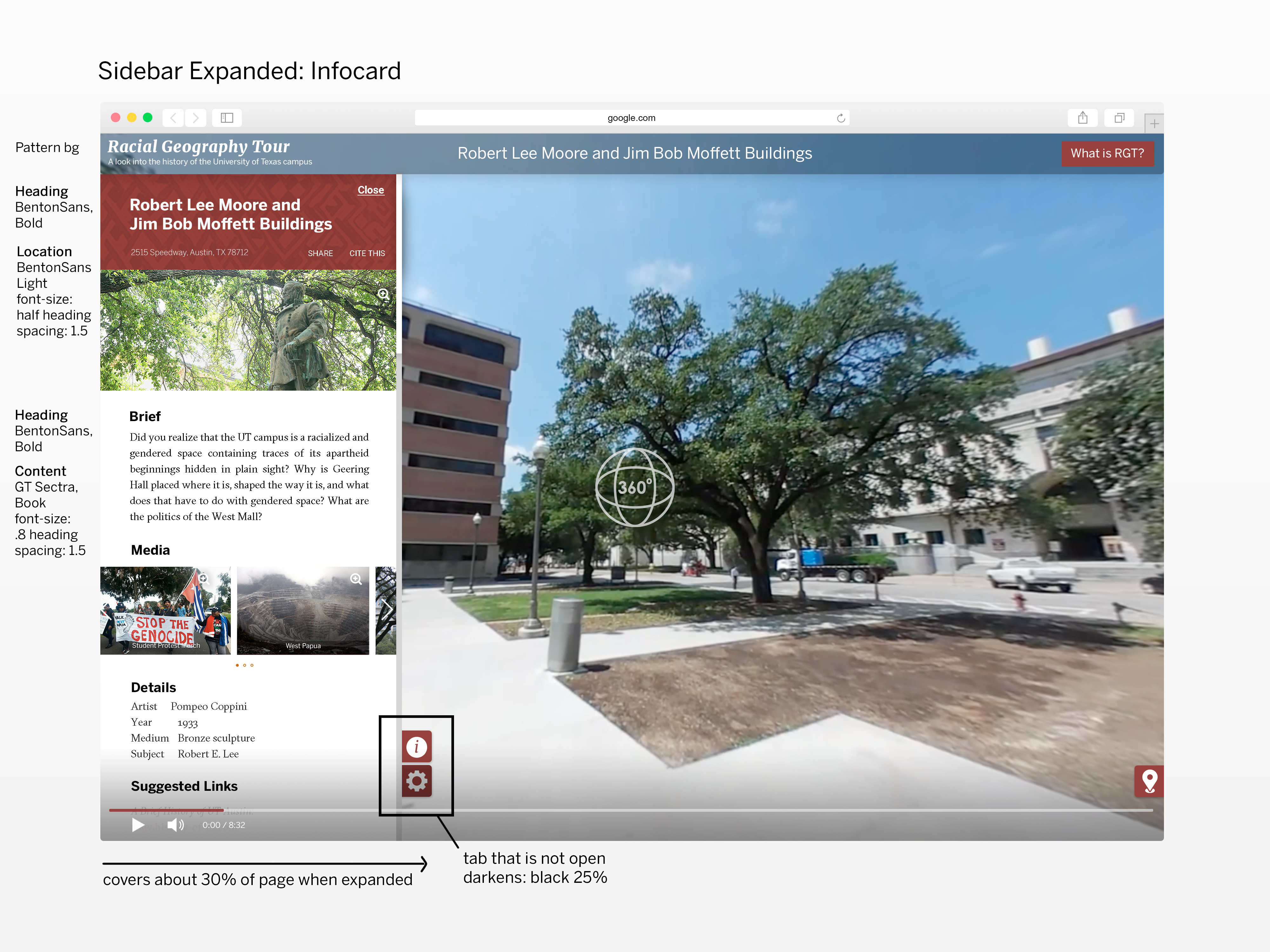
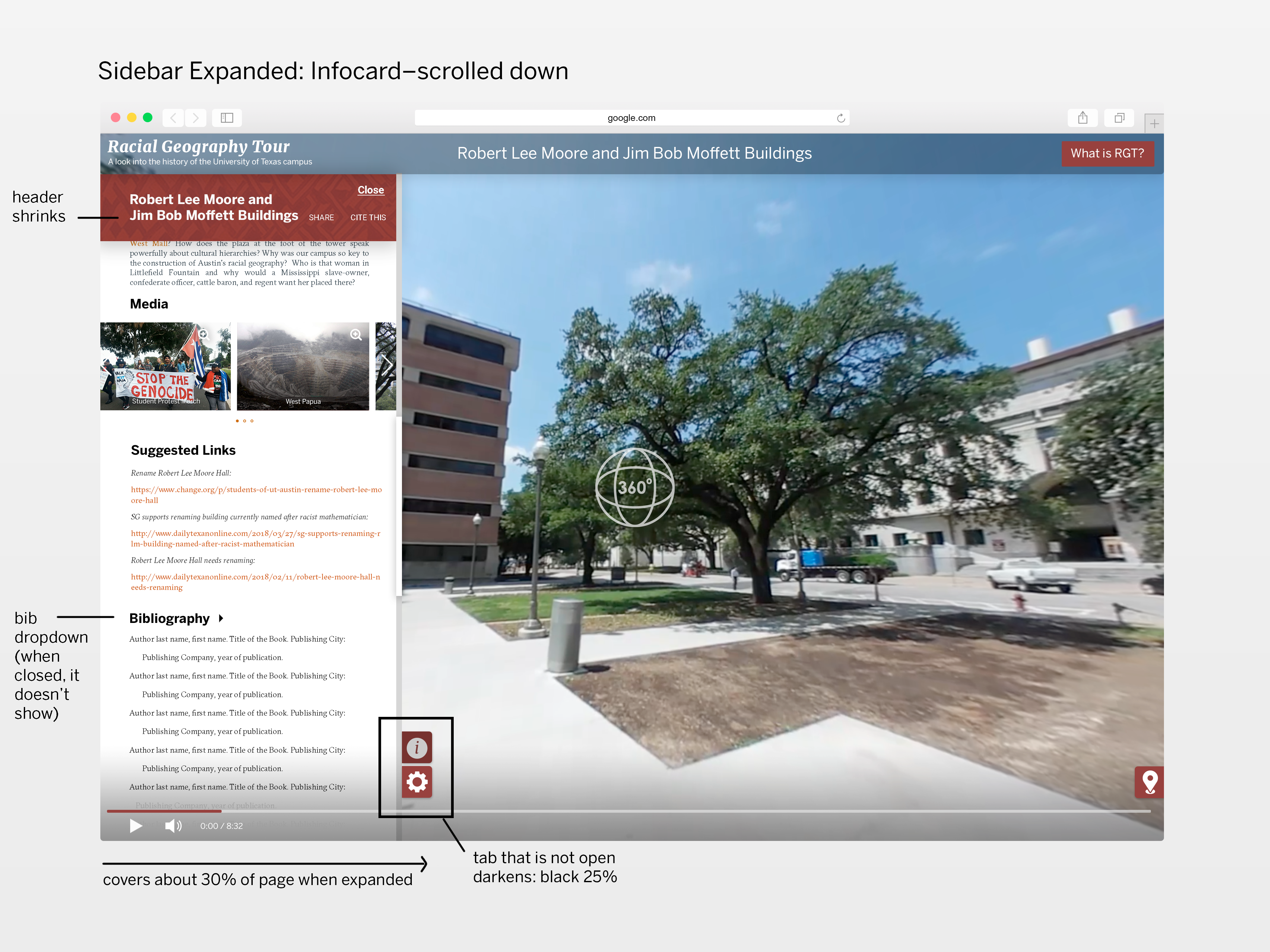
Below are the initial mockups of the main window: the collapsed view, an “about” popup, and sidebar views


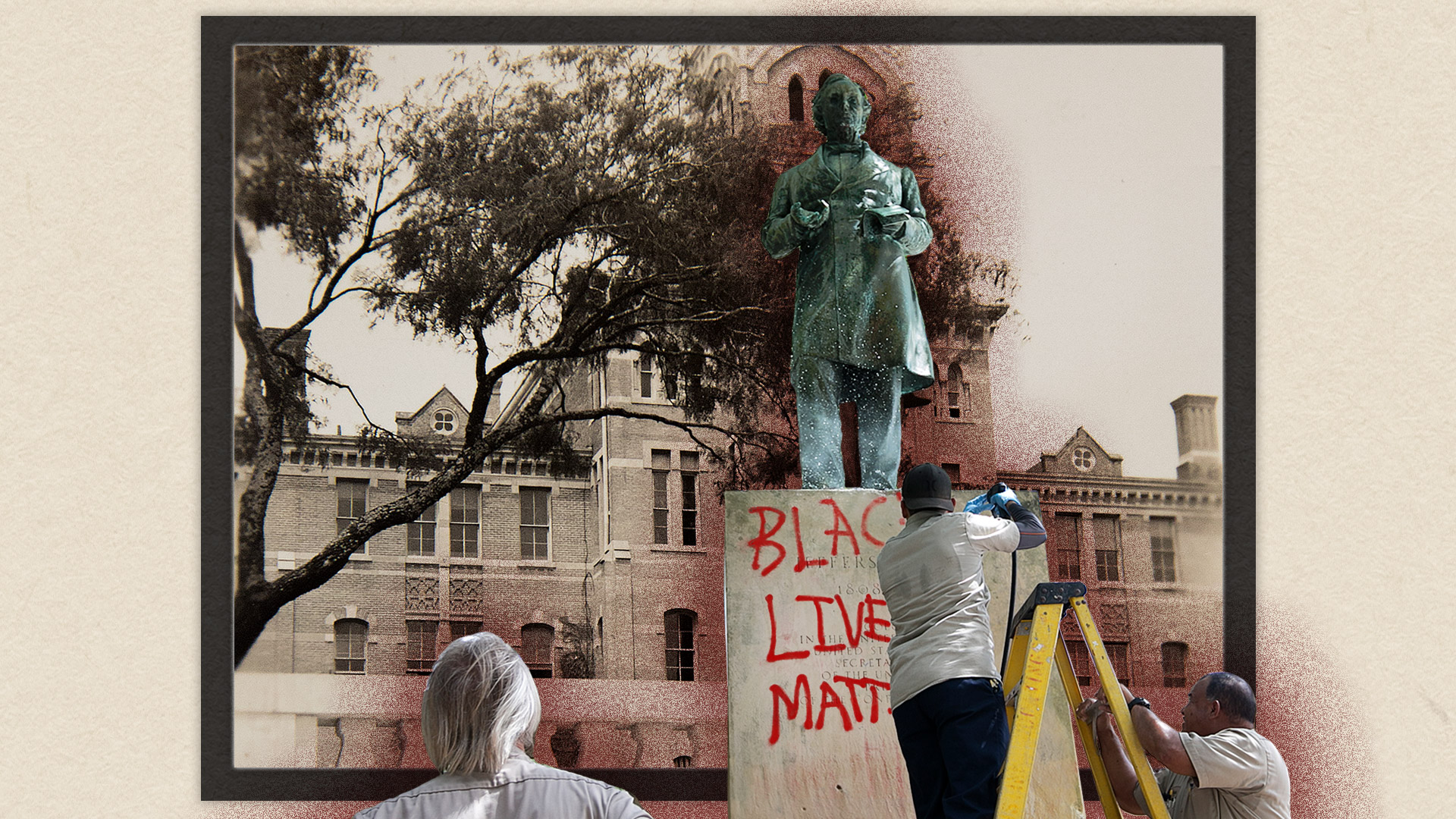
And here is an option for the intro graphic (it splices together two images of the Jefferson statue–one in 1933, the other in 2017)


Page updates:

And I created a click-through prototype to really bring the project to life! https://marvelapp.com/31bc893

This was my first time Really Utilizing Marvel, and it’s incredible how these pngs can act like a coded site. Pretty neat stuff!


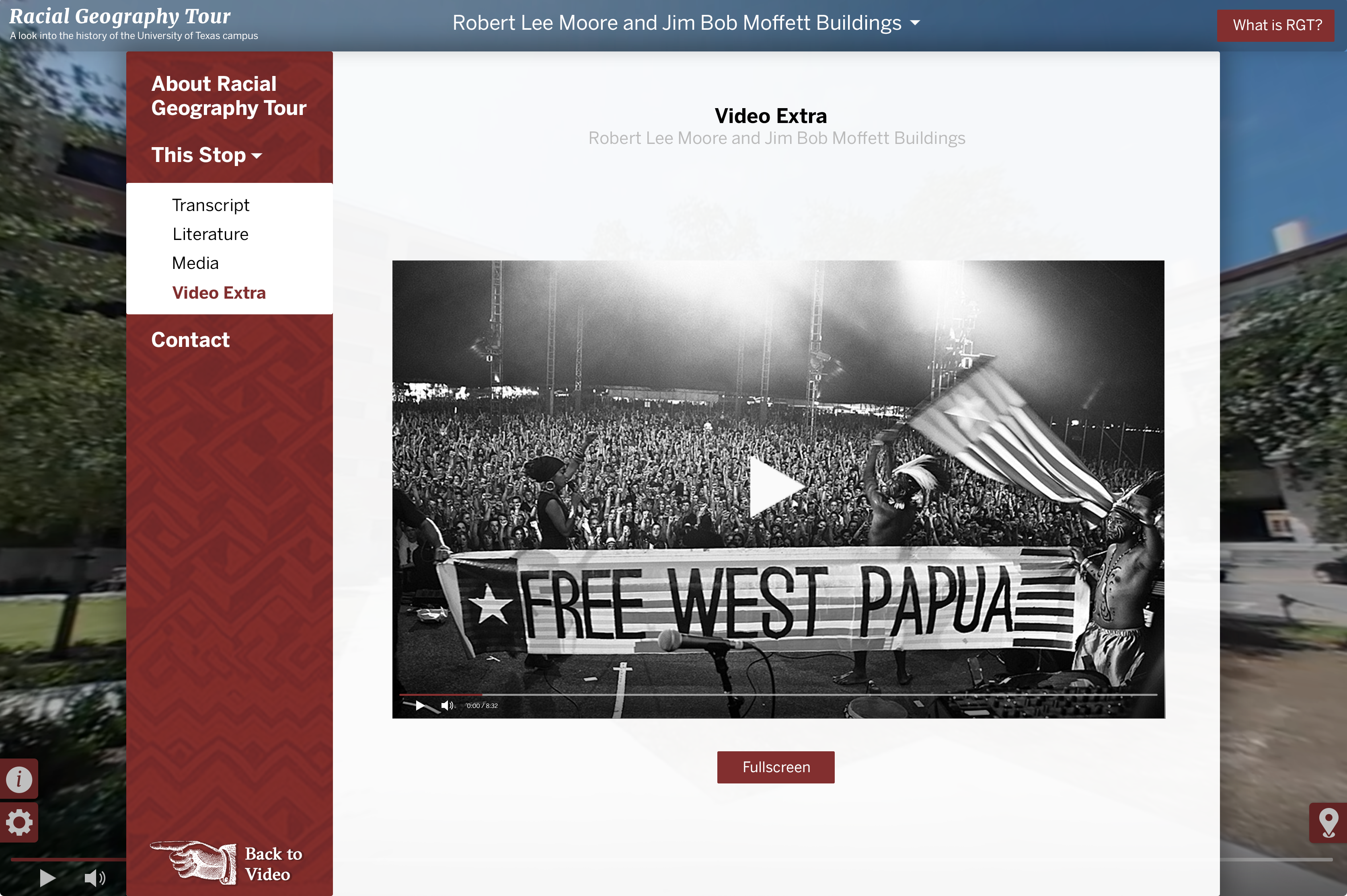
Went ahead and added a dropdown menu in the main nav to ease navigation (plus it looks prettier than a table of contents).

Also, there is at least one supplementary (non-360) video that goes along with one of the stops, so we needed to think about where it would live.

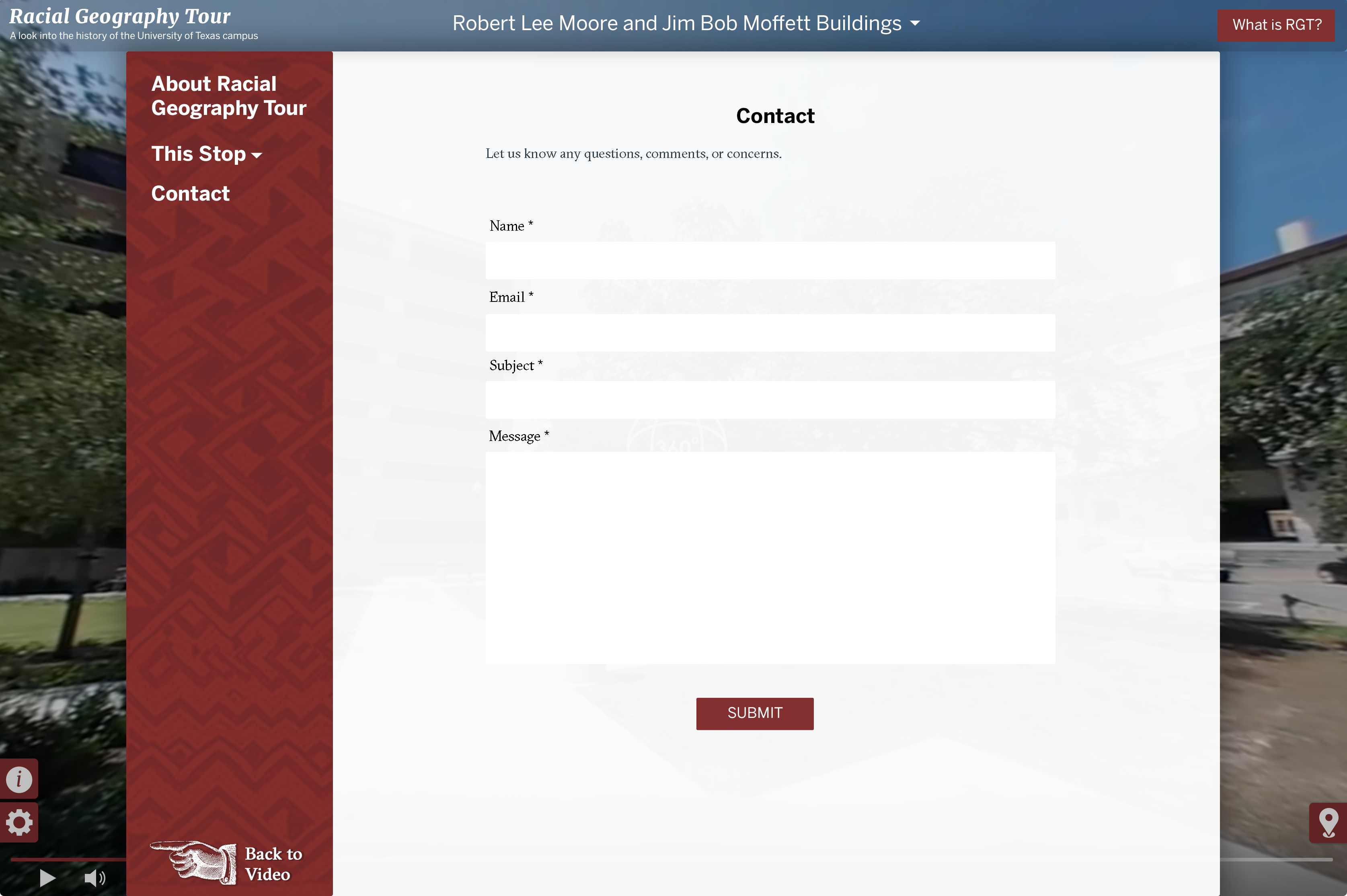
Oh and just in case folks wanted to provide feedback or had any lingering questions, we added a contact form too (which WordPress does a great job of supporting).

Filed Under: 2017-2018

  • « Previous Page
  • 1
  • …
  • 14
  • 15
  • 16
  • 17
  • 18
  • …
  • 43
  • Next Page »

link to LAITS home page

Video STA Home

© 2025 Liberal Arts Instructional Technology Services | Production Credits