
• We are STAs
    • Asha Rountree
    • Haley Ma
    • Kate Shih
    • Kyra Lee
    • Nicholas Peasley
    • Sasha Kenney
    • Shanda Horm
    • Shriya Atreya
    • Tomas Marulanda-Mesa
  • We were STAs
  • STA Presentation
    • STA Presentation 2017
    • STA Presentation 2016
  • Testimonials
  • Resources
  • Home

STA Blog

Abriella Corker

Abriella Corker

More V-Lab Edits

July 31, 2020 By Abriella Corker

EDITING ALL ASSIGNED V-LABS

Today I finished editing all my assigned v-labs in the spreadsheet. Although, some are still in review so I might need to keep editing those. For now, I am working on other items till I get assigned more of these to touch and fix up. It is easier to edit pngs and swap them out. I wasn’t confident that I remembered how to use canvasser but for tweaks like this it is fairly easy with minimal edits needing to be made to the functionality of the interactive.


 

Filed Under: 2019 Fall-Winter | Spring-Summer 2020

More KB

July 31, 2020 By Abriella Corker

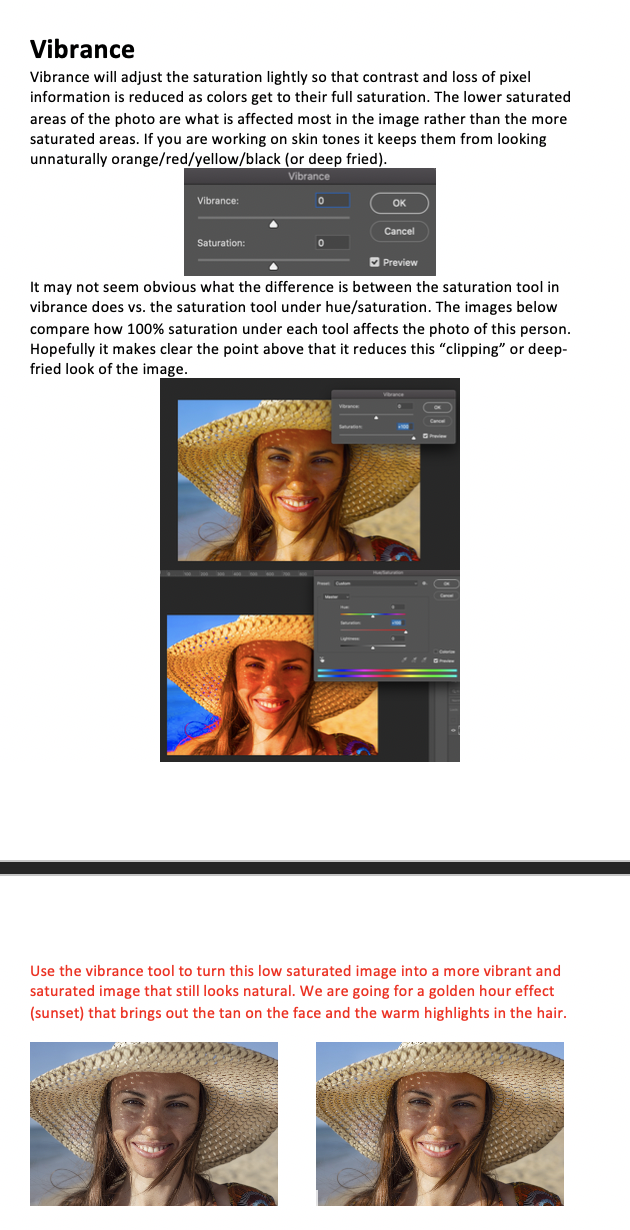
KB EDITS: VIBRANCE TOOL


https://www.photo-mark.com/notes/analyzing-photoshop-vibrance-and-saturation/

“The saturation slider in the Hue/Saturation adjustment is a blunt, heavy handed tool, and although they share the same name, the saturation slider in the vibrance panel shows a certain amount of restraint. Also, it is very clear that the vibrance control behaves as you would expect. Even at 100%, it is only just begining to get out of hand. Punchy, sure, but not completely over the top and with very little clipping.”

“Vibrance: Adjusts the saturation so that clipping is minimized as colors approach full saturation. This setting changes the saturation of all lower-saturated colors with less effect on the higher-saturated colors. Vibrance also prevents skin tones from becoming oversaturated.”

Above are some of the main points I took from that article about the Vibrance tool in photoshop. It was much more informative than I thought it was going to be and they did a good example of explaining the difference between the saturation tool under the Saturation/Hue tool and Vibrance tool using imagery. I made my own example image using the same edits as I thought that quickly represented how the tool works best. The STA will take a washed-out image and make it more vibrant and saturated in a way that still looks natural for this training like shown in the last to photos at the bottom of the screen shot.


Filed Under: 2019 Fall-Winter | Spring-Summer 2020

…hello again V-Labs

July 29, 2020 By Abriella Corker

…HELLO AGAIN V-LAB

I can’t post pictures of my edits because of copyright anyways but I already did my high priority edits and now I’m taking a gander at the other ones that I should edit my next shift!

Filed Under: 2019 Fall-Winter | Spring-Summer 2020

kb edits

July 28, 2020 By Abriella Corker


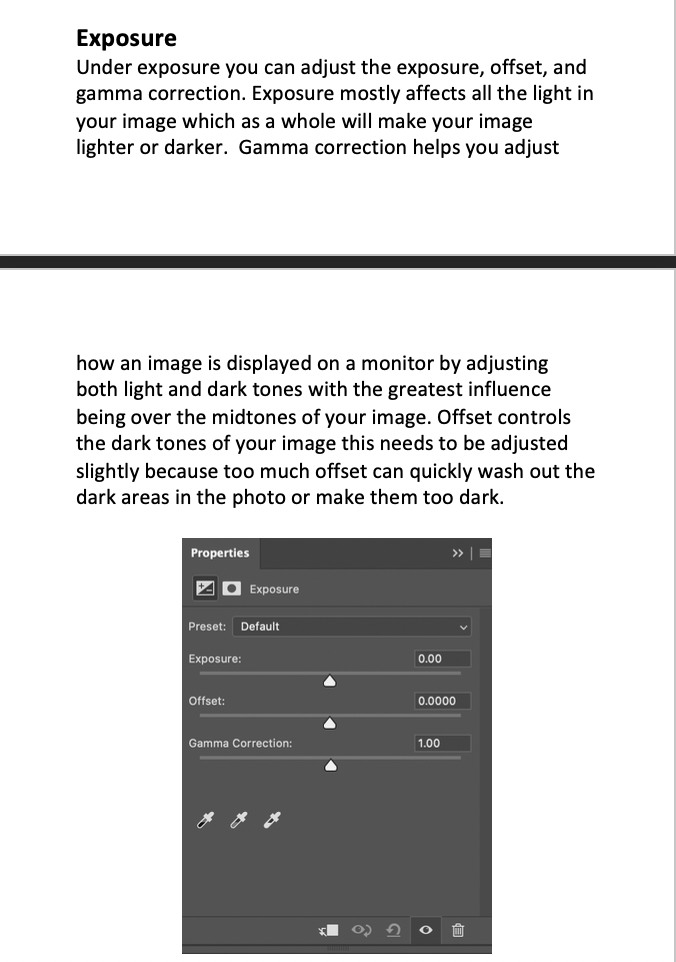
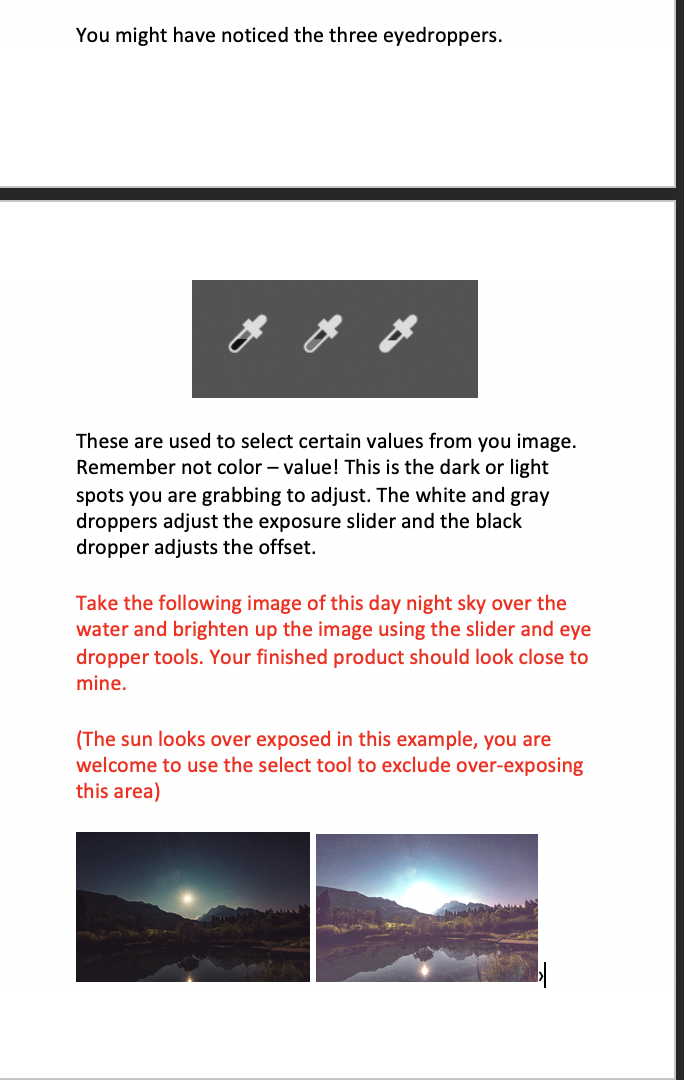
I filled out another section of the KB instructions I have been working on. The last sections I have left are over Levels, Curves, and Vibrance. Then from there I will edit the wording, edit the text to be more informative with vocab, and possibly reformat or enhance the practice training within this KB instruction.

Filed Under: 2019 Fall-Winter | Spring-Summer 2020

COM 301 Course Design

July 28, 2020 By Abriella Corker

COM301 COURSE DESIGN

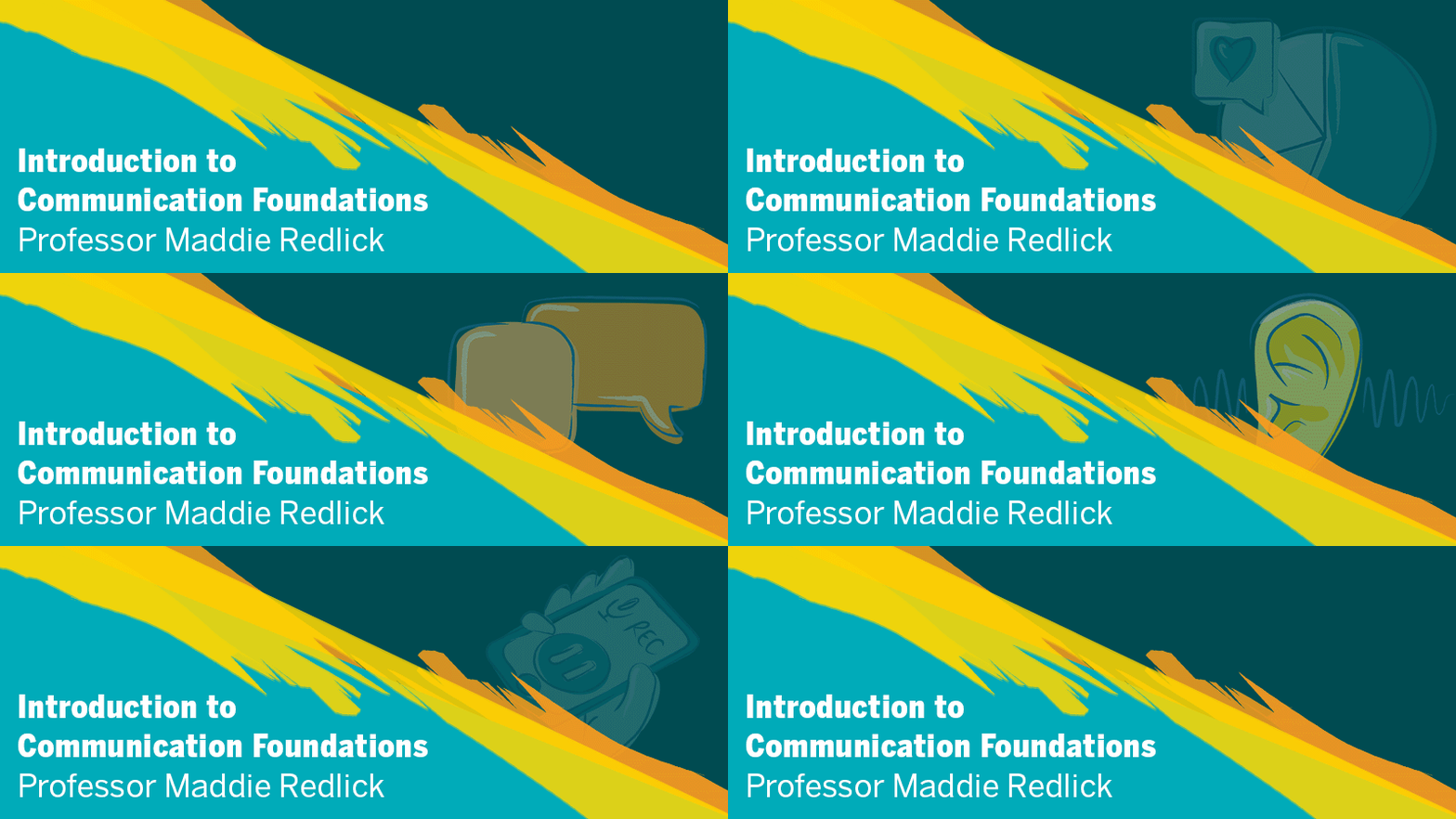
Below are the items I created for Communication Studies. It had to contain elements of the animation we worked on and the buttons were requested to be the UT secondary color blue. Maddy had the cool idea of having the banner be a GIF that rotates through the different areas of study within communications. I think it has a very captivating and professional/fun look to it. It’s the first banner I make as a GIF. All the font was changed out to be the font used in the animation so I had to download it. I added the yellow and orange streaks to break up all the blue in the course design. Now we wait for feedback from the professor and see if they like it


Filed Under: 2019 Fall-Winter | Spring-Summer 2020

Edits to the KB

July 28, 2020 By Abriella Corker

KB EDITS FROM NEW STA FEEDBACK

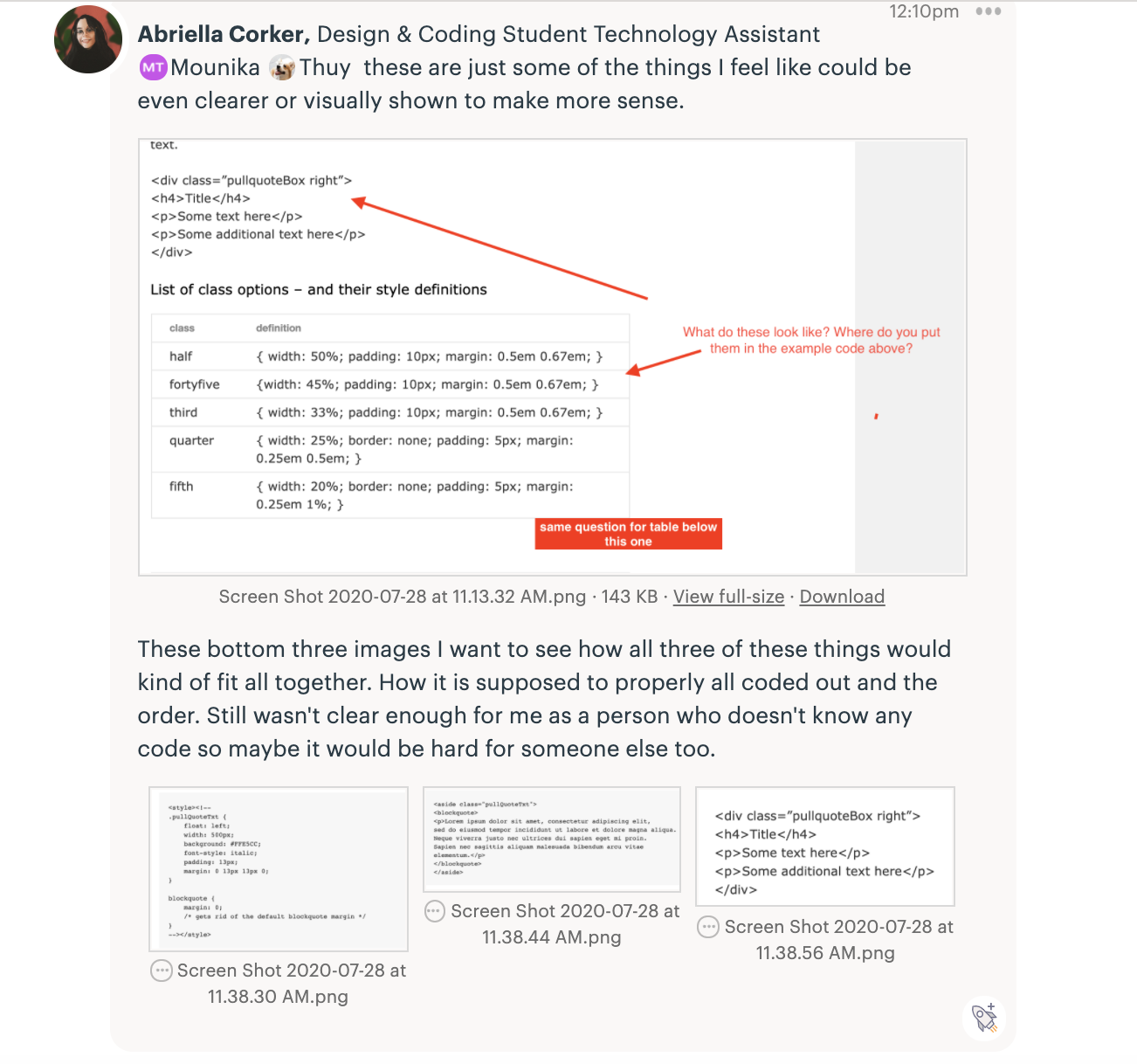
After assigning out the advanced Cascade trainings we got lots of feedback from the new STAs on items that were not well explained or clear enough to help with their understanding. I went back and tried to edit two of the KBs myself to fix some of these items. The first thing I fixed was adding more explanation about creating tables. I pulled that information from a page Mounika or Thuy made for our How to Cascade page on our site. Poonum said that was much more helpful so that issue has been resolved. Then, noticed a lot of the STAs had a wide variety of inconsistencies with the icons they were making, although they were still lovely. I realized it was because I did not have clear instructions on what the styling for the icons should look like. I included an example image but it wasn’t enough so I laid out some 1,2,3 items their icons must follow. Lastly, Mounika has been helping with making the pull quote instructions better. I gave her feedback as a person who doesn’t know how to code to better explain or make clear some of the formattings so eventually, that’ll read better as well for a beginner to coding like myself and some new STAs.

Filed Under: 2019 Fall-Winter | Spring-Summer 2020

  • « Previous Page
  • 1
  • …
  • 22
  • 23
  • 24
  • 25
  • 26
  • …
  • 50
  • Next Page »

link to LAITS home page

Video STA Home

© 2025 Liberal Arts Instructional Technology Services | Production Credits